Marine & Boat Professional Website Template
Pontoon is a dark immersive landing page template built for pontoon boat rental businesses. It uses a scroll-reveal comparison journey to guide visitors from crowded shoreline frustration to open-water freedom. With a Before/After Slider header, fleet tier comparisons, and a lead-generation form, this template turns curious browsers into confirmed reservations.
by Rocket studio
Quick summary
Pontoon is a single-page scroll-reveal template designed for pontoon boat rental operations. It opens with a dramatic Before/After Slider and unfolds a progressive comparison journey as visitors scroll. The Midnight Blue visual system, navigational amber call-to-action elements, and a focused reservation form make this landing page feel as inviting as pushing off from the dock at dusk.
Who this template is for
This template is built for boat rental businesses that need to convert curious lake visitors into paying customers. It works especially well for operators offering multiple fleet packages to distinct groups of guests.
- Family reunion planners booking twelve-passenger pontoons for full lake weekends
- Bachelor and bachelorette groups wanting floating sound systems and swim platforms
- Retired couples or casual anglers looking for low-hassle morning fishing runs
What problem this template solves
Most rental businesses struggle to communicate the full value of a pontoon day over cheaper or more familiar alternatives. Visitors leave the page unconvinced because nothing shows them the difference clearly enough.
- Visitors compare pontoon rental costs against kayak rentals without understanding the space, comfort, and group-size advantages
- Prospective customers hesitate when they cannot see which fleet package fits their group
- Mobile users abandon forms that feel too long or too generic to bother completing
What you get with this template
This template delivers a complete, scroll-driven landing page structured around progressive comparison reveals. Every section earns its place by raising the stakes and moving the visitor closer to booking.
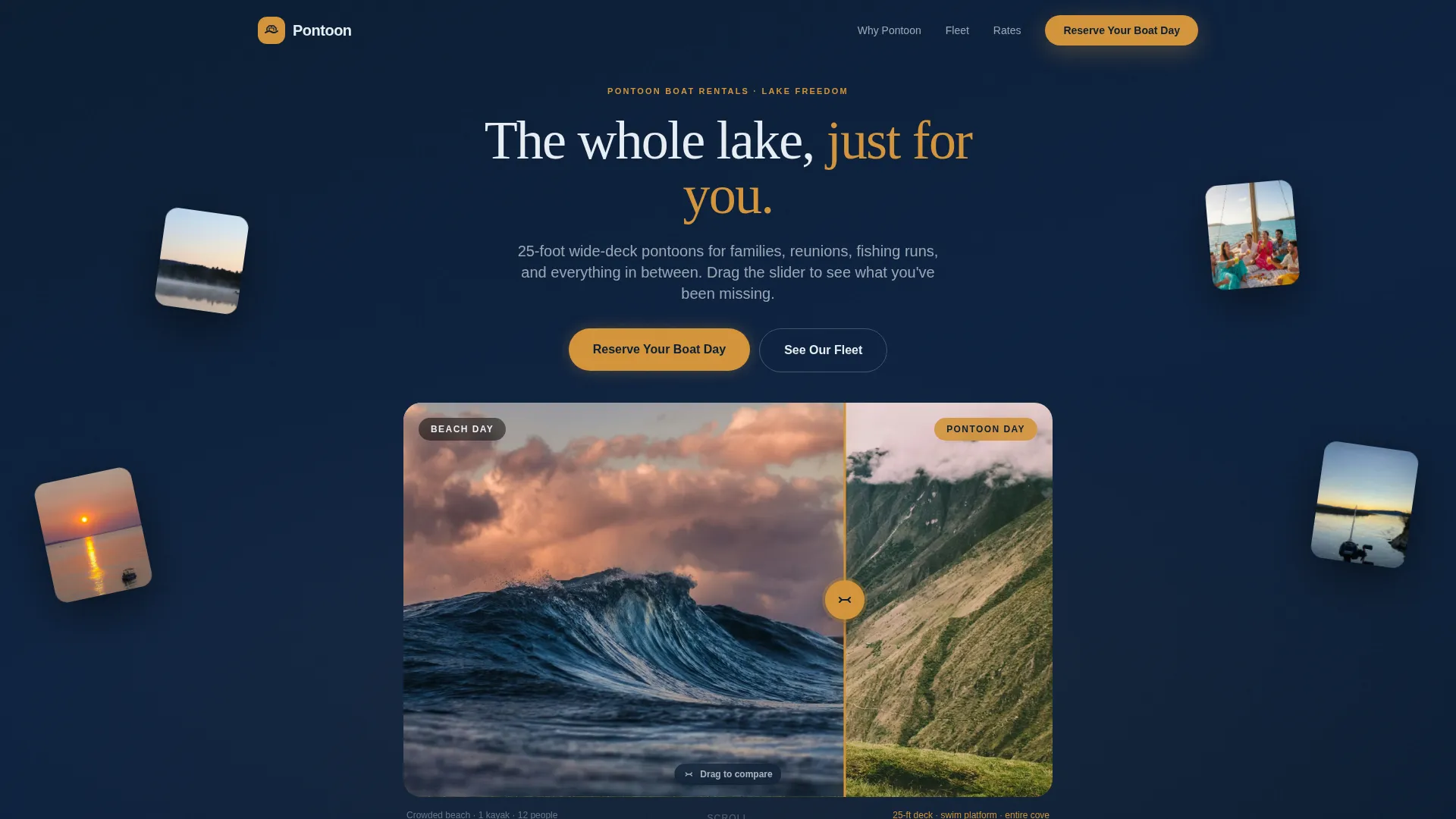
- A Before/After Slider header that physically shows the difference between a crowded beach day and a full pontoon deck
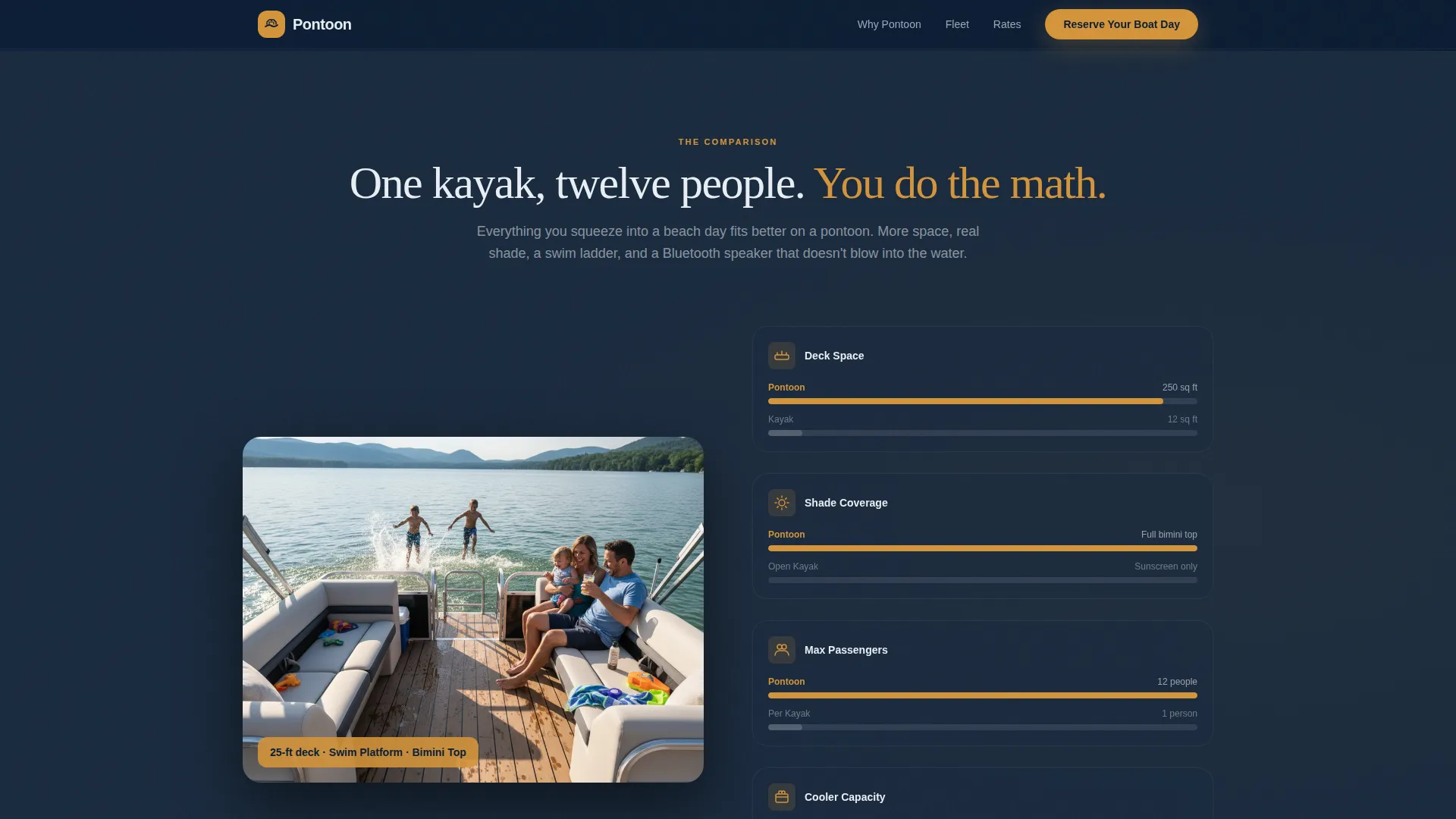
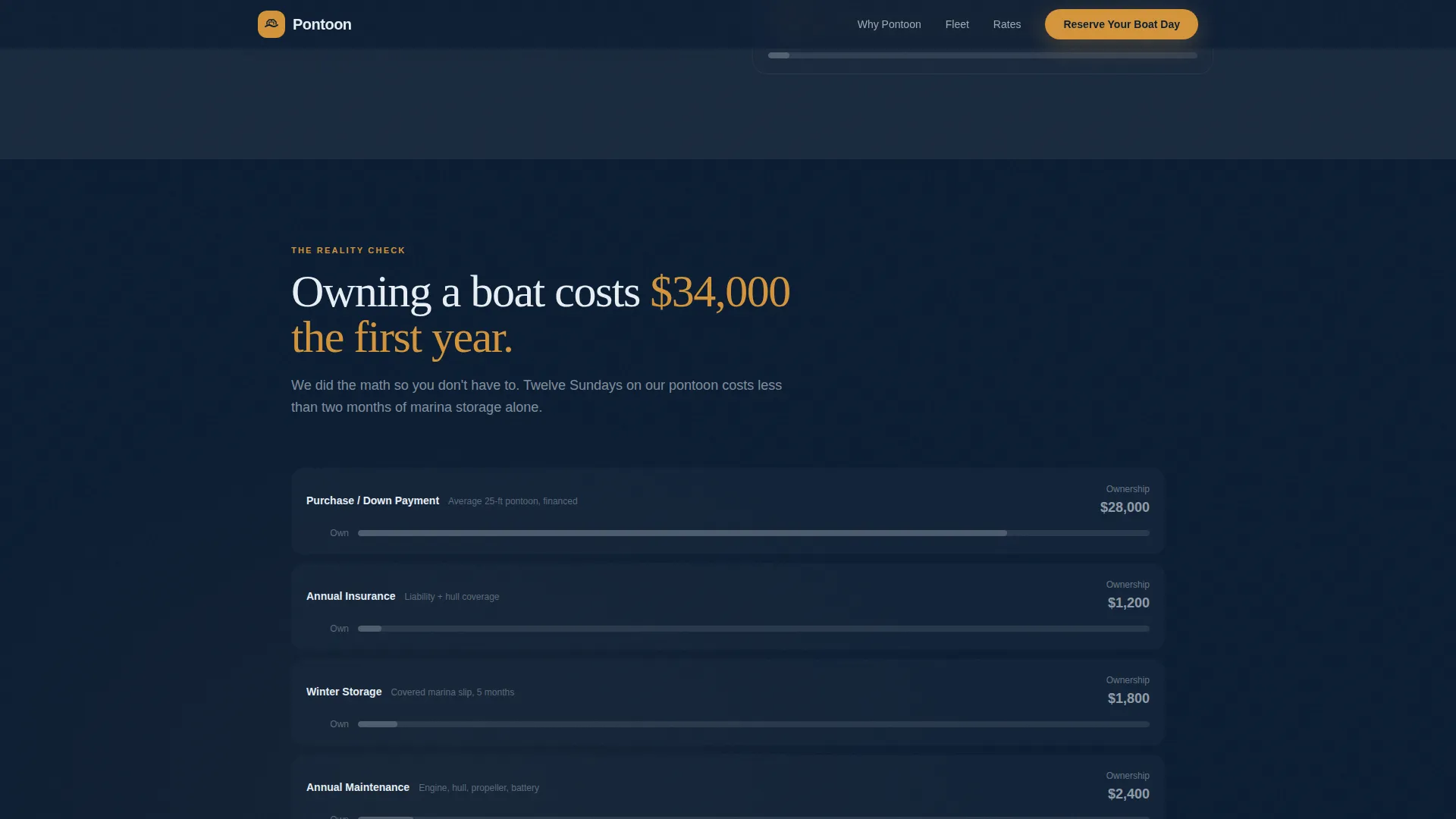
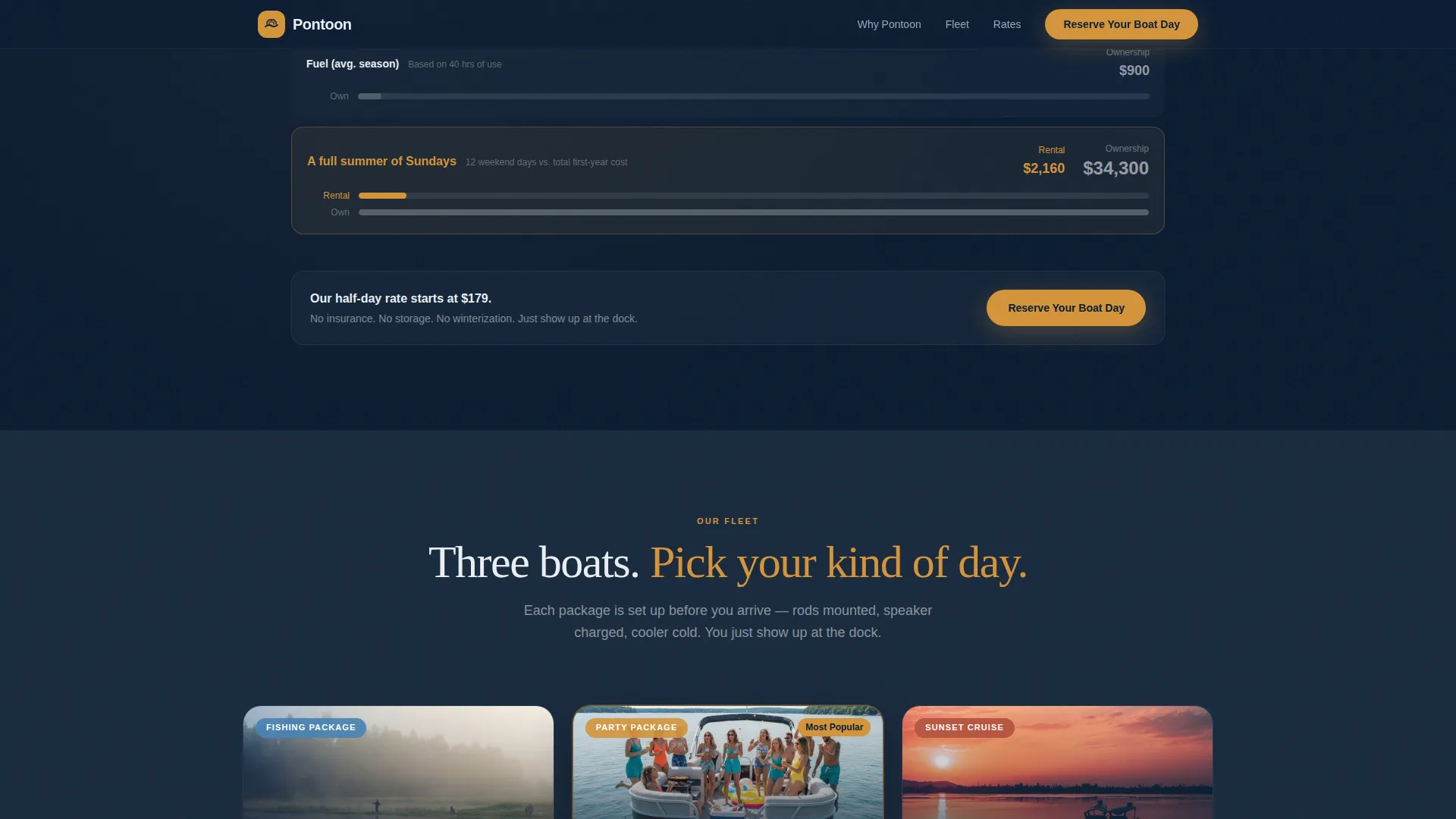
- Three progressive comparison sections covering kayak versus pontoon, rental versus ownership costs, and side-by-side fleet tier breakdowns
- A lead-generation form with date, party size, package preference, and a phone field, plus a mobile-friendly "Text Us Instead" secondary path
Feature list
This landing page is built around five core capabilities, each grounded in the scroll-reveal structure and conversion-focused design outlined in the brief.
Before/After Slider Header
The header uses a draggable slider to split two scenes: a cramped shoreline on the left and a spacious twenty-five-foot pontoon deck on the right. Visitors physically interact with the page before they read a single word of copy, making the value immediately tangible.
Scroll Reveal Comparison Journey
Each section of the page fades into view as the visitor scrolls, revealing a new comparison that raises the stakes. Opacity builds and subtle parallax effects on water photography create a cinematic sense of discovery without overwhelming the message.
Fleet Tier Side-by-Side Comparison
Three fleet packages are displayed in a side-by-side layout: fishing package, party package, and sunset cruise setup. Each tier is revealed progressively as the visitor scrolls into frame, making the choice feel natural rather than pressured.
Lead Generation Reservation Form
The primary form collects preferred date, party size via dropdown (2 to 4, 5 to 8, or 9 to 12 or more guests), package interest, and a phone number field labeled "Best number for dock directions." A secondary "Text Us Instead" button links to SMS for mobile visitors who prefer a faster path.
Sticky Mobile Call-to-Action Bar
On mobile, the "Reserve Your Boat Day" call-to-action anchors to a persistent bottom bar after the fleet comparison section. It keeps the reservation action within reach regardless of how far down the visitor has scrolled.
Navigational Amber Interactive Highlights
Calls to action, pricing highlights, and interactive hotspots all use the navigational amber accent color. This creates a consistent visual language that guides the eye toward the next action at every stage of the scroll.
Page sections overview
| Section | Purpose |
|---|---|
| Before/After Slider | Opens with a draggable scene comparison to show pontoon value instantly |
| Kayak versus. Pontoon | Compares space, comfort, and shade to reframe the rental decision |
| Rental versus. Ownership | Lays out insurance, storage, and winterization costs side by side |
| Fleet Tier Comparison | Reveals fishing, party, and sunset packages with scroll-triggered opacity |
| Reservation Form | Collects date, party size, package choice, and contact number |
| Sticky Mobile Bar | Keeps the primary call-to-action accessible throughout the scroll |
Design & branding system
The Midnight Blue color system is designed to evoke the feeling of being on the water after sunset, where the sky still holds one last warm band of light above the dark, reflective lake surface.
- Core palette: deep lake water (#0B1D33) for backgrounds, hull charcoal (#1A2A3D) for card and section fills, moonlit wake white (#E8EEF4) for body text and contrast elements
- Navigational amber (#D4943A) reserved exclusively for calls to action, pricing highlights, and interactive hotspots to direct attention at every decision point
- Dark Immersive theme with water photography, subtle parallax scrolling, and smooth opacity reveal animations that reinforce the on-water atmosphere
Mobile & speed optimization
The template is structured to work cleanly on mobile screens where most lake-day decisions get made. The sticky bottom bar and SMS fallback path directly address how mobile visitors behave.
- The "Reserve Your Boat Day" button anchors to a persistent bottom bar on mobile after the fleet comparison, keeping the action always visible
- A "Text Us Instead" SMS button provides a frictionless alternative path for visitors who prefer messaging over filling out a form
How this template helps you convert
The entire page is built around one goal: turning a curious visitor into a confirmed reservation. Every design and content decision supports that outcome.
- The Before/After Slider creates an immediate emotional contrast that makes the pontoon option feel obvious before the visitor reads a single comparison point.
- The progressive comparison journey handles objections one by one, moving from alternative rentals to ownership costs to fleet choices, so by the time visitors reach the form they are already convinced.
- The dual-path conversion setup (form plus SMS button) reduces friction for mobile visitors and captures leads that would otherwise leave without acting.
Other information about this template
This template sits in the Marine and Boat subcategory under Automotive and Transport and is purpose-built for the pontoon boat rental niche. It is well-suited for lake destinations with seasonal demand and mixed visitor demographics.
- The template style is Scroll Reveal (Progressive), meaning sections animate into view as the visitor scrolls rather than loading all at once
- The creative direction follows a Comparison Journey structure, which is particularly effective for rental businesses competing against both ownership and alternative rental options
- The header concept (Before/After Slider) is interactive by design, giving visitors a hands-on first impression that static hero images cannot replicate
- This template is listed under the Dark Immersive theme category, making it a strong match for brands wanting a premium, atmospheric feel rather than a bright and generic rental site look
Theme
Dark Immersive
Creative direction
Comparison Journey
Color system
Midnight Blue
Style
Scroll Reveal (Progressive)
Direction
Lead Generation
Page Sections
Before/after Slider Header
Scroll Reveal Comparison Journey
Fleet Tier Side-by-side Layout
Lead Generation Reservation Form
Sticky Mobile Call-to-action Bar
Navigational Amber Accent System
Related questions
Who is this landing page template designed for?
Can I showcase different boat packages with this template?
How does the reservation form work?
What does the Before/After Slider in the header do?
Is this template suited for mobile visitors?



