Front Porch Painting Service Landing Page Template
Porch is a gallery-and-detail landing page built for front porch painting crews. It opens with a full-width before/after slider, walks visitors through a problem-to-solution visual arc, and closes with a focused lead-capture form. The Industrial Raw design and Navy Authority color system make the work look as serious as the crew that does it.
by Rocket studio
Quick summary
Porch is a single-page lead generation template for front porch painting services. It combines a dramatic before/after header slider with a scrolling gallery that moves visitors from damage close-ups to finished results. A sticky quote form and a secondary download path give the page two distinct ways to capture interested homeowners.
Who this template is for
This template is built for service businesses that work on the exterior of homes and need to show their results before a visitor reads a single word. It speaks directly to tradespeople who book jobs visually.
- Front porch painting contractors and exterior prep crews
- Realtors and property managers who need a fast, credible staging resource
- Landlords and renovation specialists who take on multiple porch turnovers per season
What problem this template solves
Most painting service pages lean on written testimonials and stock photos. They ask visitors to imagine the result instead of showing it. This template leads with the visual proof and only then asks for contact details.
- Visitors see the damage they recognize and the transformation they want, in that order
- The problem-to-solution scroll builds confidence before a quote request is made
- Two conversion paths catch both ready buyers and early-stage researchers
What you get with this template
You get a structured single-page layout that handles both the emotional sell and the practical hand-raise. Every section has a defined job, and nothing is decorative for decoration's sake.
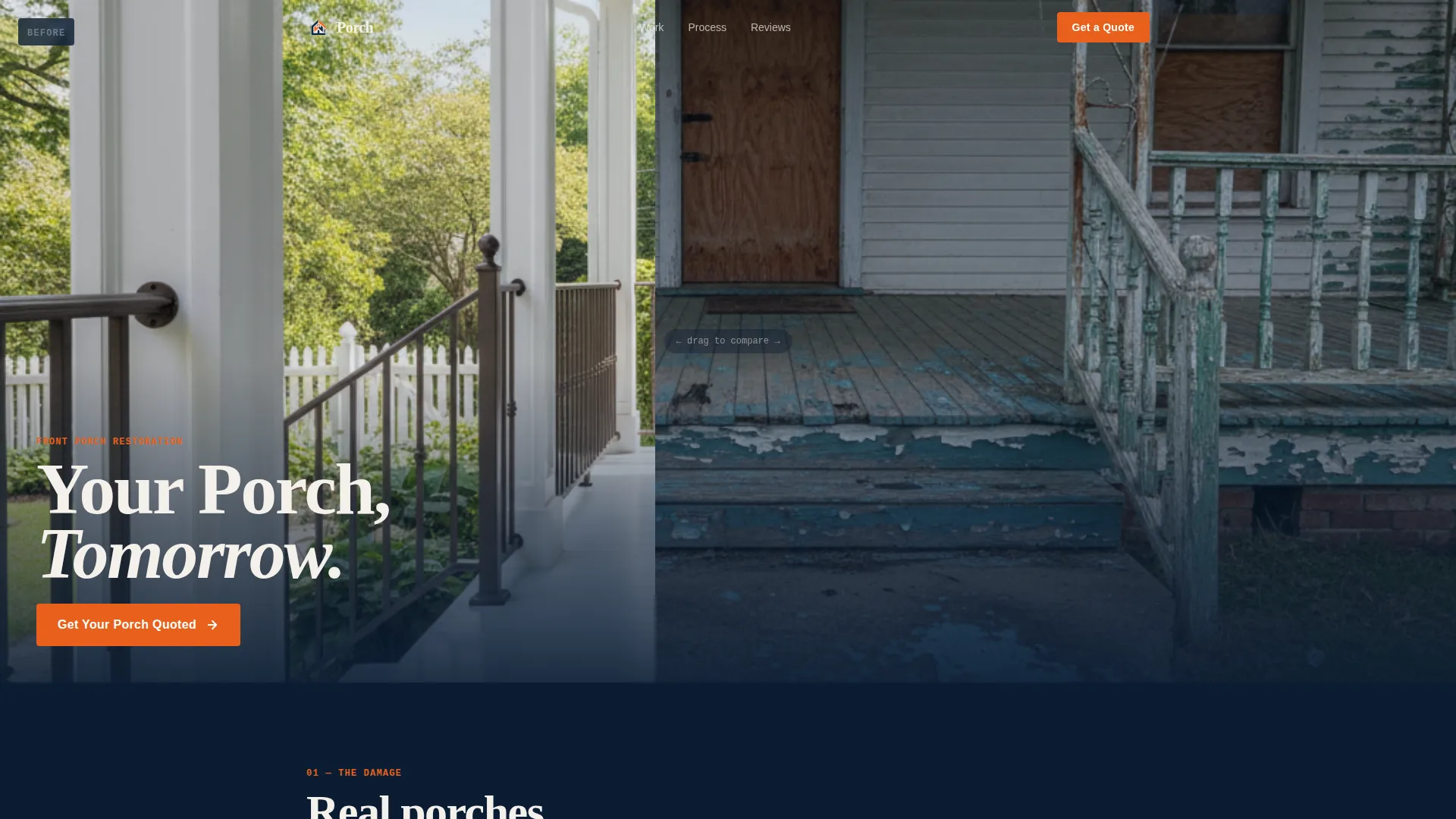
- A full-width interactive before/after header slider with a drag handle and fade-in headline
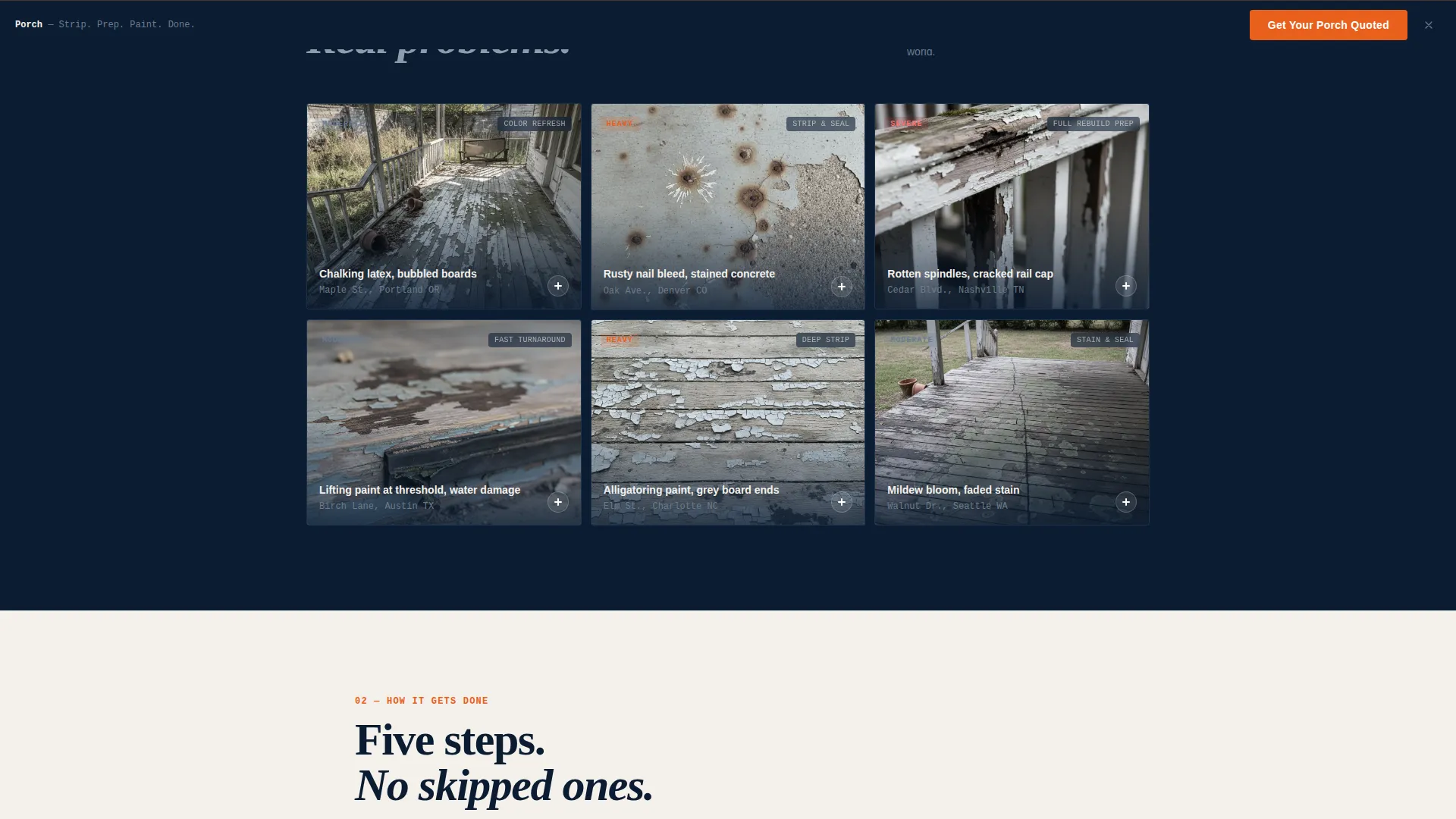
- A gallery grid that expands individual project thumbnails into full detail panels
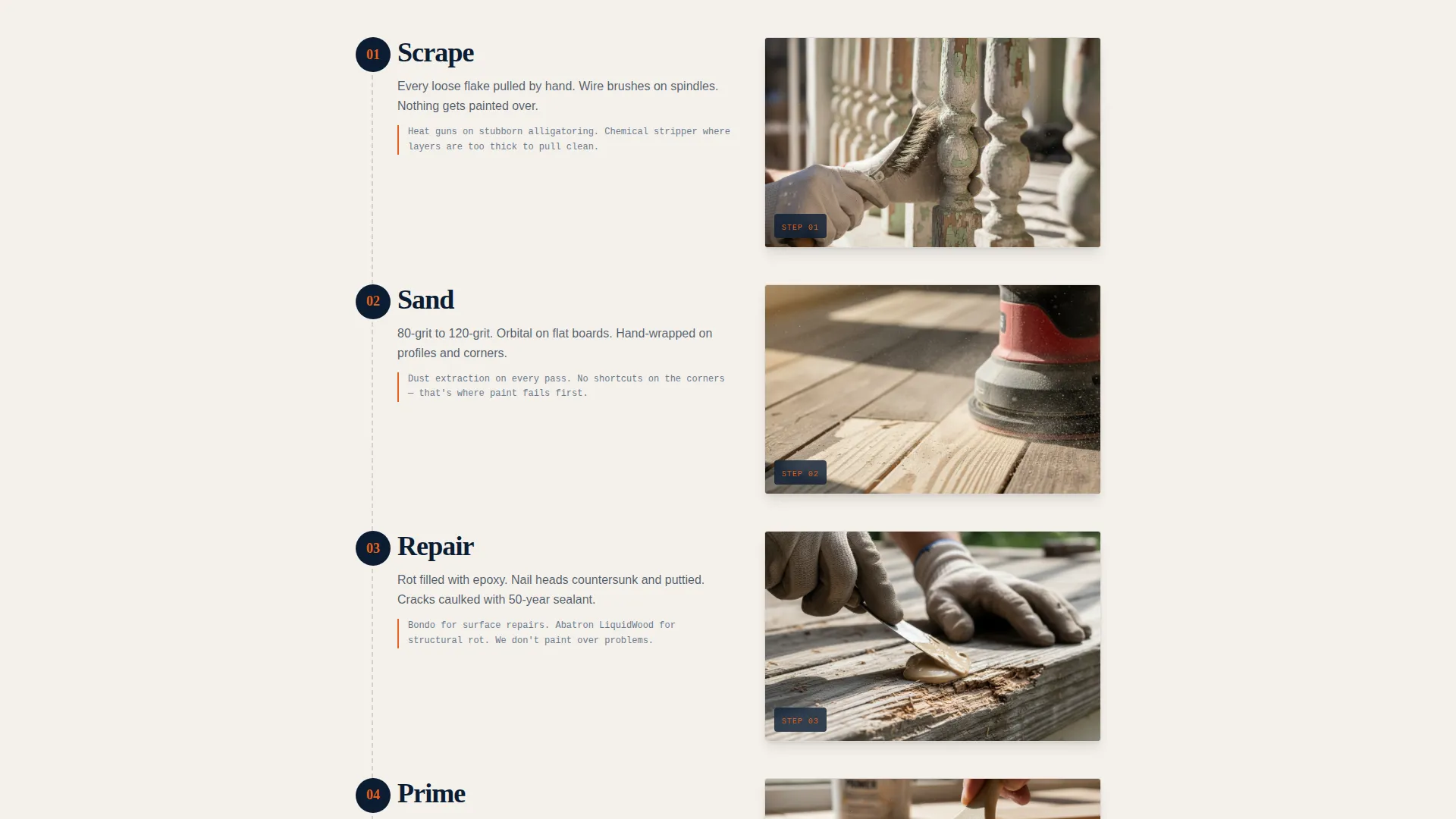
- A numbered process timeline with job-site photography and a two-path lead capture system
Feature list
This template ships with a focused set of purpose-built components. Each one earns its place by moving a visitor one step closer to submitting a quote request.
Interactive Before/After Header Slider
A full-width comparison tool shows the same porch at the same angle before and after the crew's work. A thick orange drag handle with a paint-roller icon lets visitors control the reveal. No headline appears for the first two seconds. Then "Your Porch, Tomorrow" fades in at the bottom left in condensed white type.
Problem-to-Solution Gallery Grid
Close-up thumbnails of real damage conditions open into full detail panels showing the finished result at the same camera distance. The grid is sequenced intentionally: simpler refreshes appear first, and more dramatic strip-and-rebuild transformations appear as the visitor scrolls deeper.
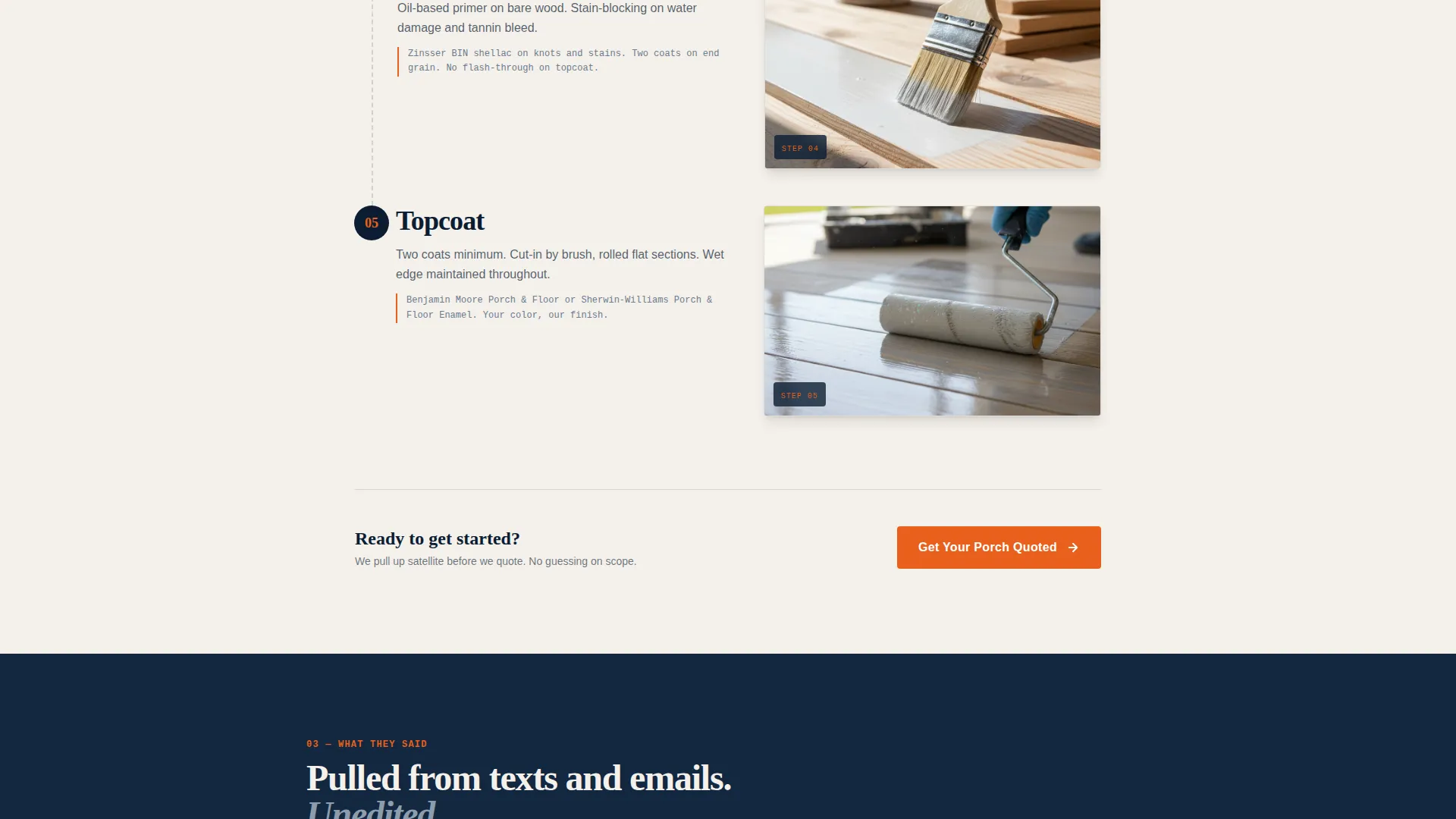
Numbered Process Timeline
A step-by-step sequence covers scrape, sand, prime, caulk, and topcoat. Each step is illustrated with a photograph taken on an actual job site, giving the crew's method a tangible, documented quality that a bullet list cannot replicate.
Monospaced Testimonial Cluster
Short single-sentence quotes pulled from text messages and emails are displayed in a monospaced font. The formatting makes each testimonial feel like a forwarded message rather than a polished review, which keeps the social proof feeling honest and unscripted.
Dual-Path Lead Capture System
The primary path is a three-field quote form asking for a home address, a photo upload labeled "Show Us What You're Dealing With," and a preferred week dropdown. The secondary path offers a downloadable checklist gated behind an email field, reaching visitors who are not yet ready to commit.
Sticky Quote Call-to-Action Bar
A "Get Your Porch Quoted" button in safety orange appears below the header slider and reappears as a fixed bottom bar after the visitor passes the second scroll depth. The repeated placement keeps the primary action visible throughout the session without interrupting the content.
Page sections overview
| Section | Purpose |
|---|---|
| Before/After Slider | Opens the page with immediate visual proof of transformation |
| Headline Fade-In | Delivers the primary message after two seconds of image-only impact |
| Primary Quote call to action | Captures ready buyers directly beneath the header |
| Problem Gallery Grid | Shows real damage conditions to trigger recognition in visitors |
| Detail Expansion Panels | Reveals finished results at the same angle as each problem thumbnail |
| Process Timeline | Documents the crew's method step by step with job-site photos |
| Testimonial Cluster | Displays single-sentence social proof in a monospaced forwarded-message style |
| Sticky call to action Bar | Keeps the quote action visible after the second scroll depth |
| Lead Capture Form | Collects address, photo upload, and preferred week from ready buyers |
| Checklist Download Gate | Captures email from visitors not yet ready to request a quote |
Design & branding system
The template uses an Industrial Raw visual theme built around the Navy Authority color system. The palette is deliberate and restrained. Every color has a specific job on the page, and none of them overlap.
- Deep command navy (#0B1D33) anchors the header, footer, and process timeline backgrounds
- Weathered primer gray (#6B7B8D) handles body text and secondary user interface elements, keeping the tone workmanlike
- Clean porch-white (#F4F0EB) provides breathing room in gallery and form sections
- Safety orange (#E8601C) is reserved exclusively for calls to action, price callouts, the drag handle, and hover states
Mobile & speed optimization
The template layout is structured to work cleanly at mobile viewport sizes. The before/after slider, gallery grid, and sticky bar are all sized and spaced for touch interaction.
- The gallery grid collapses from a multi-column layout to a stacked single-column view on smaller screens
- The sticky quote bar remains anchored at the bottom of the viewport on mobile, keeping the primary action reachable at all times
- The photo upload field and dropdown in the lead form are sized for thumb-friendly tapping without zooming
How this template helps you convert
The page is built around two conversion goals: getting a quote request from a ready homeowner and capturing an email from someone who knows the problem exists but is not ready to call. Every section serves one of those two goals.
- The before/after slider and gallery arc do the qualifying work before the form appears, so the visitor arrives at the quote request already convinced the crew can handle their specific situation.
- The checklist download gives undecided visitors a reason to hand over their email address, keeping them in reach for a follow-up even if they leave without booking.
Other information about this template
This template sits at the intersection of visual storytelling and direct response. It is purpose-built for the front porch painting service niche but the underlying structure applies to any exterior renovation service that sells primarily through before/after proof.
- The template style is Gallery plus Detail, meaning each problem image connects to a matched result panel rather than showing a generic portfolio
- The creative direction follows a Problem to Solution arc, which mirrors how a homeowner actually thinks about a porch repair decision
- The header concept is a Before/After Slider, one of the highest-engagement formats for transformation-based service businesses
- The lead generation direction means every design decision is subordinate to getting a quote request or an email capture
- The theme is Industrial Raw, which positions the business as skilled and serious rather than polished and sales-heavy
Theme
Industrial Raw
Creative direction
Problem→Solution Arc
Color system
Navy Authority
Style
Gallery + Detail
Direction
Lead Generation
Page Sections
Interactive Before/after Header Slider
Problem-to-solution Gallery Grid
Numbered Process Timeline
Monospaced Testimonial Cluster
Dual-path Lead Capture System
Sticky Quote Call-to-action Bar
Related questions
Can I replace the slider images with photos from my own porch jobs?
Does the template include both the quote form and the checklist download?
When does the sticky call-to-action bar appear on the page?
Can I update the process timeline to reflect my crew's actual steps?
Is this template a good fit for a landlord with multiple rental properties?



