Plastic Surgeon Patient Portal Landing Page Template
Portal is a split-screen landing page template built for plastic surgery patient portals. It pairs frosted-glass award badges, a serif headline with an animated lock icon, and a rose-gold call-to-action button to guide existing patients straight to their secure login. The design feels warm, clinical, and private, a digital lobby that earns trust before a single word is read.
by Rocket studio
Quick summary
Portal is a single-page, click-through landing page template designed for plastic surgery patient portals. It opens with a 50/50 split-screen hero, guides visitors through an expert panel and portal preview, and closes with a secondary consult booking prompt. Every section is built to reassure, orient, and move patients directly to their secure login.
Who this template is for
This template is designed for plastic surgery practices that serve a discerning, privacy-conscious patient base. It works equally well for solo surgeons and multi-surgeon practices that need a polished digital entry point.
- Pre-op and post-op patients who need fast, confident access to their consultation notes and recovery timelines
- Plastic surgery practices running rhinoplasty, facelift, or similar elective procedure programs
- Research-phase visitors who need to see credentials and trust signals before booking a virtual consultation
What problem this template solves
Most patient portal entry pages are functional but forgettable. They lack the warmth and credibility that premium cosmetic surgery patients expect. This template closes that gap by making the login experience feel intentional and considered.
- Patients arriving after hours or between commitments need instant reassurance that they are in the right place
- Practices lose research-phase visitors who bounce before seeing any proof of expertise or care quality
- Generic portal pages fail to communicate the quality of the surgical team behind them
What you get with this template
This template delivers a fully structured, single-page layout with distinct sections that build trust progressively as the visitor scrolls. Every component is defined in the source brief and ships as part of the design system.
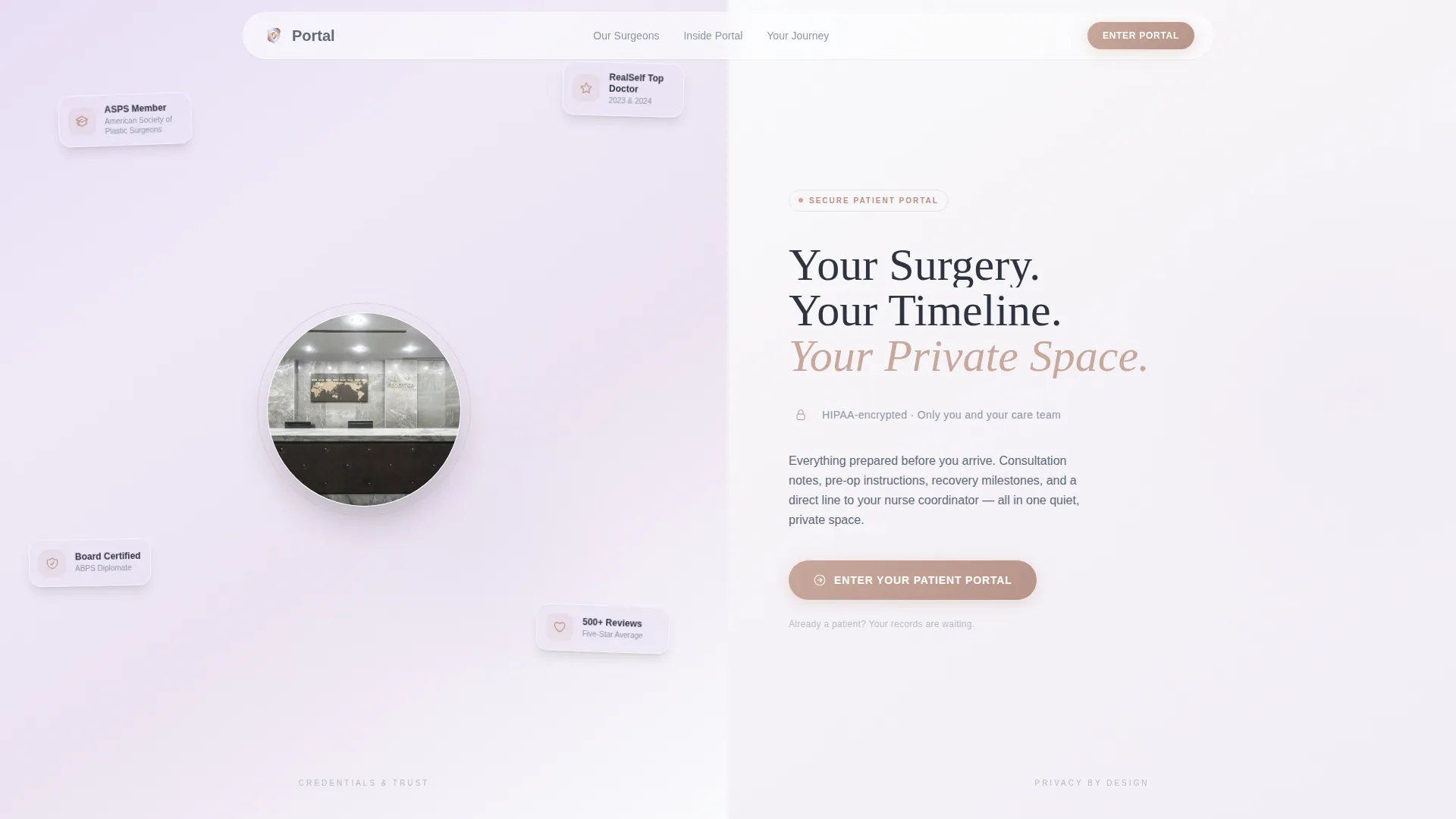
- A 50/50 split-screen hero with frosted-glass award badge display on the left and a serif headline with animated lock icon on the right
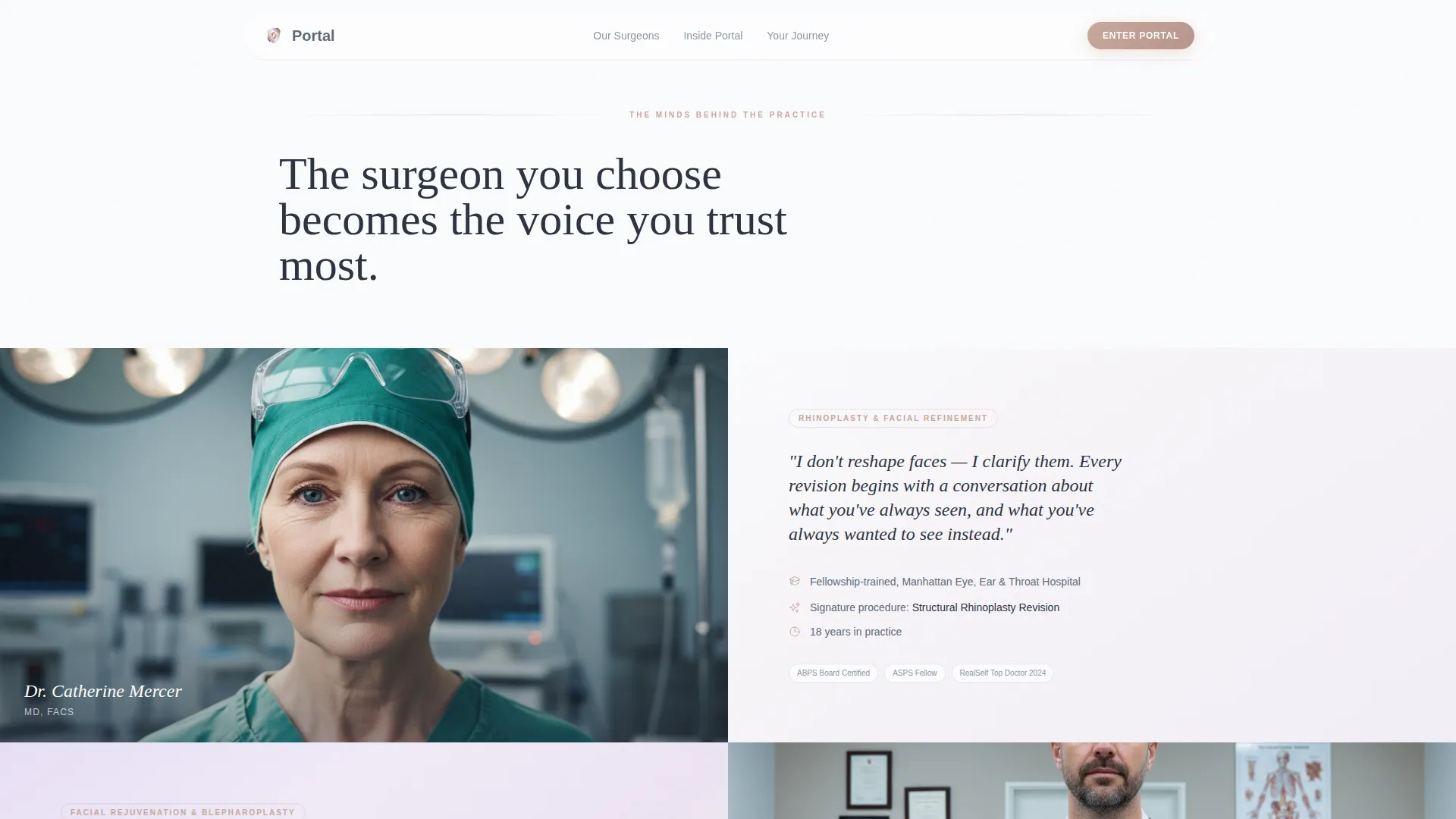
- An expert panel section pairing surgeon portraits with fellowship credentials, procedure philosophy, and signature specialties
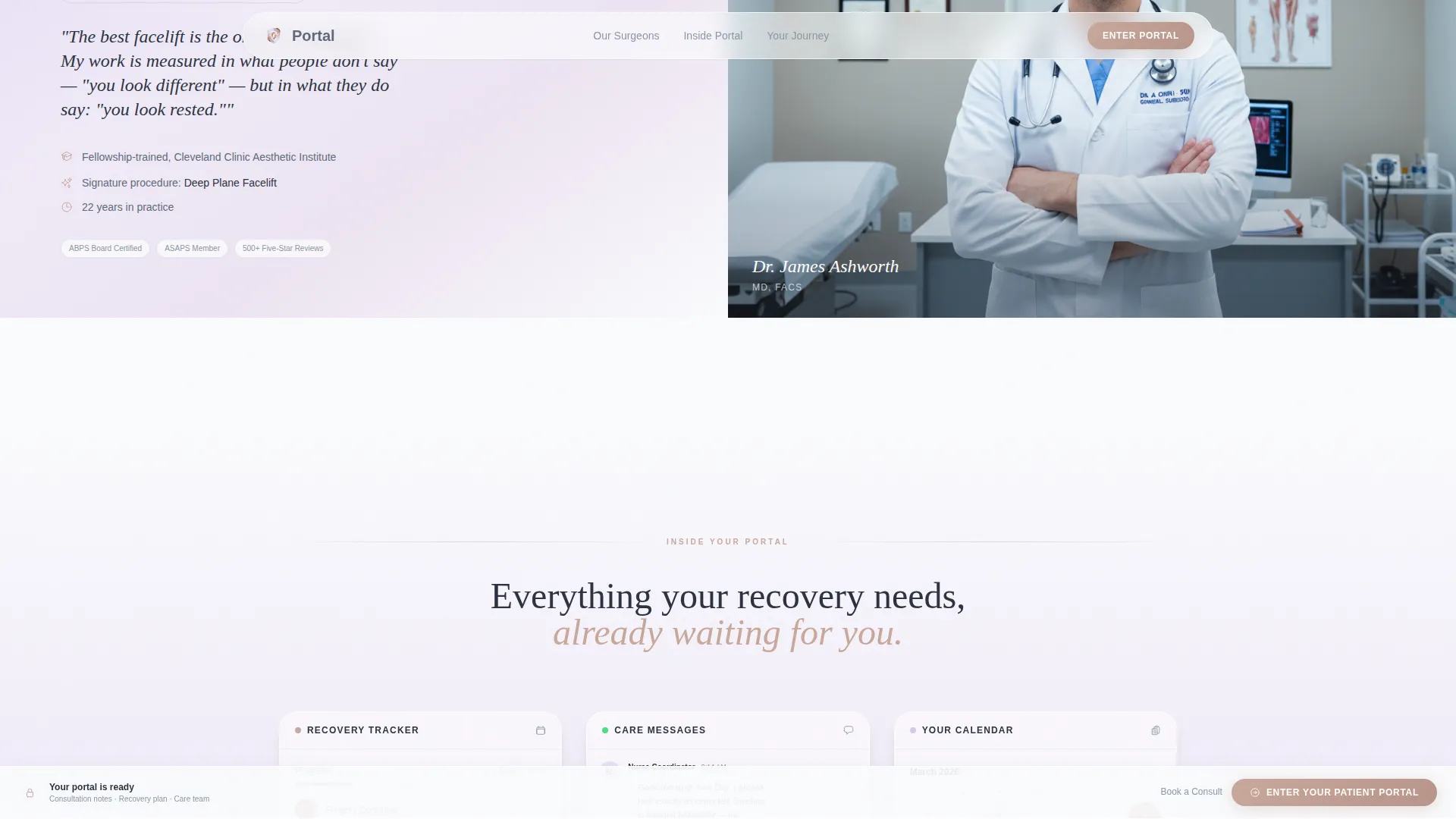
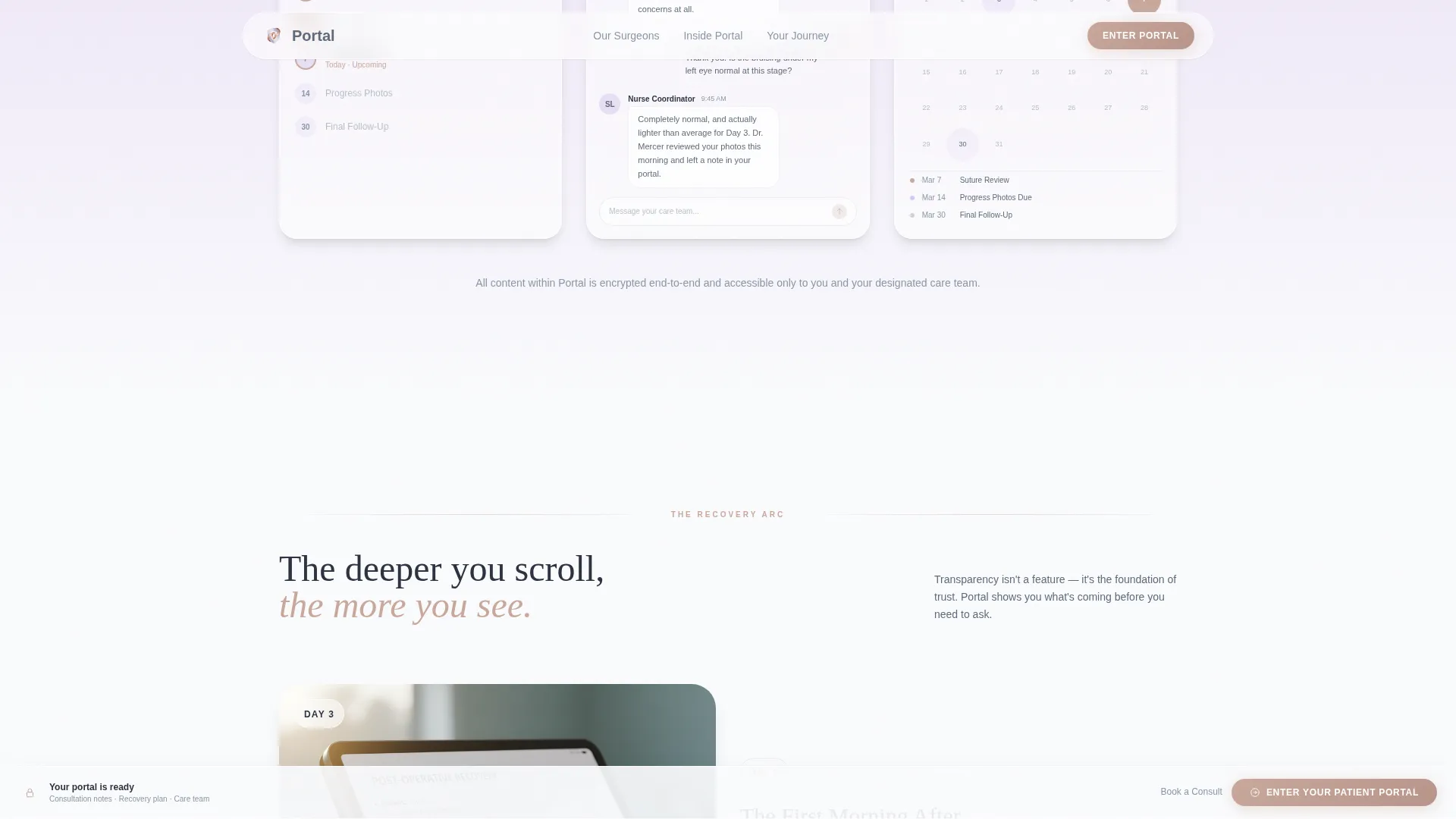
- A portal preview section showing a recovery tracker, nurse message thread, and pre-op calendar view
- A rose-gold primary call-to-action button at the header and a sticky bottom bar that repeats it after the second scroll
- A soft secondary call-to-action beneath the final expert panel for research-phase visitors who have not yet booked
Feature list
This template combines visual restraint with purposeful interactivity. Each feature is drawn directly from the design brief.
Split-Screen Hero Layout
The hero divides the viewport evenly. The left half displays a constellation of frosted-glass award badge icons floating on a lilac-to-white gradient. The right half holds the primary serif headline and an animated lock icon that pulses once, then settles. Both halves are built for immediate trust on first impression.
Parallax Badge Float Animation
The frosted-glass award badges on the hero's left panel shift position subtly as the visitor scrolls. This parallax effect makes the credential display feel alive without distracting from the headline. It signals craftsmanship in the same breath that it signals authority.
Expert Panel Section
Each surgeon is introduced through a paired layout: portrait on one side, philosophy and credentials on the other. Fellowship training and signature procedures are presented without sales language. The tone communicates the mind behind the work, not just the results.
Portal Preview Components
Between expert panels, the template surfaces three interface previews: a recovery tracker screenshot, a sample nurse message thread, and a calendar view of pre-op and follow-up milestones. These previews show patients what is already waiting for them inside the portal.
Sticky Call-to-Action Bar
After the visitor scrolls past the second section, a rose-gold "Enter Your Patient Portal" bar locks to the bottom of the screen. It stays visible throughout the rest of the scroll journey without interrupting content. No form, no friction, just a direct route to the secure login screen.
Secondary Consult Call-to-Action
A softer prompt, "Not a Patient Yet? Book a Virtual Consult," appears once beneath the final expert panel. It captures visitors who are still in the research phase without competing with the primary login action. The placement and tone keep both audiences served without visual conflict.
Page sections overview
| Section | Purpose |
|---|---|
| Hero Split Screen | Credential display and headline with animated lock and primary call-to-action |
| Expert Panel | Surgeon portraits paired with fellowship training, procedure philosophy, and specialty |
| Portal Preview | Recovery tracker, nurse message thread, and pre-op calendar view |
| Patient Journey | Day 3, day 7, and day 14 healing snapshots building transparency through scroll |
| Secondary Call-to-Action | Research-phase prompt for booking a virtual consultation |
| Footer | Ultra-minimal horizontal footer pattern |
Design & branding system
The visual identity uses a Cloud Canvas color system built around four tones that feel simultaneously clinical and calming. Typography pairs a tracked-out serif display face with a clean humanist body font to balance warmth with precision.
- Color palette: whisper lilac (#E8DFF5) to surgical white (#FAFBFD) for backgrounds, calm slate (#5E6A7A) for all body text, and muted rose-gold (#C9A89B) for buttons, progress indicators, and trust signal accents
- Typography: Fraunces thin serif for display headlines and DM Sans for body copy, creating a clear hierarchy between emotional pull and factual information
- Visual style: frosted-glass badge icons, soft gradient backgrounds, hover states on portraits and badges, and scroll-reveal text animations throughout
Mobile & speed optimization
The template is designed desktop-first to match how its primary audience interacts with the page. Research between school pickups and board meetings often happens on a large screen. The layout is fully responsive for smaller viewports.
- Parallax animations and sticky call-to-action bar are handled through client-side components, keeping static content fast to render
- Server Components power all static sections, reducing unnecessary JavaScript on first load
- The responsive layout adapts the 50/50 split-screen hero and expert panel structure to single-column stacking on mobile devices
How this template helps you convert
Every design decision on this page reduces hesitation and shortens the path to action. The page is optimized for a single primary conversion: the click to the secure login screen.
- The animated lock icon in the hero communicates privacy before any body copy is read, removing the first hesitation for security-conscious patients
- The progressive expert panel and portal preview sequence builds trust incrementally, so each scroll deepens confidence rather than adding friction
- The sticky rose-gold call-to-action bar keeps the primary action visible at every scroll depth without requiring the visitor to return to the top
Other information about this template
This template belongs to the Health & Medical category with a focus on the plastic surgery patient portal niche. It is built as a Soft Gradient theme using the Cloud Canvas color system and the Expert Panel creative direction, with an Award Badges header concept and a Click-Through landing-page direction.
- Template style: Split Screen (50/50), desktop-first with full responsive support for mobile
- Animation level: medium-high, including parallax badge float, lock pulse, scroll-reveal text, and sticky call-to-action bar
- No form lives on this page; both calls-to-action route to external destinations, keeping the page free of data-entry friction
- The footer uses a minimal horizontal pattern, keeping the close of the page as clean as the open
Theme
Soft Gradient
Creative direction
Expert Panel
Color system
Cloud Canvas
Style
Split Screen (50/50)
Direction
Click-Through
Page Sections
Split-screen Hero with Frosted-glass Badges
Parallax Award Badge Animation
Expert Panel with Surgeon Profiles
Portal Preview Interface Snapshots
Sticky Rose-gold Call-to-action Bar
Secondary Research-phase Call-to-action
Related questions
Does this template include the actual patient portal or login system?
Can I customize the surgeon portraits and credential badges?
Is there a contact form on this landing page?
Can this template work for a single-surgeon practice?
How does the sticky call-to-action bar behave on mobile?



