Portal — Expert Garage Door Landing Page Template
Gate is an editorial-style landing page template built for Toronto garage door repair businesses. It uses a zigzag technician profile layout, a Navy Authority color system, and a lead-generation form with postal code matching. The design feels like a city magazine feature, authoritative, people-first, and built to turn urgent repair calls into booked appointments.
by Rocket studio
Quick summary
Gate is a single-page landing page template for Toronto garage door repair companies. It combines an editorial magazine aesthetic with a people-forward zigzag layout, turning technician profiles into trust signals. A lead-generation form with postal code input, issue type selection, and a photo upload option makes booking straightforward for homeowners, property managers, and real estate agents alike.
Who this template is for
This template is built for garage door repair businesses that serve urban and suburban Toronto neighborhoods. It works best for operations with a named crew and a strong local presence.
- Local repair shops with multiple technicians covering distinct Toronto neighborhoods and postal zones
- Property managers or real estate professionals who need a reliable, fast-contact repair page for urgent door issues
- Service businesses that want a high-credibility landing page without relying on generic stock imagery or hollow taglines
What problem this template solves
Most trade service pages look identical, a stock photo, a phone number, and a list of services nobody reads. This template solves the credibility gap that separates forgettable local businesses from the ones that get called first.
- Homeowners who hear a cable snap at 6 a.m. need immediate trust, not a wall of text about certifications
- Property managers juggling multiple rental units need to identify the right technician quickly, not fill out a generic form
- Visitors who do not know repair terminology need a frictionless path, which the photo upload option provides
What you get with this template
Gate delivers a fully structured, editorial landing page with every section pre-designed and ready to customize with your crew's real photos and profiles. Nothing is generic, the layout is built around real service scenarios.
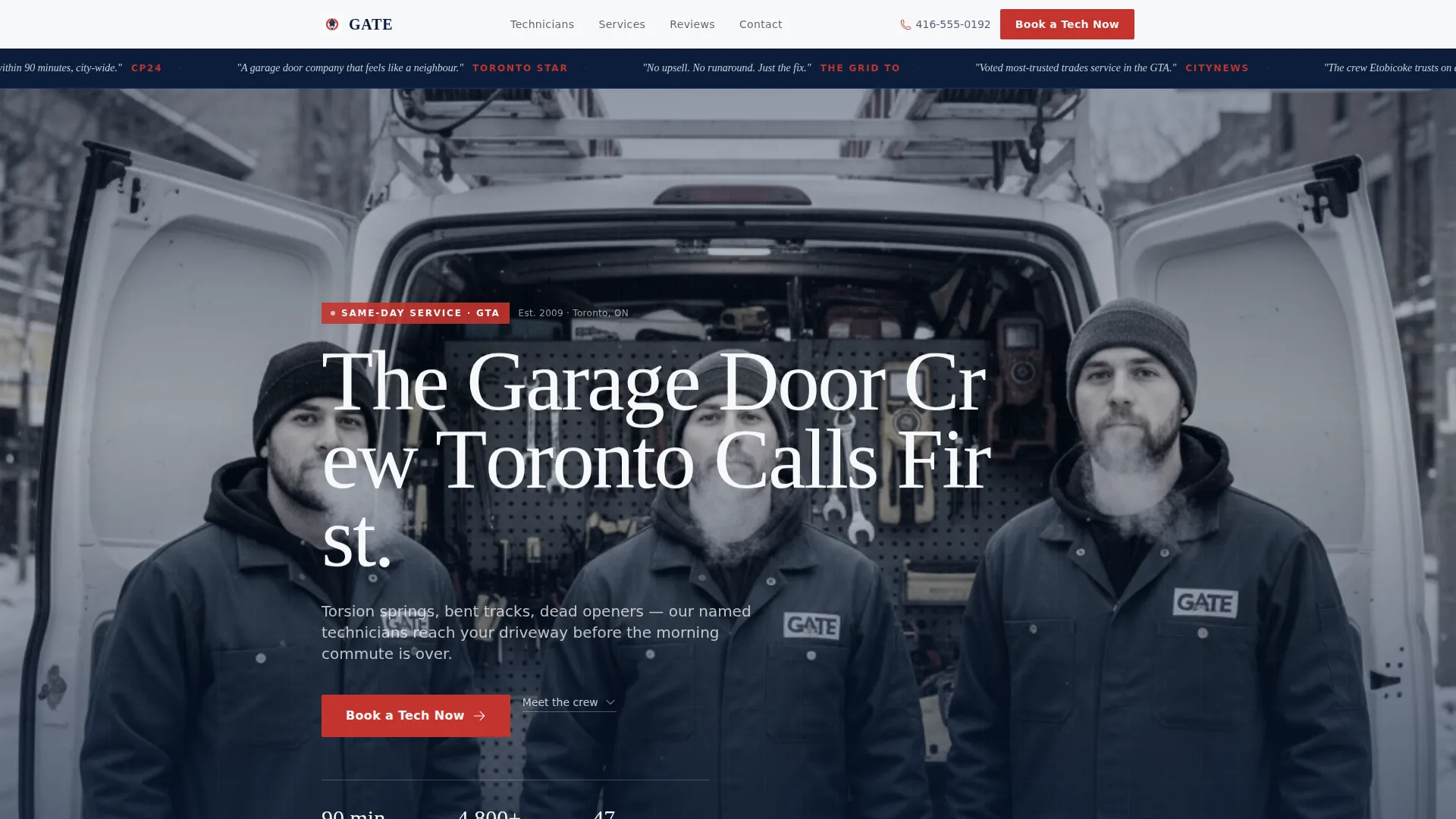
- A press mentions ticker bar, a full-width hero photograph section, and alternating technician profile zigzag blocks
- A lead-generation form with postal code input, door issue type selector, and a secondary photo upload path
- A floating mobile call-to-action button and repeated booking prompts placed after every second technician profile
Feature list
This section walks through the core built-in components that define Gate's structure and visual identity.
Editorial Press Mentions Bar
A horizontal ticker along the top of the page displays media logo placeholders and pull-quote snippets. It is set against the deep command navy background and establishes immediate credibility before the visitor reads a single word of body copy.
Full-Width Hero Photograph Block
The header opens with a large black-and-white editorial photograph designed for a team portrait, three technicians, a service van, visible tools, and a recognizable street backdrop. It sets a documentary tone that stock photography cannot replicate.
Zigzag Technician Profile Layout
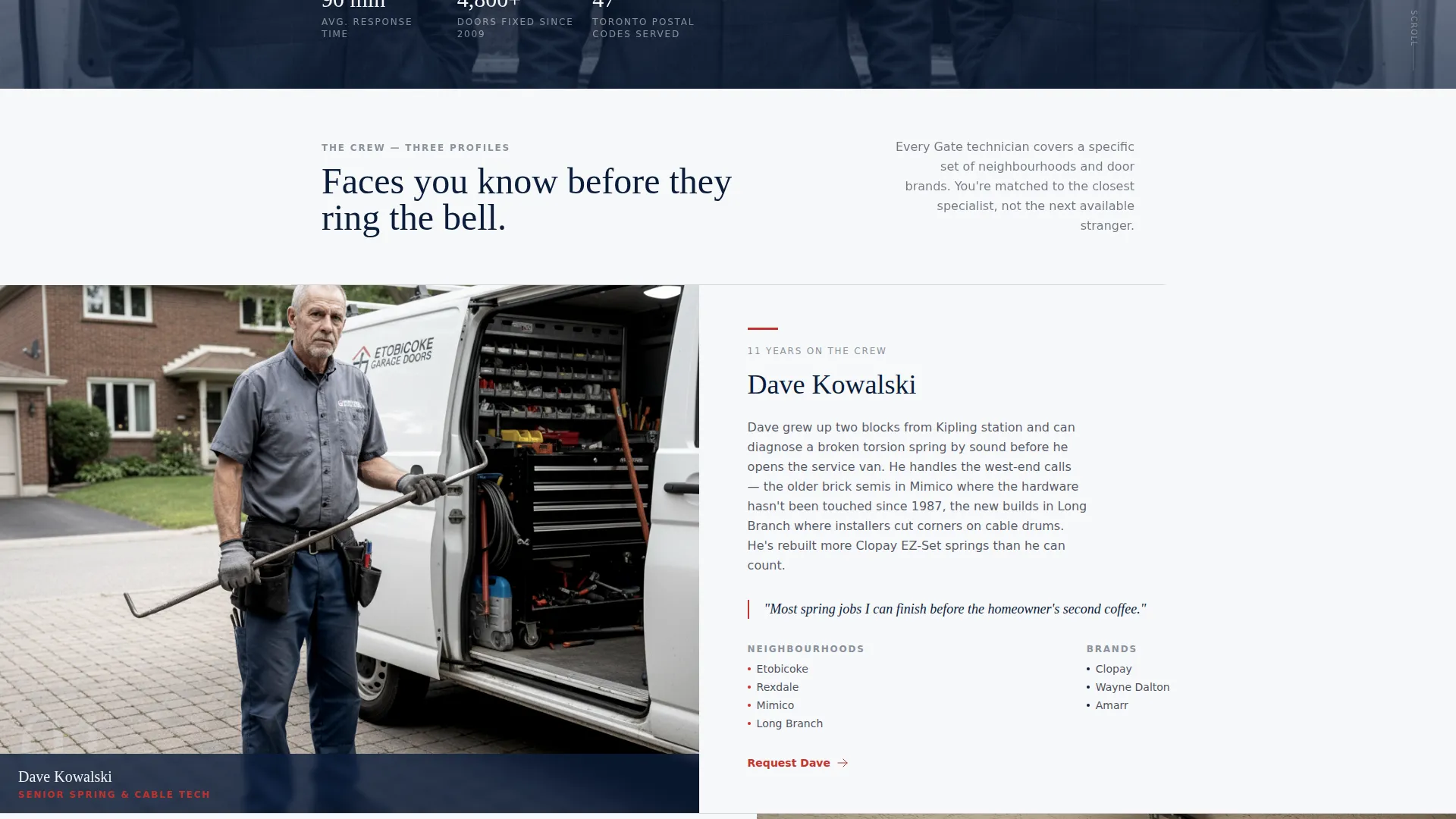
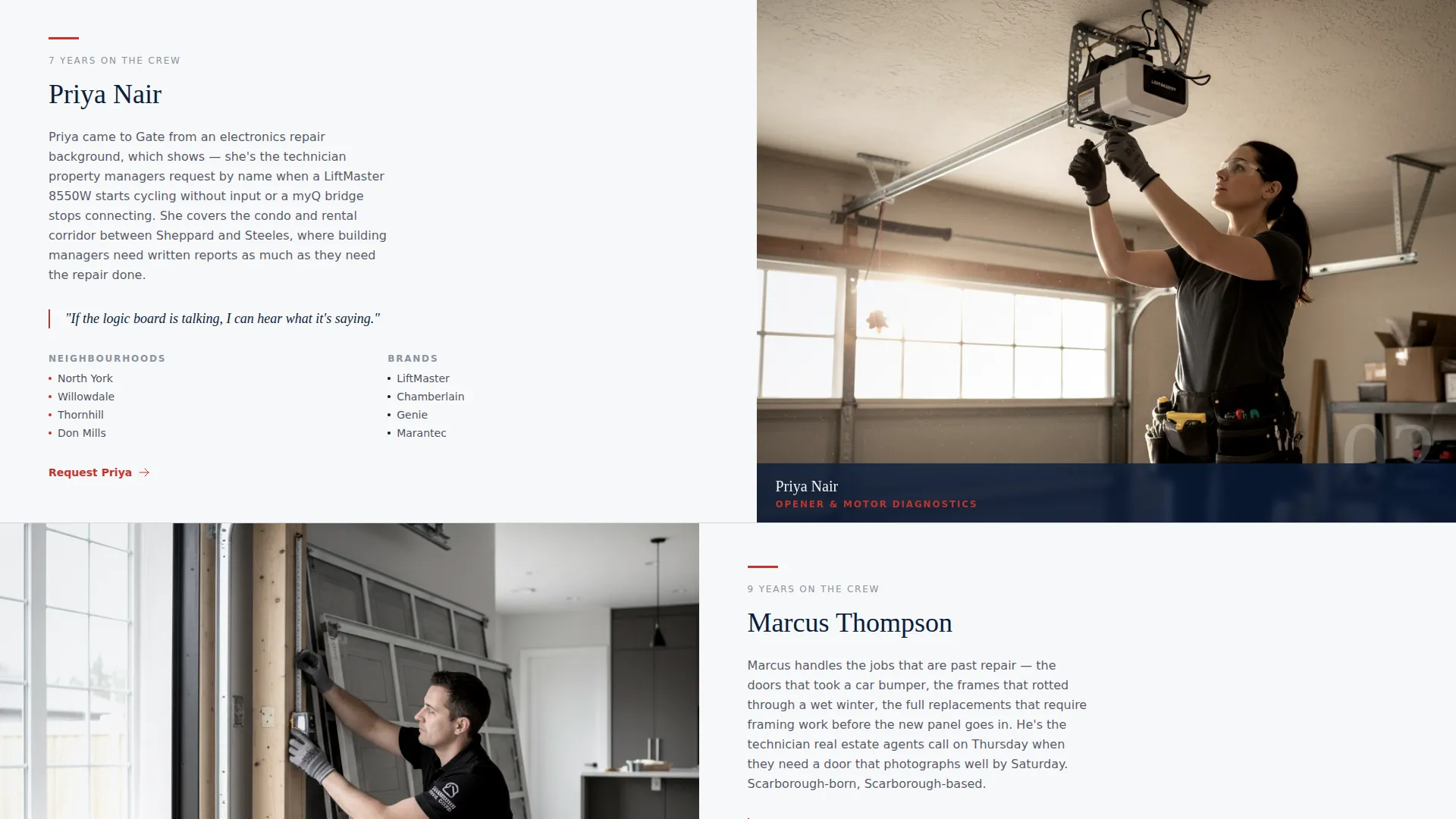
Each section alternates a left-aligned technician portrait with a right-aligned story block covering their name, tenure, service neighborhoods, and equipment knowledge. Scrolling through the page feels like reading a profile series, building trust person by person.
Postal Code Lead Form
The booking form asks for postal code first, matching the visitor to a nearby technician before asking about door issue type and preferred time window. This sequence reduces friction and makes the form feel helpful rather than bureaucratic.
Photo Upload Secondary Path
A secondary call-to-action titled "Get a Quote by Photo" lets visitors upload an image of their door problem. This path removes terminology barriers and captures leads who are not sure what type of repair they need.
Floating Mobile Booking Button
On mobile screens, the primary call-to-action button is pinned as a floating element so it remains accessible at every scroll depth. It uses signal red to stand out against the navy and white layout without visual noise.
Page sections overview
| Section | Purpose |
|---|---|
| Press Mentions Bar | Opens with media credibility signals |
| Hero Portrait Block | Sets editorial, people-first tone |
| Technician Profile One | Introduces first named crew member |
| Lead Generation Form | Captures postal code and issue type |
| Technician Profile Two | Continues the profile series |
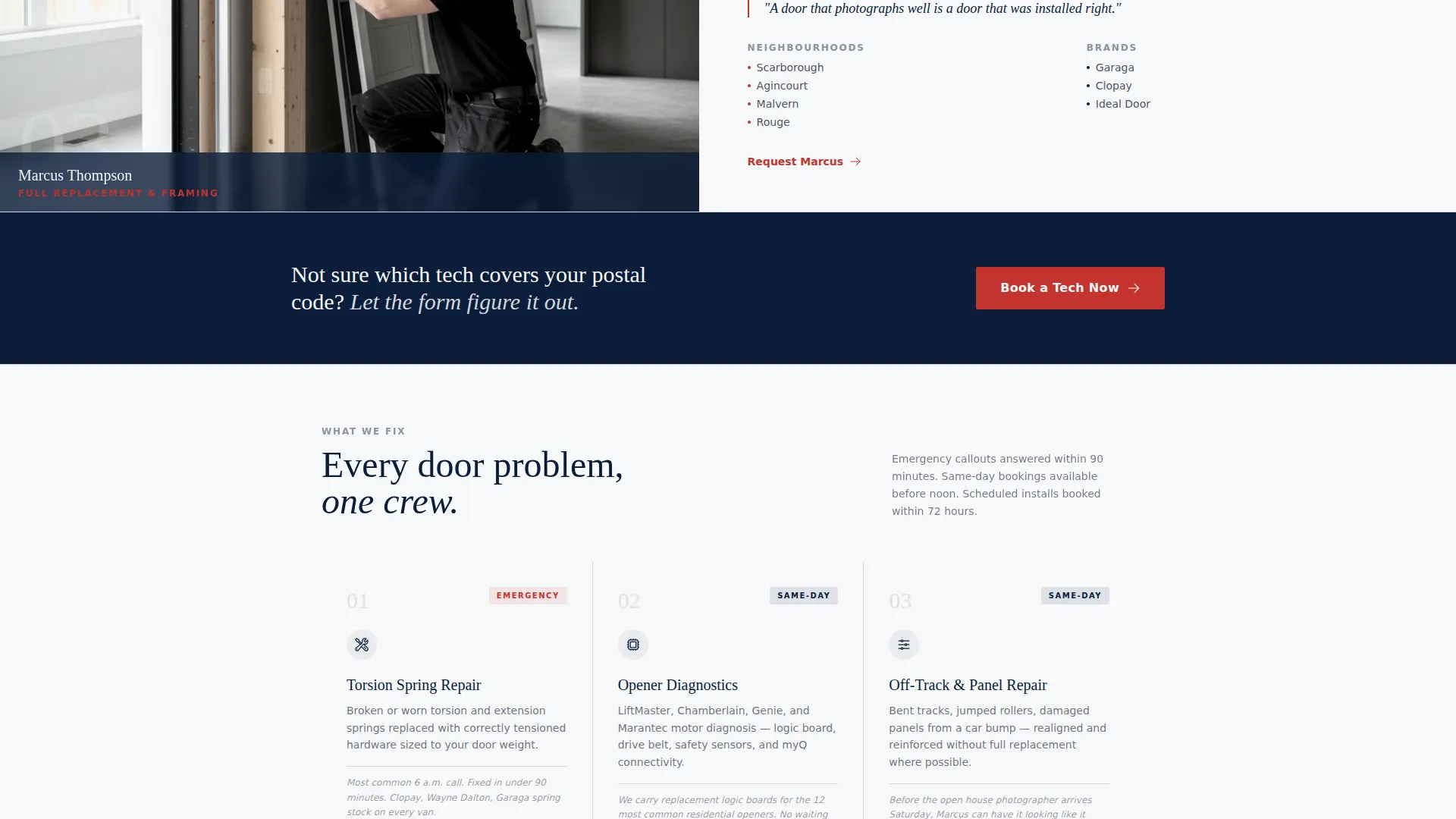
| Repeat Booking call to action | Reinforces action after profiles |
| Photo Upload Path | Reduces friction for uncertain visitors |
| Technician Profile Three | Completes the crew roster section |
| Final call to action Block | Closes with a direct booking prompt |
Design & branding system
Gate uses the Navy Authority color system, which draws from broadsheet newspaper design principles. The palette is disciplined and intentional, with each color carrying a specific role across the layout.
- Deep command navy (#0B1D3A) anchors the header, ticker bar, and section backgrounds; pressed-shirt white (#F7F8FA) and cool newsprint gray (#D2D6DC) handle body content areas
- Signal red (#C4342D) is reserved exclusively for call-to-action buttons and emergency callout text, creating a single decisive visual accent
- Typography uses a sharp serif for headlines to reinforce the editorial magazine theme, while body copy stays clean and readable at all viewport widths
Mobile & speed optimization
The Gate template is structured with mobile users in mind from the start. Urgent repair searches often happen on a phone, and the layout responds to that reality.
- The floating "Book a Tech Now" button stays pinned at the bottom of the mobile screen, ensuring the primary action is always one tap away
- The zigzag profile layout stacks cleanly into a single-column scroll on smaller screens without losing the portrait-to-story pairing
- The photo upload path is touch-friendly, making it accessible for visitors who are standing in their driveway when they reach the page
How this template helps you convert
Gate is designed around the psychology of an urgent, trust-dependent service call. Every layout decision moves a hesitant visitor toward booking.
- The press mentions ticker and technician profiles build credibility before any form appears, so visitors arrive at the booking section already predisposed to trust the crew
- The postal code input as the first form field creates a personalized experience, signaling that a specific local technician will respond rather than a call center
- The photo upload option captures a second audience segment, visitors who feel unsure about repair terminology, turning uncertainty into a completed lead instead of a bounce
Other information about this template
Gate is a strong fit for Toronto garage door repair businesses that want a landing page reflecting the quality and personality of their actual crew. A few additional details worth noting:
- The template is built for a single-page, section-led layout and is not designed as a multi-page website
- The editorial magazine theme and Navy Authority color system are consistently applied across all sections, keeping the visual identity cohesive from the ticker bar to the final call-to-action block
- The zigzag profile format works best when populated with real technician photographs and genuine neighborhood coverage details rather than placeholder content
- The template supports service businesses covering Toronto neighborhoods including areas like Etobicoke, North York, Scarborough, and the Danforth corridor
Theme
Editorial Magazine
Creative direction
Stats-First Impact
Color system
Navy Authority
Style
Sidebar Companion
Direction
Content/Resource
Page Sections
Editorial Press Mentions Ticker Bar
Zigzag Technician Profile Sections
Postal Code Lead Generation Form
Photo Upload Secondary Call to Action Path
Floating Mobile Booking Button
Full-width Editorial Hero Block
Related questions
Who is the Gate template built for?
What does the lead generation form collect?
Can I use my own team photos and technician details?
Is this template suitable for property managers or real estate agents?
Is Gate a single-page template or a multi-page website?



