VR Entertainment Center Landing Page Template
Portal is a hero-dominant landing page template built for VR entertainment centers. It opens with a full-screen video background, then flows into a community photo and video gallery, live time-slot carousel, and a weekly leaderboard. A floating app-download bar with an inline quick-book flow drives every visitor toward booking a session.
by Rocket studio
Quick summary
Portal is a single-page template designed for immersive VR entertainment venues. It leads with a full-screen video hero, builds social proof through a community gallery, and closes with a smart app-download bar. The dark, aurora-inspired color palette makes the page feel like the experience itself before visitors even book.
Who this template is for
This template is built for VR entertainment center operators who need a page that sells the feeling before visitors ever walk through the door.
- Birthday party planners and group outing organizers looking for something genuinely exciting to show their crowd
- After-work groups and date-night couples who want proof the experience is worth their Friday night
- VR venue owners who want a polished, high-energy page without starting from scratch
What problem this template solves
Most VR venue pages look like generic event booking sites. They show stock photos and a price list, and they fail to convey what it actually feels like to be inside. Portal solves that gap.
- Visitors leave without booking because the page never made the experience feel real or urgent
- Group bookers and birthday parents cannot picture their people having fun, so they move on to a competitor
- The app download step feels like friction instead of an invitation to join something exciting
What you get with this template
Portal gives you a complete, single-page layout that mirrors the immersive arc of the VR experience itself, from the first dark frame of the hero to the final tap on the booking bar.
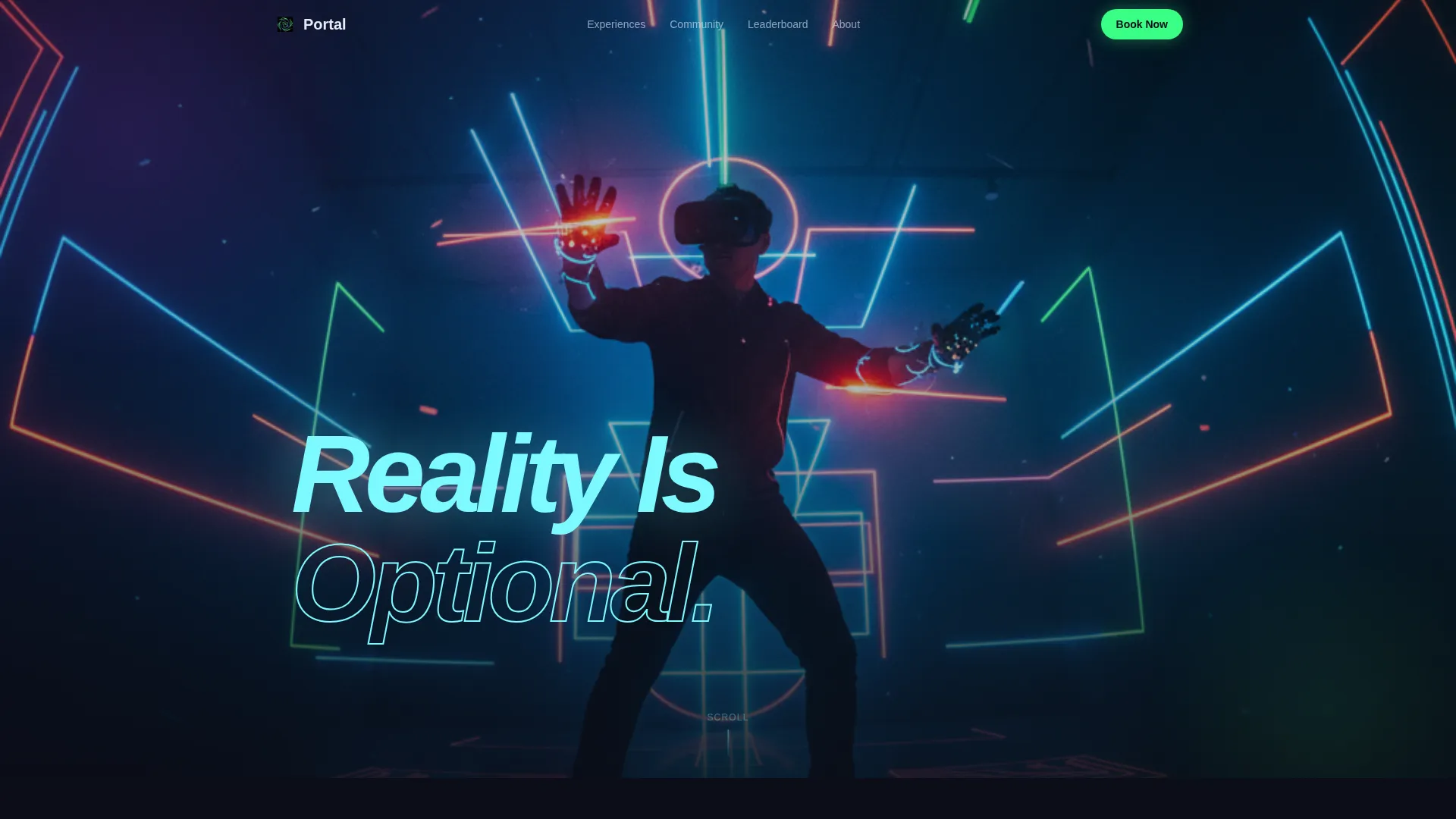
- A full-screen video background hero section with an ice-blue headline overlay
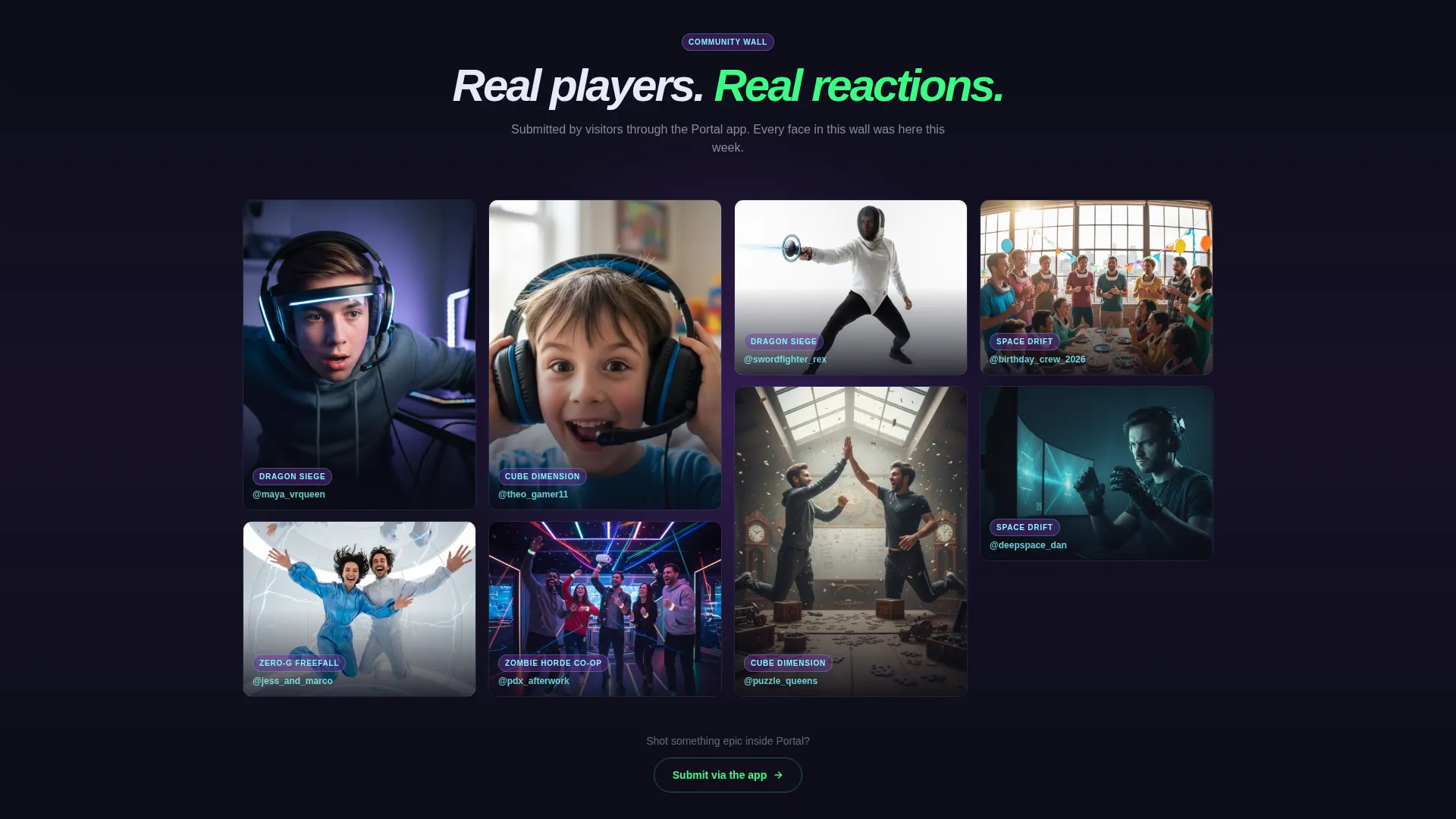
- A masonry community gallery that tiles visitor-submitted clips and photos with experience tags and player handles
- A time-slot carousel, weekly leaderboard section, and a floating app-download bar with an inline quick-book flow
Feature list
Portal ships with a focused set of purpose-built sections and interaction patterns. Each one is designed to move visitors from curiosity to booking with as little hesitation as possible.
Full-Screen Video Hero
The header consumes ninety percent of the viewport with an autoplay video montage. Real players in action fill the frame: someone dodging a virtual fireball, a couple laughing mid-freefall, a kid pulling off a headset with wide eyes. The headline "Reality Is Optional" materializes in ice-blue over the final frame. No voiceover, just ambient audio and a bass track.
Masonry Community Gallery
Below the hero, a living wall of visitor-submitted short looping clips and photos tiles across the screen. Each tile is tagged with the experience name and the player's chosen handle. Tapping a tile expands it to reveal a reaction quote and a direct "Try This Experience" deep-link, turning social proof into an instant booking path.
Live Time-Slot Carousel
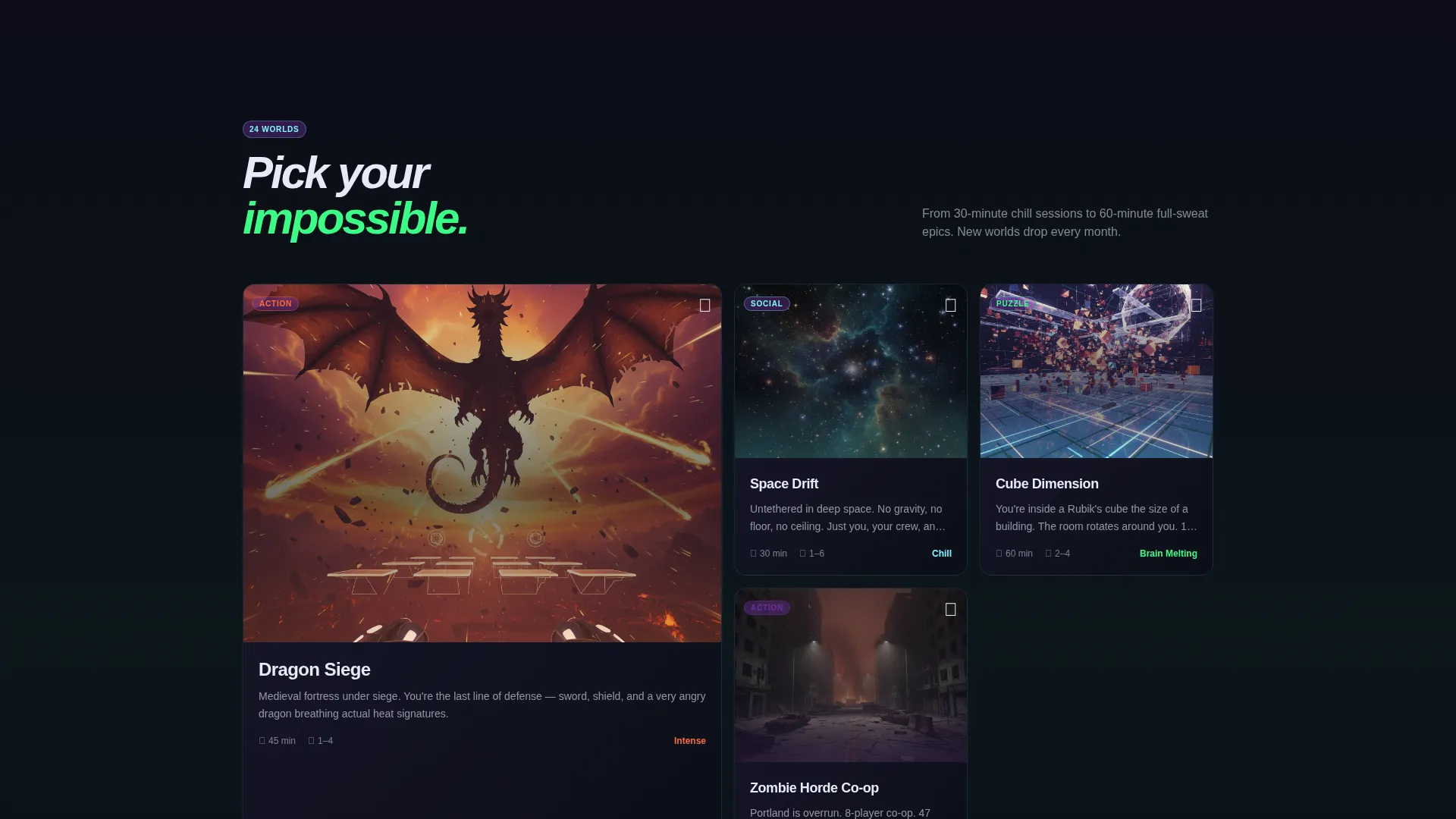
As visitors scroll past the gallery, a carousel surfaces tonight's open booking windows. The layout keeps availability visible and timely, creating natural urgency without any pushy language.
Weekly Leaderboard
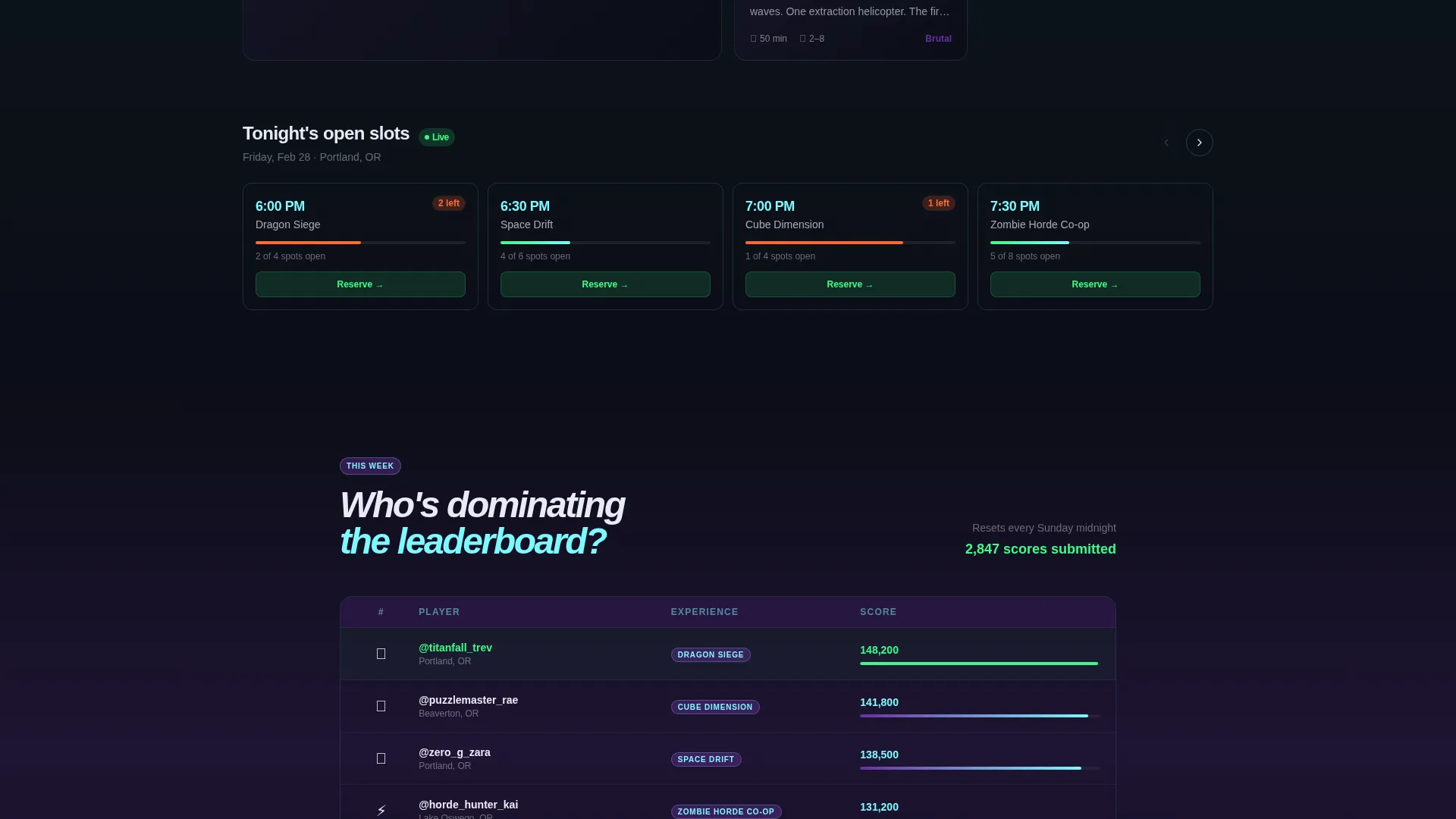
A competitive scoreboard shows top-ranked players across this week's competitive game experiences. It gives the page a living, real-time quality and signals to competitive visitors that there is a community worth joining.
Floating App-Download Bar
After the hero video ends, a pinned bottom bar appears with the primary call to action: "Download and Book Your Session" in aurora green. Tapping it opens a smart interstitial with iOS and Android store badges, a quick-book flow for date, party size (1 to 8), and experience category, plus a secondary option to text the download link to a phone number.
Page sections overview
| Section | Purpose |
|---|---|
| Full-Screen Hero | Establish immersive tone and brand headline |
| Community Gallery | Show real visitor moments and social proof |
| Time-Slot Carousel | Display tonight's open availability at a glance |
| Weekly Leaderboard | Highlight top scores and competitive community |
| Floating Download Bar | Drive app downloads and quick session booking |
Design & branding system
The visual identity follows a Dark Immersive theme built on a Northern Lights color system. Darkness is treated as a stage, not an absence, so every element of color feels electric against the void black canvas.
- Void black (#0B0D17) as the primary canvas, aurora green (#39FF85) for interactive highlights and calls to action, deep cosmic violet (#6B2FA0) for section transitions and gradient washes, and ice-blue (#7DF9FF) for secondary text and hover states
- Neon accent lighting in the physical video footage mirrors the aurora palette, tying the digital page directly to the real venue atmosphere
- Typography and motion feel handheld and intimate, with slightly slow-motion camera work reinforcing the sense of being present inside the experience
Mobile & speed optimization
Portal is structured so the most important action, downloading the app, is never more than a scroll away. The floating bottom bar keeps the call to action visible regardless of where a visitor is on the page.
- The masonry gallery and carousel layouts are built to work across screen sizes, keeping tiles legible and tappable on smaller viewports
- The smart interstitial within the download bar is streamlined to three inputs: date, party size, and experience category, reducing friction on mobile entry
How this template helps you convert
The page is sequenced deliberately. Every section earns the next one, and the final action feels like a reward rather than a request.
- The video hero creates immediate emotional buy-in by showing real people having a genuinely great time inside your venue, making the experience tangible before any copy explains it.
- The community gallery and leaderboard build layered social proof, showing group visitors and competitive players that a real, active community is already inside and waiting.
- The floating app-download bar with the inline quick-book flow removes every remaining reason to hesitate, letting visitors pick a date, choose their party size, and get the app in one short sequence.
Other information about this template
Portal fits squarely within the Media and Entertainment category, specifically the Theme Park and Attraction subcategory, and is purpose-built for the VR entertainment center niche. A few additional details worth knowing before you customize it:
- The template style is Hero-Dominant at a 90/10 ratio, meaning the hero section dominates nearly the entire above-the-fold experience before any secondary content appears
- The creative direction is Community Gallery, so the middle sections of the page are designed around user-submitted content tiles, not static promotional imagery
- The header concept is Full-Screen Video Background, which means your own on-site footage is the primary asset driving first impressions
- The landing page direction is App Download, making the entire page architecture subordinate to that single primary conversion goal
- The Northern Lights color system is fully documented in the brief with four specific hex values, making it straightforward to apply consistently across all sections
Theme
Dark Immersive
Creative direction
Community Gallery
Color system
Northern Lights
Style
Hero-Dominant (90/10)
Direction
App Download
Page Sections
Full-screen Video Background Hero
Masonry Community Gallery
Live Time-slot Carousel
Weekly Leaderboard Section
Floating App-download Bar
Northern Lights Color System
Related questions
What kind of video footage works best in the hero section?
Can I use this template if I do not yet have an app?
How does the community gallery section get populated?
Who is this landing page template designed for?
What is the primary conversion goal of the Portal template?