Pediatric Dentist Patient Portal Landing Page
Portal is a sidebar companion landing page built for pediatric dental practices. It greets parents with a three-step registration wizard, then guides them through clinician-reviewed answers to real dental worries. A persistent sidebar tracks their place, and a personalized child dental timeline is delivered as a PDF after the parent enters their child's age.
by Rocket studio
Quick summary
Portal is a calm, resource-rich landing page for pediatric dental patient portals. Parents complete a three-step registration wizard, browse an educational guide organized around real dental worries, and unlock a personalized eruption-and-milestone chart. The design feels like a children's science museum, trustworthy, clear, and never condescending.
Who this template is for
This template is built for pediatric dental practices that want to move patient intake and parent education online. It suits practices that get the same twenty questions every week and want a resource that answers them before the next appointment.
- First-time parents searching for answers at odd hours about baby teeth, teething pain, or cavity risks
- Office staff who need a self-service resource to reduce repetitive phone questions between cleanings
- Practices ready to offer a branded patient portal that earns trust before parents ever book
What problem this template solves
Pediatric dental offices often lose parent trust before the first appointment. Anxious parents Google their questions and land on generic, low-confidence results. There is no single place that answers their real worries, confirms their child is on track, and makes registration feel easy.
- Parents abandon intake forms that feel clinical, cold, or too long on a phone screen
- Practices have no scalable way to deliver personalized dental milestone information to every new family
- Educational content is scattered, so parents cannot build confidence by reading in a logical order
What you get with this template
You get a fully structured landing page with a sidebar companion layout designed specifically for pediatric dental patient portals. Every section has a clear job, from the registration wizard at the top to the browsable parent library below.
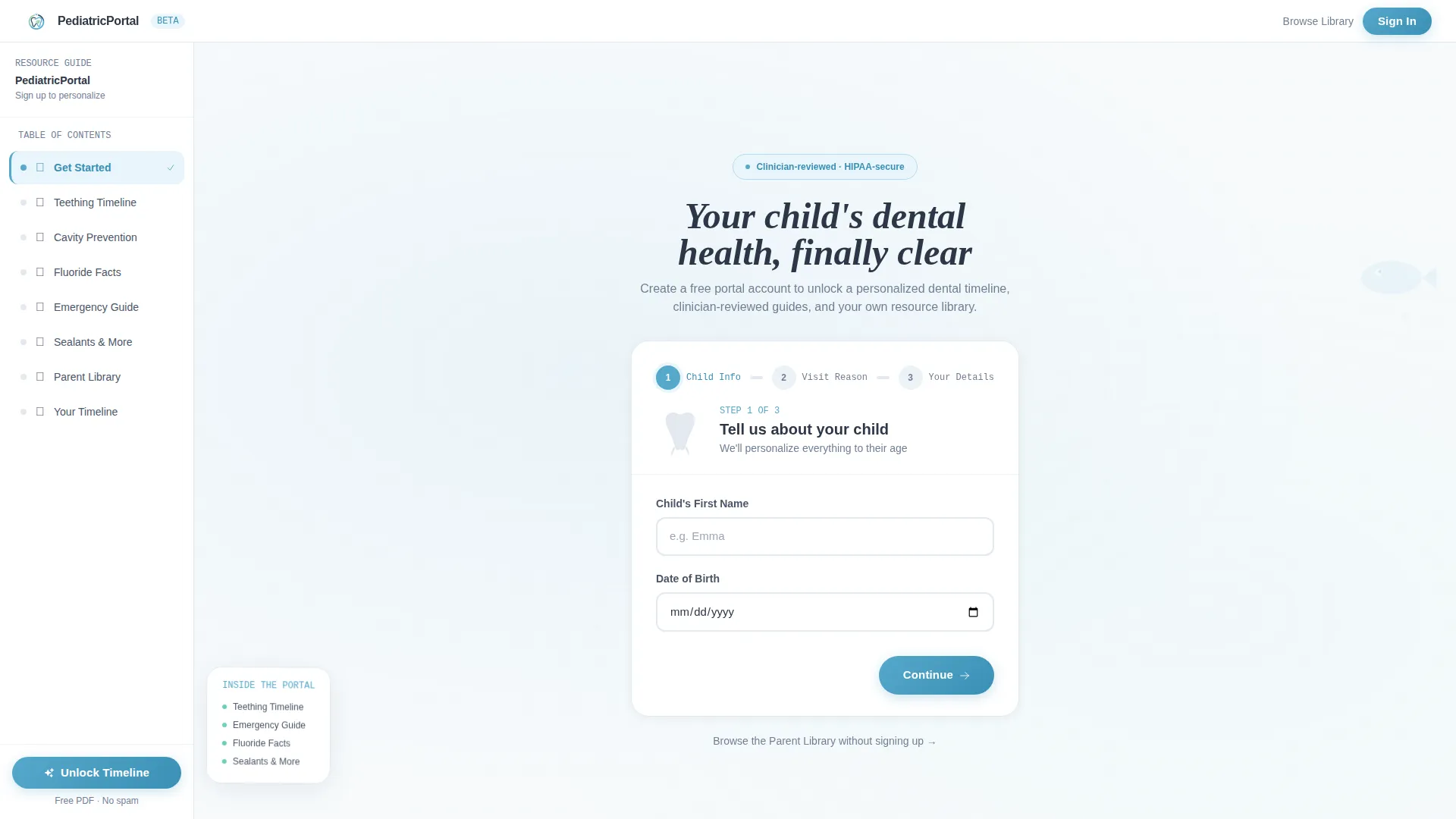
- A three-step registration wizard with an illustrated tooth icon, illustrated visit-reason tiles, and a contact and insurance step
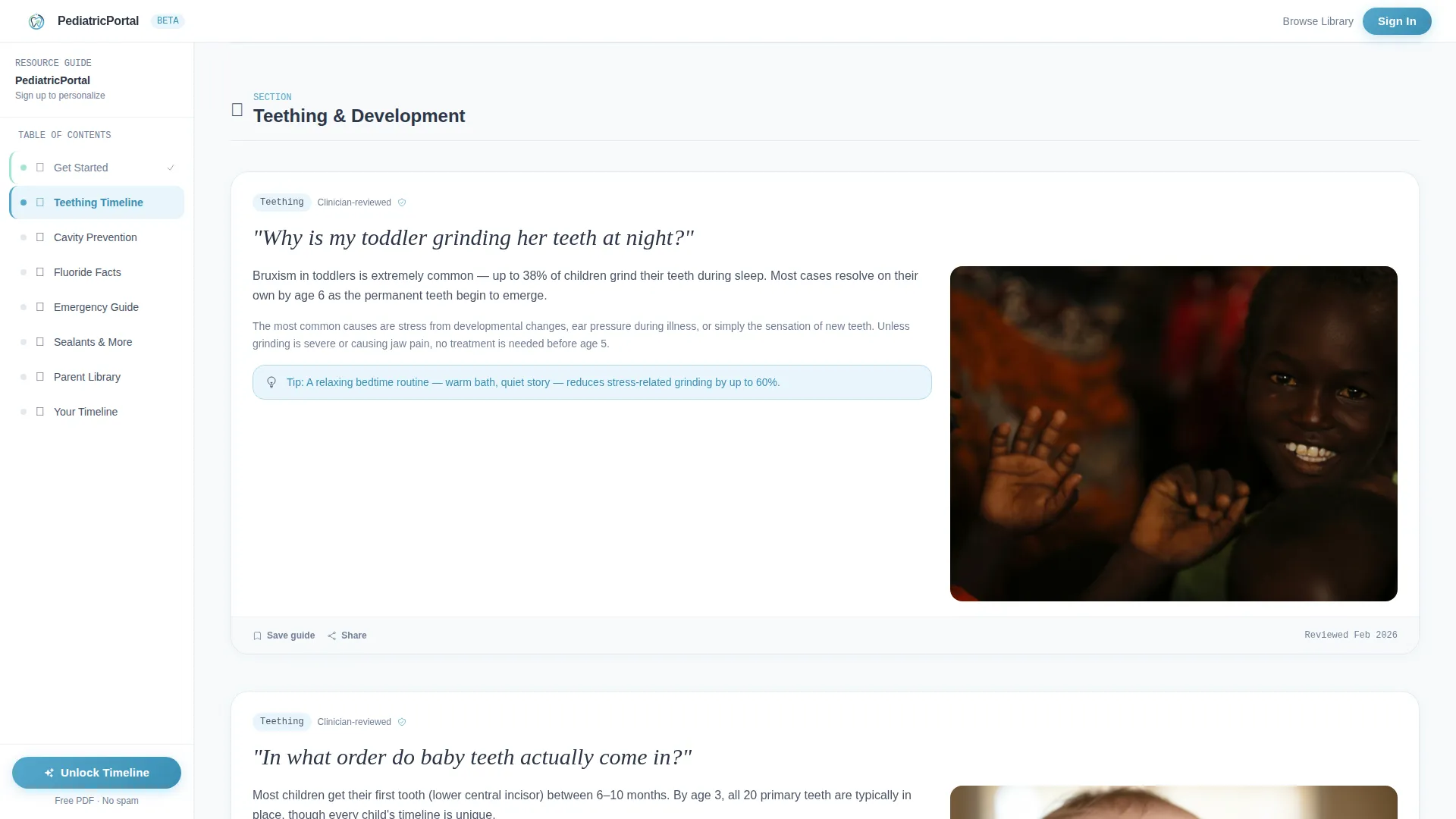
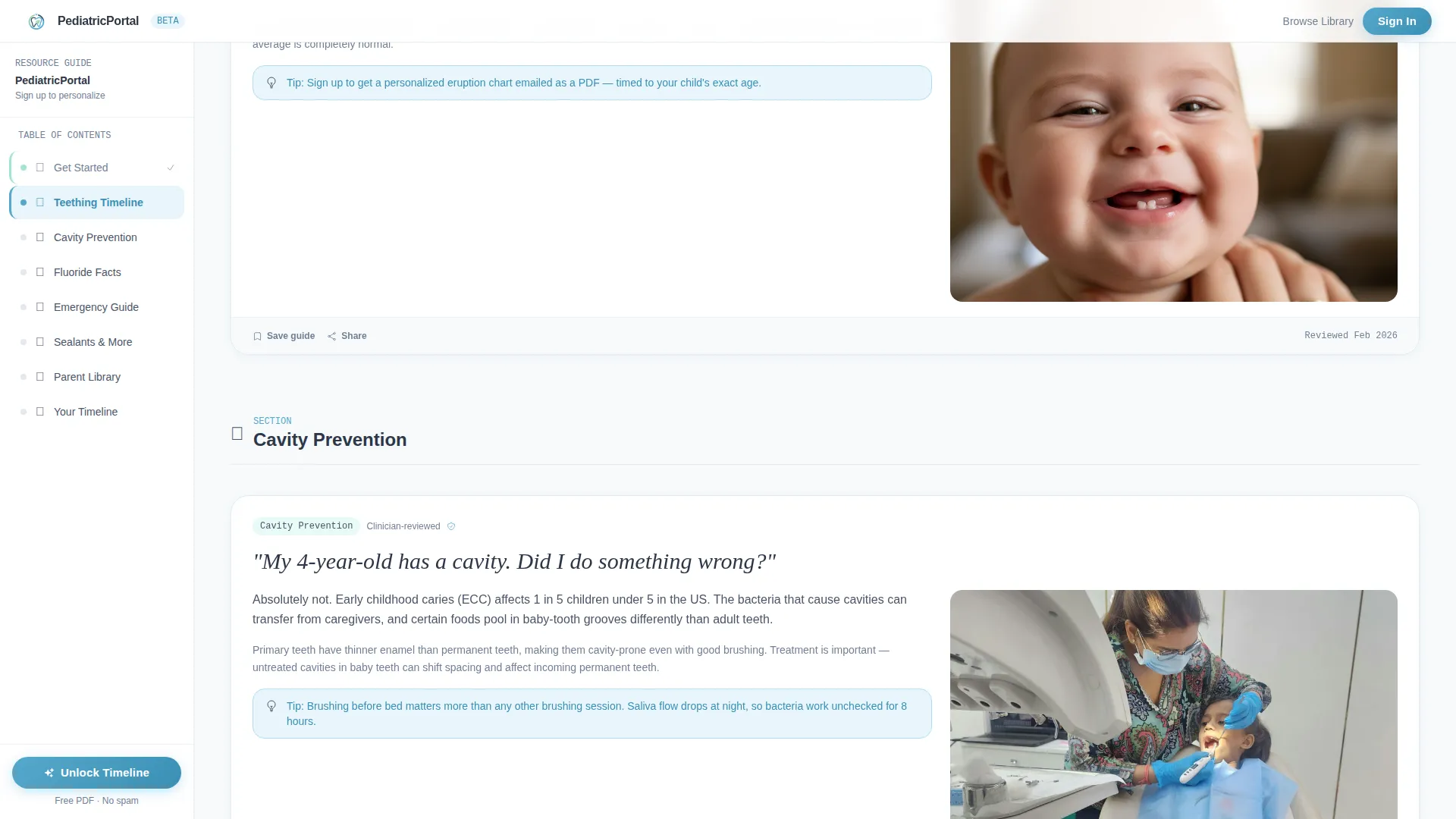
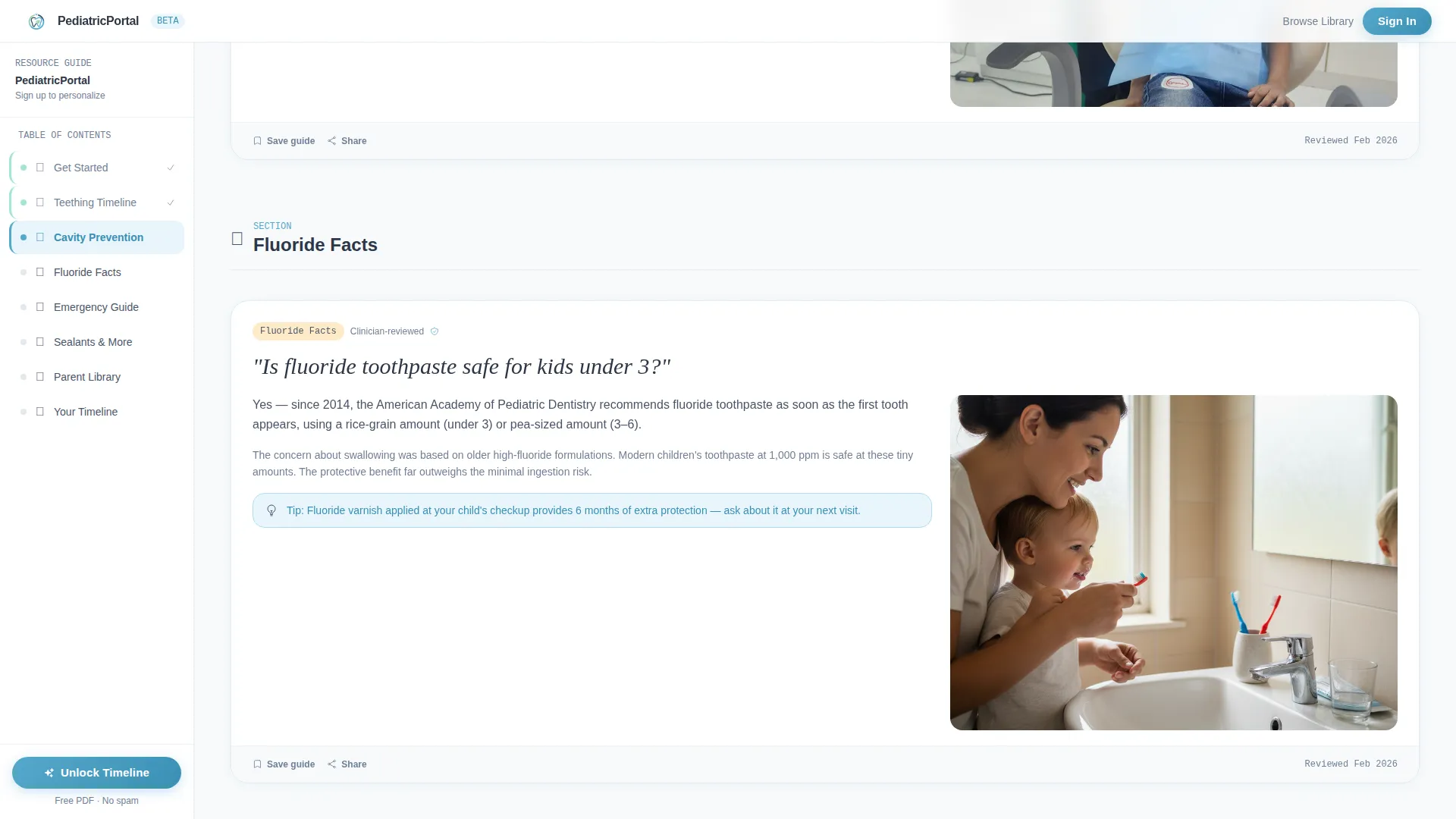
- A scrollable Problem-to-Solution resource arc covering Teething, Cavity Prevention, Fluoride Facts, and Emergency Guides
- A persistent sidebar that tracks the visitor's reading position and pins the primary call to action at the bottom
Feature list
This template includes purpose-built components that work together to guide parents from first question to completed registration.
Three-Step Registration Wizard
The header form walks parents through three focused steps: child name and date of birth, reason for visit selection, and contact and insurance details. An illustrated tooth icon grows visually as each field is completed, giving parents a satisfying sense of progress without feeling rushed.
Illustrated Visit-Reason Tiles
Step two of the form uses hand-drawn tile illustrations for first visit, toothache, cleaning, and orthodontic check. Each tile is outlined in slate and floods with sky blue on selection, making the choice feel intuitive and friendly rather than clinical.
Problem-to-Solution Resource Arc
Each scroll section opens with a real parent question set in bold editorial type, then resolves into a concise clinician-reviewed answer. Topics build from everyday concerns like teething and cavity prevention toward more complex subjects such as sealants, space maintainers, and sedation options.
Persistent Sidebar Table of Contents
The sidebar is visible from the moment a visitor lands and tracks their reading position through every guide section. It lets parents jump directly to Teething, Cavity Prevention, Fluoride Facts, or Emergency Guides without losing their place.
Personalized Dental Timeline Call to Action
The primary call to action, "Unlock Your Child's Dental Timeline," appears at form completion and stays pinned at the sidebar bottom. After a parent enters their child's age, a personalized eruption-and-milestone chart is delivered as a downloadable PDF.
Parent Library Browse Path
A secondary path, "Browse the Parent Library," lets visitors skip registration entirely and explore guides freely. Gentle inline prompts invite them to create a portal account whenever they bookmark or download a resource.
Page sections overview
| Section | Purpose |
|---|---|
| Hero Registration Form | Three-step wizard for child and parent intake |
| Visit Reason Tiles | Illustrated selection for appointment type |
| Problem-Solution Arc | Clinician-reviewed answers to parent questions |
| Sidebar Table of Contents | Jump navigation and reading progress tracking |
| Personalized Timeline call to action | Age input and PDF milestone chart delivery |
| Parent Library Grid | Card browse path with inline account prompts |
| Trust and Credentials Strip | Practice stats, credentials, and review snippets |
| Footer | Linear single-row links and practice contact |
Design & branding system
The visual identity follows an Educational Guide theme. The palette feels like a calm Tuesday morning at a children's science museum: institutional surfaces anchored by friendly, trustworthy color.
- Chalk-slate gray (#4A5568) for body text and sidebar backgrounds; open-sky blue (#56A8CB) for active navigation states, call-to-action elements, and progress indicators; cloud white (#F7FAFC) across content panels; soft mint (#A3E4D7) for completed steps and success confirmations
- Typography uses DM Sans for headings and interface labels, Fraunces for editorial question headlines, and JetBrains Mono for form labels and reference codes
- Illustrations follow a thin slate outline style with sky-blue fill-on-selection, keeping the visual tone warm and educational without being childish
Mobile & speed optimization
The template is built mobile-first, designed for parents checking their child's dental concerns on a phone late at night. The sidebar companion layout adapts gracefully to a full desktop experience for deeper reading sessions.
- The multi-step form wizard is designed for single-thumb navigation on small screens, with large tap targets and minimal input per step
- Scroll-reveal animations on the Problem-to-Solution sections and tile flood-fill interactions are set to a medium intensity to keep the experience lively without slowing the page
- Static content sections use a server-rendered approach while the form wizard and sidebar run as interactive client components for a fast initial load
How this template helps you convert
Portal is built around a trust-first conversion model. It earns confidence through depth before it ever asks for a commitment.
- The three-step wizard reduces form fatigue by breaking registration into small, illustrated steps, so parents complete intake rather than abandoning it midway.
- The Problem-to-Solution arc keeps parents scrolling by answering real questions in order of concern, building credibility and showing the practice understands them.
- The dual call-to-action paths, one for registration and one for free browsing, mean every visitor has a reason to stay, and inline prompts move browsers toward account creation naturally.
Other information about this template
This template sits at the intersection of a pediatric dentist patient portal and a parent-facing educational resource hub. It is suited for practices in the United States using US insurance terminology, MM/DD/YYYY date formatting, and English-language content.
- The footer follows a linear single-row pattern, keeping the page clean and focused on the resource content above
- Social proof elements include star ratings, parent review snippets, clinician credential badges, and patient count statistics in the Trust and Credentials Strip
- The sidebar companion layout is a distinct template style that pairs a scrollable content column with a fixed navigational panel, well suited to content-heavy resource destinations
- Animation intensity is set to medium: the tooth growth animation, tile flood-fill, scroll-reveal question-and-answer sections, and sidebar active-state tracking are all included by design
Theme
Educational Guide
Creative direction
Problem→Solution Arc
Color system
Slate & Sky
Style
Sidebar Companion
Direction
Content/Resource
Page Sections
Three-step Registration Wizard
Illustrated Visit-reason Tiles
Problem-to-solution Resource Arc
Persistent Sidebar Navigation
Personalized Dental Timeline Delivery
Free Parent Library Browse Path
Related questions
Who is this template designed for?
Can visitors browse the resource library without creating an account?
What is the personalized dental timeline and how does it work?
What educational topics does the resource arc include?
Is this landing page suitable for mobile devices?



