Urgent Pest Control Landing Page Template
Pragas is a single-page landing page template built for pest control companies serving São Paulo. It uses a bold Charcoal and Amber visual system, a stats-first layout structure, and a booking-focused flow. The template guides urgent visitors from a striking data-driven header through problem-awareness sections to a friction-free inspection scheduling form.
by Rocket studio
Quick summary
Pragas is a dark-themed, single-page landing page template designed for urban pest control services. It opens with a full-bleed stats header, moves through a scrolling stats-plus-explanation layout, and closes with a low-friction scheduling form. The visual identity uses deep charcoal, amber accents, and bone-white text to create the atmosphere of a professional night inspection.
Who this template is for
This template is built for pest control operators who serve dense urban markets. It suits businesses where urgency drives every booking decision and where the visitor already knows they have a problem.
- Pest control companies serving apartment buildings, commercial kitchens, and industrial warehouses
- Operators targeting property managers, restaurant owners, and families with urgent infestation concerns
- Service providers who want a booking-first landing page with a free inspection offer as the primary conversion hook
What problem this template solves
Most pest control pages bury the call to action behind generic copy and stock photography of insects. Visitors in a genuine emergency need immediate reassurance and a fast path to booking. This template replaces vague reassurance with specific data and a clear next step.
- Visitors feel fear but not trust; the stats-first structure gives them hard numbers before asking for a commitment
- High-friction forms lose urgent leads; the scheduling flow asks for postal code and property type before anything else
- Generic visuals add anxiety without authority; this template avoids insect imagery and builds credibility through data
What you get with this template
You get a complete, ready-to-adapt single-page layout built entirely around the booking journey. Every section is designed to escalate urgency and then immediately offer a resolution.
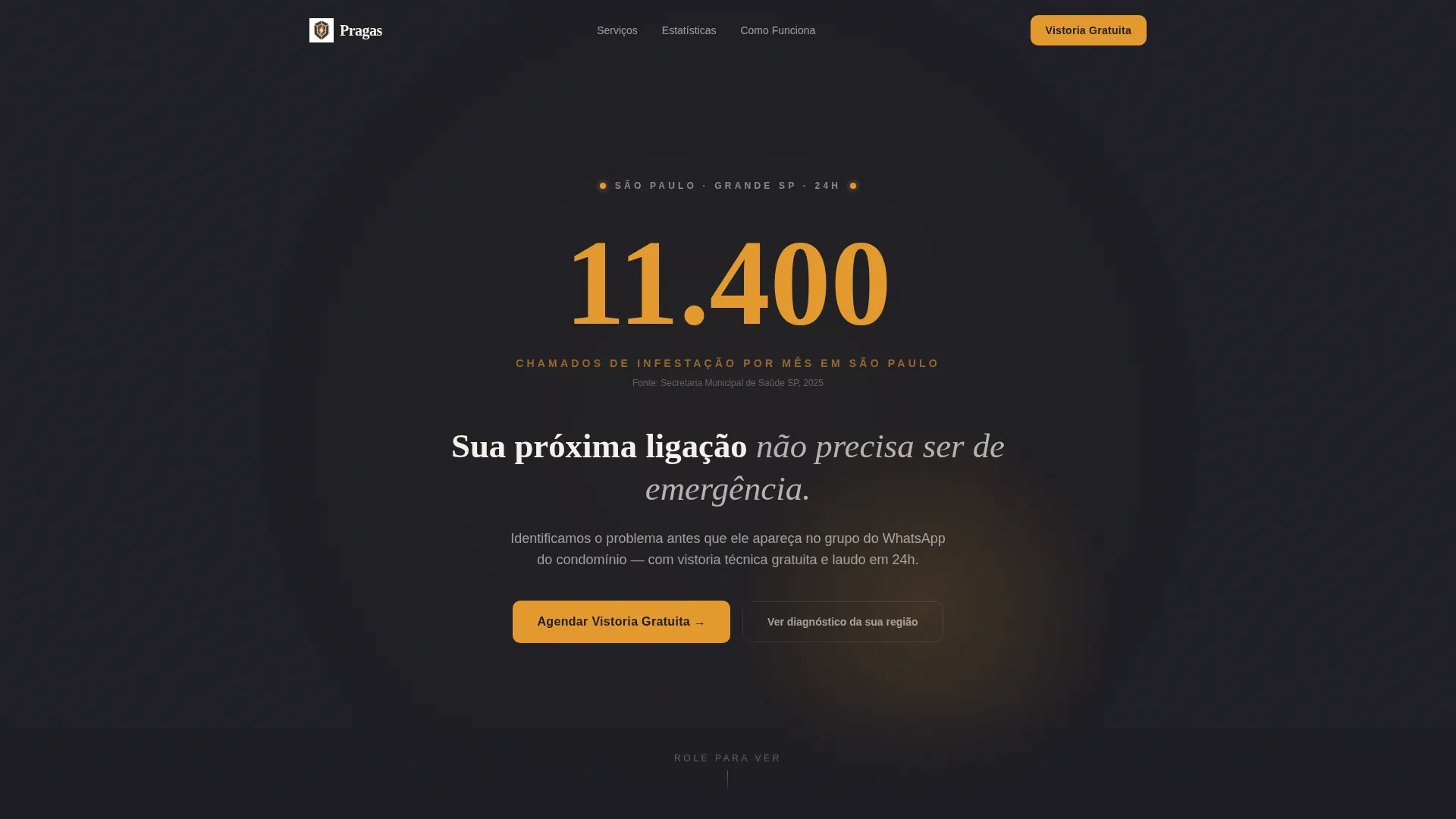
- A dark full-bleed header with an amber glow halo and a large impact statistic as the opening statement
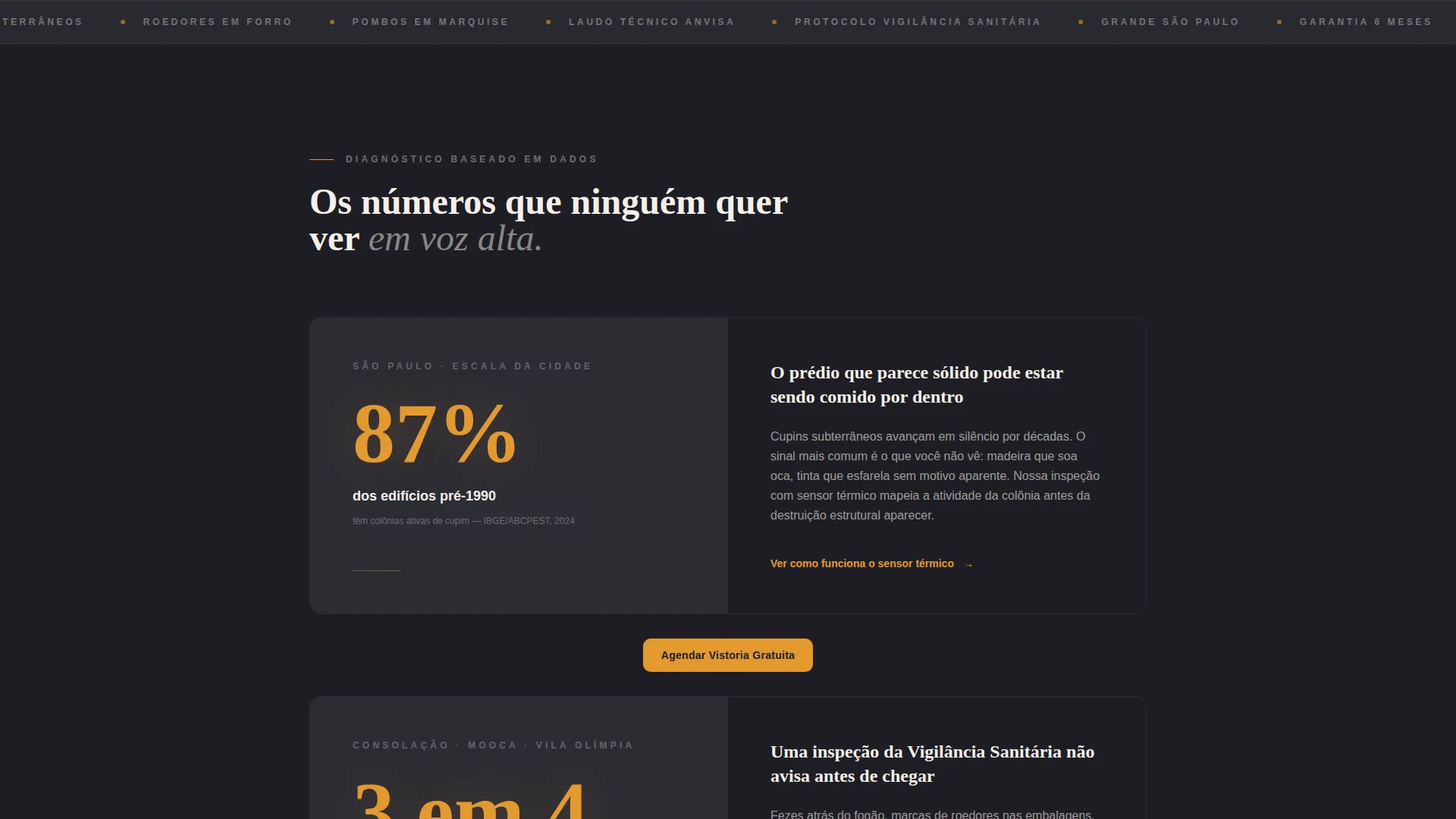
- A scrolling split-screen stats-and-explanation layout that pairs city-level data with service-specific responses
- A multi-step scheduling form covering postal code, property type, suspected pest category, and real-time date selection
Feature list
Dark Full-Bleed Stats Header
The header fills the entire screen in deep charcoal (#1E1E24). A soft amber glow pulses from the center like a UV lantern pointed downward. A large amber number anchors the opening message, followed by a bone-white subtitle. No insect imagery is used; the fear comes from the data itself.
Split-Screen Stats Layout
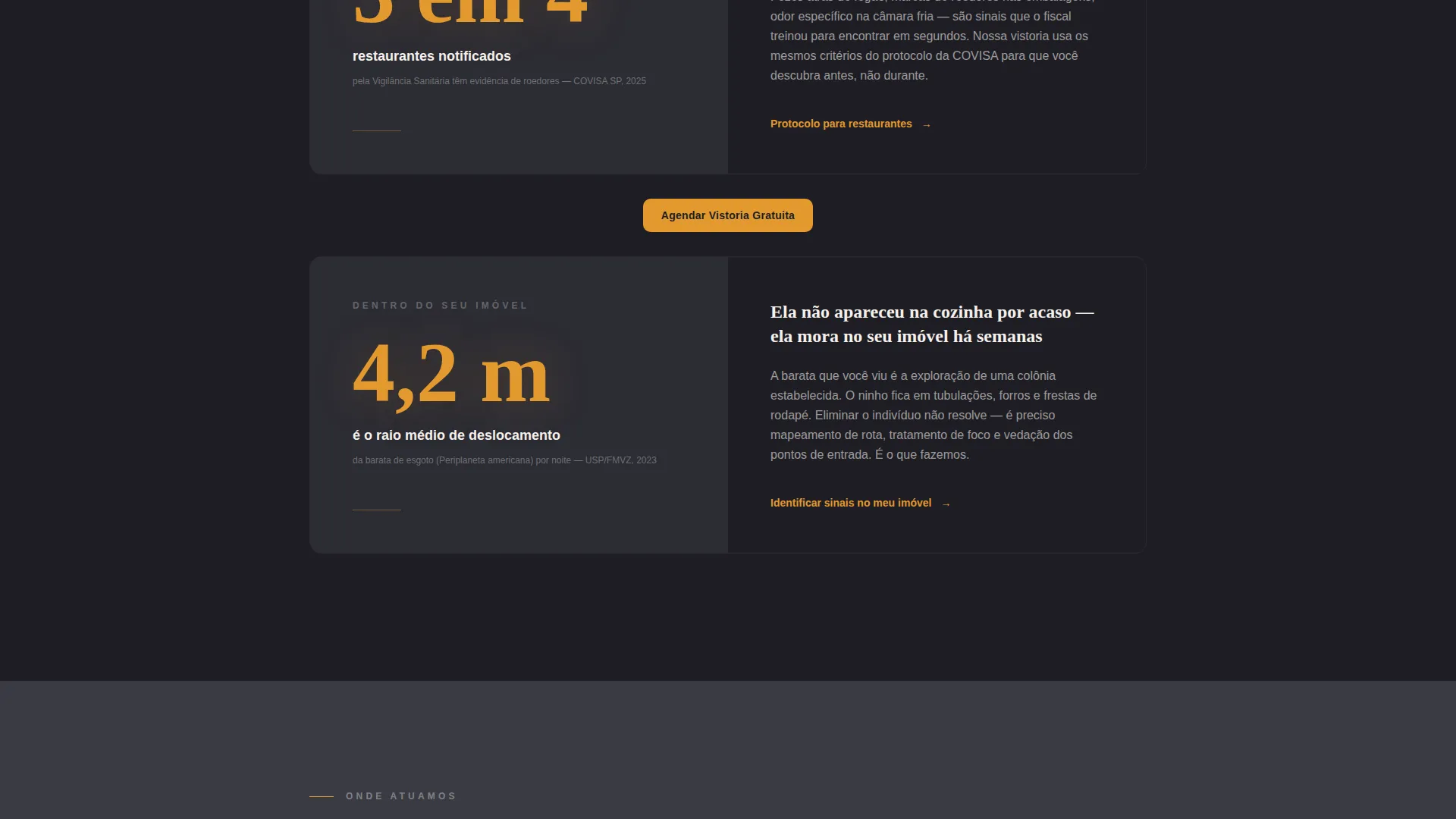
Each scroll section opens with a large amber statistic on the left, with the data source cited in smaller text below it. The right side explains what that number means for the specific visitor and describes how the service responds. This pairing escalates from city-wide data down to neighborhood-level facts and finally to in-home warning signs.
Micro-call to action Anchors Between Sections
Every stats-and-explanation pair ends with a secondary micro call-to-action. These inline prompts keep the visitor moving toward the booking form without requiring them to scroll all the way to the bottom. They reinforce momentum throughout the page.
Multi-Step Booking Form
The scheduling form is structured to reduce friction and qualify leads simultaneously. It opens with postal code to confirm service coverage across Greater São Paulo, then asks for property type, suspected pest type with simple icons, and a date selector with available time slots.
Fixed Mobile Booking Button
On mobile screens, the primary call-to-action button is pinned to the bottom of the viewport at all times. Visitors can tap to schedule a free inspection at any point in their scroll without needing to reach the form section.
Charcoal and Amber Branding System
The color system uses four defined values: charcoal (#1E1E24) as the dominant background, medium graphite (#3A3A44) for cards and dividers, alert amber (#E2992F) for impact numbers and buttons, and bone white (#F5F0EB) for body text. The palette evokes the atmosphere of a professional night inspection.
Page sections overview
| Section | Purpose |
|---|---|
| Full-Bleed Header | Opens with a large ambient stat and amber glow to establish urgency |
| Stats Block One | Pairs a city-level infestation statistic with a service explanation |
| Stats Block Two | Narrows data to neighborhood level and matches it to a specific service |
| Stats Block Three | Brings the data inside the home to trigger personal recognition |
| Booking Form | Collects postal code, property type, pest type, and preferred date |
| Fixed Mobile call to action | Keeps the schedule button visible throughout the entire mobile scroll |
Design & branding system
The visual identity follows a charcoal-and-amber theme inspired by the look of a UV lantern scan during a professional inspection. Every color choice serves the atmosphere of competent authority in dark conditions.
- Four-value palette: charcoal (#1E1E24) background, graphite (#3A3A44) for cards, amber (#E2992F) for impact elements, bone white (#F5F0EB) for readable body text
- Heavy typographic weight for all impact numbers; lighter weight for explanatory text creates clear visual hierarchy
- No insect photography anywhere on the page; urgency is communicated through statistics and typographic contrast
Mobile & speed optimization
The template layout is built around the mobile booking experience. Urgent visitors are most likely arriving from a WhatsApp message or a search made in a moment of stress on their phone.
- The primary "Schedule Free Inspection" button is fixed to the mobile footer so it stays accessible without any scrolling
- The multi-step form is touch-friendly, with large tap targets for property type and pest category selectors
- The split-screen stats layout adapts to a stacked single-column flow on smaller screens without losing its visual hierarchy
How this template helps you convert
The entire page structure is built around reducing the time between recognition of a problem and the act of booking. Every design and content decision points toward that single outcome.
- The amber-highlighted stat in the header creates immediate relevance; visitors recognize their city, their building type, or their exact situation within the first few seconds on the page
- The escalating stats sequence moves the visitor from general awareness to personal urgency, so by the time they reach the booking form they are already convinced they need help
- The free inspection offer removes the final barrier; the visitor does not pay to understand the scale of the problem, only to fix it
Other information about this template
This template is part of a broader set of landing page templates for professional services operating in local São Paulo markets. It is particularly well suited to operators in high-density neighborhoods where infestation pressure is a documented urban challenge.
- The template supports the "Agendar Vistoria Gratuita" (Schedule Free Inspection) call-to-action pattern that is native to the São Paulo pest control market
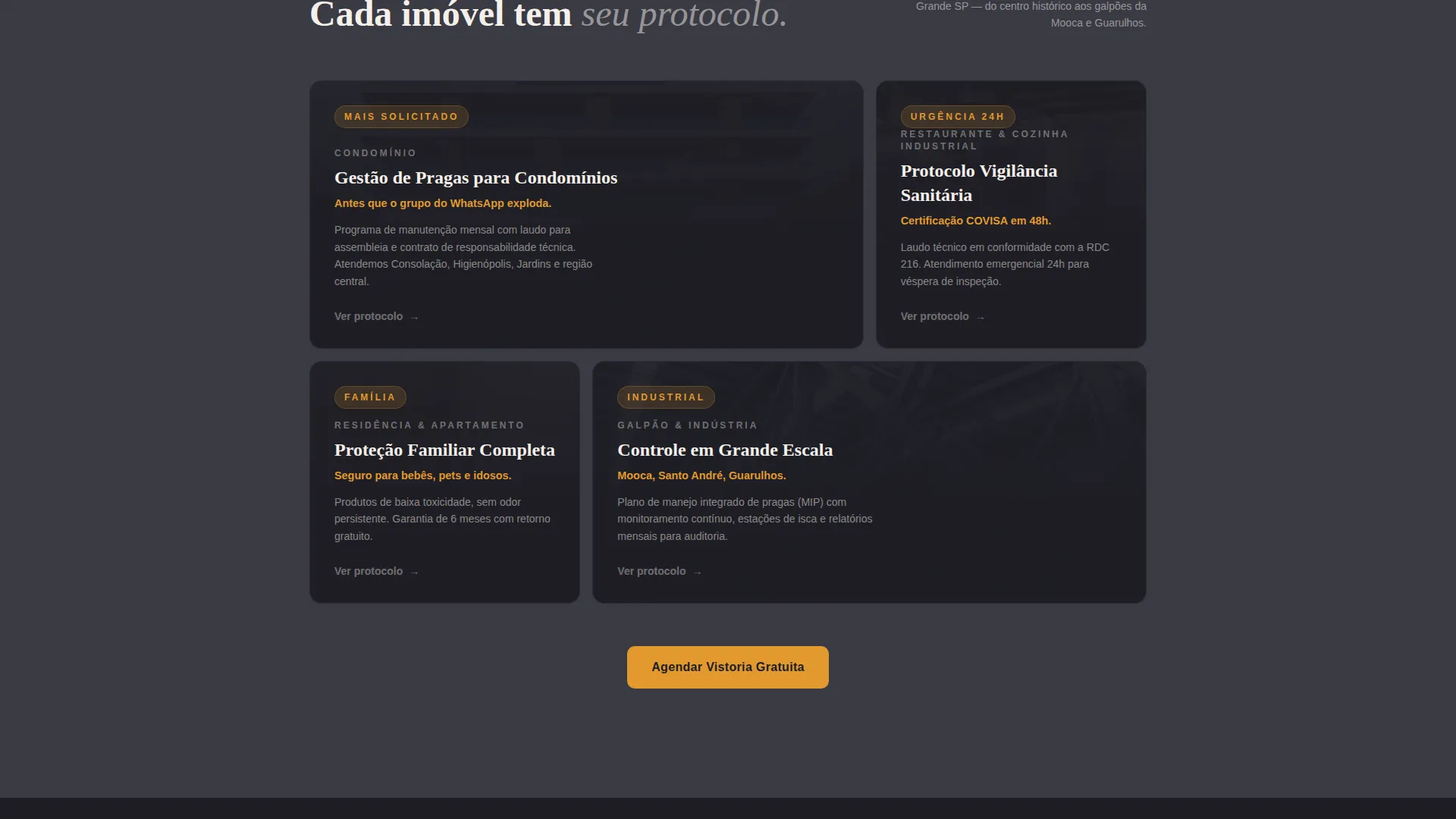
- Target audiences include condominium property managers, food service operators facing health inspections, and residential clients with urgent household concerns
- The stats-first creative direction is designed to work without relying on graphic or disturbing insect imagery, making the page appropriate for a wide range of visitors including families
Theme
Editorial Magazine
Creative direction
Testimonial Mosaic
Color system
Arctic White
Style
Comparison Table
Direction
Lead Generation
Page Sections
Dark Full-bleed Stats Header
Split-screen Stats and Explanation Layout
Multi-step Scheduling Form
Fixed Mobile Booking Button
Inline Micro-cta Anchors
Charcoal and Amber Branding System
Related questions
Can I use this template for a pest control business outside São Paulo?
Does the template include a working real-time availability calendar?
Can I update the colors to match my own brand?
Is this template suitable for a company that handles multiple pest types?
Do I need design experience to customize this template?



