Whiteglove Home Inspection Landing Page Template
A refined landing page for a white-glove pre-listing home inspection service. Built for listing agents, estate attorneys, and relocating executives, this template combines a nine-image mosaic header, scroll-driven room-by-room gallery, stat callouts, and a structured booking form to convert serious sellers into scheduled inspections with quiet authority.
by Rocket studio
Quick summary
This is a single-page, gallery-driven landing page for a premium pre-listing inspection service. It pairs a high-resolution photo mosaic header with a scroll-based inspection tour, amber-accented calls to action, and a multi-step booking form. The template is built for high-stakes real estate clients who need confidence before a property hits the market.
Who this template is for
This template speaks directly to professionals who carry real responsibility when a property changes hands. It is designed for people who cannot afford surprises once a listing goes live.
- Listing agents protecting high-value commissions on seven-figure properties
- Estate attorneys managing the sale of inherited homes where condition is unknown
- Relocating executives who need a clean, documented inspection report before they leave town
What problem this template solves
Sellers often walk into buyer negotiations blind. When a buyer's inspector surfaces issues first, deals get renegotiated or collapse entirely. This landing page gives the inspection service a presentation that matches the seriousness of the problem it solves.
- No clear way to communicate the depth and process of a pre-listing inspection
- Prospective clients leave without booking because the value is not shown visually or statistically
- Leads who are not ready to book have no secondary path to stay engaged
What you get with this template
The template delivers a fully structured, single-page layout that guides visitors from first impression to booking without a single confusing detour. Every section earns its place.
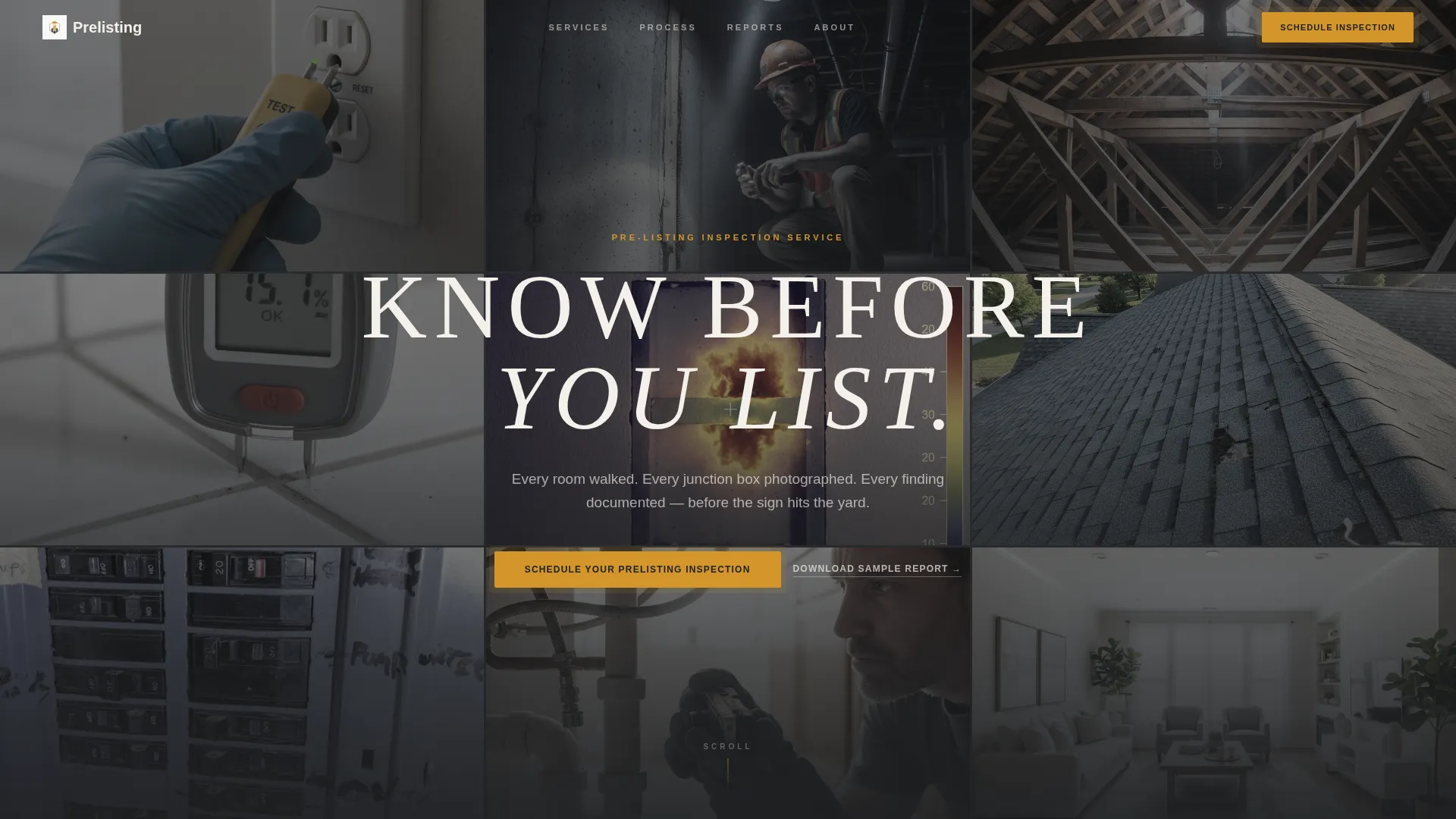
- A nine-image asymmetric photo mosaic header with a centered headline and amber focal frame
- A scroll-driven gallery tour organized by inspection category, with stat callouts between sections
- A multi-step booking form and a secondary email-capture path for sample report downloads
Feature list
This template is built around a specific visual and conversion logic. Every feature below comes directly from the design and layout described in the brief.
Photo Grid Mosaic Header
Nine tightly cropped inspection photographs fill the full viewport in an asymmetric grid. Images are slightly desaturated to sit inside the charcoal palette. One amber-tinted center tile frames the headline "KNOW BEFORE YOU LIST" in tracked-out uppercase, drawing the eye immediately.
Scroll-Driven Inspection Gallery
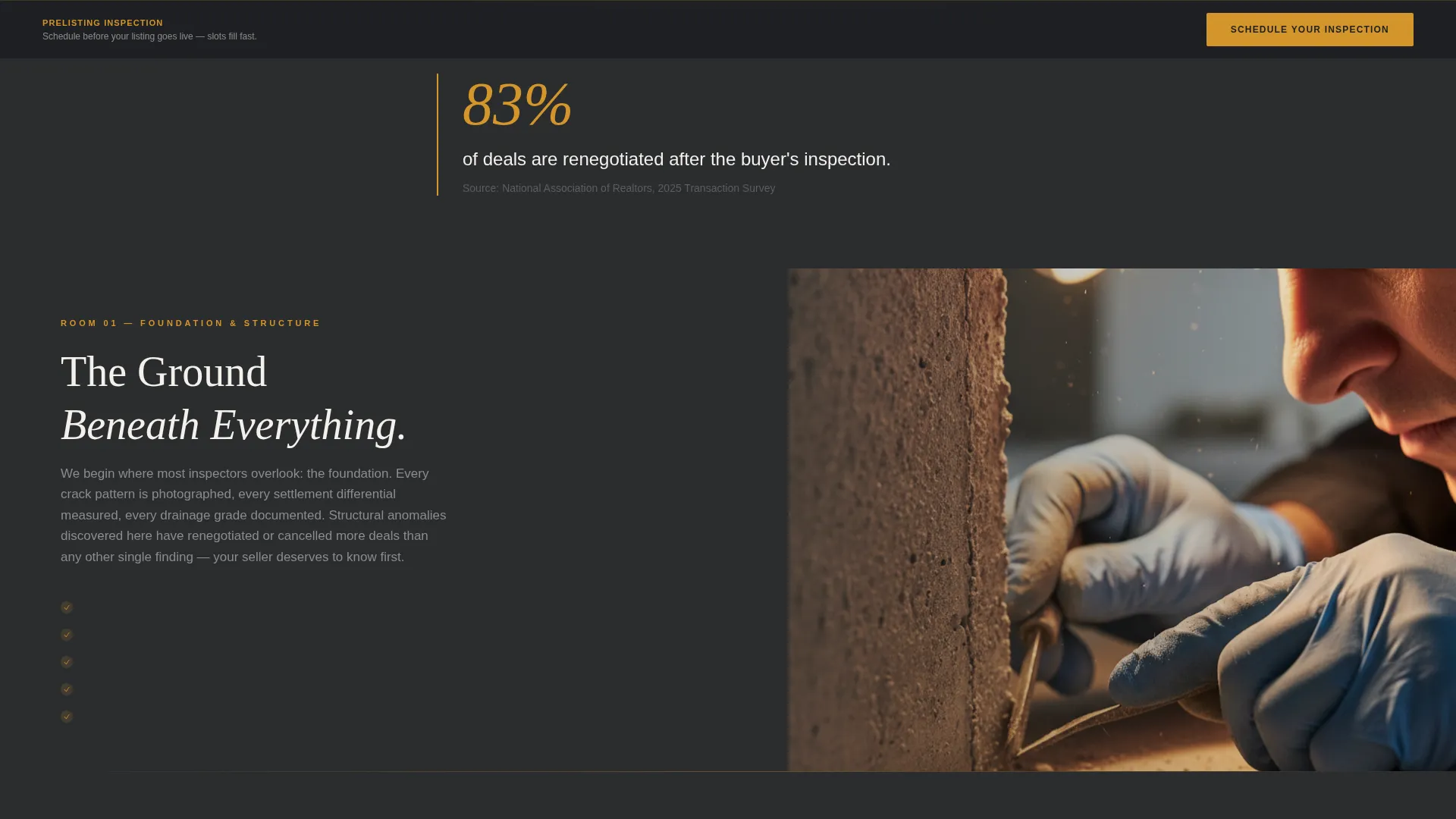
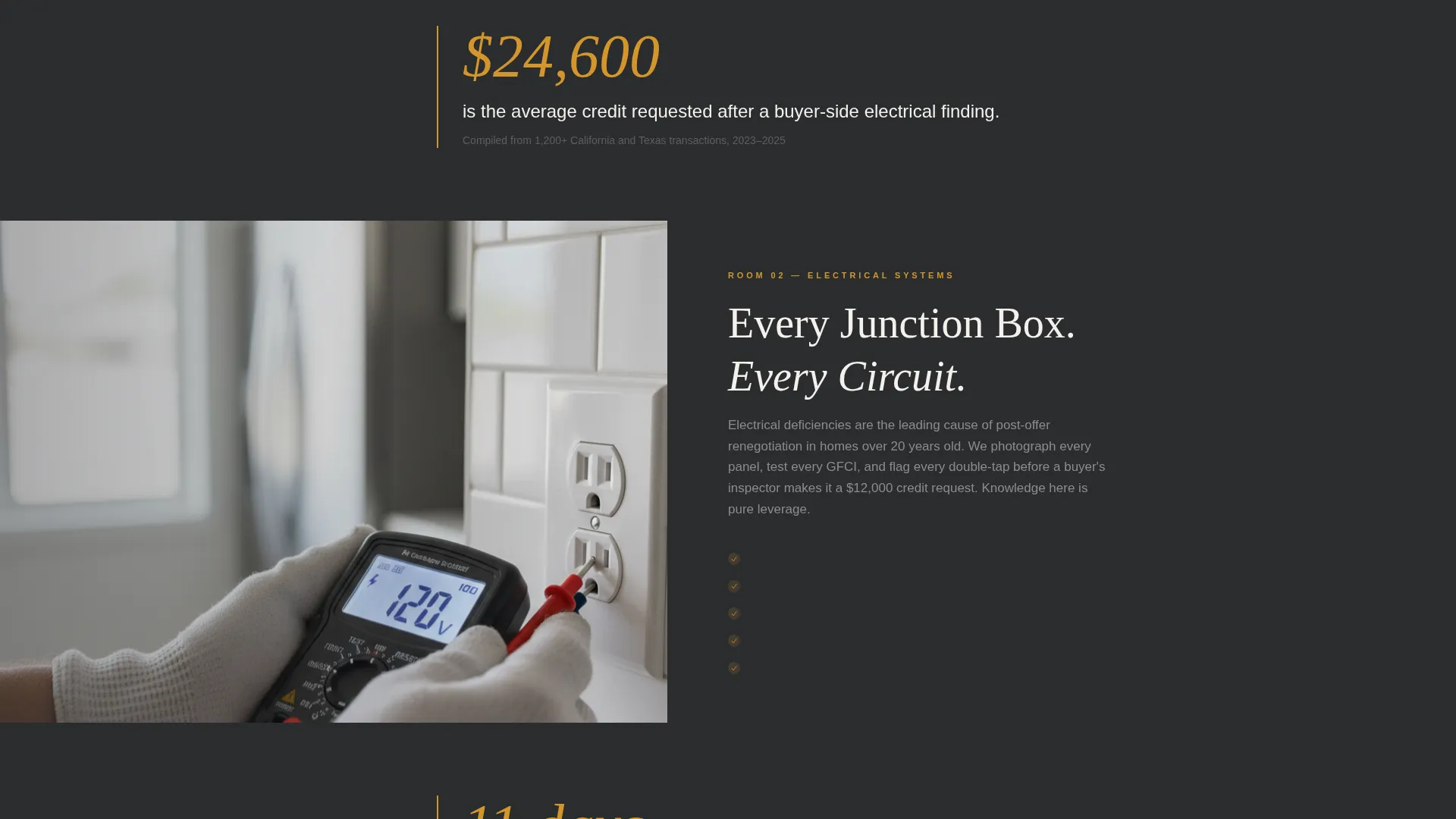
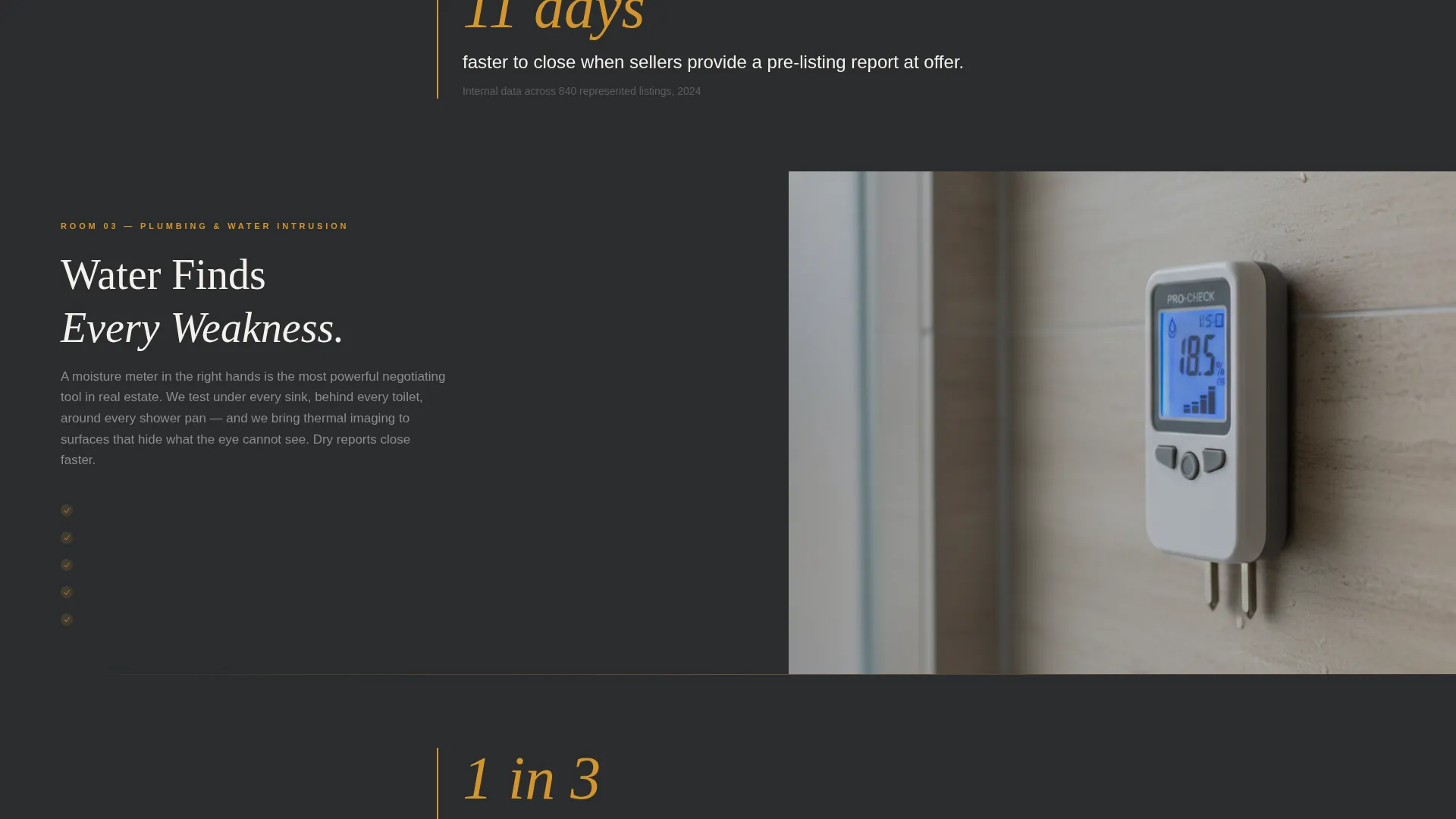
The page is organized as a room-by-room tour. Foundation and Structure leads into Electrical, then Plumbing, then Roof and Exterior. Each section opens with a full-width detail photograph that zooms subtly on scroll, paired with a tight explanatory paragraph about what the inspector examines and why it matters before closing.
Amber Stat Callouts
Between gallery rooms, single-line statistics appear in amber type against the charcoal background. These quiet, high-contrast data points build a factual case for acting before a buyer's inspector does. An example callout reads: "83% of deals renegotiated after buyer inspection."
Persistent Booking Call to Action
The primary call to action, "Schedule Your Prelisting Inspection," appears first at the header fold and again as a persistent bottom bar after the third scroll section. This dual placement keeps the conversion path visible without interrupting the gallery experience.
Structured Booking Form
The form collects property address first, then square footage via a slider, then a preferred date using a calendar picker that shows next-available slots, then the listing agent's name and brokerage. This sequence mirrors how a real conversation with a client would begin.
Secondary Lead Capture Path
Visitors not yet ready to book can download a 42-page sample inspection report by submitting their email address. This gives the service a second conversion opportunity while letting the report demonstrate depth and professionalism overnight.
Page sections overview
| Section | Purpose |
|---|---|
| Mosaic Photo Header | Establish credibility and display the "KNOW BEFORE YOU LIST" headline |
| Foundation and Structure | Show inspection scope for structural and foundation systems |
| Electrical Systems Room | Explain what the inspector documents at the electrical level |
| Plumbing Systems Room | Walk visitors through the plumbing inspection approach |
| Roof and Exterior | Cover exterior and roofing inspection scope |
| Stat Callout Breaks | Build urgency with data points placed between gallery rooms |
| Booking Form Section | Capture qualified leads with a structured multi-step form |
| Sample Report Download | Collect emails from visitors not yet ready to schedule |
| Persistent Booking Bar | Keep the primary call to action visible after scroll section three |
Design & branding system
The visual identity follows a Luxe Minimal direction. The palette is grounded in deep charcoal and warm amber, evoking a carefully staged interior at golden hour. Amber never competes with content; it activates only where a decision is needed.
- Deep charcoal (#2B2D2F) anchors backgrounds; soft plaster white (#F4F0EB) lifts content panels; mid-tone graphite (#5C5E60) carries body text
- Warm amber (#D4952A) is reserved exclusively for interactive highlights, call-to-action pulses, stat callouts, and focal frame accents
- Inspection photographs are slightly desaturated to unify with the charcoal palette while preserving documentary realism
Mobile & speed optimization
The layout is built to work at every screen size without losing its editorial quality. Visitors on mobile devices should experience the same deliberate, room-by-room pace as those on desktop.
- The mosaic grid adapts to smaller viewports without breaking the asymmetric visual logic
- The persistent booking bar remains accessible on mobile after the third scroll section, keeping the path to conversion within thumb reach
- The booking form's slider, calendar picker, and text fields are sized for comfortable touch interaction
How this template helps you convert
Every layout decision in this template is aimed at moving a hesitant seller toward a scheduled inspection. The page respects the visitor's intelligence while building a clear, data-backed case for acting early.
- The mosaic header and gallery tour establish expertise visually before a single word of pitch copy appears, earning trust before asking for a commitment.
- Amber stat callouts introduce quiet urgency at the exact moment a visitor has seen the inspection depth and is weighing whether to act.
- The dual conversion path, booking form plus sample report download, captures both the decided buyer and the one who needs one more night to think.
Other information about this template
This template is designed to work as a standalone pre-listing inspection landing page, requiring no additional pages to complete the lead generation flow. It suits a commercial building inspector or residential home inspection firm that serves a premium client segment. The Atelier Studio theme paired with Card Grid modular layout means individual inspection category cards can be reordered or expanded without redesigning the full page. The Immersive Visual creative direction and Location Input header concept from the matched intersection fields align with how serious real estate professionals expect a service page to feel. The template is a strong fit for any home inspection and survey business positioning itself at the upper end of the market.
- The template uses a Card Grid modular layout, making it straightforward to add, remove, or reorder inspection category sections
- The Atelier Studio theme provides a refined typographic and spacing system consistent with luxury real estate brand standards
- The Location Input header concept, drawn from the intersection match, supports a property address as the first field in the booking form, grounding the experience in the client's specific situation
Theme
Atelier Studio
Creative direction
Immersive Visual
Color system
Charcoal & Amber
Style
Card Grid (Modular)
Direction
Lead Generation
Page Sections
Photo Grid Mosaic Header
Scroll-driven Room-by-room Gallery
Amber Stat Callouts Between Sections
Persistent Booking Call to Action
Structured Multi-step Booking Form
Secondary Email Capture for Sample Report
Related questions
Can I change the inspection categories shown in the gallery?
Does the booking form connect to a live scheduling system?
What is the sample report download section for?
Can I replace the inspection photographs with my own images?
Who is this landing page best suited for?



