Precision Agriculture Technology Professional Website Template
Prescribe is a full-width immersive landing page template built for variable rate application platforms in precision agriculture. It combines an animated blueprint field map, interactive data layer toggles, a live prescription engine visual, and a side-by-side ROI comparison to guide farm managers and agronomists from field data to a confident lead capture form.
by Rocket studio
Quick summary
Prescribe is a lead generation landing page template designed for variable rate application platforms. It walks visitors through raw field data, intelligent zone prescriptions, and a concrete ROI comparison before presenting a focused conversion form. The Engineering Blueprint visual style roots every section in technical precision and warm agricultural character.
Who this template is for
This template is built for precision agriculture software teams that need to reach serious field operators. The design language and section flow are matched to an audience that thinks in acres, application rates, and input costs.
- Farm managers running large-scale operations who are evaluating whether a variable rate platform will pay for itself
- Agronomists and co-op precision agriculture specialists who need to present a clear, data-backed case to skeptical growers
- Precision agriculture software companies that want a high-impact landing page to generate qualified leads from their target audience
What problem this template solves
Flat-rate prescriptions treat every acre identically, even when soil types, yield histories, and electrical conductivity readings tell a different story. A landing page that cannot show the cost of that uniformity will not move a cautious farm manager to act. Prescribe solves this by structuring the page around the exact questions growers ask before committing.
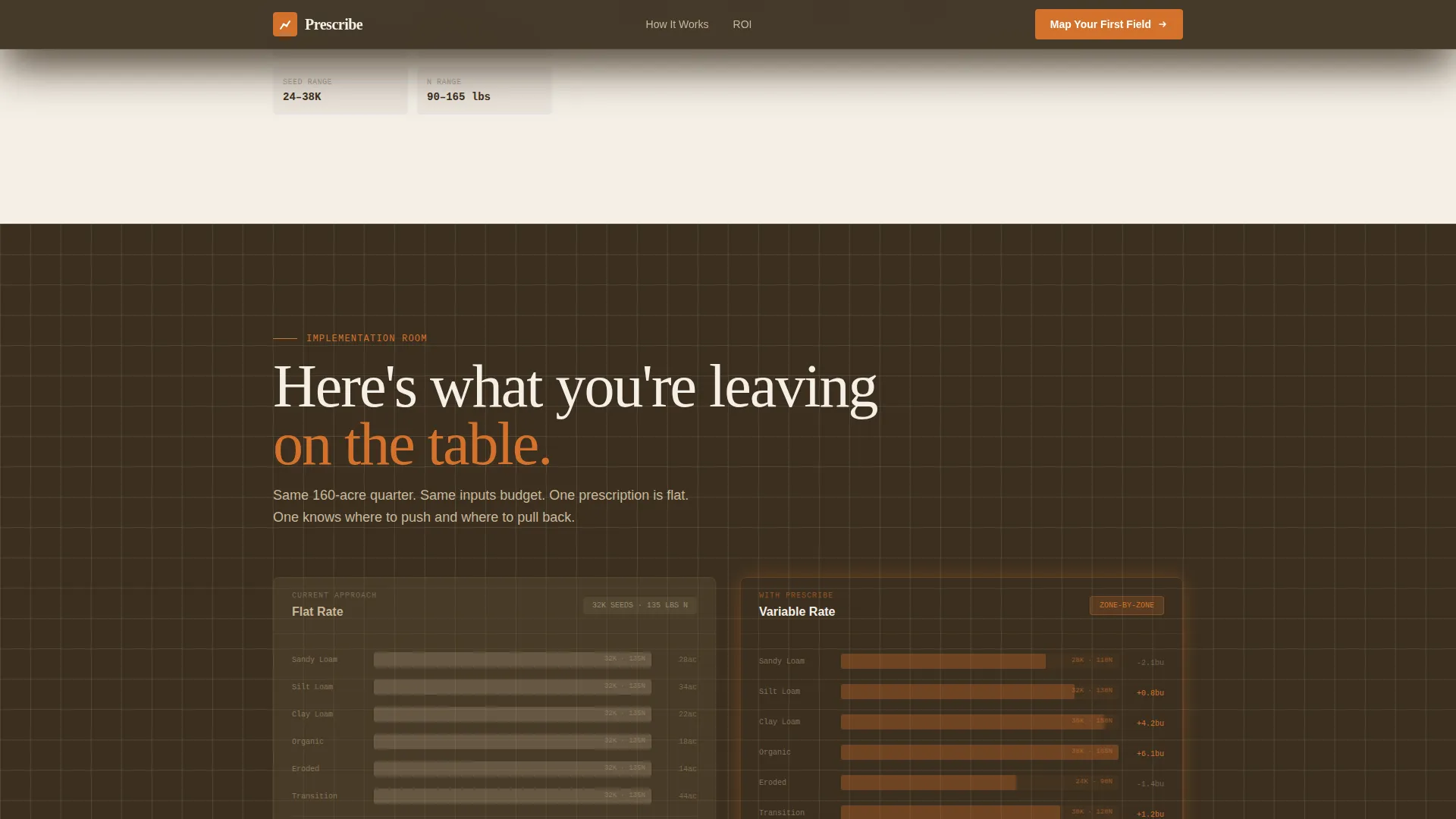
- It replaces vague value claims with a visual, side-by-side cost comparison between flat-rate and variable-rate application on a 160-acre quarter
- It gives skeptical visitors an early exit ramp through a gated ROI calculator download, so they can verify the math before ever talking to sales
- It sequentially builds the case from raw data through zone prescription to measurable savings, matching how a careful operator actually makes buying decisions
What you get with this template
You get a fully structured, single-page layout with five distinct scroll sections, each designed to answer a specific question in the buyer's decision process. Every section is styled to the Engineering Blueprint theme with the Warm Stone color system already applied.
- An animated SVG hero with a blueprint-style field map, a data layers section with toggle visualization, a live prescription engine section with rate sliders, and a flat-rate versus variable-rate ROI comparison section
- A multi-field lead generation form that includes an acres slider (500 to 25,000 or more), crop type checkboxes, current adoption level selection, and a contact fields block
- A secondary conversion path offering a downloadable ROI calculator, giving visitors a low-commitment option before the primary form ask
Feature list
This section outlines the core built-in components and interaction patterns that define the Prescribe template.
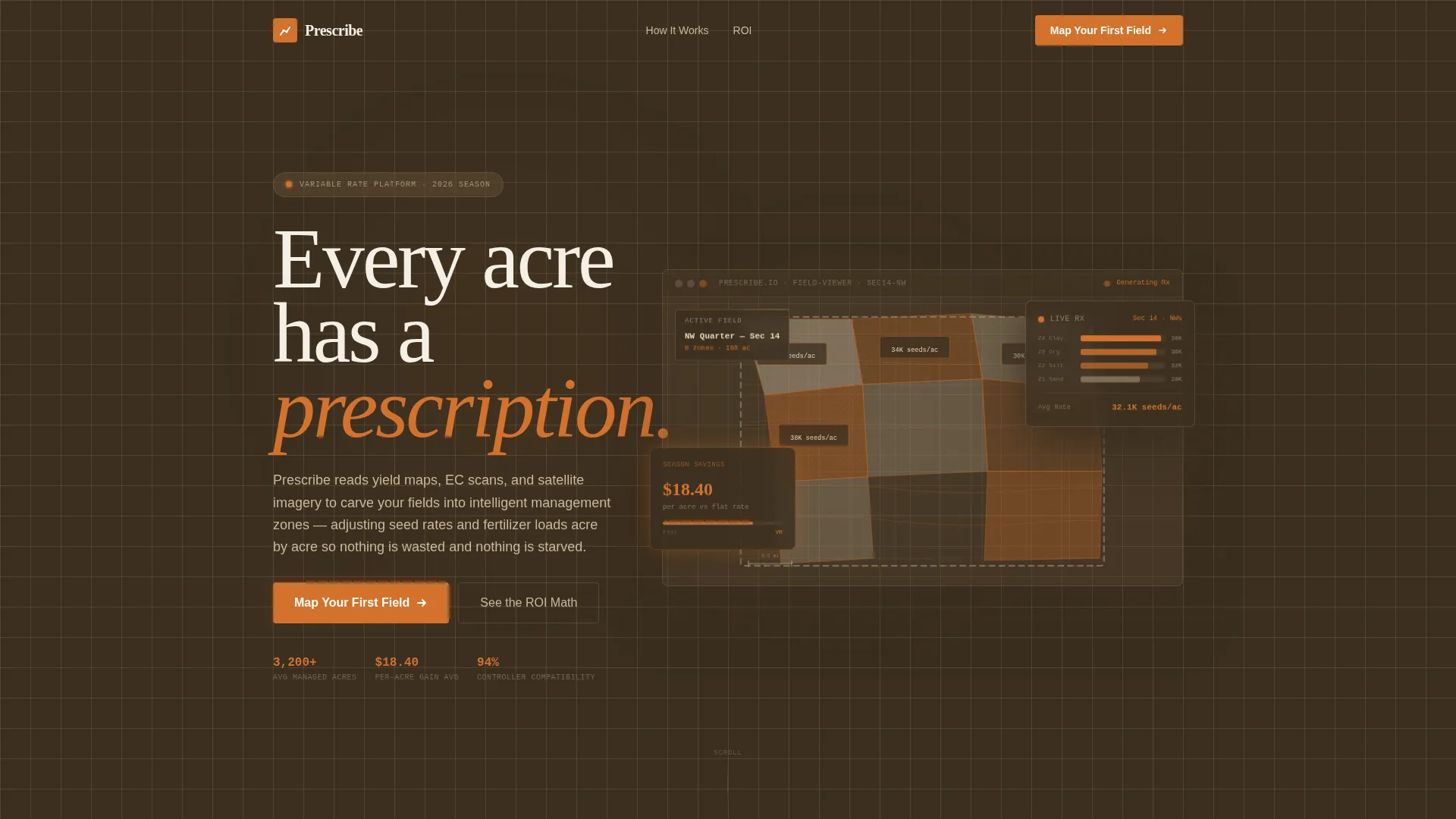
Animated Blueprint Field Map Hero
The hero section features a hand-drafted SVG illustration of a field divided into variable rate management zones. Zones fill in sequentially from the northwest corner as if a planter is making passes, each lighting up in a distinct warm tone. Zone labels are typeset in a monospaced engineering font displaying values such as "Zone 4: 32K seeds/ac" and "Zone 7: 140 lbs N/ac."
Interactive Data Layer Toggle
The data layers section stacks yield maps, electrical conductivity scans, and satellite imagery as translucent overlays. Visitors can toggle between layers to see how each data source informs zone boundaries. This component directly addresses the question of whether the platform works with real field data.
Live Prescription Engine Visual
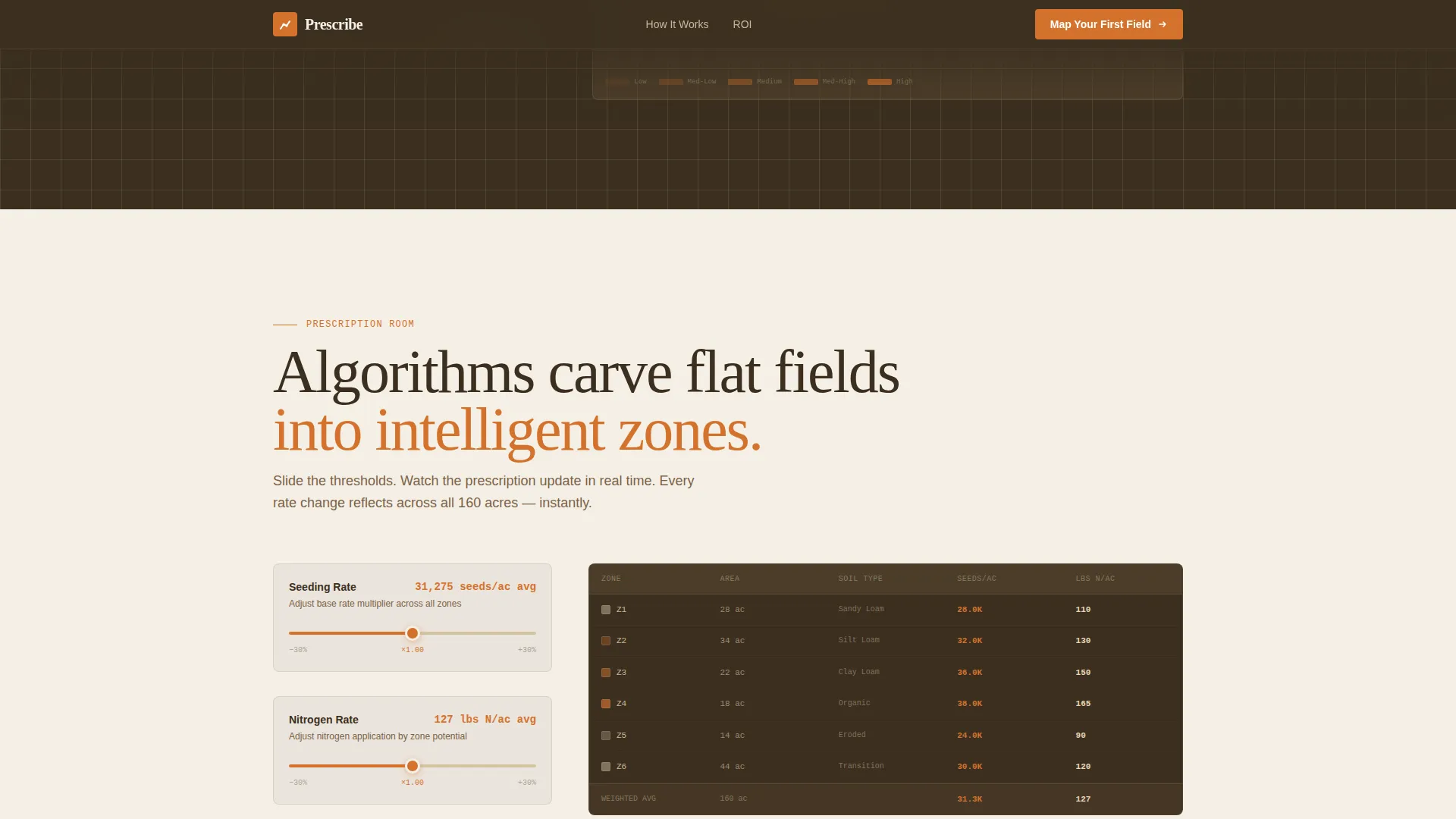
The prescription engine section shows algorithms visually carving a flat field into intelligent management zones. Application rates adjust in real time as threshold sliders move, giving visitors a tactile sense of how prescriptions are generated before they ever fill out a form.
Flat-Rate versus Variable-Rate ROI Comparison
A side-by-side comparison presents input costs and projected savings on the same 160-acre quarter under both flat-rate and variable-rate approaches. This section earns the primary call-to-action placement by showing the math, not making promises.
Structured Lead Generation Form
The conversion form is sequenced to qualify leads before asking for contact information. It opens with a total managed acres slider, moves through crop type checkboxes and adoption level selection, then closes with name and email fields. A secondary call-to-action for the ROI calculator download appears nearby.
Parallax Scroll Transitions
Each section transition uses a subtle parallax shift styled as moving from one room in a precision agriculture workflow to the next. The effect is built with GSAP ScrollTrigger and staggered reveal animations, keeping the spatial narrative intact as visitors scroll.
Page sections overview
| Section | Purpose |
|---|---|
| Hero Field Map | Introduce the platform with an animated blueprint zone illustration and floating data widget |
| Data Layers Toggle | Show how yield maps, EC scans, and satellite imagery combine into actionable field intelligence |
| Prescription Engine | Demonstrate real-time zone carving and adjustable application rate logic |
| ROI Comparison | Present a concrete flat-rate versus variable-rate cost and savings breakdown |
| Lead Generation Form | Capture qualified leads with a sequenced acres slider, crop types, adoption level, and contact fields |
| Footer | Provide linear single-row navigation and secondary links |
Design & branding system
The Warm Stone color system grounds every visual decision in the physical world of soil surveys and field maps. Backgrounds alternate between deep plowed earth (#3B2F20) and weathered limestone (#C8B89A), with dried wheat stalk (#E8D5B7) used for secondary panel surfaces. Survey-marker orange (#D4722C) is reserved exclusively for calls to action, interactive zone highlights, and data callouts.
- Typography uses JetBrains Mono for all zone labels and data readouts, DM Sans for body copy, and Fraunces for display headings, creating a clear visual hierarchy between field data and narrative text
- The Engineering Blueprint style uses crosshatching at varying densities inside zone fills, contour lines drawn in the style of a USGS topographic map, and a palette that reads as technical but warm rather than clinical or generic
Mobile & speed optimization
The template is designed desktop-first, reflecting how farm managers typically review field data at a desk or in a cab. The layout scales responsively for mobile field use without losing the core interactive elements.
- Interactive components including the acres slider, crop checkboxes, and data layer toggles are built for touch input on mobile screens
- Static sections use server components while client-side rendering is scoped to the interactive form and animation layers, keeping the page load focused
How this template helps you convert
The page is built around a progressive disclosure strategy that delays the form ask until the value case is already made. Visitors who reach the lead generation form have already seen the data, the prescription logic, and the ROI comparison.
- The secondary conversion path, the downloadable ROI calculator, captures visitors who are not ready for a sales conversation but are willing to run the numbers themselves, expanding the lead pool beyond just decision-ready buyers
- The primary "Map Your First Field" call-to-action appears after the ROI comparison section, at the precise moment when the cost of inaction is most visible to the reader
Other information about this template
This template is built for the variable rate application segment of precision agriculture technology. It reflects the operational reality of large-acreage row crop farming in the United States, with all units, currency, and crop references set to imperial standards and domestic context.
- The form's acres slider ranges from 500 to 25,000 or more acres, making it appropriate for mid-scale and enterprise farm operations
- Crop type options in the form include corn, soybeans, wheat, and an open "other" field, covering the primary row crops where variable rate application delivers measurable input savings
- The template is listed in the Agriculture and Environment category under the Precision Agriculture Technology subcategory, positioned specifically within the Variable Rate Application niche

Theme
Engineering Blueprint
Creative direction
Spatial & Architectural
Color system
Warm Stone
Style
Full-Width Immersive
Direction
Lead Generation
Page Sections
Animated Blueprint Field Map Hero
Interactive Data Layer Toggle
Live Prescription Engine Visual
Flat-rate Versus. Variable-rate ROI Comparison
Sequenced Lead Generation Form
GSAP Parallax Scroll Transitions
Related questions
Who is this landing page template designed for?
What interactive elements are included in the template?
Can I use this template if my platform covers multiple crop types?
What is the secondary conversion path in this template?
Is this template designed for desktop or mobile use?