Military & Defense Professional Website Template
The Garrison Civic Service Military Museum landing page template is a solemn, briefing-style single-page layout built for military museums and civic heritage institutions. It uses a zigzag alternating structure, a Slate & Sky color palette, and a checklist-driven content approach to guide visitors, teachers, veterans, and researchers from casual browsing to a planned visit or archive inquiry.
by Rocket studio
Quick summary
Garrison is a civic institutional landing page template designed for military museums. It presents each exhibit wing and research program as a mission brief, guiding visitors through checklist-formatted sections that build from casual visit to deep archival research. The Slate & Sky palette and authority-led header make it equally appropriate for a post museum, a regimental history center, or a civic defense archive.
Who this template is for
This template serves institutions where history is the primary product and every person who walks through the gate deserves a clear, respectful welcome. It is built for museums, heritage centers, and family readiness networks that need a dignified, content-rich landing page without heavy development work.
- Teachers at schools planning field trips who need directions, schedule details, and curriculum alignment before they commit
- Veterans, retirees, and researchers who require detailed information about archival access and research services
- Museum directors and communications staff who want a formatted, professional page they can populate with real program data and visitor services
What problem this template solves
Most military and civic museum pages present a wall of text or a dated layout that fails to convey institutional weight. Visitors exit before finding the information they actually need. The Garrison template solves this by organizing every content block as a completable briefing, so no person leaves the page confused about what to expect on arrival.
- Families and civilians cannot easily find hours, parking, or directions without digging through cluttered menus
- Researchers and educators need a structured path to archival access forms and program registration, not a generic contact page
- The institution loses credibility when its page does not reflect the seriousness of the history it manages
What you get with this template
You get a fully formatted single-page layout built around six defined sections. Each section performs a specific role in moving visitors from curiosity to commitment. The template is structured to guide visitors through an emotional and informational journey, from the authority of the header through to the download call to action.
- A zigzag alternating layout with four content pairs, each presenting a photograph alongside a numbered checklist or mission brief
- A gated Visit Briefing download form with an email field and a role-based dropdown, plus a secondary path to a digital archive catalog
- A linear single-row footer that supports contact details and partner acknowledgments cleanly
Feature list
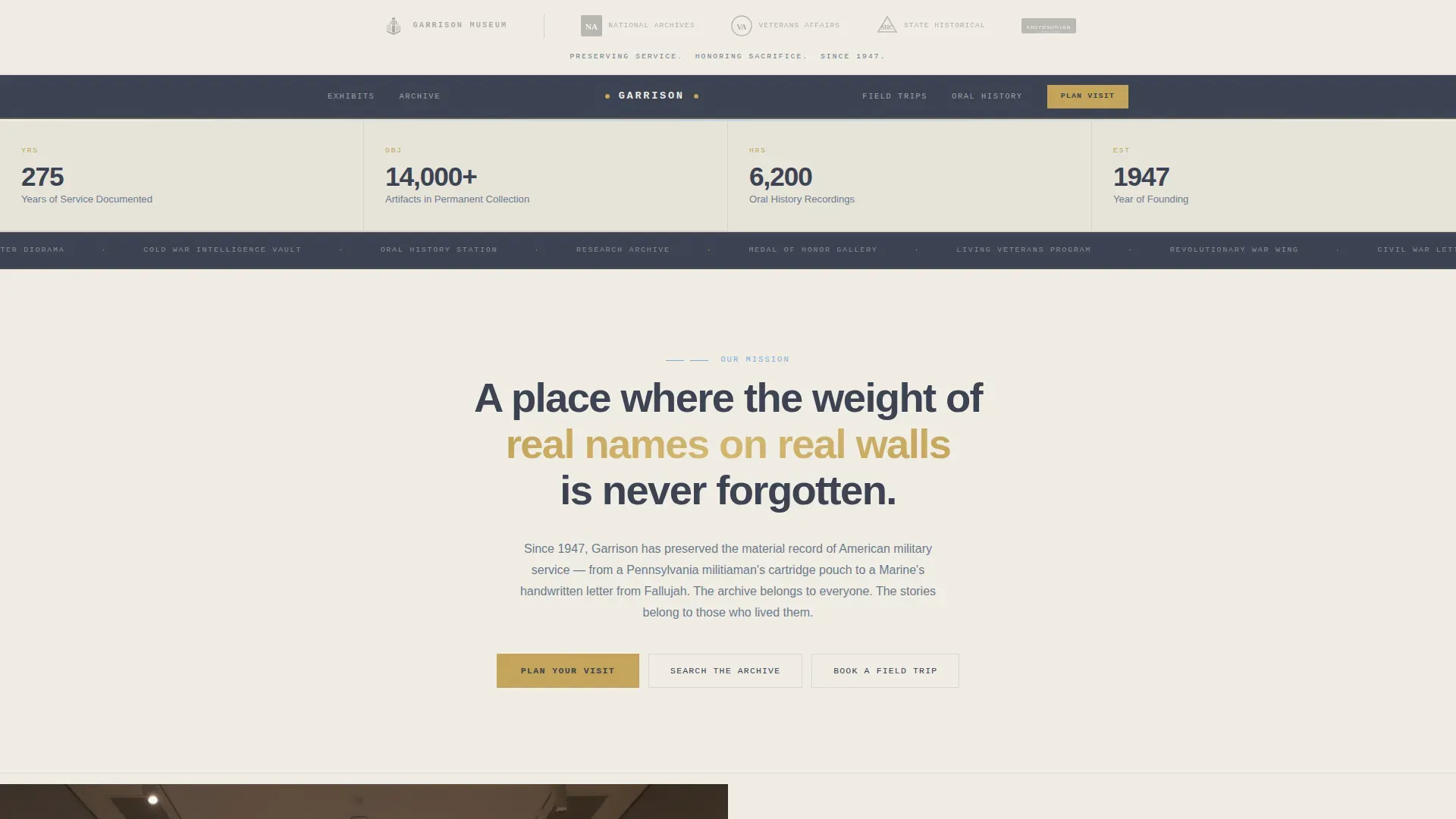
Authority Header with Logo Bar
The header opens with a clean horizontal band displaying the museum's crest beside partner insignias rendered in monochrome slate. An authority strip in spaced small caps sits beneath the logo row. This approach communicates institutional credibility before a single body paragraph is read, which is especially important for an army or defense heritage institution where trust is non-negotiable.
Zigzag Checklist Layout
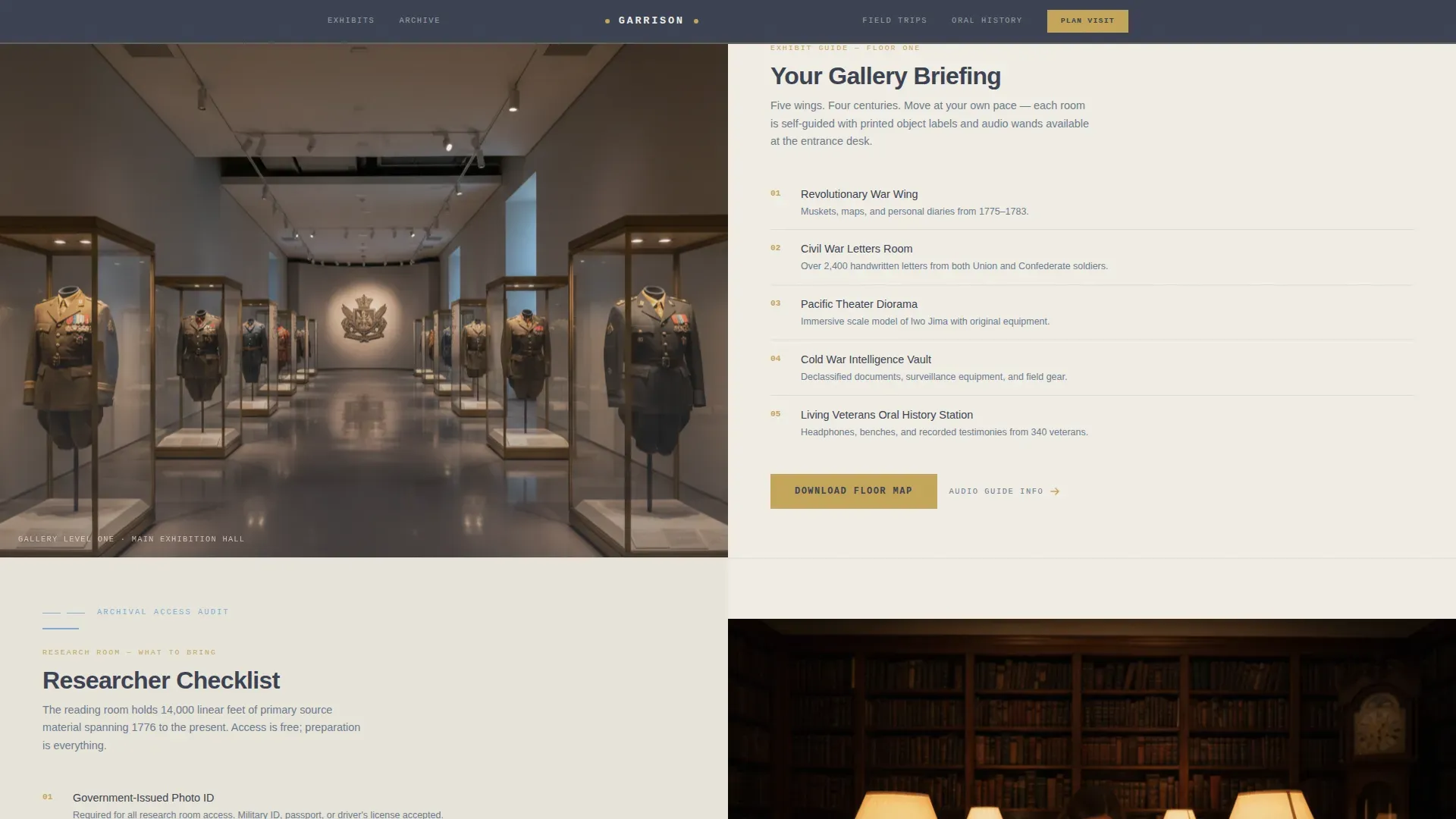
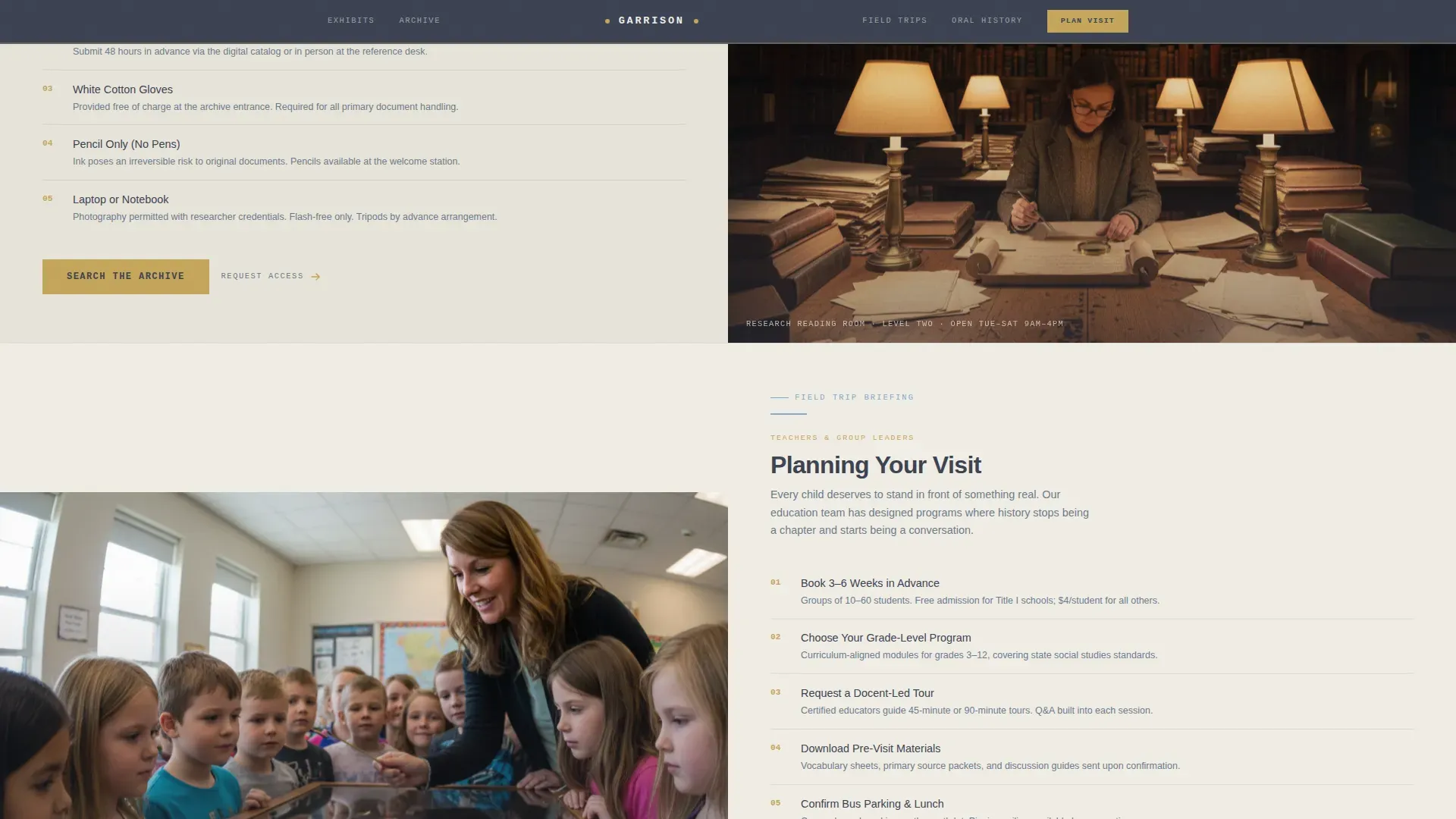
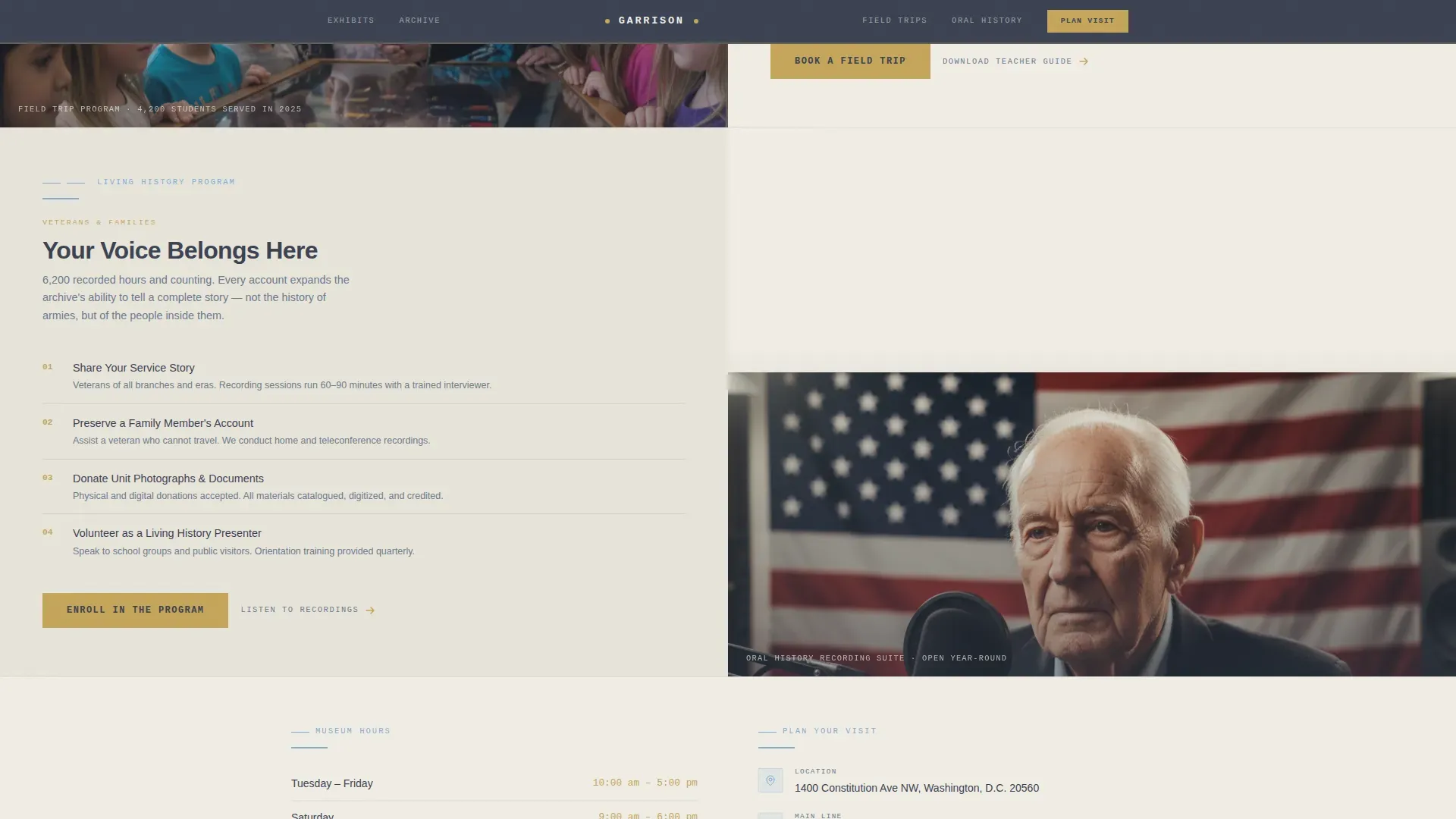
Each alternating section pairs a gallery or research-room photograph with a numbered checklist panel. Odd sections place the image on the left; even sections reverse the layout. The result is a page that scrolls like a mission briefing, equipping visitors with exactly what they need. This layout naturally supports program descriptions for gallery wings, archival services, field-trip plans, and living history enrollment.
Visit Briefing Download Form
The primary call to action is a gated form where visitors enter their email and select their role: Teacher, Veteran, Researcher, or Family Visitor. Upon submission they receive a one-page Visit Briefing containing floor maps, hours, parking, and accessibility notes. The form is intentionally minimal so it does not feel like a toll booth, only a natural next step for a prepared visitor.
Civic Institutional Color System
The Slate & Sky palette uses archive-paper ivory for content panels, dress-uniform charcoal for headers, and a muted service-ribbon gold for interactive elements and calls to action. The system is built so that every color has a functional role, keeping the page solemn without being cold.
Scroll Animation and Reveal Interactions
The template includes medium-weight scroll reveals, parallax image effects, checklist hover states, and image grayscale reveals built with native CSS scroll and Intersection Observer. No heavy libraries are required. These interactions support the briefing-style pacing without distracting from the content.
Responsive Mobile Layout
The template is desktop-first for researchers and teachers working at a desk, and fully responsive for families and service members checking details on a phone. The layout reflows cleanly so that checklist panels, the download form, and directions remain readable at every screen size.
Page sections overview
| Section | Purpose |
|---|---|
| Logo Bar Header | Establishes institutional authority with partner insignias and founding-year strip |
| Gallery Guide Zigzag | Presents numbered gallery wing checklist beside an exhibit photograph |
| Archive Access Zigzag | Lists archival visit requirements beside a research-room photograph |
| Field Trip Briefing Zigzag | Delivers teacher checklist and program schedule beside a classroom photograph |
| Living History Zigzag | Presents oral history enrollment information beside a veterans station photograph |
| Visit Briefing Download | Gated email form with role dropdown linking to a PDF floor-map and hours guide |
| Linear Footer | Single-row footer with contact details and partner acknowledgments |
Design & branding system
The visual identity follows the Civic Service theme using a four-color Slate & Sky system. Every color has a deliberate role, and the typography pairing reinforces the briefing aesthetic at the character level.
- Palette: dress-uniform charcoal (#3B4252) for headers and navigation, weathered monument slate (#6B7B8D) for body text, open-sky blue (#7FACD6) for section dividers and icon strokes, archive-paper ivory (#F0EDE5) for alternating content panels, and service-ribbon gold (#C5A55A) reserved for calls to action and interactive hover states
- Typography: DM Sans for body and heading text, JetBrains Mono for mission-brief numerals in checklist panels, creating a contrast between institutional editorial and operational precision
Mobile & speed optimization
The template is built desktop-first to serve researchers and teachers who plan visits from a workstation, but it performs cleanly on mobile for families and soldiers checking hours mid-week. All interactivity is built with native browser capabilities.
- Animations use native CSS scroll and Intersection Observer so no external libraries add weight to the page
- Checklist panels, the download form, and directions reflow into single-column stacks on smaller screens without breaking visual hierarchy
How this template helps you convert
The page earns the click by giving everything upfront. Visitors receive exhibit previews, checklists, and program details before they are asked for anything in return. That generosity builds trust and makes the download form feel like a reward rather than a barrier.
- Checklist-formatted sections establish the museum's capabilities and access requirements clearly, so visitors feel prepared and confident before they arrive at the gate
- The gated Visit Briefing form captures contact data while delivering genuine value: a one-page PDF with floor maps, hours, and parking directions that visitors actually want
Other information about this template
This template is designed for military family support networks and civic heritage institutions that need both emotional warmth and practical clarity on the same page. It uses a long-form magazine format to present program statistics and real stories, while keeping the layout disciplined and easy to navigate. The template supports program descriptions aligned with recognized service models, making it suitable for nonprofit organizations and family readiness networks as well as public museum programs.
Military garrisons provide facilities and services that assist units in sustaining their readiness. Garrisons support active duty soldiers, their dependents, reservists, retirees, and Department of Defense civilians, and this template is built to address that broad community with appropriate tone and structure.
Institutions inspired by the model of the Tropic Lightning Museum, which collects, preserves, interprets, and exhibits artifacts related to the history of Schofield Barracks and the 25th Infantry Division, will find this template's structure a close fit. The Tropic Lightning Museum at Schofield Barracks was recognized as a provisional United States Army Museum in May 1984 and opened to the public on October 1, 1984, in a renovated space in Carter Hall. Visitors to Schofield Barracks must have a valid visitor pass to access the installation, and the template's Visit Briefing section is well suited to communicating those entry requirements clearly. The museum expanded in October 2001 and again shares characteristics with civic post museum programs that present World War II history, pacific theater artifacts, military vehicles, and oral histories side by side.
The template can also support institutions with a connection to army headquarters programs, where civilians and contractors require clear directions to the correct traffic circle or gate before their visit. For those managing a busy research center, having a page that is open Monday through Friday contact-ready and maintains up to date information helps retirees, dependents, and researchers plan without confusion. A secondary traffic circle or gate reference in the Visit Briefing PDF ensures that first-time visitors do not exit at the wrong checkpoint.
- The template includes repeated calls to action to encourage user engagement at every scroll depth
- It includes a chapter-finder tool structure for families to locate support resources across program types
- Childcare program listings, food facility notes, and relocation readiness guidance can be added to the checklist sections without disrupting the layout
- Engineers and construction historians can use the archive-access section to present detailed information about built environment records housed in the collection
- The page can be adapted for institutions established in any year, with the founding date formatted clearly in the authority strip beneath the logo bar
- A november or january opening date, a sunday hours note, or a week-by-week event schedule can be added to the Visit Briefing PDF content block without changing the core layout
Theme
Civic Service
Creative direction
Checklist & Audit
Color system
Slate & Sky
Style
Zigzag/Alternating
Direction
Content/Resource
Page Sections
Authority Header with Partner Logo Bar
Zigzag Alternating Checklist Layout
Gated Visit Briefing Download Form
Civic Slate & Sky Color System
Scroll Reveal and Checklist Interactions
Responsive Reflow for All Screen Sizes
Related questions
What type of institution is the Garrison template built for?
Can the checklist sections be adapted for different programs?
How does the Visit Briefing download form work?
Is this template suitable for institutions that require a valid visitor pass for installation access?
Does the template support mobile visitors?



