Complete Manufacturing Processes Professional Website Template
The Press landing page template is built for compression molding equipment manufacturers. It uses a modular card grid to walk buyers through a decade-by-decade product timeline, front-loads credibility with a certified-partner logo bar, and funnels qualified engineers toward a guided press configurator. The Engineering Blueprint visual theme makes every spec feel precise and trustworthy.
by Rocket studio
Quick summary
The Press template is a single-page, click-through landing page designed for compression molding equipment manufacturers. It leads with a certification and partner logo bar, progresses through a modular timeline card grid, and closes qualified buyers toward a press configurator. The monochrome steel palette and engineering blueprint theme communicate precision from the first scroll.
Who this template is for
This template is built for industrial manufacturers who sell hydraulic and servo-hydraulic compression molding systems to technically demanding buyers. It speaks directly to the people doing the spec work, not to a general audience.
- Process engineers sourcing replacement presses for aging production lines
- Procurement managers at Tier 1 automotive suppliers quoting new programs
- Plant directors at defense contractors requiring full documentation packages and ITAR compliance
What problem this template solves
Industrial equipment buyers arrive with specific requirements and low tolerance for vague marketing copy. They need proof before they engage a sales team. Generic landing pages fail this audience because they lead with brand promises instead of technical evidence.
- No clear path from spec research to a configured quote request
- Missing institutional credibility signals such as certifications, standards, and partner logos
- Product catalog pages that list SKUs without contextual proof of field experience
What you get with this template
You get a fully structured, single-page layout that guides technical buyers from first impression to configurator click. Every section is purposefully sequenced to build confidence before asking for action.
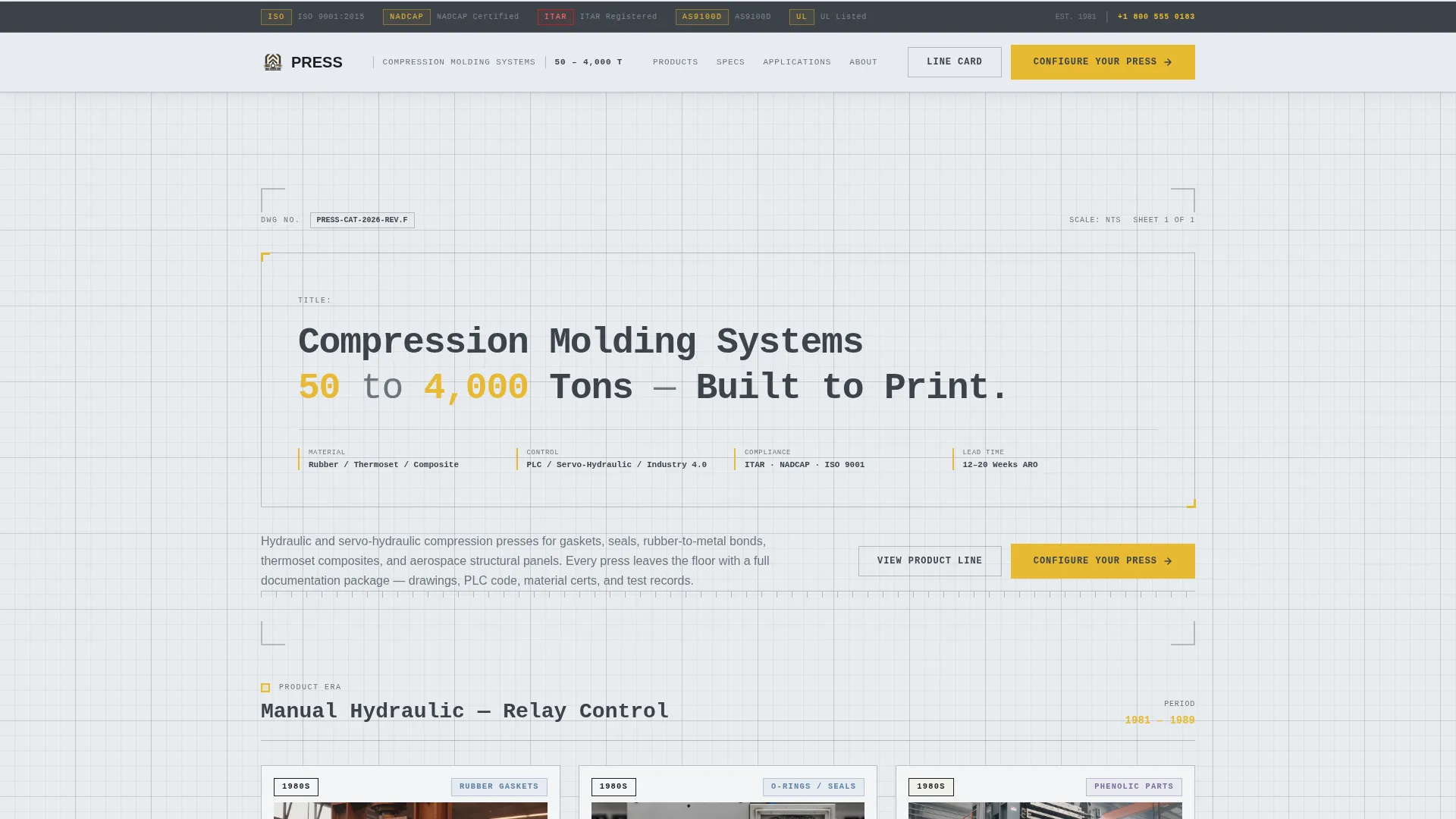
- A logo bar header displaying certifications (ISO, NADCAP, ITAR) and partner marks
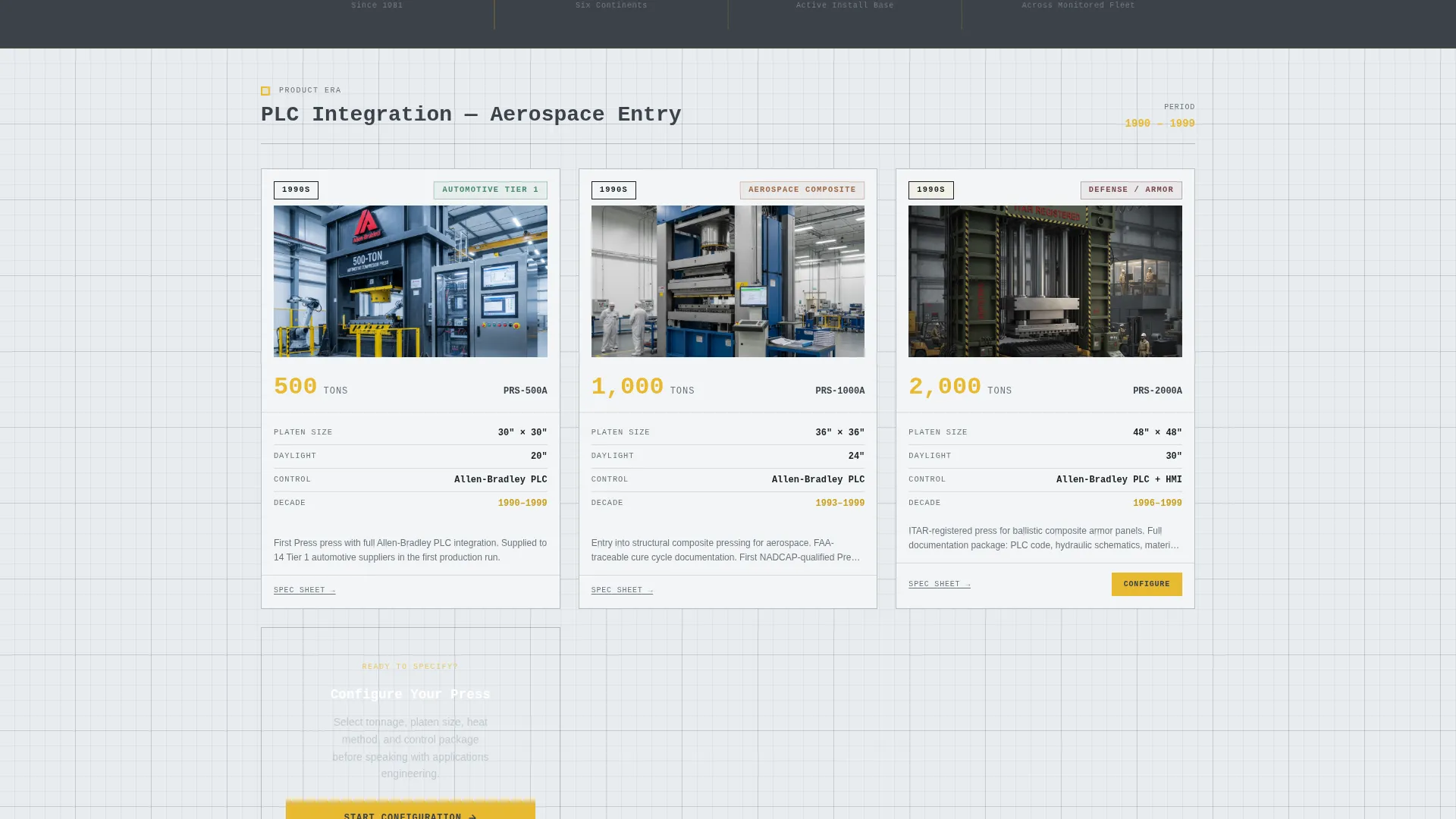
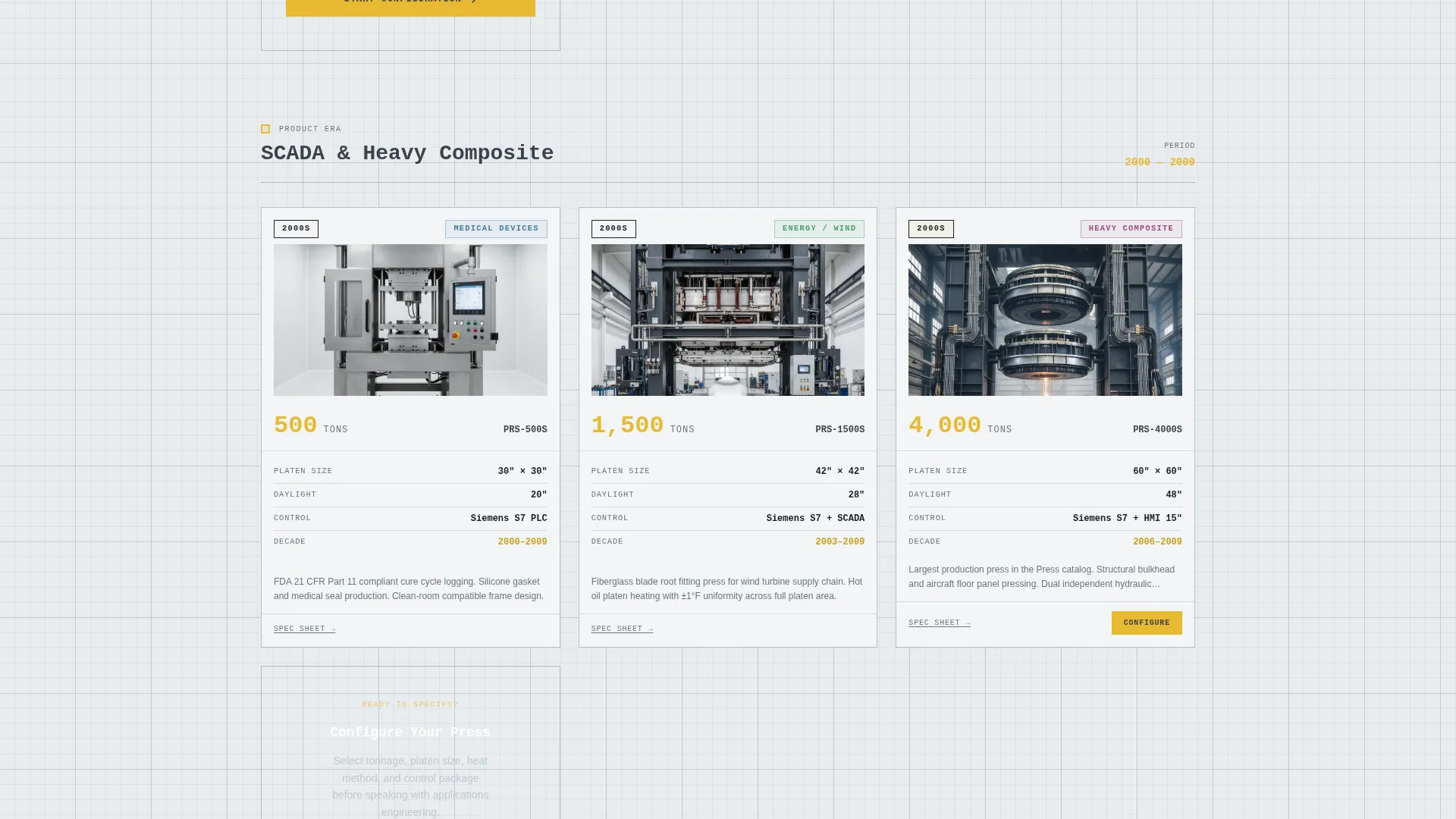
- A modular timeline card grid spanning decade-by-decade product evolution with machine photos, tonnage class, platen dimensions, and served industries
- Two conversion paths: a primary "Configure Your Press" call to action and a secondary "Download the Line Card" email capture
Feature list
The Press template includes the following built-in design and layout capabilities.
Engineering Blueprint Header Block
The header is a clean horizontal logo bar set in a monospaced typeface. It displays the manufacturer's mark alongside certified partner logos and industry association marks. The headline reads like a drawing title block, establishing tonnage range and build standard before the visitor scrolls.
Modular Timeline Card Grid
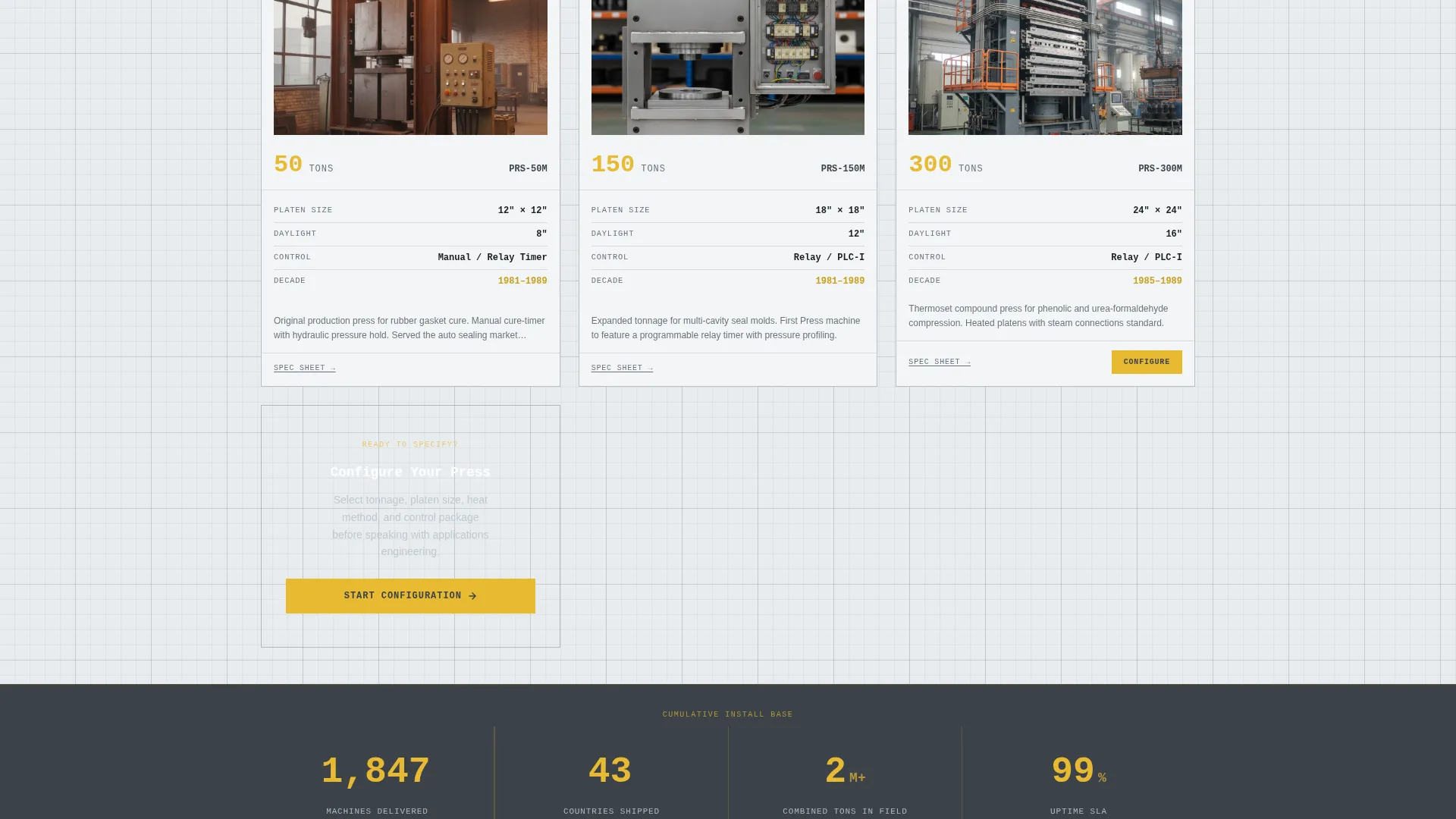
Each card in the grid represents an era in the product line. Cards show a machine photograph, tonnage class, platen dimensions, and the industry served. The grid flows chronologically, turning product history into a quiet proof of institutional depth.
Interstitial Stat Bars
Between timeline rows, full-width interstitial bars display cumulative figures in dimensional callout yellow. These bars break the card grid rhythm and reinforce scale with numbers: machines delivered, countries shipped to, and combined tonnage in the field.
Dual Conversion Path Layout
The primary call to action, "Configure Your Press," appears in the header block and repeats on every third card. A secondary path, "Download the Line Card," captures an email in exchange for a PDF spec sheet. Both paths serve different stages of the buying cycle.
Monochrome Steel Color System
The palette uses mill-finish silver, machine-way gray, technical drawing background, and dimensional callout yellow reserved strictly for calls to action, tonnage figures, and spec highlights. The result feels like a freshly printed general arrangement drawing laid on a shop foreman's desk.
Click-Through Configurator Flow
Clicking the primary call to action lands the visitor on a guided spec page. There they select tonnage range, platen size, heating method, and control package before ever speaking to a sales representative.
Page sections overview
| Section | Purpose |
|---|---|
| Logo Bar Header | Display certifications, partner marks, and headline |
| Engineering Headline Block | Set tonnage range and build standard immediately |
| Timeline Card Grid | Show decade-by-decade product evolution with specs |
| Interstitial Stat Bars | Reinforce install-base scale with cumulative figures |
| Repeated call to action Cards | Drive configurator clicks at regular scroll intervals |
| Line Card Capture | Collect email in exchange for PDF spec sheet |
Design & branding system
The visual identity is anchored in an Engineering Blueprint theme using a Monochrome Steel color system. Every design decision references the language of precision manufacturing drawings.
- Color palette: mill-finish silver (#B0B8BF), machine-way gray (#3B4249), technical drawing background (#E8ECF0), and dimensional callout yellow (#E8B931) reserved for calls to action and spec highlights
- Typography: monospaced typeface used for headlines and card labels, referencing drawing title blocks and dimensional annotation
- Layout rhythm: card grid modular structure with full-width interstitial bars breaking rows at regular intervals
Mobile & speed optimization
The modular card grid is structured to reflow cleanly across screen sizes. Engineers frequently reference supplier pages on tablets and mobile devices during procurement review sessions.
- Card grid adapts to single-column stacking on smaller viewports without losing spec data hierarchy
- Interstitial stat bars remain full-width and legible across device widths
- call to action buttons maintain sufficient touch target sizing and color contrast at every breakpoint
How this template helps you convert
The page earns the click by front-loading proof before presenting any call to action. The conversion sequence is deliberate and mirrors the way an engineer approaches a sourcing decision.
- The logo bar and certification marks establish credibility in the first viewport, reducing friction before the visitor reads a single product claim.
- The timeline card grid builds institutional trust progressively, so that by the time the third "Configure Your Press" button appears, clicking feels like the logical next step in a procurement process rather than a sales commitment.
Other information about this template
This template is well-suited for compression molding equipment manufacturers operating in regulated or specification-driven markets. It is equally applicable to related heavy-press categories.
- The template supports hydraulic press manufacturers, transfer molding equipment suppliers, and rubber compression molding system builders
- The ITAR and NADCAP logo bar positions the template for defense and aerospace procurement audiences who require visible compliance documentation
- The "Download the Line Card" secondary path is designed to capture buyers still in the comparison phase, before they are ready to configure
- The card grid structure can accommodate product lines ranging from 50-ton benchtop presses to 4,000-ton production systems without visual hierarchy loss
- The timeline creative direction works particularly well for manufacturers with long operating histories, where institutional memory is itself a competitive differentiator
Theme
Engineering Blueprint
Creative direction
Timeline Progression
Color system
Monochrome Steel
Style
Card Grid (Modular)
Direction
Click-Through
Page Sections
Engineering Blueprint Header Block
Modular Timeline Card Grid
Interstitial Stat Bars
Dual Conversion Path Layout
Monochrome Steel Color System
Guided Configurator Click-through Flow
Related questions
Who is this landing page template designed for?
Can I use this template to show multiple tonnage classes on one page?
How does the dual conversion path work?
Does this template work for defense or aerospace equipment suppliers?
Can the timeline card grid be adapted to a shorter product history?



