Screen Printing Landing Page Template for Volume Shops
Press is a screen printing landing page template built for shops that run high-volume garment orders on deadline. The zigzag layout walks visitors through every stage of the print process, from artwork preparation to final inspection. A gated checklist download and an on-page ink comparison chart work together to generate leads while building genuine buyer confidence.
by Rocket studio
Quick summary
Press is a single-page screen printing template designed for production shops that need to earn trust fast. The layout guides visitors through a quality-control walkthrough, covers every print stage with numbered checklists, and captures leads with a gated resource. It speaks directly to buyers who need volume garment orders done right and on time.
Who this template is for
This template is built for screen printing shops that serve deadline-driven clients with volume orders. It works best when the shop wants to demonstrate production discipline before a prospect even picks up the phone.
- Marketing coordinators ordering branded uniforms or promotional apparel for product launches
- Band managers, event organizers, and startup founders pricing their first or next garment run
- Screen printing operators who want to pre-qualify buyers by educating them on separations, screen counts, and Pantone color matching
What problem this template solves
Most screen printing shops describe what they do but fail to show that they know how to do it properly. Prospects arrive with vague briefs, unrealistic deadlines, and no understanding of why cheap shops produce ghosting and color drift. This template closes that knowledge gap before the sales conversation begins.
- Visitors leave without understanding mesh count, ink opacity, or cure-temperature requirements, leading to poor briefs and print failures
- Shops lose credibility because their page looks the same as every low-cost competitor
- Potential buyers have no way to evaluate print quality from a webpage alone
What you get with this template
The template delivers a full zigzag landing page structured as a production-floor quality walkthrough. Each section is purposeful, and the layout moves visitors toward a clearly placed conversion point.
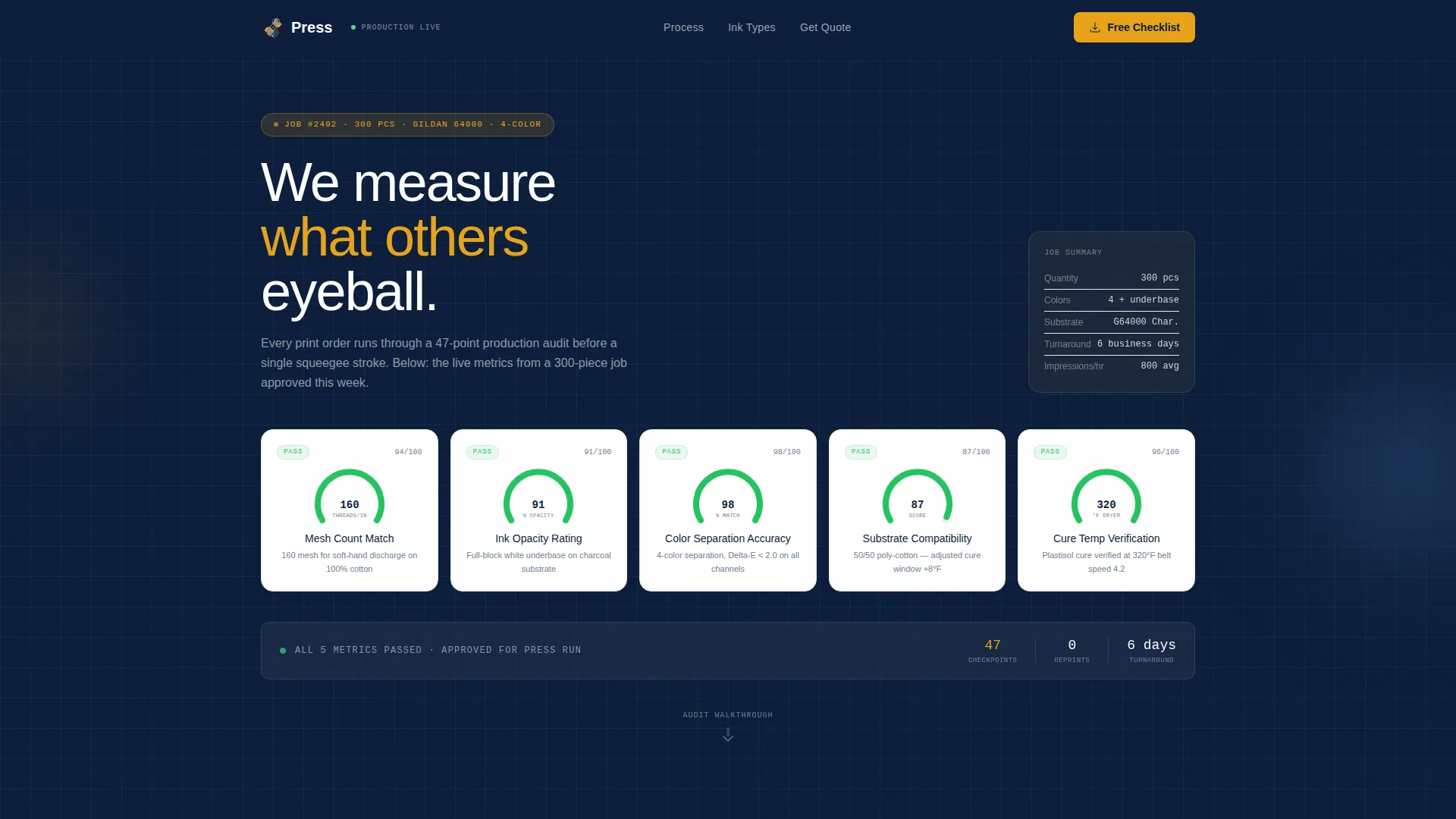
- A full-width infographic header displaying five production quality metrics visualized as gauges and progress bars, using example data from a real 300-piece job
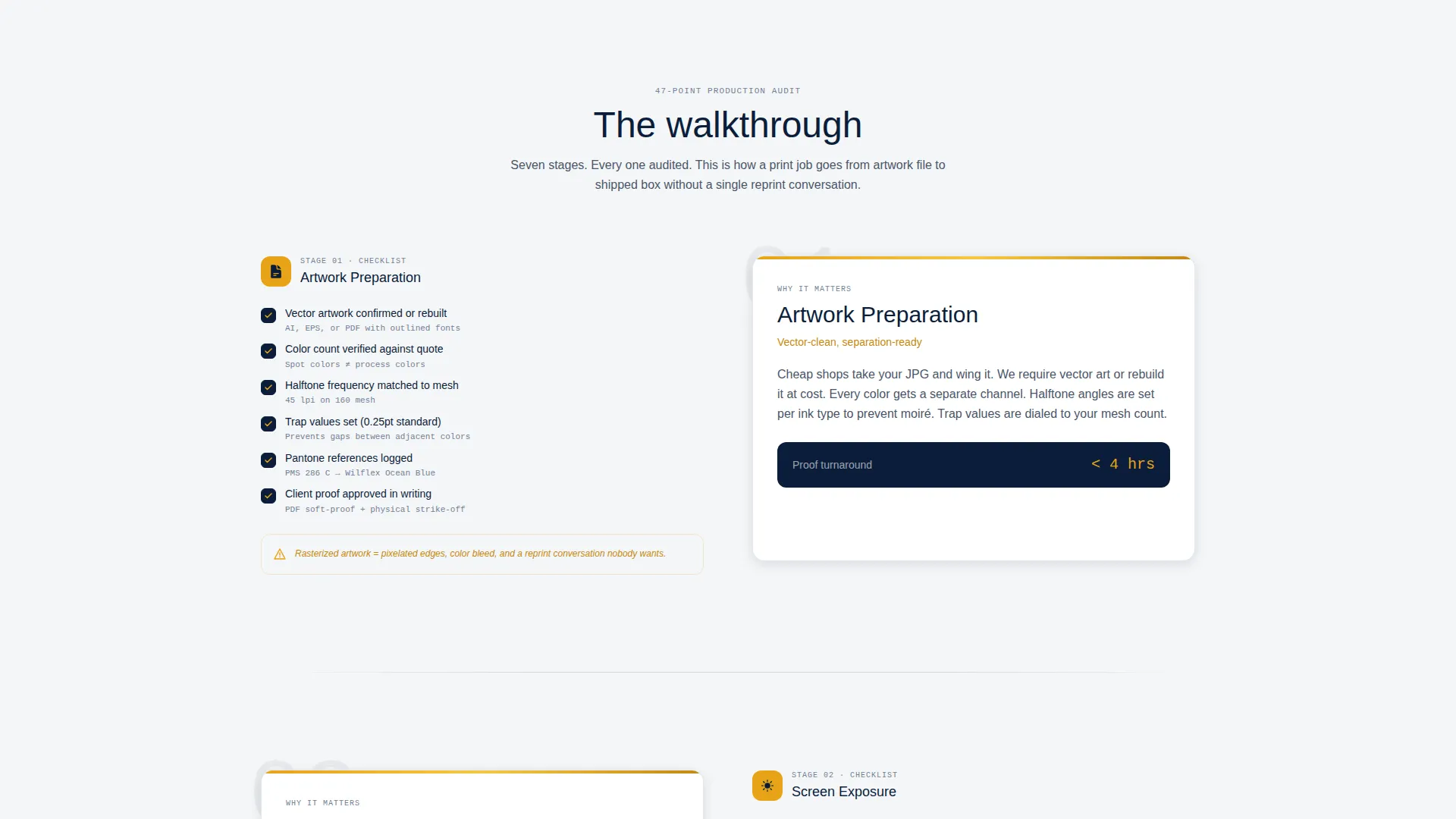
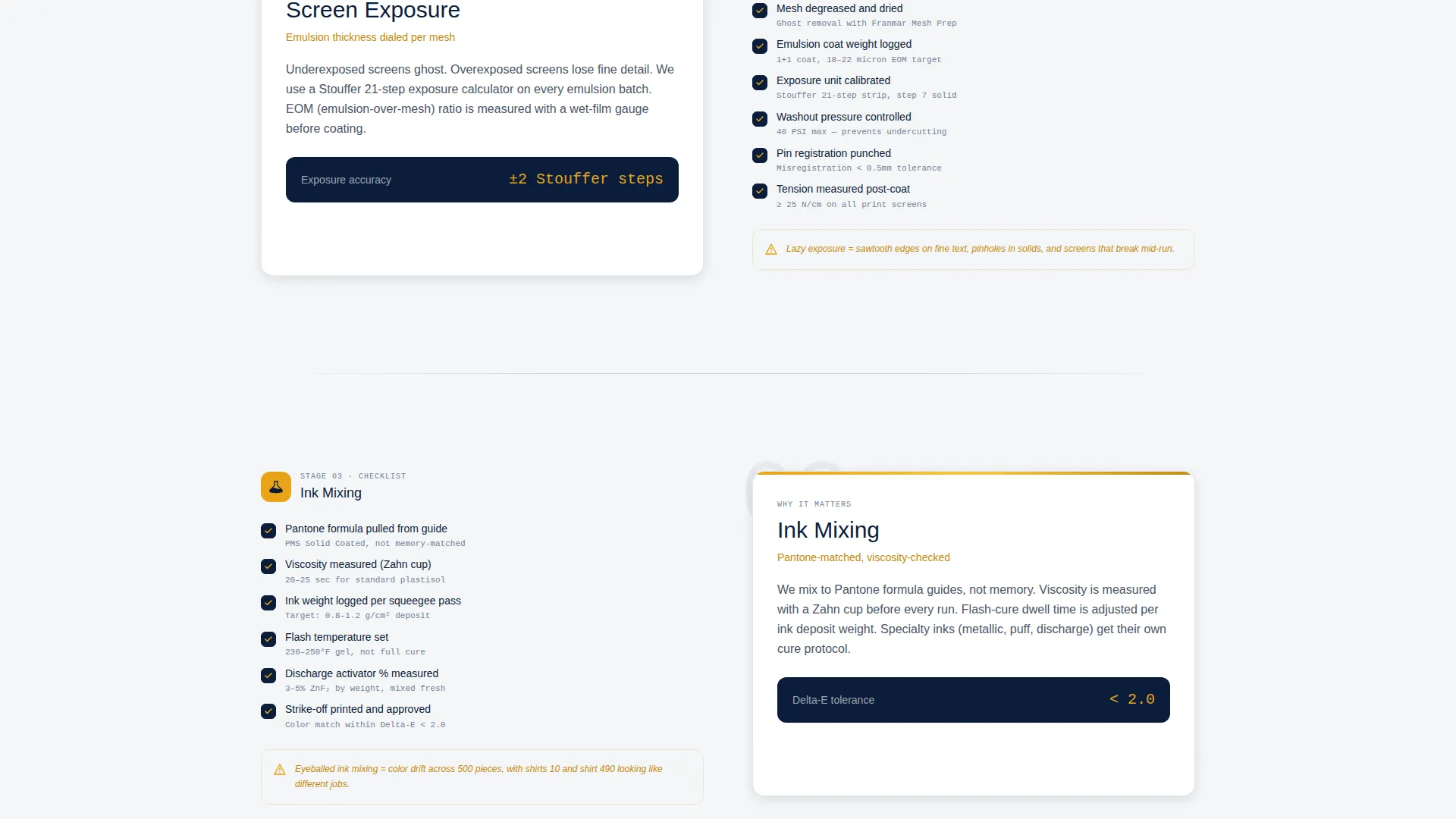
- Seven alternating zigzag sections covering artwork preparation, screen exposure, ink mixing, press setup, print run, curing, and final inspection, each with a numbered checklist and an explanatory panel
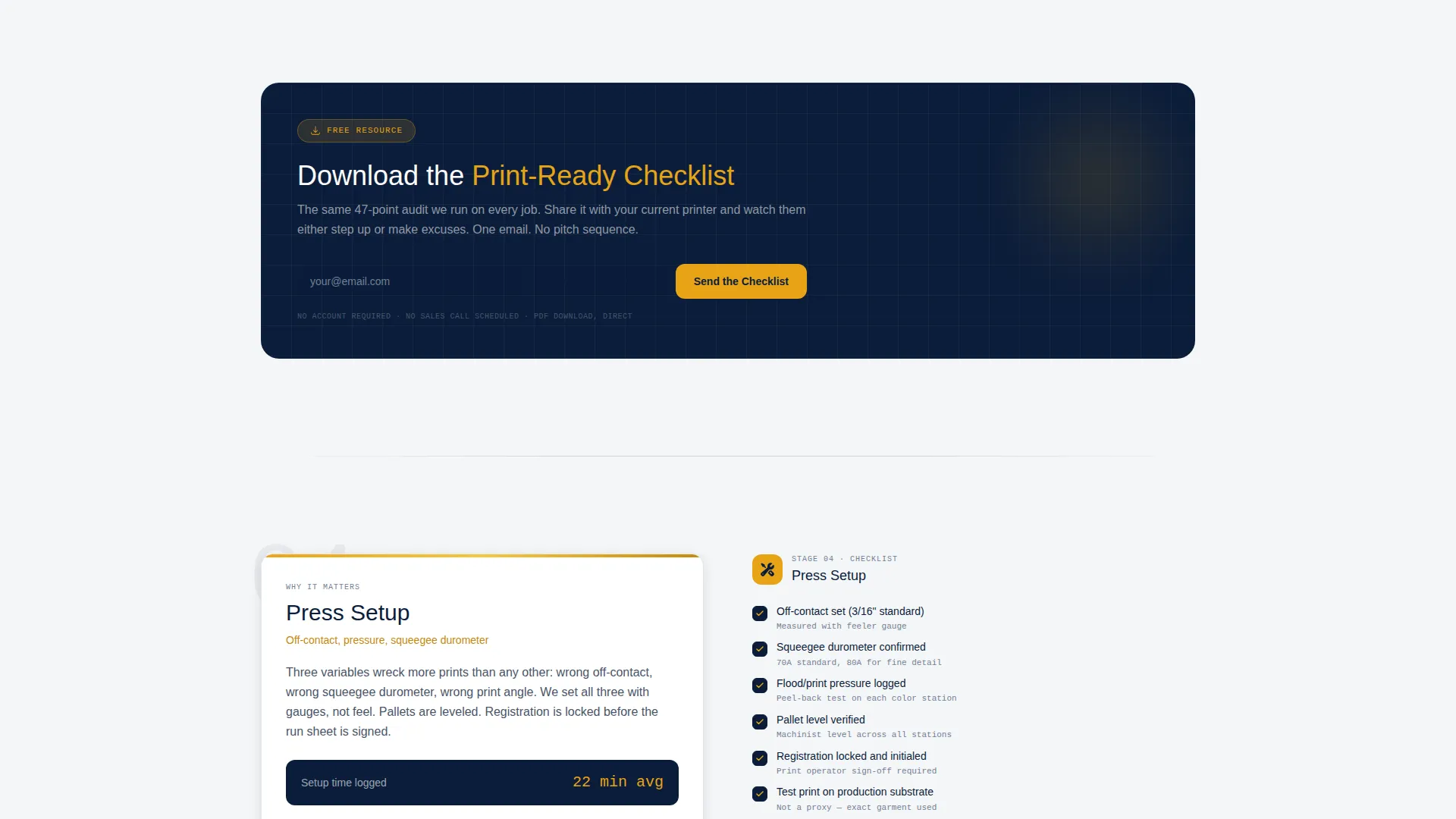
- A gated checklist download captured with a single email field and an optional order-size dropdown, plus an ungated ink-type comparison chart visible on the page before any ask is made
Feature list
This template is built around a specific set of purposeful components drawn directly from the production-floor brief.
Production Audit Infographic Header
The header is a full-width infographic, not a photograph. It presents five key quality metrics as gauges and progress bars: mesh count match, ink opacity rating, color separation accuracy, substrate compatibility score, and cure-temperature verification. Example data from a real 300-piece job populates each metric, immediately signaling that this shop measures what others estimate.
Scroll-Animated Checklist Sections
Seven zigzag sections each represent one stage of the screen printing process. Checkmarks animate in as the visitor scrolls, turning each section into a passed audit station. The rhythm builds a cumulative sense of production rigor that generic shop pages cannot replicate.
Gated Checklist Download with Lead Capture
The primary call to action appears after the third zigzag section. Visitors can download the print-ready checklist by entering their email address and selecting an optional order size range from a dropdown: Under 50, 50 to 250, 250 to 1000, or 1000 and above. The placement is deliberate, arriving exactly when visitors realize they do not have enough information to brief their current printer properly.
Ungated Ink-Type Comparison Chart
A secondary conversion path requires nothing from the visitor. The ink-type comparison chart is visible on the page and earns trust before any form is presented. This two-step approach lowers resistance and rewards curiosity.
Dashboard Pro Visual System
The template uses the Navy Authority color palette and a Dashboard Pro theme to create a control-panel aesthetic. Every color and layout decision reinforces the impression of an organized, precision-driven production floor rather than a craft hobbyist shop.
Page sections overview
| Section | Purpose |
|---|---|
| Production Metrics Header | Visualize five print quality metrics using gauges and progress bars |
| Artwork Preparation Stage | Walk through file setup requirements with a numbered checklist |
| Screen Exposure Stage | Explain emulsion and exposure precision with an explanatory panel |
| Ink Mixing Stage | Detail color matching and Pantone verification steps |
| Press Setup Stage | Cover registration, tension, and off-contact distance checks |
| Checklist Download Gate | Capture email leads at peak visitor curiosity with a gated resource |
| Print Run Stage | Show what a controlled, high-volume press run looks like |
| Curing Stage | Explain cure-temperature verification and its effect on durability |
| Final Inspection Stage | Close the walkthrough with quality sign-off criteria |
| Ink Comparison Chart | Display ungated ink-type data to build trust before any form ask |
Design & branding system
The template uses the Dashboard Pro theme paired with the Navy Authority color system. Every color choice reinforces the feeling of a production command center where every status light means something.
- Command-center navy (#0B1D3A) and gunmetal sidebar gray (#1E2A3A) form the primary structural palette, giving the page authority and visual weight
- Clean substrate white (#F4F6F8) provides breathing room and keeps the numbered checklists highly legible
- Alert amber (#E8A317) is reserved for callouts, badges, hover states, and progress bar highlights, drawing the eye to key data points without creating visual noise
Mobile & speed optimization
The zigzag layout is structured so that alternating panels stack cleanly on smaller screens without losing the checklist-to-panel relationship that drives comprehension. The scroll-animated checkmarks are designed to trigger reliably as sections enter the viewport.
- Each zigzag section collapses into a single-column stack on mobile, keeping the numbered checklist above the explanatory panel for logical reading order
- The infographic header scales responsively so gauge and progress bar labels remain legible on phone-sized displays
- The lead capture form is compact by design, with a single email field and one optional dropdown, reducing friction on touch devices
How this template helps you convert
The page is built around a two-path conversion strategy that earns trust incrementally before asking for anything.
- The ungated ink-type comparison chart provides immediate value on-page, giving hesitant visitors a reason to stay and read further without committing their contact details.
- The gated checklist download is positioned at the exact point in the scroll where visitors recognize a knowledge gap in their own print briefing process, making the opt-in feel like a natural next step rather than an interruption.
- The optional order-size dropdown on the lead form segments new contacts by volume at the moment of capture, giving the shop useful context for every follow-up without adding friction to the sign-up step.
Other information about this template
This template sits at the intersection of the Manufacturing and Industrial category and the Screen Printing niche within the Textile and Garment Factory subcategory. It is purpose-built for shops running professional volume production, not entry-level print-on-demand services.
- The Intersection Match Score for this template is 13, reflecting strong alignment between the template structure, the creative direction, and the screen printing niche
- The Checklist and Audit creative direction is the structural backbone of the page, turning a standard service page into an educational quality walkthrough
- The Content and Resource landing-page direction means the primary goal is lead capture through a genuinely useful download, not a direct sales pitch
- The template style is Zigzag and Alternating, which creates visual variety across seven process sections without requiring custom layout work
- The header concept is a purpose-built Infographic, replacing stock photography with data-driven production metrics that speak directly to informed buyers
Theme
Dashboard Pro
Creative direction
Checklist & Audit
Color system
Navy Authority
Style
Zigzag/Alternating
Direction
Content/Resource
Page Sections
Production Audit Infographic Header
Scroll-animated Checklist Sections
Gated Print-ready Checklist Download
Ungated Ink-type Comparison Chart
Navy Authority Color System
Related questions
Who is this landing page template designed for?
What does the gated checklist download include?
Can I use this template if I do not offer every print process stage listed?
What makes the infographic header different from a typical hero image?
Does the ink-type comparison chart require a form submission to view?



