Prime — Expert Automotive Specialist Landing Page Template
Torque is a storybook landing page template built exclusively for Chevrolet specialist mechanics. It uses an Engineering Blueprint visual theme, a Charcoal and Amber color system, and a scroll-driven Comparison Journey to prove specialist depth. A three-step booking modal drives appointments, making this template a focused car repair landing page for Chevy-focused auto repair shops.
by Rocket studio
Quick summary
Torque is a full-page car repair landing page template designed for Chevrolet specialist mechanics. It pairs a cinematic 3D engine hero with a scroll-driven Comparison Journey, proving specialist value at every section. The three-step "Book Your Bay" scheduling modal converts website visitors into booked appointments. No general-purpose clutter, just a precision auto repair landing page built for Chevy owners.
Who this template is for
This template is built for professionals who work exclusively on Chevrolet vehicles. It fits shops that need a focused, professional auto repair website to attract the right customers and turn page views into booked bays.
- Chevrolet specialist mechanics serving enthusiasts with Camaros, C10s, and LS builds
- Fleet managers and commercial clients running Chevrolet vans and HD trucks who need uptime
- Independent garage owners launching a car repair landing page without extensive coding skills
What problem this template solves
General auto repair shops struggle to communicate specialist depth. A generic repair website looks the same as every competitor. Chevy owners, fleet managers, and performance builders need proof before they hand over keys.
- Visitors cannot tell the difference between a general shop and a true Chevrolet specialist from a standard page layout
- A weak car repair landing page fails to build trust, loses new clients to better-presented competitors
- Without a clear call to action and booking path, potential customers leave without contacting the shop
What you get with this template
This template gives you a complete, ready-to-launch car repair landing page with every section structured to present specialist credibility and drive bookings. You get a professional design system, interactive components, and a focused layout with no wasted elements.
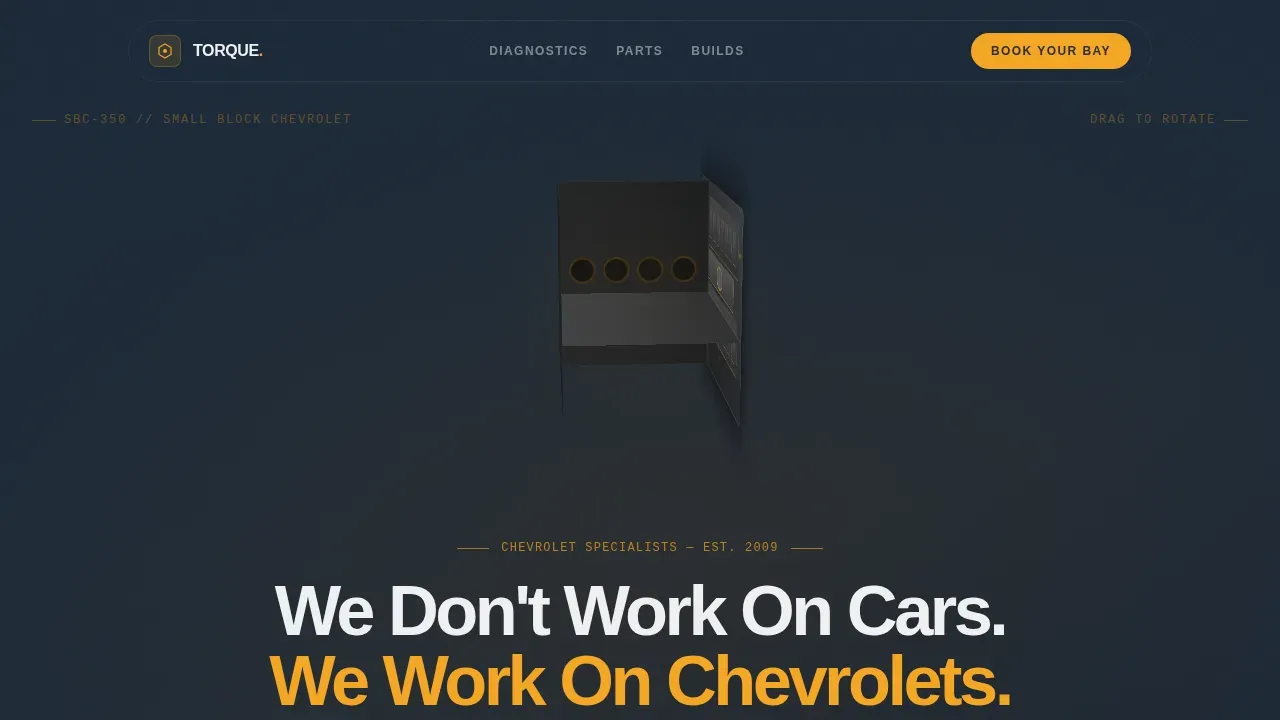
- A drag-to-spin 3D small-block Chevy engine hero with amber wireframe overlay and GSAP-powered entrance animation
- A scroll-driven Comparison Journey with mechanical wipe transitions, blueprint annotation details, and a bento grid builds showcase
- A three-step booking modal covering vehicle selector, service category, and preferred drop-off date, plus a freeform "Describe It" path with photo upload
Feature list
This template includes purpose-built features aligned to the Chevrolet specialist niche. Each feature is designed to provide visitors with clear auto services information and move them toward booking.
3D Rotating Engine Hero
The hero section displays a slowly rotating small-block Chevy engine modeled to valve cover detail. Visitors can drag to spin it on any device. Amber wireframe lines trace the block geometry like an engineering schematic, and the headline phases in as the engine rotates past center. This is the first signal that this garage is different from standard auto repair shops.
Comparison Journey Sections
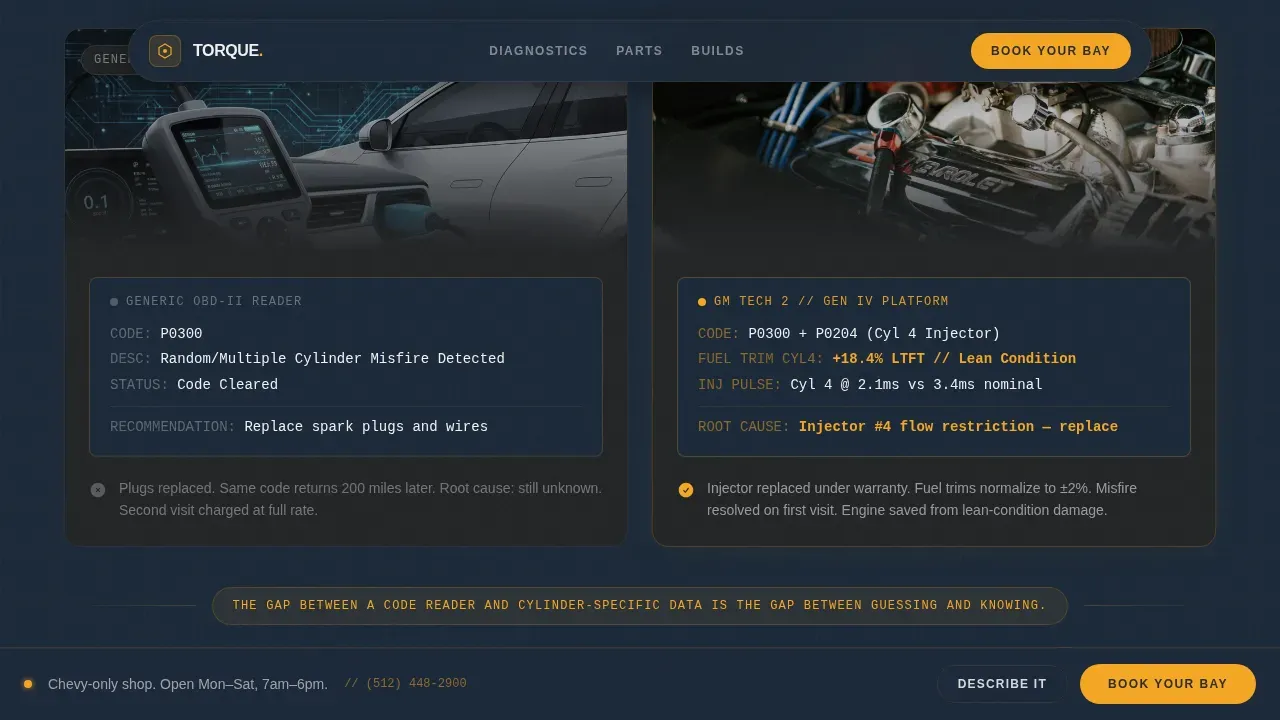
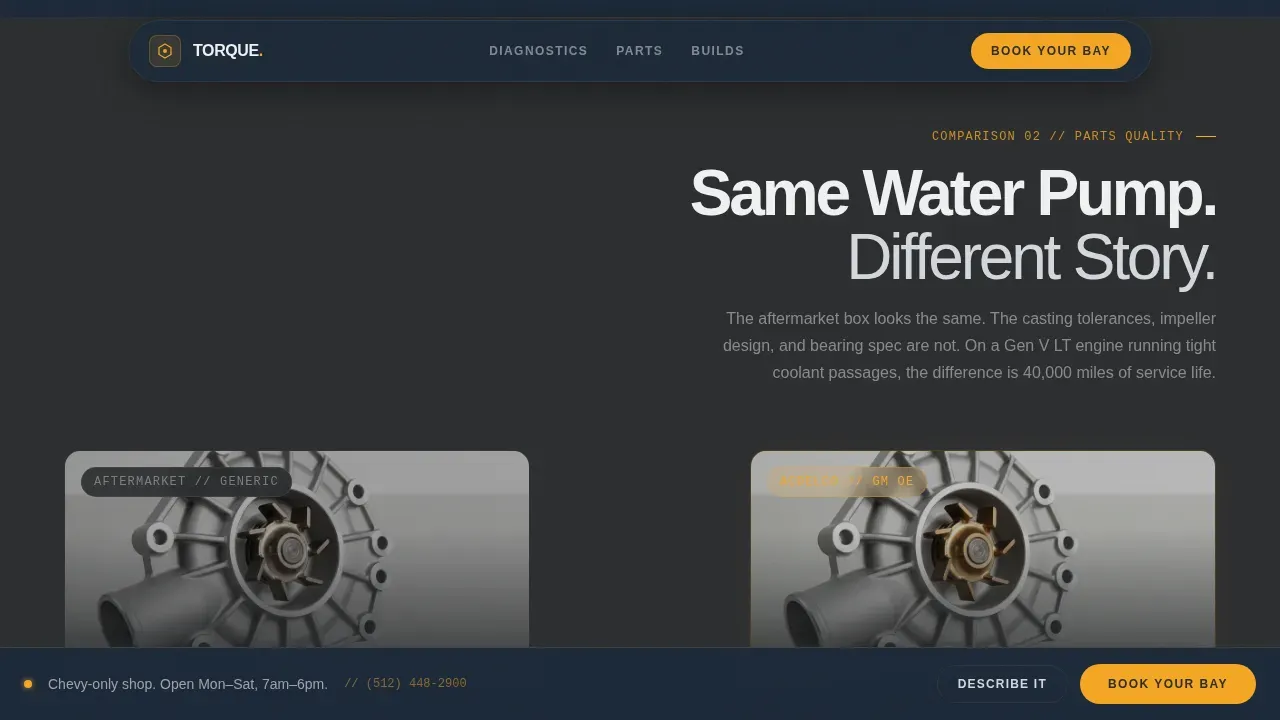
Two full-page comparison sections pair what a general shop does against what a Chevy specialist delivers, using the same repair scenario. Section one contrasts a generic scan tool reading a P0300 misfire code against a Tech 2 pulling cylinder-specific fuel trim data. Section two shows a cardboard aftermarket part box versus an ACDelco unit with the GM part number visible. Each section builds the case that specialist expertise costs the same as guessing.
Builds Showcase Bento Grid
An asymmetric bento grid presents real build categories: C10 restoration, LS3 engine build, Silverado HD fleet service, and Camaro performance work. This section lets the professional team display completed work and showcase the range of auto services the garage covers, giving customers concrete proof of expertise before they book.
Three-Step Booking Modal
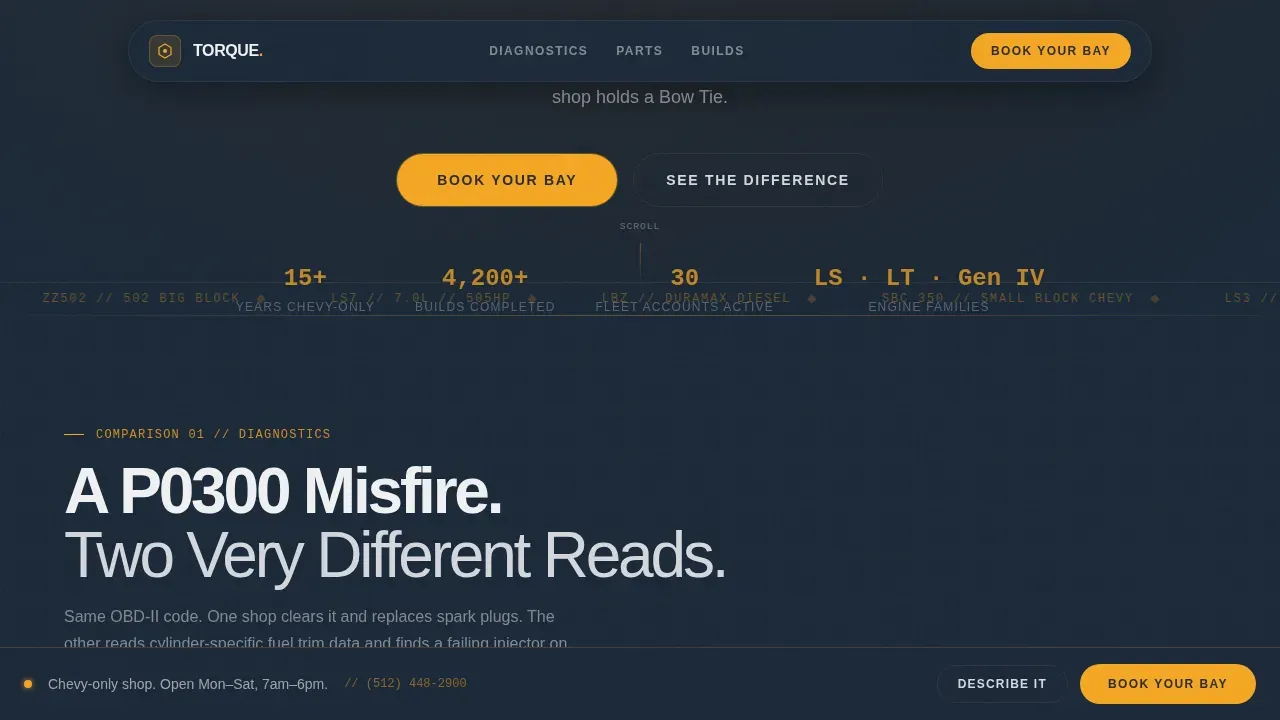
The primary call to action is "Book Your Bay" in amber on charcoal, pinned sticky to the viewport after the first scroll. Clicking opens a three-step scheduler: vehicle selector with model, year, and engine code; service category covering diagnostic, maintenance, performance, and restoration; and preferred drop-off date in MM/DD/YYYY format. A secondary path, "Not Sure What What's Wrong? Describe It," accepts freeform text and photo upload for customers who know the symptom but not the code.
Blueprint Annotation Design System
Amber highlight lines connect details across comparison sections like engineering blueprint annotations. Mechanical wipe transitions between sections mimic a bay door rolling open. The layout uses JetBrains Mono for specs and part numbers and Manrope bold for headlines, creating a modern design language that signals technical precision throughout the page.
Sticky Call to Action Bar
The "Book Your Bay" button remains pinned to the bottom of the viewport after the first scroll. This ensures call to action buttons stay visible at every point in the Comparison Journey, so users never have to scroll back up to convert. Prominent contact details and the booking path are always one tap away.
Page sections overview
| Section | Purpose |
|---|---|
| 3D Engine Hero | Cinematic drag-to-spin entrance with amber wireframe and phased headline |
| Diagnostics Comparison | P0300 generic scan versus Tech 2 cylinder-specific fuel trim data |
| Parts Comparison | Cardboard aftermarket box versus ACDelco GM part number unit |
| Builds Showcase Grid | Asymmetric bento grid displaying C10, LS3, Silverado, and Camaro work |
| Booking Modal | Three-step scheduler plus freeform Describe It path with photo upload |
| Single-Row Footer | Linear footer with contact details, address, and business information |
Design & branding system
The Engineering Blueprint theme gives this car repair landing page a dark, purposeful identity that feels like a Snap-on toolbox under fluorescent light. Every design decision reinforces technical precision and specialist credibility.
- Colors: shop-floor charcoal (#2B2D2F) for backgrounds, blueprint midnight (#1B2838) for deep sections, safety amber (#F5A623) for all call to action buttons and callouts, and machined aluminum (#D4D7DC) for secondary text and divider lines
- Typography: Manrope bold for headlines and section titles; JetBrains Mono for specs, part numbers, and diagnostic data readouts throughout the page
- Visual elements include amber wireframe overlays, blueprint annotation lines connecting comparison details, and mechanical wipe transitions between sections using GSAP ScrollTrigger
Mobile & speed optimization
This template is built desktop-first for shop clients who typically book on desktop or tablet, with full mobile support throughout. A mobile friendly layout ensures no customer is left behind.
- GPU-accelerated CSS transforms and lazy-loaded images keep page speed high and ensure the site loads fast on all connections
- Responsive layout adapts the comparison sections, bento grid, and booking modal cleanly to smaller screens without losing the blueprint visual identity
- Large call to action buttons and the sticky booking bar remain easy to tap on mobile, following best practices for mobile friendly auto repair landing pages
How this template helps you convert
A good car repair landing page earns the booking before the visitor reaches the form. This template builds that trust section by section through the Comparison Journey, so by the time users reach "Book Your Bay," the decision is already made.
- The Comparison Journey sections systematically widen the gap between a general shop and a Chevy specialist, building credibility with each scroll and making the choice feel obvious before the booking modal appears
- The sticky "Book Your Bay" call to action and the three-step modal minimize friction by keeping the booking path visible and simple at every point on the page, reducing drop-off and helping new clients convert quickly
Other information about this template
This template is a complete auto repair website template ready for a Chevrolet specialist to deploy. It helps establish a strong online presence without requiring deep coding skills. The layout is pre-structured so owners can create a professional repair website efficiently and start launching their booking flow quickly.
- Auto repair landing page templates like Torque are pre-designed pages that typically include sections for services offered, contact details, and booking features, all customizable to match your shop's brand
- The page is optimized for search engines with a focused single-goal structure and can support a blog section for additional SEO content; additionally, the linear single-row footer can display your physical location, address, and social media platforms link
- Precision torque is highlighted throughout as critical for Chevrolet components like cylinder head bolts, wheel lug nuts, and Silverado drivetrains; the template supports displaying ASE-certified technician badges and specialized training credentials to build immediate credibility with website visitors
- The torque precision chevrolet specialist mechanic landing page template is suited for shops that want to attract performance enthusiasts and fleet customers, with testimonials and reviews sections available to present social proof and protect long-term credibility
Theme
Engineering Blueprint
Creative direction
Comparison Journey
Color system
Charcoal & Amber
Style
Storybook/Full-Page
Direction
Booking/Scheduling
Page Sections
3D Drag-to-spin Engine Hero
Scroll-driven Comparison Journey
Builds Showcase Bento Grid
Three-step Booking Modal
Engineering Blueprint Design System
Sticky Booking Bar
Related questions
Do I need coding skills to use this template?
Can I add customer reviews and testimonials?
Is the booking modal connected to a calendar system?
How does the Comparison Journey help convert visitors?
Can I customize the color system and typography?



