Elite Wind Technician Landing Page Template
Torque is a split-screen landing page template built for rope-access wind turbine maintenance crews targeting fleet operators and asset managers. It pairs a bold industrial visual identity with a credential-first content flow, guiding visitors from OEM logo proof to a gated seasonal maintenance resource and a detailed site assessment form.
by Rocket studio
Quick summary
Torque is a single-page, desktop-first template designed for industrial wind turbine service businesses. It opens with a full-bleed hero, moves through an authority-building logo and case-data scroll, and closes with two conversion paths: a gated resource download and a site assessment request form. The charcoal and amber color system reinforces an industrial, no-nonsense credibility.
Who this template is for
This template is built for rope-access wind turbine technician businesses that serve commercial wind farm operators. The design and content flow are shaped around a B2B buyer who evaluates vendors carefully before making contact.
- Operations and maintenance directors at independent power producers who coordinate scheduled maintenance windows and weather holds
- Asset managers at infrastructure funds who need reliable availability numbers for quarterly investor reporting
- Wind turbine service firms looking to convert fleet-scale operators through credential proof before asking for a lead
What problem this template solves
Most wind energy service pages lead with a contact form before earning trust. Fleet operators and asset managers need to see proof of vendor certification and site clearance history before they hand over an email address or a farm location. This template solves that sequencing problem.
- Visitors see OEM certification logos and real case metrics before any form appears
- The content earns the download by establishing fleet-scale competence first
- Two separate conversion paths serve different buyer stages without forcing a premature ask
What you get with this template
You get a fully structured, single-page layout with every section pre-designed and ready to customize with your own credentials, metrics, and service details.
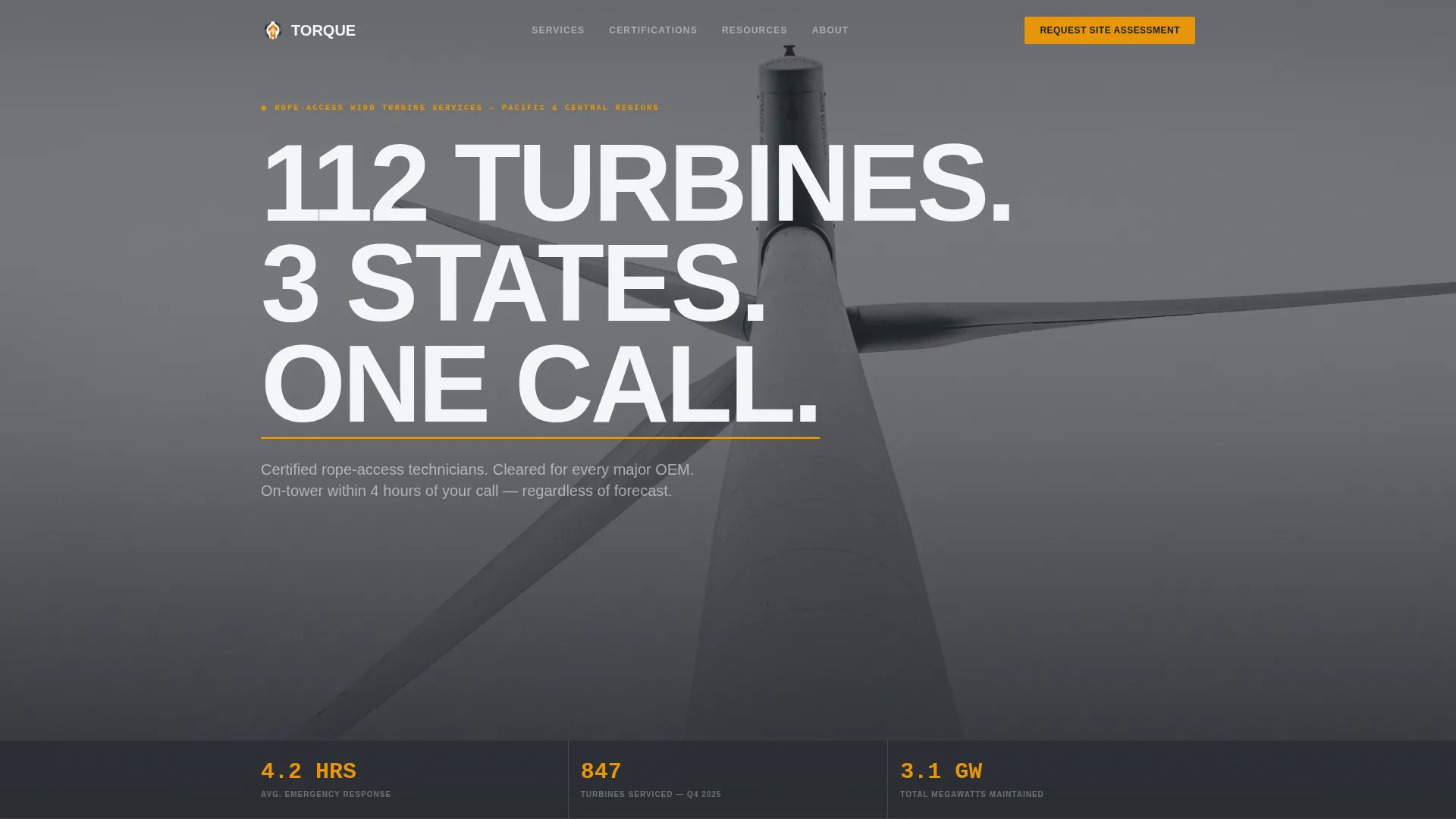
- A full-bleed hero with a giant condensed headline, amber stat bar, and space for three key performance figures
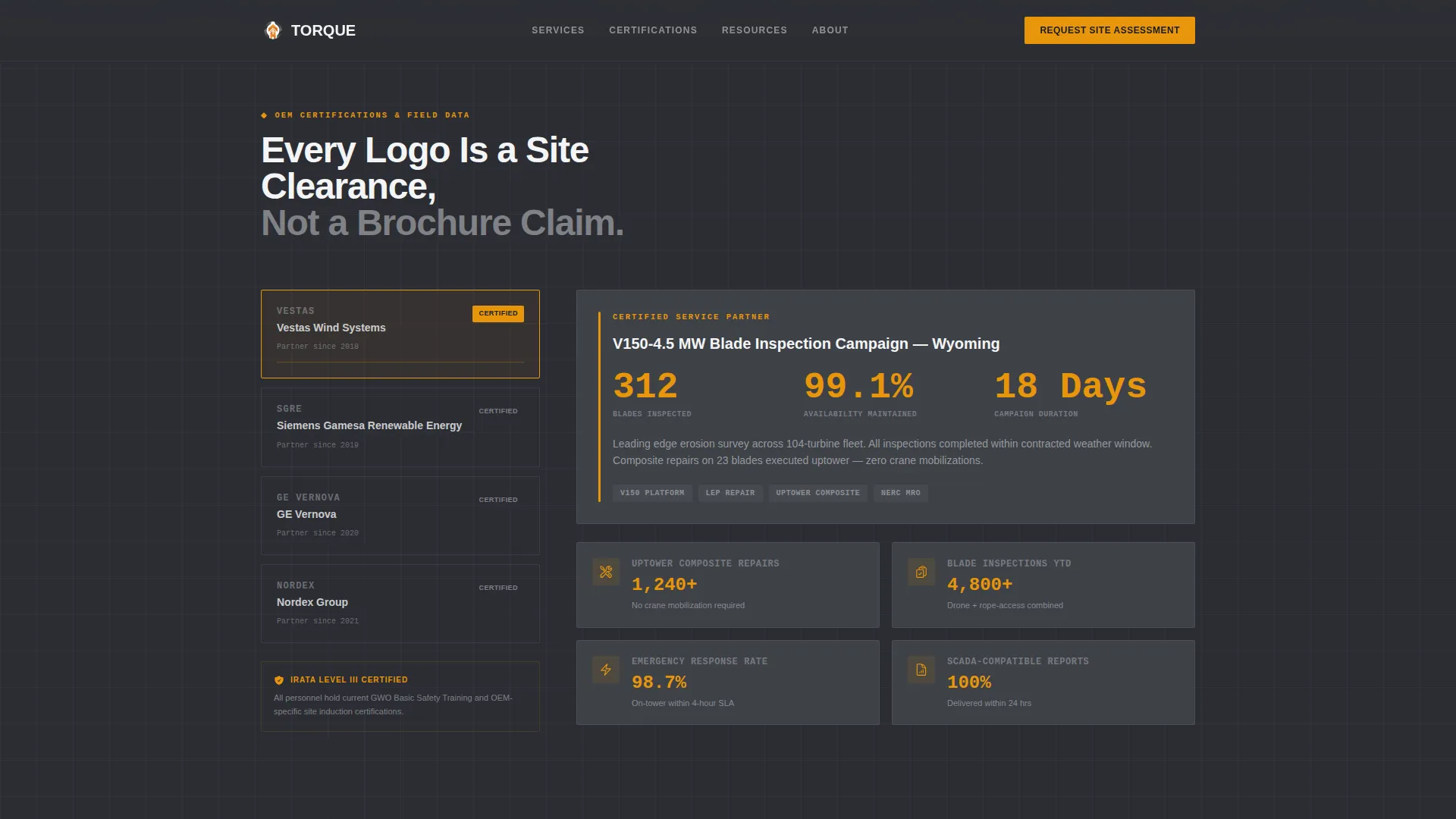
- A 50/50 split-screen scroll section pairing OEM certification logos with live case data including blade inspection counts, gearbox hours logged, and uptower composite repairs
- A midpoint email capture gate for a downloadable seasonal maintenance planner, plus a bottom-of-page site assessment form with fields for farm location, turbine count, OEM model, and preferred service window
Feature list
This section covers the core built-in capabilities that define how Torque works as a conversion tool.
Giant Headline Hero with Stat Bar
The header uses white condensed uppercase type set at maximum scale over a muted full-bleed photograph of a technician climbing a tower. Beneath the headline, a horizontal stat bar displays three figures: average response time, turbines serviced last quarter, and total megawatts maintained. No animation runs here. The scale of type against the tower does all the work.
Split-Screen Logo Wall with Case Data
The 50/50 layout locks the left panel to a vertical scroll of operator and OEM certification logos while the right panel streams corresponding case metrics. Each logo entry is paired with real numbers, making credentials scannable and concrete rather than decorative.
GSAP Scroll-Linked Panel Behavior
The left logo panel locks in place as the right panel scrolls through corresponding case data. Stagger reveals are timed to the scroll so each credential and its supporting metric appear together. This is powered by GSAP scroll-linked animation with minimal client-side JavaScript.
Gated Resource Download Section
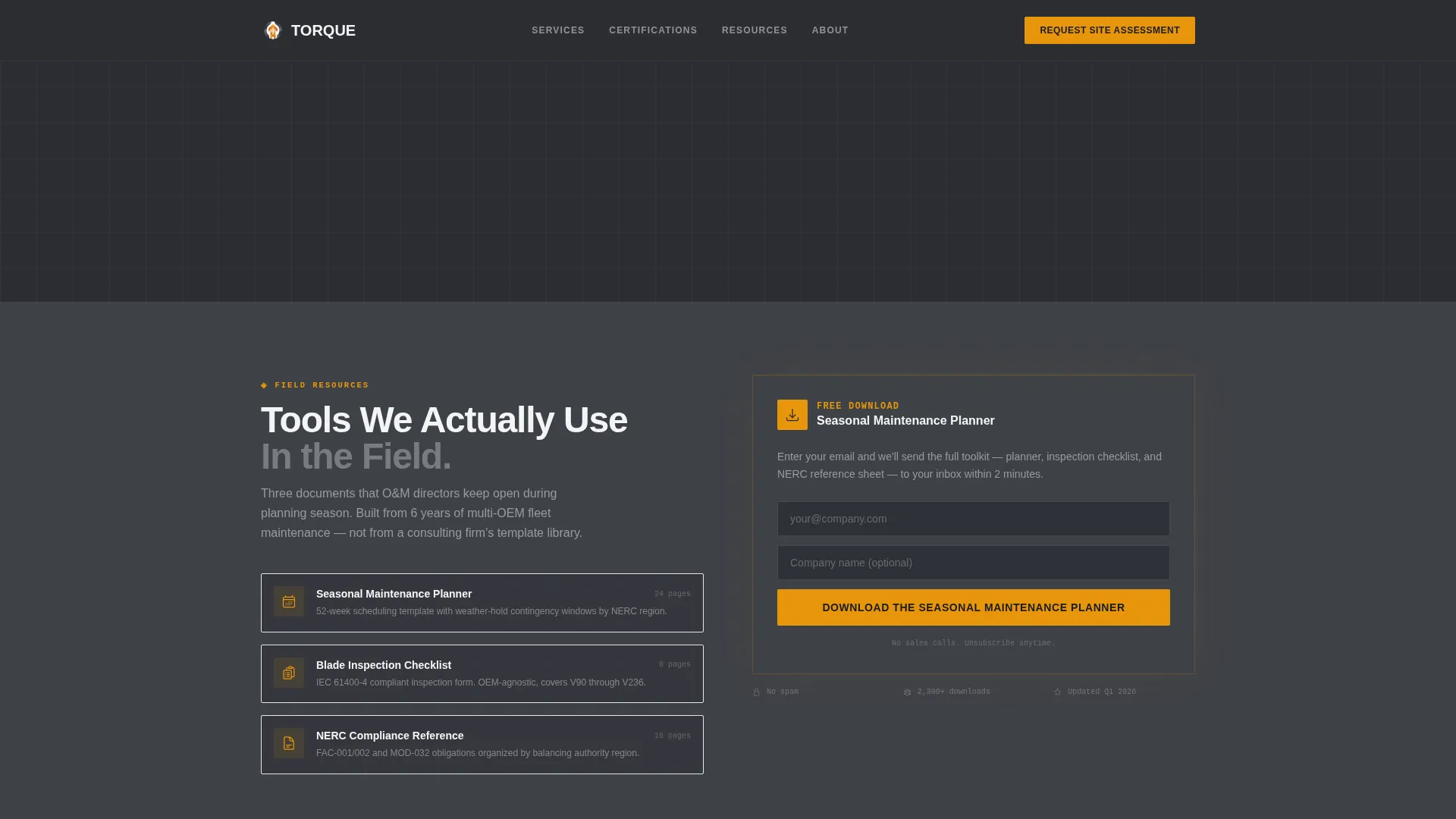
At the midpoint of the page, a single-field email capture with an optional company name field unlocks a PDF toolkit. The primary call to action reads "Download the Seasonal Maintenance Planner." The gate appears after logo authority has already been established, so visitors are primed before they reach the form.
Site Assessment Request Form
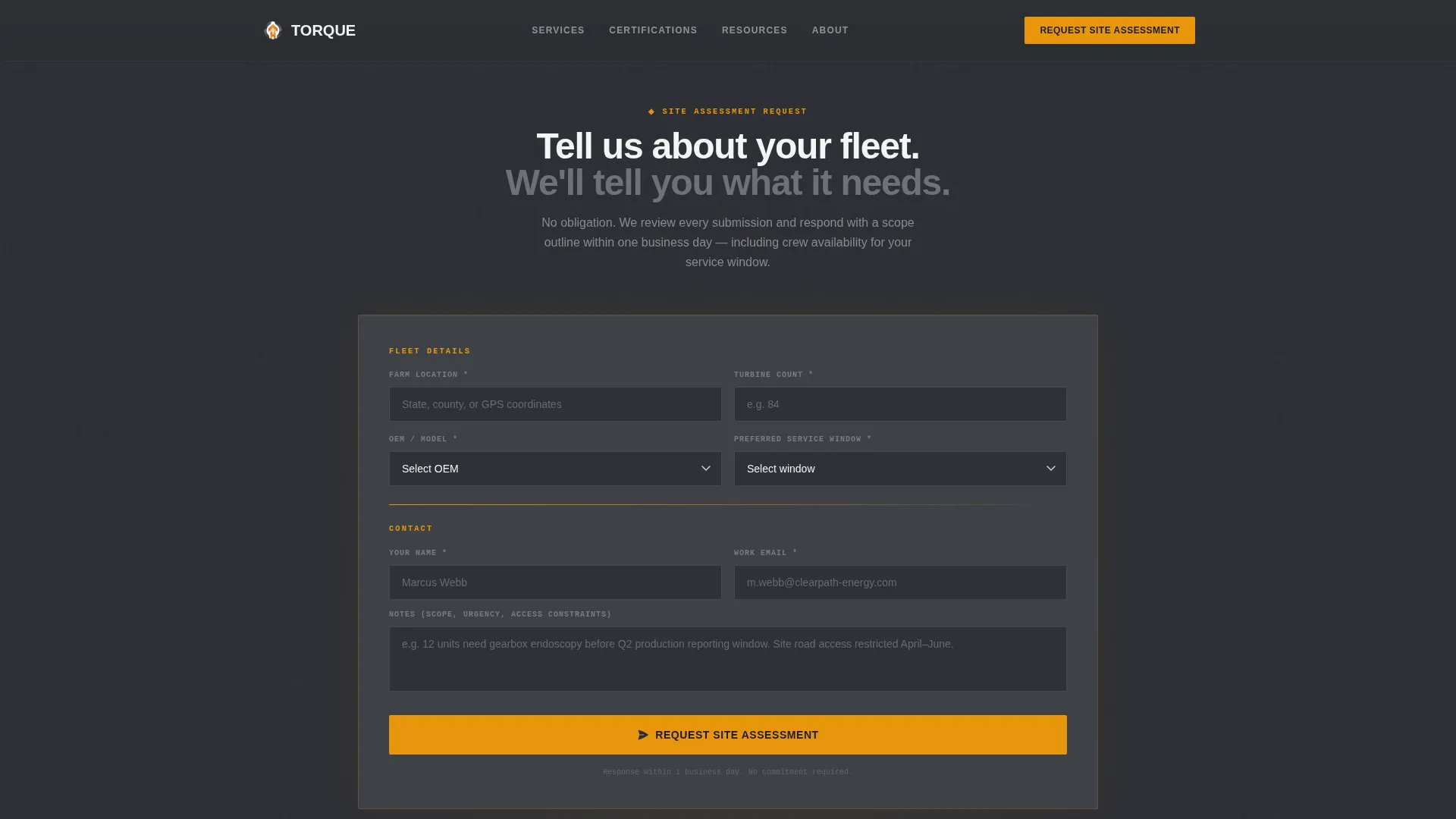
A secondary conversion path at the bottom of the page collects farm location, turbine count, OEM model, and preferred service window. This form serves buyers who are ready to request a direct engagement rather than a resource download.
Industrial Typography System
Headlines use Manrope in condensed weight for maximum visual impact. Data figures and metric callouts use JetBrains Mono, giving numbers the appearance of a live instrument readout. The combination reinforces the industrial utility theme throughout the page.
Page sections overview
| Section | Purpose |
|---|---|
| Hero headline block | Establishes scale and immediacy with full-bleed photo, condensed headline, and amber stat bar |
| Logo wall panel | Displays OEM certification logos on a locked left panel as the visitor scrolls |
| Case data stream | Pairs each logo with blade inspection counts, gearbox hours, and repair metrics on the right panel |
| Resource gate | Captures email and optional company name in exchange for the seasonal maintenance planner PDF |
| Site assessment form | Collects farm details for visitors ready to request a direct service evaluation |
| Minimal footer | Single-row developer-minimal footer row |
Design & branding system
The visual identity follows a Service Utility theme. Every color decision references the physical world of turbine maintenance: deep charcoal for structure, amber for urgency and action, and overcast gray for supporting text and surfaces.
- Color palette: deep turbine-housing charcoal (#2B2D33) as the primary background, inspection-report dark (#3E4147) for secondary panels, overcast sky gray (#D2D4D8) for body text and dividers, and safety-harness amber (#E8960C) reserved for calls to action, data callouts, and hover states
- Typography: Manrope condensed weight for all display headlines and section titles; JetBrains Mono for numeric data, metric readouts, and form field labels
- No parallax effects and no entrance animations in the hero; the amber underline beneath the headline and the scale of the typography carry the visual weight
Mobile & speed optimization
The template is built desktop-first to match how operations and maintenance directors actually review vendor shortlists: at a desk, on a wide screen, comparing options side by side. Responsive behavior is included so the layout adapts cleanly on smaller viewports.
- The 50/50 split-screen stacks vertically on mobile so the logo wall and case data remain readable without horizontal scrolling
- Server-side rendering handles static content sections, keeping client-side JavaScript minimal and focused only on the GSAP scroll interactions and form behavior
- The tab and scroll sync interaction is scoped tightly so it does not add unnecessary load to non-interactive sections
How this template helps you convert
The conversion architecture in Torque is deliberate. Trust is built before any ask is made, and two separate paths serve two different buyer readiness levels.
- The hero stat bar and OEM logo wall establish fleet-scale credibility immediately, so visitors arrive at the resource gate already convinced of competence rather than skeptical
- The midpoint email capture offers real value in exchange for contact information, making the opt-in feel like a fair trade rather than a cold data grab
- The site assessment form at the bottom converts buyers who have moved past the research stage and are ready to describe their specific fleet and schedule a service window
Other information about this template
This template is categorized under Professional Services, specifically the Wind Turbine Technician Business subcategory, with a niche focus on service area pages for turbine maintenance operations.
- The creative direction follows a Logo Wall Authority structure, meaning credentials lead the narrative before any conversion element appears
- The landing page direction is classified as Content/Resource, with the primary call to action centered on a downloadable PDF toolkit rather than a direct sales form
- The header concept is Giant Headline Centered, placing condensed uppercase display type at maximum visual scale against the tower photograph
- Localization is set for the United States market with imperial measurements and USD context throughout
- The template intersection match score is 13, reflecting a tightly aligned match between the industrial services niche, the B2B audience profile, and the content-first conversion strategy
Theme
Service Utility
Creative direction
Logo Wall Authority
Color system
Charcoal & Amber
Style
Split Screen (50/50)
Direction
Content/Resource
Page Sections
Full-bleed Hero with Amber Stat Bar
50/50 Split-screen Credential Scroll
GSAP Scroll-linked Panel Lock
Gated Resource Download Gate
Site Assessment Request Form
Industrial Typography Pairing
Related questions
Who is this landing page template designed for?
Can I replace the example metrics with my own data?
What are the two conversion paths included in this template?
Is this template suitable for a desktop-heavy B2B audience?



