Economic Development Landing Page Template
Prosper is a zigzag landing page template built for state economic development departments. It leads with an icon grid hero, moves through a vision pull quote, a metrics dashboard, program spotlights, and a county impact map. The warm Community Hearth palette and guided "Find Your Program" form turn public-sector credibility into real community growth and engagement.
by Rocket studio
Quick summary
Prosper is a single-page template designed for state economic development departments that need to serve a wide public audience clearly and confidently. It opens with an icon grid, builds through alternating content sections, and closes with a guided lead form. Every section is built to earn trust before it asks for anything.
Who this template is for
This template is built for public-sector teams that support economic growth across a broad range of visitors. It works equally well for departments that focus on rural infrastructure, downtown revitalization, or workforce development.
- City and county managers working to secure broadband grants or road and highway funding
- Small business owners searching for tax incentives, storefront assistance, or training programs
- Site selectors, legislators, and residents who need quick, clear access to quality public resources
What problem this template solves
Most economic development pages bury the information people actually need. Visitors land on dense text, broken links, or forms with no context. By the time the page asks for an email, the visitor has already left.
- A city manager needs to document a grant application but cannot find the right program fast
- A small business owner heard about assistance but cannot tell which service applies to them
- A site selector needs data on developable land, road and highway access, and workforce quality before they can start a conversation
What you get with this template
Prosper gives you a fully structured landing page that moves visitors from curiosity to action through a logical, scroll-driven flow. Every block is designed to communicate program value before asking for anything in return.
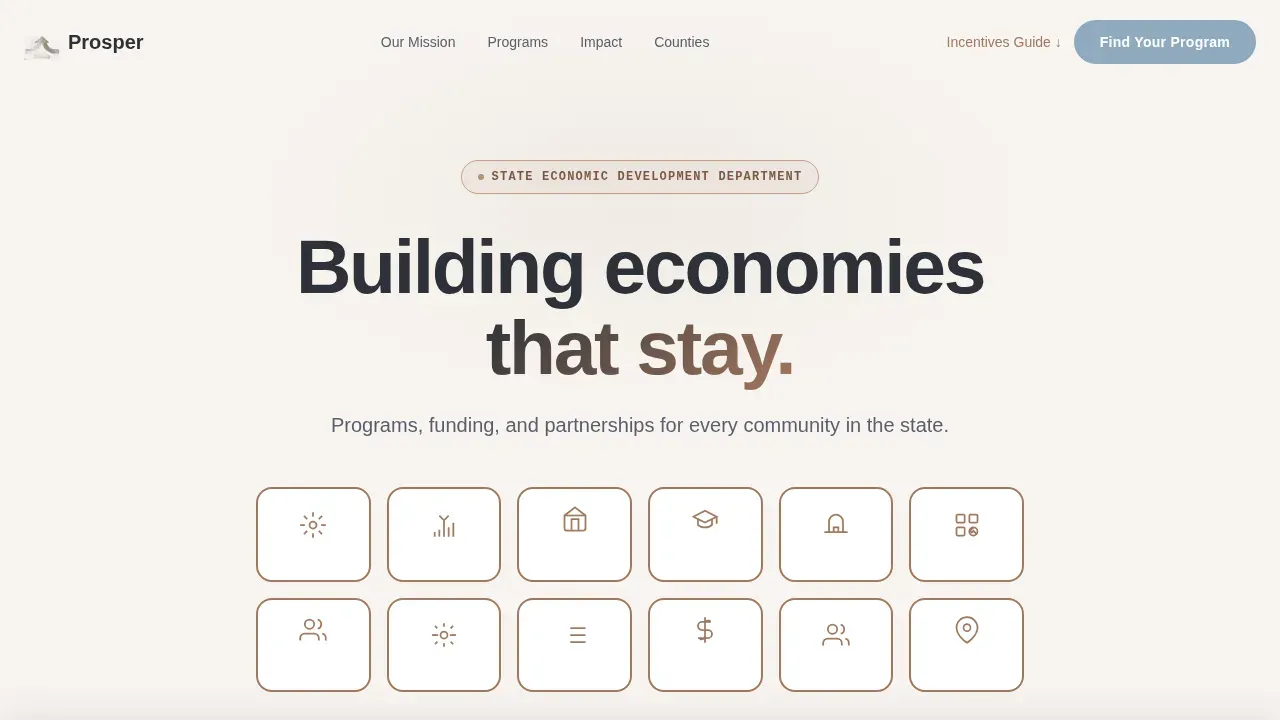
- An icon grid hero with 12 line-drawn pillar icons, hover descriptors, and a clear headline
- Alternating zigzag sections for vision, metrics, program spotlights, and a county impact map
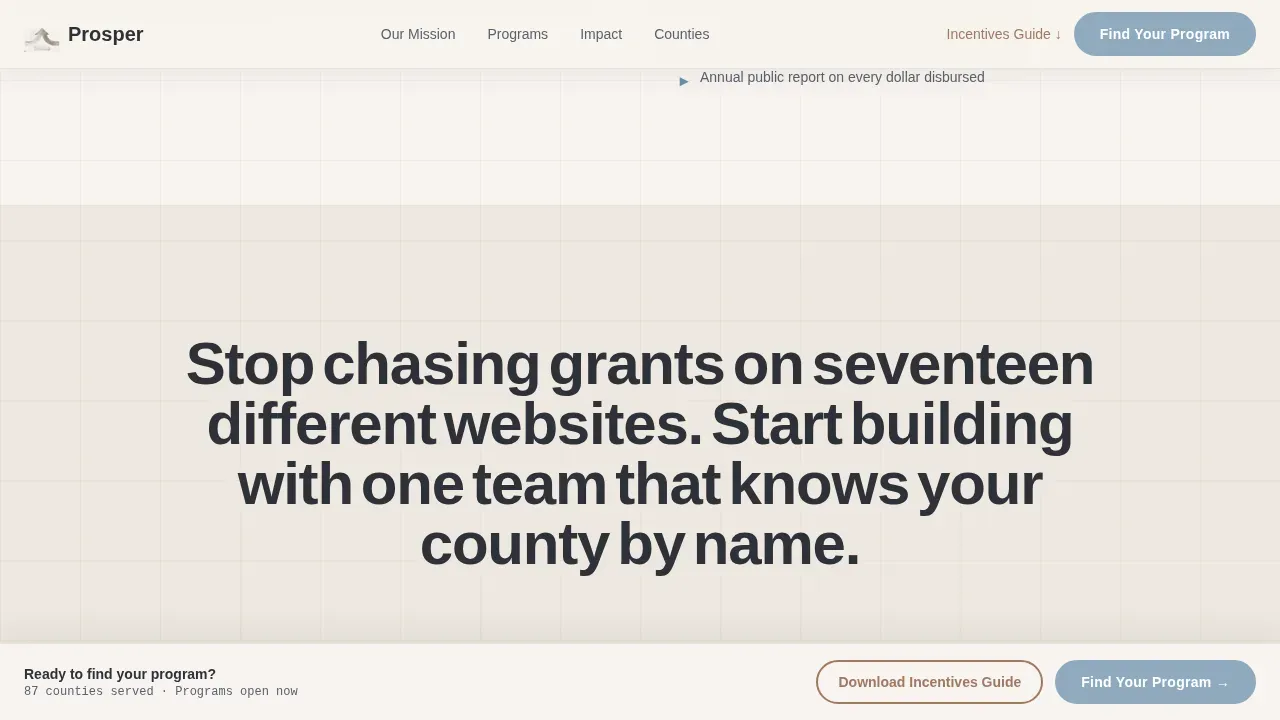
- A sticky "Find Your Program" call to action bar and a gated incentives guide download path
Feature list
A paragraph introduces each key capability built into this template.
Icon Grid Hero with Hover States
The header opens with a 4x3 mosaic of simple line-drawn icons representing department pillars such as broadband, workforce training, site selection, and small business support. Each icon sits in a rounded square with a hearth clay border. On hover, the icon warms to sky blue and a one-line descriptor appears beneath it.
Zigzag Vision and Metrics Layout
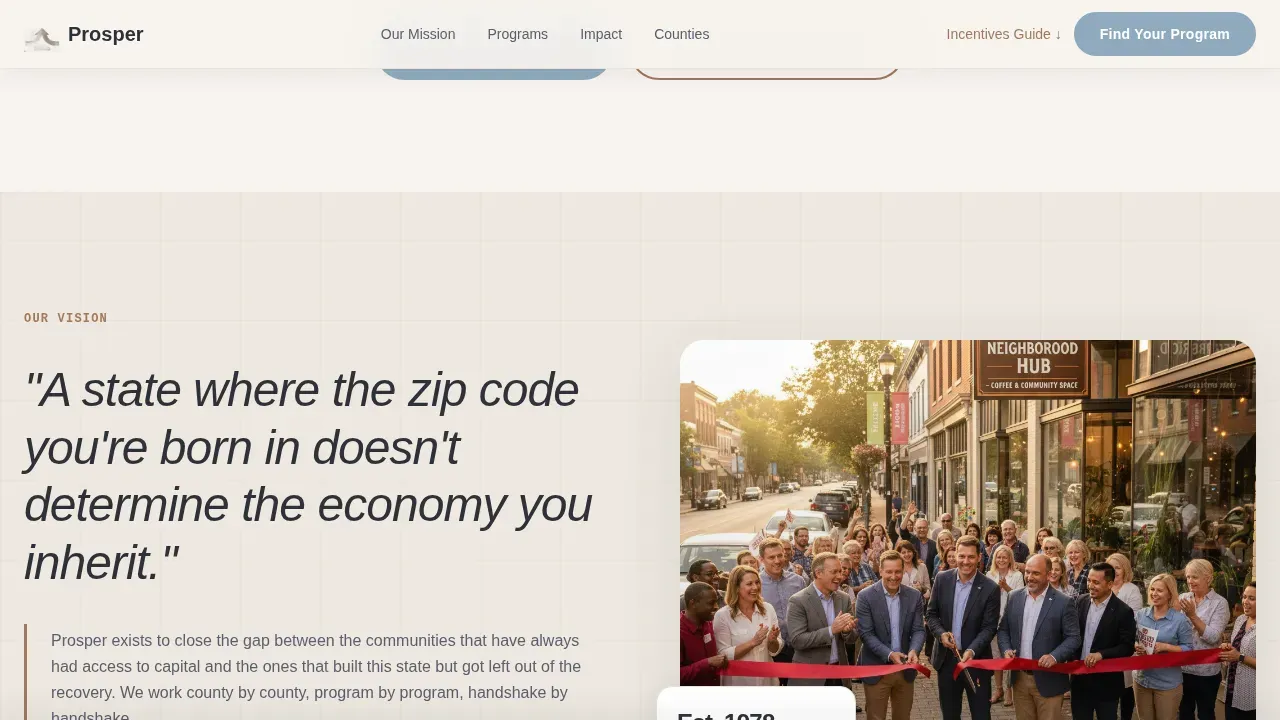
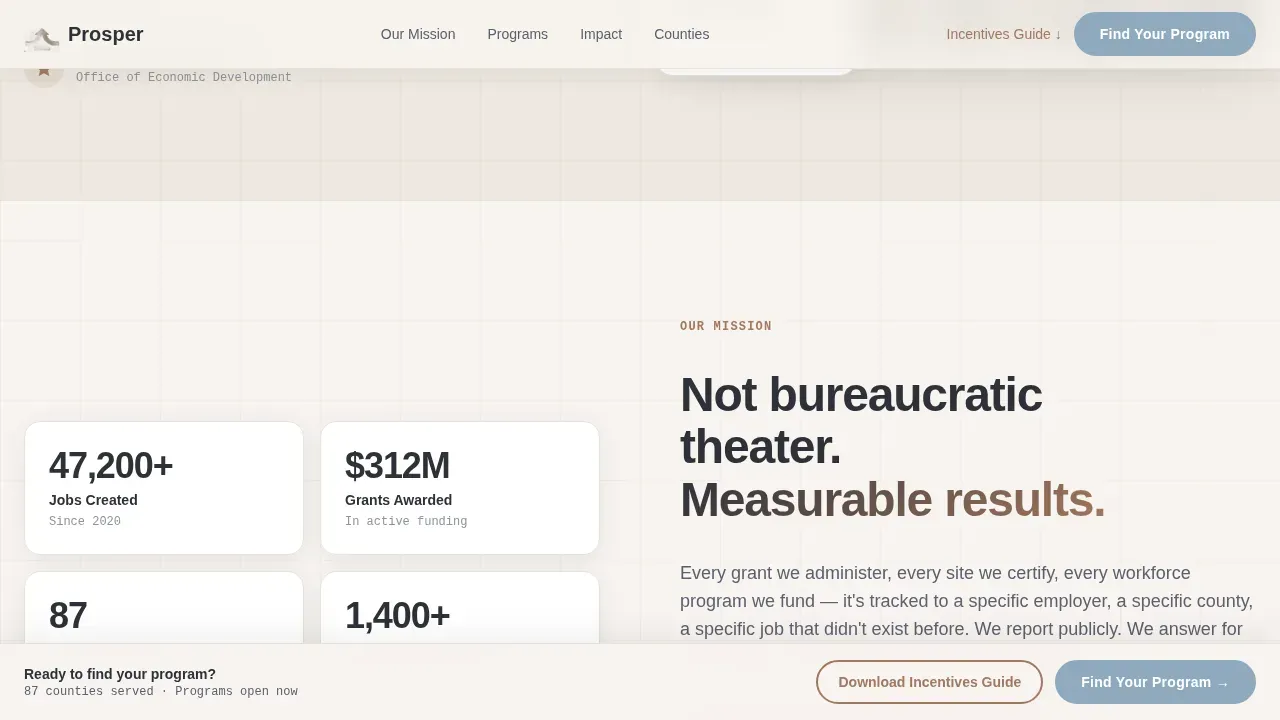
Alternating sections create a rhythm that builds the case from philosophy to proof. A large-type vision pull quote sits beside a ribbon-cutting photograph. The next block flips to show a mission narrative beside animated scroll-reveal counters for jobs created, grants awarded, and counties served.
Program Spotlight Cards
Dedicated alternating blocks highlight individual programs with beneficiary quotes. Each card lets the department create context around a specific initiative, whether that is a small business grant, a road and highway infrastructure fund, or a workforce training partnership with local employers.
County Impact Map
An interactive region selector lets visitors click their county to see local impact statistics. This tool allows residents, city managers, and site selectors to visualize specific project areas and planned improvements without wading through state-level summaries.
Guided Lead Generation Form
The primary call to action opens a short, role-based form. Visitors choose their role, select a county, and describe what they are working to build. This structure makes the form feel like a conversation rather than a bureaucratic intake process.
Gated Incentives Guide Download
A secondary conversion path offers a downloadable incentives document requiring only an email address and a role selection. This low-friction path serves visitors who are not ready to submit a full inquiry but want to start gathering information.
Page sections overview
| Section | Purpose |
|---|---|
| Icon Grid Hero | Introduce department pillars with hover-activated descriptors and headline |
| Vision Pull Quote | Present department vision statement beside a real ribbon-cutting photograph |
| Metrics Dashboard | Show animated counters for jobs, grants, and counties served |
| Program Spotlights | Highlight individual programs with alternating layout and beneficiary quotes |
| County Impact Map | Let visitors click their region to surface local stats and project data |
| Find Your Program | Guided role-selector form with county dropdown and open-text field |
| Incentives Guide Download | Gated PDF path requiring email and role for document access |
| Footer | Linear single-row footer with public navigation and contact links |
Design & branding system
The Community Hearth visual identity uses a Cloud Canvas color palette that feels like a well-lit public library in a renovated downtown. Nothing is flashy. Everything is built to feel trustworthy and welcoming, the kind of space where serious work gets done without pretension.
- Warm white (#F7F4F0) primary background with tinted cream (#EDE8E0) alternating sections for gentle rhythm
- Hearth clay (#A3785E) accent borders and callout blocks, deep civic charcoal (#2E3138) for headlines and body text
- Sky blue (#8FAABE) on interactive buttons and hover states; DM Sans headings, Manrope body, IBM Plex Mono data labels
Mobile & speed optimization
The template is designed desktop-first to serve city managers and site selectors who are typically working on larger screens. Full mobile support is built in to reach the broader public, since a significant portion of searches from residents and small business owners happen on mobile devices.
- Sticky call to action bar collapses cleanly on smaller screens without blocking key content
- Icon grid and zigzag sections reflow into single-column layouts for readable mobile display
- Interactive map and guided form are built as client components to keep static sections loading efficiently
How this template helps you convert
This template earns the click by showing real outcomes before asking for anything. The scroll sequence is intentional: proof first, form second.
- The icon grid and vision section establish credibility and communicate the department's focus immediately, so visitors know they are in the right place and feel confident enough to keep reading.
- The metrics dashboard and program spotlights surface county-level data and real beneficiary stories, giving each visitor, whether a small business owner or a site selector, a reason to believe the department delivers quality results for people like them.
- The sticky "Find Your Program" call to action appears only after the visitor has seen evidence of impact, creating a natural moment to engage rather than an interruption.
Other information about this template
The Prosper Community Hearth Economic Development Landing Page Template draws inspiration from real-world economic development models. Initiatives like those pursued in cities across the west and southeast show the ways coordinated public investment can power lasting change. Prosper Birmingham was built to take bold action to reverse downward economic trends, focusing on job creation, job preparation, and job access to bring about a thriving community. Prosper Portland collaborates with partners to create an equitable city and vibrant neighborhoods, working to grow family-wage jobs and advance equitable opportunities for prosperity.
The template is well suited for departments in states like Texas, where a mix of urban and rural areas, highway corridors, and growing small business ecosystems require flexible, scalable public communication tools. Whether a team is working to enhance a downtown Broadway corridor, support family farms on rural road networks, or bring broadband to underserved towns, this template provides the structure to document and communicate those efforts clearly.
- Designed to support equitable outreach across diverse communities, from dense city centers to small rural towns
- Supports healthcare program visibility alongside infrastructure, workforce, and small business assistance sections
- Helps departments serve residents, employers, and public partners through a single, organized landing page
Theme
Community Hearth
Creative direction
Vision & Mission
Color system
Cloud Canvas
Style
Zigzag/Alternating
Direction
Lead Generation
Page Sections
Icon Grid Hero with Hover Descriptors
Zigzag Vision and Metrics Sections
Program Spotlight Cards
Interactive County Impact Map
Guided Role-based Lead Form
Gated Incentives Guide Download
Related questions
Can I customize the icon grid to match my department's programs?
Does the county impact map work with real geographic data?
Is this template suitable for a state with many rural communities?
How does the gated incentives guide download work?
Can the program spotlight sections feature success stories from specific communities?



