Prosthodontist Education Website Template
Prosth is a single-column landing page template built for prosthodontic practices that handle complex insurance billing. It combines a cinematic hero, animated stats, and plain-English insurance education to turn anxious estimate-holders into confident patients. The layout guides visitors from confusion to clarity, then captures them with a coverage-check form and a downloadable insurance checklist.
by Rocket studio
Quick summary
Prosth is a lead generation landing page template for prosthodontic insurance and billing pages. It uses a Stats-First Impact layout to educate patients about procedure codes, annual maximums, and alternate benefit clauses, then converts them through a coverage-check form. The Arctic White color system keeps the page clinical, clean, and reassuring throughout.
Who this template is for
This template is built for prosthodontic practices that want to reduce phone-tag with anxious patients. It is especially useful when the front desk regularly explains billing codes and insurance breakdowns before a patient commits to treatment.
- Prosthodontists whose patients routinely receive five-figure treatment estimates
- Billing coordinators who want a self-service resource patients can read before calling
- Practice managers looking to improve first-submission claim approval rates
What problem this template solves
Most patients receive a detailed treatment plan and an explanation of benefits on the same day and immediately feel lost. The gap between a $12,000 estimate and a dental plan's fine print creates hesitation that delays care and strains the front desk.
- Patients cannot decode procedure codes like D6058 or D6110 without guidance
- Annual maximums, alternate benefit clauses, and phased treatment timelines add confusion
- Practices lose leads when patients leave to "think about it" without a clear next step
What you get with this template
You get a fully structured single-column landing page designed specifically for prosthodontic insurance education and lead capture. Every section serves a role, from the credibility-building hero to the terminal-style coverage form at the bottom.
- A half-page hero with headline, oversized approval-rate stat, and a primary call to action
- An animated stats grid, an insurance education bento layout, patient testimonials, and a lead capture form
- A secondary conversion path that offers a downloadable insurance checklist for patients not yet ready to call
Feature list
This section covers the core capabilities built into the Prosth template. Each feature is grounded in the layout and interaction design described in the source brief.
Cinematic Half-Page Hero
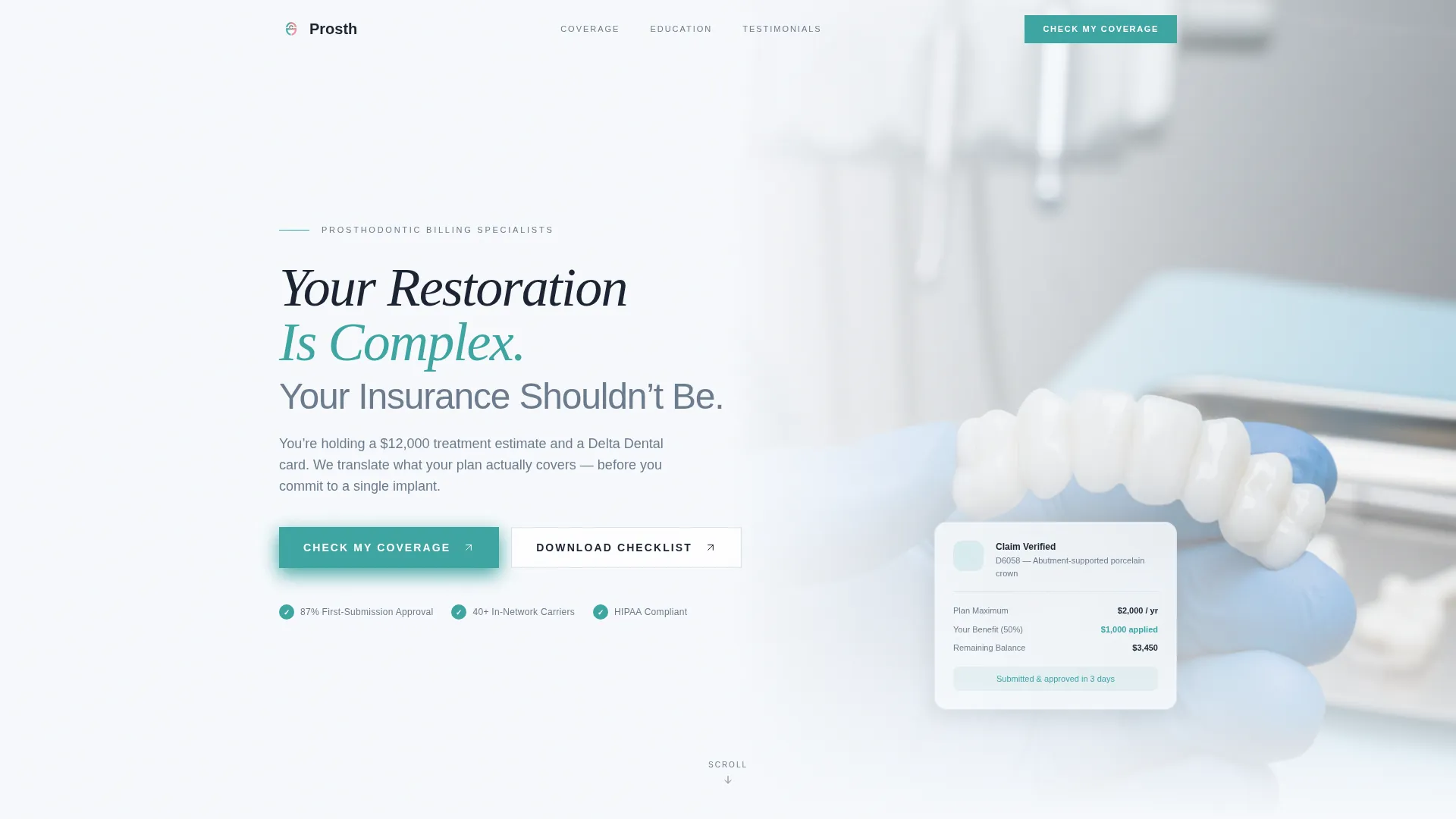
The hero uses a left-weighted text block over a cropped photo of a gloved hand holding a finished zirconia bridge. The headline is set in sterile instrument gray, and the oversized approval-rate figure lands in verification teal. A fade-in-up animation sequence brings the headline and call to action into view on load.
Animated Stats Cascade
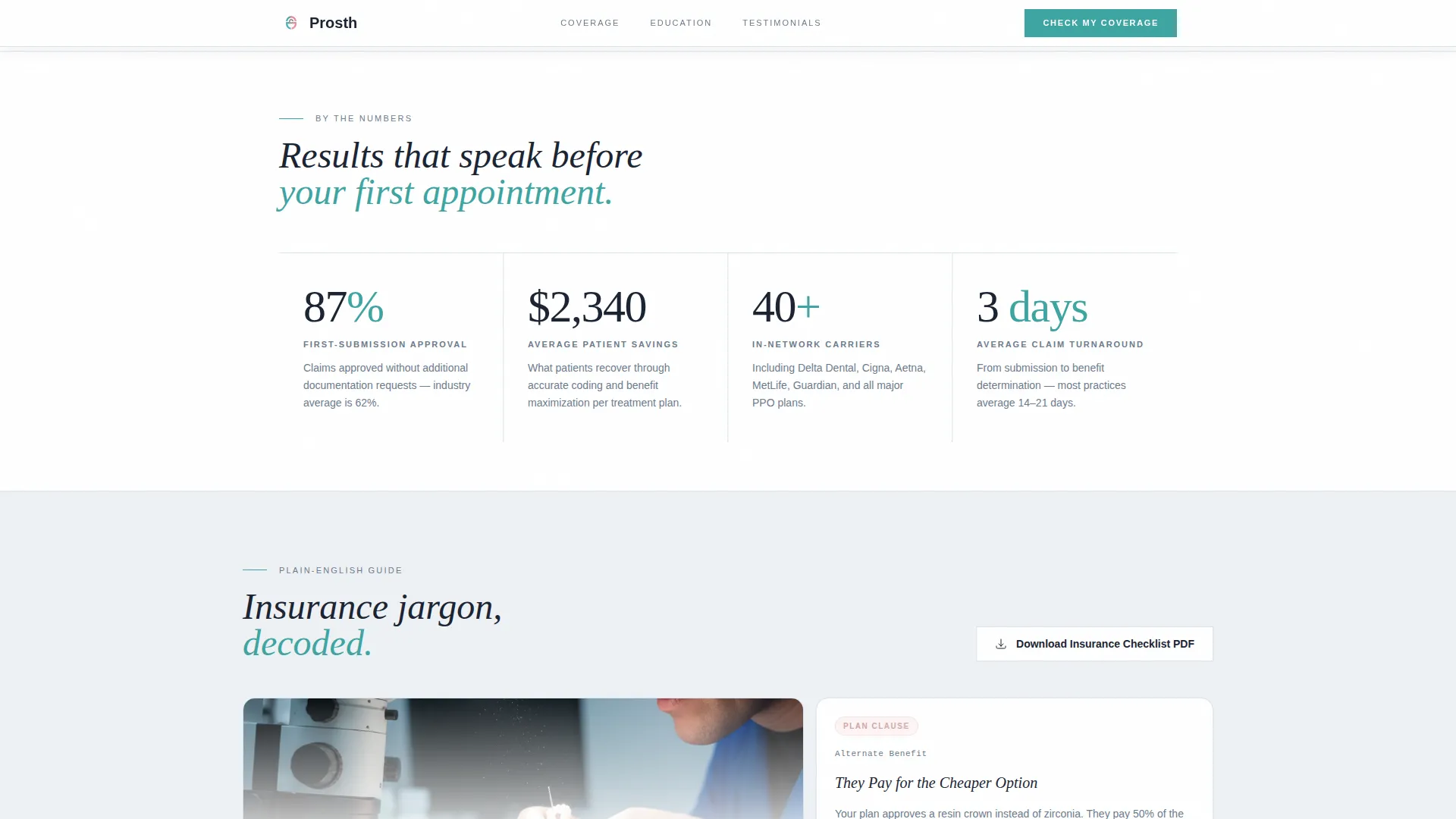
Four key metrics animate into view one after another as the visitor scrolls. Each count-up figure is paired with a short paragraph that translates the underlying insurance concept into plain speech. The sequence covers first-submission approval rate, average patient savings, carrier network size, and average claim turnaround time.
Insurance Education Bento Grid
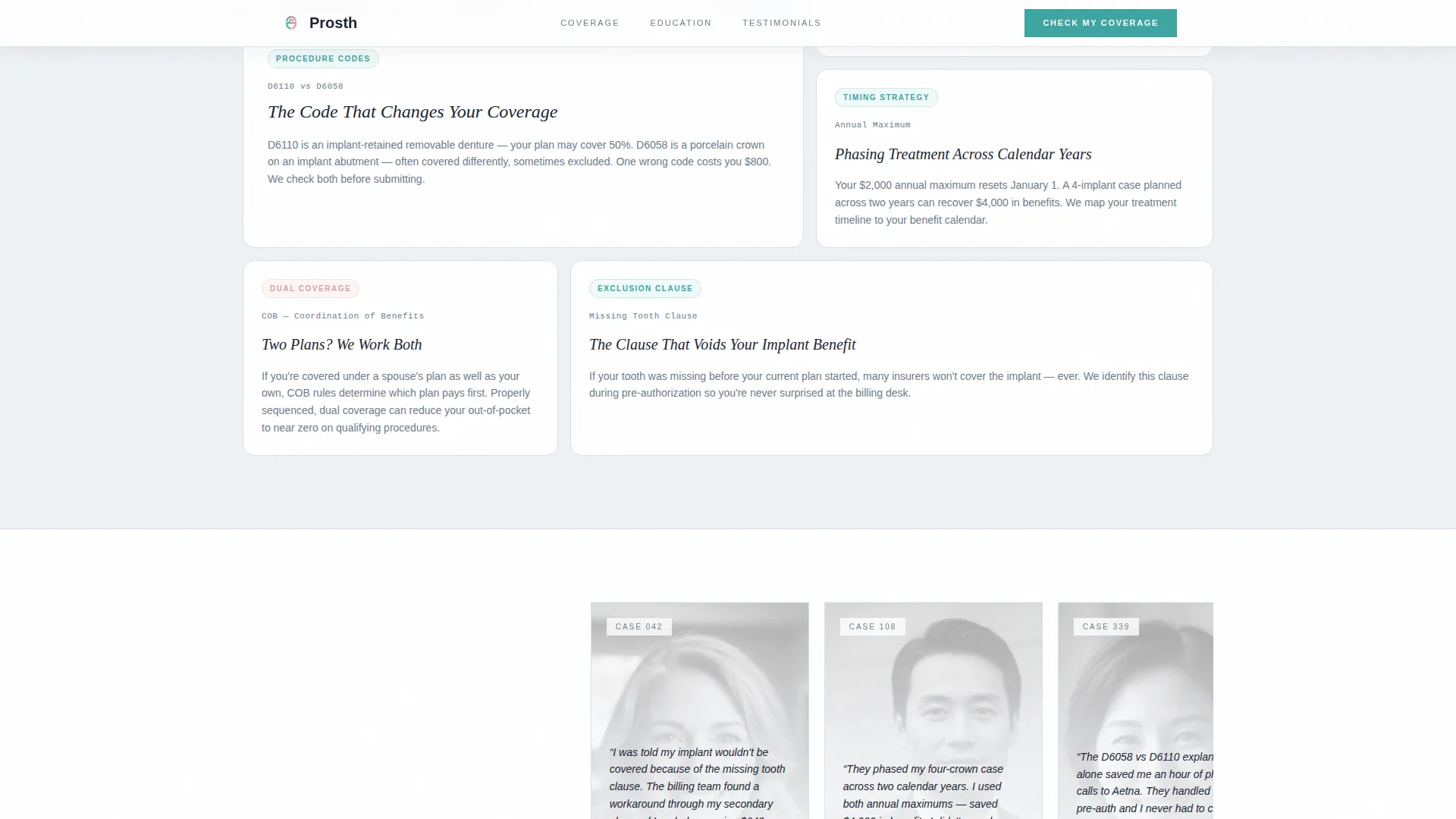
An asymmetric bento grid breaks down the billing terms that cause the most patient confusion. Each tile addresses one concept: alternate benefit clauses, the difference between D6110 and D6058 reimbursements, how annual maximums stack across calendar years for phased treatment, and coordination of benefits. The layout is skimmable and designed to build trust before any form appears.
Terminal-Style Coverage Check Form
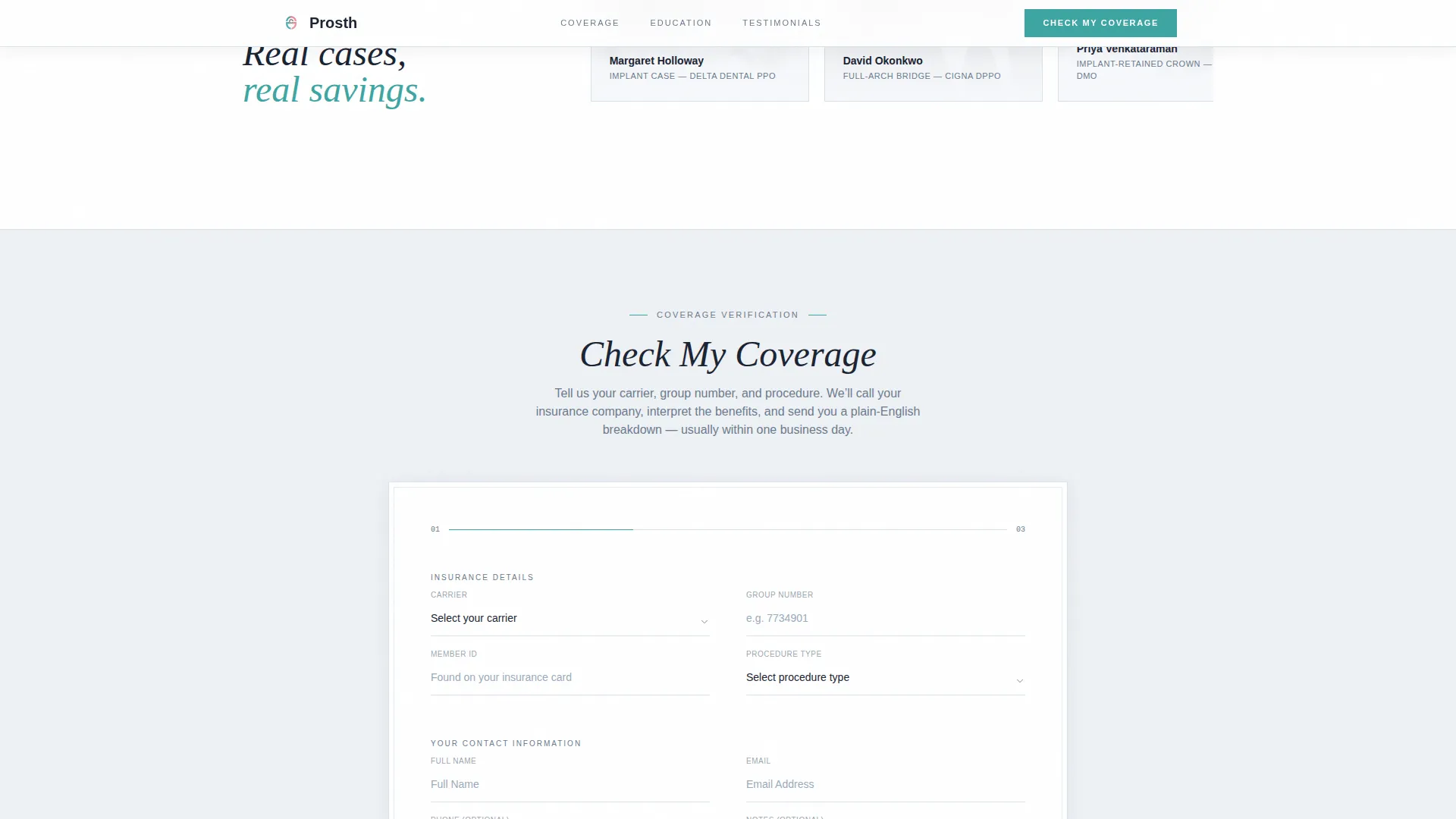
The primary lead capture form asks for insurance carrier, group number, and the specific procedure the patient has been quoted. The carrier field uses a dropdown populated with the 20 most common dental PPO plans. The form appears inline after the stats section and also as a sticky bar on mobile screens.
PDF Checklist Download Path
A secondary conversion path captures email addresses from patients who are not ready to call. In exchange, they receive a PDF of questions to ask their insurance carrier. This path is positioned alongside the primary form to serve visitors at every stage of the decision process.
Editorial Testimonials Section
Patient testimonials are presented as editorial-style cards with specific case references. The scroll uses a grayscale-to-color reveal effect to draw attention to each quote as it enters the viewport. Social proof is grounded in real case types, reinforcing the practice's billing fluency.
Page sections overview
| Section | Purpose |
|---|---|
| Hero Header | Establish credibility with headline, zirconia bridge photo, and oversized approval stat |
| Stats Impact Grid | Animate four key metrics and explain each with plain-language insurance context |
| Insurance Education Bento | Break down billing jargon across alternate benefits, D-codes, and annual maximums |
| Patient Testimonials | Build trust with case-specific editorial quote cards using grayscale-to-color scroll |
| Coverage Check Form | Capture lead data via carrier dropdown, group number, and procedure selector |
| PDF Download call to action | Offer an insurance checklist to patients not ready to submit the coverage form |
| Footer | Display logo, tagline, and navigation links in a split Arc Browser layout |
Design & branding system
The Prosth template follows an Organic Flow theme built on an Arctic White color system. The palette references the feel of a freshly prepared clinical space: cool, precise, and just warm enough to stay approachable.
- Colors: clinical porcelain white (#F7F9FC) as the base, soft gingival pink (#D4A5A5) as an accent, sterile instrument gray (#6B7B8D) for body text and structure, and calm verification teal (#3DA5A2) for calls to action and confirmed-status indicators
- Typography: Instrument Serif for headings and DM Sans for body text, pairing medical authority with clean readability
- Animations: GSAP ScrollTrigger reveals, count-up stat sequences, a marquee element, and a grayscale-to-color card scroll effect
Mobile & speed optimization
The template is built desktop-first because patients typically research treatment costs at home on a larger screen. Full mobile responsiveness is included, with layout adjustments that keep the experience clean on smaller viewports.
- The coverage check form appears as a sticky bottom bar on mobile, keeping the primary call to action accessible at every scroll position
- Server Components handle static sections to reduce unnecessary rendering work, while Client Components manage the animated stats cascade and the interactive lead capture form
How this template helps you convert
The page earns the visitor's trust before it asks for anything. By the time a patient reaches the coverage form, they have already read a clear explanation of their situation in language they recognize.
- The stats cascade and bento education section demonstrate billing fluency early, so the practice's expertise is proven before a call to action appears
- Two conversion paths serve different buyer readiness levels: the inline coverage form for patients ready to act, and the PDF checklist download for those who need more time
Other information about this template
The Prosth template is categorized under Health and Medical, with a focus on the Prosthodontist Website subcategory and the Prosthodontist Insurance and Billing Page niche. It is localized for the United States market, with currency displayed in USD, US insurance carrier names in the dropdown, and dates formatted as MM/DD/YYYY.
- The template is designed to work alongside practices in-network with major US dental plans, and the carrier dropdown covers the 20 most common dental PPO carriers
- The footer uses a Pattern 7 Arc Browser Split layout with the logo and tagline on the left and navigation links on the right
- The Intersection Match Score for this template is 13, reflecting a precise alignment between the Health and Medical category, the Prosthodontist Website subcategory, and the insurance billing niche
Theme
Organic Flow
Creative direction
Stats-First Impact
Color system
Arctic White
Style
Single Column Flow
Direction
Lead Generation
Page Sections
Cinematic Half-page Hero
Animated Stats Cascade
Insurance Education Bento Grid
Terminal-style Coverage Form
PDF Checklist Download Path
Editorial Testimonials Section
Related questions
What type of practice is this landing page built for?
Can I customize the insurance carrier dropdown?
What does the PDF checklist download do?
Does the template include patient testimonials?
Is this template suitable for a multi-location practice?



