Land & Environmental Agency Specialist Booking Website Template
Steward is an authoritative national park service landing page template built for federal land management agencies, park service divisions, and public stewardship organizations. It walks visitors through five sequential guide steps, Plan, Reserve, Prepare, Arrive, and Explore, using an anchor navigation hub-and-spoke structure. The result is a confident, granite-weight design that turns browsing into booked park visits.
by Rocket studio
Quick summary
Steward is a single-page, hub-and-spoke landing page template developed for national park service agencies and land management organizations. It uses a five-step anchor navigation flow to guide visitors from planning through exploration. The design draws from an Institutional Authority theme, heavy serif type, a monochrome steel palette, and a single forest green accent reserved for calls to action.
Who this template is for
This template is built for public-sector teams, land stewardship divisions, and civic organizations that need to provide information clearly and authoritatively. It suits agencies managing large conservation land portfolios as well as teams supporting visitor-facing park service communications.
- Federal and state agencies responsible for national park land management and visitor engagement
- Local governments and park service divisions launching or refreshing public-facing sites
- Non-governmental organizations and stewardship groups that support land conservation projects
What problem this template solves
Planning a national park visit involves many decisions across a number of sources. Families, educators, and bucket-list travelers often feel overwhelmed before they ever sign up for a reservation or click through to a booking page. This template solves that problem by gathering every required piece of visitor information into one authoritative, sequentially organized page.
- Scattered resources force visitors to jump between multiple sites, creating friction that causes them to abandon the process
- No clear step-by-step form or guide means visitors miss safety briefings, pass requirements, and entrance logistics
- Without a standardized hub, land agencies struggle to deliver consistency across visitor touchpoints
What you get with this template
The template is a complete, single-page hub built around five anchor-linked sections that form a continuous guide. Each section is developed to address one stage of the park visit journey, so the user never loses their place. Every design element, from the fixed wayfinding bar to the floating call-to-action button, has been updated to support confident, forward momentum.
- A fixed anchor navigation bar with five labeled steps: Plan, Reserve, Prepare, Arrive, and Explore
- A park finder with state and activity filters, pass comparison tools, a packing checklist, and a trail difficulty selector
- A persistent floating "Find Your Park" button that appears after the visitor scrolls past the second anchor section
Feature list
This template ships with a focused set of interactive and visual tools. Each feature was developed to reflect genuine national park service communication standards and land management best practices.
Anchor Navigation Bar
A fixed, steel-gray wayfinding strip lists all five guide steps in small-caps type. It locks to the top of the viewport on scroll, so the user always knows where they are and can jump to any division of the page instantly.
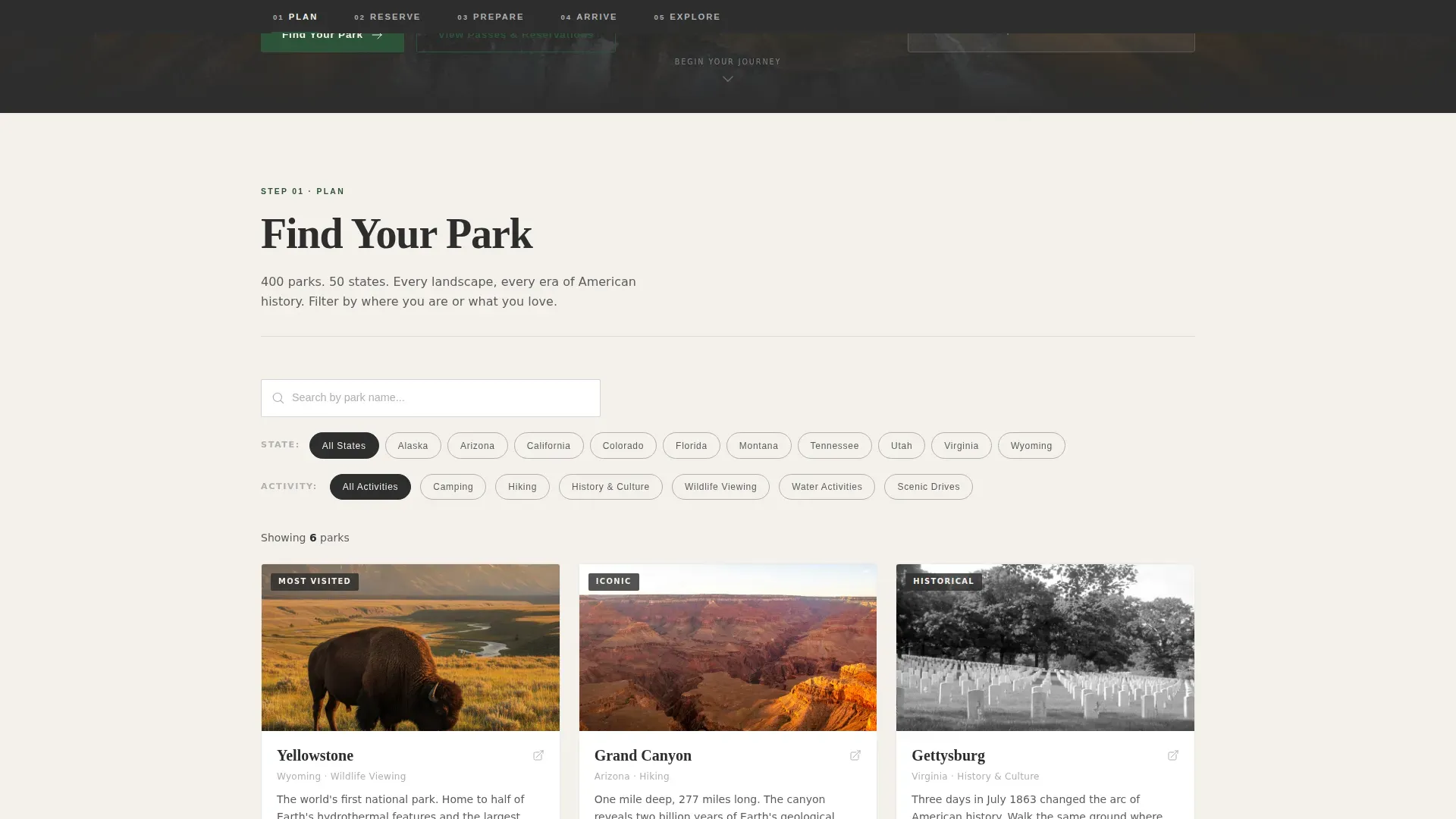
Park Finder with Filters
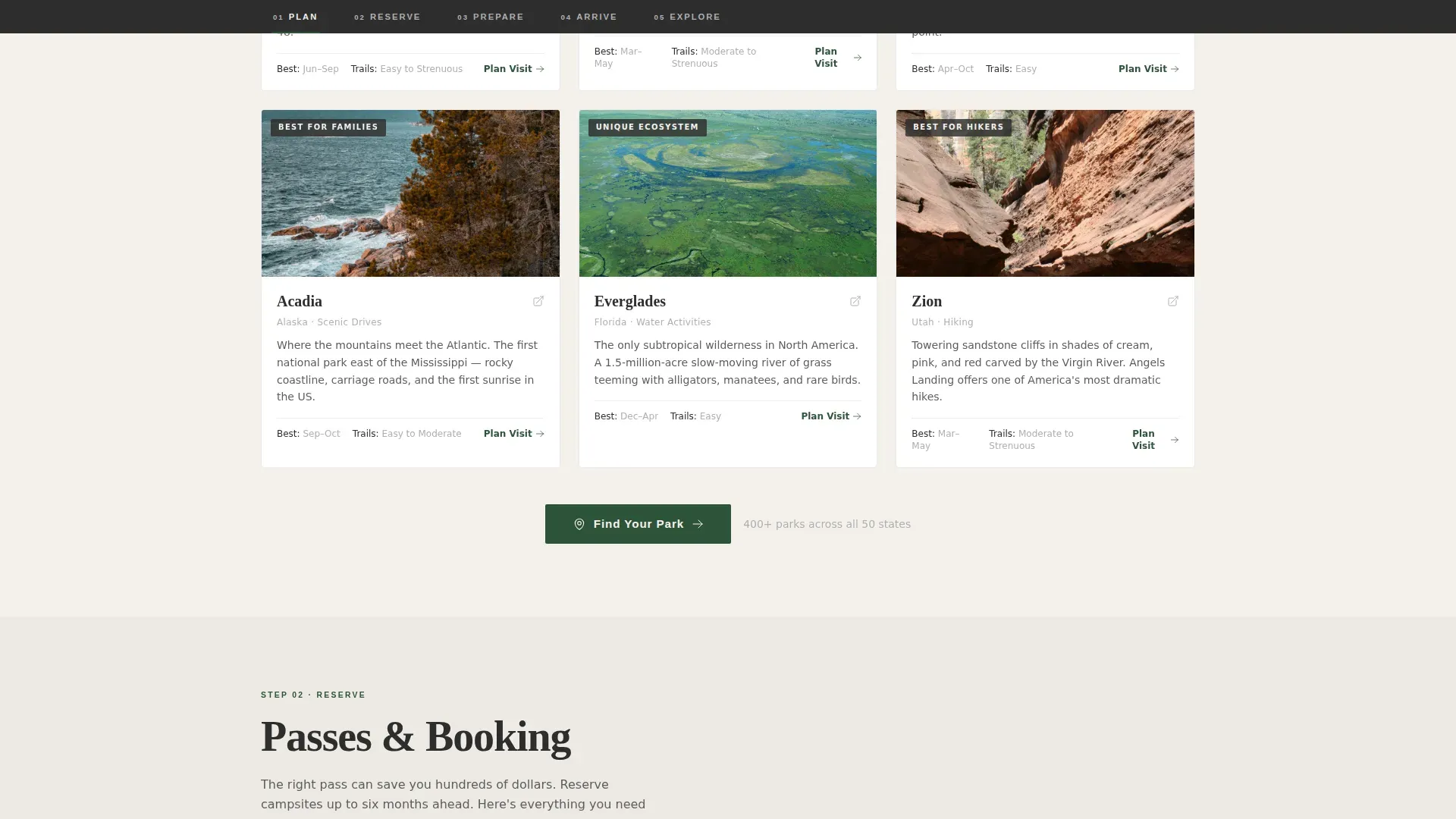
The Plan section opens with a searchable park finder. Visitors can filter by state and activity type, then review park cards in a responsive grid. This is the primary tool for families and first-time visitors who need to narrow 400-plus parks to one destination.
Pass and Booking Comparison
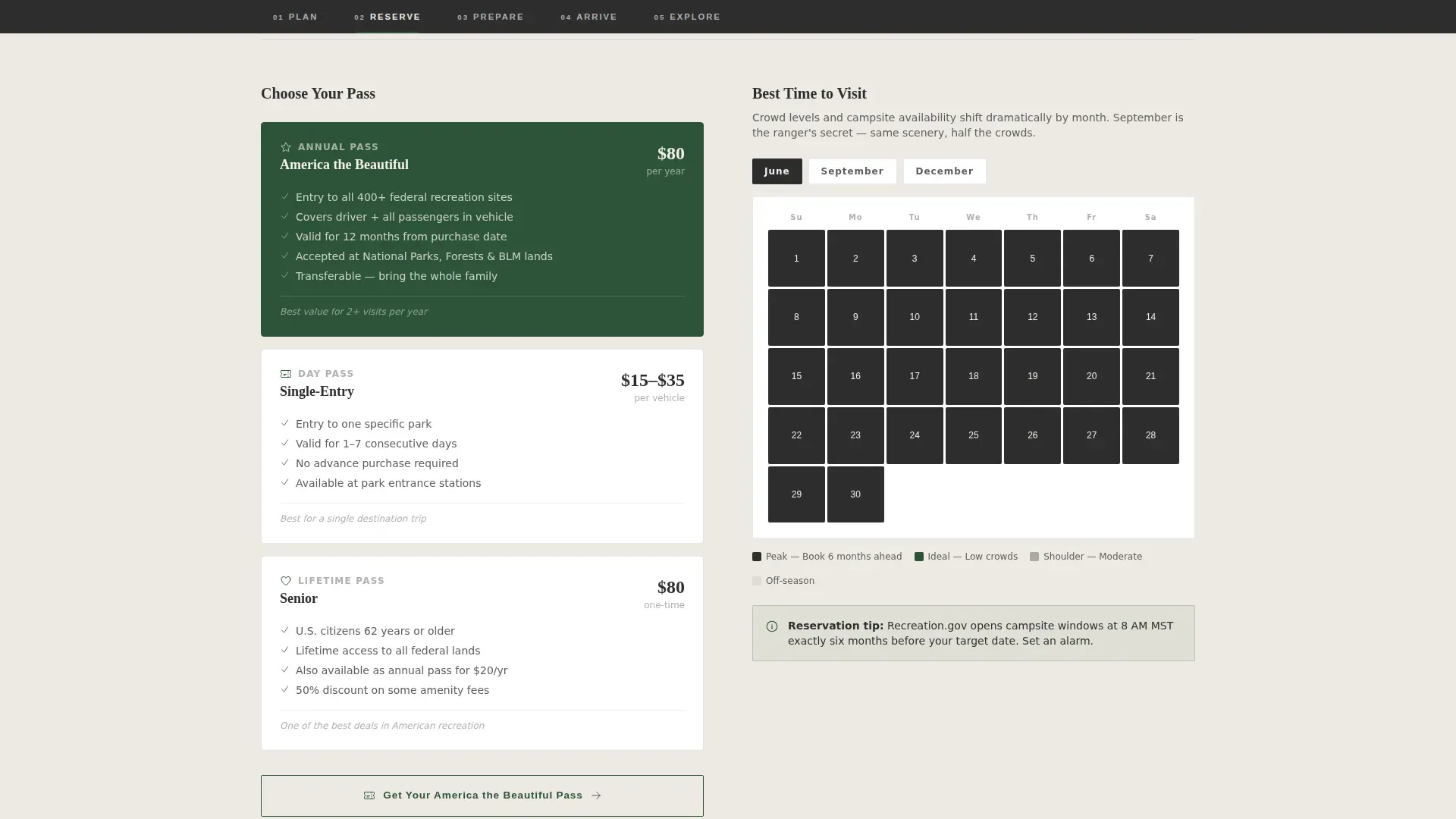
The Reserve section presents pass options side by side and explains booking windows using a visual calendar form. A ghost button links visitors to the America the Beautiful Pass, giving agencies a secondary conversion path without competing with the primary call to action.
Packing Checklist and Safety Cards
The Prepare section includes a toggle-able packing checklist and safety briefing cards. These reflect the NPS requirement to include visible safety alerts and regulatory information regarding resource protection on all authoritative park service pages.
Trail Difficulty Selector
The Explore section closes the guide with a trail-difficulty selector and scenic drive itineraries. Visitors can review routes by difficulty level and choose an experience that matches their group, completing the full visit-planning arc before they ever leave the page.
Floating Call-to-Action Button
After the visitor scrolls past the second anchor section, a persistent "Find Your Park" button appears in forest green. It stays visible throughout the remainder of the page, ensuring the primary conversion path is always one click away.
Page sections overview
| Section | Purpose |
|---|---|
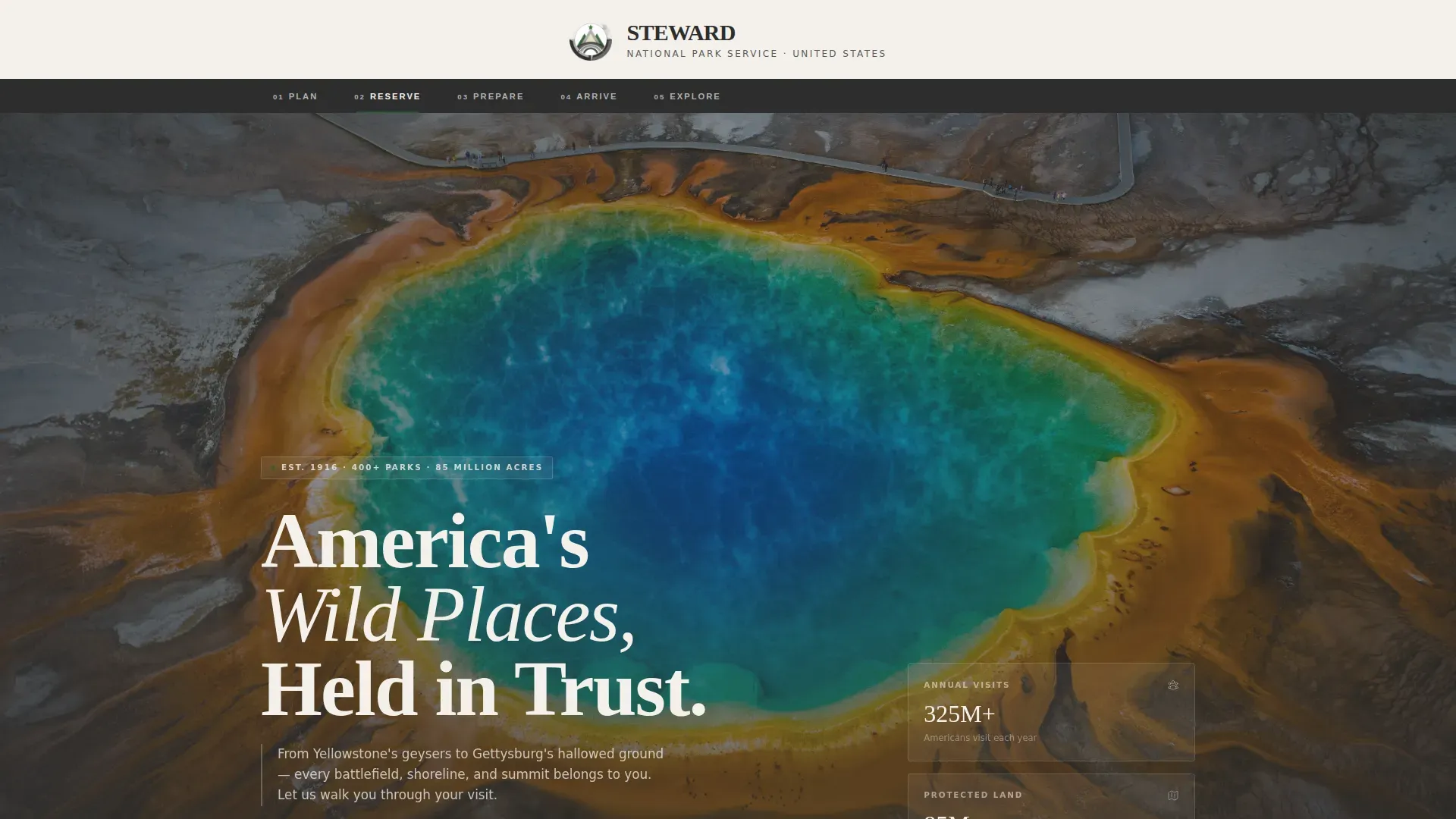
| Logo Bar Header | Centers arrowhead emblem and full agency name |
| Hero with Stats | Full-bleed wilderness image with floating stat cards |
| Plan: Park Finder | State and activity filters with park card grid |
| Reserve: Pass Options | Pass comparison, booking calendar, ghost button |
| Prepare: Safety Briefing | Packing checklist and safety information cards |
| Arrive: Entrance Info | Logistics, accessibility details, ranger programs |
| Explore: Trail Guide | Trail difficulty selector and scenic drive itineraries |
| Footer | Stripe two-row compact pattern with agency links |
Design & branding system
The design follows an Institutional Authority theme that feels like a granite visitor center at dawn. Typography uses a heavy serif for headlines and a clean sans-serif for body and wayfinding labels. The palette is monochrome steel, relieved only by a single forest green accent on interactive elements.
- Colors: foundational charcoal (#2D2D2D), weathered iron (#5C5C5C), engraved silver (#B0B0B0), bright parchment white (#F4F1EC), and deep forest green (#2E5339) for calls to action only
- Typography: a heavy serif for chiseled-stone headlines paired with a clean sans-serif for body copy and the anchor navigation bar
- The official arrowhead logo is centered at full scale against parchment white, adhering to graphic identity standards required for national park service pages
Mobile & speed optimization
The template is designed desktop-first, reflecting how families and educators typically research national park visits. It is fully responsive so the same guide works on mobile when visitors are on site at the park and need quick access to trail or entrance information.
- Desktop layout prioritizes the full park finder grid, pass comparison cards, and multi-column safety briefing sections
- Mobile layout collapses each anchor division into a single-column scroll, keeping all tools and resources accessible without horizontal scrolling
- GSAP ScrollTrigger animations, staggered card reveals, and a parallax hero are included for medium-level motion that adds depth without slowing the experience
How this template helps you convert
The page is structured so that every answered question builds confidence toward the primary call to action. By the time a visitor reaches the "Find Your Park" button, the guide has already resolved the hesitation that would otherwise cause them to leave.
- The step-by-step anchor flow, Plan, Reserve, Prepare, Arrive, Explore, matches the natural decision order of any visitor, making each next section feel like the obvious next step rather than a new commitment
- The floating call-to-action button appears after the Reserve section and stays present, so the click opportunity is never more than a glance away regardless of where the visitor is reading
- Safety alerts, pass information, and entrance logistics are all addressed before the visitor reaches the trail selector, meaning they arrive at the final section informed, prepared, and ready to sign up
Other information about this template
The Steward authoritative national park service landing page template draws on established land management communication standards used by federal agencies, state agencies, and local governments across the United States. Understanding those standards helps explain the design decisions made throughout the template.
- The Division of State Lands in Florida leases conservation land to state agencies and local governments for management. A Land Management Plan is required for all conservation lands under lease, must be submitted within one year of the lease date, and must be updated and resubmitted every 10 years. Failure to comply may result in revocation of the lease.
- Florida is home to more than 4 million acres of conservation land, most of which are open to the public for recreation. Nearly all of these land areas require some form of active stewardship.
- The PAD-US database is the authoritative geospatial source for protected and managed areas across the United States. Federal land management agencies are the primary source of federal protected area data. State data stewards, non-governmental organizations, and groups like the USGS-supported PAD-US State Data-Steward Network form the broader division of responsibility for keeping that data updated and accurate.
- Land Management Plans and related reports are standardized documents that agencies review and resubmit on a defined cycle. Organizations managing conservation projects in states such as Minnesota and others follow similar land use reporting requirements.
- This template can support agencies that use email outreach, awards programs, and digital sign-up forms as part of their broader visitor engagement strategy.
- The page is built with cookies-based session tools for interactive filters, checklist toggles, and the floating call-to-action button. Cookies are used to retain filter state and support the park finder and trail selector features as visitors move through the page.
Theme
Institutional Authority
Creative direction
Step-by-Step Guide
Color system
Monochrome Steel
Style
Hub & Spoke (Anchor Nav)
Direction
Click-Through
Page Sections
Anchor Navigation Bar
Park Finder with State and Activity Filters
Pass Comparison and Booking Calendar
Packing Checklist and Safety Briefing Cards
Trail Difficulty Selector
Persistent Floating Call-to-action Button
Related questions
Does this template follow national park service graphic identity standards?
Can land management agencies and local governments use this template?
What interactive features does the template include?
How does the five-step anchor navigation work?
Is this template designed for a single park or an agency-level hub?



