Marine Manufacturing Expert Professional Website Template
Proto is a dashboard-style landing page template built for marine prototype and rapid prototyping facilities. It leads with a full-viewport telemetry command strip, guides visitors through capability cards for each shop process, and closes with a side-by-side comparison module. The result is a high-precision, data-forward page that speaks directly to naval architects, defense contractors, and yacht design studios.
by Rocket studio
Quick summary
Proto is a single-page, dashboard-style landing page template for marine prototyping facilities. It opens with five live-counter metrics, walks visitors through capability cards for CNC milling, vacuum infusion, five-axis scanning, and hydrostatic testing, and anchors the lower section with a head-to-head comparison module. Every design decision reinforces speed, precision, and engineering credibility.
Who this template is for
This template is built for specialist facilities that prototype at the demanding end of marine and defense work. The layout speaks the language of engineers, not marketers, and the conversion path is built around a CAD file upload rather than a generic contact form.
- Naval architects iterating on foil configurations against regatta deadlines
- Defense contractors stress-testing submersible housings against military specifications
- Yacht design studios that need scale models delivered before an owner review
What problem this template solves
Generic service pages fail precision buyers. A naval architect or defense contractor scanning for a prototyping partner needs hard numbers, not headline claims. Proto replaces vague capability statements with stacked, specific evidence that builds confidence scroll by scroll.
- Visitors leave before they trust: the telemetry header anchors credibility in the first viewport
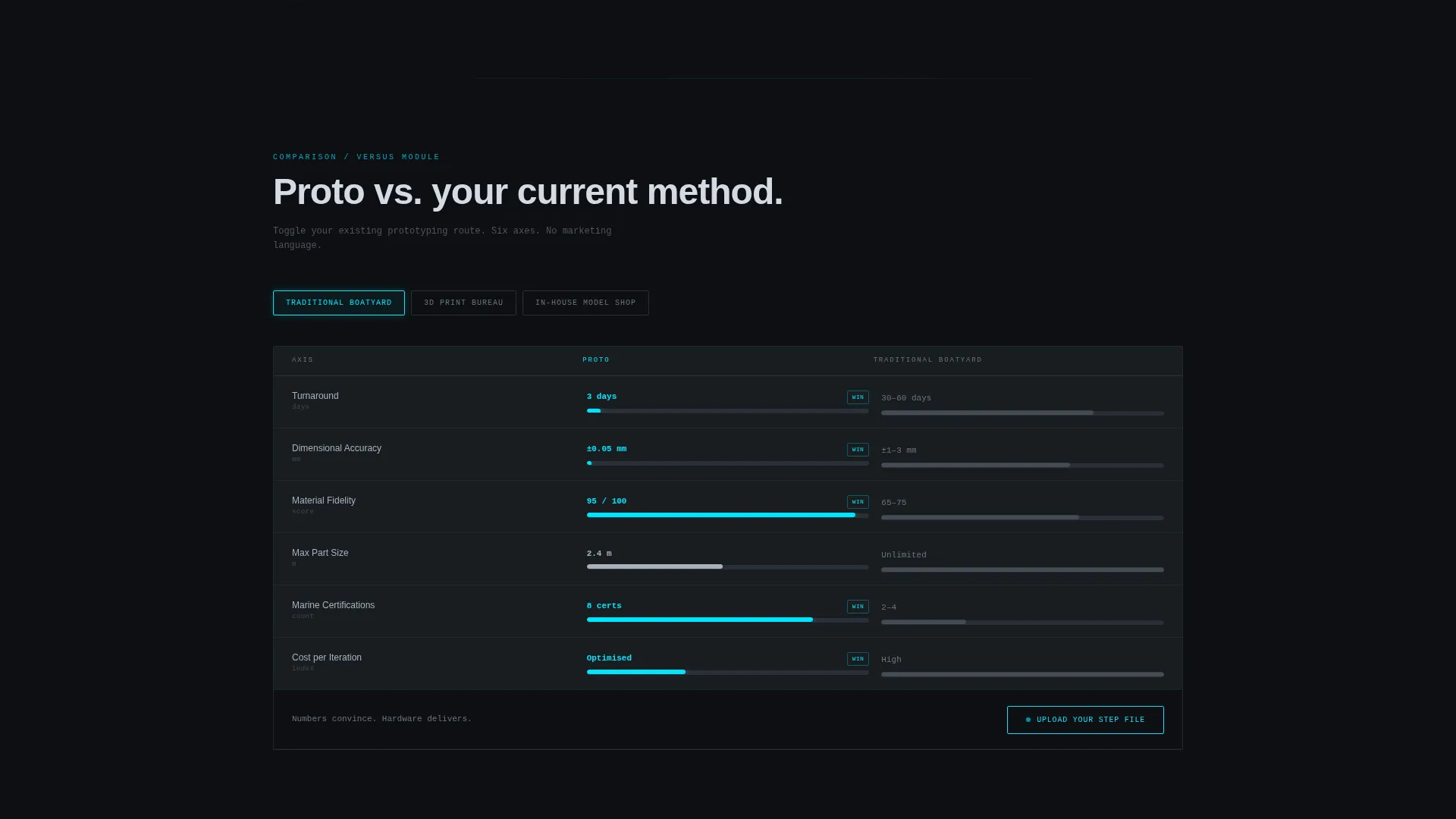
- Buyers cannot benchmark you: the comparison module lets them toggle their current method against your service across six measurable axes
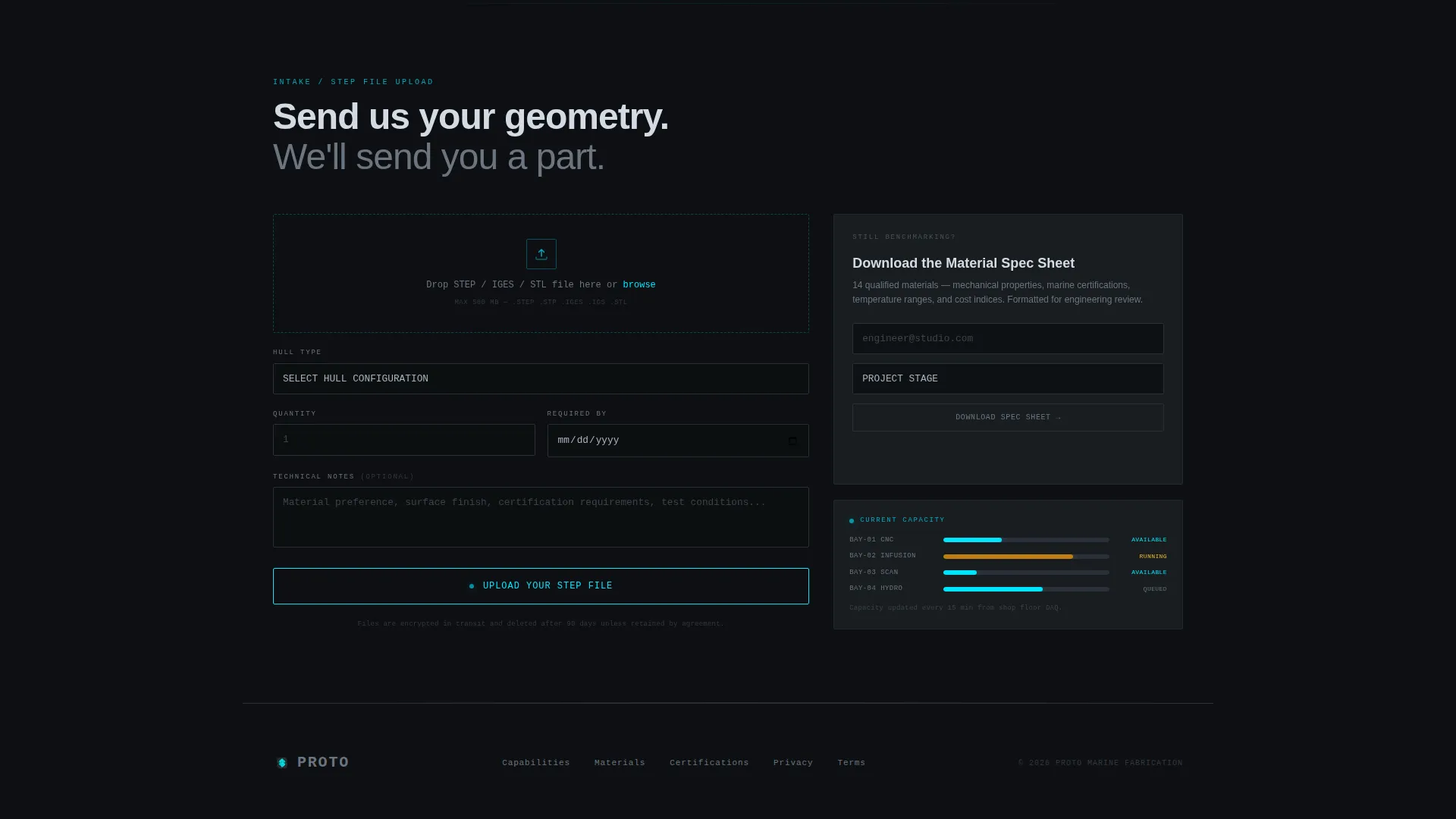
- Leads arrive underqualified: the CAD upload form filters prospects by hull type, quantity, and deadline before any conversation starts
What you get with this template
Proto delivers a complete, structured landing page layout ready for a marine prototyping or rapid prototyping facility. Every section is purpose-built, from the command-strip header to the gated secondary download path.
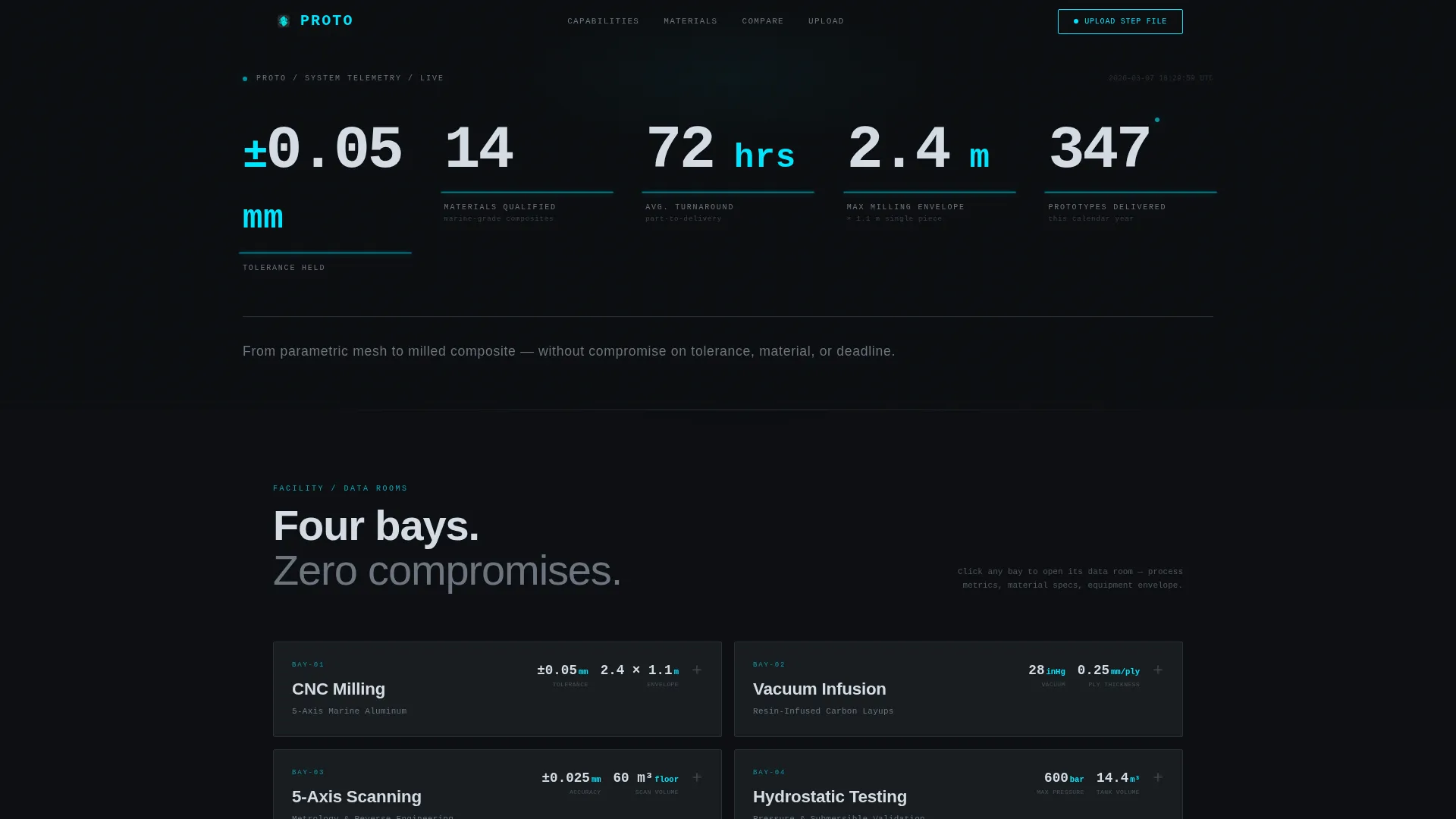
- A full-viewport stats header with five telemetry-style counters covering tolerance, turnaround, materials, milling envelope, and annual output
- Four expandable capability cards with process metrics, material specs, and isometric equipment diagrams
- A side-by-side comparison module, a primary CAD upload form, and a gated material spec sheet download for visitors still benchmarking
Feature list
This template is designed around one principle: let the data do the convincing. Each built-in component earns its place by moving a precision buyer one step closer to submitting a project.
Telemetry Command Header
Five oversized monospaced counters span the full viewport on load. They display tolerance held, materials qualified, average turnaround, maximum milling envelope, and a live-updating annual delivery count. A subtle cyan underline pulse marks each number, and a single silver tagline sits below.
Expandable Capability Cards
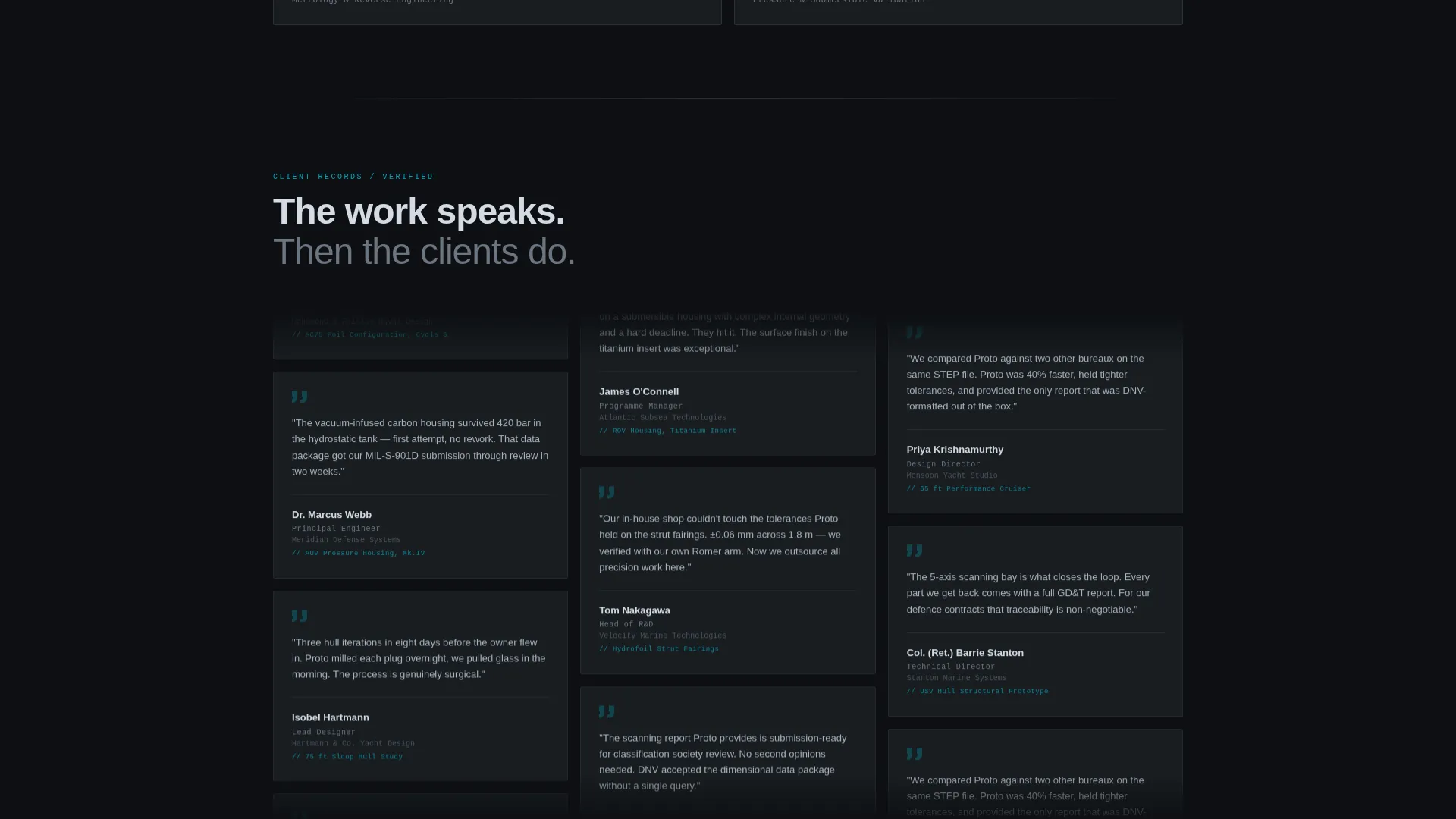
Each process bay gets its own grid card: CNC milling, vacuum infusion, five-axis scanning, and hydrostatic testing. Cards open spatially to reveal process metrics, material specifications, and isometric line-art diagrams of the equipment envelope. Visitors navigate deeper into capability layers rather than reading a flat list.
Comparison and Versus Module
A persistent side-by-side module anchors the lower third of the page. Visitors toggle their current prototyping method, choosing from a traditional boat yard, a general-purpose print bureau, or an in-house model shop, and see the comparison update across six axes: turnaround days, dimensional accuracy, material fidelity, maximum part size, marine certification coverage, and cost per iteration.
CAD File Upload Form
The primary conversion path opens with a CAD file upload field, not a name-and-email box. It follows with a hull type dropdown covering monohull, catamaran, foil assembly, and subsea housing, then asks for quantity and a deadline date. The form language stays in engineering register throughout.
Gated Material Spec Sheet
A secondary download path captures visitors who are still in the benchmarking phase. The gated PDF requests an email address and project stage before the handoff, giving the facility a warm lead even when someone is not yet ready to upload a file.
Fixed Mobile Call-to-Action Bar
On mobile viewports, a fixed bottom bar keeps the primary call to action, "Upload Your STEP File," visible at all times. It uses cyan text on a black ground, consistent with the rest of the interface hierarchy.
Page sections overview
| Section | Purpose |
|---|---|
| Telemetry Stats Header | Display five live facility metrics as the first viewport |
| Company Tagline Strip | Deliver a single positioning line below the counters |
| Capability Cards Grid | Walk visitors through each process bay in expandable cards |
| Comparison Versus Module | Let visitors benchmark Proto against their current method |
| CAD Upload Form | Capture qualified leads via a structured engineering intake |
| Gated Spec Download | Secure email and project stage from early-stage researchers |
| Fixed Mobile call to action Bar | Keep the primary action visible on all scroll positions |
Design & branding system
The visual identity follows a Data Command theme built on a Carbon Fiber palette. Every color choice serves the same goal: make the numbers unmissable and let everything else recede.
- Four palette values: deep cockpit black (#0D0F12) and woven-filament charcoal (#1E2328) for all backgrounds, machined-billet silver (#A8B2BD) for all body typography, and laser-line cyan (#00E5FF) reserved exclusively for live data points, hover states, and call-to-action borders
- Monospaced typeface at display scale for all counter numbers, giving the header the feel of a CNC controller screen reading instrument clusters
- Isometric line-art equipment diagrams inside capability cards reinforce the spatial, architectural creative direction without introducing photography
Mobile & speed optimization
The template is structured to work cleanly across device sizes without sacrificing the dashboard aesthetic. The fixed bottom bar ensures the primary call to action is always reachable on smaller screens.
- Fixed "Upload Your STEP File" bar persists at the bottom of mobile viewports so the conversion path never scrolls out of reach
- Capability cards collapse to a single-column stack on narrow screens, keeping the scroll linear and the data legible
How this template helps you convert
Proto builds trust through specificity and removes friction from the qualification step. Each scroll delivers a harder number or a tighter constraint, and the form ensures only serious prospects reach the inquiry stage.
- The telemetry header earns attention in the first viewport with real facility metrics, tolerance figures, and turnaround data before a single line of body copy appears.
- The comparison module converts passive browsers into active evaluators by giving them a structured, six-axis benchmark against their existing method, making the decision feel self-guided rather than sold.
Other information about this template
Proto is categorized under Manufacturing and Industrial, with a specific focus on the Marine Manufacturing subcategory and the Marine Prototype and Rapid Prototyping niche. It is designed as a single landing page with a dashboard and data grid layout, making it straightforward to deploy for a specialist facility that needs to lead with numbers rather than narrative.
- The template style is classified as Dashboard and Data Grid, meaning the layout logic mirrors a control interface rather than a traditional brochure page
- The Spatial and Architectural creative direction means sections expand and reveal depth on interaction, giving the scroll a facility-walkthrough quality
- The Comparison and Versus landing page direction is purpose-built for buyers who arrive already benchmarking, a common behavior in defense, naval architecture, and performance yacht sectors
Theme
Data Command
Creative direction
Spatial & Architectural
Color system
Carbon Fiber
Style
Dashboard/Data Grid
Direction
Comparison/Versus
Page Sections
Telemetry Command Header
Expandable Capability Cards
Six-axis Comparison Module
Engineering-register CAD Upload Form
Gated Material Spec Sheet Download
Fixed Mobile Call-to-action Bar
Related questions
Who is the Proto template built for?
What conversion paths does this template include?
Can I customize the telemetry counter values in the header?
What does the comparison module compare?
Is this template suitable for a defense or subsea prototyping audience?



