LinkedIn Reel Landing Page Template for App Downloads
Pulse is a landing page template built for a LinkedIn short video tool that transforms raw selfie clips and screen recordings into polished, beat-synced reels in under ninety seconds. With kinetic typography, branded lower thirds, and rhythm-driven design, this hero-dominant page is built to earn the download before it ever asks for one.
by Rocket studio
Quick summary
Pulse is a hero-dominant landing page template for a LinkedIn reel creation tool. It converts unedited talking-head clips into scroll-stopping short videos using beat-synced cuts, kinetic typography, and branded lower thirds, all in under ninety seconds. The page is built around a dramatic countdown-to-reel hero and a relentless sound-and-rhythm scroll experience that drives app downloads.
Who this template is for
This template is designed for creators and marketers who know LinkedIn video works but lack the time or team to produce it at pace. It speaks directly to people filming on their own, publishing often, and needing results without a production workflow.
- Solo consultants filming selfie videos between client calls
- B2B marketing managers repurposing webinar clips and screen recordings
- Personal-brand founders who post consistently but have no motion designer available
What problem this template solves
Most LinkedIn video creators have raw footage but no fast path from clip to polished reel. Editing tools are built for desktop studios, not a phone camera and a fifteen-minute gap in the calendar. This template solves the gap between "I filmed something" and "I posted something worth watching."
- Raw clips sit unused because post-production feels too slow or too complex
- Branded motion graphics and captions require design skills most solo creators do not have
- There is no clear proof of quality before a visitor decides whether to download the tool
What you get with this template
The template delivers a full single-page layout with a hero section that proves the tool's core promise before asking for any commitment. Every visual element is built to mirror the output the tool produces, fast cuts, rhythm, and motion.
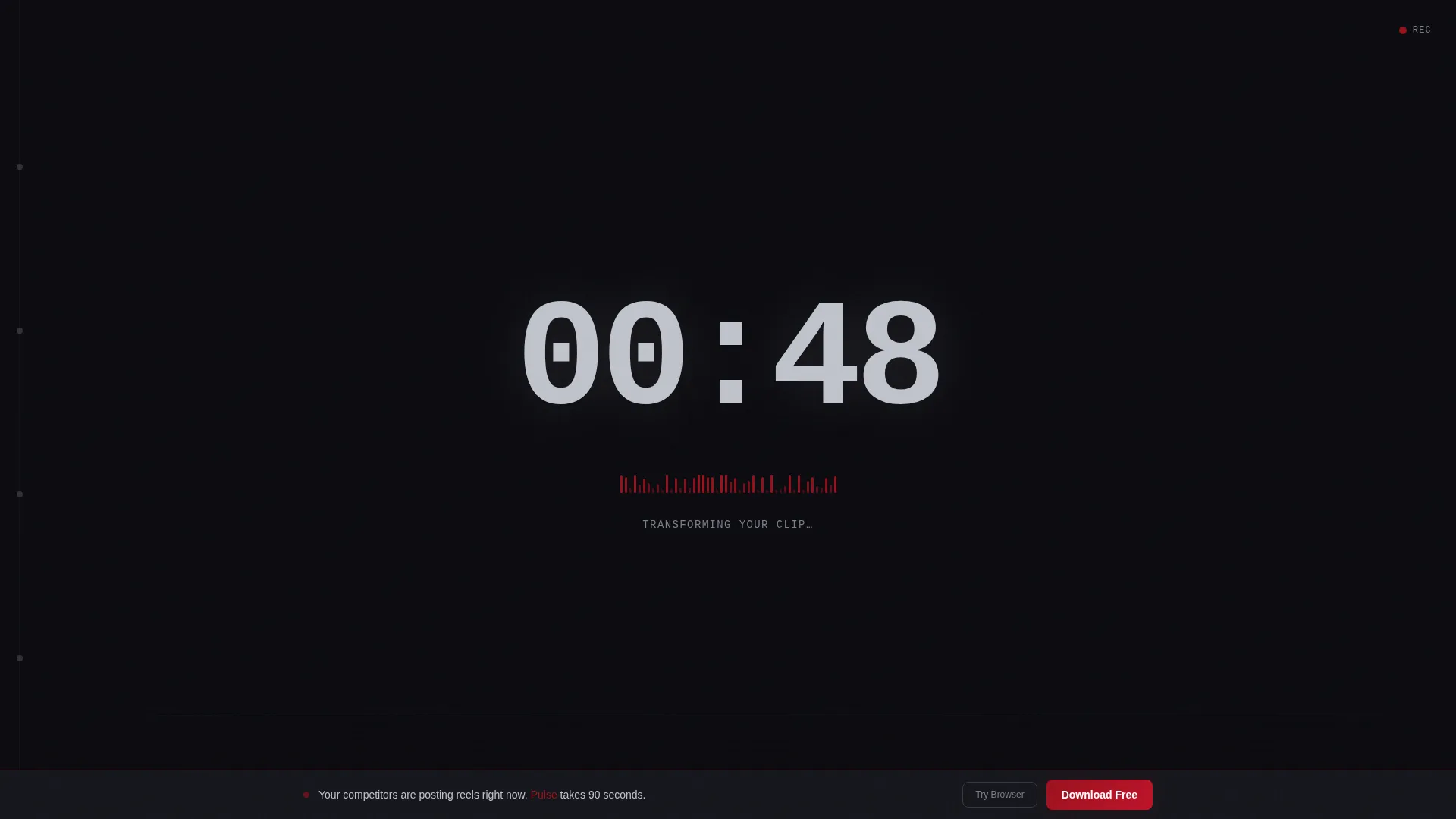
- A full-viewport countdown timer hero that detonates into a finished LinkedIn reel at zero
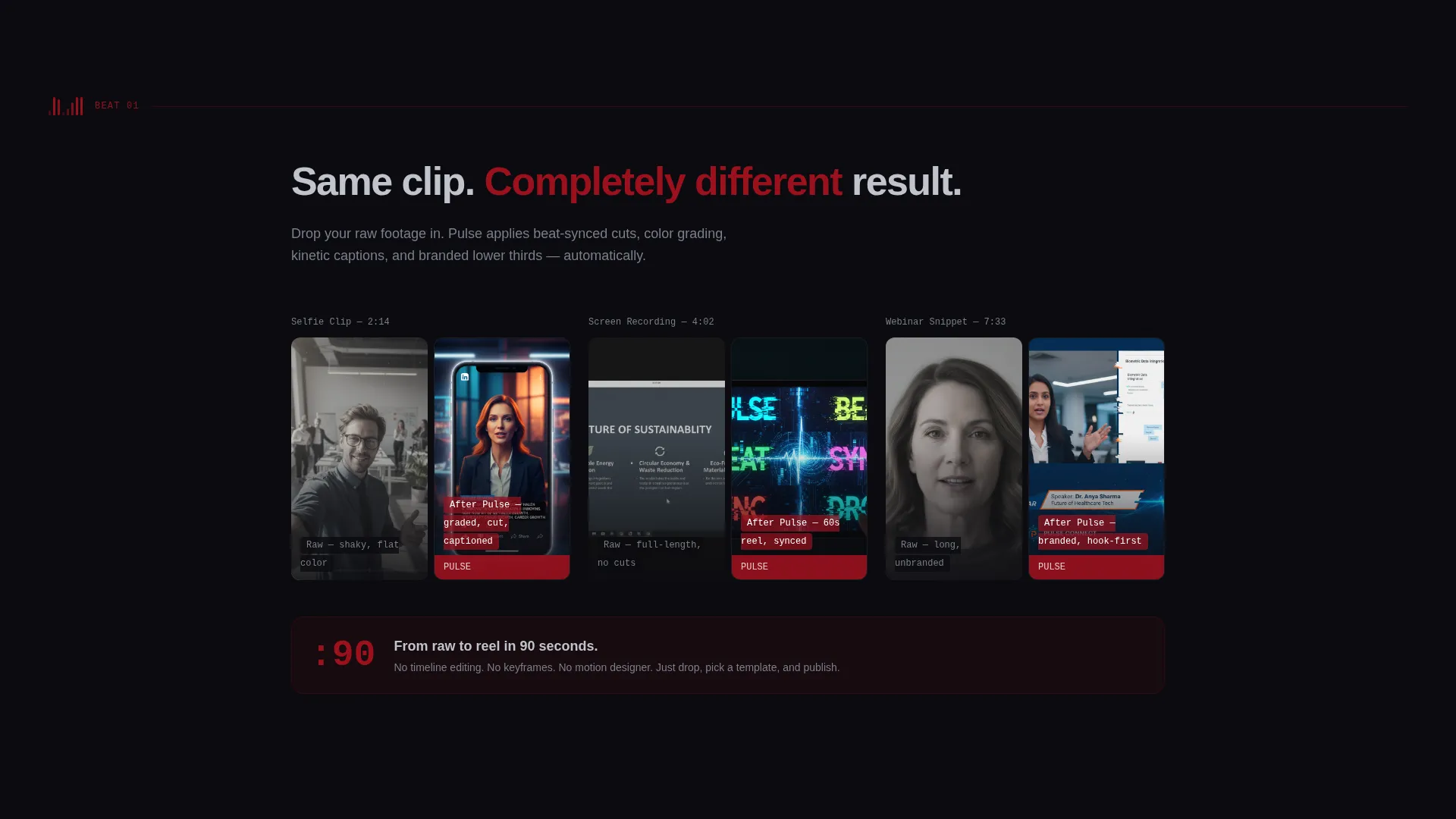
- A scrollable before-and-after sequence showing raw versus processed clips
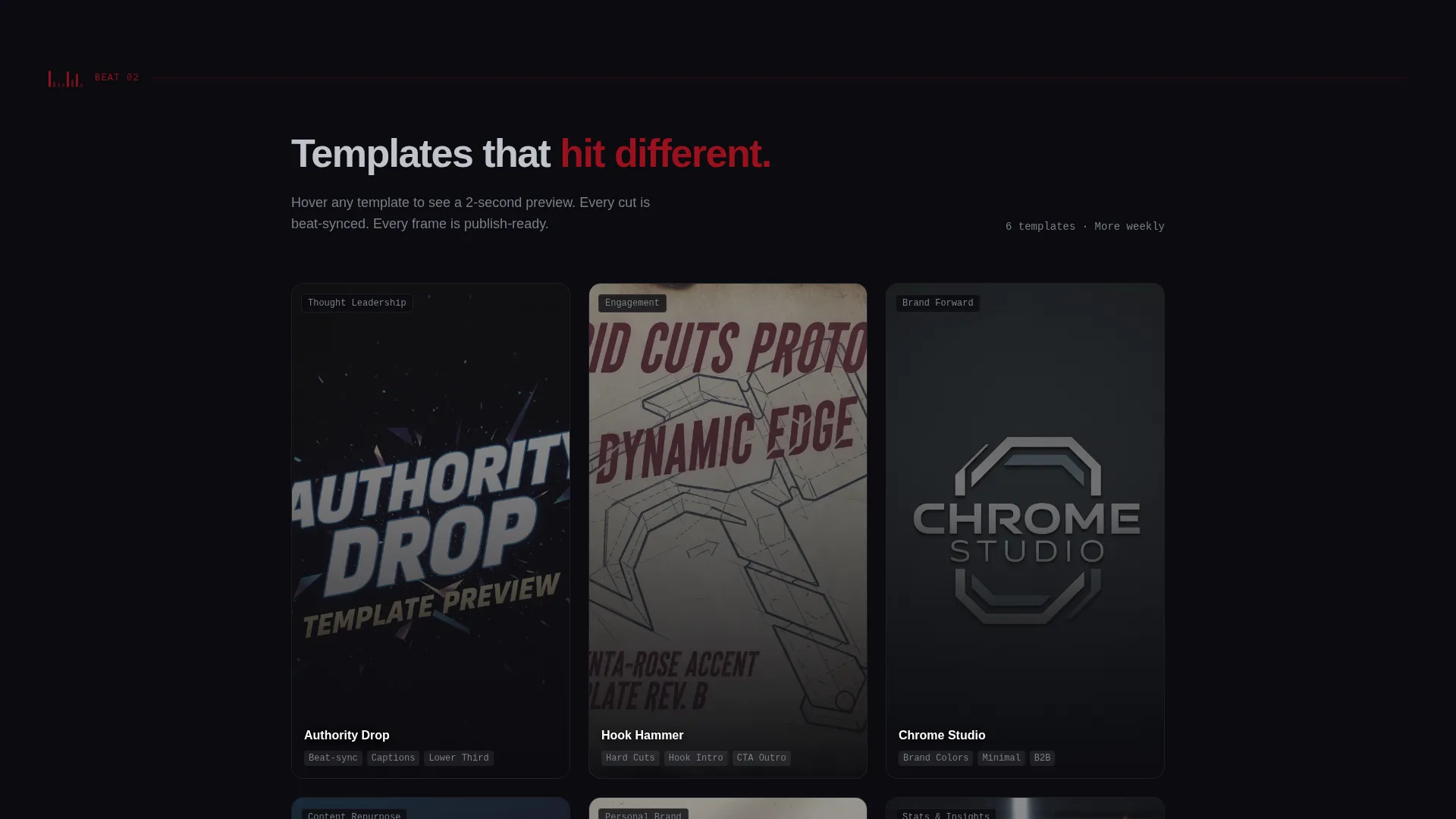
- A template gallery with hover-triggered animated previews and a sticky download call to action
Feature list
This template ships with six purpose-built features grounded in the brief. Each one serves the download-first conversion goal.
Countdown Timer Hero Section
The header fills the full viewport with massive chrome numerals counting down from 00:60 against pure black. A ruby waveform oscillates beneath the numbers like a live audio visualizer. At 00:00, a finished LinkedIn reel plays automatically, proving the ninety-second promise in real time before a single word of copy appears.
Typewriter Tagline Reveal
Once the hero reel finishes, the page tagline types itself out letter by letter: "Sixty seconds. Scroll-proof." The reveal is timed to follow the reel, so the first piece of copy lands with earned context rather than cold assertion.
Before-and-After Clip Sequence
The first two scroll beats show three unedited, shaky selfie clips followed by the same clips after processing, color-graded, beat-cut, and captioned. Visitors see the transformation directly, grounding every downstream claim in visible evidence.
Animated Template Gallery
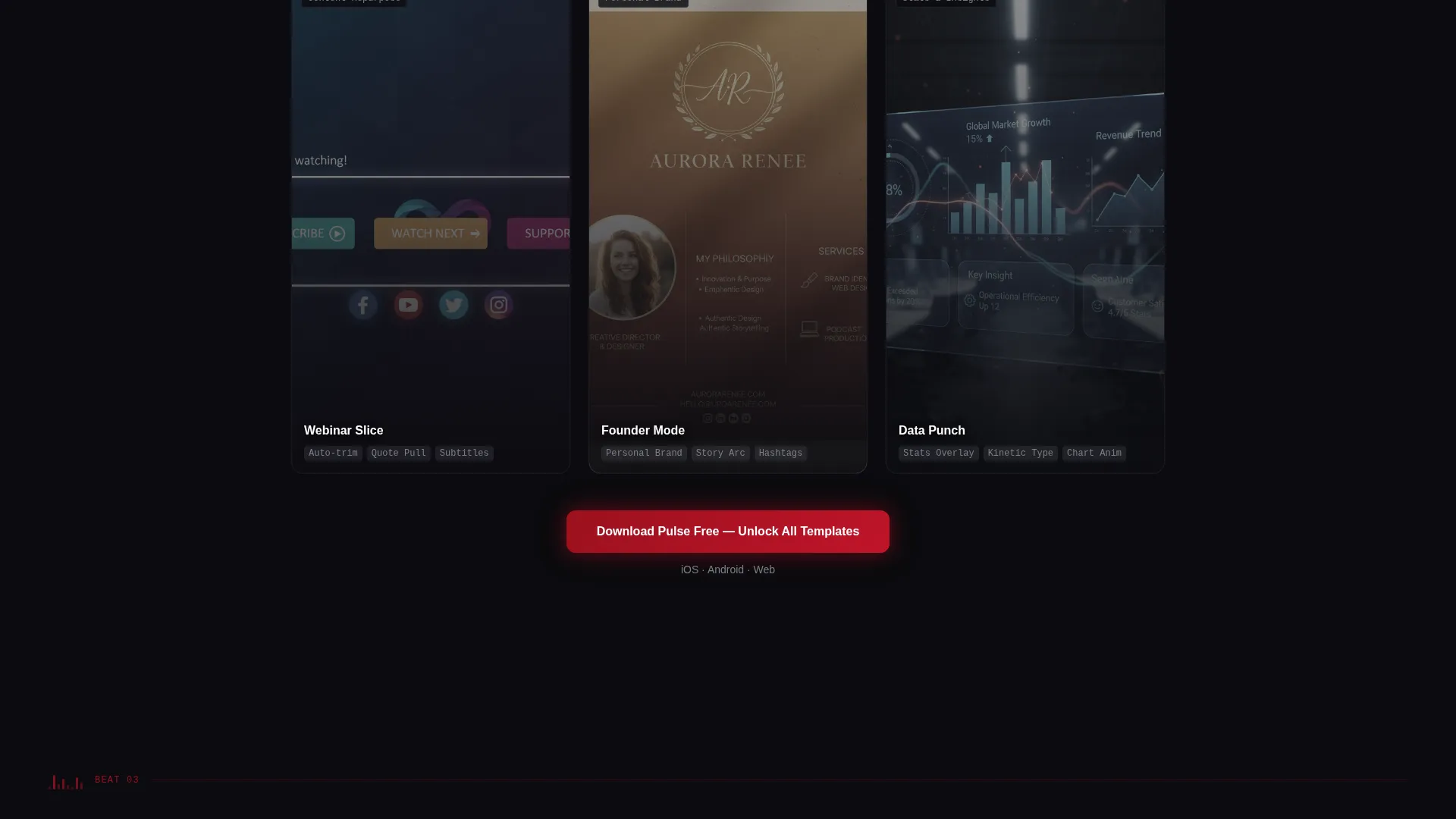
A gallery section lets visitors hover any thumbnail to trigger a two-second animated preview with a faint audio waveform ripple effect. The interaction gives a tactile sense of the tool's output without requiring a download first.
Metric Card Social Proof
Engagement data is presented as flip-style metric cards showing view counts and engagement lifts. The cards animate into place like a BPM counter climbing, reinforcing credibility with motion that matches the page's rhythm theme.
Platform-Detect Download Modal
Tapping the primary call to action triggers a modal that detects the visitor's platform and surfaces the correct iOS or Android badge. Desktop visitors see a QR code. A secondary ghost button offers a watermarked browser demo, giving hesitant users a low-commitment path that still feeds the download funnel.
Page sections overview
| Section | Purpose |
|---|---|
| Countdown Timer Hero | Opens with a live 60-second countdown that detonates into a finished reel |
| Tagline Typewriter | Delivers the brand line after the reel proves the product |
| Raw versus Processed Clips | Shows the before-and-after transformation with real footage |
| Template Gallery | Lets visitors preview animated templates on hover |
| Social Proof Cards | Displays view counts and engagement lifts as animated metric cards |
| Primary Download call to action | Presents the "Download Pulse Free" ruby button with platform modal |
| Sticky Download Bar | Persists the download prompt after the template gallery section |
Design & branding system
The visual identity follows a Dark Immersive theme built on a Ruby and Chrome color system. The palette evokes the inside of a recording studio at midnight, matte dark surfaces, brushed metal accents, and a single red light burning in the corner.
- Deep void black (#0B0B0F) dominates every background surface
- Polished chrome silver (#C0C4CC) carries all body text and user interface borders; molten ruby (#9B111E) marks primary actions and waveform visualizations
- Highlight magenta-rose (#E4467A) fires only on hover and interaction states, like a fader lighting up under your fingertip
Mobile & speed optimization
The page is structured for fast, tap-first interactions on mobile. The platform-detect modal is central to the conversion flow and is designed to serve the right download badge instantly based on the visitor's device.
- The sticky bottom download bar appears after the template gallery, keeping the call to action reachable without scrolling back up
- The QR code path ensures desktop visitors can move to mobile install without friction
- Section transitions use hard cuts rather than slow slides, keeping scroll momentum high on any device
How this template helps you convert
The page is engineered around a proof-first conversion model. It earns the download tap by showing a finished reel before it asks for anything.
- The countdown hero demonstrates the ninety-second promise in real time, removing doubt before copy even loads
- The before-and-after sequence and animated gallery build confidence through direct visual evidence rather than feature lists
- The dual call-to-action structure, glowing ruby button plus sticky bar, keeps the download prompt present at every decision moment without interrupting the scroll experience
Other information about this template
This template sits within the Media and Entertainment category under the LinkedIn Templates subcategory, specifically targeting the LinkedIn reel and short video tool niche. It is built as a hero-dominant layout with a ninety-ten content ratio, meaning the hero section carries the vast majority of persuasive weight before any supporting copy appears.
- The creative direction is Sound and Rhythm: each scroll section lands on a visual beat, mimicking hard video cuts
- A persistent ruby waveform line runs down the left gutter as a vertical timeline, pulsing at every section break
- The template is designed as a single-page, section-led layout, not a multi-page site, and every design decision serves the app download goal
Theme
Dark Immersive
Creative direction
Sound & Rhythm
Color system
Ruby & Chrome
Style
Hero-Dominant (90/10)
Direction
App Download
Page Sections
Countdown Timer Hero with Auto-play Reel
Beat-driven Scroll Transitions
Before-and-after Clip Sequence
Hover-triggered Template Gallery
Flip-style Social Proof Cards
Platform-detect Download Modal
Related questions
What is the Pulse landing page template designed for?
How does the countdown hero section work?
What is the 'Try in Browser' option in the download flow?
Does the template gallery include animated previews?
Who is this landing page template best suited for?