Pump - Reliable Septic Landing Page Template
Pump is a sidebar companion landing page built for Toronto-area septic service providers. It combines a bold typographic headline, a persistent booking sidebar, a scrolling logo authority band, a live service map, and a tank cross-section animation to turn visitor hesitation into scheduled pump-outs. The layout is clinical, fast to scan, and built entirely around one action: booking a service date.
by Rocket studio
Quick summary
Pump is a single-page septic service landing page designed for operators running vacuum trucks across York Region and Simcoe County. It leads with blunt, oversized typography, keeps a booking form visible at all times in a persistent sidebar, and layers in proof through logos, a live job map, and an animated tank cross-section. Every section moves the visitor toward one outcome: a confirmed pump-out booking.
Who this template is for
This template is built for local septic service businesses that cover rural and semi-rural territory north of the Greater Toronto Area. It suits operators who want a professional online presence that earns trust quickly and converts visitors into booked appointments without unnecessary friction.
- Septic contractors serving hobby farmers, cottage owners, and property managers
- Small to mid-size pump-out crews covering York Region and Simcoe County
- Service businesses that need a reliable booking flow without a complex website build
What problem this template solves
Septic service customers arrive with one overriding concern: can I trust this crew to show up on time and do the job without leaving a mess? A generic service page rarely answers that question fast enough. Visitors hesitate, bounce, and call a competitor.
- No immediate proof of coverage area, so visitors cannot confirm the crew serves their postal code
- No visible booking path, forcing visitors to hunt for a phone number or contact form
- No trust signals that match the volume and reliability the business actually delivers
What you get with this template
This template gives you a complete, ready-to-adapt landing page structure with every section already in place. The layout is opinionated and purposeful, meaning you are not starting from a blank canvas.
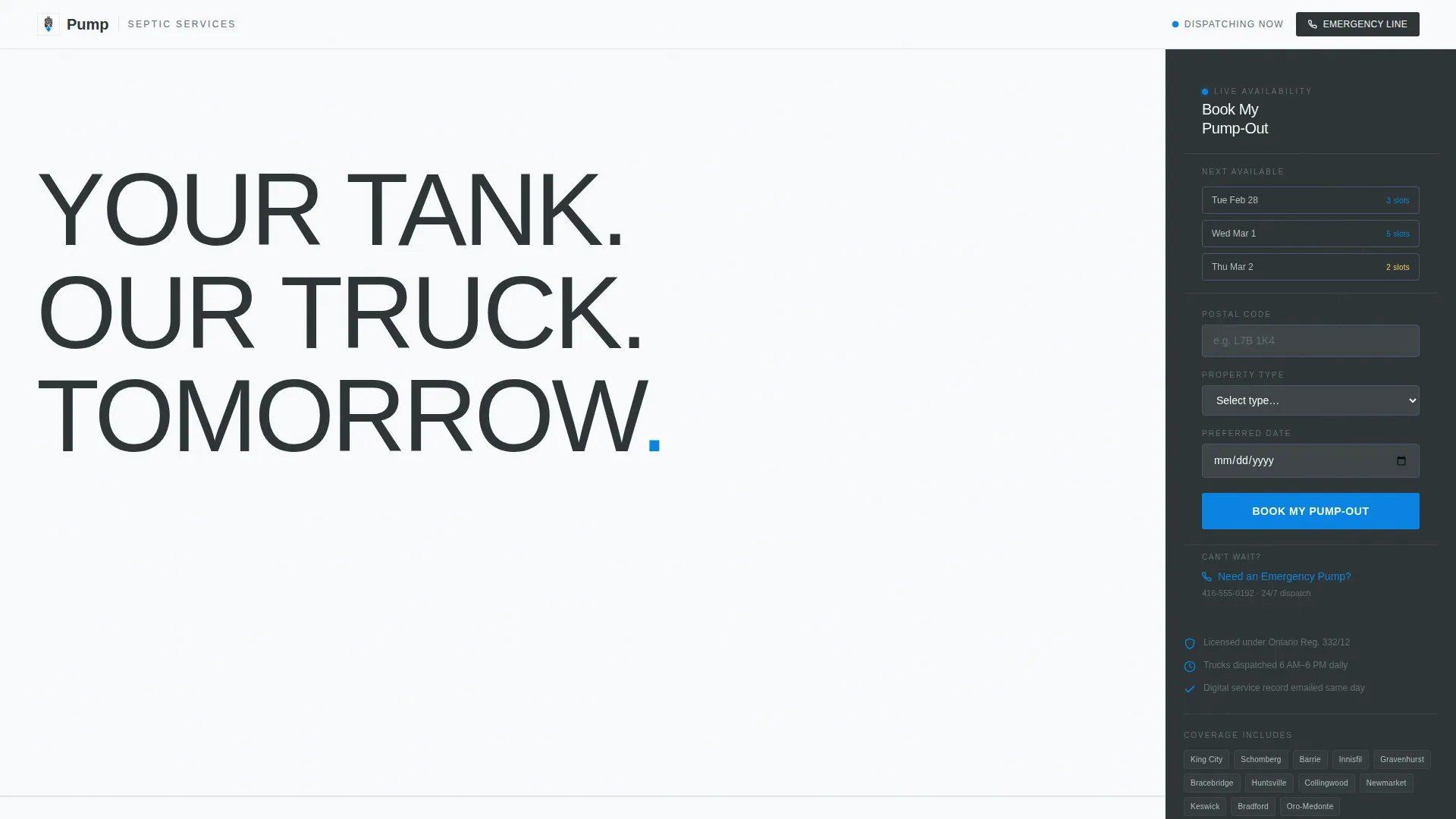
- A persistent sidebar booking module with a postal code field, property type selector, and calendar date picker
- A full scrolling proof sequence: logo authority band, live service map, tank animation, and stacked FAQ
- A clean Arctic White and utility charcoal visual system with emergency blue reserved exclusively for calls to action
Feature list
The template ships with a tightly sequenced set of components, each solving a specific conversion problem for a septic service business.
Giant Typographic Headline Block
The header opens with an oversized, heavily tracked grotesque headline reading "YOUR TANK. OUR TRUCK. TOMORROW." on a white field. No hero image is used. The typography itself communicates blunt reliability before any other content loads, and the period after "TOMORROW" is scaled to command attention at screen size.
Persistent Sidebar Booking Module
The sidebar stays fixed as the visitor scrolls, keeping the booking form in constant view. It contains three fields: a postal code input to confirm service area, a property type selector covering residential, cottage, and commercial, and a calendar picker that displays real available dates highlighted in emergency blue.
Scrolling Logo Authority Band
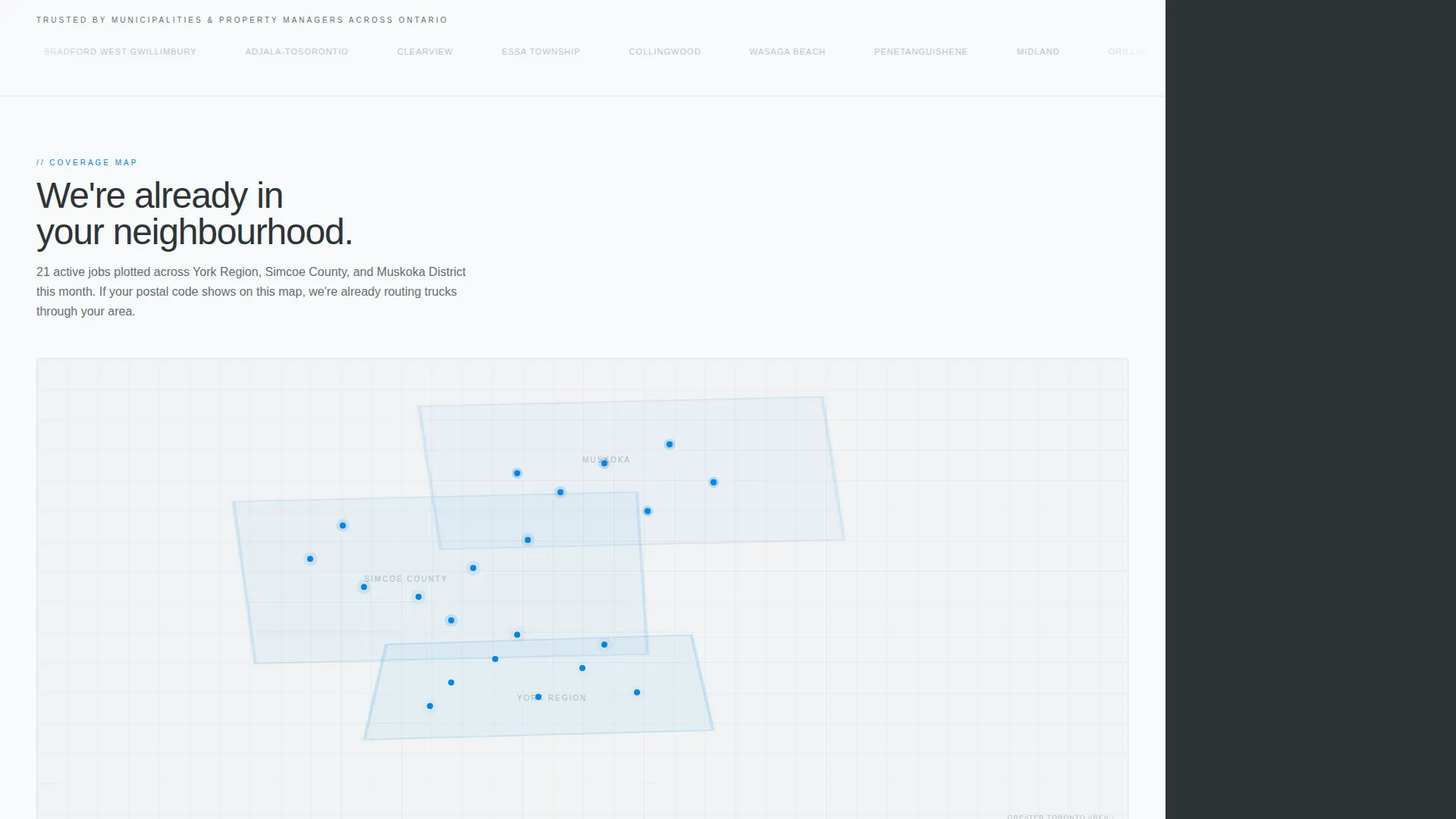
Immediately below the headline, a horizontal band of forty to fifty municipal logos, property management marks, and real estate brokerage crests scrolls continuously in grayscale. The volume of marks communicates established credibility without relying on written testimonials.
Live Service Map Section
A map section shows completed jobs across York Region and Simcoe County for the current month. When a visitor's postal code matches the coverage area as they scroll, the sidebar booking form feels like the natural next step rather than a risk.
Tank Cross-Section Animation
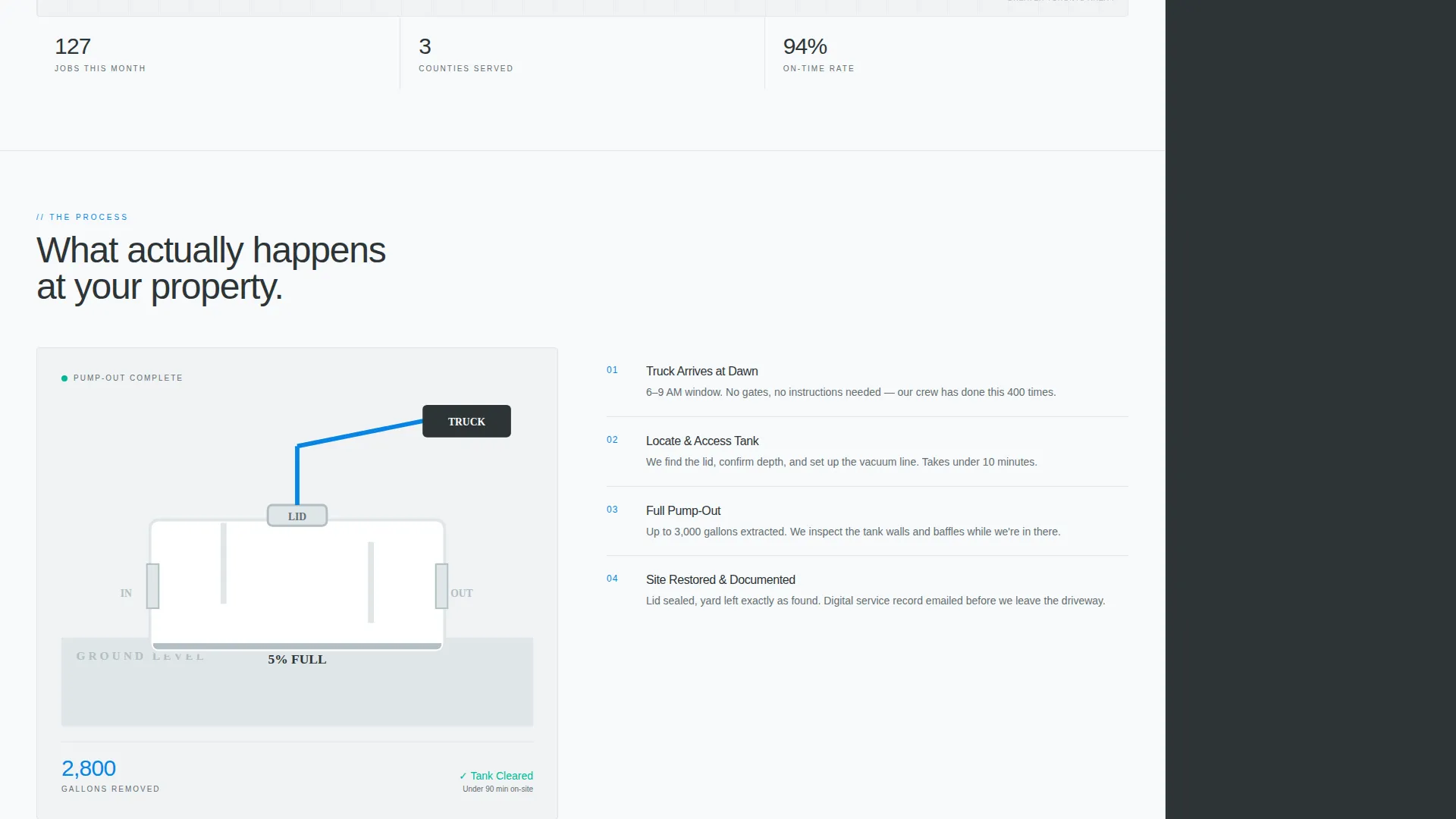
An animated cross-section of a septic tank plays as the visitor scrolls past this section. Gallon counters tick in real time alongside the animation, giving a clear and visual explanation of what the pump-out process actually involves.
Stacked FAQ Section
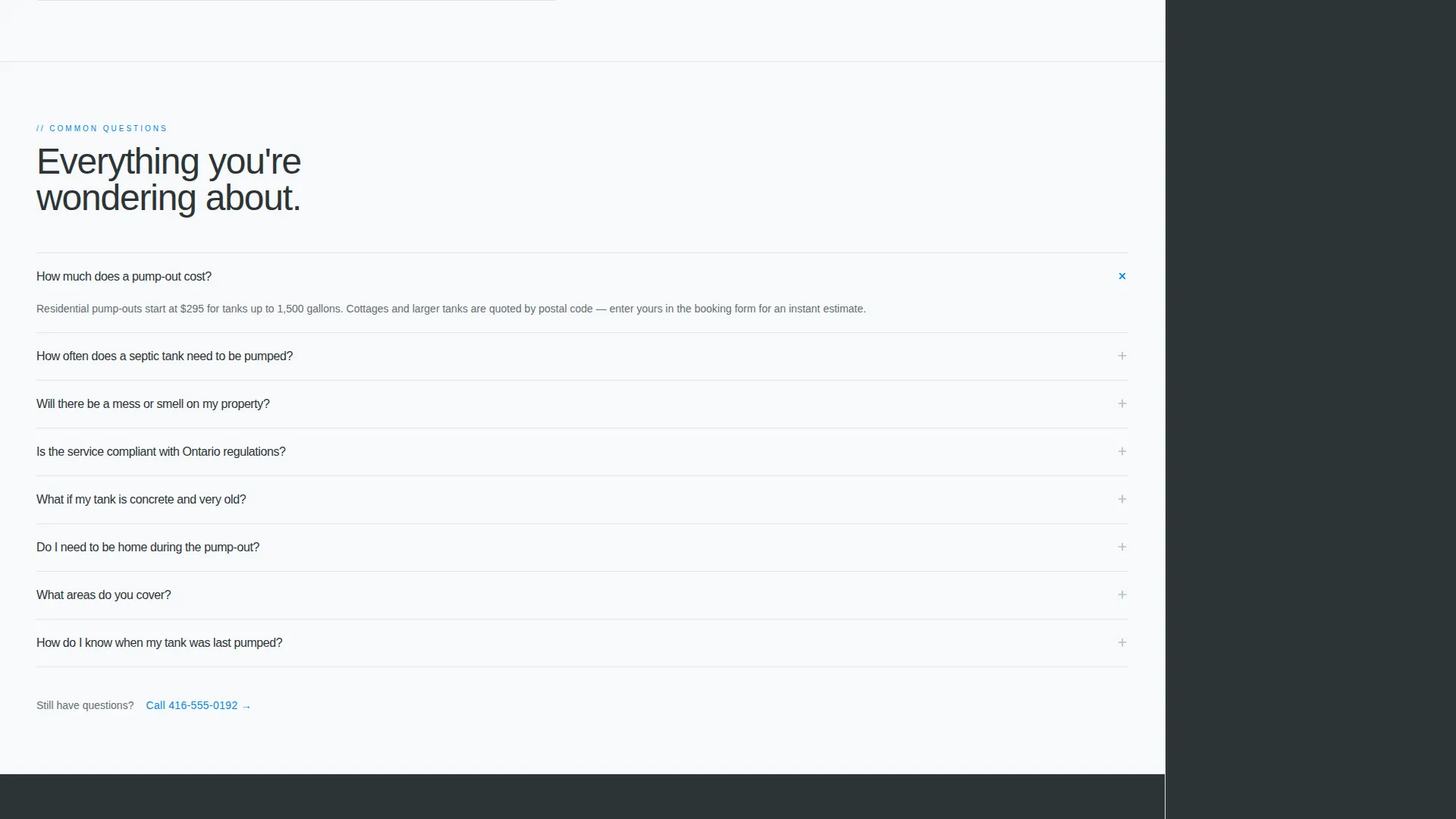
A structured FAQ block addresses the hesitations most likely to stall a booking decision. Each question gets a two-sentence answer covering cost, mess expectations, pumping frequency, and local regulations, keeping the visitor informed without overwhelming them.
Page sections overview
| Section | Purpose |
|---|---|
| Headline header block | Opens with bold typographic statement and sets tone |
| Logo authority band | Scrolling grayscale marks build volume credibility |
| Live service map | Shows completed jobs and confirms coverage area |
| Tank animation section | Visualises the pump-out process with counters |
| Stacked FAQ block | Addresses cost, frequency, mess, and regulations |
| Persistent booking sidebar | Keeps the three-field form visible at all times |
| Emergency pump link | Secondary path to a direct-dial number for urgent jobs |
Design & branding system
The visual identity follows a Service Utility direction built entirely around competence and clarity. Every color choice reinforces the idea of infrastructure that works without drama.
- Arctic White (#F8FAFB) across the main content field, utility charcoal (#2D3436) for body text and the persistent sidebar, and frozen pipe gray (#DFE6E9) on section dividers and form backgrounds
- Emergency blue (#0984E3) used exclusively for calls to action and active states, so the eye is always drawn to the next booking step
- Heavy grotesque typography at large scale in the header, with no decorative elements, no warm tones, and no imagery competing with the message
Mobile & speed optimization
The sidebar companion layout is structured so the booking module stacks below the main content on smaller screens, keeping the form accessible without blocking the proof sequence. The template avoids heavy media formats in favor of typography-led sections.
- No hero image means the largest above-the-fold element is text, which loads immediately on any connection
- The animation and map sections are positioned mid-page, giving the core booking interface time to render first
- The fixed sidebar collapses into an inline form on mobile so visitors can still complete a booking without switching views
How this template helps you convert
Every design and layout decision in this template points toward a single outcome: a visitor entering their postal code and selecting a service date.
- The postal code field at the top of the booking form connects directly to the live service map further down the page, so confirming coverage area and starting a booking happen in the same motion.
- The persistent sidebar means the booking form is never more than a glance away, regardless of how far the visitor scrolls through the proof sections.
- The emergency pump secondary path gives urgent visitors an instant exit to a direct-dial number, capturing time-sensitive jobs that would otherwise leave the page to search for a phone number.
Other information about this template
This template is categorised under Professional Services and Toronto Local Services. It is designed as a sidebar companion landing page, meaning the layout divides into a scrolling main column and a fixed right-hand panel.
- The template style follows a Sidebar Companion structure, keeping the booking module always on screen as the visitor moves through the proof sequence
- The creative direction draws from a Stats-First Impact approach, leading with tangible proof such as job counts, service map coverage, and logo volume before asking for a commitment
- The header concept uses a light, high-contrast field rather than a dark full-bleed treatment, making the typographic headline the dominant visual element
- This template is well suited to septic pump-out services, drain and tank maintenance operators, and related utility service businesses operating in the Greater Toronto Area and surrounding counties
Theme
Editorial Magazine
Creative direction
Stats-First Impact
Color system
Navy Authority
Style
Sidebar Companion
Direction
Content/Resource
Page Sections
Persistent Sidebar Booking Module
Giant Typographic Headline Block
Scrolling Logo Authority Band
Live Service Map Section
Animated Tank Cross-section
Stacked FAQ Block
Related questions
Can I edit the service map to show my own coverage area?
Does the booking form connect to a live calendar?
Can I change the property type options in the booking form?
Is the scrolling logo band suitable for my own client logos?
What is the emergency pump link in the sidebar?



