Transparent Septic | Free Website Template | Rocket
Pump is a single-column editorial landing page built for Amsterdam septic service providers. It opens with a homeowner testimonial, walks visitors through a transparent six-step service process, and closes with two conversion paths: a gated Homeowner's Septic Guide and an inline tank-schedule calculator. The design uses a Slate and Sky color system for a clean, authoritative feel.
by Rocket studio
Quick summary
Pump is a single-column editorial landing page designed for Amsterdam septic service providers. It leads with a real homeowner quote, walks visitors through a clear six-step process, and offers two ways to convert: a downloadable guide gated by email and zip code, and an inline calculator that recommends a service window based on household size and last pump date.
Who this template is for
This template is built for septic service businesses in the Amsterdam area that want to attract clients through education rather than urgency. It suits providers who serve a mix of residential and property-management clients.
- Rural homeowners on well water who need routine tank pumping
- Property managers juggling inspection deadlines on aging rental properties
- Real estate agents who require a pumping certificate before a property closes
What problem this template solves
Most septic service pages either show a truck photo and a phone number, or they bury the visitor in technical jargon. Neither builds the kind of trust that turns a nervous first-time caller into a booked appointment.
- Homeowners avoid scheduling because they do not know what to expect during a service call
- Property managers need clear proof of process to satisfy inspection and closing requirements
- Service providers lose leads because their pages never demonstrate expertise before asking for contact details
What you get with this template
This template gives you a structured, editorial-style landing page that teaches visitors what they need to know while moving them toward a booking. Every section earns the next scroll.
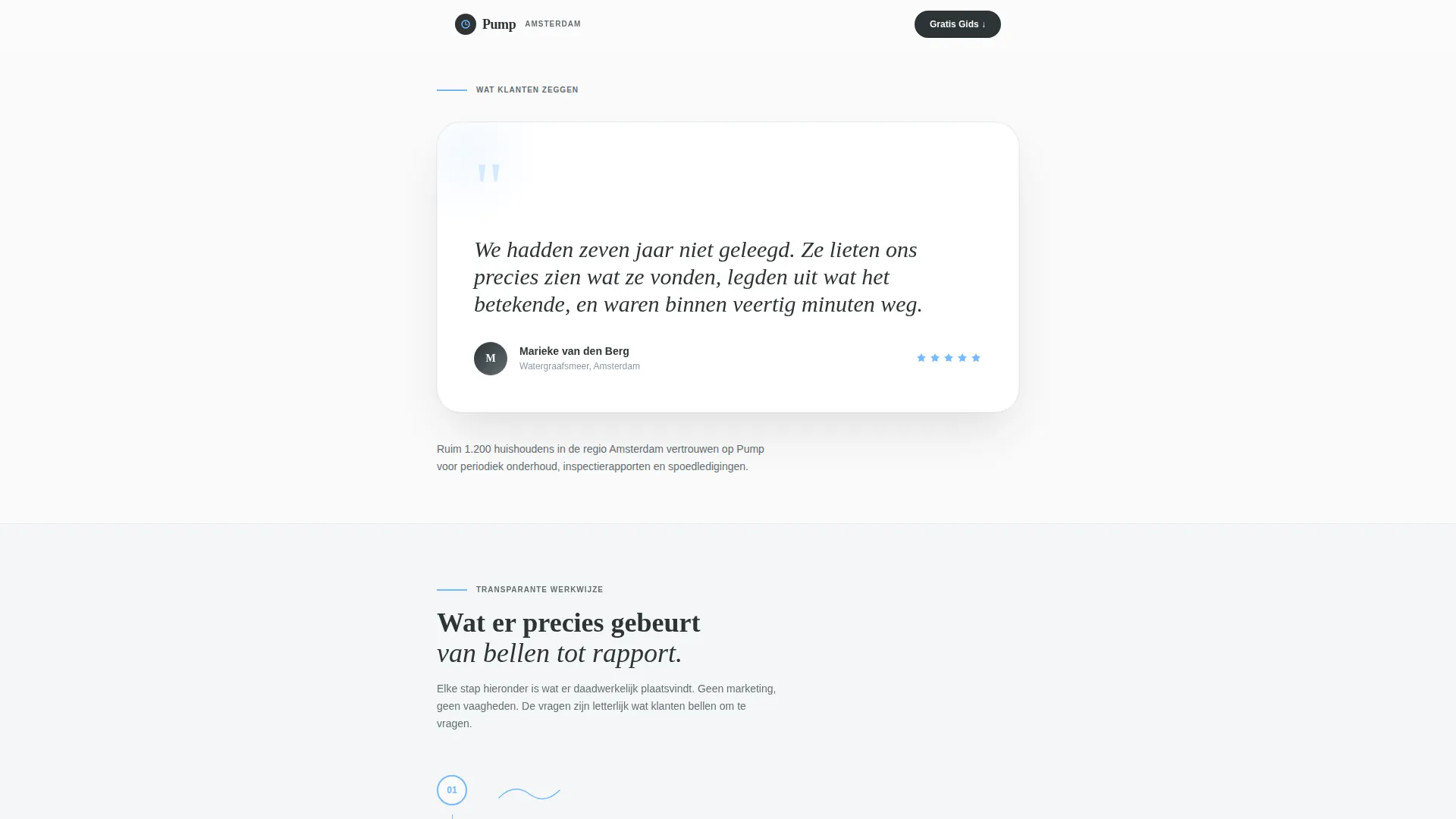
- A testimonial card header with a named homeowner quote, portrait circle, and five-star rating row
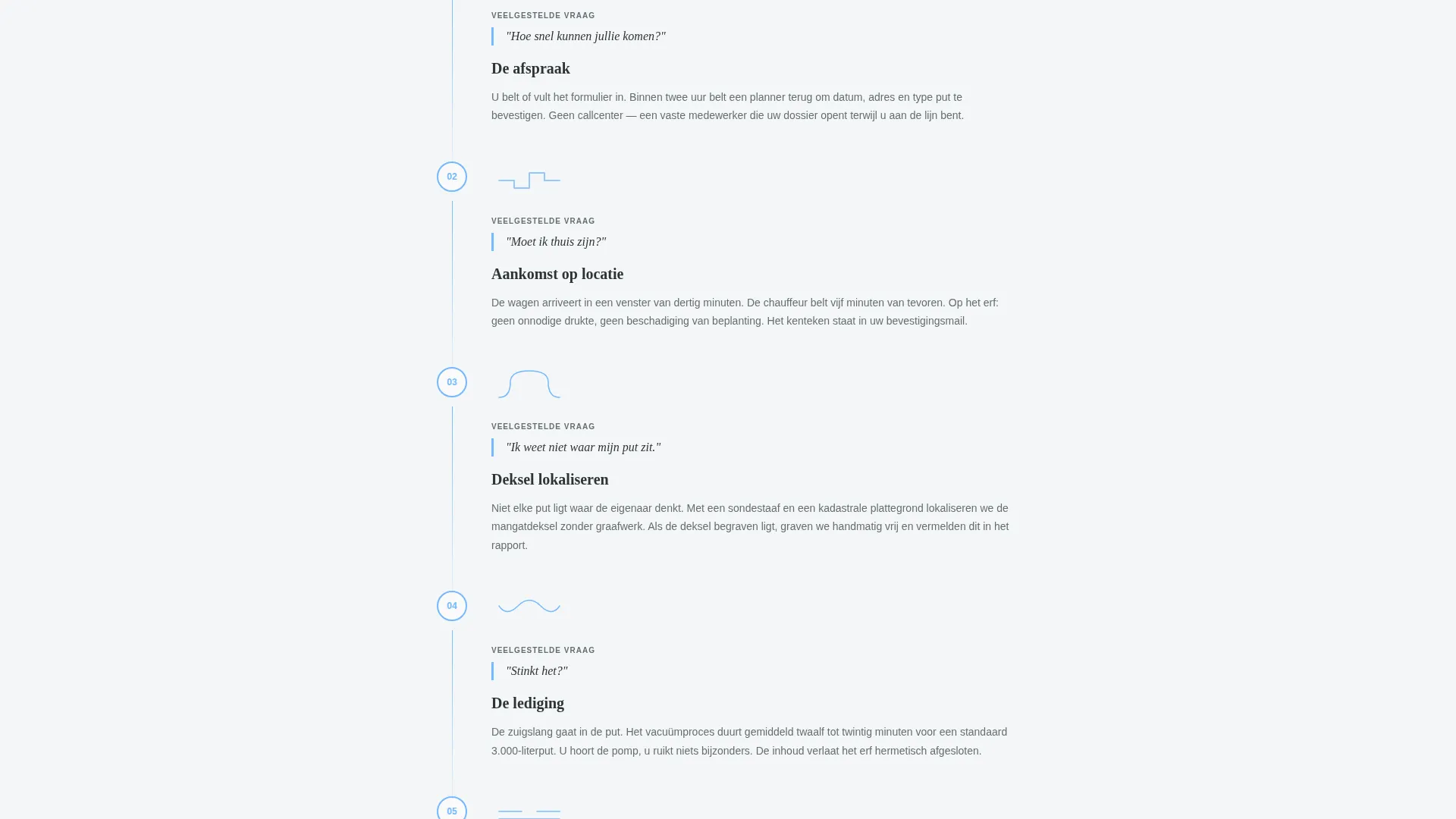
- A numbered six-step editorial walkthrough with corresponding line illustrations for each service stage
- A gated guide download form with an email field and a zip code dropdown segmented by service area
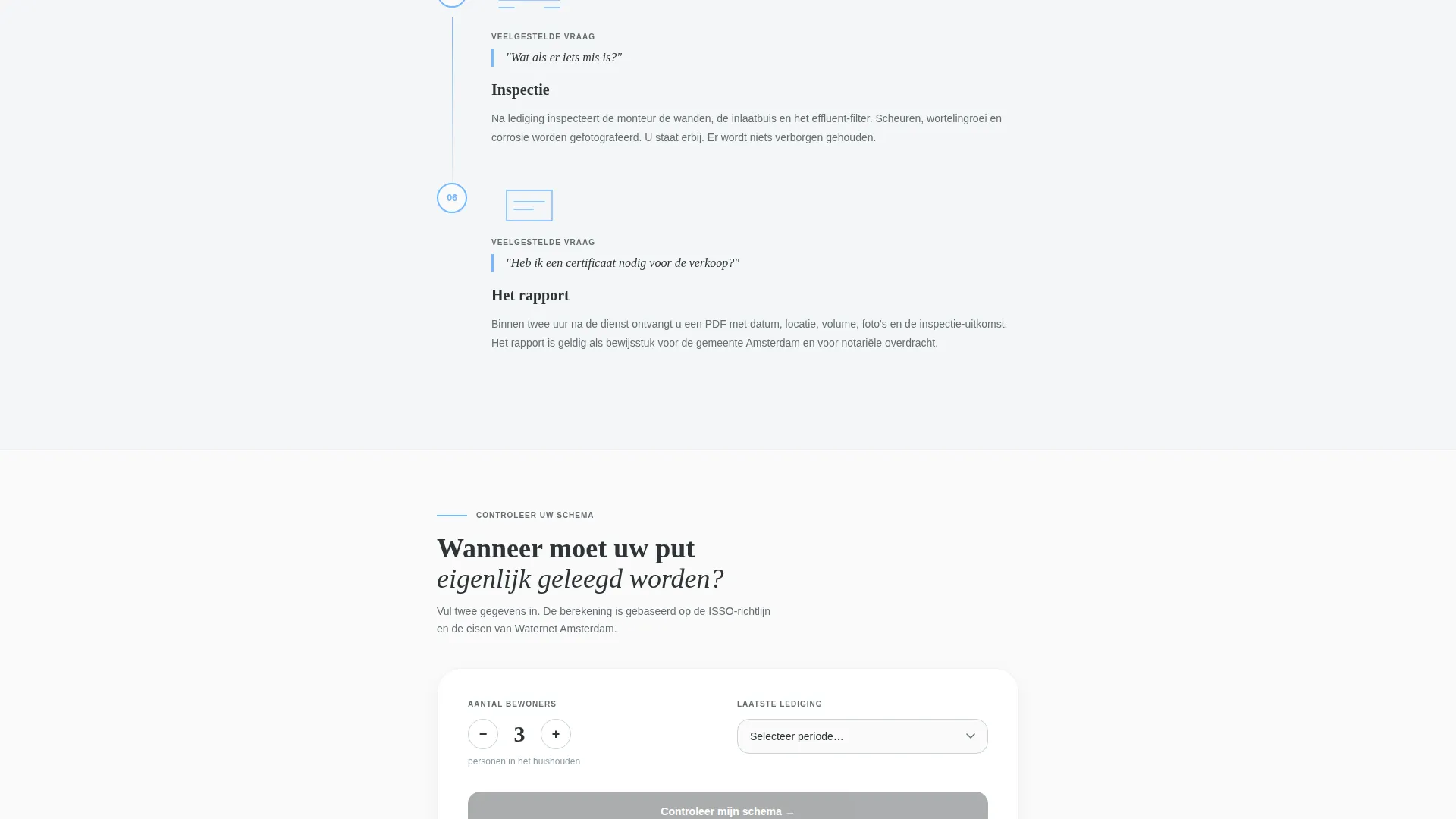
- An inline tank-schedule calculator that accepts household size and last pump date to output a recommended service window
Feature list
A paragraph introducing the feature blocks: This template is built around five practical capabilities that reflect exactly what the brief describes. Each one serves a specific role in the page flow.
Testimonial Card Header
The page opens with a single oversized quote card on a white background. The quote is typeset in editorial serif, attributed to a homeowner by first name and neighborhood. A small portrait circle and a five-star row in sky blue sit directly below the quote. There is no stock photography or truck hero shot.
Six-Step Process Walkthrough
A numbered editorial sequence covers the full service call from scheduling through final inspection. Each step is a single-column text block paired with a corresponding line illustration. The tone is calm and journalistic, answering questions a homeowner might feel embarrassed to ask.
Gated Guide Download
The primary conversion point is a downloadable Homeowner's Septic Guide. Visitors unlock it by entering a single email address and selecting their service area from a zip code dropdown. The gate works because earlier page sections have already demonstrated expertise.
Inline Tank-Schedule Calculator
A mid-page interactive calculator lets visitors enter their household size and the date of their last pump. The tool returns a recommended service window. It converts idle curiosity into a concrete booking path without applying sales pressure.
Editorial Magazine Layout
The entire page uses a single-column flow with an Editorial Magazine theme. Slate anchors headlines and section dividers. Sky blue marks clickable elements and pull-quote accents. Warm concrete gray holds supporting text blocks. Crisp paper white provides breathing room between sections.
Page sections overview
| Section | Purpose |
|---|---|
| Testimonial Card Header | Opens with a trusted homeowner voice and five-star credibility signal |
| Step-by-Step Walkthrough | Educates visitors on the full service process using numbered blocks and illustrations |
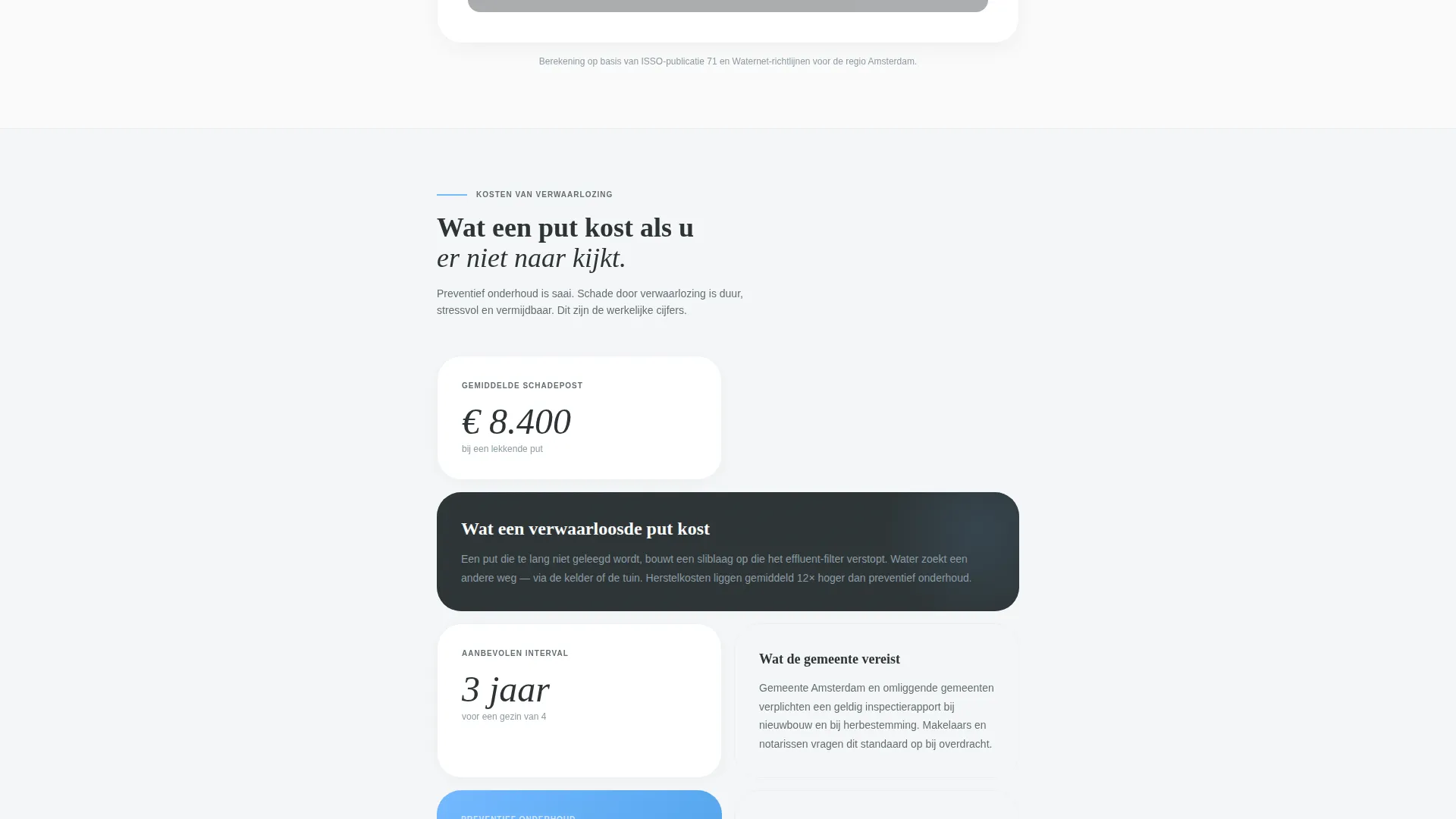
| Stakes and Education | Explains the cost of neglect, what system failure looks like, and county requirements |
| Tank Schedule Calculator | Lets visitors calculate their recommended service window inline |
| Guide Download Gate | Captures email and zip code in exchange for the Homeowner's Septic Guide |
Design & branding system
The Slate and Sky color system gives this template the look of a well-printed infrastructure report. It reads as authoritative without feeling cold, and technical without feeling clinical.
- Deep charcoal slate (#2D3436) anchors headlines and section dividers throughout the page
- Clean open-sky blue (#74B9FF) marks every clickable element, pull-quote accent, and the five-star rating row
- Warm concrete gray (#DFE6E9) holds supporting text blocks, and crisp paper white (#FAFAFA) provides visual breathing room between sections
Mobile & speed optimization
The single-column layout adapts naturally to smaller screens. There are no multi-column grid breakpoints to manage, and the editorial flow reads well on both desktop and mobile viewports.
- Line illustrations and text blocks stack cleanly in a single column on narrow screens
- The zip code dropdown and email field in the guide gate are sized for easy tap interaction on mobile devices
How this template helps you convert
The page builds trust through education first and only asks for contact details once the visitor already values the content.
- The testimonial card establishes a human, credible first impression before any service claim is made, reducing the instinct to bounce.
- The six-step walkthrough removes uncertainty about the service call, making it easier for hesitant homeowners to commit to booking.
- The tank-schedule calculator creates a personalized moment mid-page, turning a passive reader into someone who has already thought about their own system and is closer to acting.
Other information about this template
This template is a strong fit for any Amsterdam-area septic service that wants to compete on transparency and expertise rather than on price alone. It is well suited to a content and resource destination strategy where the page earns leads before requesting them.
- The template style is Single Column Flow, which keeps the reading experience uninterrupted from header to conversion point
- The Creative Direction is Transparent Process, meaning every design and copy decision is oriented around showing the visitor exactly what happens and why it matters
- The Editorial Magazine theme and Slate and Sky color system are consistent across all sections, giving the page a cohesive and professional print-like finish
- The page is categorized under Professional Services within Amsterdam Local Services, making it relevant for local service area targeting
Theme
Editorial Magazine
Creative direction
Transparent Process
Color system
Slate & Sky
Style
Single Column Flow
Direction
Content/Resource
Page Sections
Testimonial Card Header
Six-step Service Walkthrough
Gated Guide Download Form
Inline Tank-schedule Calculator
Editorial Magazine Layout
Related questions
Who is this landing page template designed for?
What are the two conversion points on this page?
Can I update the testimonial and homeowner details to match my own clients?
Does the template include the line illustrations?
Is this template suitable for property managers as well as individual homeowners?



