New Construction Home Inspector Landing Page
Punchlist is a dark-themed, gallery-driven landing page built for new construction home inspectors. It pairs flash-lit deficiency photography with annotated case study sections, a commanding address input header, and a brass-accented call to action. The layout guides first-time buyers, custom-build owners, and real estate attorneys toward booking an inspection before closing.
by Rocket studio
Quick summary
Punchlist is a single-page inspection landing page that leads with authority. A full-bleed aerial header, case study narrative scroll sections, and a fixed booking bar work together to make the cost of skipping an inspection feel real. The design speaks the language of precision: clinical photography, numbered deficiency annotations, and a clear path to the scheduling calendar.
Who this template is for
This template is built for new construction home inspectors who serve buyers at the finish line. It communicates credibility to clients who have a lot riding on their purchase and need to trust the professional they are hiring.
- First-time buyers closing on production homes in master-planned communities
- Custom-build owners who want an independent review before final walkthrough
- Real estate attorneys who require phase inspection reports for arbitration
What problem this template solves
Most home inspector websites look generic. They list services, post a phone number, and leave the visitor unconvinced. This template solves a specific trust gap: buyers do not know what an inspector actually catches until they see it.
- Visitors leave without booking because no concrete evidence of value is shown
- The severity of common new construction defects is invisible without visual proof
- Competing inspectors offer no clear differentiation for high-stakes buyers
What you get with this template
You get a fully structured, single-scroll landing page designed around the inspection case study narrative. Every section is a deliberate argument for booking before closing day.
- A commanding address input header with a brass-toned call-to-action button
- Three escalating case study sections, each with a deficiency photo gallery, annotation detail panel, and resolution line
- A fixed bottom booking bar that resurfaces after every case study section
Feature list
This template combines visual storytelling with a direct conversion path. Each component below is grounded in the source brief and reflects what the layout actually delivers.
Address Input Header
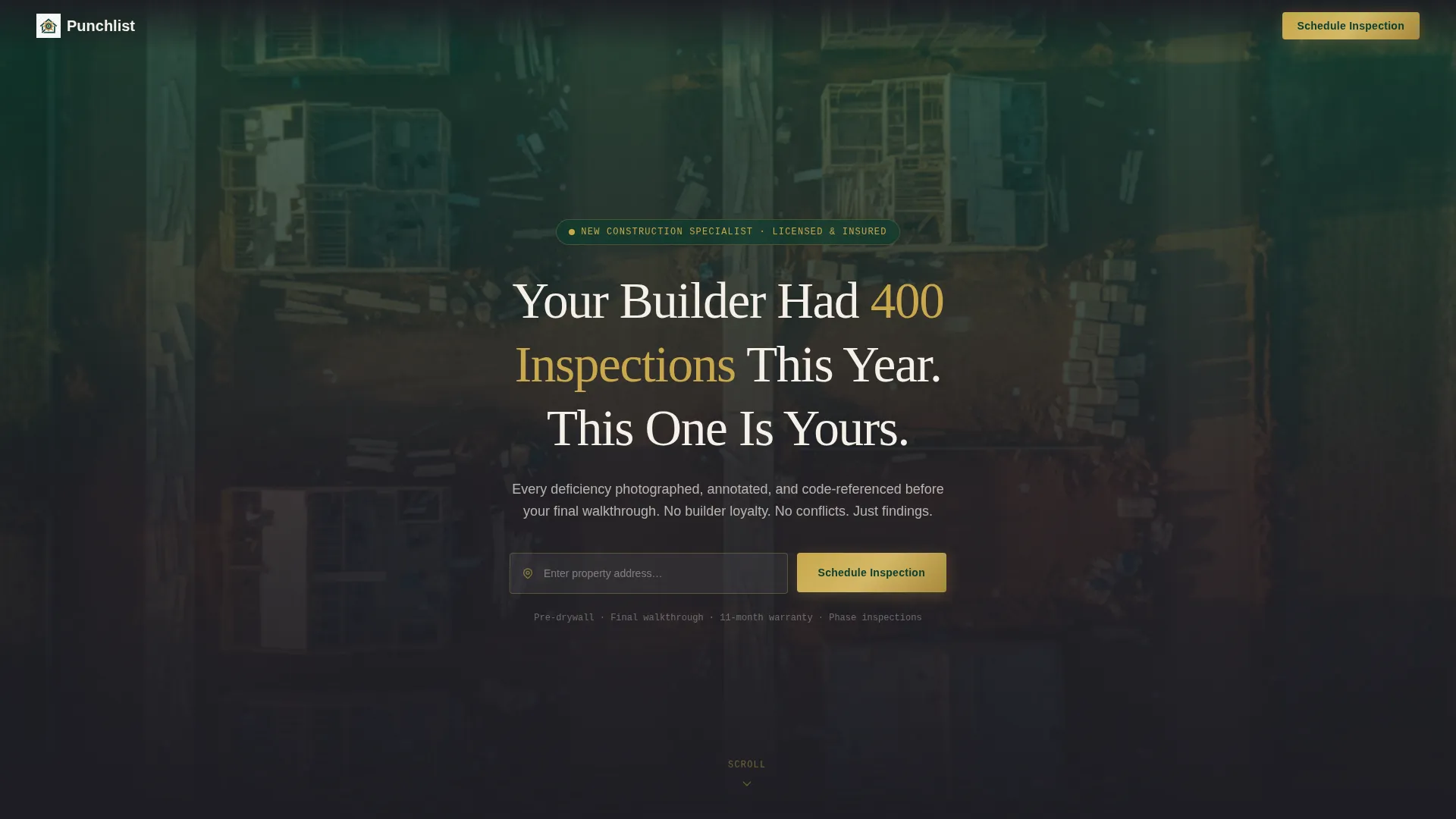
The header centers a clean property address field over a softly blurred aerial photograph of a half-framed subdivision at golden hour. The headline reads "Your Builder Had 400 Inspections This Year. This One Is Yours." A brass-toned button sits beside the input field. The composition is intentionally sparse so the single action stands out.
Escalating Case Study Sections
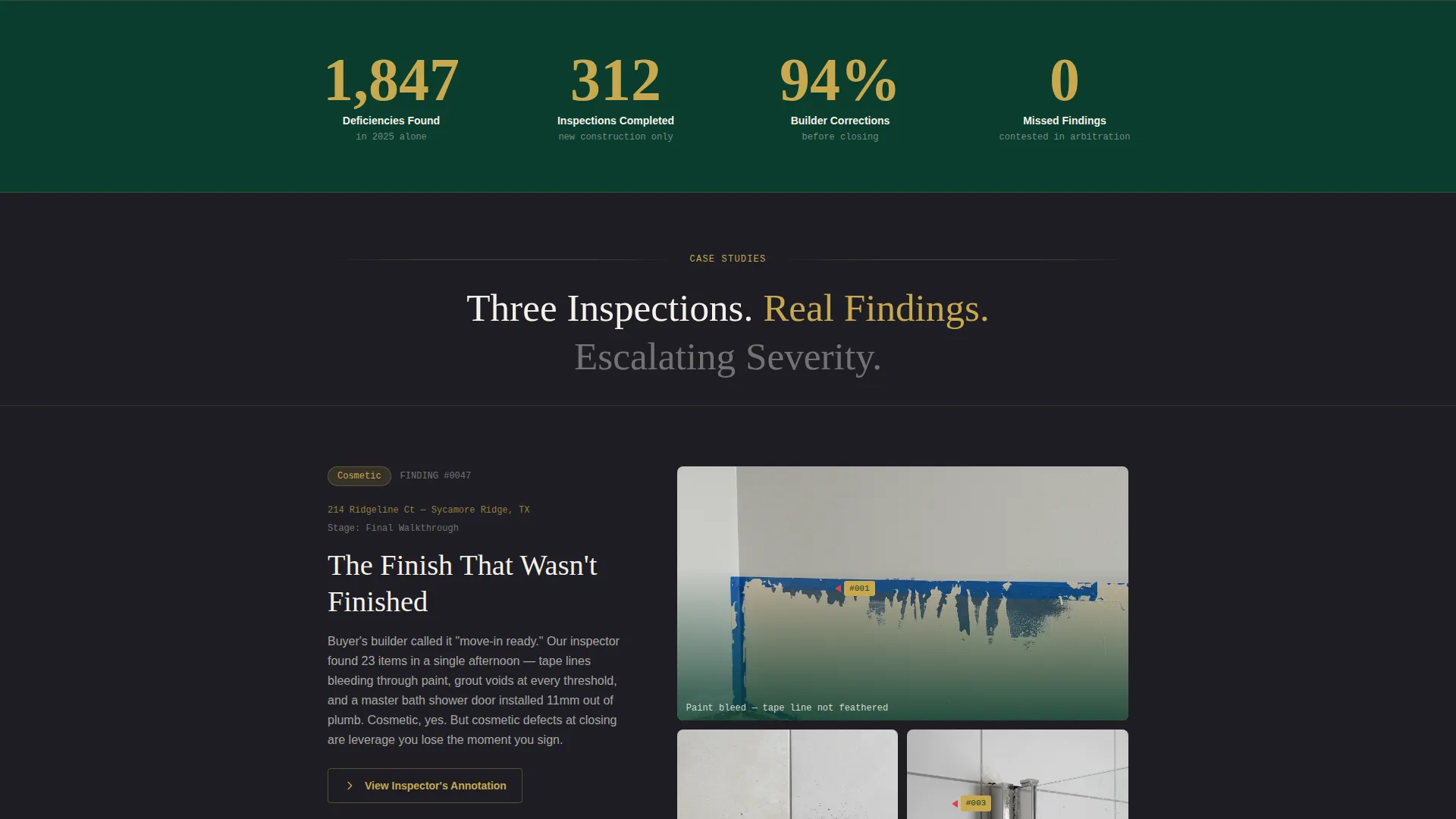
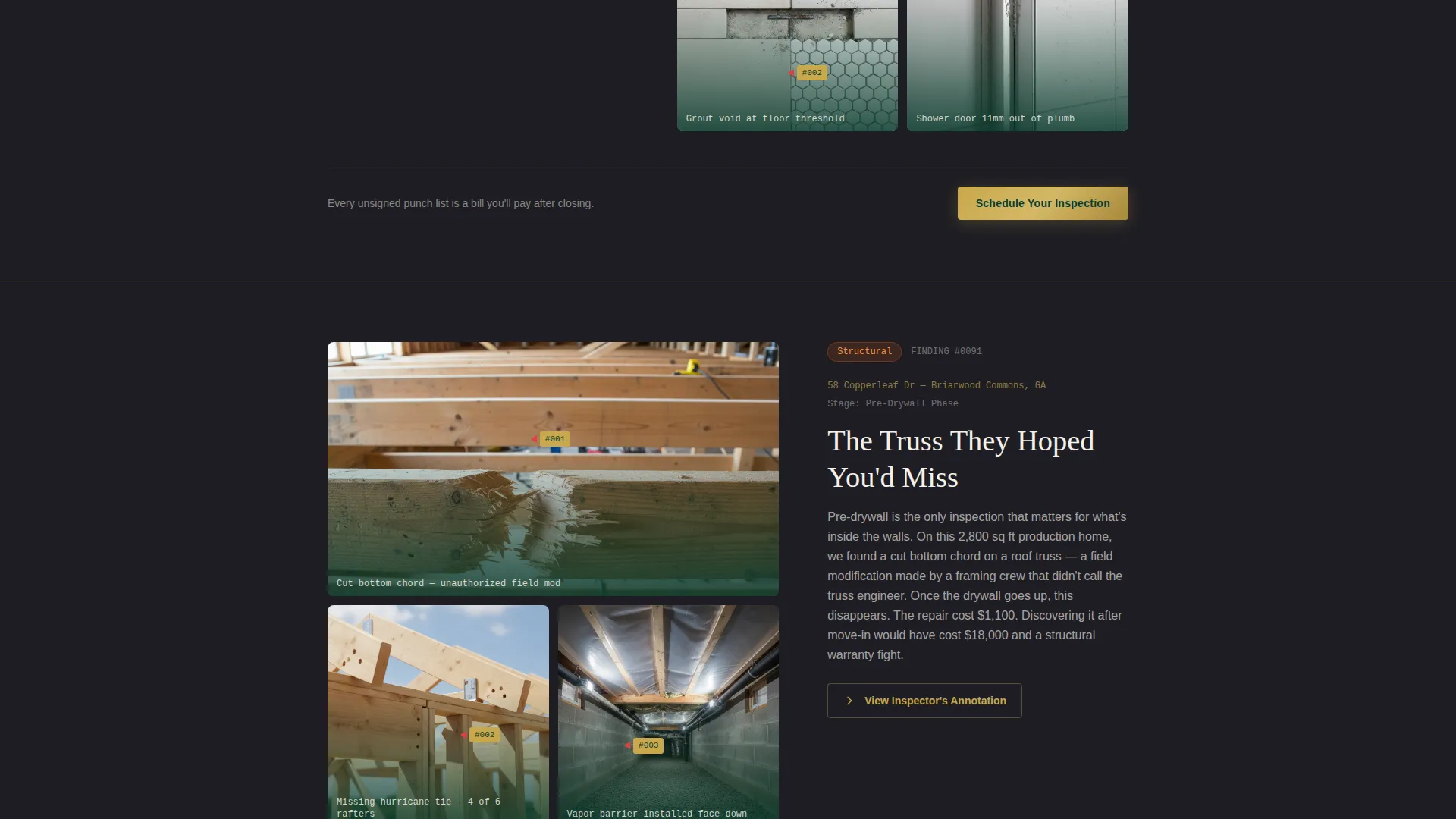
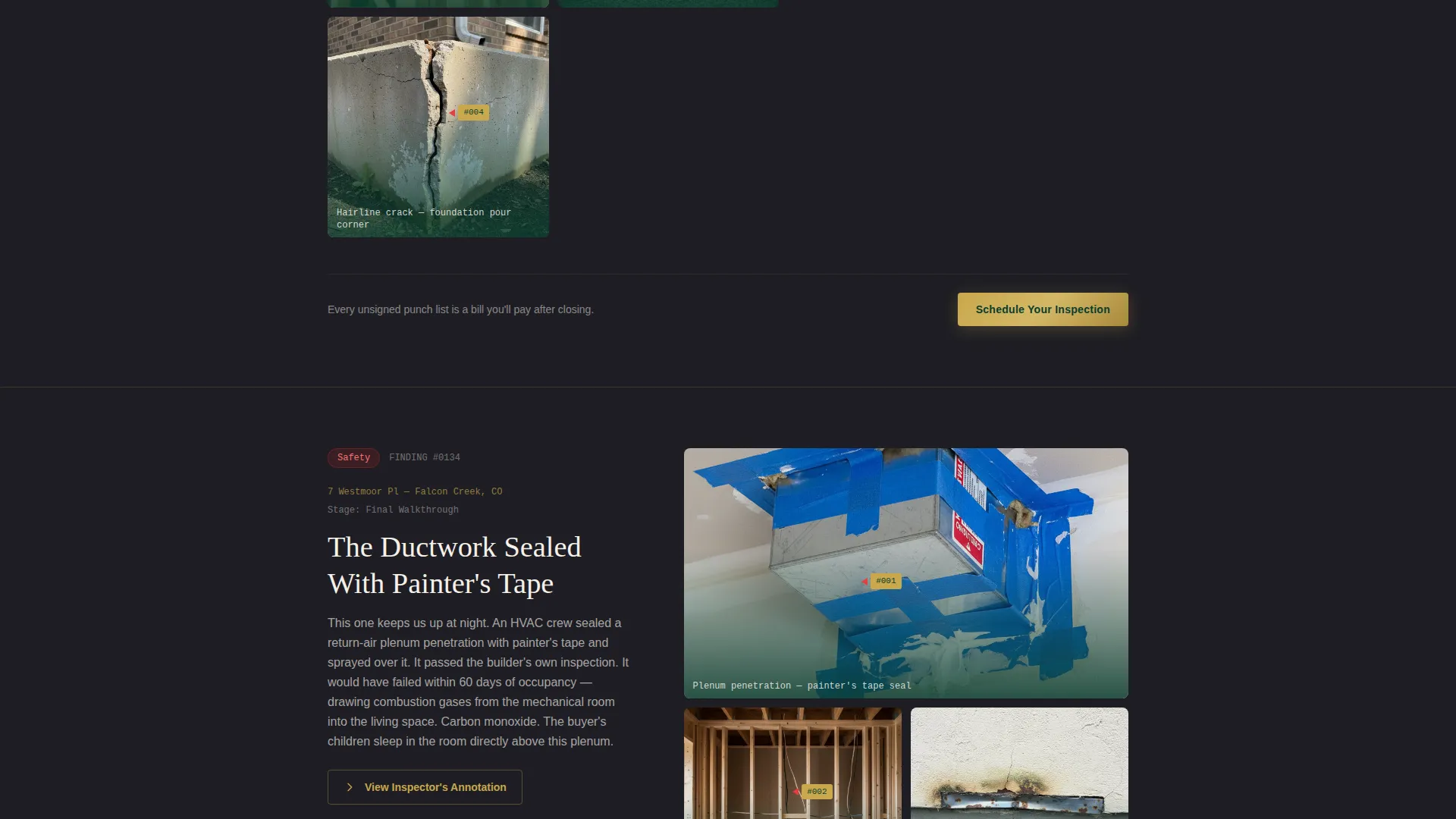
Each scroll section tells a real inspection story across three beats. First, a gallery grid of deficiency photographs with red markup arrows directly on the images. Second, a sliding detail panel showing the inspector's annotation and the relevant code reference. Third, a resolution line stating whether the builder corrected the deficiency before closing. Severity escalates from cosmetic to structural to safety across the three case studies.
Fixed Bottom Booking Bar
A persistent booking bar appears at the bottom of the viewport after the header. It resurfaces as the visitor scrolls past each case study, keeping the primary call to action visible without interrupting the narrative flow.
Clinical Deficiency Photography
Photography is flash-lit and annotated with numbered red markup arrows. Subjects include cracked trusses, reversed poly vapor barriers, missing fire blocking, improper flashing, and HVAC ductwork sealed incorrectly. The visual tone is diagnostic rather than promotional.
Booking Page Flow
Clicking the primary call-to-action button routes visitors to a booking interface with date selection. The booking view lets the visitor choose a property stage: pre-drywall, final walkthrough, or eleven-month warranty inspection. Square footage input is also included.
Dark Emerald Color System
The palette uses deep boardroom green, charcoal slate, warm parchment, and polished brass. Brass is reserved for buttons, callout borders, and interactive hover states. The result is a visual identity that reads as composed, credentialed, and precise.
Page sections overview
| Section | Purpose |
|---|---|
| Address Input Header | Captures property address and drives first booking click |
| Case Study One | Shows cosmetic deficiency with photo grid, annotation, and resolution |
| Case Study Two | Escalates to structural deficiency with annotated gallery and code reference |
| Case Study Three | Presents safety-level deficiency to build urgency before the call to action |
| Fixed Booking Bar | Keeps "Schedule Your Inspection" visible throughout the full scroll |
| Booking Page View | Collects date, property stage, and square footage for scheduling |
Design & branding system
The template uses an Executive Suite visual identity built on a Dark Emerald color system. The palette is deliberate and restrained, communicating the quiet authority of a seasoned professional rather than a contractor with a logo.
- Deep boardroom green (#0B3D2E) and charcoal slate (#1E1E24) form the primary background layers
- Warm parchment (#F5F0E8) provides readable contrast for body text and annotation panels
- Polished brass (#C9A84C) is used exclusively for buttons, callout borders, and hover states
Mobile & speed optimization
The full-width immersive layout is structured to reflow cleanly across screen sizes. The case study gallery grids and annotation panels adapt to narrower viewports without losing the clinical visual hierarchy.
- The address input field and brass button stack vertically on mobile for thumb-friendly interaction
- The fixed bottom booking bar remains anchored at the base of the viewport on all screen sizes
- Deficiency photo grids reduce to single-column views on smaller screens while preserving annotation markup
How this template helps you convert
The entire page is built as a sequential argument. Each section earns the next click by making the value of a professional inspection undeniable before the visitor reaches the booking screen.
- The header presents the stakes immediately with a direct headline and a single focused action, so visitors understand the purpose before they scroll.
- Each case study adds a layer of visual evidence, moving the visitor from curious to concerned to ready to book through escalating deficiency severity.
- The fixed booking bar removes friction by keeping the call to action present at every stage of the scroll without requiring the visitor to return to the top of the page.
Other information about this template
This template is categorized under Real Estate and Property, specifically within the New Construction Real Estate subcategory. It is designed for the intersection of inspection services and the new construction appraisal service niche, where buyers are making large financial commitments and the stakes for missing a defect are high.
- The template style is Full-Width Immersive, which suits the gallery-heavy case study format
- The creative direction follows a Case Study Narrative approach, meaning content is organized as documented evidence rather than marketing copy
- The landing page direction is Click-Through, meaning every design decision funnels toward the scheduling calendar
- The header concept uses a location input component centered over a full-bleed aerial photograph, which is a deliberate choice for a service defined by property-specific work
- The booking page view supports three property stage options: pre-drywall, final walkthrough, and eleven-month warranty inspection
Theme
Executive Suite
Creative direction
Immersive Visual
Color system
Cloud Canvas
Style
Full-Width Immersive
Direction
Click-Through
Page Sections
Address Input Hero Header
Three-beat Case Study Sections
Fixed Bottom Booking Bar
Annotated Deficiency Photography
Property Stage Booking Flow
Dark Emerald Visual Identity
Related questions
What type of inspector is this template built for?
How does the case study scroll structure work?
What does the booking section collect from visitors?
Can I use this template for a general home inspection business?
Does the page include a way to capture the property address?



