Mortgage Broker Comparison Table Landing Page Template
Qualify is a mortgage broker landing page template built for agencies that compare rates across 43 lenders. It leads with a live comparison calculator, a freemium unlock gate, and a data-dense visual identity that feels authoritative from the first scroll. First-home buyers, investors, and self-employed borrowers get the numbers they need before they ever speak to a broker.
by Rocket studio
Quick summary
Qualify is a single-page mortgage broker template built around a live rate comparison calculator. Visitors enter their loan details and instantly see repayment estimates across five lender tiers. The freemium gate blurs the two lowest results until an email is captured, converting data-hungry visitors into qualified leads before any sales conversation begins.
Who this template is for
This template is designed for mortgage brokers and financial services agencies that compare rates across a wide lender panel. It suits businesses whose value proposition is built on finding better rates than a borrower's own bank.
- First-home buyers comparing rates late at night and needing a clear side-by-side view
- Property investors managing multiple fixed-rate loan expiries at the same time
- Self-employed borrowers whose income structure makes standard bank applications difficult
What problem this template solves
Most mortgage broker pages lead with generic copy and a contact form. Visitors arrive with specific numbers in mind and leave when they find nothing useful. Qualify flips that dynamic by putting a working calculator above every other element on the page.
- Borrowers distrust broker pages that show no live data and ask for a call before giving any numbers
- Rate shoppers abandon pages that present only testimonials and vague savings claims
- Brokers lose leads when visitors have no self-service tool to validate the broker's value before committing
What you get with this template
Qualify delivers a fully structured, section-led landing page with five interactive and data-display sections, a clear freemium conversion path, and a design system built to present dense financial data without visual clutter.
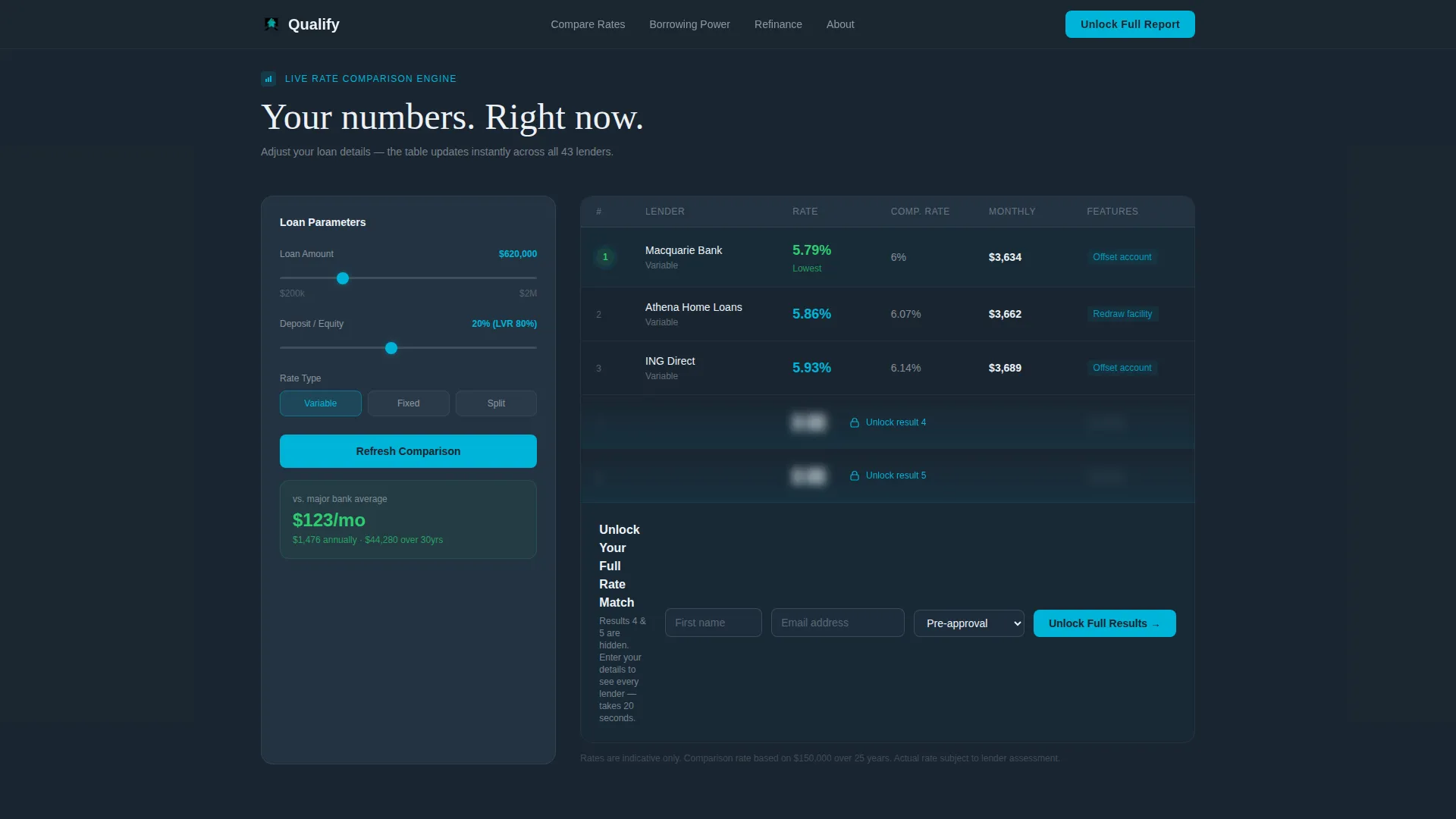
- A live mortgage comparison calculator with a five-tier rate table and a teal-highlighted lowest-rate cell
- A borrowing power estimator, a rate-type breakdown section, and a refinance savings simulator with an animated area chart
- Two lead capture paths: a three-field unlock form beneath the calculator and a single-field PDF download option
Feature list
Live Mortgage Comparison Calculator
Visitors enter loan amount, deposit percentage, and loan type. The calculator instantly renders a comparison table showing repayment estimates across five lender tiers. The cell with the lowest rate pulses with a teal highlight so the best result is impossible to miss.
Freemium Rate Unlock Gate
The first three lender results are visible. The bottom two are blurred behind a soft teal overlay. To reveal them, visitors submit their first name, email address, and current loan stage. Three fields, nothing more. The gate converts curiosity into a captured lead at the moment of highest intent.
Lender Logo Marquee Header
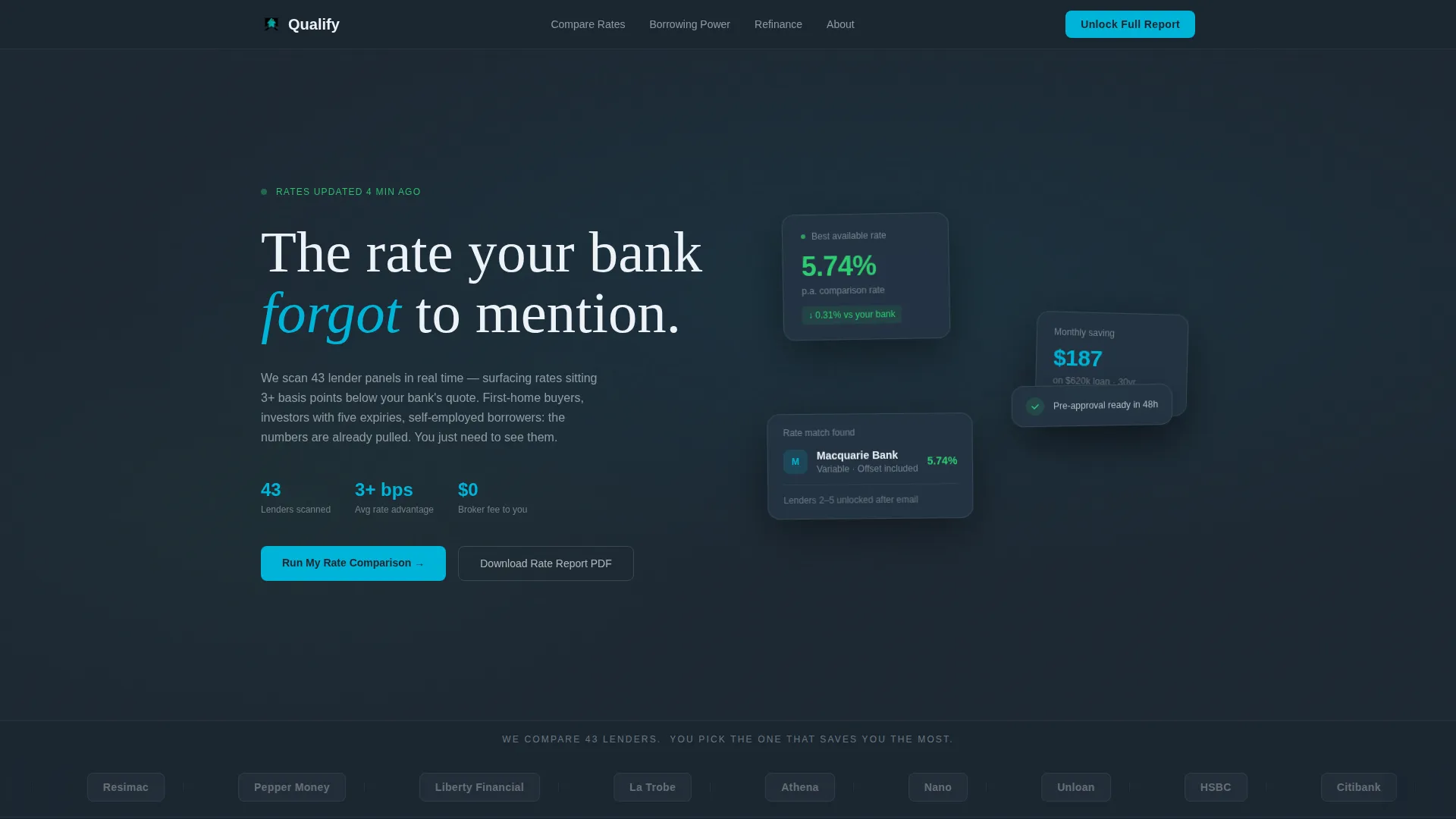
A horizontal strip of lender logos scrolls in a slow infinite marquee against the deep charcoal background. Logos appear desaturated at rest and snap to full color on hover. A single line of ledger-white text above reads: "We compare 43 lenders. You pick the one that saves you the most."
Borrowing Power Estimator
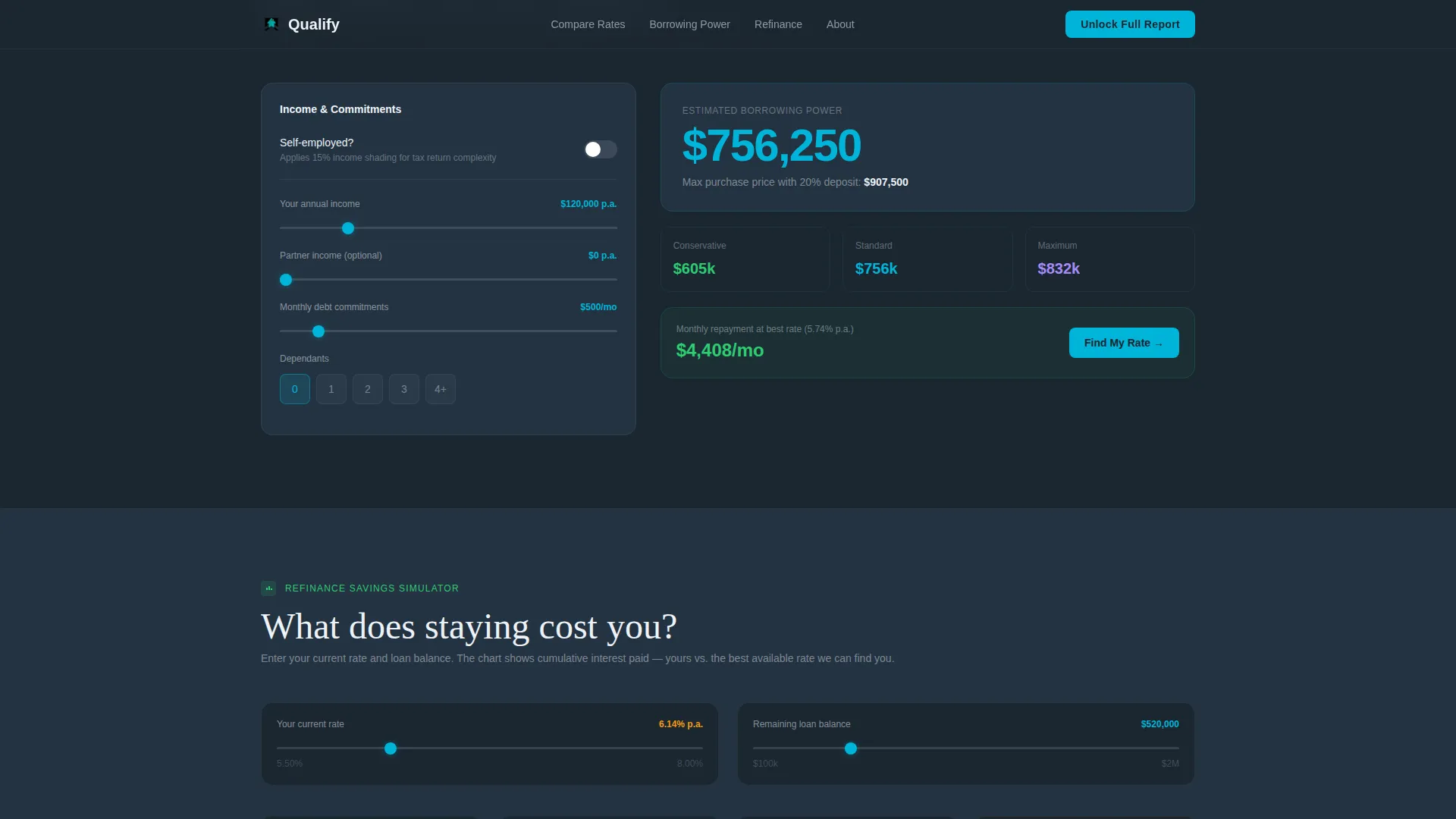
This section adjusts live as income fields are filled in. It gives self-employed borrowers and investors a clear view of their maximum borrowing capacity without requiring a phone call or a formal pre-approval application.
Refinance Savings Simulator
An animated area chart visualizes cumulative interest saved over ten years as refinance inputs change. The chart is rendered using Recharts and sits above the secondary "Unlock Your Full Rate Match" call to action, giving refinancers a concrete savings figure before they commit to submitting their details.
Rate Type Breakdown Cards
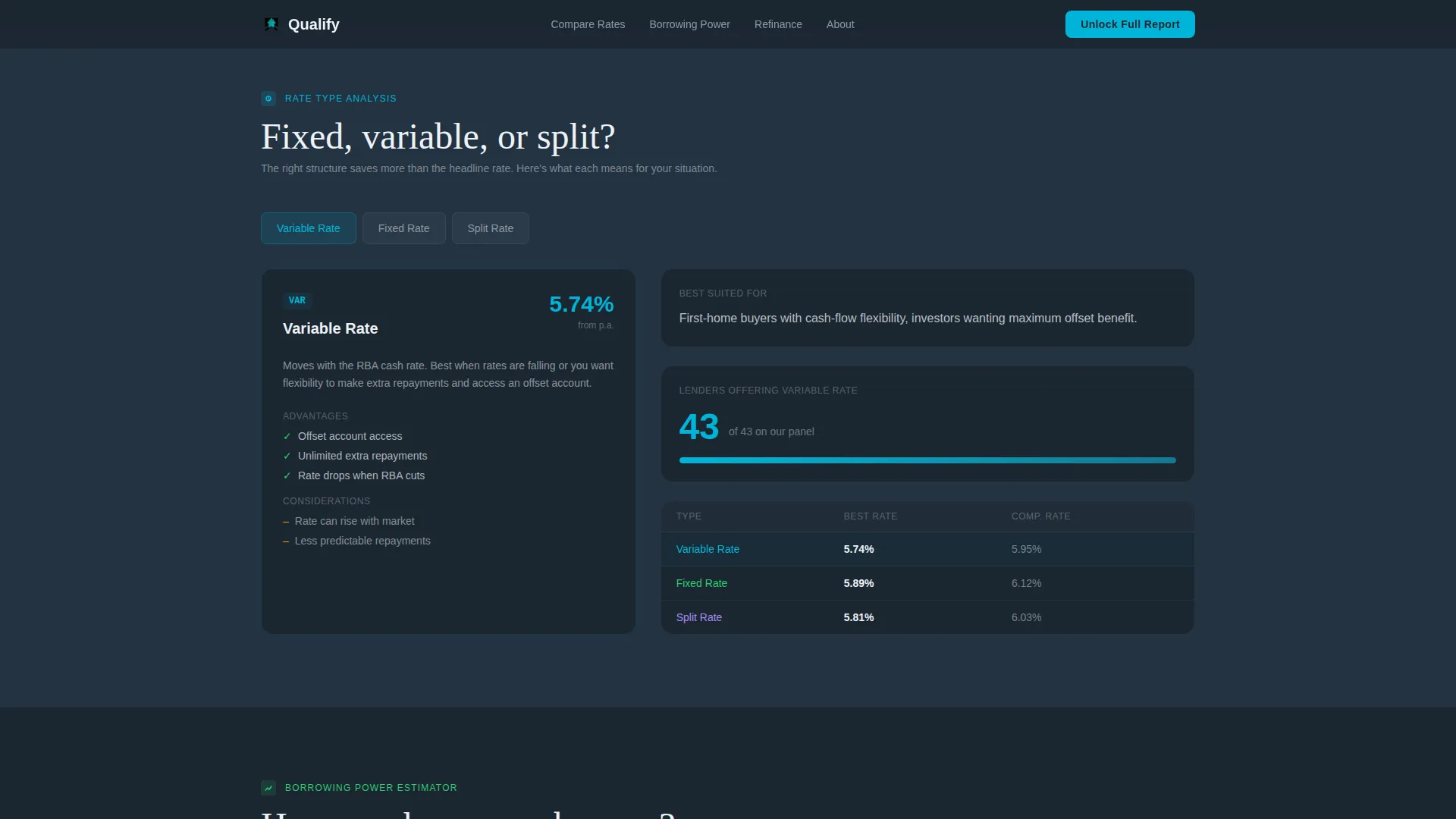
Fixed, variable, and split loan types are displayed as comparison cards. Each card presents the relevant rate structure clearly, helping borrowers understand the trade-offs before they speak with a broker.
Page sections overview
| Section | Purpose |
|---|---|
| Hero Lender Marquee | Establish credibility with 43 lender logos and a bold value headline |
| Live Comparison Calculator | Deliver instant repayment estimates across five lender tiers |
| Rate Type Breakdown | Compare fixed, variable, and split loan structures side by side |
| Borrowing Power Estimator | Show income-adjusted maximum borrowing capacity in real time |
| Refinance Savings Simulator | Visualize ten-year interest savings with an animated area chart |
| Footer Linear Row | Provide essential links and secondary navigation in a clean single row |
Design & branding system
Qualify uses a Data Command theme with a Teal Catalyst color system. The visual language draws from the density of a financial terminal and the clarity of Scandinavian fintech design. Every color has a functional role: nothing is decorative without purpose.
- Deep terminal charcoal (#1B2631) sets the primary background; catalyst teal (#00B4D8) marks interactive elements and live data highlights
- Soft ledger white (#EDF2F7) fills table cells and card surfaces; signal green (#2ECC71) flags favorable rate indicators
- Typography pairs DM Sans for numerical data and table content with Fraunces for editorial headings, keeping information dense but readable
Mobile & speed optimization
The template is desktop-first because rate comparison tables require horizontal space to display clearly. A mobile-responsive fallback is included so visitors on smaller screens can still access the calculator and core content.
- Server Components handle static sections to reduce initial load weight; Client Components power the interactive calculators
- Staggered reveal animations and a marquee scroll are included; the animated area chart is built with Recharts for smooth rendering
- The mobile layout adapts table columns and card stacking so the freemium gate and lead capture forms remain fully functional on all screen sizes
How this template helps you convert
Qualify is structured so that each scroll section increases the visitor's investment in the data before asking for anything in return. By the time they see the blurred results, they already trust the calculator and want the rest.
- The calculator delivers immediate value with visible repayment estimates, building trust before any form appears on screen
- The freemium gate reveals the two lowest-rate results only after a minimal three-field form is submitted, capturing leads at peak intent
- The PDF rate report download offers a lower-commitment secondary path for visitors who are not ready to engage directly, ensuring no data-curious visitor leaves empty-handed
Other information about this template
Qualify is localized for the Australian mortgage market. All figures use AUD formatting, rates are expressed as percentage per annum (% p.a.), and terminology follows Australian lending conventions including loan-to-value ratio (LVR) references. The template is purpose-built for mortgage broker agencies operating in the Finance and Insurance category under Real Estate Finance services.
- The template style is a Comparison Table layout within a single-page, section-led flow
- Animation intensity is high: marquee scroll, staggered section reveals, teal pulse on the lowest rate cell, and an animated area chart are all included
- The footer follows Pattern 1, a linear single-row layout, keeping the page exit clean and uncluttered
Theme
Data Command
Creative direction
Calculator/Tool First
Color system
Teal Catalyst
Style
Comparison Table
Direction
Freemium/Trial
Page Sections
Live Mortgage Comparison Calculator
Freemium Rate Unlock Gate
Lender Logo Marquee Header
Borrowing Power Estimator
Refinance Savings Simulator
Rate Type Breakdown Cards
Related questions
What kind of business is this template built for?
Does the template include calculator logic and live rate data?
What does the freemium gate collect from visitors?
Can I update the lender logos in the marquee header?
Is the template suitable for targeting self-employed borrowers?



