Granite Supplier Gallery & Detail Landing Page Template
Quarry is a gallery and detail landing page built for granite suppliers. It opens with a zip code or project type search field set against an aerial quarry photograph, then guides visitors through a five-step stone-matching assessment. Blueprint-style annotations, specimen gallery grids, and real installation photography carry buyers from raw slab to finished space with quiet confidence.
by Rocket studio
Quick summary
Quarry is a precision-built landing page for granite suppliers. It combines a location-aware search header, a specimen-style slab gallery, and a guided five-step stone-matching quiz. The Engineering Blueprint visual theme and Forest Trust color system give every section the weight and credibility that serious fabricators, contractors, and landscape architects expect before they commit to a material order.
Who this template is for
This template is designed for granite suppliers who serve professional and residential buyers. It speaks directly to the people who need more than a catalog, they need certainty about material, availability, and origin before they place an order.
- Kitchen fabricators sourcing consistent veining across large slab orders
- Landscape architects specifying finish types for commercial or municipal hardscape projects
- General contractors who need material certifications and cut sheets before a project begins
What problem this template solves
Granite buyers make high-stakes decisions. A wrong finish, an inconsistent lot, or an unclear spec sheet wastes time and money on both sides of the transaction. Most supplier pages show a photo and a phone number. That is not enough for a fabricator ordering forty slabs or a contractor managing a ground-break timeline.
- Buyers cannot easily find slabs matched to their project type, finish preference, and color family
- Returning trade clients have no fast path to check inventory or place a hold without starting over
- The journey from raw material to installed product is rarely shown, leaving buyers unsure what they are actually purchasing
What you get with this template
This template delivers a structured, single-page flow that takes a visitor from first interest to a curated shortlist of matched granite options. Every section is purposeful and every visual reinforces the physical reality of the material.
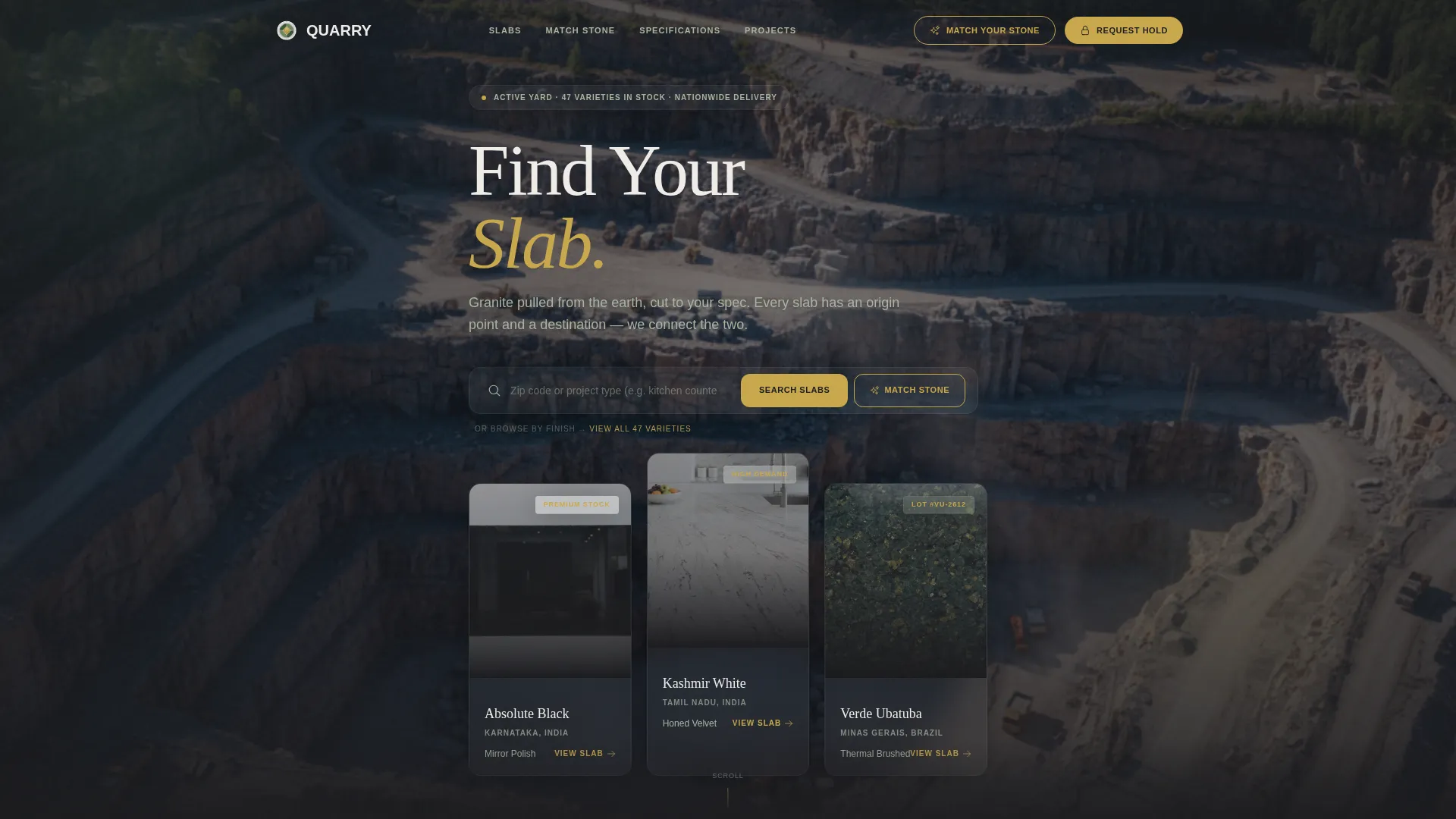
- A wide location input header with a slowly panning aerial quarry photograph as the background
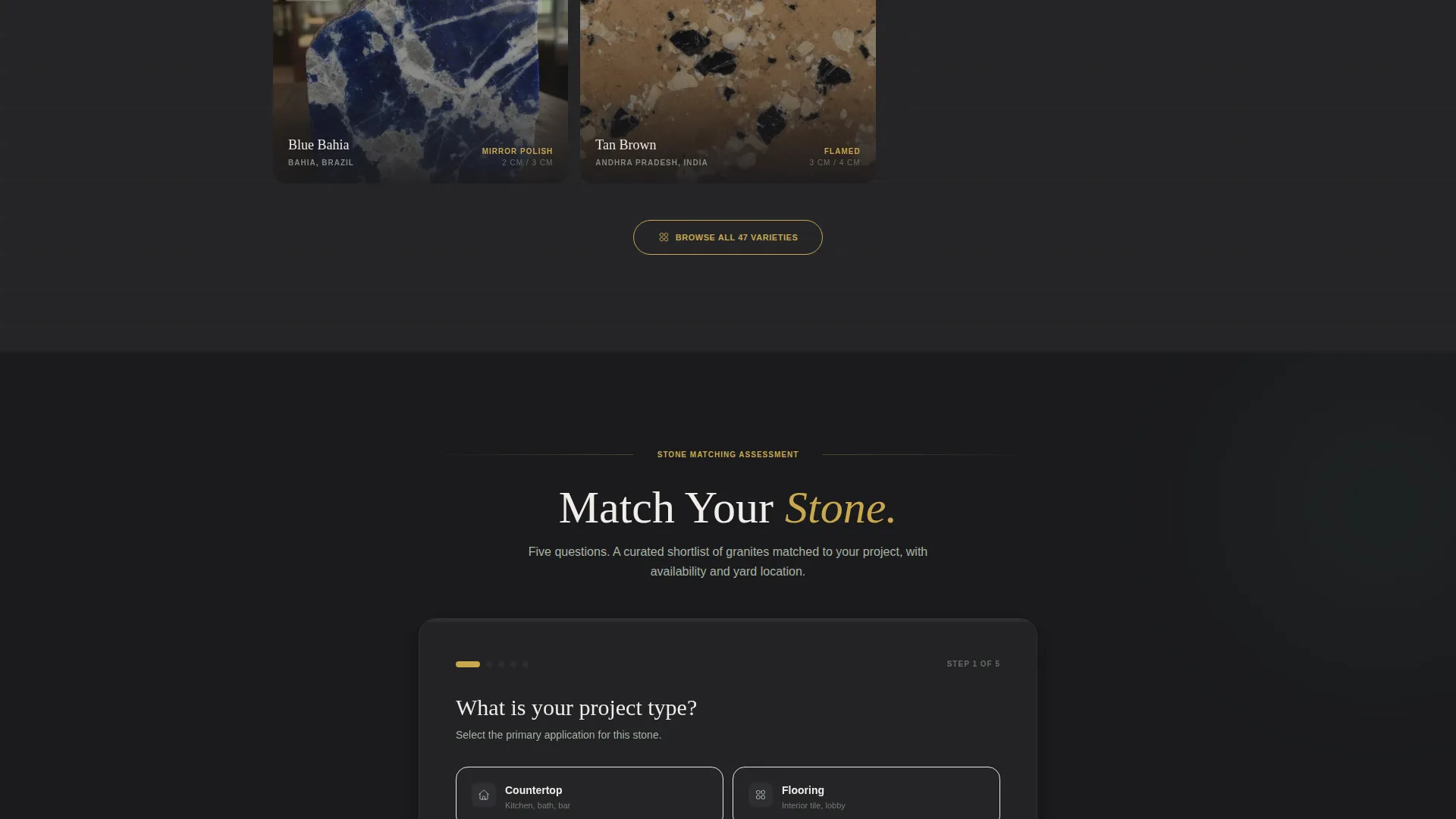
- An interactive five-step guided assessment that returns matched granite options with availability and yard location
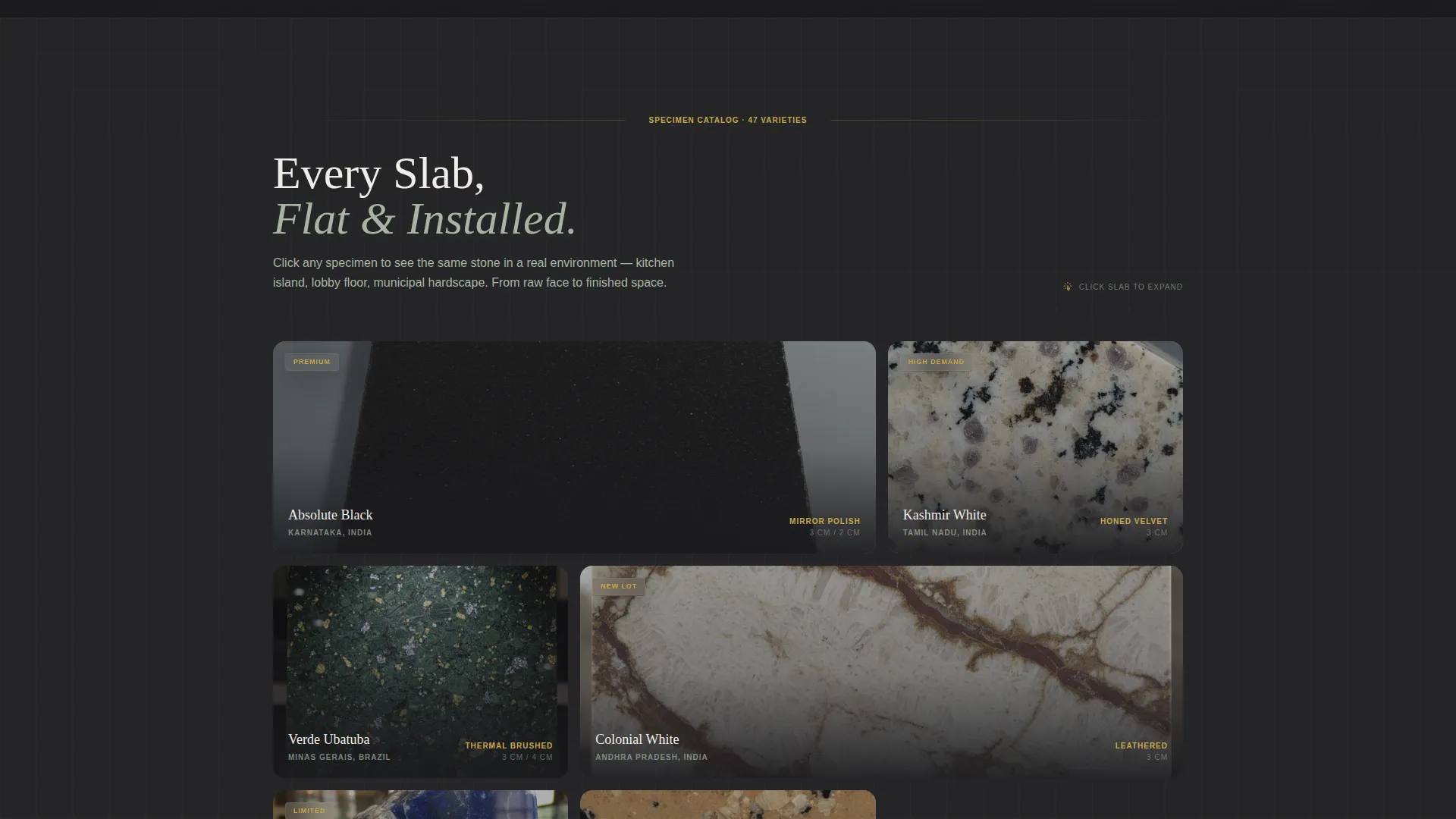
- A slab gallery grid with expandable detail views showing each stone installed in a real environment
Feature list
This template includes a set of purpose-built components. Each one is grounded in how granite buyers actually research, evaluate, and decide on stone.
Aerial Quarry Header with Location Input
The header opens with a slowly panning aerial photograph of an active granite quarry. A wide, clean search field sits over the image and accepts a zip code or project type. The headline reads "Find Your Slab," immediately framing the supplier as the connection between origin and destination.
Specimen Gallery Grid with Expandable Detail Views
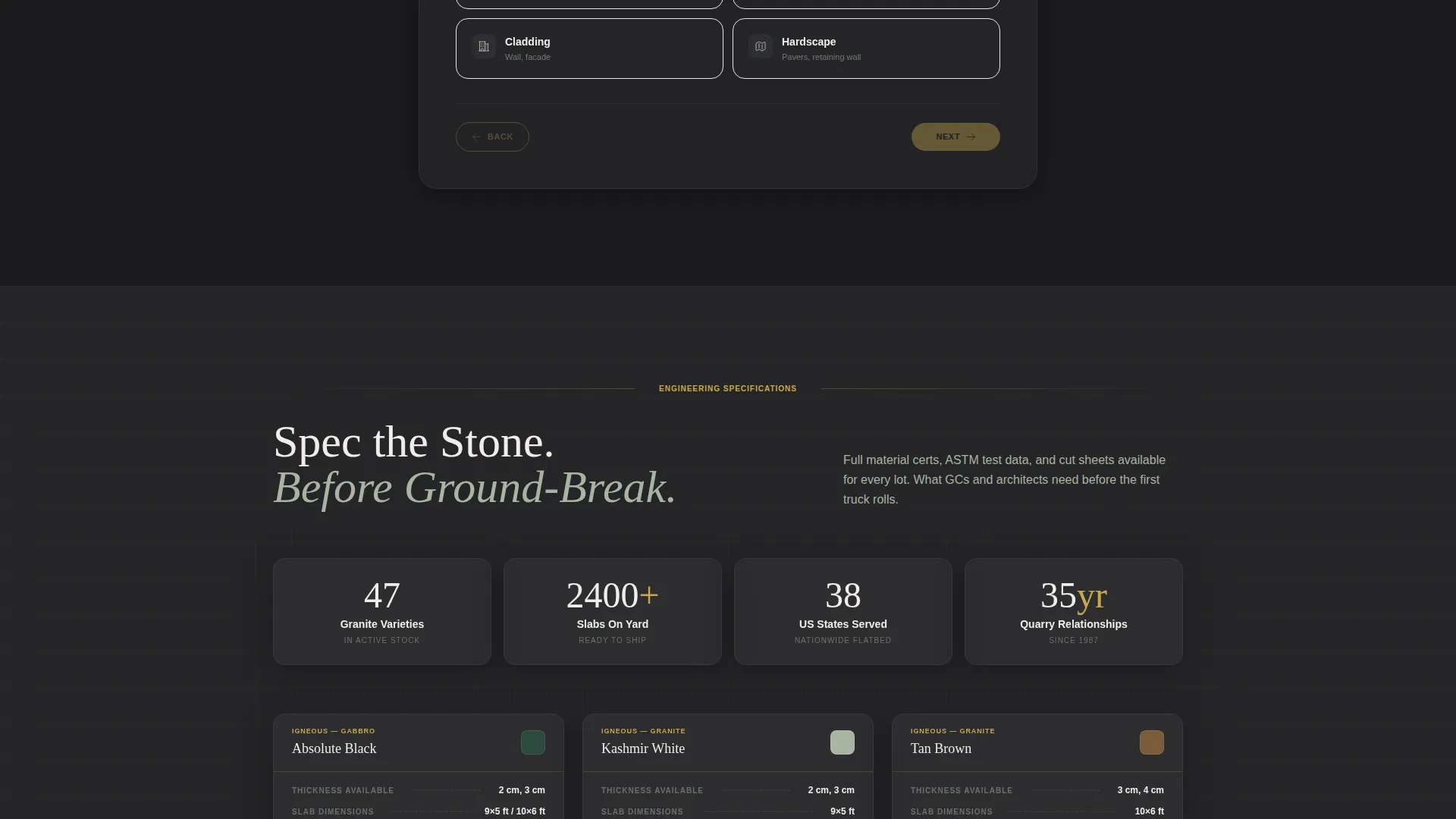
Slabs are displayed flat like geological specimens in a structured grid layout. Clicking any slab expands into a full detail view showing that same stone installed in context, whether that is a cantilevered kitchen island, a commercial lobby floor, or a retaining wall. Blueprint-style annotations in each detail view call out thickness, finish type, and absorption rating.
Five-Step Stone-Matching Quiz
The primary call to action launches a guided assessment. Steps cover project type (countertop, flooring, cladding, or hardscape), finish preference shown as touchable texture swatches, color family, slab size requirements, and installation timeline. Results deliver a curated shortlist of matching granites with availability and yard location included.
Trade Shortcut for Returning Fabricators
A secondary button labeled "Request a Hold on Slab" gives returning trade clients a fast path to inventory search by lot number. This removes friction for professional buyers who already know what they want and simply need to check availability and reserve material.
Blueprint-Style Section Annotations
As the page scrolls from raw material to fabricated product to installed architecture, thin sap gold annotation lines appear alongside images. These call out specification details the way a technical drawing would, reinforcing supplier authority and giving buyers the precise data they need.
Scroll-Driven Material Journey
The page structure follows a deliberate narrative arc. Each scroll transition moves the visitor from quarry face to finished space, showing stone in progressively more refined states. This approach builds trust by showing the full lifecycle of the material rather than a single isolated product shot.
Page sections overview
| Section | Purpose |
|---|---|
| Aerial Search Header | Grounds visitors with location input and quarry imagery |
| Slab Gallery Grid | Displays granite specimens in a flat, scannable layout |
| Expanded Detail View | Shows each slab installed with specification annotations |
| Stone-Matching Quiz | Guides buyers through a five-step project assessment |
| Quiz Results Panel | Delivers a curated shortlist with availability and yard location |
| Trade Inventory Path | Lets fabricators search by lot number and request a hold |
Design & branding system
The visual identity follows an Engineering Blueprint theme built on a Forest Trust color palette. The result feels like a geological survey map pinned to a timber wall: technical in structure but warm and grounded in material truth.
- Deep woodland green (#2D4A3E), lichen gray (#A8B5A2), and quarry shadow (#1B1B1E) govern backgrounds and body text, with crisp white used for legibility on dark sections
- Sap gold (#C9A84C) is reserved exclusively for interactive elements, call-to-action buttons, and the thin datum-line dividers that separate sections like blueprint rules
- Backgrounds alternate between quarry shadow and soft lichen gray, creating depth and rhythm as the visitor scrolls through the page
Mobile & speed optimization
The template is structured for clean rendering across screen sizes. The spatial and architectural creative direction means large images carry most of the storytelling weight, so the layout is built to keep those visuals sharp and the interactive components accessible on smaller viewports.
- The gallery grid reflows naturally for tablet and mobile screens without losing the specimen-display clarity
- The five-step quiz is designed as a step-by-step flow, which works well on touch devices where long forms feel overwhelming
- The location input header and aerial photograph background are laid out to scale gracefully from wide desktop displays down to mobile
How this template helps you convert
Every design and content decision in this template serves one goal: moving a serious buyer from curiosity to commitment with as little friction as possible.
- The "Find Your Slab" header search field immediately signals relevance to buyers who arrived with a specific project in mind, reducing bounce before they have even scrolled.
- The five-step quiz replaces a passive product catalog with an active, personalized experience. Buyers who complete an assessment are further committed to a decision than those who simply browse.
- The trade shortcut for lot-number inventory search keeps returning fabricators loyal by giving them a faster path than starting from scratch, which reinforces repeat business without requiring a separate portal.
Other information about this template
This template is built specifically for the granite supplier niche within the broader construction and home category. It is suited for businesses operating in the granite products and services space who serve both trade professionals and residential clients from a single page.
- The template style is Gallery plus Detail, making it a strong fit for any stone or natural material supplier who needs to show both raw product and real-world application
- The Engineering Blueprint theme and Forest Trust color system are paired specifically to project the supplier authority that high-value material buyers expect before they commit
- The Spatial and Architectural creative direction means the visual flow of the page does the selling, guiding the eye from quarry origin through fabrication to final installation the way a well-designed showroom would
- The Quiz and Assessment landing page direction is a deliberate choice for this niche, because granite buyers rarely purchase on impulse and respond better to structured guidance than to a generic contact form
Theme
Engineering Blueprint
Creative direction
Spatial & Architectural
Color system
Forest Trust
Style
Gallery + Detail
Direction
Quiz/Assessment
Page Sections
Aerial Quarry Header with Location Search
Specimen Gallery Grid with Detail Expansion
Five-step Stone-matching Quiz
Trade Client Inventory Shortcut
Scroll-driven Material Journey Layout
Blueprint Annotation System
Related questions
Who is this landing page template designed for?
Can I adapt the five-step quiz to my own granite product range?
What does the expandable slab detail view show?
Is there a faster path for trade clients who already know what they want?
What makes this template different from a standard product catalog page?



