Quill - Transformative Ghost Writer Landing Page Template
Quill is a masonry-style ghostwriter landing page template built around a scroll-jacked header that writes and rewrites prose in real time. It showcases client voice transformations through a dynamic card grid, captures leads with a gated brief download, and keeps conversion pressure alive with a sticky booking bar throughout the page.
by Rocket studio
Quick summary
Quill is a single-page ghostwriter and editor landing page template with a scroll-driven writing animation at the top and a masonry card grid below. It pairs an Ink & Paper color system with a Lens & Frame visual theme to feel like a living manuscript. The page earns trust through visible transformation before asking for any commitment.
Who this template is for
This template is designed for professional ghostwriters and editors who work with paying clients on books, essays, speeches, and thought-leadership content. It suits anyone whose work involves shaping another person's voice into polished, publishable prose.
- Ghostwriters serving startup founders, executives, and debut novelists
- Editors and writing collaborators who want a portfolio-style presence
- Thought-leadership writers who pitch memoir, business book, and speech projects
What problem this template solves
Most ghostwriters struggle to explain what they actually do without sounding vague or overly clever. A blank-slate portfolio gives no proof of transformation, and a standard resume layout undersells the craft involved. Quill solves this by making the transformation visible before a single word of sales copy appears.
- Visitors feel the editing process rather than just reading about it
- Before-and-after card pairs replace abstract service descriptions with proof
- A gated resource download qualifies leads without a hard pitch
What you get with this template
You get a fully structured, single-page ghostwriter landing page with every visual section already built. The template combines a scroll-jacked animated header, a masonry card grid of voice transformation examples, and a dual-conversion system using both a content download and a sticky booking bar.
- Scroll-jacked header with live sentence-writing and tracked-change animation
- Masonry card grid with varied heights, word-count badges, and genre tags
- Dual conversion layer: gated brief download form and sticky "Book a Voice Session" bar
Feature list
A paragraph-level summary of each core built-in capability follows.
Scroll-Jacked Writing Header
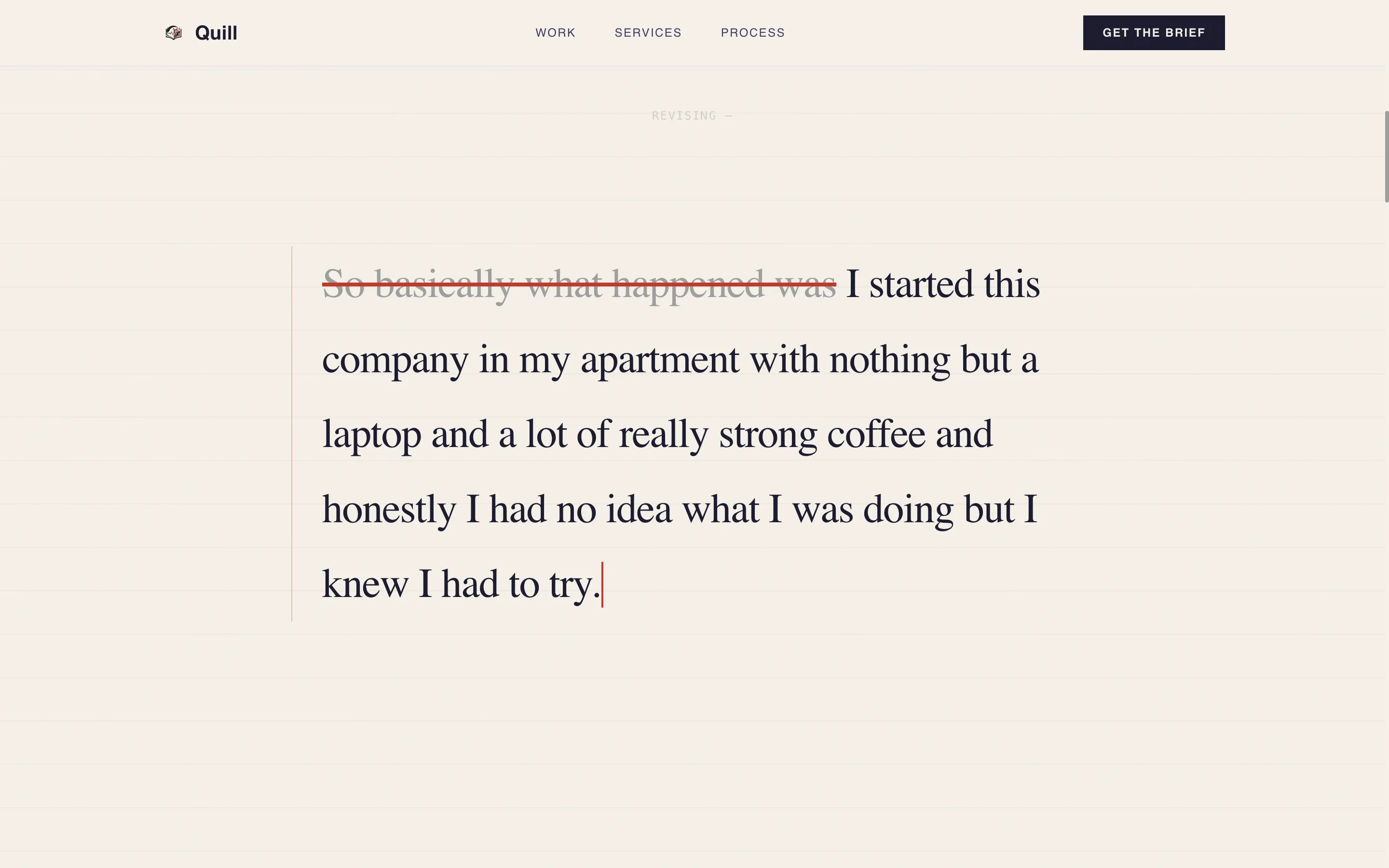
The header opens on a blinking cursor against warm parchment. As the visitor scrolls, sentences appear word by word, phrases get crossed out with tracked-change strikethroughs, and cleaner prose replaces them above the line. The entire rough-to-polished arc plays out across roughly three scroll-lengths.
Masonry Voice Transformation Grid
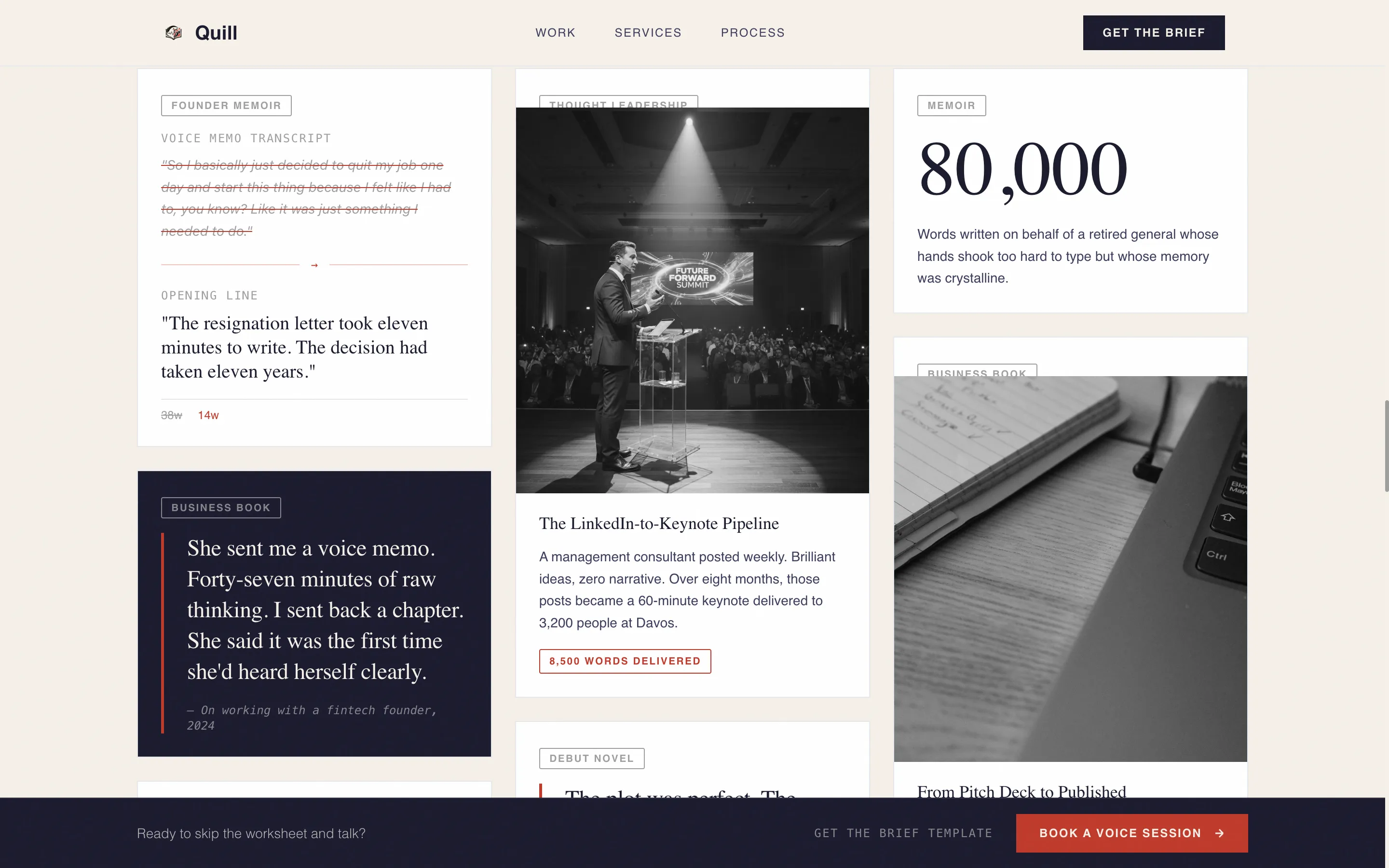
The card grid below the fold displays each client story as a before-and-after voice comparison. Cards vary in height and width, with some showing a full mini case study and others displaying a single striking sentence in large serif type. Word-count badges and genre tags give each card a concrete, archive feel.
Gated Brief Download with Lead Form
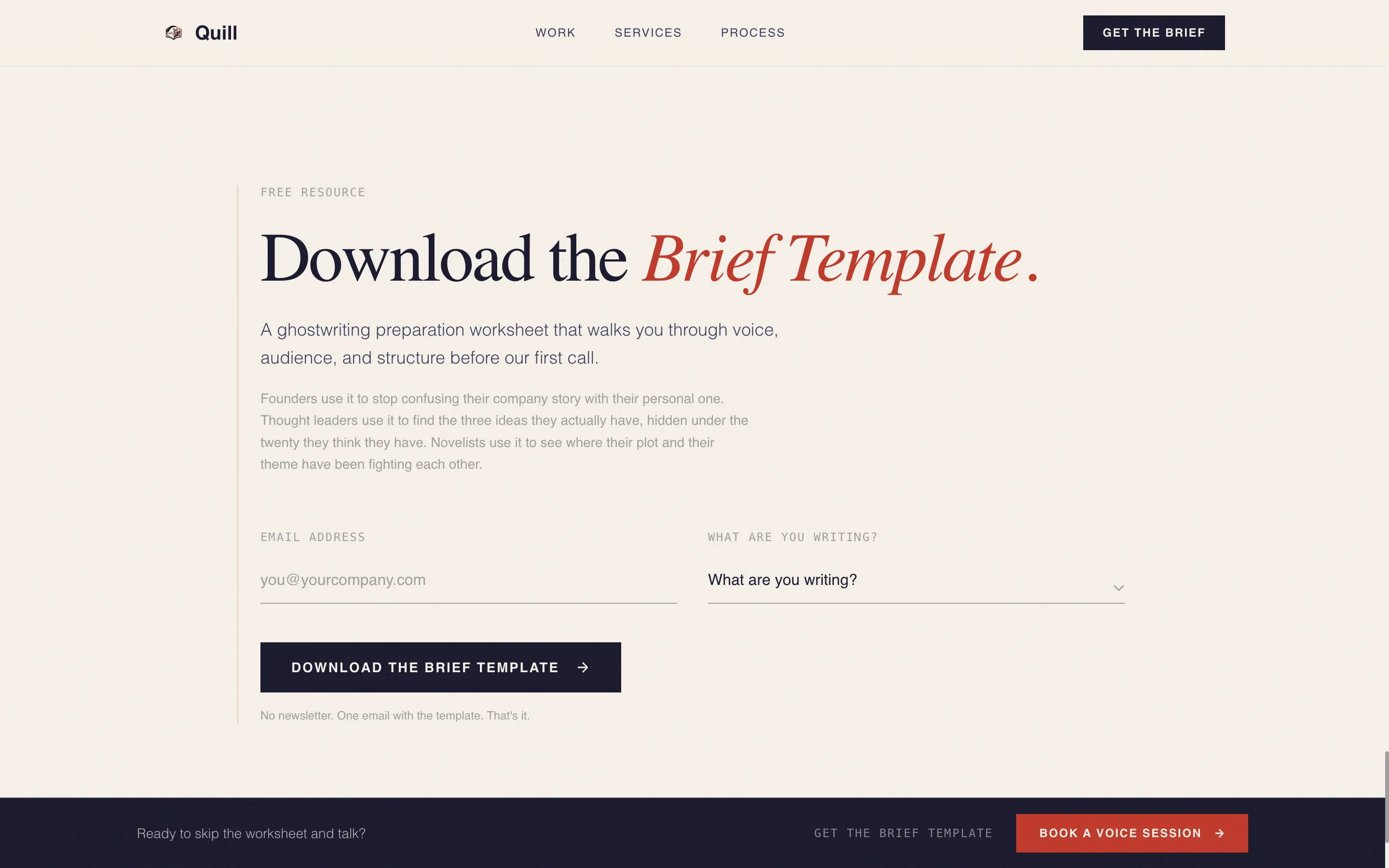
The primary call to action offers a free ghostwriting preparation worksheet called the Brief Template. A short form with an email field and a "What are you writing?" dropdown gates the download, segmenting leads by project type before the first conversation.
Sticky Booking Bar
A persistent bottom bar reading "Book a Voice Session" stays visible throughout the entire scroll experience. It gives ready visitors a direct path to booking without forcing them to scroll back to a specific section.
Ink & Paper Color System
The palette uses deep manuscript black (#1A1A2E), warm parchment (#F5F0E8), marginalia gray (#9E9E9E), and a single editorial red (#C0392B). Red appears only in pull-quotes, tracked-change underlines, and hover states, giving it maximum visual authority.
Creator Spotlight Card Format
Each masonry card is formatted as a creator spotlight, pairing raw source material (a voice memo transcript, a LinkedIn post) with the finished work it became. This structure turns the card grid into a private-archive browsing experience that builds emotional identification for prospective clients.
Page sections overview
| Section | Purpose |
|---|---|
| Scroll-Jacked Header | Demonstrates real-time prose transformation through scroll-driven writing animation |
| Blinking Cursor Open | Sets editorial tone before any scroll interaction begins |
| Tracked-Change Animation | Shows phrase-level rewriting and strikethrough edits live on screen |
| Masonry Card Grid | Displays before-and-after voice transformation stories in varied card formats |
| Founder Voice Card | Pairs a rambling voice memo transcript with its polished opening chapter |
| Thought Leader Card | Contrasts a short social post with the keynote speech it became |
| Single-Sentence Cards | Large serif pull-quotes that punctuate the grid with emotional impact |
| Mini Case Study Cards | Full before-and-after cards with word-count badges and genre tags |
| Brief Download call to action | Gated form capturing email and project type for the free worksheet |
| Sticky Booking Bar | Persistent bottom bar linking directly to a voice session booking |
Design & branding system
The Lens & Frame theme treats every element on the page as a fragment from a working manuscript. Typography leans on authoritative serif faces for body text and pull-quotes, while the Ink & Paper palette keeps the page feeling like a galley proof rather than a tech product.
- Deep manuscript black (#1A1A2E) and warm parchment (#F5F0E8) form the base contrast pair
- Marginalia gray (#9E9E9E) handles supporting text, captions, and card metadata
- Editorial red (#C0392B) is reserved for pull-quotes, tracked-change marks, and interactive hover states only
Mobile & speed optimization
The masonry grid and scroll-jacked header are built with varied card sizing that adapts to narrower viewports without losing the archive-browsing feel. The sticky booking bar remains accessible on mobile, keeping the secondary conversion path available at all times.
- Masonry card layout reflows gracefully for tablet and phone screen widths
- The scroll-driven header animation is designed to function within the constraints of mobile scroll behavior
- The lead capture form with dropdown stays usable on small touch screens
How this template helps you convert
The page is structured so that every scroll action moves the visitor closer to belief before any ask appears. Conversion pressure builds gradually and naturally through visible proof.
- The animated header shows prose transformation three times in the first scroll session, making the ghostwriter's value tangible before any service description loads.
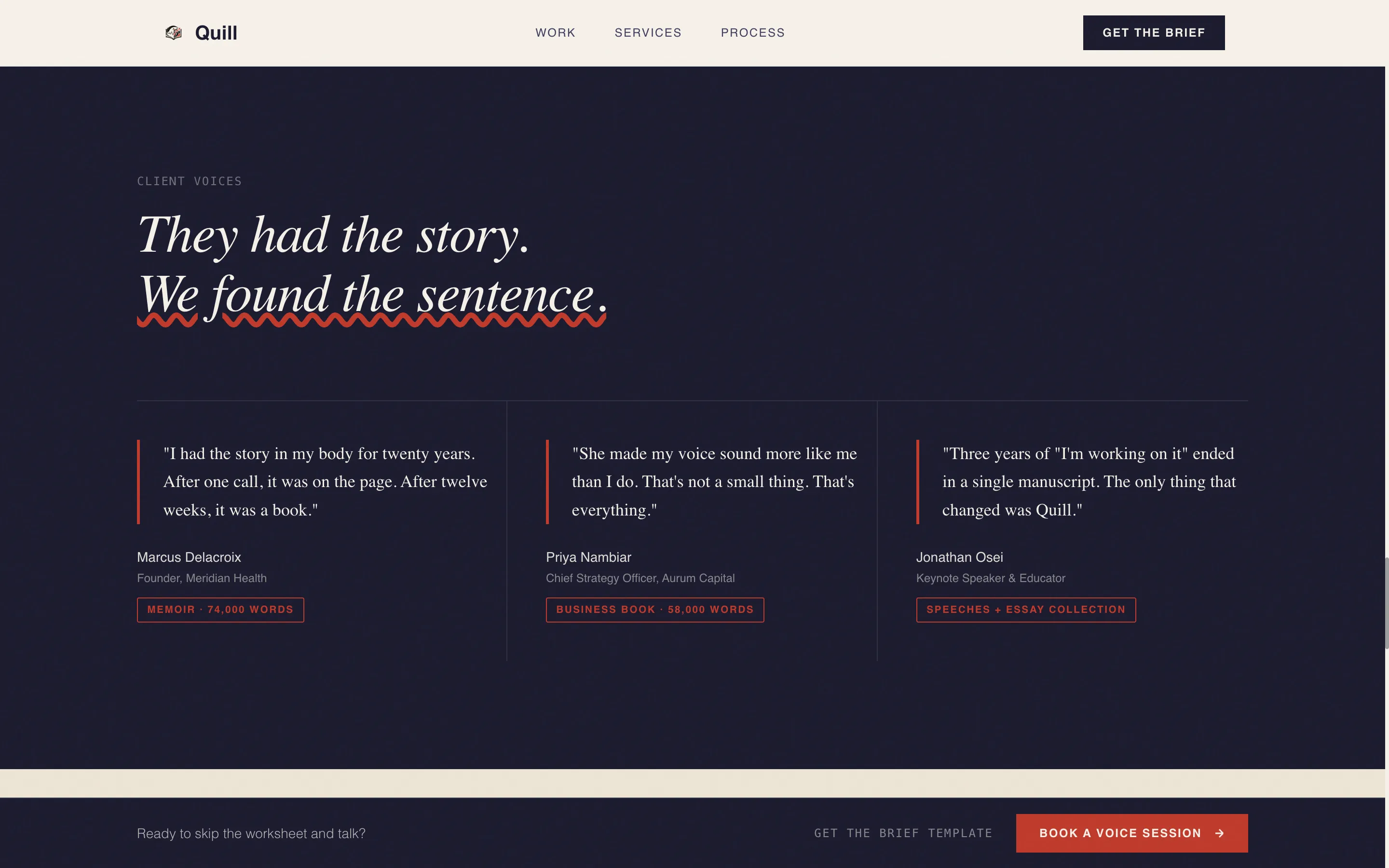
- The masonry card grid gives social proof through six or more before-and-after story pairs, each reinforcing the idea that transformation is possible for the visitor's own project.
- The dual-call to action system captures both early-stage leads through the gated worksheet and purchase-ready visitors through the sticky booking bar, covering two different buyer intents simultaneously.
Other information about this template
This template belongs to the Personal & Resume category and sits within the Author & Writer subcategory with a specific focus on the ghostwriter and editor niche. It is built as a Masonry or Pinterest-style layout, making it one of the more visually distinctive options in this category.
- Template style: Masonry or Pinterest grid layout
- Category fit: Personal & Resume, Author & Writer subcategory
- The Lens & Frame theme and Ink & Paper palette are designed to work together as a cohesive visual system
- The "What are you writing?" dropdown segments leads across memoir, business book, speeches, essays, and other project types
- The Brief Template worksheet is positioned as a free resource that prepares prospective authors for their first ghostwriting call
Theme
Lens & Frame
Creative direction
Creator Spotlight
Color system
Ink & Paper
Style
Masonry/Pinterest
Direction
Content/Resource
Page Sections
Scroll-jacked Writing Animation
Masonry Voice Transformation Grid
Gated Brief Download Form
Sticky Bottom Booking Bar
Ink & Paper Color System
Creator Spotlight Card Format
Related questions
Can I replace the placeholder card content with my own client examples?
What is included in the Brief Template download?
Can I edit the text inside the scroll-jacked writing animation?
Does this template work for a ghostwriter who focuses on one niche like memoirs or speeches?
What makes the sticky booking bar different from the main call to action?



