Rail — Certified Fence Installation Landing Page Template
Postline is an editorial-style landing page template built for Toronto fence installation companies. It combines a manifesto header, authoritative content panels, a fence-type comparison grid, a Toronto bylaw explainer, and a seasonal installation timeline into a single scroll that educates visitors and funnels them toward a free quote with confidence.
by Rocket studio
Quick summary
Postline turns a fence contractor's expertise into a trust-building editorial experience. The landing page opens with a bold manifesto statement, walks visitors through cedar-versus-vinyl comparisons and Toronto permit rules, and closes every second panel with a focused quote call-to-action. No contact form slows the flow. One button moves qualified visitors to a dedicated estimator.
Who this template is for
This template is built for fence installation businesses that want to look as authoritative as the work they do. It suits contractors who serve urban and suburban residential clients and need a page that earns trust before asking for a quote.
- Fence installation companies serving Toronto-area homeowners and landlords
- Contractors who want to educate clients on materials, bylaws, and installation timelines
- Local trades businesses ready to replace a generic service page with something that converts
What problem this template solves
Most fence contractor pages list services, drop a phone number, and stop there. That approach forces visitors to take a leap of faith. Postline replaces the leap with a guided scroll that answers the questions buyers are already asking before they ever reach out.
- Visitors leave generic contractor pages because nothing builds confidence in the company's knowledge
- Homeowners researching Toronto fence bylaws and material options have nowhere to learn and nowhere to act at the same time
- A single click-through button without context feels risky; repeated calls to action with earned proof lines feel natural
What you get with this template
You get a complete single-page layout structured as a series of editorial segments. Each segment teaches something specific and hands off smoothly to the next. The template is designed as a click-through funnel with no on-page form.
- A manifesto header, fence comparison grid, bylaw panel, seasonal timeline, and project case study sections
- A repeating call to action pattern with contextual proof lines placed after every second editorial panel
- A secondary text link that captures early-stage visitors who want to research before committing
Feature list
This template delivers a focused set of editorial and conversion components drawn directly from the source brief.
Manifesto Header Section
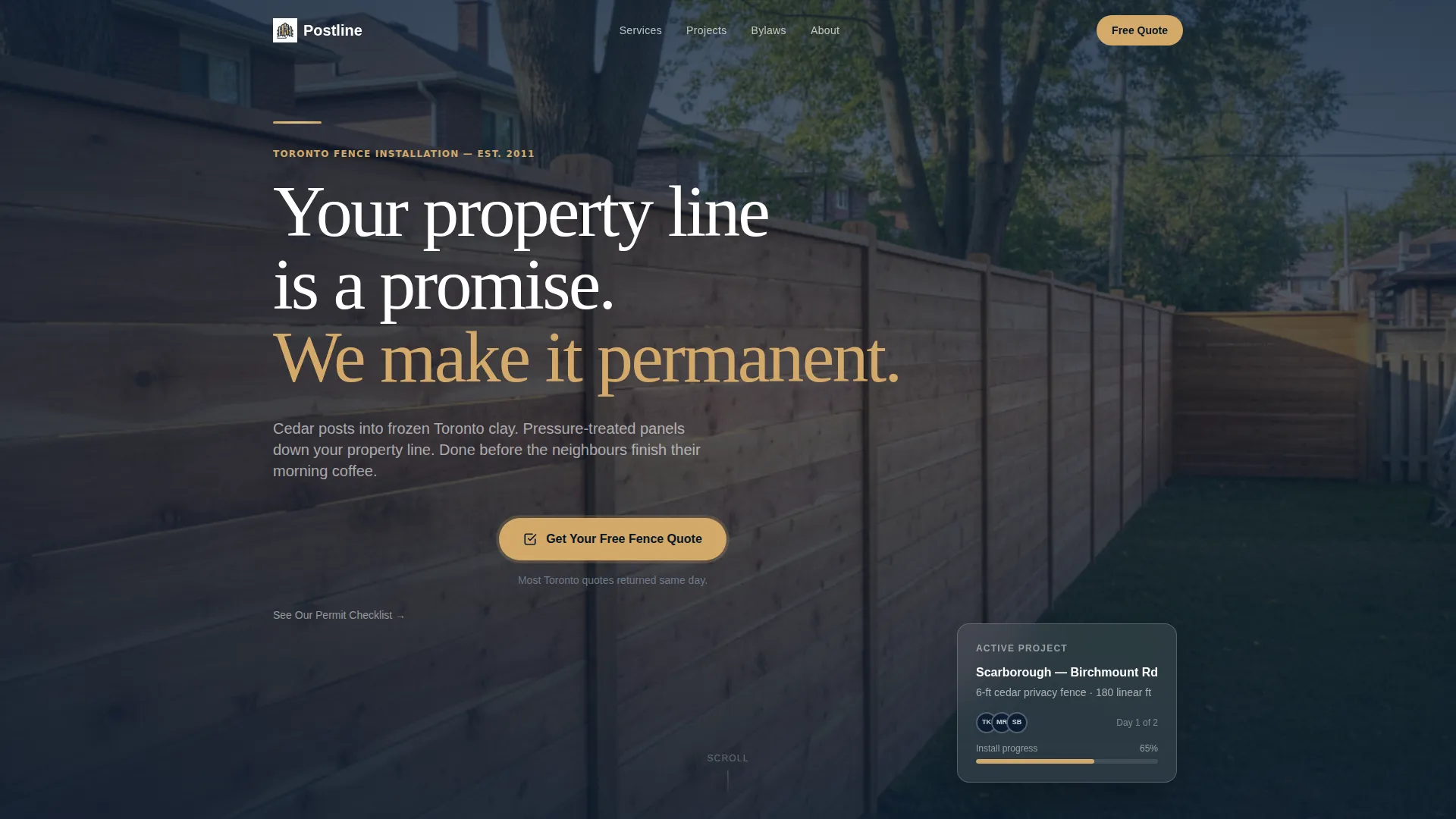
The page opens with oversized editorial serif type set against flat navy. The headline "Your property line is a promise. We make it permanent." sits beneath a thin cedar-colored rule. No background image competes with the words. The statement establishes authority before the visitor scrolls a single pixel.
Fence-Type Comparison Grid
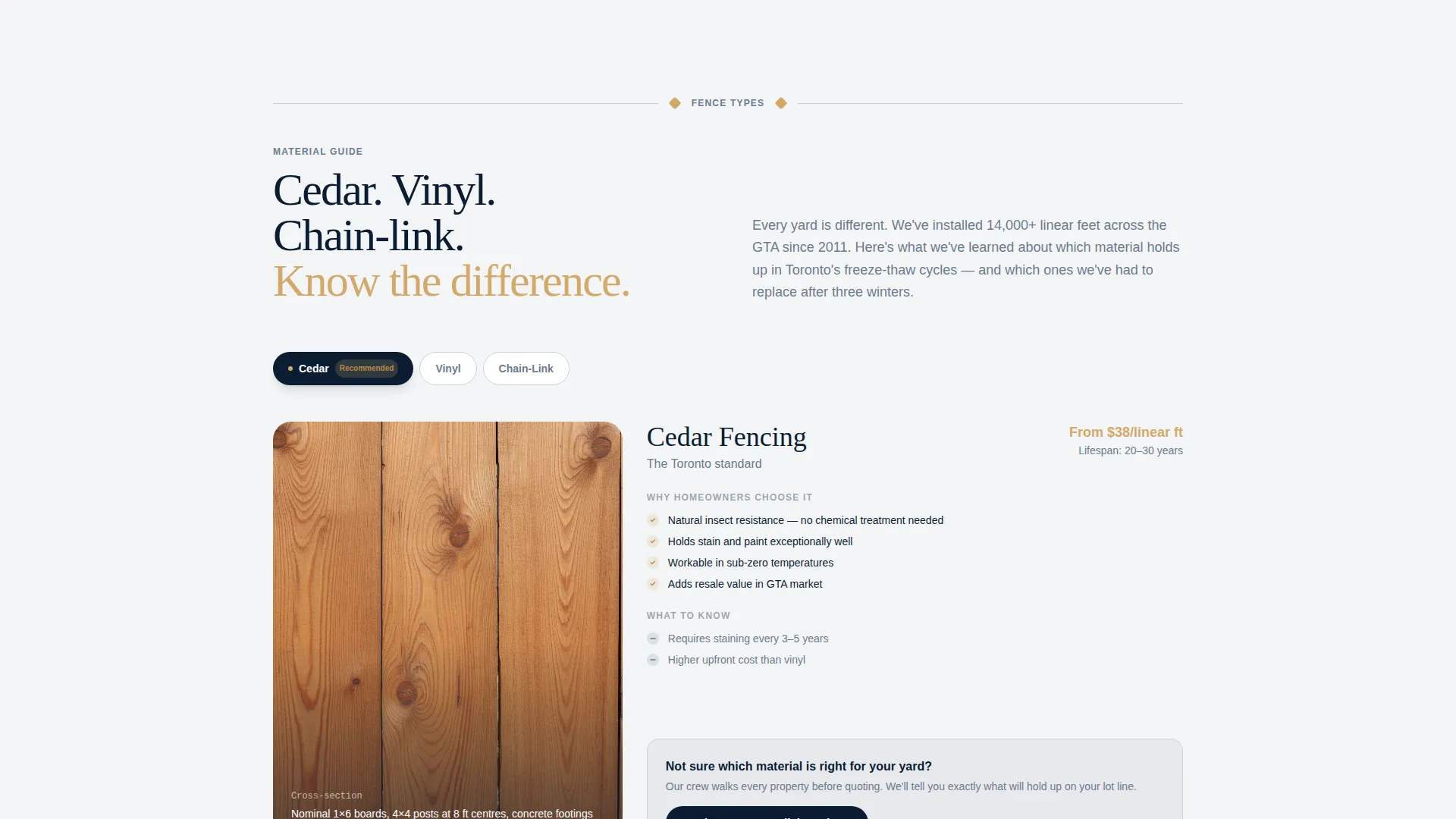
A structured grid presents cross-section comparisons of cedar, vinyl, and chain-link fence types. Visitors can quickly weigh materials against each other. The format mirrors a magazine feature, keeping the contractor in the role of trusted editor.
Toronto Bylaw Explainer Panel
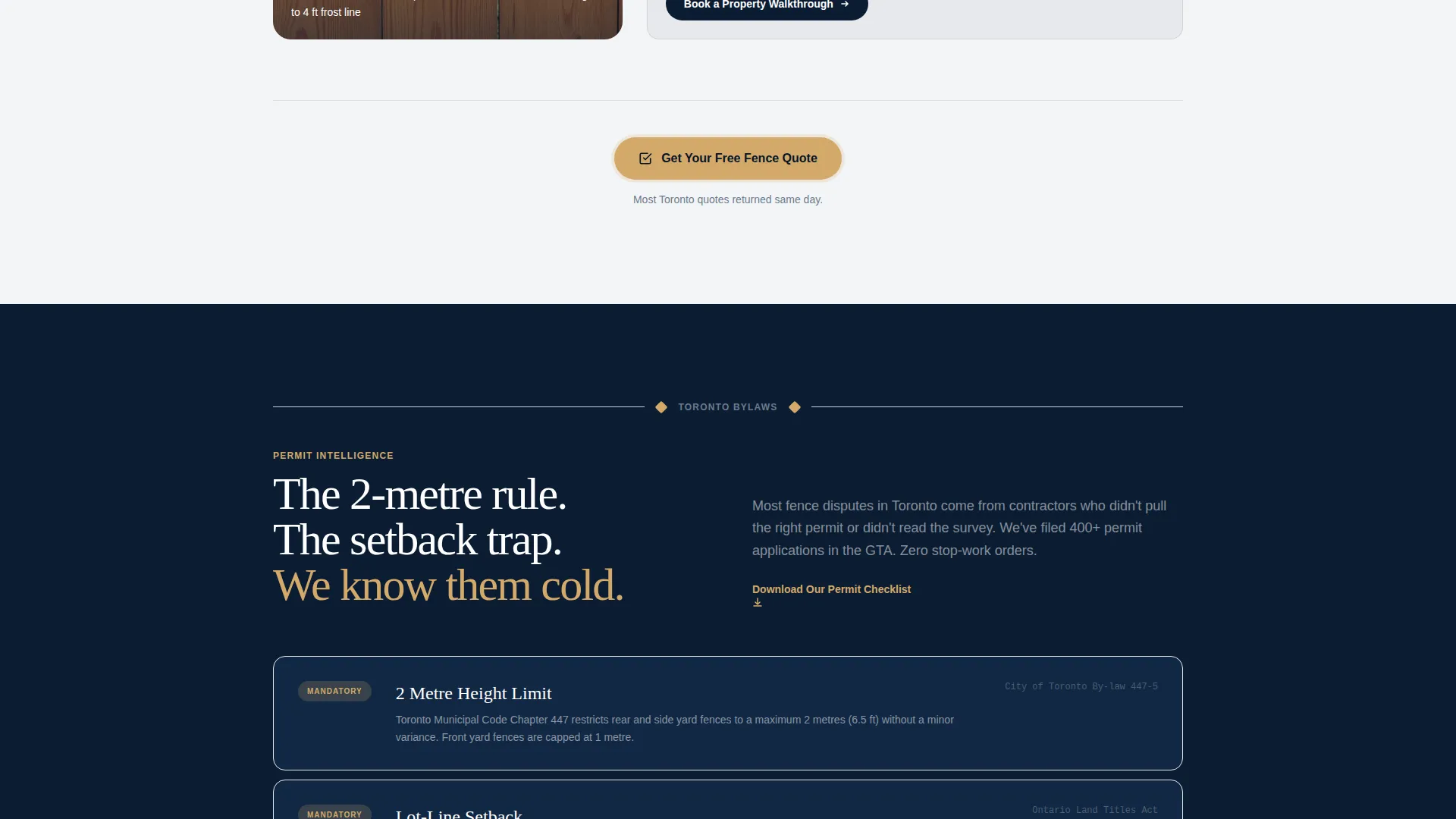
A dedicated panel breaks down the two-meter height rule and lot-line setback requirements specific to Toronto. It gives homeowners the permit context they need before making a decision. This section positions the company as a knowledgeable local specialist.
Seasonal Installation Timeline
A visual timeline maps frost-line depths by month across the Toronto installation season. It helps clients understand when work can start and sets realistic scheduling expectations. This kind of transparency reduces pre-sale friction significantly.
Repeating Click-Through call to action Pattern
The primary call-to-action, "Get Your Free Fence Quote," appears first after the manifesto and repeats after every second editorial panel. Each instance carries a single earned context line beneath it. The button clicks through to a dedicated estimator, keeping the landing page clean and focused.
Project Case Study Panels
Case study sections are styled like architectural photography spreads with tight grain detail and long shadow. Each panel is introduced by a post-and-rail divider element. They give prospective clients visual proof of finished work without cluttering the editorial flow.
Page sections overview
| Section | Purpose |
|---|---|
| Manifesto Header | Opens with authority statement |
| Primary call to action Block | Prompts first quote action |
| Fence Comparison Grid | Compares cedar, vinyl, chain-link |
| Toronto Bylaw Panel | Explains height and setback rules |
| Secondary call to action Block | Reinforces quote after bylaw content |
| Seasonal Timeline Panel | Maps frost-line depths by month |
| Project Case Studies | Shows finished work photographically |
| Final call to action Block | Closes scroll with quote prompt |
| Permit Checklist Link | Captures early-stage researchers |
Design & branding system
The visual identity follows a Service Utility theme built on a Navy Authority color system. The palette is intentionally disciplined, evoking a well-organized work truck at dawn rather than a polished agency portfolio.
- Deep post-hole navy (#0B1D33) dominates headers and section dividers; kiln-dried cedar (#D4A96A) warms calls-to-action and pull-quotes
- Galvanized hardware gray (#6B7B8D) carries body text; crisp permit-white (#F4F5F7) opens generous margins that let photography breathe
- Editorial serif typography sets headlines at oversized scale, while the post-and-rail divider element provides structural rhythm between each panel
Mobile & speed optimization
The editorial layout is structured to read cleanly at any viewport width. Stacked panels and generous white space translate naturally to a single-column mobile scroll without losing hierarchy or readability.
- Each editorial panel is self-contained, making reflow to narrower screens straightforward
- The click-through funnel model means no heavy form logic or multi-step validation adds weight to the page
- Photography-forward sections use open margins that scale down without crowding the cedar and navy palette
How this template helps you convert
Postline is designed as a content-led click-through funnel. Every editorial decision serves a conversion purpose without feeling like a sales page.
- The manifesto header establishes credibility in the first three seconds, reducing bounce before any scroll happens.
- The comparison grid and bylaw panel answer the two most common pre-purchase questions, so visitors arrive at the call to action already informed and more willing to act.
- The repeating call to action pattern with contextual proof lines ("Most Toronto quotes returned same day") lowers commitment anxiety at each natural pause in the scroll.
Other information about this template
This template is designed specifically around the Toronto residential fencing market and the particular expectations of homeowners in neighbourhoods like Scarborough, Etobicoke, and Oakville. The editorial magazine format suits contractors who want to position themselves as the knowledgeable choice in a crowded local market.
- The estimator link-through model keeps the landing page free of form complexity while still capturing qualified leads
- The secondary "See Our Permit Checklist" text link is built in to retain visitors who are in the research phase, increasing the chance of a return visit
- The post-and-rail divider element appears between every editorial segment, providing visual consistency across the full page scroll

Theme
Editorial Magazine
Creative direction
Stats-First Impact
Color system
Navy Authority
Style
Sidebar Companion
Direction
Content/Resource
Page Sections
Manifesto Header with Editorial Type
Fence-type Comparison Grid
Toronto Bylaw Explainer Panel
Seasonal Installation Timeline
Repeating Click-through Call to Action Pattern
Project Case Study Panels
Related questions
Does this template include a contact form?
Can I adapt this template for a fence company outside Toronto?
What fence materials does the comparison grid cover?
Who is the secondary permit checklist link designed for?
How does the repeating call to action pattern avoid feeling pushy?



