Political Campaign FAQ Website Template
Rally is a civic campaign landing page template built for presidential and gubernatorial campaigns. It combines an interactive map hero, a sticky FAQ-driven sidebar, and a focused event registration flow. The warm Community Hearth design makes every visitor feel like a neighbor at the table, not a target on a list.
by Rocket studio
Quick summary
Rally is a single-page campaign headquarters designed for presidential and governor races. An interactive map greets visitors with pulsing event dots, a sticky FAQ sidebar answers real constituent questions, and a focused "Save My Seat" form turns curiosity into committed attendance. The kitchen-table visual tone keeps every section approachable and civic.
Who this template is for
Rally is built for political campaigns that want to feel like a community, not a corporation. It works for any team that needs to register event attendees, recruit volunteers, and explain policy positions in plain language.
- Presidential and gubernatorial campaign teams managing events across multiple regions
- Political organizers coordinating volunteer shifts, door-knocking schedules, and livestreams
- Campaign communications staff who need one clear page to speak to first-time voters, long-time activists, and small-business owners alike
What problem this template solves
Campaign pages often feel cold, cluttered, or built for insiders. Visitors who arrive with genuine questions leave without answers, and potential volunteers never find a clear path to get involved.
- A first-time voter searching "how do I caucus" lands on a page full of jargon and donation buttons instead of plain answers
- Supporters who want to attend a rally cannot quickly find which event is closest to them or how to register
- Campaign teams lose warm leads because the page demands too much too fast rather than building trust one question at a time
What you get with this template
Rally delivers a fully structured single-page layout that guides visitors from curiosity to commitment through a natural, conversation-like flow.
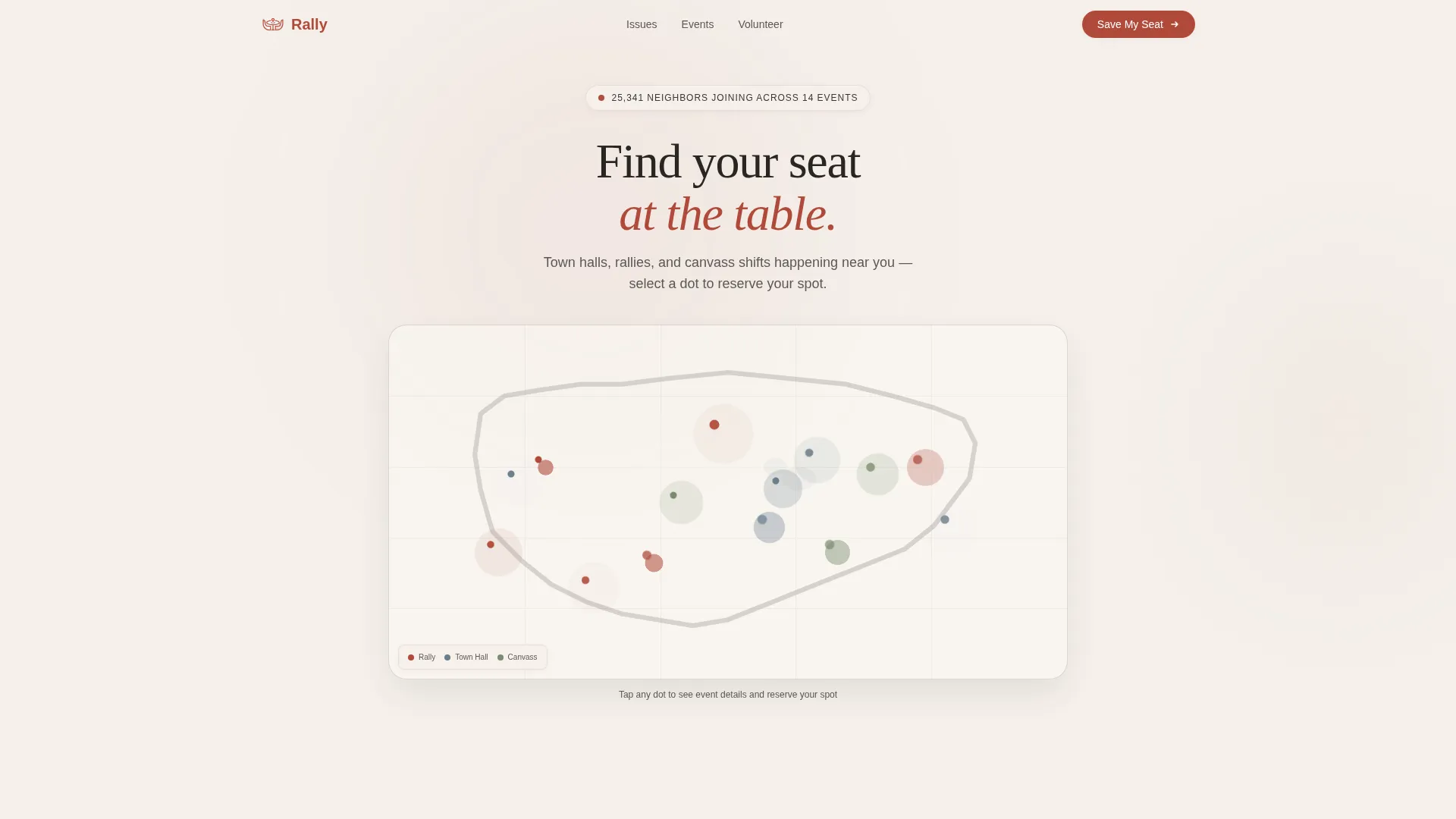
- An interactive map hero with pulsing event-location dots, real-time attendance counters, and a region-detection zoom that lands each visitor near their closest rally
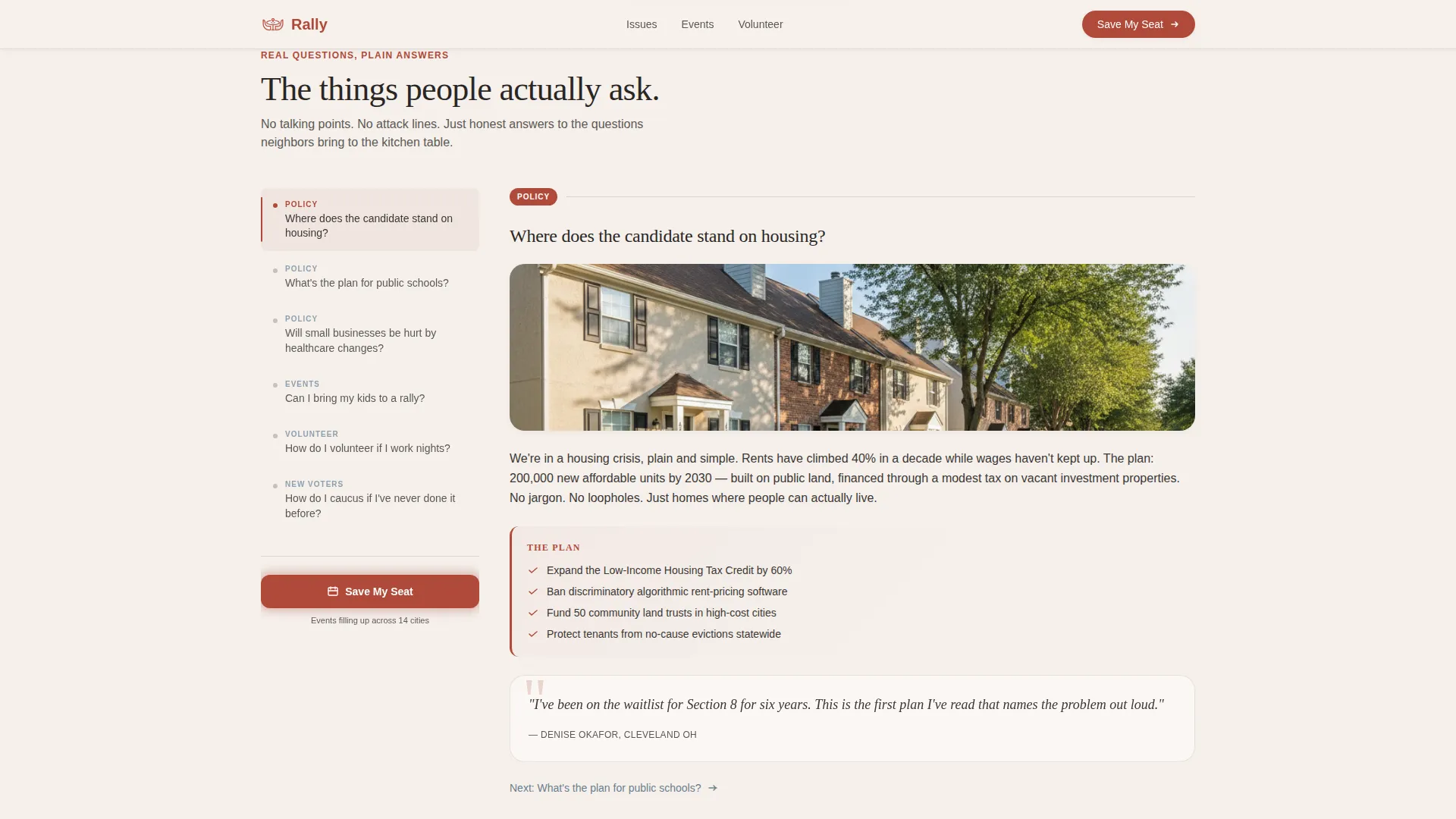
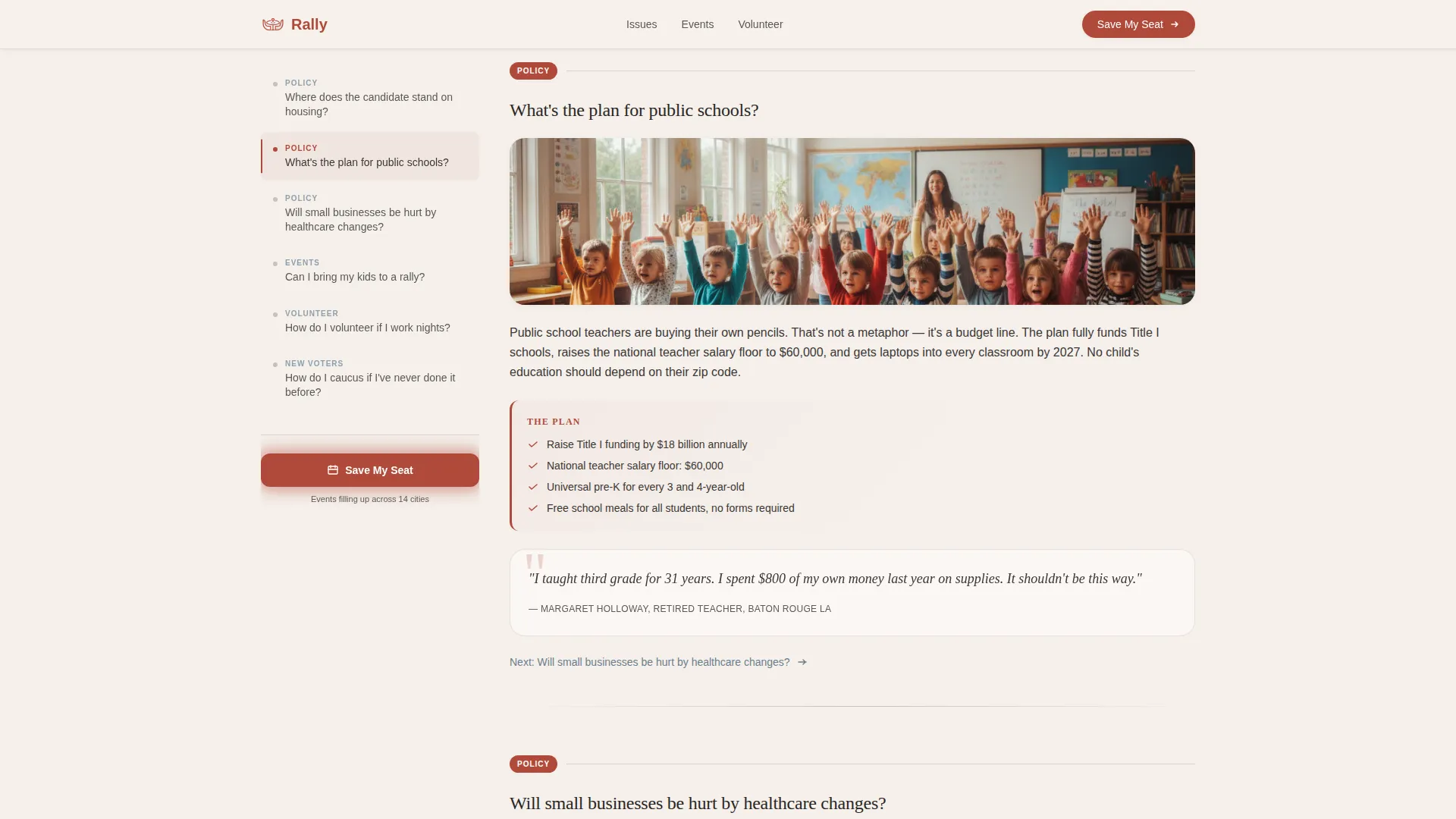
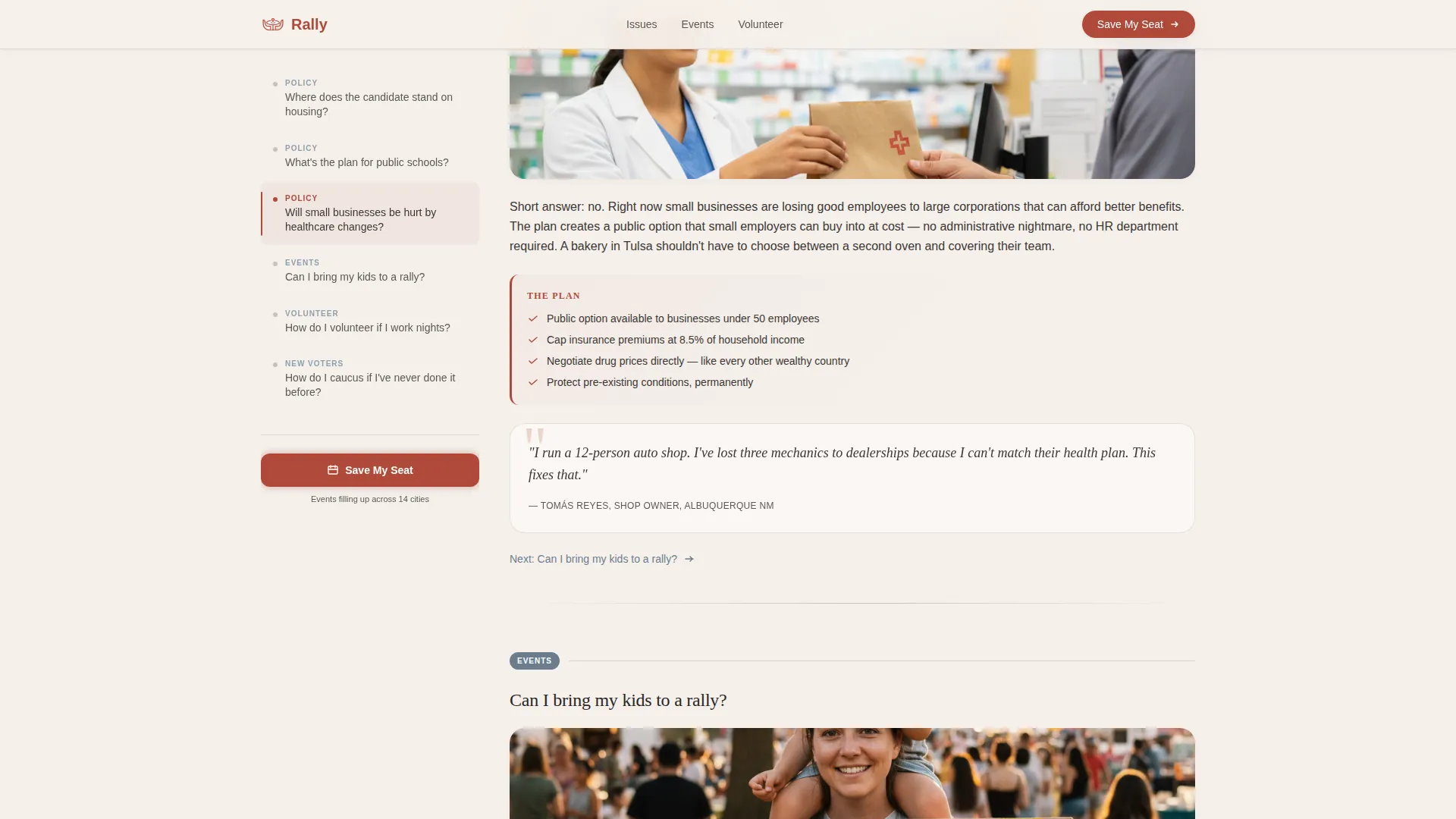
- A sticky FAQ sidebar that acts as a living table of contents, linking to policy answers, constituent pull quotes, and supporting photo blocks in the main column
- An event registration form pre-filled from the map selection, a "Bring a neighbor" toggle, and a secondary livestream email-capture path for those who cannot attend in person
Feature list
Rally packages each of these capabilities into a cohesive, ready-to-customize layout.
Interactive Map Hero with Event Dots
The header loads a softly illustrated state or national map. Gentle dot clusters pulse at upcoming rally and town-hall locations, each carrying a date, a city name, and an attendance counter that ticks upward. The view starts wide, then slowly zooms toward the visitor's detected region and highlights the nearest event with a warm glow.
Sticky FAQ Sidebar Navigation
Once visitors scroll past the map, the sidebar locks into place as a persistent table of contents. Each question selected scrolls the main column to a matching answer block. The rhythm is conversational: every answer ends with a soft nudge toward the next question, building familiarity across the full page.
Policy Answer Blocks with Social Proof
Each FAQ answer in the main column is supported by a photo, a constituent pull quote, or a short policy card. The content is written in plain language with no jargon, giving voters the specific information they came for.
Event Registration with "Save My Seat" Form
The primary call to action appears inside each map pin tooltip and as a persistent button at the base of the sidebar. The short form collects a first name, zip code, and pre-filled event selection. An optional "Bring a neighbor" toggle duplicates a second name field.
Livestream Email Capture Path
Visitors who cannot attend in person see a secondary call to action: "Can't attend? Watch live." This path collects only an email address for livestream reminders, reducing friction and keeping soft supporters connected to the campaign.
Constituent Voices Section
A dedicated social-proof section surfaces pull quotes from real community members. Combined with the map's fill-up visual, it signals that people are already joining, creating the sense of momentum that encourages new visitors to act.
Page sections overview
| Section | Purpose |
|---|---|
| Map Hero | Display pulsing event dots, region zoom, and headline |
| FAQ Sidebar Layout | Sticky navigation linking to policy answer blocks |
| Events Registration Grid | Upcoming rallies with "Save My Seat" forms |
| Constituent Voices | Pull quotes and community social proof |
| Get Involved | Volunteer shifts and livestream email capture |
| Footer | Single-row linear links and campaign essentials |
Design & branding system
Rally uses a Community Hearth visual identity built around a Cloud Canvas color palette. Every element is chosen to feel approachable, civic, and unhurried, like a community bulletin board in a public library.
- Colors: parchment white (#F5F0EB) for backgrounds, warm charcoal (#3B3735) for body text, hearth red (#B04A3A) for primary buttons and map pins, and slate blue (#6B7D8D) for secondary links and sidebar highlights
- Typography: Fraunces display serif for headlines and pull quotes, DM Sans for body text and form labels, producing a newsprint-legible reading experience at every size
- Visual tone: warm overhead-light atmosphere, illustrated map aesthetic, and a layout that rewards slow, curious reading rather than rushed scanning
Mobile & speed optimization
The template is designed desktop-first to support the sidebar companion layout, and it degrades gracefully to a clean mobile stack so no visitor is left behind.
- On smaller screens, the sticky sidebar collapses into an inline anchor menu above each answer block, preserving the FAQ-driven flow without cramping the layout
- Map dot animations rely on CSS and Intersection Observer scroll effects, keeping the interactive experience smooth without heavy scripting overhead
- Count-up attendance numbers and scroll-linked sidebar highlights are handled through lightweight CSS animations, keeping the page responsive across connection types
How this template helps you convert
Rally converts visitors by making participation feel inevitable rather than pressured. Each section builds on the last, and every call to action arrives at the right moment in the reader's journey.
- The map hero creates immediate geographic relevance by zooming to the visitor's nearest event, reducing the "is there something near me?" friction before the visitor even scrolls
- The FAQ sidebar answers the real questions people type into search engines, building enough trust that clicking "Save My Seat" feels like a natural next step rather than a commitment made under pressure
- The dual registration paths (in-person form and livestream email capture) widen the conversion funnel, so visitors who are not yet ready to attend an event still enter the campaign's reach
Other information about this template
Rally is a strong fit for any civic engagement campaign that needs to communicate clearly with a broad, mixed-experience audience across a single organized page.
- The template is categorized under Government and Public, Political Campaign, with a focus on the Presidential and Governor Campaign niche
- The sidebar companion layout style and FAQ-driven creative direction make Rally especially effective for campaigns that need to address many constituent questions without creating a cluttered multi-page site
- The Cloud Canvas color system and Community Hearth theme can be recolored to match any official campaign palette while preserving the warm, readable visual hierarchy
Theme
Community Hearth
Creative direction
FAQ-Driven
Color system
Cloud Canvas
Style
Sidebar Companion
Direction
Event Registration
Page Sections
Interactive Map Hero with Pulsing Event Dots
Sticky FAQ Sidebar Navigation
Policy Answer Blocks with Constituent Voices
Save My Seat Registration Form
Livestream Email Capture Path
Constituent Voices and Social Proof Section
Related questions
Can I customize the map to show only my state or district?
How does the 'Bring a neighbor' toggle work on the registration form?
Can supporters sign up if they cannot attend an event in person?
Is Rally suitable for a local city council or school board campaign?
What fonts does this template use?



