Kids Tennis Parent Resource Landing Page Template
Rally is an energetic, masonry-style landing page built for parents of junior tennis players. It combines a bold Dopamine Pop color system, a looping animated header, and a Pinterest-style resource grid to create a vibrant digital clubhouse. Parents can browse coaching tips, tournament checklists, and clinic schedules, then register for events or grab a free PDF guide.
by Rocket studio
Quick summary
Rally is a single-page template designed for junior tennis parent communities. It pairs a high-energy animated hero with a scrollable masonry grid of resource cards. Two conversion paths run throughout: a two-step event registration form and a free PDF email capture. The result is a lively, mobile-first page that feels as alive as a courtside bulletin board.
Who this template is for
Rally is built for anyone running a resource hub or event program in the junior tennis space. It works equally well for independent coaches, local academies, and parent-led community groups who need one place to share guidance and fill clinic spots.
- Parents organizing junior tennis communities or resource hubs
- Youth tennis coaches and academies promoting clinics and workshops
- Junior tennis program directors managing event registrations
What problem this template solves
Tennis parents are scattered across coach emails, tournament apps, and group chats trying to piece together reliable guidance. There is no single, welcoming space that holds coaching tips, tournament prep advice, and event sign-ups together. Rally solves that by organizing everything into one scrollable, visually engaging landing page that meets parents where they already are: on their phones.
- No central place to find coaching guidance, packing tips, and clinic dates together
- Event sign-up processes that are clunky or buried across multiple pages
- A disconnect between helpful content and a clear next step for parents
What you get with this template
Rally delivers a fully structured landing page with distinct content zones, two conversion paths, and a complete visual identity ready to customize. Every section has a defined purpose, so you spend time filling it with your content rather than figuring out layout from scratch.
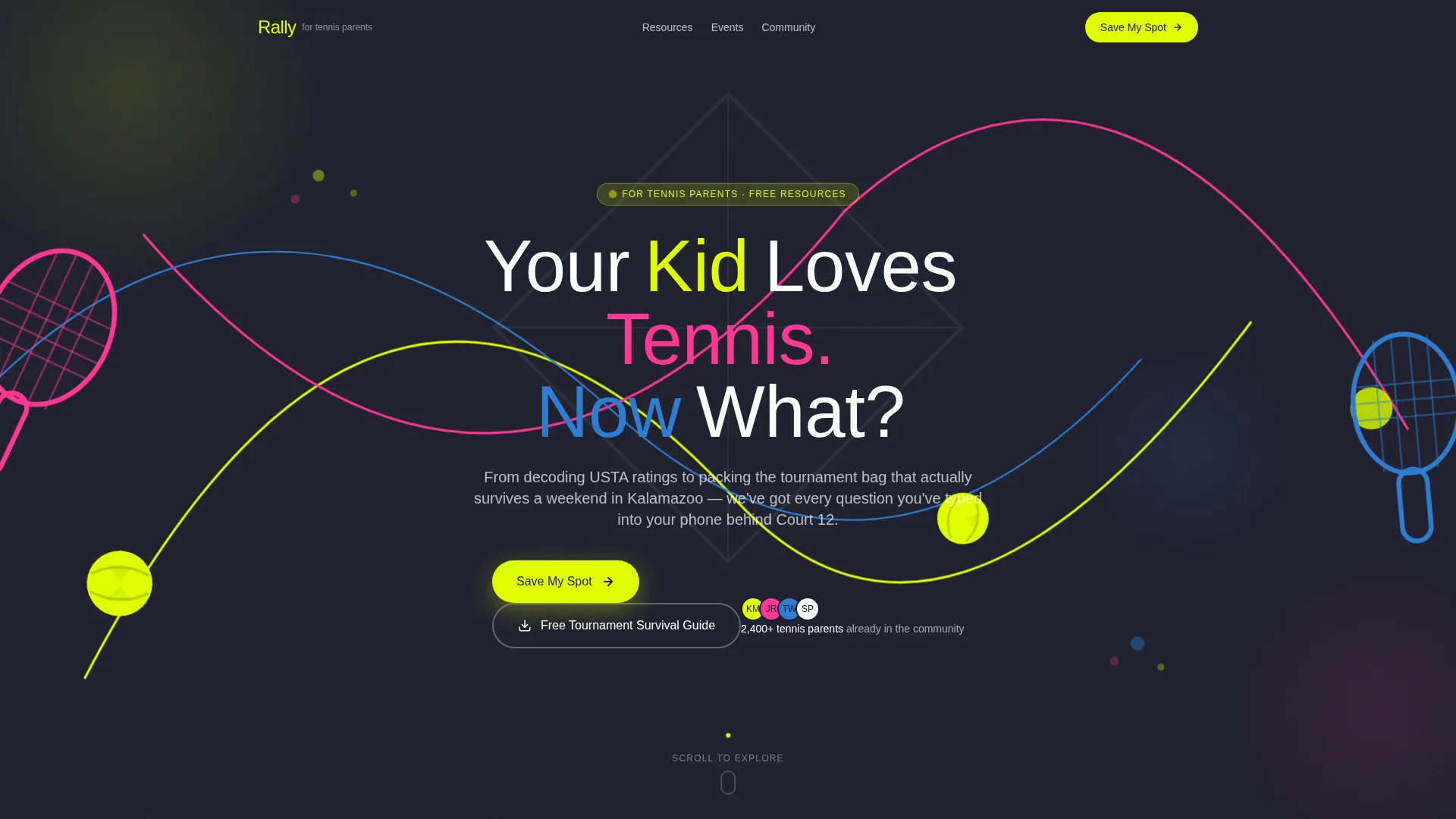
- An animated hero section with a hand-lettered headline and looping geometric tennis ball animation
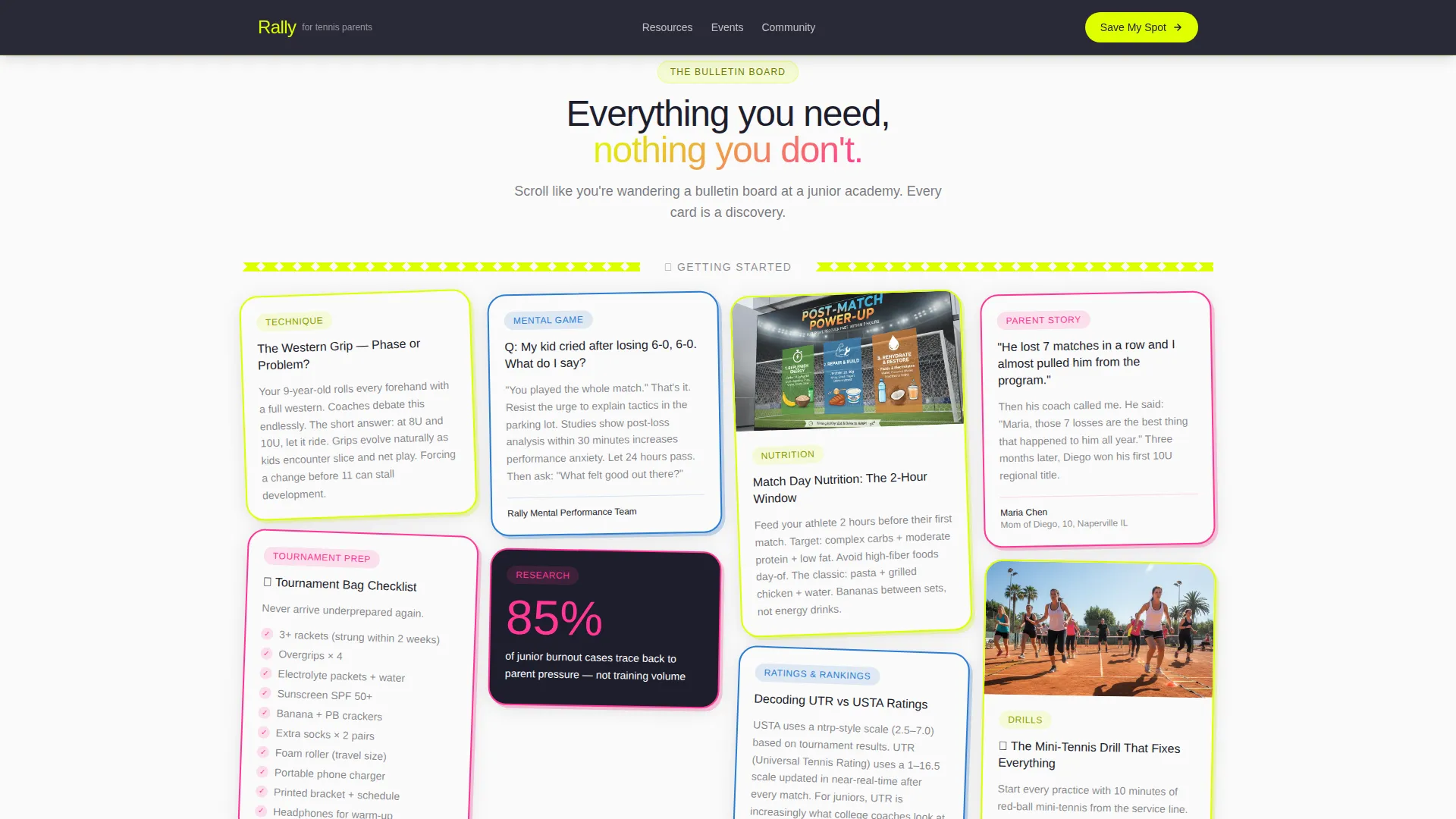
- A masonry resource grid with tilted, overlapping cards for tips, checklists, Q&As, and drill content
- A two-step event registration modal and a separate free PDF email capture section
Feature list
This template ships with a focused set of built-in capabilities drawn directly from its design brief. Each feature below is included in the template as described.
Animated Lottie and Vector Hero
The full-width header features looping SVG animations: geometric tennis balls bounce across the viewport, polygon racket outlines swing, and dotted trajectory lines trace parabolas between shapes. A hand-lettered vector headline, "Your Kid Loves Tennis. Now What?", lands word by word in sync with each ball bounce.
Masonry Resource Card Grid
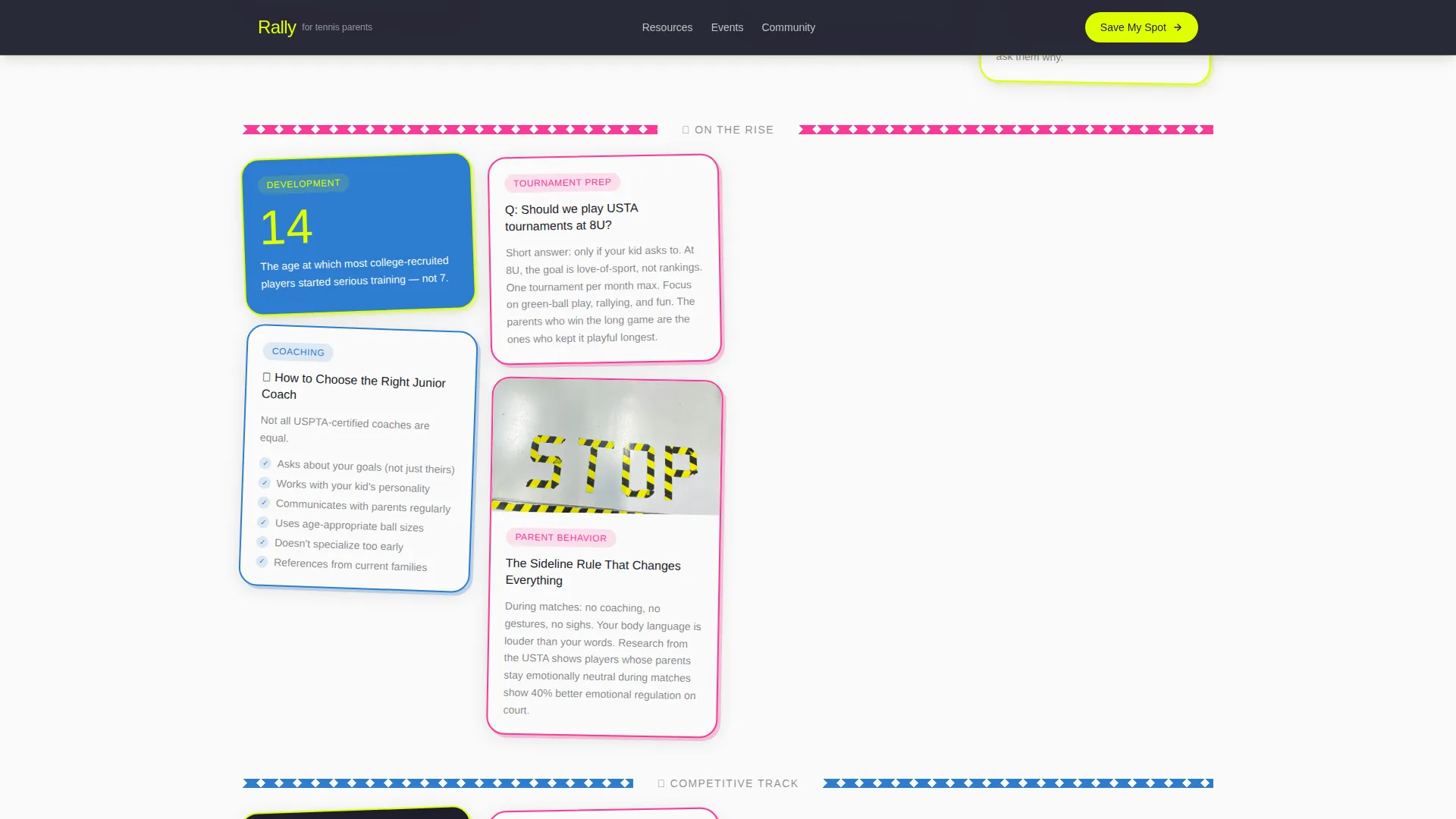
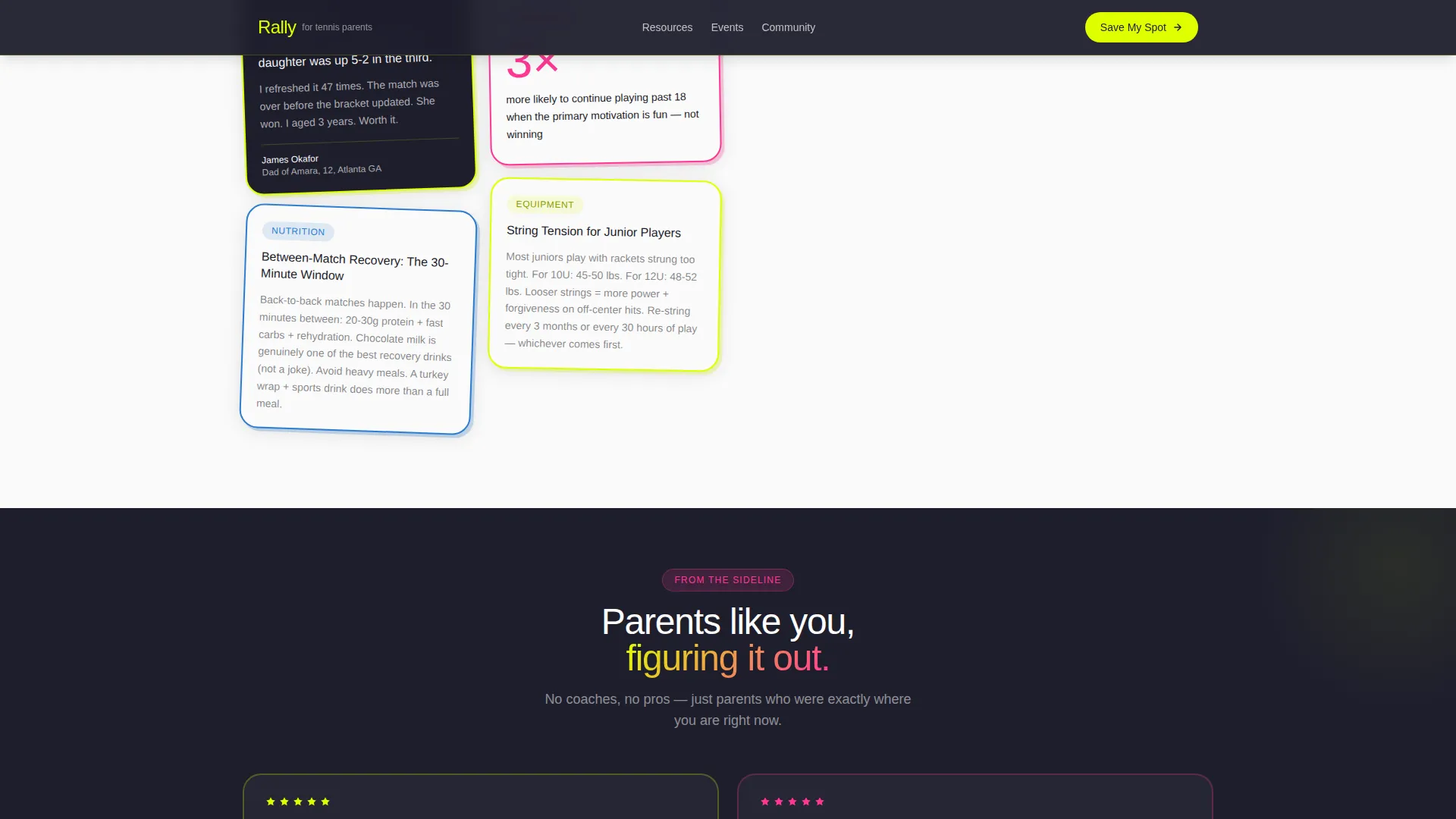
A Pinterest-style masonry layout fills the page below the hero with tilted, overlapping cards of varying heights. Cards hold coaching tips, tournament packing checklists, parent Q&As, nutrition graphics, and drill GIFs. Each card is bordered in a different Dopamine Pop accent color.
Geometric Thematic Dividers
Zigzag net shapes and diamond court diagram dividers break the masonry grid into themed clusters. Topics progress from beginner-friendly content at the top to competitive-track resources further down, rewarding parents who scroll the full page.
Two-Step Event Registration Form
A primary "Save My Spot" call-to-action button opens a two-step modal form. Step one collects the parent's name, email, and their child's age group (8U, 10U, 12U, or 14U). Step two presents a checkbox grid of upcoming clinics, workshops, and tournament-prep weekends with dates and locations.
Free PDF Email Capture
A secondary conversion path invites parents to download a free "First Tournament Survival Guide" PDF. It requires only an email address, making it a low-friction option for browsers who are not yet ready to commit to a specific clinic date.
Sticky Call-to-Action Placement
The "Save My Spot" button pins to the bottom of the viewport on mobile. On desktop, it repeats inside a sticky sidebar card. This keeps the primary registration action visible as parents scroll through the resource grid.
Page sections overview
| Section | Purpose |
|---|---|
| Animated Hero | Introduces the page with looping SVG tennis ball animations and a hand-lettered headline |
| Masonry Resource Grid | Displays coaching tips, checklists, Q&As, nutrition cards, and drill GIFs in a Pinterest layout |
| Parent Testimonials | Builds trust through quote cards with parent names, child age groups, and specific outcomes |
| Event Registration Form | Captures registrations via a two-step modal with age group selection and clinic checkboxes |
| Free PDF Capture | Collects email addresses in exchange for the downloadable "First Tournament Survival Guide" |
| Footer | Single-row linear footer with essential links and contact information |
Design & branding system
Rally uses a Playful Geometric theme driven by a Dopamine Pop color palette. Every color is chosen to feel bright, intentional, and energetic without becoming hard to read. Typography reinforces that personality with rounded, friendly weights.
- Colors: electric tennis-ball yellow (#DFFF00), court-surface blue (#2D7DD2), baseline hot pink (#FF3796), sneaker white (#FAFAFA) for card backgrounds, and deep charcoal (#1E1E2C) for body text
- Typography: Plus Jakarta Sans for headings, DM Sans for body text
- Visual style: flat, thick-stroked geometric shapes, deliberately imperfect outlines, tilted overlapping cards, and staggered card reveal animations on scroll
Mobile & speed optimization
Rally is built mobile-first because tennis parents are most often browsing on their phones between matches at tournaments. The sticky call-to-action and the masonry layout both adapt cleanly to smaller screens.
- The "Save My Spot" button pins to the viewport bottom on mobile for constant visibility
- Animations use CSS-based techniques to keep motion smooth without heavy third-party libraries
- The masonry grid reflows naturally for single-column mobile viewing without losing the card personality
How this template helps you convert
Rally is structured around two distinct conversion paths that serve parents at different levels of readiness. The layout keeps both paths visible throughout the scroll so no parent has to hunt for the next step.
- The sticky "Save My Spot" call-to-action and the two-step registration modal guide ready parents from interest to a confirmed clinic or workshop spot in two focused form steps.
- The free PDF email capture gives curious browsers a low-commitment entry point, collecting an email address before they are ready to pick a date on a calendar.
Other information about this template
Rally is a masonry and Pinterest-style landing page template built within the Kids and Family category, specifically for the junior tennis parent niche. It is designed to function as a youth sports parenting resource hub with event registration and content discovery built in.
- Template style: Masonry and Pinterest layout
- Theme: Playful Geometric with Dopamine Pop color system
- Header concept: Lottie and Vector animated header
- Primary conversion direction: Event registration with a sticky call-to-action
- Interactivity level: High, including two-step form modal, masonry hover effects, and floating animated elements
- Animation approach: SVG bouncing balls, staggered card reveals, and blob animations
- Localization: English, United States date format, American tennis context including references to age-group divisions (8U, 10U, 12U, 14U) and tournament systems familiar to US junior tennis families
Theme
Playful Geometric
Creative direction
Gallery Walk
Color system
Dopamine Pop
Style
Masonry/Pinterest
Direction
Event Registration
Page Sections
Animated Lottie and Vector Hero
Masonry Pinterest-style Resource Grid
Two-step Event Registration Modal
Free PDF Email Capture Section
Sticky Call-to-action Button
Geometric Thematic Dividers
Related questions
Can I use Rally for a local tennis academy rather than a parent community?
Does the two-step registration form support different age group options?
Can I use just the PDF email capture without enabling the full event registration?
Is the masonry grid limited to a set number of resource cards?
What type of content works best in the resource card grid?



