Kids Tennis Booking Website Template
Rally is a vibrant, single-page landing page template built for kids tennis academies. It pairs a hand-illustrated mascot, zigzag community photo sections, and inline downloadable resources to earn parent trust before asking for contact details. The primary call to action is a three-field "Download the Free Parent Starter Kit" form, with a secondary schedule-browsing link at the bottom.
by Rocket studio
Quick summary
Rally is a kids tennis academy landing page template designed for suburban families. It uses a bold Dopamine Pop color system, an illustrated mascot hero, and a zigzag community gallery to guide parents from first impression to confident sign-up. Free downloadable resources reward the scroll and build trust before the lead form ever appears.
Who this template is for
Rally was built for local tennis academies and after-school programs that serve children from age four through their teenage years. It speaks directly to the parents making enrollment decisions, and it works equally well for coaches building a new academy presence or established programs refreshing a tired page.
- Youth sports academy directors and head coaches launching or updating their web presence
- After-school and weekend program coordinators targeting suburban parent audiences
- Junior tennis programs that want to lead with community warmth rather than just pricing
What problem this template solves
Most youth sports pages bury the warmth under dense program grids and registration walls. Parents arrive curious and leave without connecting. Rally solves the trust gap by giving value first: downloadable resources appear mid-scroll before any form is shown, so parents feel the academy's generosity before they are ever asked for their email.
- Parents leave pages that feel transactional without converting; Rally leads with free resources to earn the click
- Program pages rarely show real community moments; this template centers real family photos and parent quotes throughout
- A cluttered or generic layout fails to reflect the personality of a local academy; Rally's illustrated mascot and hand-lettered style give every program its own identity
What you get with this template
This template delivers a fully structured, single-page layout with eight distinct sections built for a kids tennis academy. Every section is ready to populate with your own photos, quotes, and program details.
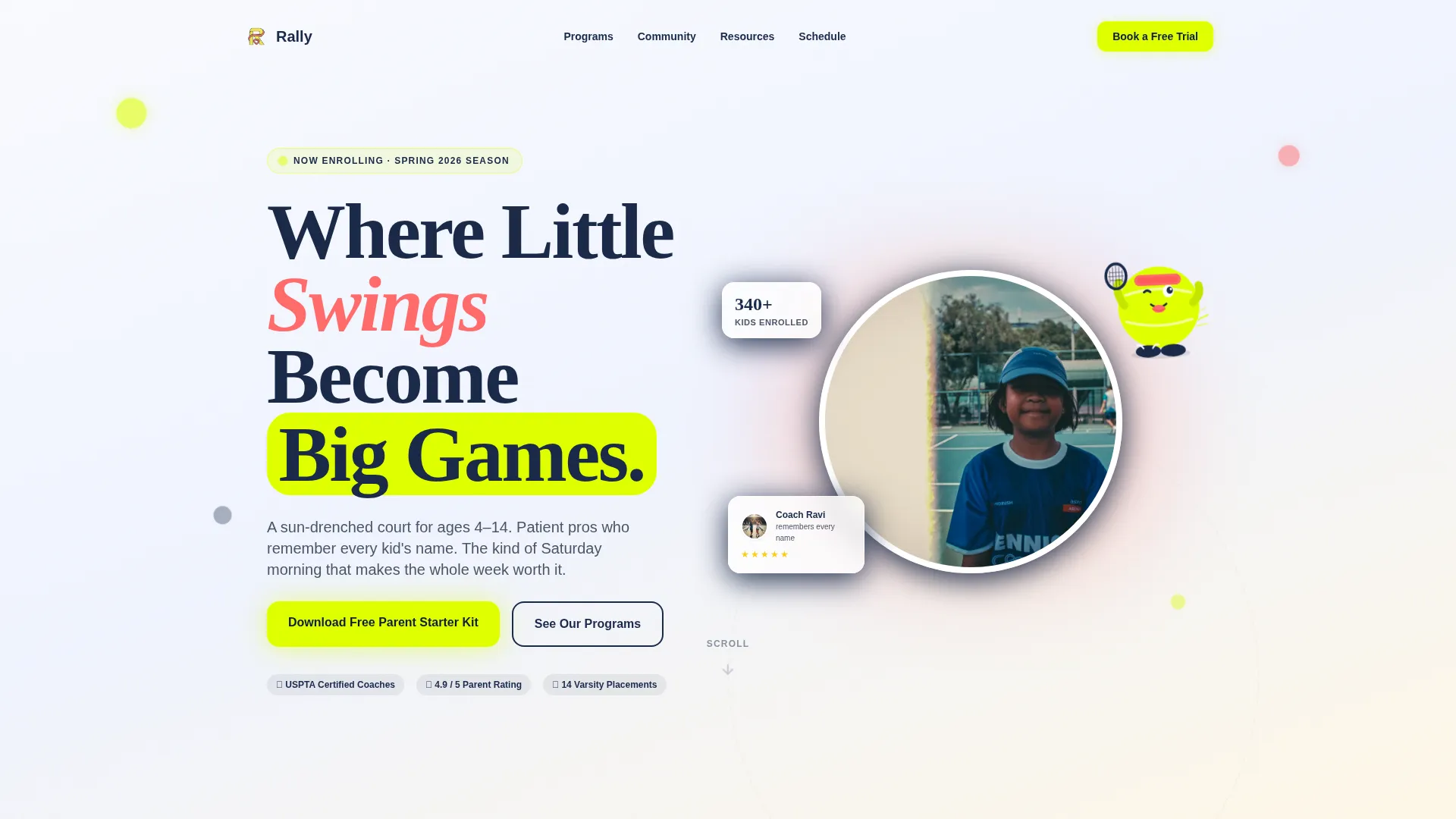
- A mascot-driven hero section with a split illustrated-and-photo layout, plus animated tennis ball particles
- Three alternating zigzag sections covering Tiny Tots, Junior Strikers, and Tournament and Senior players
- Inline downloadable resource drops, a three-field lead capture form, a stats bar, and a single-row footer
Feature list
Rally's capabilities are drawn directly from its structured section plan and design brief. Each feature serves a specific role in turning a curious parent into an engaged lead.
Illustrated Mascot Hero Section
The hero opens with a grinning tennis ball character mid-leap, combined with soft circular photography of real students. A hand-lettered headline and animated floating tennis ball particles set an energetic, welcoming tone from the first scroll.
Zigzag Community Gallery
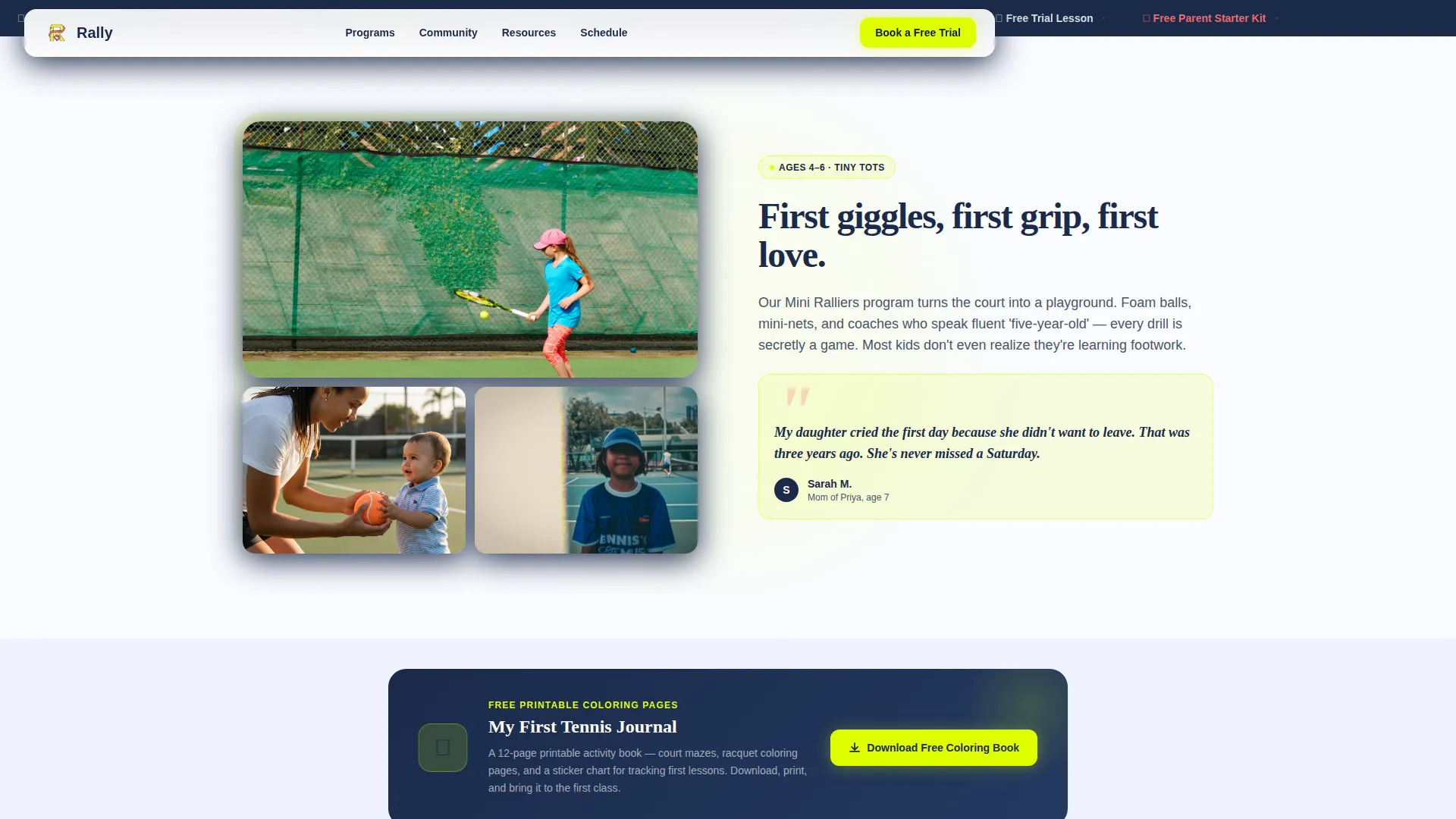
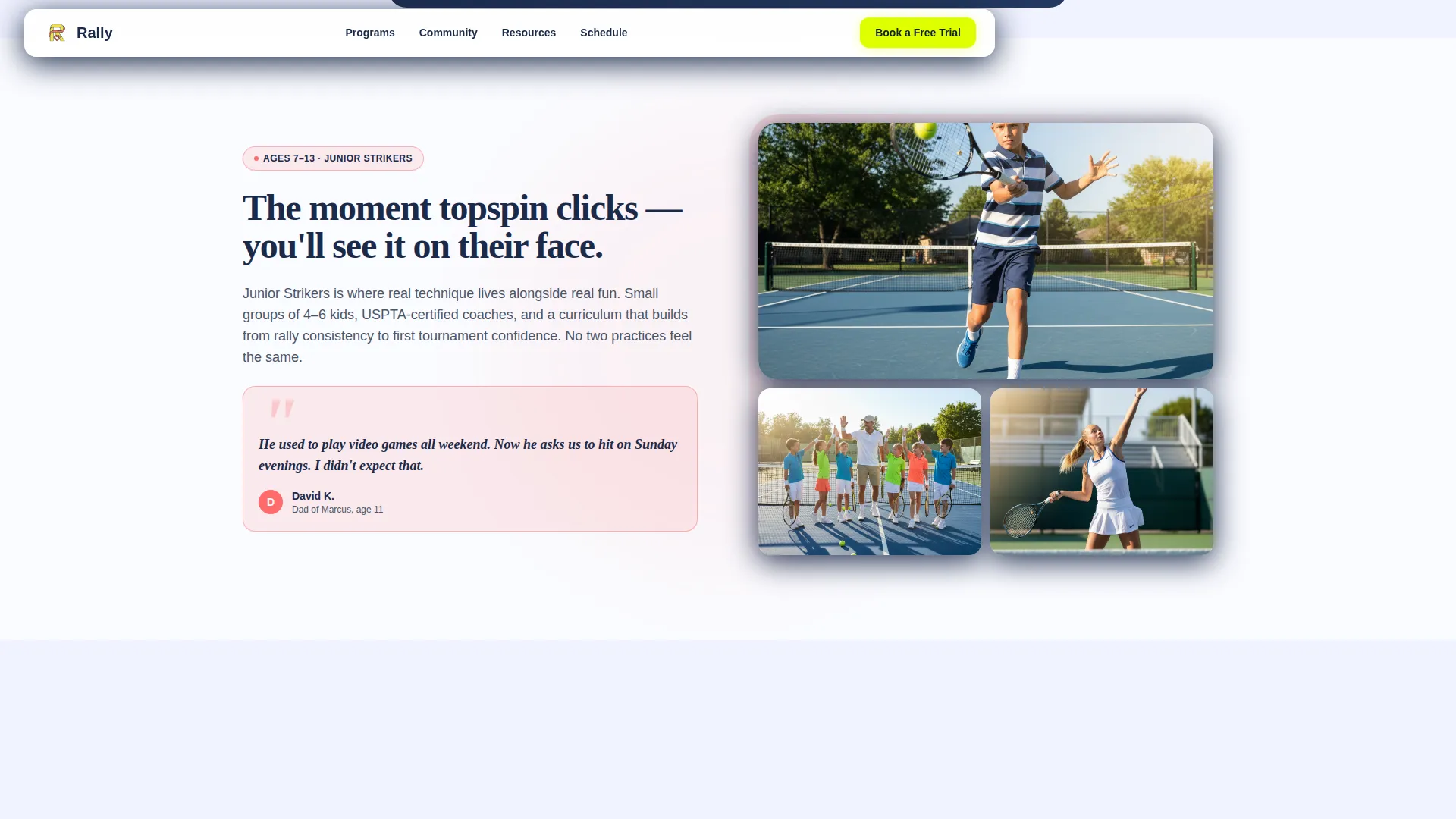
Three alternating sections pair candid family photography on one side with parent quotes on the other, then flip. The layout moves from Tiny Tots first lessons through Junior Strikers development to Tournament and Senior pride stories, deepening emotional commitment as the parent scrolls.
Mid-Scroll Downloadable Resources
Inline resource drops reward parents before any form appears. Included assets are a printable "My First Tennis Journal" coloring page, an at-home footwork drill video playlist, and a PDF guide titled "How to Choose the Right Racquet Size for Your Child."
Three-Field Parent Lead Form
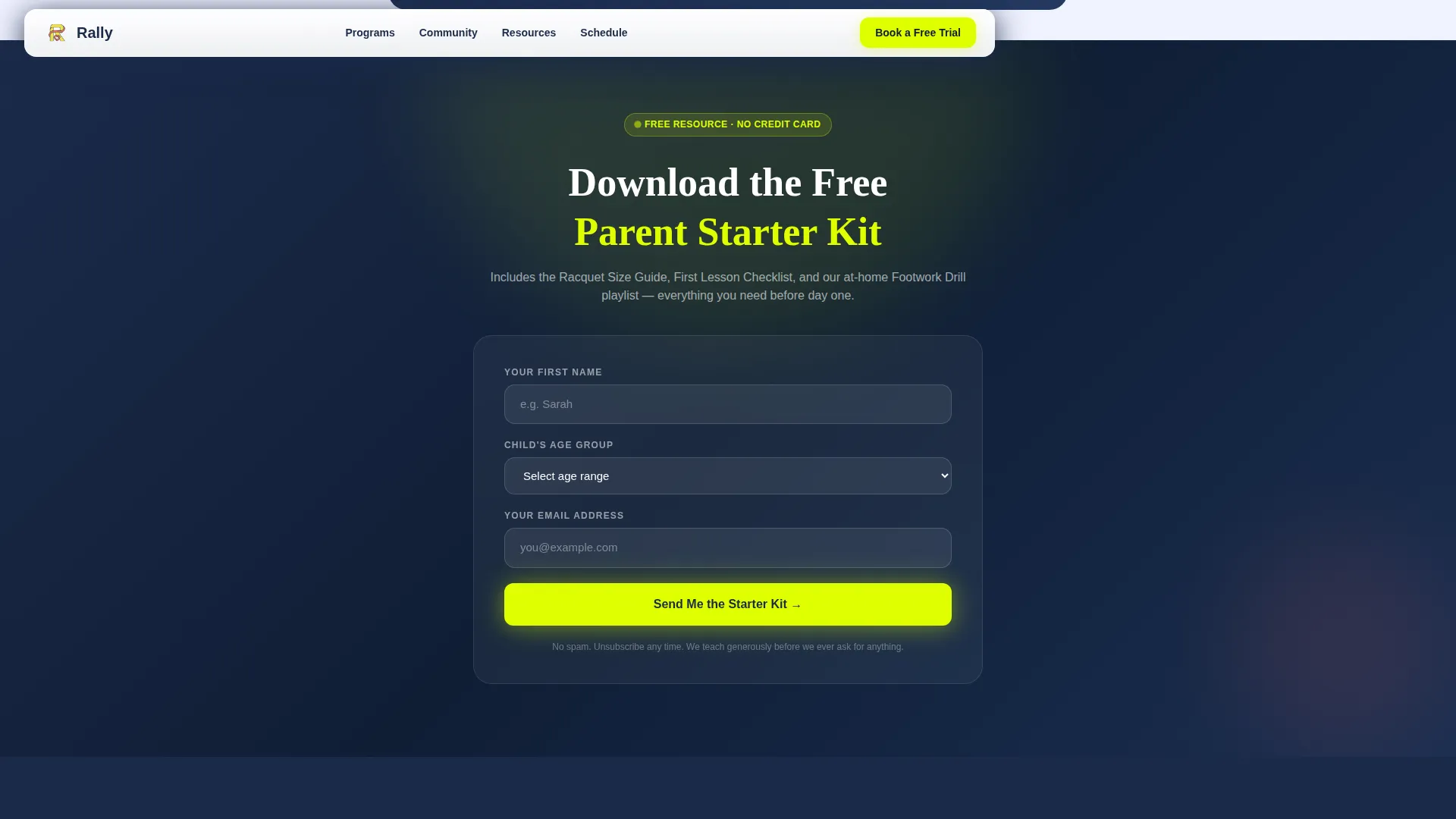
The primary call to action is a minimal form asking only for the parent's first name, child's age (via a dropdown covering four age bands: 4 to 6, 7 to 9, 10 to 13, and 14 and above), and email address. It appears after the second zigzag section, once trust is established.
Community Stats Bar
A dedicated stats bar section displays community numbers that reinforce social proof. It sits between the Tournament zigzag and the schedule call to action, giving parents a quick, scannable snapshot of academy scale and impact.
Season Schedule Call to Action
A secondary call to action at the bottom of the page links parents to a filterable season calendar. It complements the lead form by giving action-ready parents a concrete next step without requiring them to fill in any form.
Page sections overview
| Section | Purpose |
|---|---|
| Hero with Mascot | Introduce the academy with illustrated energy and real photography |
| Tiny Tots Zigzag | Showcase age 4 to 6 program with candid photos and a parent quote |
| Resource Drop One | Deliver the coloring page download mid-scroll before any form |
| Junior Strikers Zigzag | Highlight age 7 to 13 development with flipped photo and quote layout |
| Parent Starter Kit Form | Capture leads with a three-field form after trust is built |
| Tournament Seniors Zigzag | Tell the long-term growth story from first lesson to college-bound |
| Community Stats Bar | Display community numbers for quick social proof |
| Schedule Call to Action | Drive action with a link to the filterable season calendar |
| Single-Row Footer | Close the page with a clean linear footer |
Design & branding system
Rally's visual identity follows a Family First theme using a Dopamine Pop color system. The palette is vivid and optimistic without feeling loud, because generous cloud white spacing gives every section room to breathe.
- Electric tennis ball yellow (#DFFF00) dominates calls to action and section accents; playground coral (#FF6B6B) highlights testimonials and community moments
- Deep court blue (#1B2A4A) anchors all headers and body text for clear hierarchy; cloud white (#FAFBFF) provides margin space throughout
- Typography pairs Fraunces bouncy serif headlines with DM Sans body text for a hand-crafted yet readable feel
Mobile & speed optimization
Rally is built with a mobile-first approach because its primary audience, suburban parents, are most likely browsing on a phone at school pickup. The layout adapts fluidly from the hero down through every zigzag section and resource drop.
- Zigzag sections restack gracefully on smaller screens so photos and quotes stay readable without overlap
- The three-field lead form is thumb-friendly, with a dropdown for child age that works cleanly on touch devices
- GSAP ScrollTrigger powers staggered reveal animations and the mascot bounce, while Server Components handle static sections to keep interaction smooth
How this template helps you convert
Rally earns the lead by giving before asking. The page is structured so parents receive tangible value at every stage of the scroll, making the final form feel like a natural next step rather than a barrier.
- Free downloadable resources appear mid-scroll before the lead form, proving the academy's generosity and building trust with parents who are still evaluating options
- The three-field starter kit form asks only for a first name, child's age, and email address, reducing friction to the minimum needed to deliver a personalized resource
- The secondary season schedule call to action at the bottom captures action-ready parents who want to browse dates without committing to a form
Other information about this template
Rally is categorized under Kids and Family, specifically the Kids Tennis and Kids Tennis Academy and School niche. It is designed for the United States suburban market with Saturday morning scheduling context in mind.
- Template style is Zigzag/Alternating with a Community Gallery creative direction
- Header concept is a Mascot/Character layout; landing page direction is Content/Resource delivery
- The Dopamine Pop color system and Family First theme are consistent across every section of the template
Theme
Family First
Creative direction
Community Gallery
Color system
Dopamine Pop
Style
Zigzag/Alternating
Direction
Content/Resource
Page Sections
Illustrated Mascot Hero with Photo Hybrid
Alternating Zigzag Community Gallery
Mid-scroll Downloadable Resource Drops
Minimal Three-field Lead Capture Form
Community Stats Bar
Secondary Season Schedule Call to Action
Related questions
Can I replace the illustrated mascot with my own academy logo?
Do the downloadable resources come pre-built inside the template?
Is this template suitable for an academy that serves only one age group?
How does the season schedule call to action work?
Can I use this template without the lead capture form?



