Chemical Engineering Consultant Landing Page Template
Reactor is a single-column landing page template built for independent chemical engineering consultants. It opens with a monumental stats wall, flows through an FAQ-driven credibility sequence, and closes every third section with a clear booking call to action. The design feels like a technical journal, restrained, authoritative, and built entirely around earning a scope call.
by Rocket studio
Quick summary
Reactor is a single-column landing page template designed for a one-person chemical engineering consultancy. It pairs a bold stats header with a disciplined FAQ-driven scroll to build trust fast. The Monochrome Steel color system keeps the focus on substance, while a hazard amber call-to-action button makes the booking step impossible to miss.
Who this template is for
This template is built for senior process engineers running an independent consultancy. It speaks directly to the clients they serve and the credibility signals those clients need before picking up the phone.
- Independent chemical engineering consultants with deep process industry experience
- Freelance process engineers offering project-based or turnaround support to plant operators and EPC firms
- Solo technical specialists helping startup founders scale chemistry from bench to pilot plant
What problem this template solves
Most professional service pages either undersell expertise or oversell personality. For a chemical engineering consultant, neither works. Plant managers and engineering procurement and construction firms need proof of competence before they commit to a scope call, and a generic consulting template cannot deliver that.
- Visitors have no fast way to assess technical credibility from a typical portfolio page
- The booking process feels informal, making serious industrial clients hesitant to engage
- FAQ content that mirrors real procurement questions is almost never built into standard templates
What you get with this template
You get a complete single-page layout that moves visitors from first impression to scheduled call in one focused scroll. Every section serves a functional purpose, and nothing is decorative without reason.
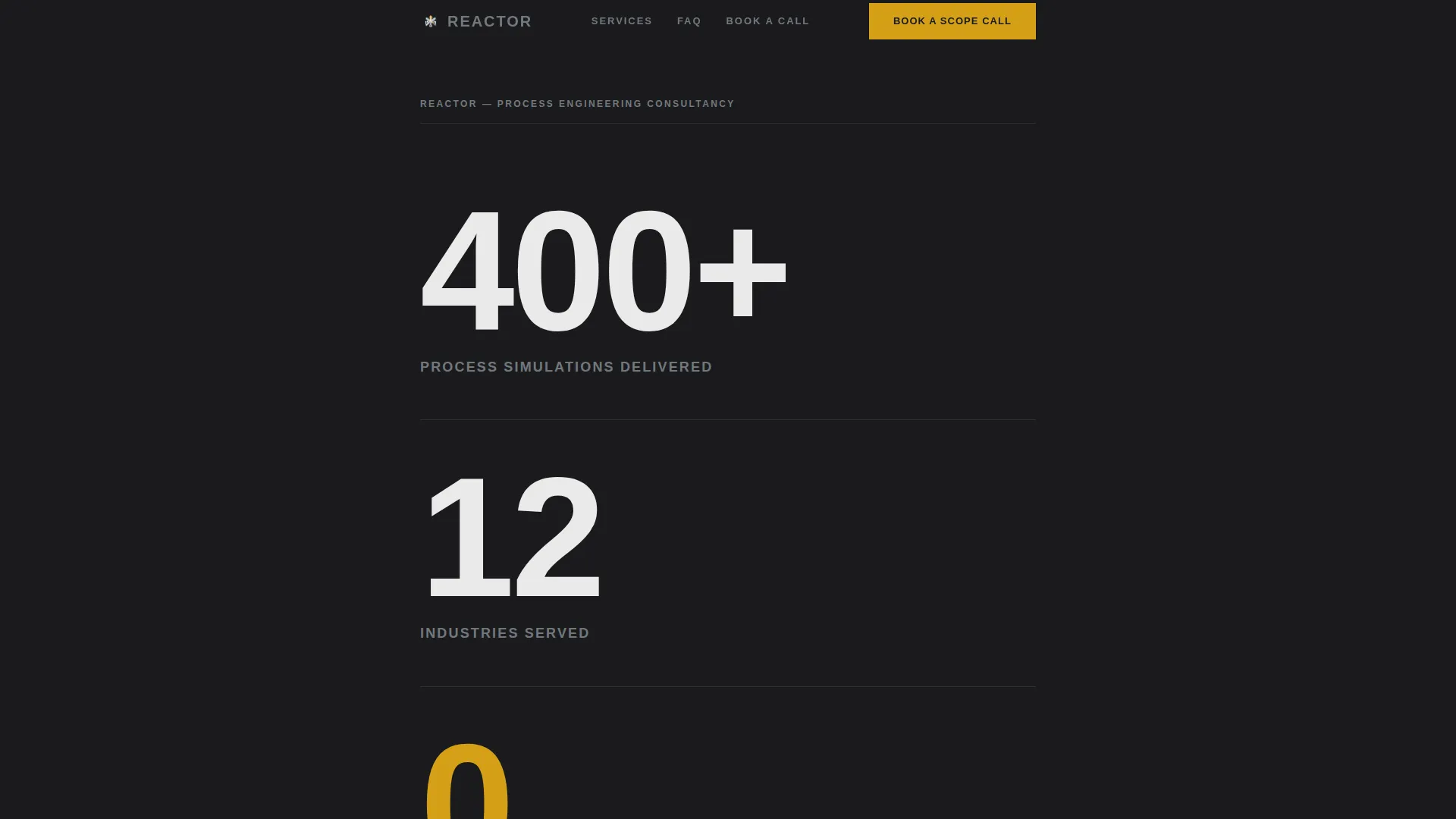
- A stats wall header displaying three key figures in oversized editorial type to establish authority immediately
- A repeating FAQ and call-to-action rhythm that mirrors the real decision sequence of a plant manager evaluating a consultant
- An embedded scheduler section with a pre-booking text field that filters serious enquiries before the call begins
Feature list
This template delivers a tightly scoped set of components drawn directly from the brief. Each one earns its place on the page.
Monumental Stats Header
Three key performance figures are typeset in a tall, condensed editorial sans-serif against a near-black background. Thin horizontal rules separate each stat like data rows in a published table. There is no photography, no illustration, the numbers carry the full weight of the introduction.
FAQ-Driven Content Scroll
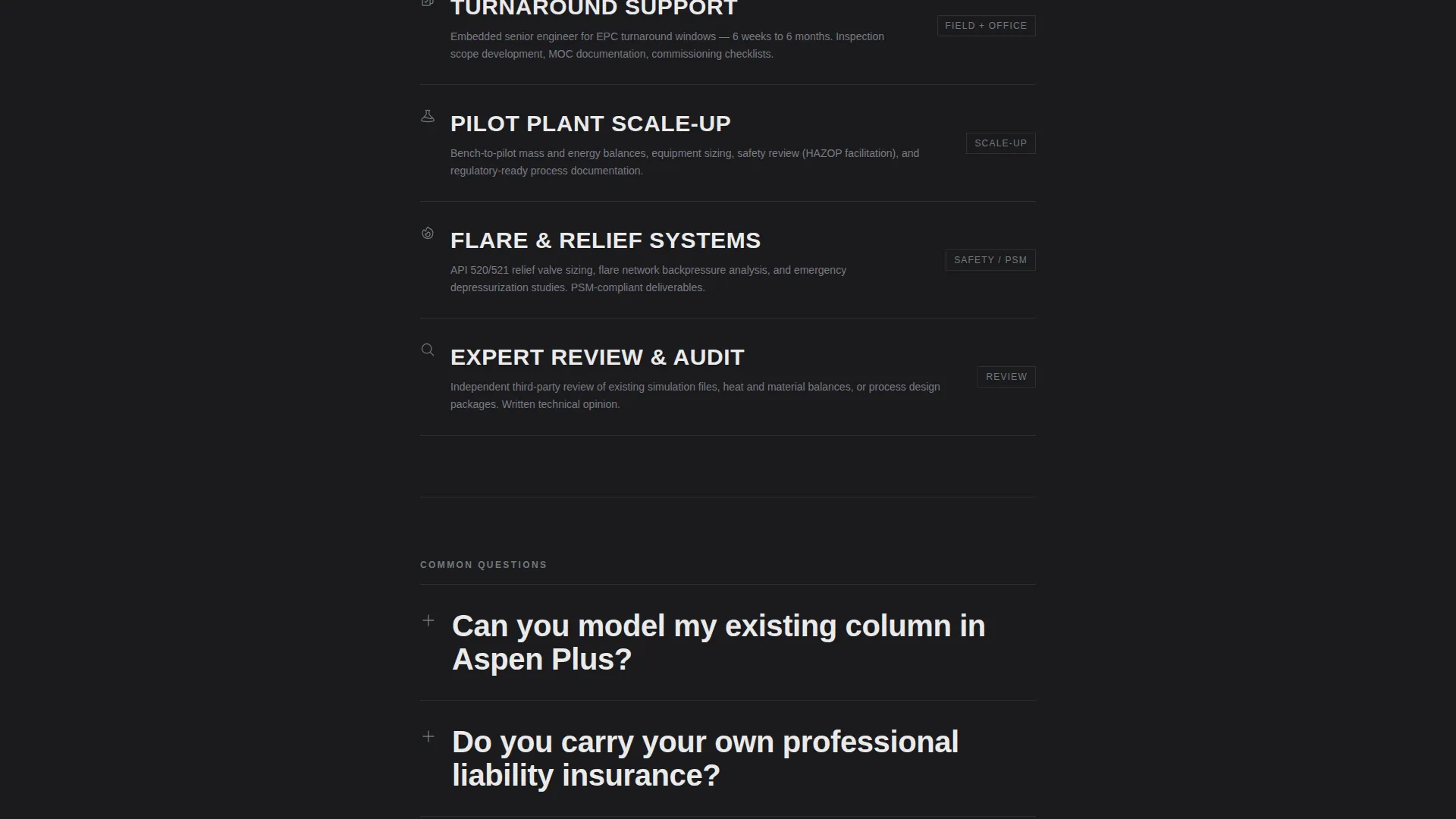
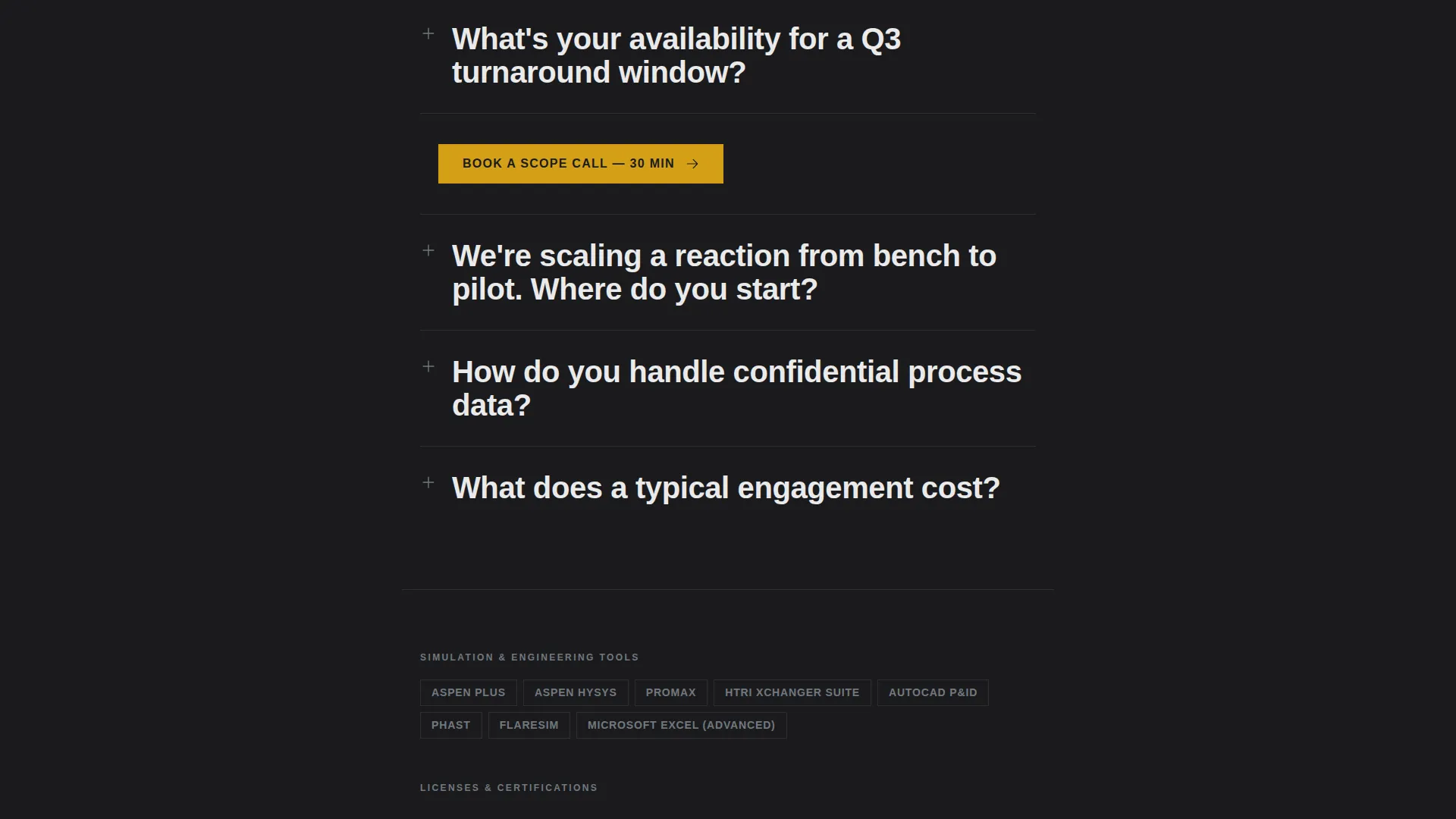
The main body of the page is structured as a series of real questions that plant managers and procurement leads actually ask. Each question is set in large editorial type, followed by a technically fluent answer. The sequence escalates from capability to logistics to cost, mirroring a real client's decision process.
Repeating Booking Call to Action
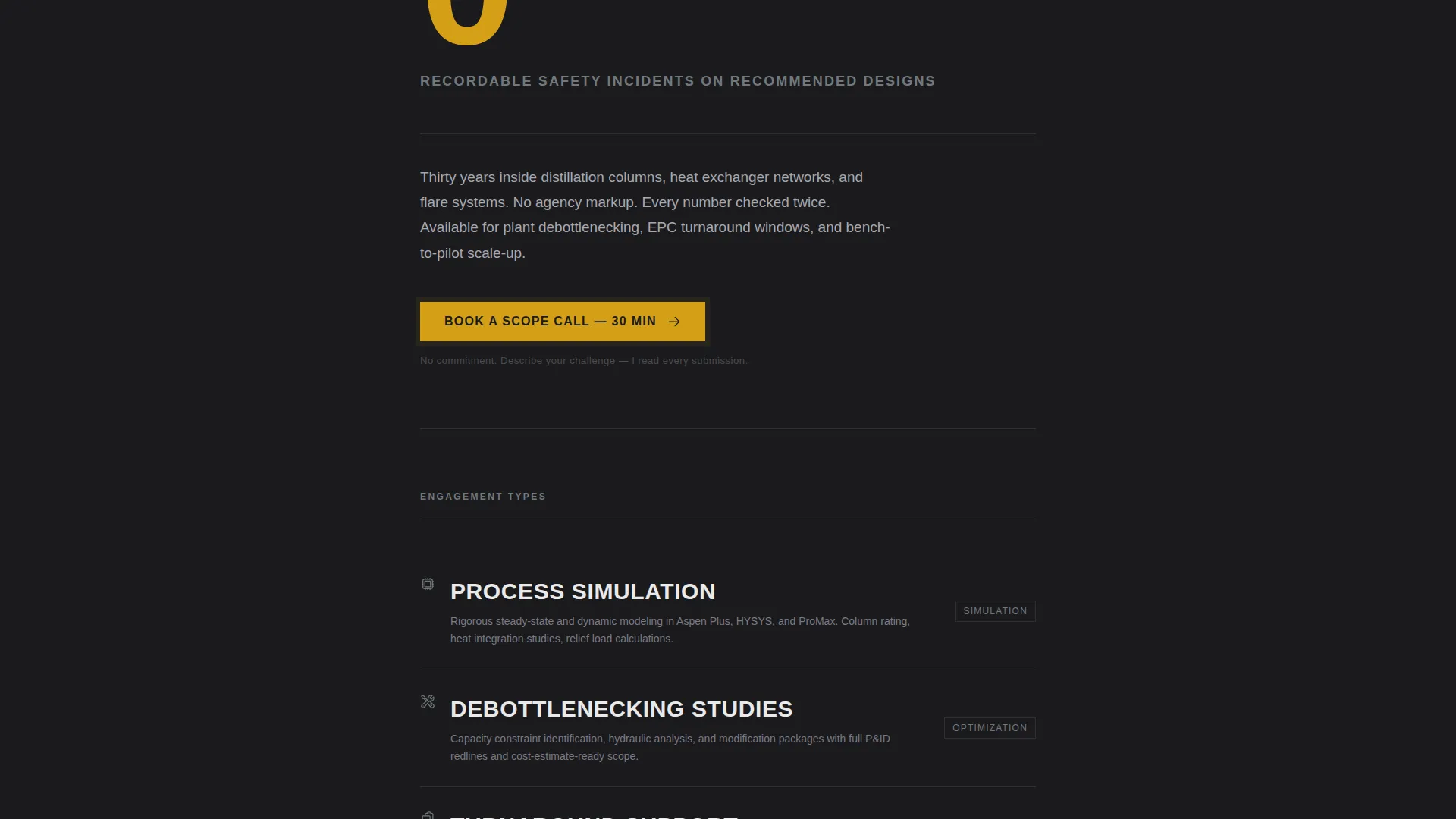
A "Book a Scope Call" button appears first below the stats header and repeats after every third FAQ block. The amber accent color makes it the only warm element on the page, ensuring it draws the eye without competing with the content around it.
Pre-Booking Challenge Field
Before the scheduler appears, a single free-text field asks visitors to briefly describe their process challenge. This low-friction filter respects serious prospects while discouraging casual enquiries, setting the tone for a focused and productive first call.
Embedded Scheduling Component
The call-to-action links to an embedded calendar-style scheduler showing available 30-minute slots. The booking flow is contained within the page, reducing the steps between interest and commitment.
Editorial Monochrome Layout
The entire layout uses the Monochrome Steel palette: mill-finish steel, dark reactor vessel near-black, instrument-panel white, and hazard amber reserved exclusively for calls to action and key data points. The result reads like a heavy-stock technical journal, every color is functional, nothing is decorative.
Page sections overview
| Section | Purpose |
|---|---|
| Stats Metrics Header | Establish authority with three oversized performance figures |
| First Booking call to action | Prompt early commitment after the stats land |
| FAQ Block One | Address capability questions with technically fluent answers |
| Repeating call to action Block | Re-engage readers between FAQ groupings |
| FAQ Block Two | Cover logistics and availability questions |
| Repeating call to action Block | Maintain booking momentum through the middle scroll |
| FAQ Block Three | Handle cost and engagement structure questions |
| Pre-Booking Field | Qualify prospects with a single free-text challenge prompt |
| Embedded Scheduler | Convert interest into a confirmed 30-minute scope call |
Design & branding system
The visual identity follows an Editorial Magazine theme using a Monochrome Steel color system. The palette is disciplined: every hue serves a function, and the amber accent appears only where the eye needs to go.
- Color palette: mill-finish steel (#71797E), dark reactor vessel (#1B1B1E), instrument-panel white (#EAEAEA), and hazard amber (#D4A017) reserved for calls to action and key data callouts
- Typography: tall, condensed editorial sans-serif for headline figures; clean body type for FAQ answers, maintaining the feel of a printed technical journal
- Layout: single-column flow with thin horizontal rules as structural dividers, no decorative imagery, and amber used sparingly to make every call to action feel earned
Mobile & speed optimization
The single-column layout translates cleanly to smaller screens without requiring layout rearrangement. The restrained design system, no heavy imagery, no complex grid, keeps the reading experience consistent across devices.
- Single-column structure scales naturally from desktop to mobile without breaking the visual hierarchy
- No decorative images or illustrations to load, keeping the page lean and the content immediately readable
- Large editorial type remains legible at all screen sizes, preserving the authority of the stats header on any device
How this template helps you convert
The page is designed around one outcome: a booked scope call. Every structural decision supports that goal without resorting to pressure tactics.
- The stats header delivers immediate credibility before the visitor has read a single sentence of body copy, reducing the time it takes to earn trust.
- The FAQ scroll mirrors the actual mental checklist of a plant manager or EPC procurement lead, answering objections in the order they naturally arise and keeping the reader engaged through to the booking section.
- The amber call to action button is the only warm color on an otherwise steel-grey page, making it visually unavoidable without feeling aggressive, the click feels like the reader's own decision, not a push.
Other information about this template
This template is suited to a consultancy operating in sectors such as oil and gas processing, petrochemicals, specialty chemicals, and industrial process engineering. It is built for professionals whose clients value precision over presentation.
- The pre-booking challenge field is designed to work alongside scheduler tools such as Calendly, supporting a 30-minute discovery call format
- The FAQ content structure can be updated to reflect the consultant's specific service areas, whether that covers process simulation, debottlenecking studies, flare system reviews, or pilot plant scaleup
- The template is positioned as a professional services landing page for a niche where referrals are common but a strong web presence is increasingly expected by EPC firms and plant operators evaluating new vendors
Theme
Editorial Magazine
Creative direction
FAQ-Driven
Color system
Monochrome Steel
Style
Single Column Flow
Direction
Booking/Scheduling
Page Sections
Monumental Stats Wall Header
Faq-driven Credibility Scroll
Repeating Amber Booking Call to Action
Pre-booking Challenge Field
Embedded Scheduling Component
Editorial Monochrome Design System
Related questions
What type of consultant is this template designed for?
Can I update the FAQ questions to reflect my own services?
How does the pre-booking challenge field work?
Is the scheduler embedded directly on the landing page?
Can this template support consultants in industries adjacent to chemicals?



