Radiology Medicine Specialist Booking Website Template
Reads is a precision teleradiology landing page template built for remote radiology practices serving critical access hospitals and urgent care clinics. It features a scroll-triggered line art hero, a testimonial-woven comparison table, and a three-field booking form. The design uses a deep charcoal and verification teal palette that evokes a dimly lit diagnostic reading room.
by Rocket studio
Quick summary
Reads is a single-page teleradiology landing page template designed for remote radiology practices. It combines a cinematic line art hero with a structured comparison table and embedded social proof. The page guides administrators, rural hospital CEOs, and urgent care medical directors toward scheduling a coverage consultation or downloading a service-level agreement guarantee.
Who this template is for
This template serves B2B healthcare decision-makers who need to evaluate and procure remote radiology coverage. It speaks directly to the people responsible for overnight reads, turnaround times, and radiology staffing costs.
- Radiology group administrators managing overnight and weekend coverage gaps
- Rural hospital CEOs and critical access facility leaders who have lost in-house radiologist staff
- Urgent care medical directors who need fast, signed reports without transferring patients
What problem this template solves
Hospitals and clinics facing radiology coverage gaps often struggle to communicate the true cost delta between in-house staff, locum radiologists, and a teleradiology service. A flat feature list page does not make that case. This template is built to resolve that gap clearly.
- Buyers cannot easily compare in-house radiology costs against locum and teleradiology options side by side
- Social proof is scattered or absent, leaving administrators without peer validation at the point of decision
- Conversion paths are unclear, forcing interested visitors to hunt for a next step
What you get with this template
You get a complete, single-page layout purpose-built for a remote radiology service. Every section is structured to move a skeptical healthcare administrator from question to consultation in one scroll.
- A scroll-triggered line art hero with animated SVG path and node pulse effects
- A three-column comparison table contrasting in-house, locum, and teleradiology coverage with embedded testimonial rows
- A three-field booking form with a secondary gated PDF download call to action
Feature list
This template is built around five focused components. Each one earns its place by addressing a specific objection or decision moment in the buyer journey.
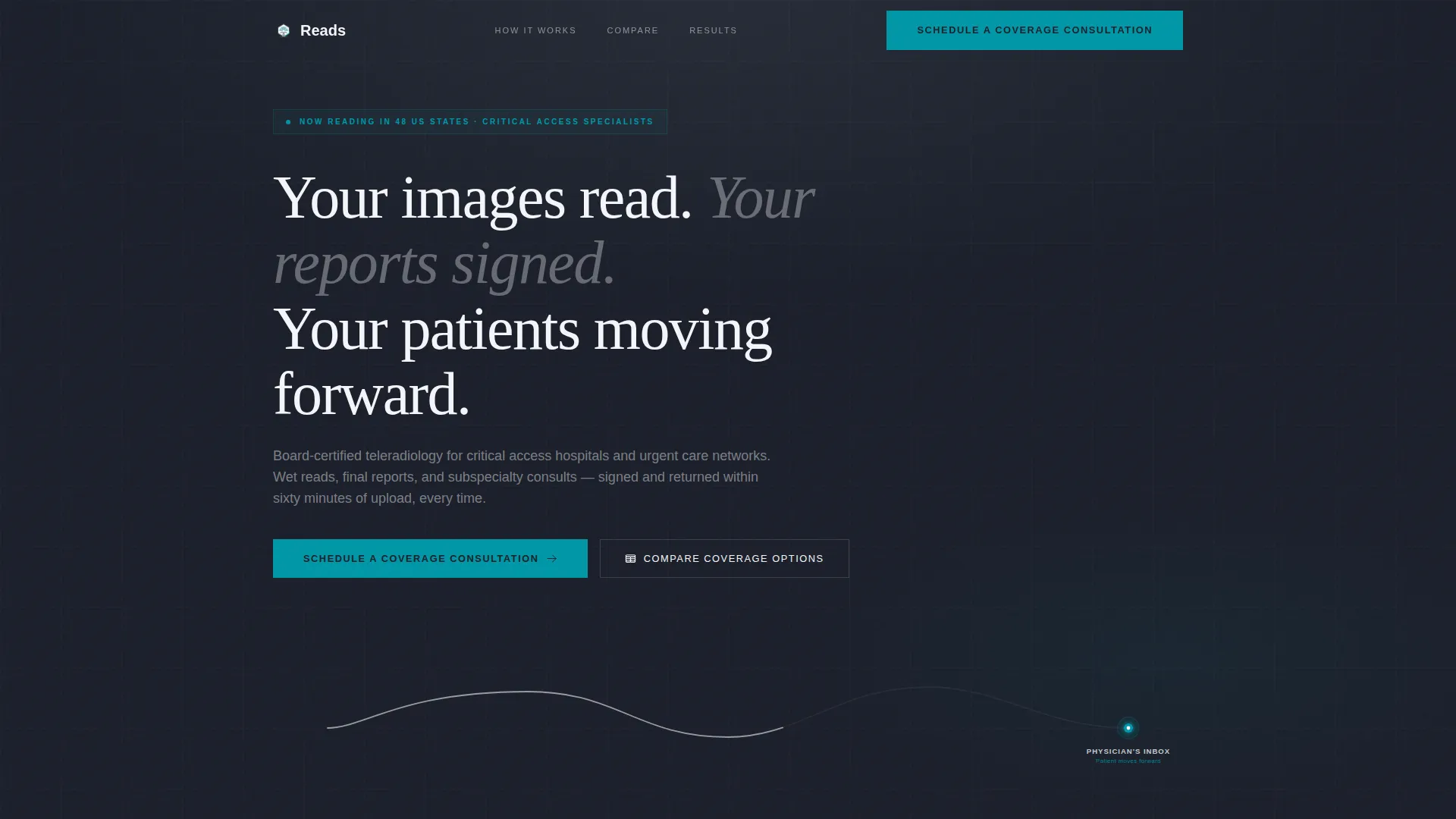
Scroll-Triggered Line Art Hero
A continuous SVG stroke traces the full study journey from CT gantry to cloud upload to radiologist screen to signed report. The line draws itself on scroll, with each workflow node pulsing in verification teal as the animation reaches it. A headline fades in beneath the animation.
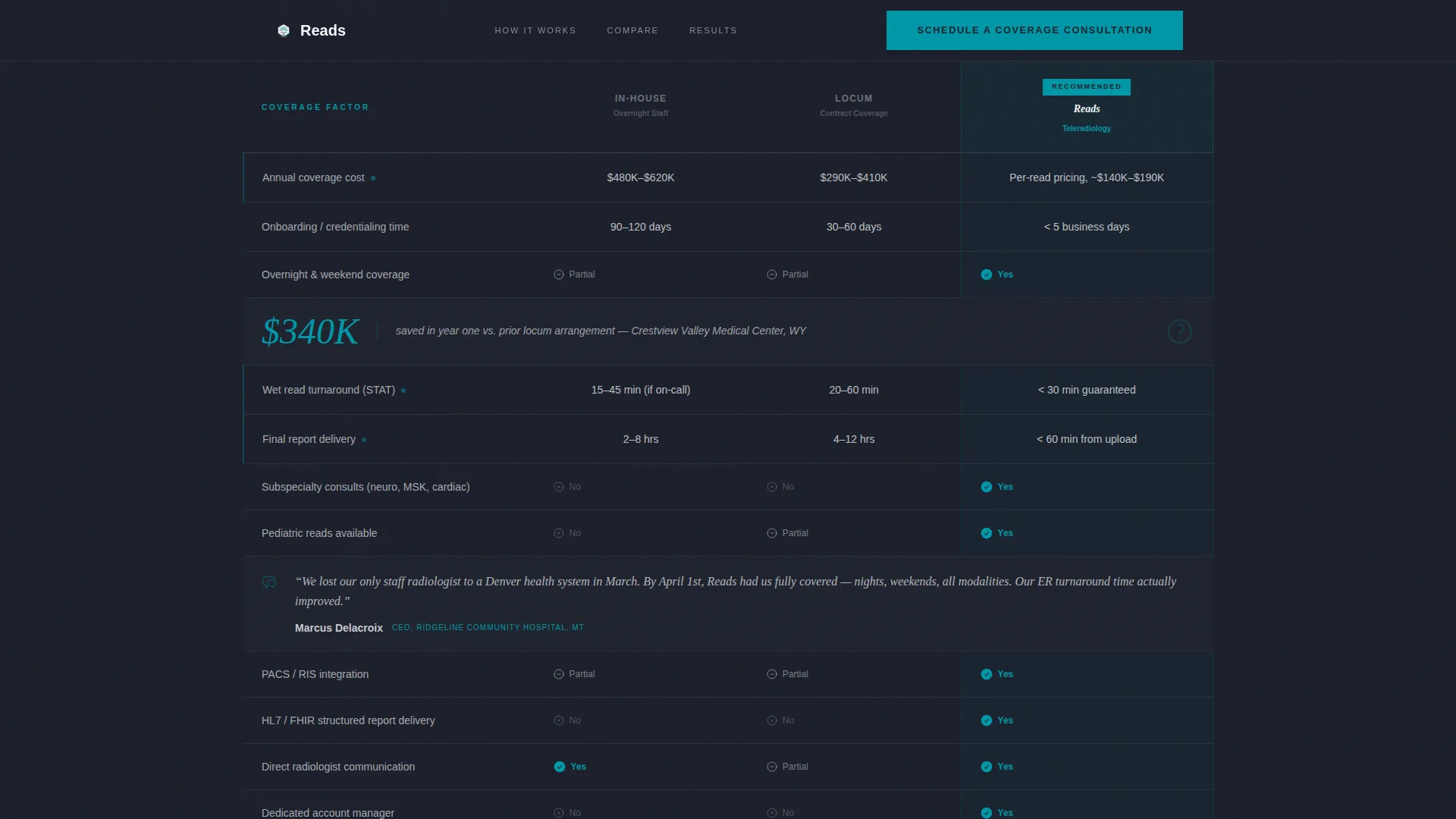
Testimonial Mosaic Comparison Table
The core of the page is a three-column table comparing in-house overnight radiology, locum coverage, and the teleradiology service row by row. Every third row breaks the data with an embedded pull-quote, stat callout, or video thumbnail from a hospital administrator or rural CMO. This keeps the table from reading like a spreadsheet and grounds every cost claim in peer experience.
Three-Field Consultation Booking Form
The primary conversion form captures facility name, average monthly study volume via a dropdown selector, and the visitor's preferred consultation window. The form is minimal by design, reducing friction for busy administrators. A pinned header call-to-action button and a repeated footer button both route to this form.
Gated SLA Download Path
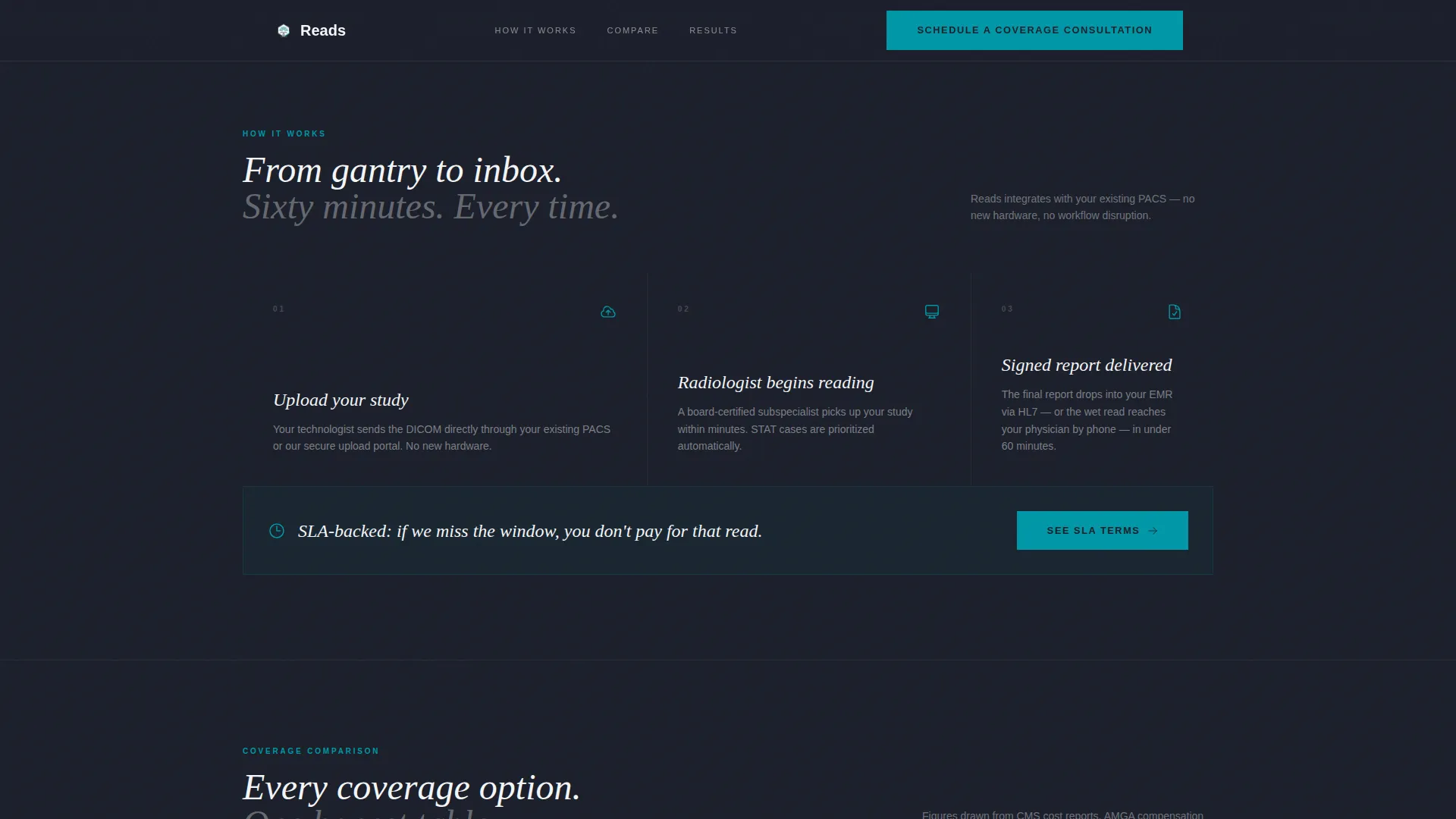
A secondary call to action offers a downloadable service-level agreement guarantee as a PDF. This path serves administrators who need internal buy-in documents before committing to a consultation. It keeps interested visitors engaged without forcing an immediate scheduling commitment.
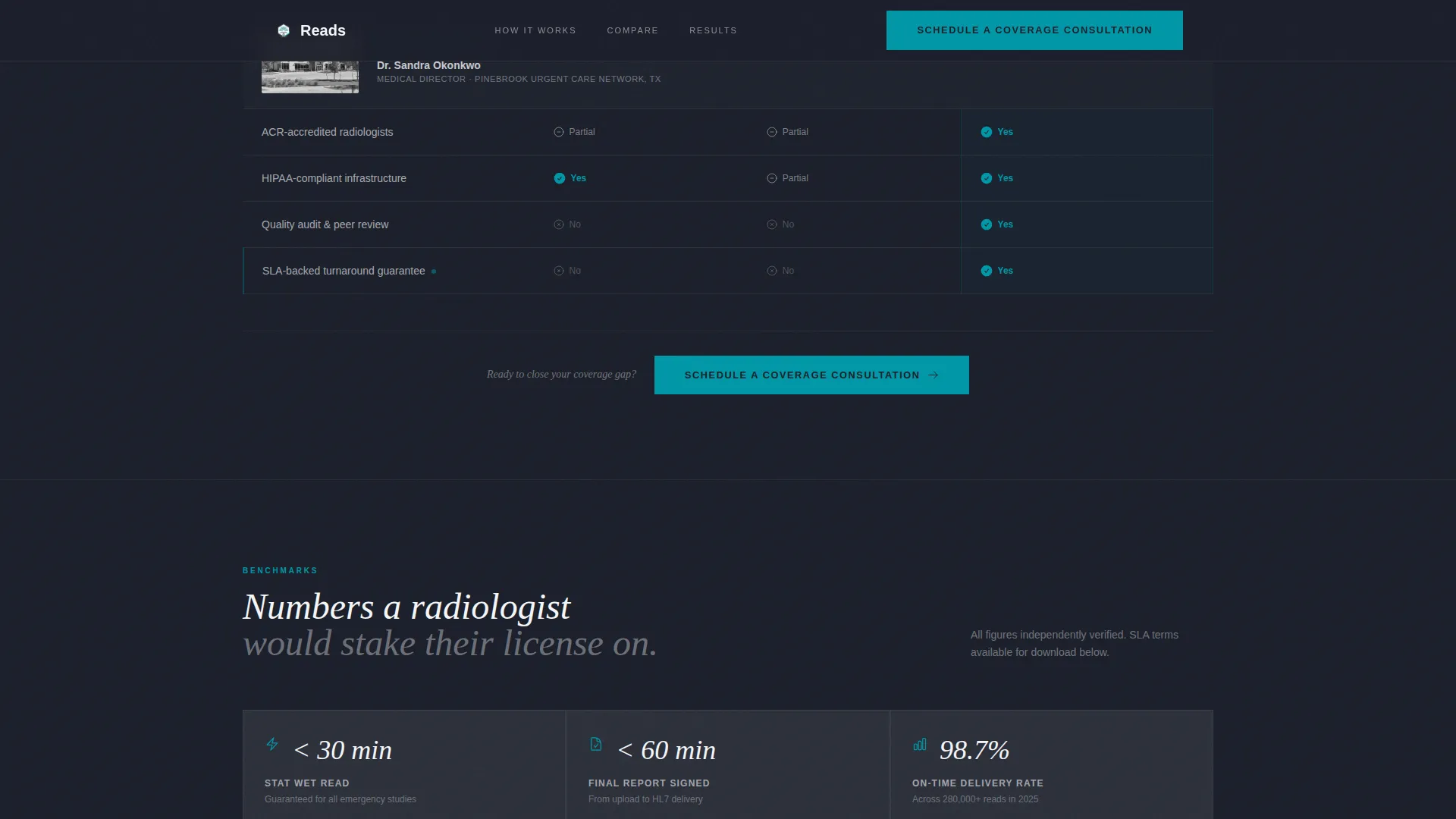
Stats and Proof Section
A dedicated proof section surfaces turnaround benchmarks, cost savings figures, and study volume data. Callouts such as "$340K saved in year one" reinforce the comparison table arguments with concrete numbers. This section transitions visitors from the table into the booking form with momentum.
Page sections overview
| Section | Purpose |
|---|---|
| Hero with Animation | Introduce the service journey and establish brand tone with scroll-triggered line art |
| Comparison Table | Contrast in-house, locum, and teleradiology across cost, speed, and coverage metrics |
| Testimonial Mosaic Rows | Embed pull-quotes, stat callouts, and video thumbnails inside the comparison table |
| Stats and Proof | Reinforce cost and turnaround claims with specific benchmark figures |
| Booking Form | Convert visitors into consultations via a three-field scheduler |
| SLA Download call to action | Offer a gated PDF for administrators building internal approval documentation |
| Trust Footer call to action | Repeat the primary call to action with a final comparison summary |
Design & branding system
The visual identity follows a Corporate Precision theme. Every color and typographic choice reinforces the feeling of a dimly lit diagnostic reading room where the only light source is a clinical monitor.
- Color palette: deep reading-room charcoal (#1B1F2A) for backgrounds, clinical monitor gray (#3A3F4B) for secondary surfaces, cloud-white (#F4F6F9) for negative space, and verification teal (#0097A7) reserved exclusively for active states, checkmarks, and call-to-action surfaces
- Typography: DM Sans for body copy and user interface elements, paired with Fraunces as a display and editorial serif for headlines and pull-quotes
Mobile & speed optimization
Although the template is designed desktop-first to match the PACS and administrative workflows of its core audience, the layout scales to full mobile support. Scroll-triggered animations and interactive elements are handled through a client-side component architecture, while static content sections use server components.
- Desktop-first layout with complete responsive mobile support for all sections
- SVG path animations, node pulse keyframes, and fade-in stagger effects handled via client components to keep static sections lightweight
How this template helps you convert
Every design and copy decision in this template is oriented toward one outcome: getting a healthcare administrator to schedule a coverage consultation before they leave the page.
- The comparison table builds the cost and turnaround case row by row, so visitors arrive at the booking form already convinced by data and peer testimony rather than by marketing claims.
- The pinned header call-to-action button and the repeated footer call-to-action button ensure the scheduling path is always visible, whether a visitor skims the hero or reads every table row.
- The gated SLA download gives risk-averse administrators a lower-commitment next step, keeping them in the funnel while they build internal approval for the consultation.
Other information about this template
This template is categorized under Health and Medical, within the Radiology Medicine subcategory. It is purpose-built for the radiology telemedicine service niche and reflects the specific workflow language and decision contexts of that audience.
- The Testimonial Mosaic creative direction is a named design approach that alternates one-line stat callouts, two-sentence narratives, and video thumbnails inside the comparison table rows
- The Cloud Canvas color system is the named palette system powering the charcoal, monitor gray, cloud-white, and verification teal combination
- The Line Art header concept refers to the continuous single-stroke SVG illustration that animates on scroll trigger
- The footer follows a linear single-row pattern to keep the page exit clean and focused on the final call-to-action repeat
- Animation intensity is high: the template includes SVG path draw-on-scroll, node pulse keyframes, fade-in reveals, and staggered row entries in the comparison table
Theme
Corporate Precision
Creative direction
Testimonial Mosaic
Color system
Cloud Canvas
Style
Comparison Table
Direction
Booking/Scheduling
Page Sections
Scroll-triggered Line Art Hero
Testimonial Mosaic Comparison Table
Three-field Consultation Booking Form
Gated SLA PDF Download
Stats and Proof Section
Related questions
What type of service is this template designed to promote?
Who is the target audience for this landing page?
What conversion actions does this template support?
Can I customize the comparison table rows and testimonial content?
Does the template include the booking form logic or just the layout?



