Playful Geometric Kids Education App Landing Page Template
Recess is a hero-dominant education landing page template designed for kids education apps targeting school-age children. It features an animated 64-tile icon grid hero, a community gallery of real student projects with parent quotes, a two-step booking scheduler, and a playful geometric design system built to convert parents and teachers into trial bookings or free downloads.
by Rocket studio
Quick summary
Recess is a fully structured education landing page template for a school-age kids education app. It combines an animated icon grid hero, a scrolling community gallery, a subject-by-subject showcase, and a two-step scheduling flow. The design follows a Playful Geometric theme with chunky shapes, warm colors, and mobile-first layout, built to turn late-night parent searches into booked free trial sessions.
Who this template is for
This template is built for people launching or marketing a kids education app for children aged five to ten. It speaks equally well to parents and teachers, making it a strong fit for both consumer and school-facing campaigns. If you are creating an education landing page for an EdTech product and need a design that earns trust fast, Recess is built for that moment.
- App founders and EdTech teams building a school-age education product
- Elementary school teachers searching for a homework engagement tool to share with families
- Indie developers and no-code builders who want a quality education landing page without starting from scratch
What problem this template solves
Parents searching for screen time that actually helps their kids learn are overwhelmed with options. Most education landing pages either look too corporate or too childish. Neither version builds confidence with a tired parent scrolling at 9 PM. Teachers face the same problem: they need something they can share with parents that looks credible and gets the message across fast.
- Generic education landing pages fail to balance engaging storytelling for children with clear, trustworthy information for parents
- Most templates lack the visual storytelling required to show real kids doing real things, which is what actually converts skeptical visitors
- Booking flows on competing pages are clunky, using dropdowns and long forms that parents abandon before completing
What you get with this template
This landing page template includes every section required to present an education app with confidence and warmth. The design is ready to display your content without technical skills needed. You get a complete, structured page that guides visitors from curiosity to conversion through proof, not pressure.
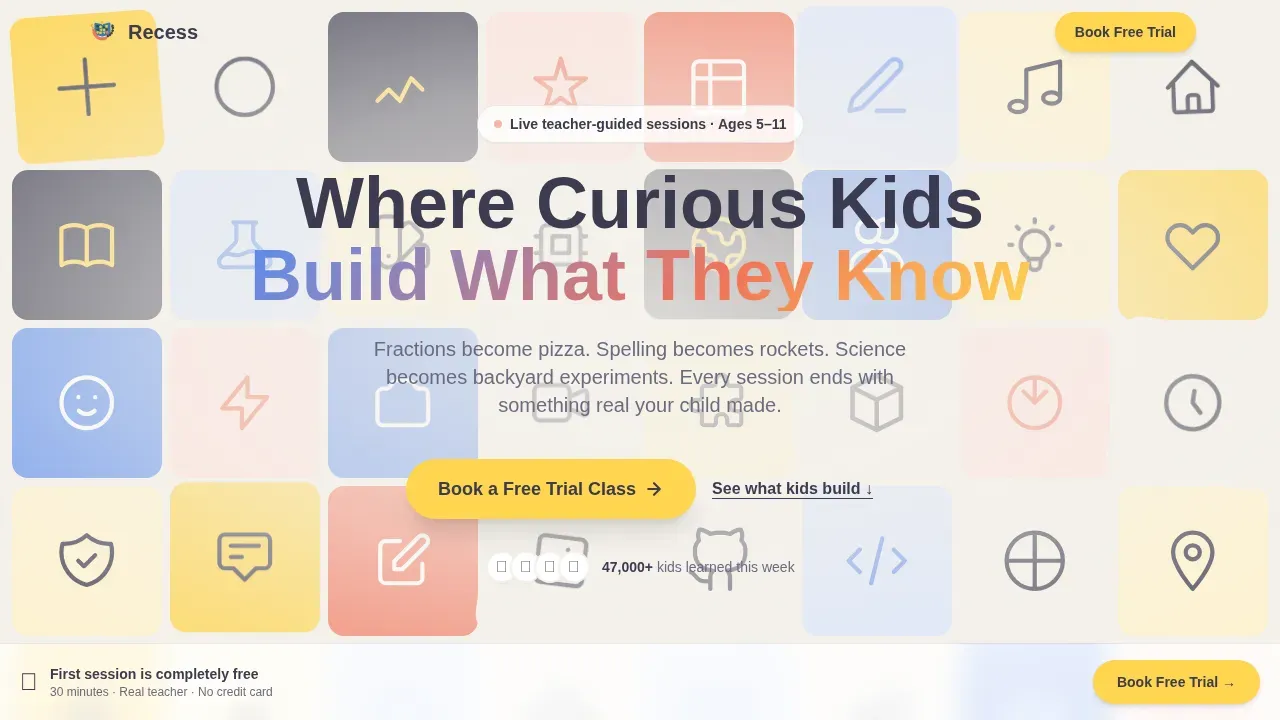
- An animated 64-tile icon grid hero with a floating headline and pinned call-to-action button
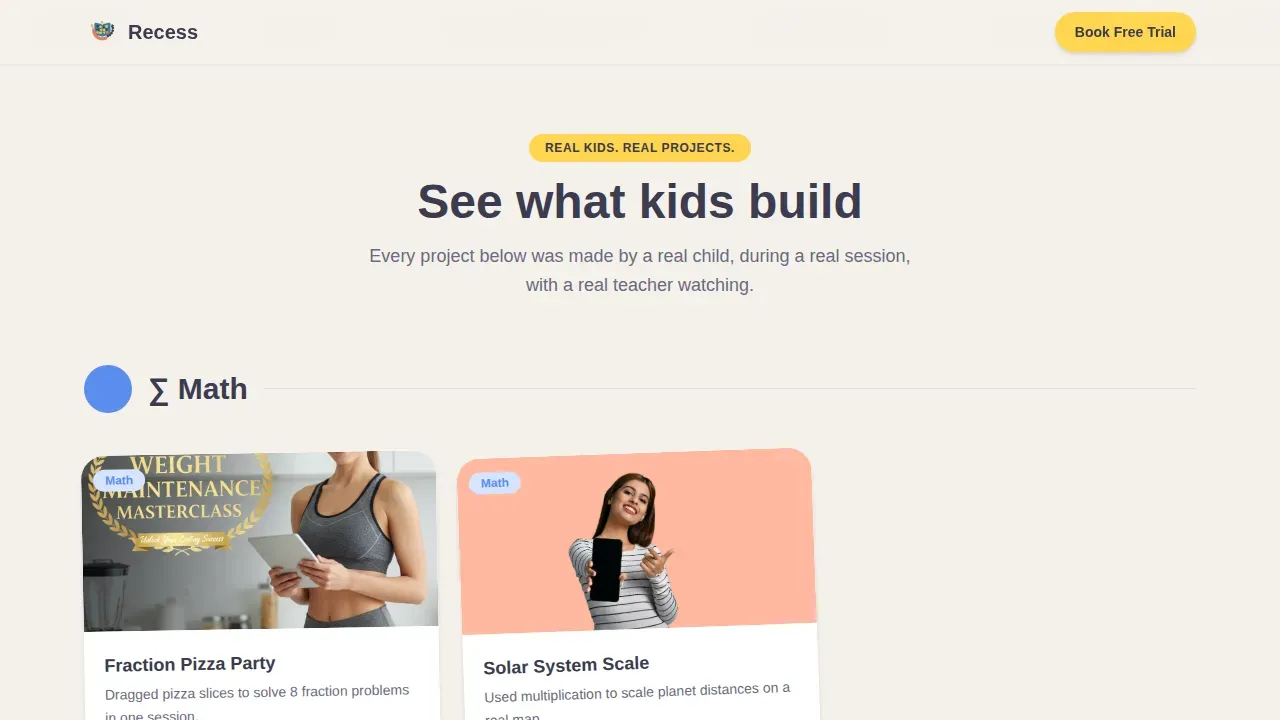
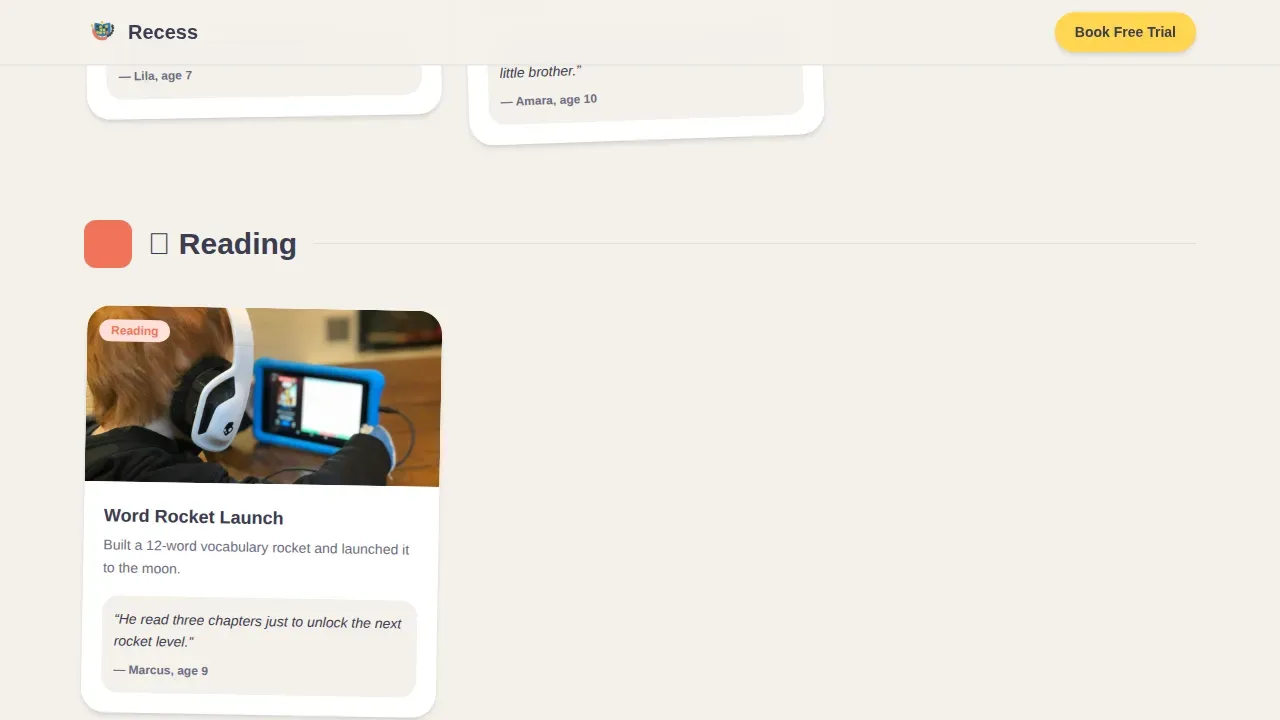
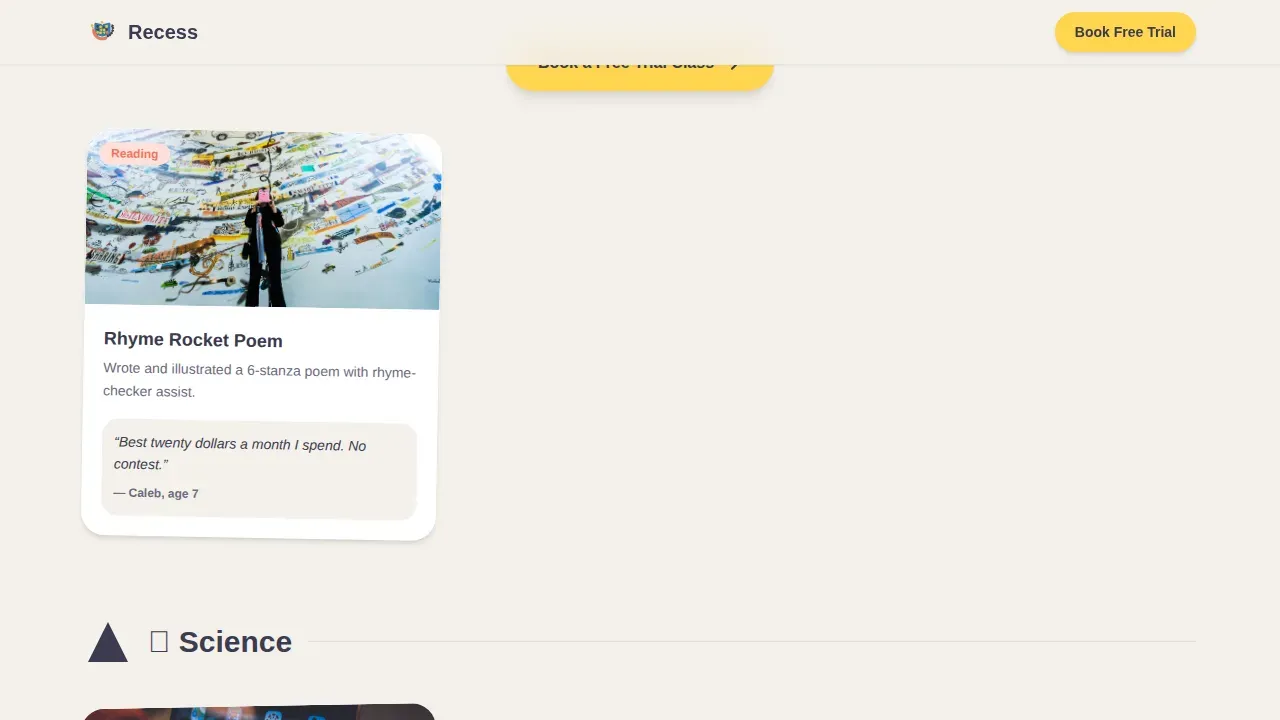
- A community gallery section featuring real-kid project cards with parent quotes and subject filters, cascading across math, reading, science, and art
- A two-step booking scheduler modal where visitors choose the child's age and favorite subject, then access a live calendar of available free demo sessions
Feature list
This template includes six purpose-built sections, each designed to help parents and teachers understand the app's value and take the next step.
Animated Icon Grid Hero
The full-viewport hero displays sixty-four rounded geometric tiles. Each tile holds a single line-drawn icon representing a school subject. Tiles rotate, swap, and pulse using CSS animations, creating a living mosaic that draws visitors in before a single word is read. The floating headline and pinned "Book a Free Trial Class" button are visible immediately, making the call to action impossible to miss.
Community Gallery with Parent Quotes
The gallery section shows real screenshots of projects kids have built inside the app. Each card includes the child's first name, age, and a short parent quote. Cards are organized by subject and reveal in staggered sequence as visitors scroll. Visual storytelling here does the convincing, allowing the page to share genuine proof that children learn and parents notice the difference.
Two-Step Booking Scheduler
The primary conversion flow opens as a modal with two illustrated steps. Step one lets parents choose the child's age and favorite subject using large icon buttons. No dropdowns, no typing required. Step two displays a live calendar of thirty-minute guided demo sessions with an available teacher, making the booking process feel approachable rather than clinical.
Subject Showcase with Geometric Scroll Animations
Each subject section is introduced by an oversized rotating geometric shape that animates into view on scroll. Math, reading, science, and art each get their own visual moment. This gives the page a picture-book rhythm that keeps visitors engaged and helps them understand how the app covers multiple school subjects.
Secondary Free Download Path
A secondary call-to-action path lets hesitant parents download a limited free version immediately by entering just an email address. This option sits alongside the primary booking flow, giving visitors who are not yet ready to schedule a session a low-friction way to start exploring the app and build confidence at their own pace.
Social Proof and Stats Section
Chunky metric cards display credibility at a glance. Parent testimonials reinforce the message that real students are learning and that real families have noticed. Including testimonials on a landing page builds trust with prospective users, and this section is designed specifically to carry that weight with warmth rather than corporate polish.
Page sections overview
| Section | Purpose |
|---|---|
| Animated Hero Grid | Captures attention with icon mosaic and headline |
| Pinned Hero call to action | Keeps booking button visible on first load |
| Community Gallery | Shares real kid projects by subject |
| Subject Showcase | Introduces each learning area with geometric animations |
| Stats and Proof | Displays metric cards and parent testimonials |
| Two-Step Scheduler | Converts visitors into free trial bookings |
| Secondary Download Path | Captures email for free version access |
| Footer | Provides navigation and links in horizontal flow |
Design & branding system
The Recess template follows a Playful Geometric theme built around the Cloud Canvas color system. Every design choice reinforces warmth and confidence, making the page feel like a kindergarten art wall that visitors cannot walk past without smiling. Bright, vibrant colors create excitement while the soft background and charcoal body text ensure readability across all screen sizes.
- Color palette: soft cloud white (#F4F1EB) background, block blue (#5B8DEF), construction-paper coral (#F2735A), chalkboard charcoal (#3B3B4F) for body text, and sunshine yellow (#FFD54F) for buttons and achievement badges
- Typography: Plus Jakarta Sans for headings and DM Sans for body text, both chosen for round-friendly legibility that suits a school-age education context
- Shape language: circles, rounded rectangles, and soft triangles are used throughout; no sharp angles, no anxious geometry, keeping the design consistent with play-based learning values
Mobile & speed optimization
This template is built mobile-first, reflecting the reality that most parents search for kids education options on a phone after bedtime. Oversized touch targets are designed as big, colorful buttons that are easy for children and adults to click without frustration. The layout adapts cleanly from phone to tablet, which is the primary device context for the app itself.
- CSS animations are preferred over heavy JavaScript, keeping the tile grid, scroll reveals, and geometric shape transitions smooth on mobile
- Intersection Observer powers scroll-triggered gallery reveals and shape animations, loading content only when it enters view
- Tablet layout is specifically optimized to mirror how children and parents experience the app in its natural environment
How this template helps you convert
A landing page is designed specifically to convert visitors into leads or customers. The Recess template builds its conversion path around proof and momentum rather than pressure, so by the time a parent reaches the third gallery card, the call to action feels like permission rather than a pitch.
- The pinned "Book a Free Trial Class" button in sunshine yellow stays visible from the first scroll, and it repeats after every third gallery card, reinforcing the next step without interrupting the browsing experience.
- The two-step scheduler removes friction by replacing dropdowns and text fields with illustrated icon buttons, making the booking session feel fast and friendly for parents who are tired and short on time.
- The secondary "Explore on Your Own" path captures an email and delivers immediate free access to a limited version, giving hesitant visitors a way to start without committing to a scheduled session.
Other information about this template
This template is inspired by play-based learning approaches, including spatial reasoning activities, shape manipulation, and pattern recognition, reflecting educational objectives that school curriculums value for children aged five to ten. The design system and content structure are also inspired by the best practices found in effective kids education landing pages from leading EdTech markets, including San Francisco and other major technology and education hubs.
- The template supports a "For Parents" content area where information about safe content, an ad-free experience, and child privacy compliance can be clearly communicated to visiting families
- A short video placeholder section is available within the gallery flow, giving teams the option to display a gameplay demonstration that helps visitors understand the app before booking
- The page structure is inspired by no-code build principles: non-technical users can update content, swap project screenshots, and edit parent quotes without writing code, making it accessible to educators and small teams working without a developer
- No-code platforms with drag-and-drop interfaces, such as those that enable users to build apps from natural-language prompts, are an ideal match for teams using or creating this template
- Rocket.new is one example of an AI-powered platform where builders can use this template to create scalable, production-ready education apps from natural-language prompts without traditional programming
- The template's Community Gallery is designed to share real student stories and parent updates in an ongoing way, so teams can check content regularly and publish fresh examples as the app grows
- In addition to the primary booking flow, the template can be adapted for school events, seasonal learning programs, or limited enrollment sessions that require a live calendar view
Theme
Playful Geometric
Creative direction
Community Gallery
Color system
Cloud Canvas
Style
Hero-Dominant (90/10)
Direction
Booking/Scheduling
Page Sections
Animated 64-tile Icon Grid Hero
Community Gallery with Subject Filters
Two-step Booking Scheduler Modal
Geometric Shape Scroll Animations
Secondary Free Download Path
Social Proof and Metric Cards
Related questions
Can I edit the parent quotes and project screenshots in the gallery?
Is this template suitable for both parents and elementary school teachers?
How does the two-step scheduler section work?
Can I add a video to show how the app works?
Does this template work well on mobile phones?



