Recruiting & Staffing Agency Careers Website Template
Recruit is a sidebar companion landing page template built for campus and graduate recruiting platforms. It connects Fortune 500 talent teams with graduating seniors through case study narratives, a persistent sidebar table of contents, and a pinned two-step intake form. The Electric Indigo color system and logo ticker marquee create an electric, career-fair energy that earns trust before asking for a click.
by Rocket studio
Quick summary
Recruit is a single landing page template designed for campus recruitment platforms. It leads with a live logo ticker, oversized proof metrics, and five named case studies. A persistent sidebar guides visitors through employer and university stories, then pins a neon mint call to action at every scroll depth, so every visitor sees the conversion point without ever feeling pushed.
Who this template is for
This template is built for the people who run campus hiring at scale. Whether you are on the employer side or the university side, the layout speaks your language directly.
- University relations managers juggling dozens of campus visits each quarter
- Early-career recruiters drowning in résumé spreadsheets and trying to optimize the hiring process
- Career services directors who need placement numbers to justify department budgets
What problem this template solves
The traditional campus recruitment process is slow, scattered, and hard to prove. Résumés pile up, college hiring challenges multiply, and decision-makers never see the outcomes that justify the program. This landing page solves that by front-loading peer proof before the form ever appears.
- Overcomes various challenges like competency gaps, lack of diversity, and unqualified applicant volume
- Replaces generic pitch decks with real case study narratives from named hiring managers and career deans
- Presents a clear university recruitment procedure so visitors understand the platform's workflow immediately
What you get with this template
You get a fully structured sidebar companion landing page that showcases solutions at every scroll depth. The layout is designed to develop a campus recruitment strategy that converts both employer and university visitors in a single session.
- A logo ticker marquee with fifty-plus campus crests and employer logos drifting at reading pace
- Five case study blocks (three employer, two university) with oversized metrics, micro-charts, and pull quotes
- A pinned two-step intake form with role and format selection for both employer and career services visitors
Feature list
This template includes purpose-built components that represent key strategies for campus and graduate recruiting platforms.
Persistent Sidebar Table of Contents
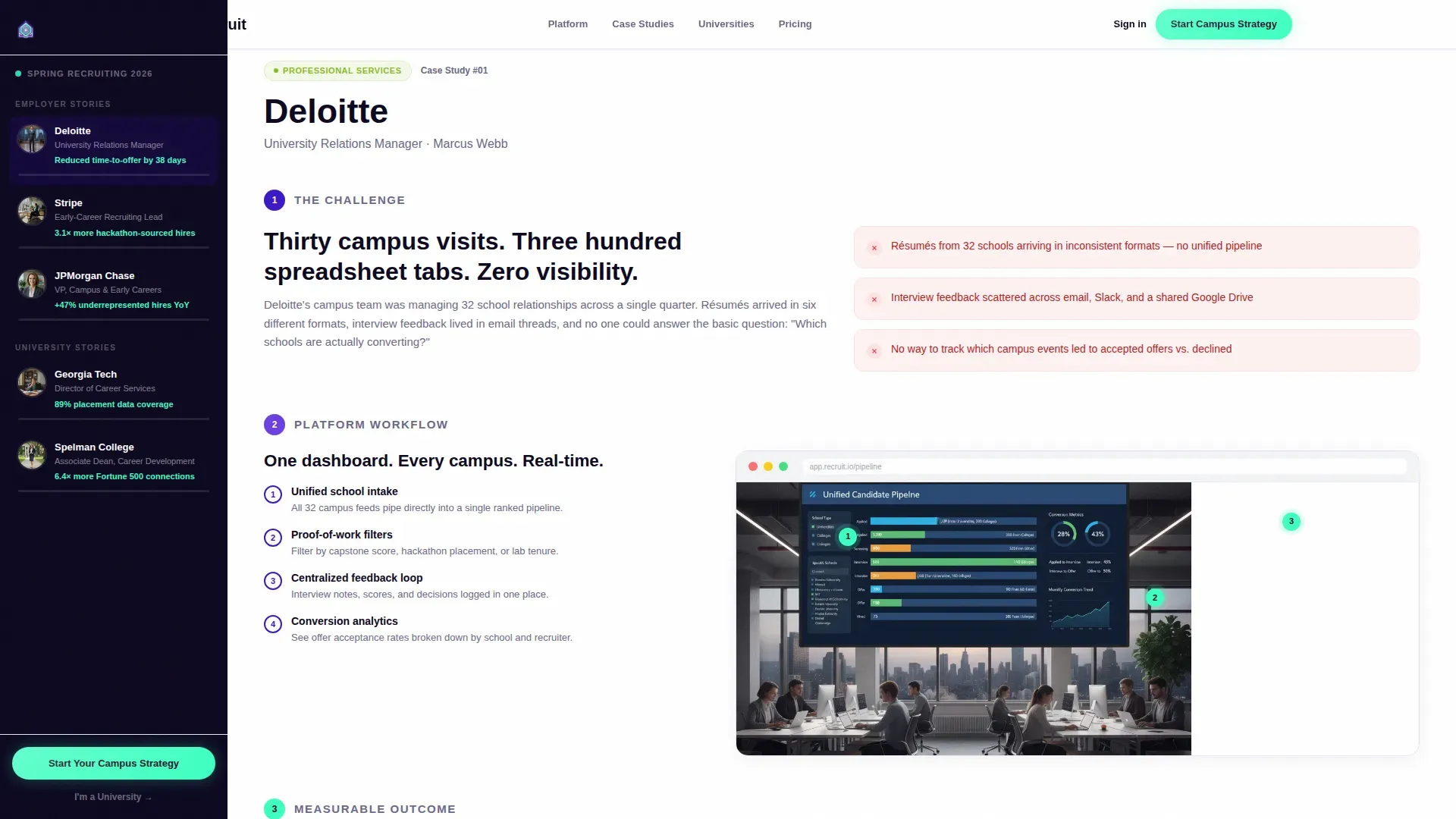
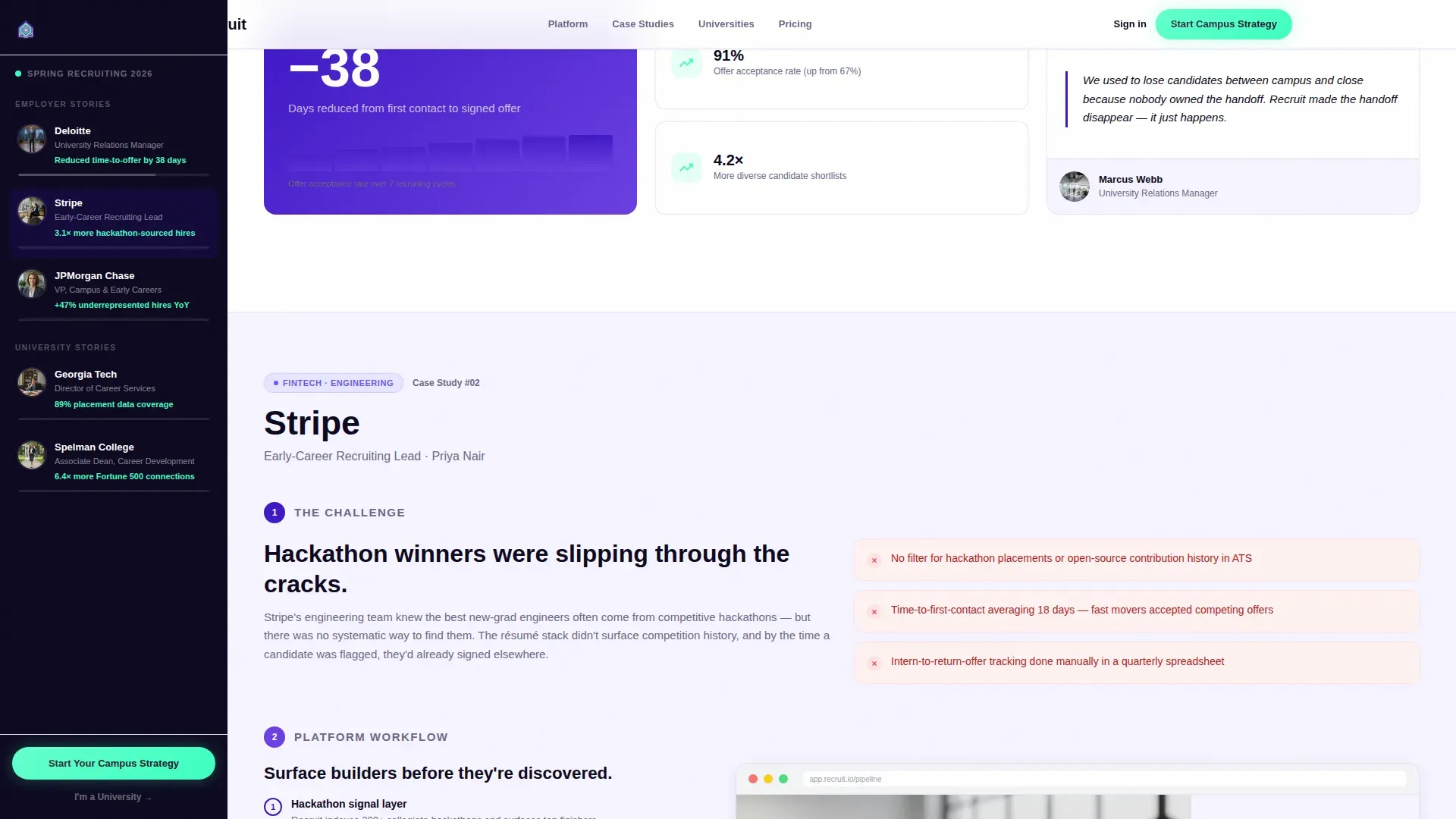
The sidebar lists five case study entries, each showing a company or campus name, a thumbnail headshot, and a one-line result. An indigo progress bar fills as the visitor scrolls, turning each read into a measurable sense of completion. Clicking any entry smooth-scrolls the main pane to that story.
Logo Ticker Marquee Header
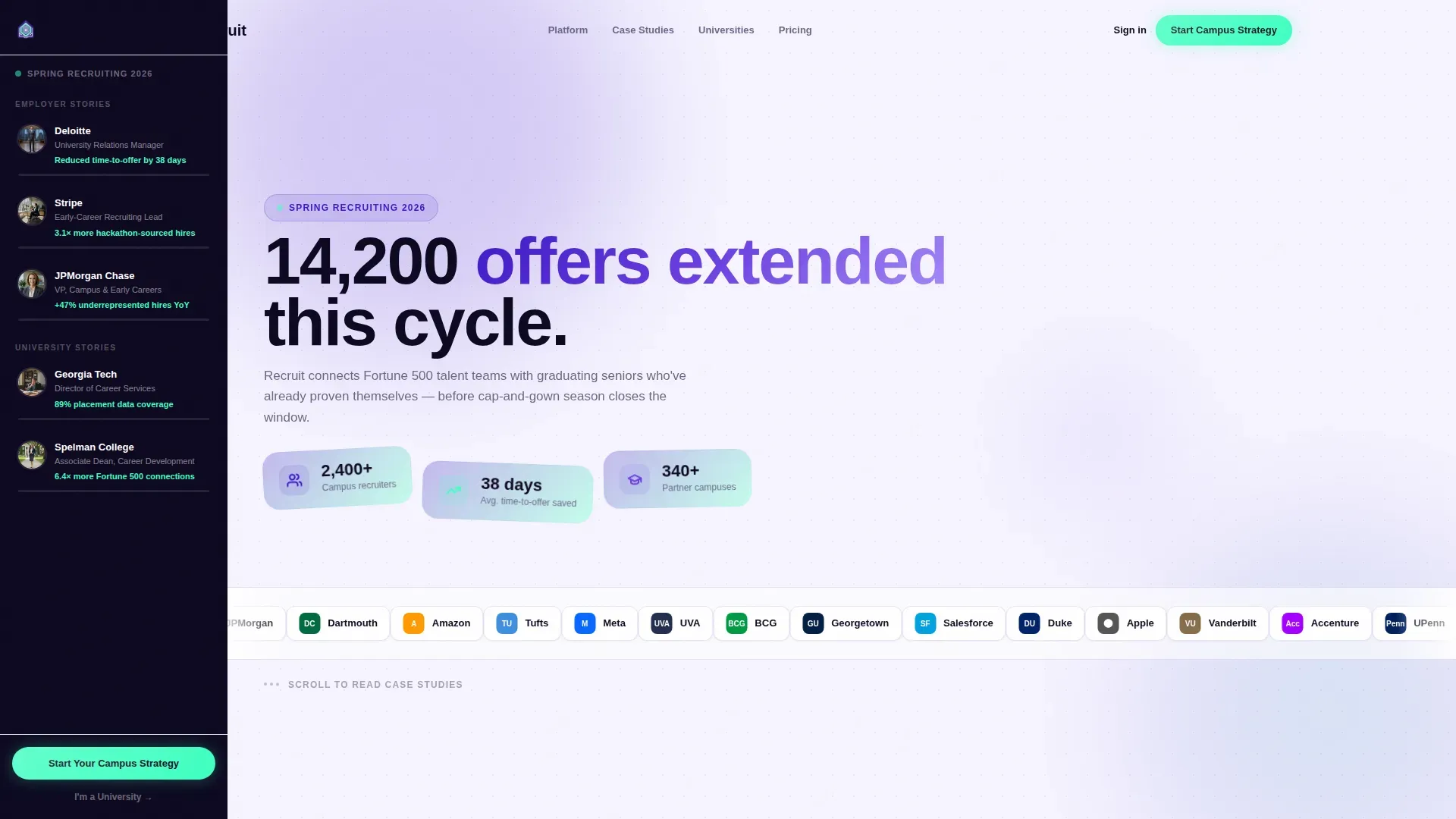
A horizontal scroll of fifty-plus recognizable logos drifts at reading pace and subtly accelerates on hover. A stat headline fades in above it with a real cycle count, and a subline names the current recruiting season, grounding every visitor in live scale and increasing branding impact immediately.
Case Study Narrative Blocks
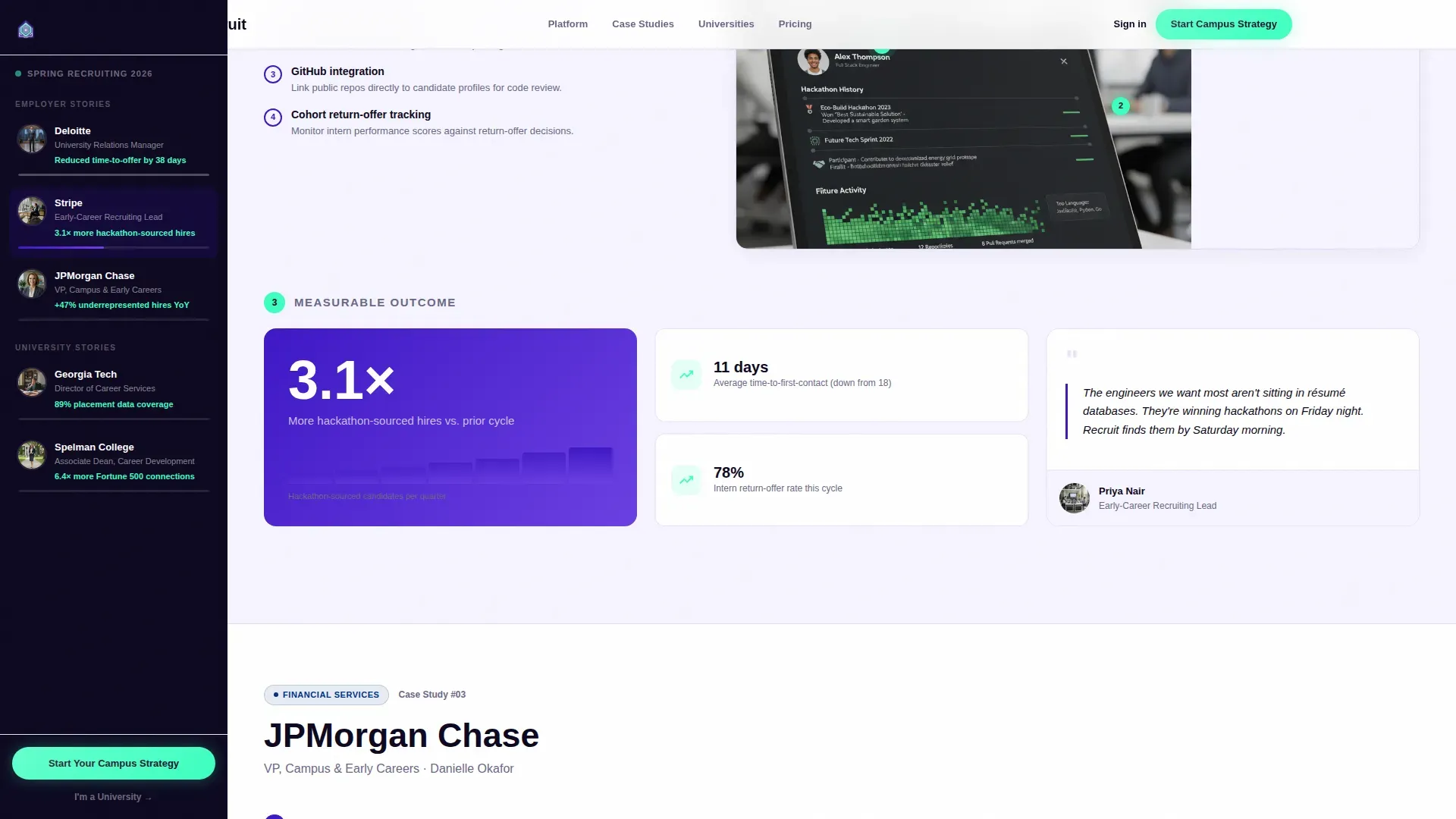
Each case study unfolds in three beats: the recruiting challenge, an annotated workflow walkthrough, and a single oversized outcome metric with a micro-chart. The block ends with a pull quote from a named human photographed on their actual campus or office floor, which helps showcase campus recruitment techniques in context.
Pinned Two-Step Intake Form
The primary call to action stays pinned to the sidebar bottom at every scroll depth. Step one collects company name, annual hire volume, and top target schools via autocomplete. Step two asks for role and preferred demo format. A secondary text link routes university visitors to a parallel intake, supporting both sides of the campus engagement model.
Dual Conversion Paths
The primary call to action serves employer visitors. A secondary path labeled "I'm a University" routes career services directors to their own intake, collecting institution name, employer partner count, and graduating class size. This approach supports conducting successful university recruitment from both sides of the relationship.
Floating Metric Cards in Hero
The hero section pairs the stat headline with floating metric cards that reinforce scale. These cards slide represents marketing strategy proof points that potential candidates and hiring decision-makers can read at a glance, before they commit to scrolling the full page.
Page sections overview
| Section | Purpose |
|---|---|
| Logo Ticker Hero | Anchors scale with live stats and employer logos |
| Sidebar Table of Contents | Navigates five case studies with progress bars |
| Employer Case Studies | Shows three employer challenge-to-outcome stories |
| University Case Studies | Presents two career services director outcomes |
| Workflow Walkthrough | Annotated screenshots of platform hiring process |
| Pinned call to action Form | Two-step intake for employer and university visitors |
| Footer | Single-row linear footer with secondary links |
Design & branding system
The visual identity follows a Directory and Discovery theme. The palette feels like a university quad at dusk, lit by phone screens, where youthful energy runs through an institutional structure.
- Deep digital indigo (#3D17C6) as the primary brand anchor, with charged violet (#6C3FE2) for hover and active navigation states
- Bright signal white (#F6F4FF) with a faint lavender cast on content panels keeps reading comfortable
- Neon mint (#3DFFC0) appears exclusively on calls to action and success indicators, making every conversion point unmissable
Mobile & speed optimization
The template is desktop-first, built for university relations managers reviewing the page on a laptop during campus visits. Interactive components such as the sidebar and intake form use client-side rendering, while static sections use server components to keep load balanced.
- Smooth-scroll sidebar navigation and logo marquee are built with high-animation fidelity using GSAP ScrollTrigger
- The two-step form limits fields to essential inputs, consistent with best practice that over 60% of job seekers abandon long forms
- The page layout remains legible and scannable on smaller screens, supporting visitors who arrive via QR codes at career fairs
How this template helps you convert
This landing page earns the click by showing proof before asking for anything. Visitors read outcomes from peers in their exact role before they ever see the form.
- The logo ticker and stat headline establish platform credibility within the first few seconds of arrival, building trust before any form appears
- The case study narrative format lets visitors self-identify with employer or university stories, making the call to action feel like a natural next step rather than a hard sell
- The pinned sidebar call to action and dual conversion paths keep job openings and intake options visible at every scroll depth, so no qualified visitor leaves without a clear action to take
Other information about this template
This template supports various tactics for teams that want to promote campus recruitment strategy across multiple school relationships. It is well suited for staffing agencies managing campus selection programs on behalf of multiple employer clients. The layout can help teams conduct comprehensive research into evaluating campus relationships before approaching campuses for the first time.
- Useful for staffing agencies coordinating college hiring programs across several employer accounts simultaneously
- Supports online campus recruitment techniques including virtual campus drive solutions and pre onboarding engagements for recent graduates and fresher candidates
- The sidebar structure can showcase stages of a full university hiring strategy, from stages pre placement talk through written test, group discussion, technical interview, and hr interview
- Teams can identify tools and develop career fair goals, then use the case study blocks to represent process outcomes to internal stakeholders
- Helpful for building team alignment around a campus recruitment strategy that uses an applicant tracking system and structured interviews to assess future candidates with the right educational qualification
- The template format mirrors how slide showcases process information, making it easy to repurpose insights from editable presentations into a live landing page experience
Theme
Directory & Discovery
Creative direction
Case Study Narrative
Color system
Electric Indigo
Style
Sidebar Companion
Direction
Recruitment/Hiring
Page Sections
Persistent Sidebar Case Study Navigator
Live Logo Ticker Marquee
Three-beat Case Study Blocks
Pinned Two-step Intake Form
Dual Conversion Paths
Hero Floating Metric Cards
Related questions
Can this landing page support both employer and university visitor journeys?
How does the sidebar table of contents work?
Is this template suitable for teams running high-volume college hiring?
Can the template be customized to match a specific organization's branding?
What makes this different from a standard recruiting landing page?



