Technical Writer FAQ & Common Questions Website Template
Redline is a single-page landing page template built for independent technical writers. It uses an editorial magazine layout with a persistent sidebar table of contents, a FAQ-driven main column, and a clean Arctic White and ink blue color system. The design builds client trust through typographic hierarchy alone, guiding startup CTOs, developer relations leads, and enterprise product managers toward a clear contact form.
by Rocket studio
Quick summary
Redline is a sidebar companion landing page template for a solo technical writing business. It pairs a giant centered headline with a scrollable FAQ column and a persistent sidebar. The Arctic White palette and editorial typographic system do all the visual work. By the time a visitor reaches the contact form, the copy has already answered every objection.
Who this template is for
This template is built for independent technical writers who sell directly to business clients. It works equally well for a freelancer launching a new service site or a solo consultant repositioning an existing one.
- Freelance technical writers targeting startup and enterprise clients
- Solo documentation consultants offering retainer, project, or audit engagements
- Developer relations professionals building a professional online presence
What problem this template solves
Most service provider pages either over-design the visual layer or under-explain the actual offer. Prospective clients arrive with real questions and leave without answers. Redline solves this by organizing the entire page around the questions clients already ask before signing a contract.
- Clients leave too early because the page never addresses their specific hesitations
- Generic portfolio layouts fail to communicate process, handoff quality, or domain fluency
- Contact forms appear before trust has been established, so conversion rates suffer
What you get with this template
You get a fully structured single-page layout that leads visitors from curiosity to commitment through a well-paced editorial flow. Every section earns its place through content, not decoration.
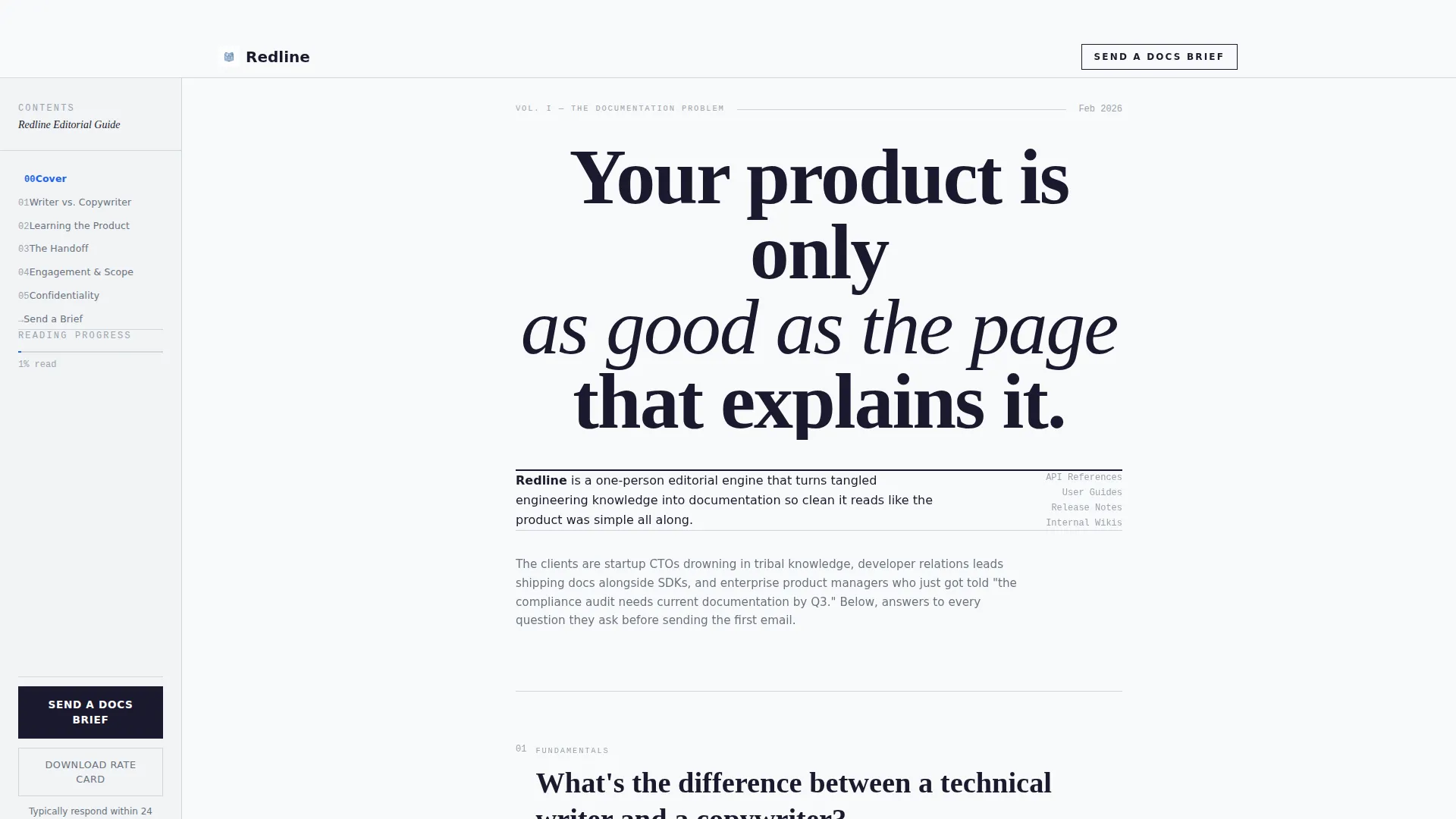
- A giant centered headline section with a byline-weight service description beneath it
- A persistent sidebar with a table of contents and a "Send a Docs Brief" call to action
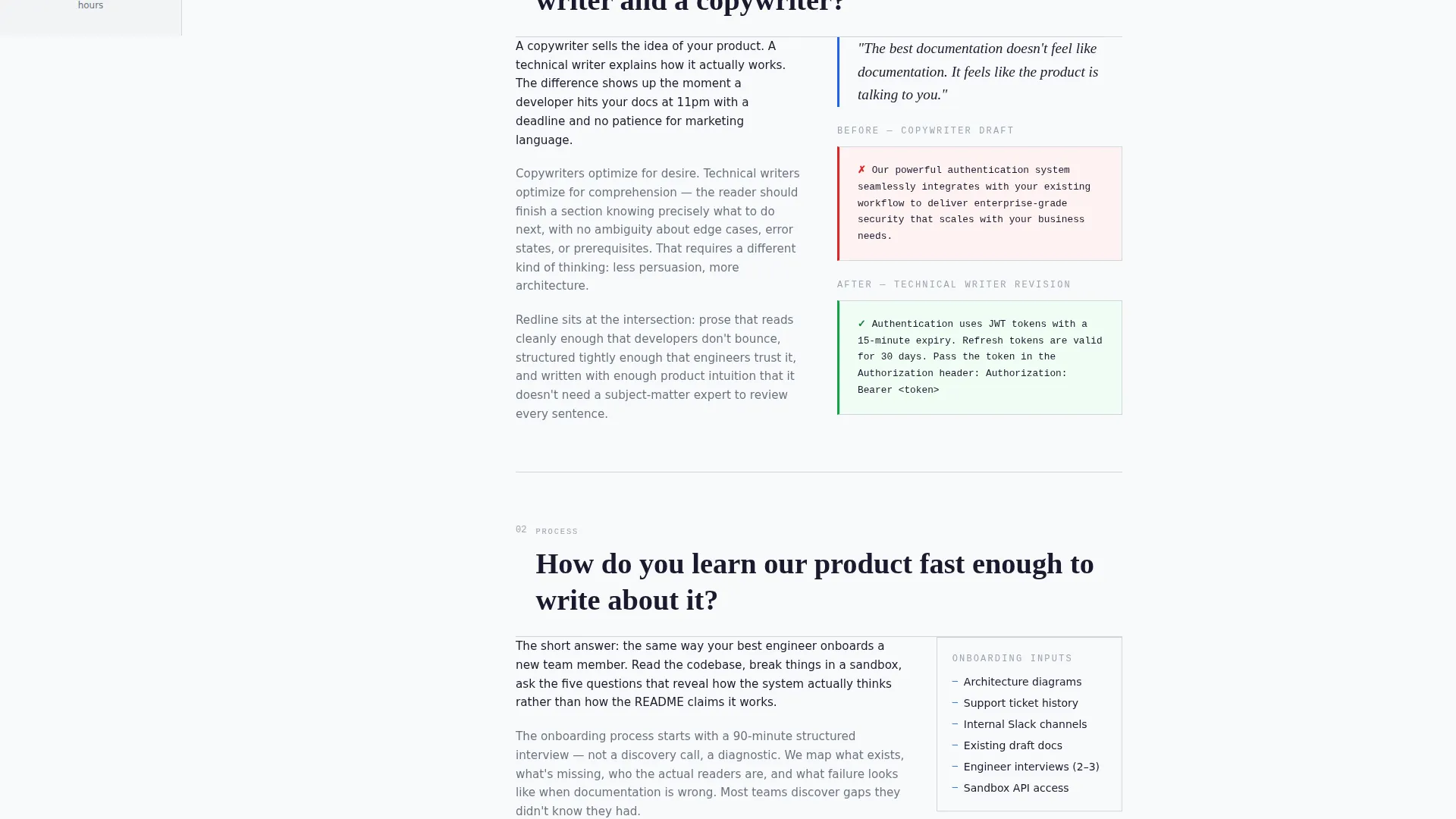
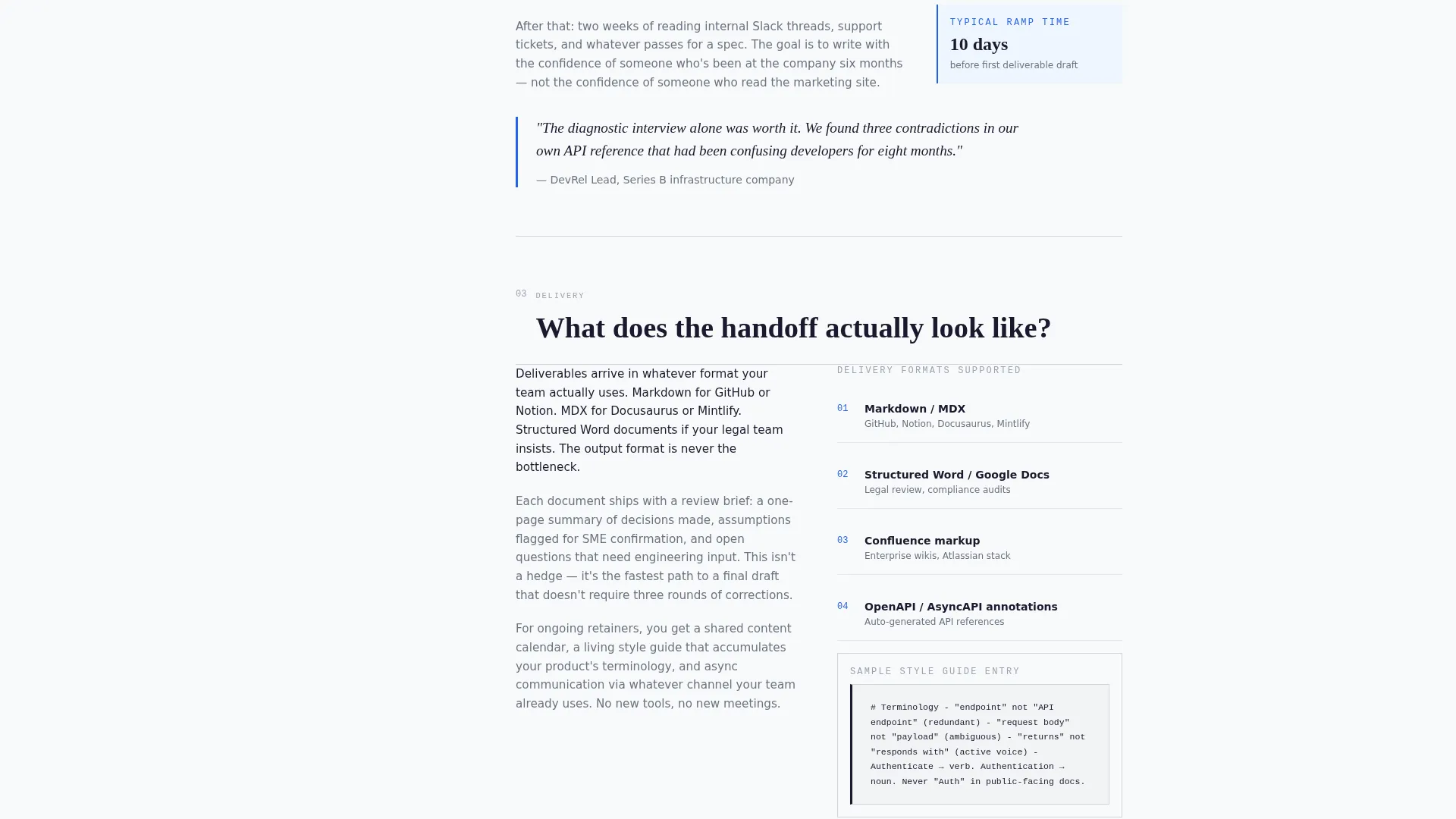
- A main FAQ column with pull quotes, before-and-after documentation snippets, and monospaced code blocks
Feature list
This template is built around a small set of purposeful components. Each one serves the conversion goal directly.
Giant Editorial Headline Header
The header is a single large-weight serif or monospaced headline set against pure white space. There is no image, no illustration, and no gradient. The restraint signals authority before the visitor reads a word.
Persistent Sidebar with Table of Contents
The sidebar stays visible as the visitor scrolls. It contains a linked table of contents for the FAQ column and a persistent "Send a Docs Brief" call-to-action button, so the conversion path is always one click away.
FAQ-Driven Main Column
The main content column is structured as a series of real pre-hire questions with editorial answers. Each answer section runs two to three paragraphs and can include pull quotes, inline before-and-after documentation examples, and monospaced code blocks.
Dual Conversion Paths
The primary call to action is a contact form asking for company name, engagement type, a one-sentence description of the documentation challenge, and a work email. A secondary path offers a gated "Download the Rate Card" PDF for leads who are not yet ready to commit.
Engagement Type Dropdown Form
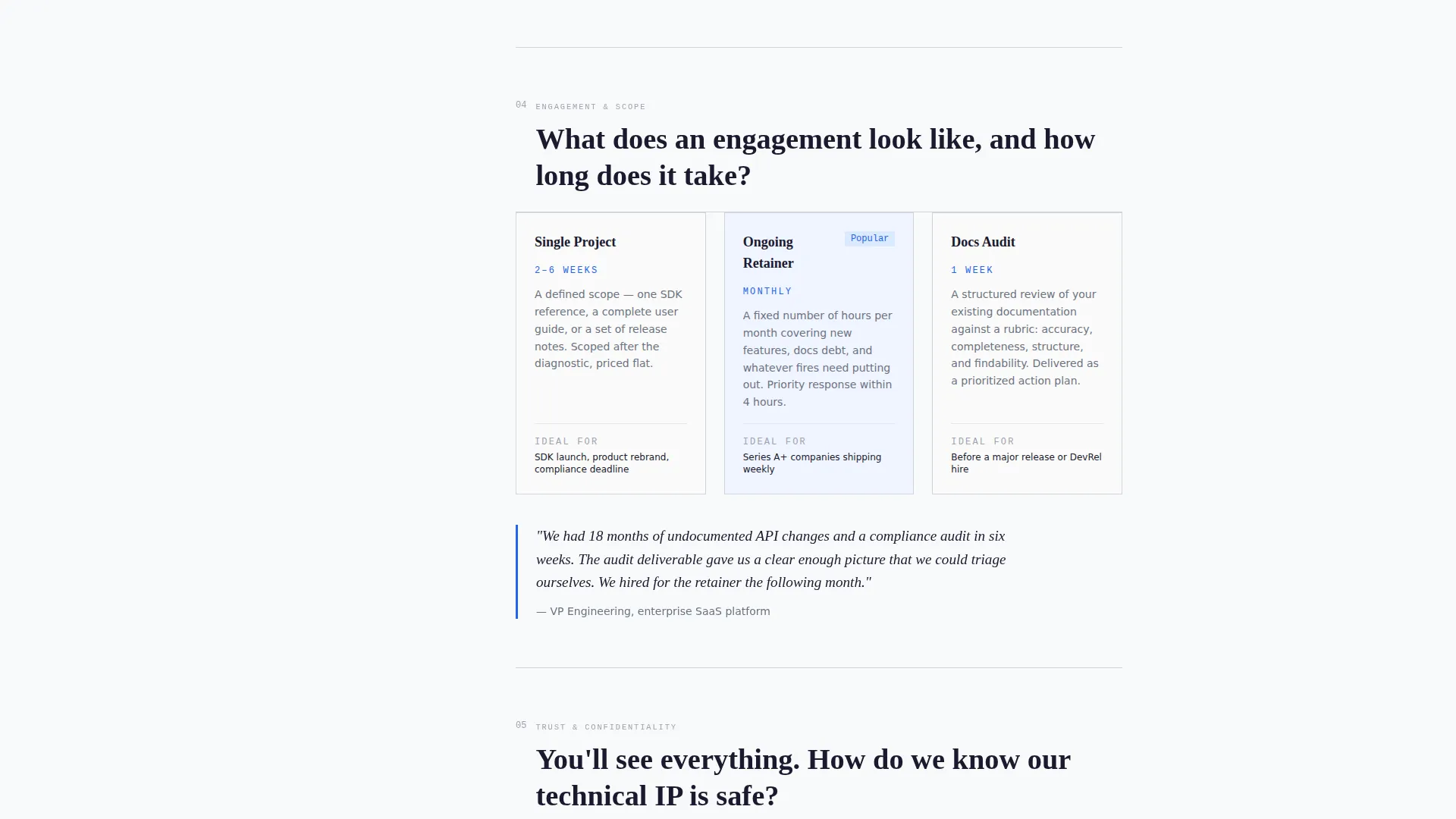
The contact form includes a dropdown selector covering three engagement types: ongoing retainer, single project, and documentation audit. This pre-qualifies leads before a single conversation takes place.
Pull Quotes and Code Block Components
Inline pull quotes styled in accent ink blue and monospaced code block components are available within the FAQ answer sections. These prove domain fluency and break up long editorial passages in a visually purposeful way.
Page sections overview
| Section | Purpose |
|---|---|
| Giant Headline Header | Opens with a single editorial statement that establishes authority immediately |
| Byline Service Description | Names the service in one restrained sentence below the headline |
| Sidebar Table of Contents | Gives visitors persistent navigation and a visible call to action while scrolling |
| Sidebar call to action Button | Keeps "Send a Docs Brief" reachable at every scroll position |
| FAQ Main Column | Answers real pre-hire questions to build trust section by section |
| Pull Quote Blocks | Highlights key editorial statements in accent ink blue for emphasis |
| Code Block Examples | Demonstrates documentation fluency with monospaced inline samples |
| Primary Contact Form | Collects company name, engagement type, challenge description, and work email |
| Rate Card Download | Offers a secondary gated PDF path for leads not ready to commit |
Design & branding system
The visual identity follows an Editorial Magazine theme built entirely on typographic hierarchy. No images, gradients, or decorative elements compete for attention. Color is used sparingly and with intention.
- Arctic White palette: glacial white (#F8F9FA) for body areas, soft rule gray (#D1D5DB) for the sidebar background, and deep editorial black (#1A1A2E) for all headline and body text
- Accent ink blue (#2563EB) appears only on hyperlinks, pull quotes, and call-to-action elements, so every instance commands immediate attention
- Typography alone carries the visual weight, with large-weight serif or monospaced typefaces for headlines and clean body text that reads like a well-typeset printed broadsheet
Mobile & speed optimization
The sidebar companion layout adapts to smaller screens without losing the editorial structure. The persistent navigation collapses gracefully so the main FAQ column remains the clear reading focus.
- Sidebar collapses on mobile so the FAQ content column takes full width
- Typography sizing scales proportionally to preserve the headline-first hierarchy on all screen sizes
- Lightweight layout with no heavy images or decorative assets keeps the page load lean by design
How this template helps you convert
Every layout and copy decision in this template is oriented toward moving a hesitant B2B buyer toward the contact form. The page earns the click rather than demanding it.
- The FAQ structure answers objections in sequence, from curiosity to logistics to commitment, so visitors arrive at the form with questions already resolved.
- The persistent sidebar keeps the primary call to action visible at all times, reducing the friction of having to scroll back to find the form.
- The secondary "Download the Rate Card" path captures leads who are not ready to commit, turning a lost conversion into a warm follow-up opportunity.
Other information about this template
This template is categorized under Professional Services with a focus on technical writer online presence. It is designed as a lead generation landing page for a one-person business, not an agency or multi-author team.
- The template style is a sidebar companion layout with the main column carrying the editorial FAQ content
- The theme follows a Service Utility direction, meaning every design element supports the service explanation rather than brand storytelling
- The header concept is a Giant Headline Centered, scaled to feel like a magazine cover pulled to full bleed
- Engagement types covered by the built-in form dropdown are: ongoing retainer, single project, and documentation audit
- The gated Rate Card PDF path is included as a secondary conversion route for visitors in an earlier research phase
Theme
Service Utility
Creative direction
Stats-First Impact
Color system
Ink & Paper
Style
Split Screen (50/50)
Direction
Lead Generation
Page Sections
Giant Editorial Headline Header
Persistent Sidebar Navigation
Faq-driven Editorial Column
Dual Conversion Path Design
Pre-qualifying Contact Form
Pull Quotes and Code Block Components
Related questions
What type of business is this landing page template designed for?
Can I edit the FAQ questions and answers to match my own service?
What are the two conversion paths included in this template?
Does the sidebar stay visible while scrolling?
What engagement types does the built-in form support?



