Technical Writer Portfolio Landing Page Template
Redline is a dark-theme technical writer portfolio landing page built for documentation professionals who work with developer tooling, APIs, and open-source projects. It pairs a scroll-jacked cinematic header with deep case study narratives, a Void and Violet color system, and a gated methodology playbook that turns visitor curiosity into qualified leads.
by Rocket studio
Quick summary
Redline is a single-page portfolio landing page for technical writers serving developer-focused clients. It opens with a character-by-character typing animation, then walks visitors through full-page case studies told as three-act stories. The Void and Violet color system and terminal-style user interface make the page feel like a premium IDE environment, precise and impossible to stop reading.
Who this template is for
This template is built for technical writers who produce documentation for complex software products. It fits professionals whose clients expect rigorous, developer-friendly communication rather than general marketing copy.
- Freelance technical writers working with developer tooling startups or API-first SaaS companies
- Documentation leads at open-source projects where adoption has stalled due to poor docs quality
- Senior technical communicators who want a portfolio that demonstrates architectural thinking, not just writing samples
What problem this template solves
Most technical writer portfolios look like a resume with links. They fail to show the thinking behind the work, the before-and-after impact, or the methodology that produced results. Clients who build developer products need evidence, not assertions.
- Visitors cannot judge writing quality from a static sample list alone
- There is no clear story connecting the writer's process to measurable outcomes like reduced support tickets or higher developer adoption
- Generic portfolio templates do not signal fluency in developer culture or documentation systems
What you get with this template
You get a full storybook landing page that uses immersive scroll mechanics and narrative case study sections to show the full arc of a documentation project. Every design choice reinforces credibility with a technical audience.
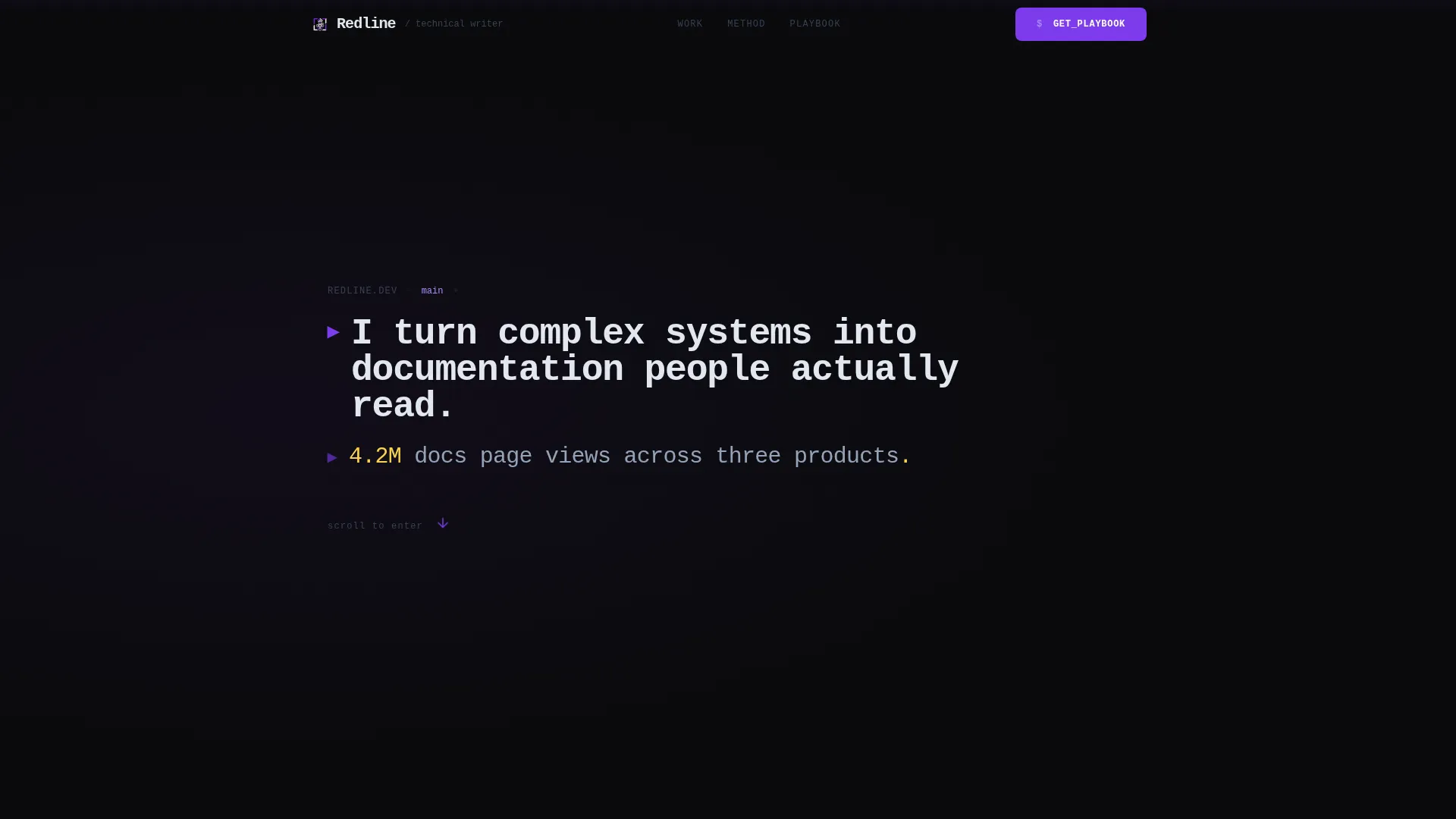
- A scroll-jacked hero section with a typewriter animation that assembles your positioning statement character by character
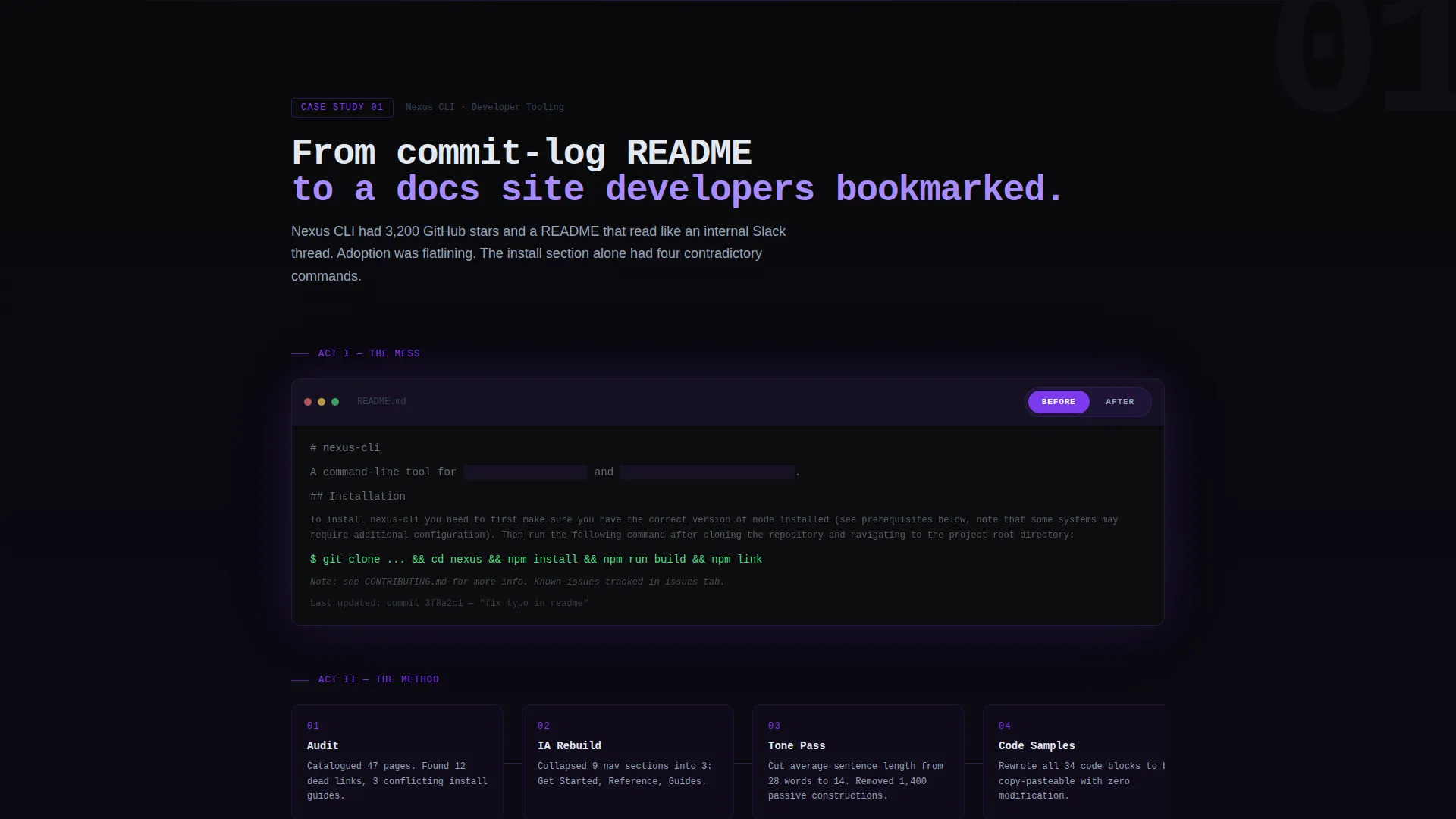
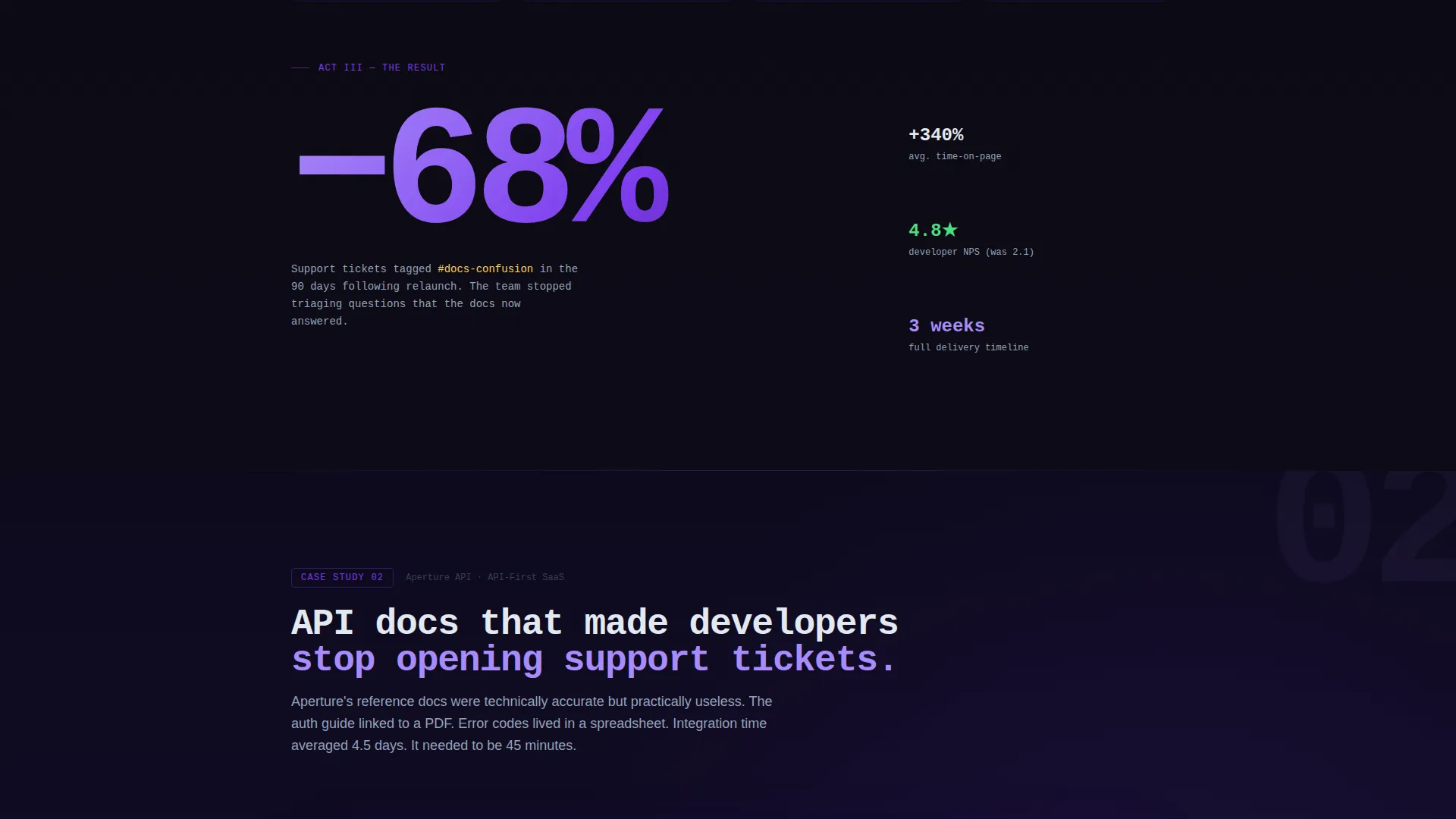
- Three-act case study sections, each covering the original problem, the information architecture method, and a single oversized outcome metric
- A content lead-capture flow built around a free Documentation Playbook PDF, gated behind a single email field
Feature list
A paragraph overview of the feature set: Redline packs every section with intentional, prompt-backed functionality. Each feature below is present in the template as described in the brief.
Scroll-Jacked Typewriter Hero
The viewport locks on entry and a monospaced sentence assembles itself one character at a time. A second line then types out a real impact metric. Once both lines complete, the scroll releases and the visitor drops into the first case study.
Three-Act Case Study Sections
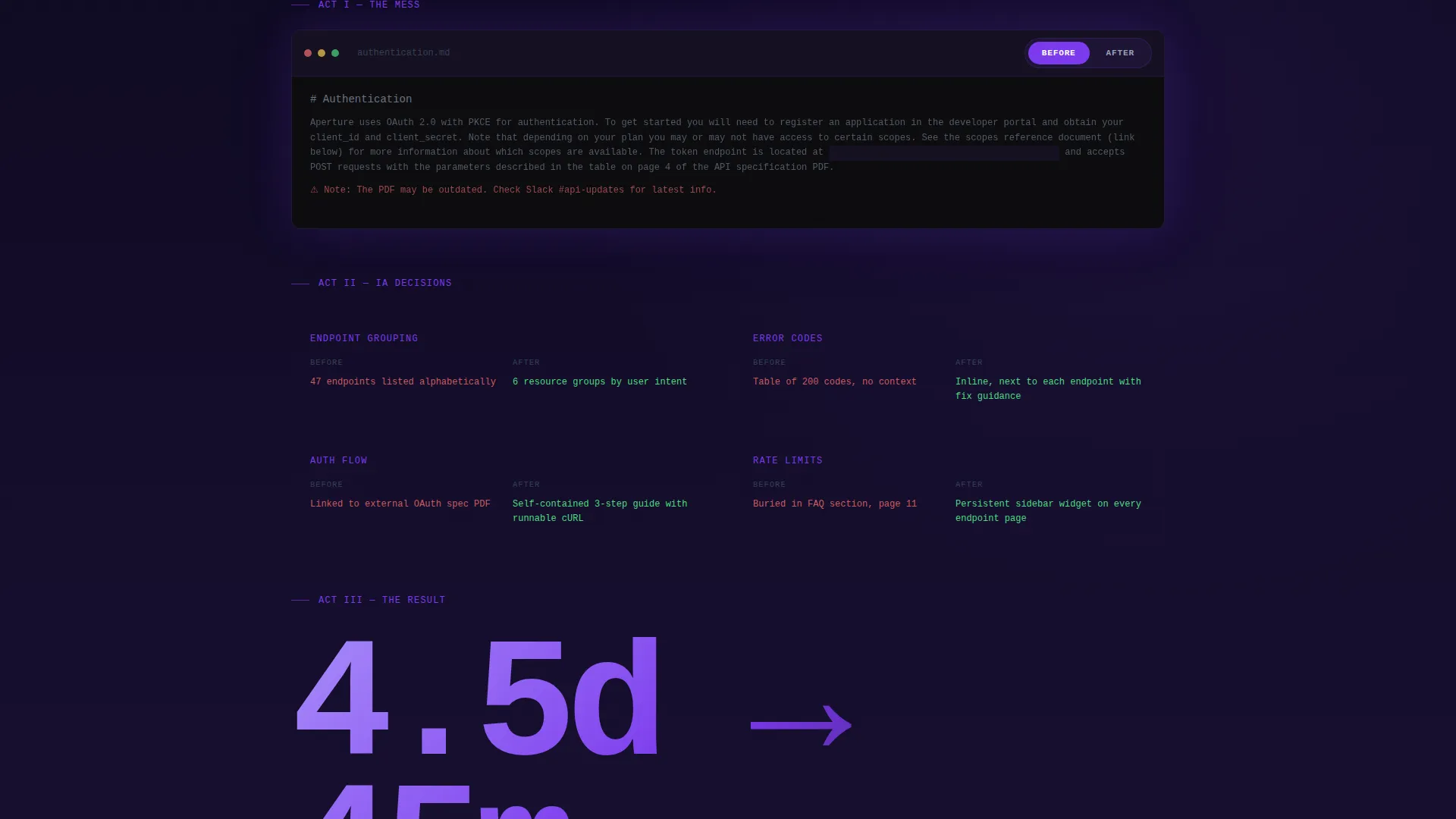
Each full-page project section follows a structured narrative: the original documentation problem shown via a lightly redacted screenshot, a side-scrolling timeline of information architecture decisions, and a single oversized outcome number such as reduced support tickets or developer NPS lift.
Before and After Terminal Blocks
Code snippets and documentation samples appear inside styled terminal blocks. Visitors can toggle each block between the original version and the revised version, making the improvement visible and tangible.
Playbook Gated Lead Capture
The primary call to action offers a free Documentation Playbook PDF. It is gated behind a single email field with ghost text reading "your@company.dev." Three methodology framework cards, each with a violet-bordered preview, tease the playbook content before the form appears.
Methodology Preview Cards
Three violet-bordered cards surface specific frameworks from the playbook during the scroll. Each card shows a truncated preview that gives enough detail to establish value, so visitors already want the full resource before they reach the email field.
Violet Depth Progression
The violet intensity in the color system increases with each case study section. The scroll feels like descending deeper into the portfolio, and each project registers as more complex and more impressive than the last.
Page sections overview
| Section | Purpose |
|---|---|
| Scroll-Jacked Hero | Assembles positioning statement and metric via typewriter animation before releasing scroll |
| First Case Study | Presents the first project as a three-act narrative with before state, method, and outcome metric |
| Second Case Study | Deepens the portfolio arc with increased violet intensity and a more complex project story |
| Third Case Study | Closes the case study sequence at maximum violet depth with the strongest outcome number |
| Playbook Tease Cards | Surfaces three methodology framework previews to build desire for the PDF before the capture form |
| Playbook Lead Capture | Collects a single email address in exchange for the free Documentation Playbook PDF |
| Full Case Library call to action | Provides an ungated secondary path to an archive of additional projects |
Design & branding system
The Void and Violet color system is designed to feel like a professional IDE environment at midnight. Every color choice serves legibility and atmosphere simultaneously.
- Background uses absolute void black (#09090B) as the dominant surface, with deep interstellar violet (#1A1035) appearing at section transitions to create a sense of depth as the visitor scrolls
- Electric ultraviolet (#7C3AED) is applied to links, interactive highlights, and the violet-bordered methodology cards, keeping accent usage intentional and earned
- Body text is set in phosphor white (#E2E8F0) in a monospaced typeface for the hero and terminal blocks, producing a soft glow against the dark background that remains easy to read
Mobile & speed optimization
The template is designed with a storybook single-page layout that keeps the scroll experience coherent on smaller screens. The cinematic animations and terminal blocks are structured to adapt across viewport sizes.
- The scroll-jacked hero and typewriter animation are built into the full-page layout so the entry experience works on both desktop and mobile viewports
- Terminal before-and-after toggle blocks are self-contained components that remain functional and readable without requiring hover-only interactions
- The single email field lead capture form is minimal by design, which keeps the conversion path clean and fast to complete on any device
How this template helps you convert
Redline is structured as a content and resource destination. Every section moves the visitor closer to either submitting an email or exploring more work.
- The typewriter hero delivers a specific impact metric in the first seconds, immediately establishing credibility and making the visitor want to see where the number came from.
- The three methodology preview cards tease real frameworks from the playbook during the scroll, so by the time the visitor reaches the email field, the trade feels obvious and worth making.
- The secondary call to action, "See the Full Case Library," provides an ungated path for visitors who are not ready to share an email, keeping them inside the portfolio instead of bouncing.
Other information about this template
Redline is a Storybook and Full-Page template style, meaning the entire portfolio narrative unfolds within a single continuous scroll rather than across multiple pages. It is categorized under Portfolio and Agency and is specifically designed for the technical writer dark theme portfolio niche.
- The template is part of the Dark Immersive theme family, making it well suited for anyone whose professional audience lives inside terminals, code editors, and developer documentation platforms
- The Case Study Narrative creative direction means the layout prioritizes showing process and outcomes over listing credentials, which aligns with how developer-focused clients evaluate documentation hires
- The Content and Resource landing page direction means the template is optimized to deliver value during the scroll and convert through a downloadable asset rather than a direct contact form
Theme
Dark Immersive
Creative direction
Case Study Narrative
Color system
Void & Violet
Style
Storybook/Full-Page
Direction
Content/Resource
Page Sections
Scroll-jacked Typewriter Hero
Three-act Case Study Sections
Before and After Terminal Blocks
Gated Playbook Lead Capture
Methodology Preview Cards
Ungated Case Library Path
Related questions
Can I use this template if I only have one or two case studies ready?
Do I need to provide a real Documentation Playbook PDF to use the lead capture section?
Is the typewriter animation in the hero customizable?
Who are the ideal clients this portfolio is designed to attract?
Can the before-and-after terminal blocks display real documentation samples?



