Medical Writer FAQ Website Template
Redline is a sidebar companion landing page built for a solo medical writer. It pairs a full-viewport stats bar with a scrollable, scenario-driven table of contents. Each section opens with an anonymized case study and expands into relevant FAQ answers and downloadable resources. The result is a trust-first resource page that earns its conversions before asking for anything.
by Rocket studio
Quick summary
Redline is a precision-crafted landing page template for a one-person medical writing practice. It uses a sidebar layout, a credentials-forward stats bar, and case study narrative sections to show rather than tell. Visitors experience the writer's rigor firsthand through inline reference materials before ever reaching a call to action.
Who this template is for
This template is built for independent medical writers who serve regulated industries. It works best for solo practitioners with a track record strong enough to let their outcomes do the talking.
- Freelance medical writers preparing regulatory submissions, journal manuscripts, and medical education materials
- One-person practices whose clients include biotech founders, medical affairs directors, and clinical research organization project managers
- Experienced writers ready to replace a generic portfolio page with a structured, resource-driven destination
What problem this template solves
Most medical writer portfolio pages read like a résumé. They list credentials but give the visitor no sense of how the writer actually works. Busy clients such as a biotech founder filing an Investigational New Drug application or a pharma medical affairs director replacing an in-house writer need immediate confidence, not a credentials list.
- Clients cannot quickly assess whether a writer understands their specific regulatory context
- Generic portfolio pages offer no tangible proof of precision or first-round acceptance rates
- Visitors leave without a concrete reason to reach out, because no useful resource was shared first
What you get with this template
You get a fully structured, single-page layout built around the logic of a well-formatted submission dossier. Every section earns trust before asking for a conversion.
- A full-viewport stats bar displaying four credentialing metrics in oversized numerals above the fold
- A persistent sidebar table of contents organized by client scenario, not generic categories
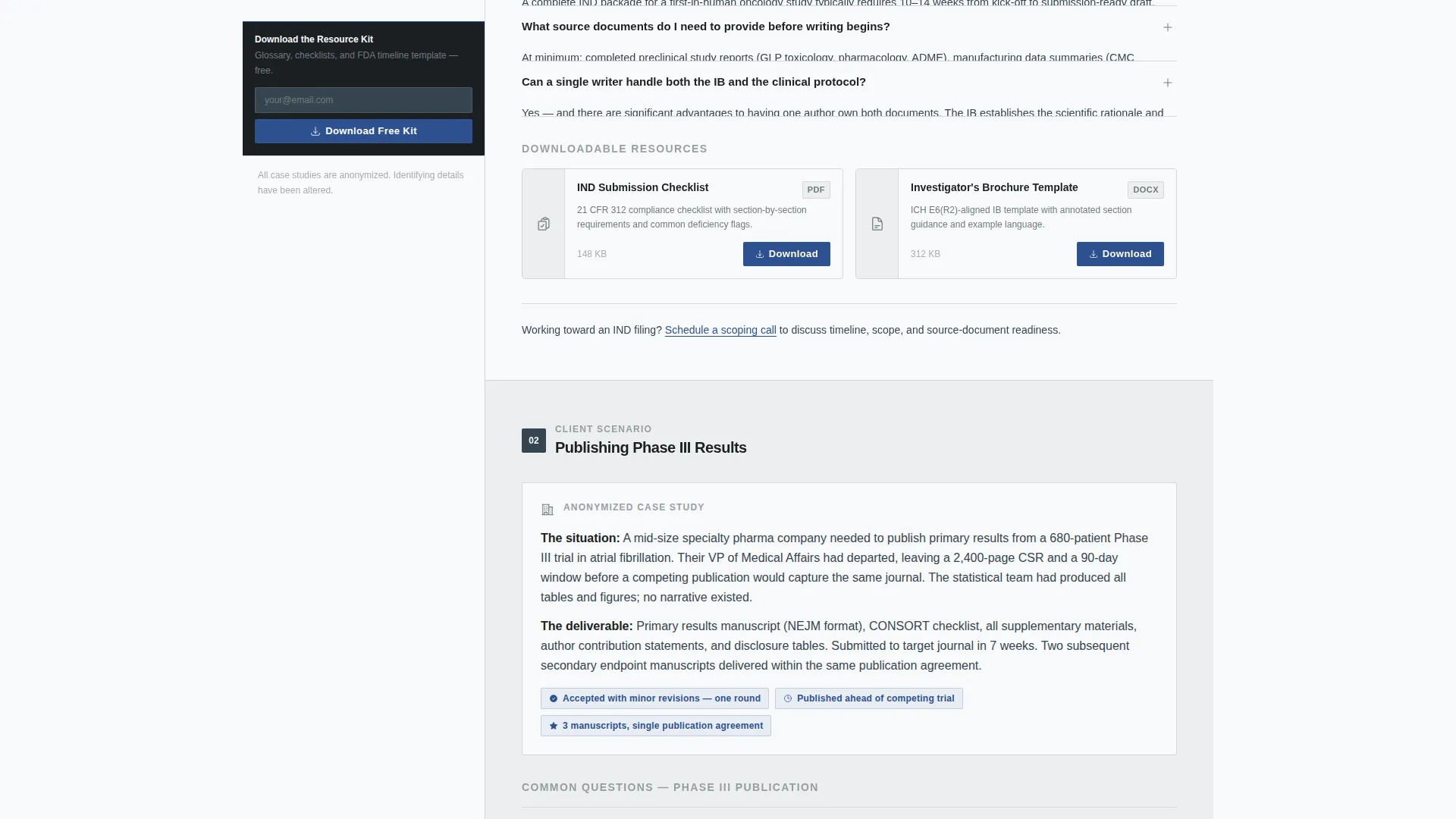
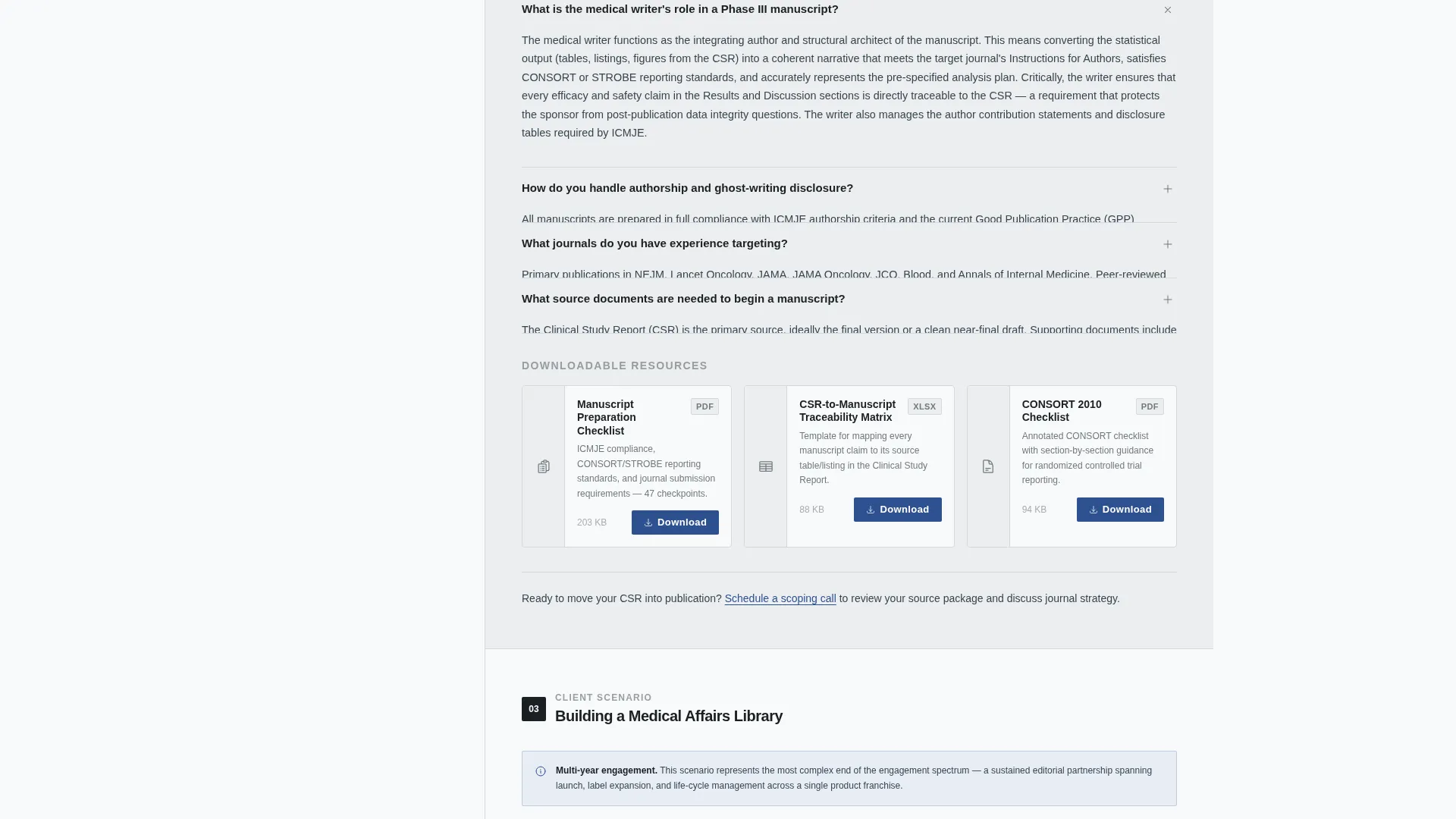
- Inline resource cards with steel-bordered thumbnails and file-size badges for downloadable reference materials
- A slim, persistent email capture bar in the sidebar that appears after the visitor scrolls past the second case study
- A secondary "Schedule a Scoping Call" text link placed quietly at the end of each case study block
Feature list
A paragraph introduces each feature below. These are the core components built into the Redline template.
Stats Bar Header
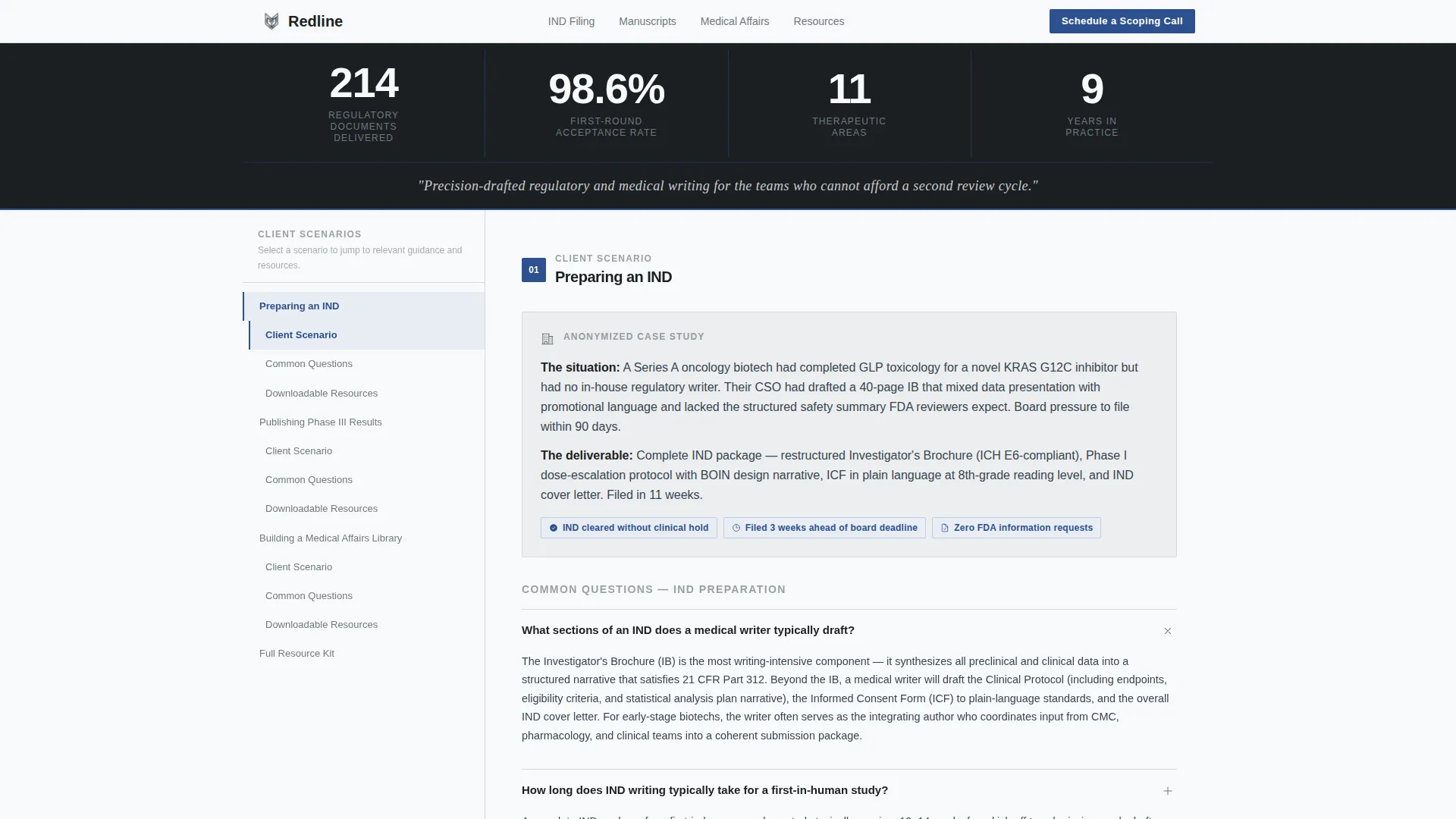
The header spans the full viewport width against a charcoal slate background. It displays four credentialing metrics in oversized tabular-lining numerals: "214 Regulatory Documents Delivered," "98.6% First-Round Acceptance Rate," "11 Therapeutic Areas," and "9 Years in Practice." Each figure is separated by a thin vertical rule in regulatory blue. A single serif italic line below carries the writer's positioning statement in clean-room white.
Scenario-Driven Sidebar Navigation
The sidebar holds a persistent, scrollable table of contents. Items are organized by client scenario rather than generic FAQ headings. Examples include "Preparing an IND," "Publishing Phase III Results," and "Building a Medical Affairs Library." Clicking any item smooth-scrolls the visitor to the relevant section.
Case Study Narrative Sections
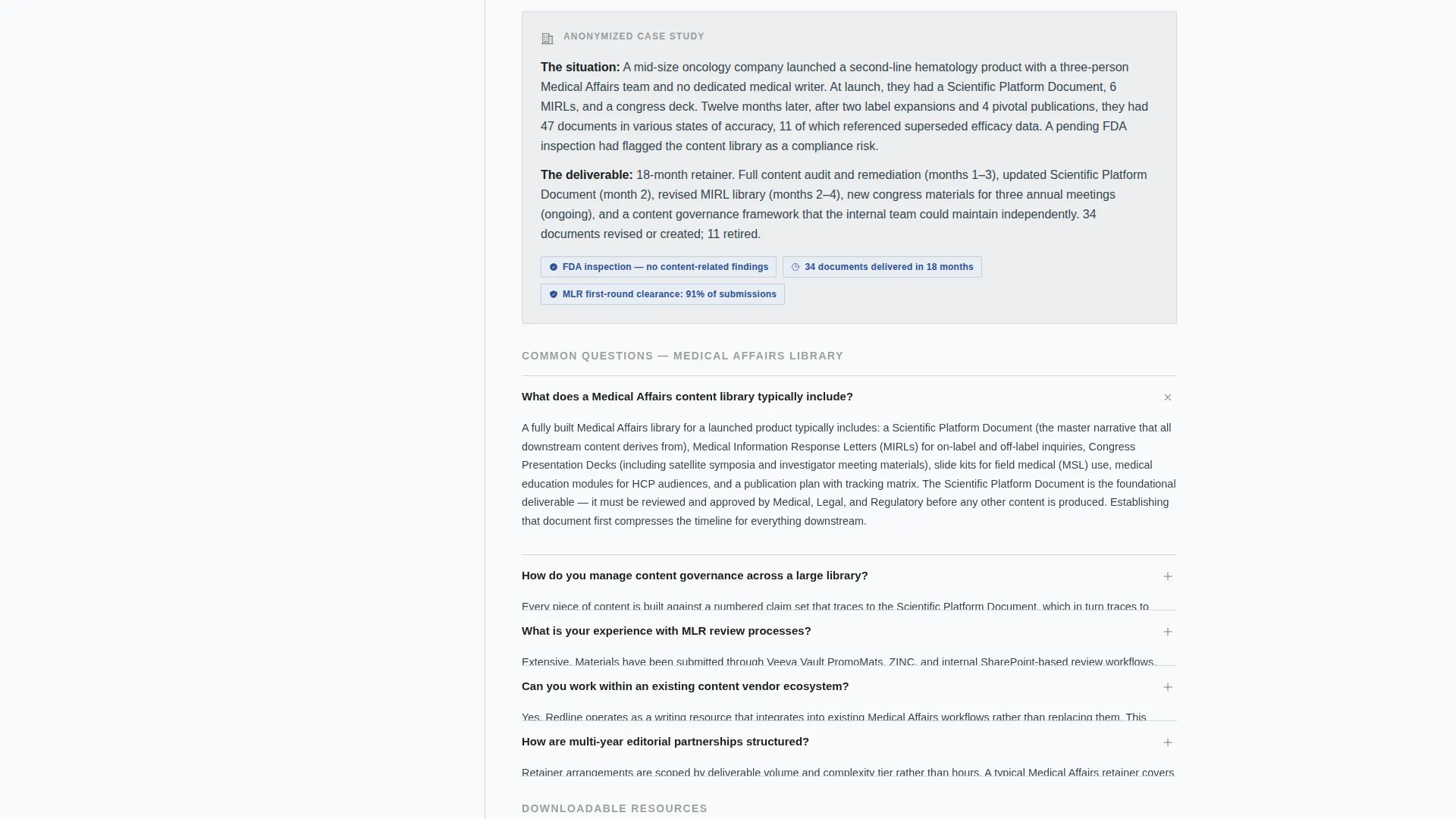
Each scenario section opens with a two-sentence anonymized case study covering the client's problem, the deliverable produced, and the outcome achieved. The section then expands into FAQ answers and downloadable resources tied to that scenario. Sections escalate in complexity from single-document projects to multi-year editorial partnerships, quietly demonstrating range as the visitor scrolls.
Inline Resource Cards
Resource cards appear inside each scenario section. Each card features a steel-bordered thumbnail and a file-size badge. Downloadable materials include items such as a regulatory acronym glossary, a manuscript-preparation checklist, and an FDA submission timeline template.
Persistent Email Capture Bar
A slim email capture bar sits at the bottom of the sidebar. It remains visible once the visitor has scrolled past the second case study section. The single-field form gates access to a downloadable resource kit, making the primary conversion feel like a natural next step rather than an interruption.
Secondary Scoping Call Link
At the close of each case study block, a quiet text link styled with a regulatory-blue underline invites the visitor to schedule a scoping call. The placement is intentional: the visitor has already read about a relevant client scenario and absorbed useful reference material, so the ask arrives with context.
Page sections overview
| Section | Purpose |
|---|---|
| Full-viewport stats bar | Establish credentials instantly above the fold |
| Positioning statement line | Communicate the writer's unique value in one sentence |
| Sidebar table of contents | Guide visitors by client scenario for fast navigation |
| IND preparation section | Address regulatory submission clients with a case study and resources |
| Phase III publishing section | Serve medical publications clients with relevant FAQ content |
| Medical affairs library section | Support multi-document and editorial partnership clients |
| Inline resource cards | Deliver downloadable reference materials within each section |
| Persistent email capture bar | Gate the resource kit download behind a single email field |
| Scoping call text link | Surface the secondary conversion at the end of each case study |
Design & branding system
The visual identity follows an Executive Suite theme built on a Monochrome Steel color system. The palette is deliberate and restrained. Every color choice reinforces the message that precision is the brand.
- Core colors: surgical steel (#71797E), charcoal slate (#36454F), clean-room white (#F8F9FA), and regulatory blue (#2E5090) reserved for links, active sidebar states, and download buttons
- Page backgrounds alternate between clean-room white and a faint steel wash (#ECEEF0); body text sits in charcoal slate; headers are near-black (#1B1F23)
- Typography uses tabular-lining numerals in the stats bar for crisp metric alignment and a serif italic for the positioning statement epigraph below
Mobile & speed optimization
The Redline layout is built to remain structured and readable across device sizes. The sidebar companion structure adapts so that navigation and content stay accessible without horizontal scrolling.
- The persistent sidebar converts to an accessible top or drawer navigation on smaller viewports, keeping scenario links reachable at all times
- Resource card thumbnails and file-size badges scale proportionally so inline downloads remain clear and tappable on mobile screens
- The persistent email capture bar stays anchored at the bottom of the screen on mobile, maintaining conversion access without blocking content
How this template helps you convert
Redline earns conversions by delivering value before making any ask. The page is structured as a resource destination, not a pitch.
- Visitors receive genuinely useful reference materials such as a regulatory acronym glossary and a manuscript-preparation checklist before any email gate is shown, so trust is built through demonstrated expertise rather than claimed credentials.
- The persistent email capture bar appears only after the visitor has engaged with at least two case study sections, timing the primary conversion ask to a moment of established relevance.
- The secondary scoping call link appears at the natural close of each case study, offering a direct next step to visitors who are already thinking about their own project.
Other information about this template
Redline is a specialized template designed for a niche that values precision above all else. A few additional details are worth noting for buyers evaluating this template for their practice.
- The template is suited for medical writers working across multiple therapeutic areas, as the scenario-based structure can accommodate a wide range of regulatory and editorial project types
- The case study narrative format is intentionally anonymized, respecting the confidentiality norms common in regulated industries
- The escalating complexity of sections from single-document projects to multi-year editorial partnerships means the page itself demonstrates range without a separate portfolio page
- The resource kit gated behind the email capture is intended to include materials the writer has already created, such as a regulatory acronym glossary, manuscript-preparation checklist, and FDA submission timeline template
- This template functions as a standalone landing page and is not dependent on any external content management system or third-party integration to deliver its core structure
Theme
Executive Suite
Creative direction
Case Study Narrative
Color system
Monochrome Steel
Style
Sidebar Companion
Direction
Content/Resource
Page Sections
Full-viewport Stats Bar Header
Scenario-driven Sidebar Navigation
Escalating Case Study Sections
Inline Resource Cards with File Badges
Timed Sidebar Email Capture Bar
Secondary Scoping Call Text Link
Related questions
Who is this landing page template designed for?
How does the sidebar table of contents work?
What downloadable resources does the template include space for?
When does the email capture bar appear?
Can I adapt this template for more than three therapeutic areas?



