Aquarium Store Booking Landing Page Template
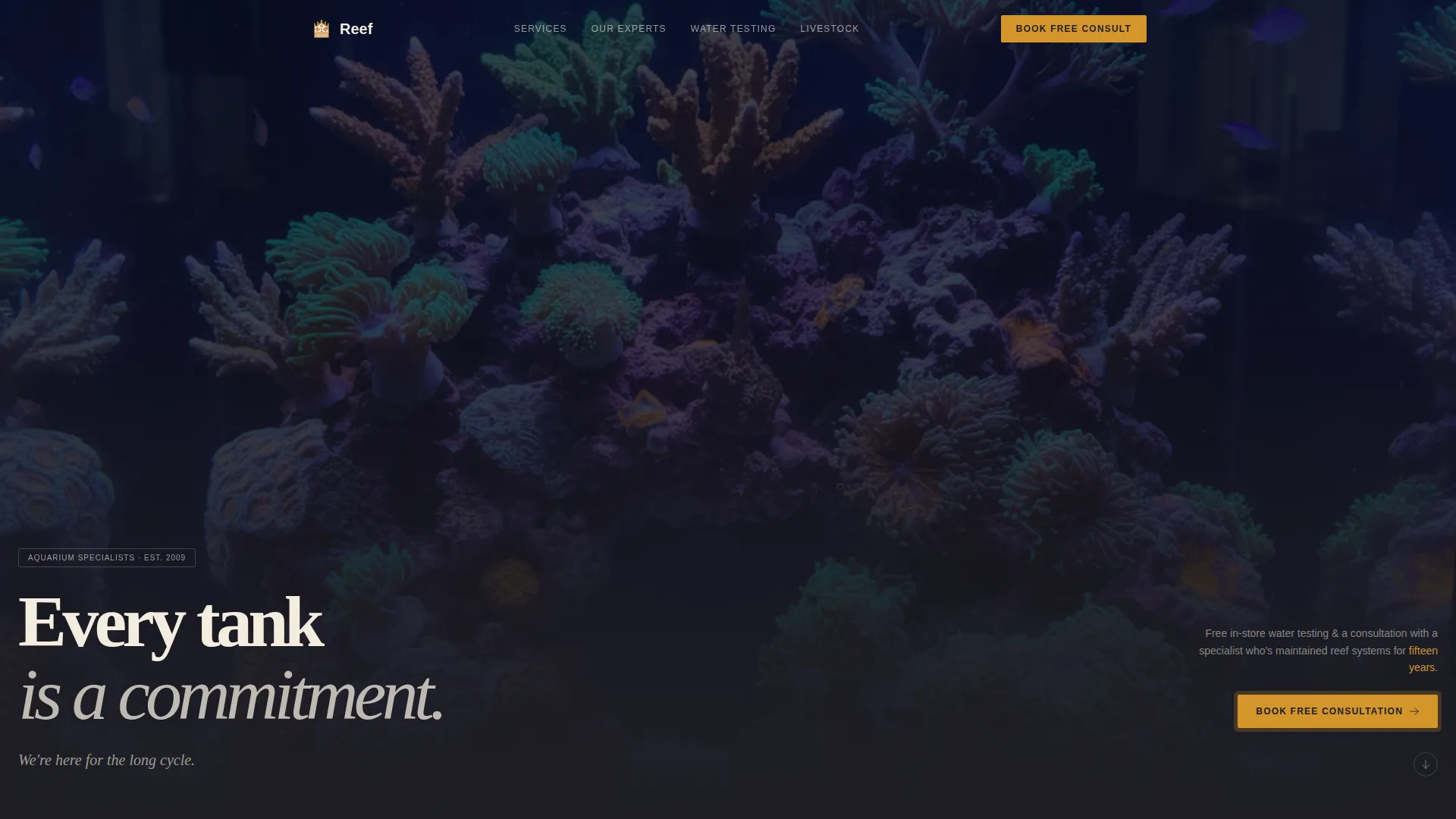
Reef is an immersive aquarium store landing page built around a zigzag expert panel layout and a deep Charcoal and Amber color system. It opens with a bold manifesto header, guides visitors through staff specialist sections, and converts through a focused booking form. The design feels like a lit display tank after hours, built to earn trust before asking for a click.
by Rocket studio
Quick summary
Reef is a single-page aquarium store landing page template designed for consultation booking. It pairs a stark manifesto header with alternating expert panels, a trust-building educational scroll, and a three-field booking form. The dark substrate palette and warm amber accents give the page a distinctive after-hours fish room atmosphere that speaks directly to hobbyists at every level.
Who this template is for
This template is built for aquarium store owners who want to position their shop as a knowledge-first destination, not just a livestock retailer. It works especially well when the store has specialist staff who can build genuine credibility through their expertise.
- Aquarium store owners running consultation or water-testing services
- Shops with specialist staff covering freshwater, planted, reef, or pond systems
- Stores targeting beginner hobbyists, intermediate enthusiasts, and advanced reefers in a single page
What problem this template solves
Most aquarium store pages look like product catalogues. They list inventory, post prices, and hope visitors call. That approach loses the hobbyist who is overwhelmed and the expert who wants to know if the store actually understands their build.
- Visitors leave without trusting that the store has real expertise behind the counter
- Generic layouts fail to speak to different experience levels at the same time
- No clear conversion path means interested visitors drift away without booking or contacting
What you get with this template
You get a complete single-page layout that moves visitors from curiosity to consultation in a structured editorial scroll. Every section is built to deliver a teaching moment before asking for anything in return.
- A Quote/Manifesto header with stark cream typography on substrate black and a single amber hook line
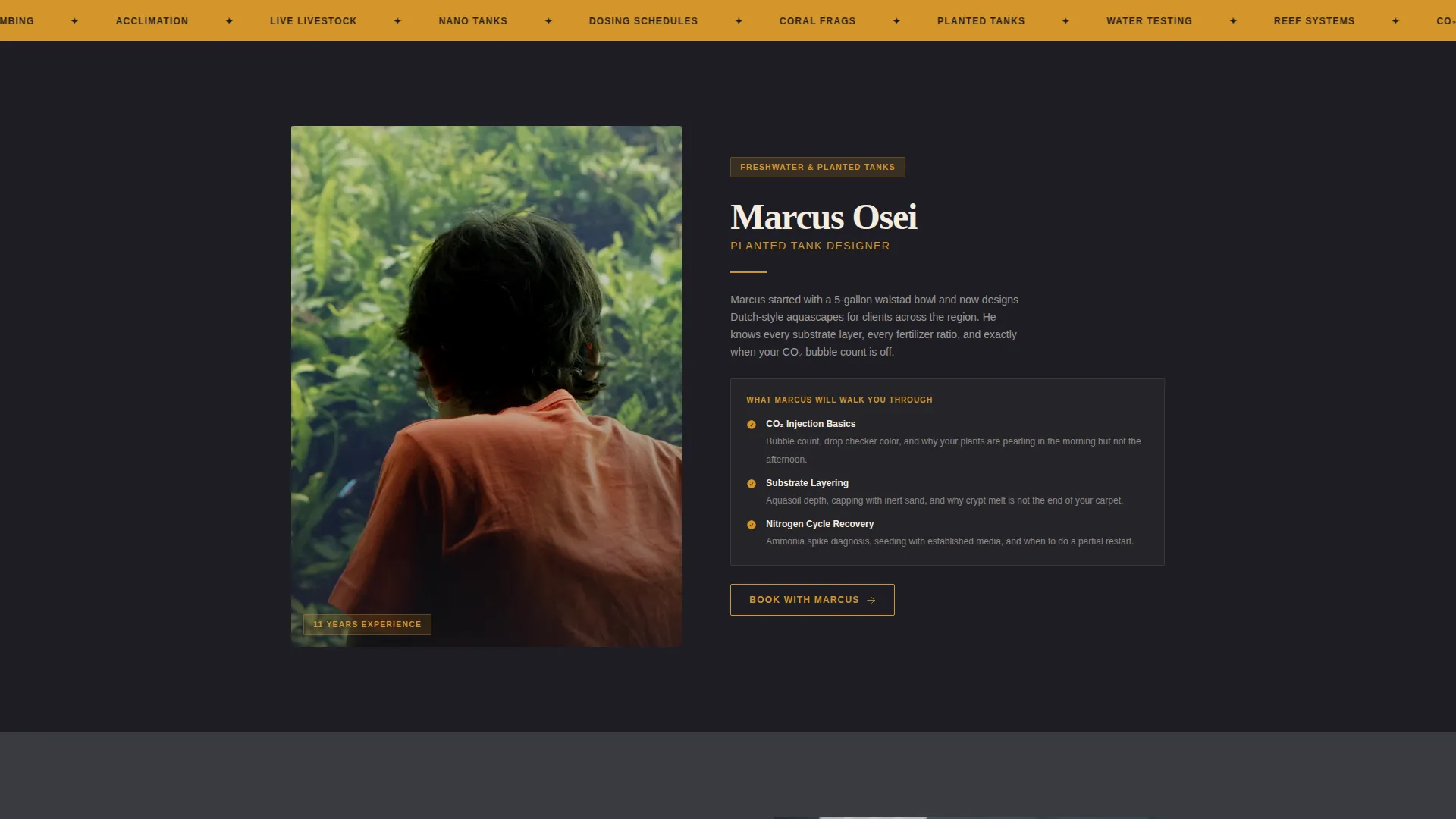
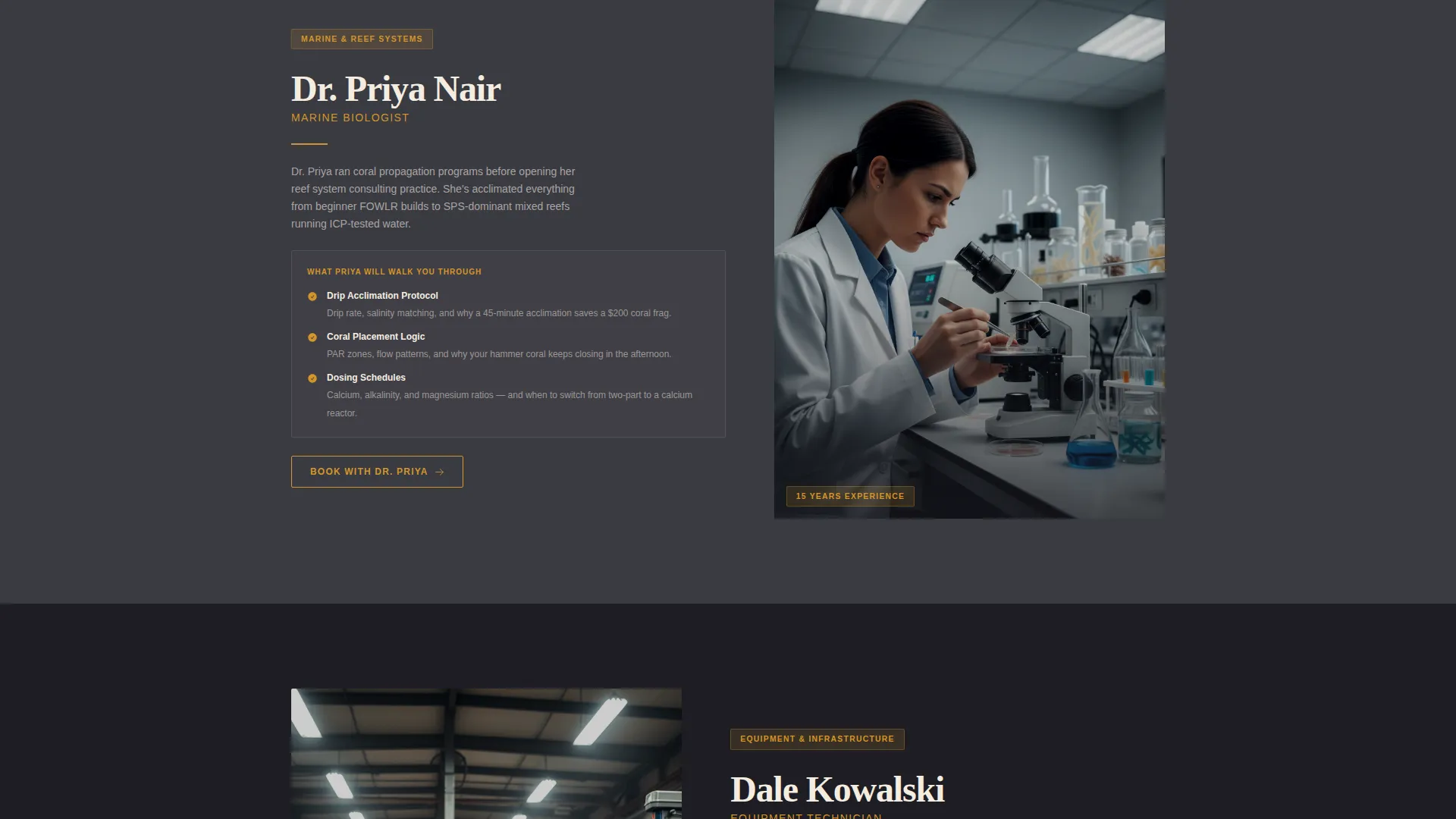
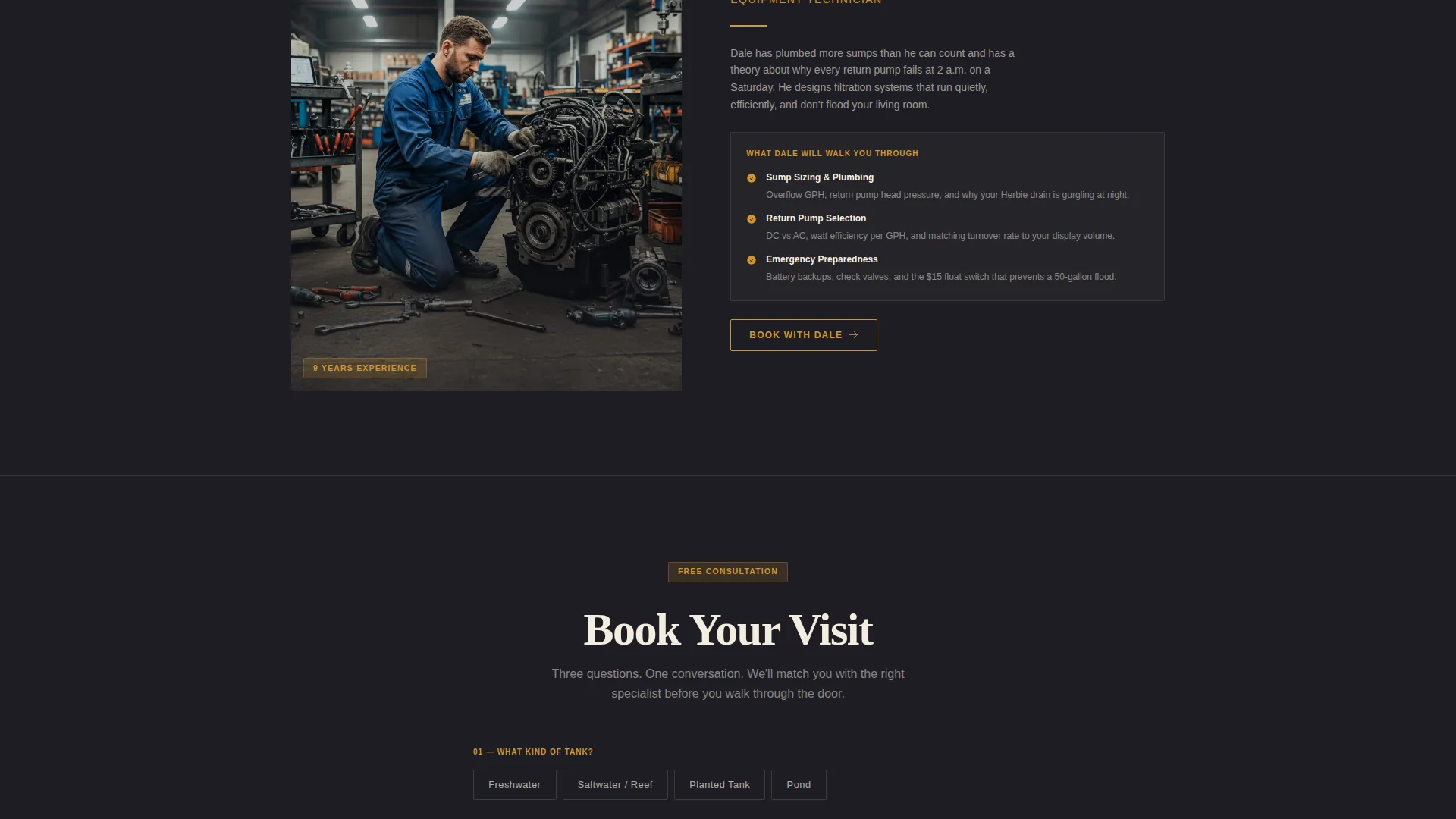
- A zigzag alternating expert panel section with portrait-style photos and short specialist teaching moments
- A focused booking form asking tank type, current challenge, and preferred date, plus a secondary text-a-photo path
Feature list
This template ships with a set of focused layout components, each doing real work toward building trust and driving bookings.
Manifesto Header Block
The header opens with a full-width typographic statement on deep substrate black. Cream text carries the manifesto tone, and a single amber line below it offers the concrete hook, free in-store water testing and access to a specialist with fifteen years of reef system experience. No product photography, no competing visual noise.
Zigzag Expert Panel Layout
The core scroll alternates panels left and right across the page. Each panel pairs a portrait-style photo with a short specialist teaching moment. The sequence escalates from beginner problems to advanced builds, so a hobbyist who just crashed their first nitrogen cycle and a seasoned reefer planning a complex sump build both find relevant content as they scroll.
Staff Specialist Profiles
Three defined specialist roles anchor the alternating panels. A freshwater planted-tank designer covers carbon dioxide injection and substrate layering. A marine biologist walks through acclimation protocols and coral placement. An equipment technician explains sump plumbing and return pump sizing. Each profile builds trust through demonstrated knowledge.
Three-Field Booking Form
The primary conversion element is a focused consultation booking form. It asks tank type, current challenge category, and preferred visit date through an inline calendar picker. The form appears after every expert panel to meet visitors at their moment of intent.
Floating Mobile Booking Button
On mobile, the primary call to action, "Book Your Free Consultation," is pinned as a floating amber button. Visitors never have to scroll back to find the next step, regardless of how far down the page they are.
Secondary Text-a-Photo Path
Alongside the booking form, a secondary conversion path invites visitors to skip the form entirely and text a photo of their tank directly to the store's number. This lowers the barrier for visitors who are not ready to commit to a scheduled appointment.
Page sections overview
| Section | Purpose |
|---|---|
| Manifesto Header | Opens with bold typographic statement and amber hook line |
| Free Testing Hook | Introduces water testing offer and specialist credentials |
| Freshwater Expert Panel | Planted tank designer covers CO₂ and substrate layering |
| Marine Expert Panel | Marine biologist covers acclimation and coral placement |
| Equipment Expert Panel | Tech specialist covers sump plumbing and pump sizing |
| Booking Form | Three-field consultation form with inline calendar picker |
| Text-a-Photo Path | Secondary contact option for quick, low-commitment outreach |
Design & branding system
The color system is built on four values that evoke a fish room after hours. Deep substrate black and driftwood charcoal form the dark structural layer, while warm amber and soft cream create contrast for calls to action and readable text panels. The Educational Guide theme keeps the tone informative and authoritative without feeling clinical.
- Deep substrate black (#1E1E24) and driftwood charcoal (#3A3A42) for backgrounds and structural panels
- Warm amber (#D4952A) for buttons, accent lines, and the secondary hook text in the header
- Soft sand-bed cream (#F5EDE0) for body text areas, breathing room, and typographic contrast
Mobile & speed optimization
The mobile layout is designed around the floating amber booking button, keeping the primary call to action accessible at every scroll depth. The zigzag panels reflow cleanly for narrower screens, and each specialist section remains readable without requiring horizontal scrolling.
- Floating amber "Book Your Free Consultation" button pinned on mobile for constant call-to-action visibility
- Alternating panels reflow to single-column stacking on smaller screens
- Three-field booking form stays compact and usable on touch devices
How this template helps you convert
The page earns the booking by giving away genuine expertise first. By the time a visitor reaches the form, they have already learned something useful and associated that knowledge with a specific person on your team.
- The manifesto header filters for the right visitor immediately. Someone who responds to "Every tank is a commitment" is already a qualified lead before they read the first expert panel.
- The escalating panel sequence means every visitor, from a beginner with a ten-gallon starter kit to an advanced reefer running a dosing schedule, finds their level and keeps scrolling toward the form.
- Two conversion paths, a structured booking form and a direct text-a-photo option, reduce friction for different types of visitors and increase the chance that hesitant browsers take action.
Other information about this template
This template is categorized under Professional Services with a subcategory focus on aquarium store marketing. It is built specifically for the aquarium store advertising and local service booking use case.
- Template style: Zigzag/Alternating single-page layout
- Theme: Educational Guide
- Header concept: Quote/Manifesto
- Landing page direction: Booking/Scheduling
- Creative direction: Expert Panel
- Color system: Charcoal and Amber
- Designed for aquarium store Google Ads landing page use cases where post-click experience needs to match specialist credibility
Theme
Educational Guide
Creative direction
Expert Panel
Color system
Charcoal & Amber
Style
Zigzag/Alternating
Direction
Booking/Scheduling
Page Sections
Manifesto Header with Amber Hook
Zigzag Alternating Expert Panels
Three-field Consultation Booking Form
Floating Amber Call-to-action Button
Secondary Text-a-photo Contact Path
Educational Guide Tone and Layout
Related questions
Can I update the specialist profiles to match my actual staff?
What does the booking form ask visitors to fill in?
Is there a contact option for visitors who are not ready to book?
Does the template work for stores that focus on only one aquarium type?
How does the mobile layout handle the booking call to action?



