Videographer Portfolio Professional Website Template
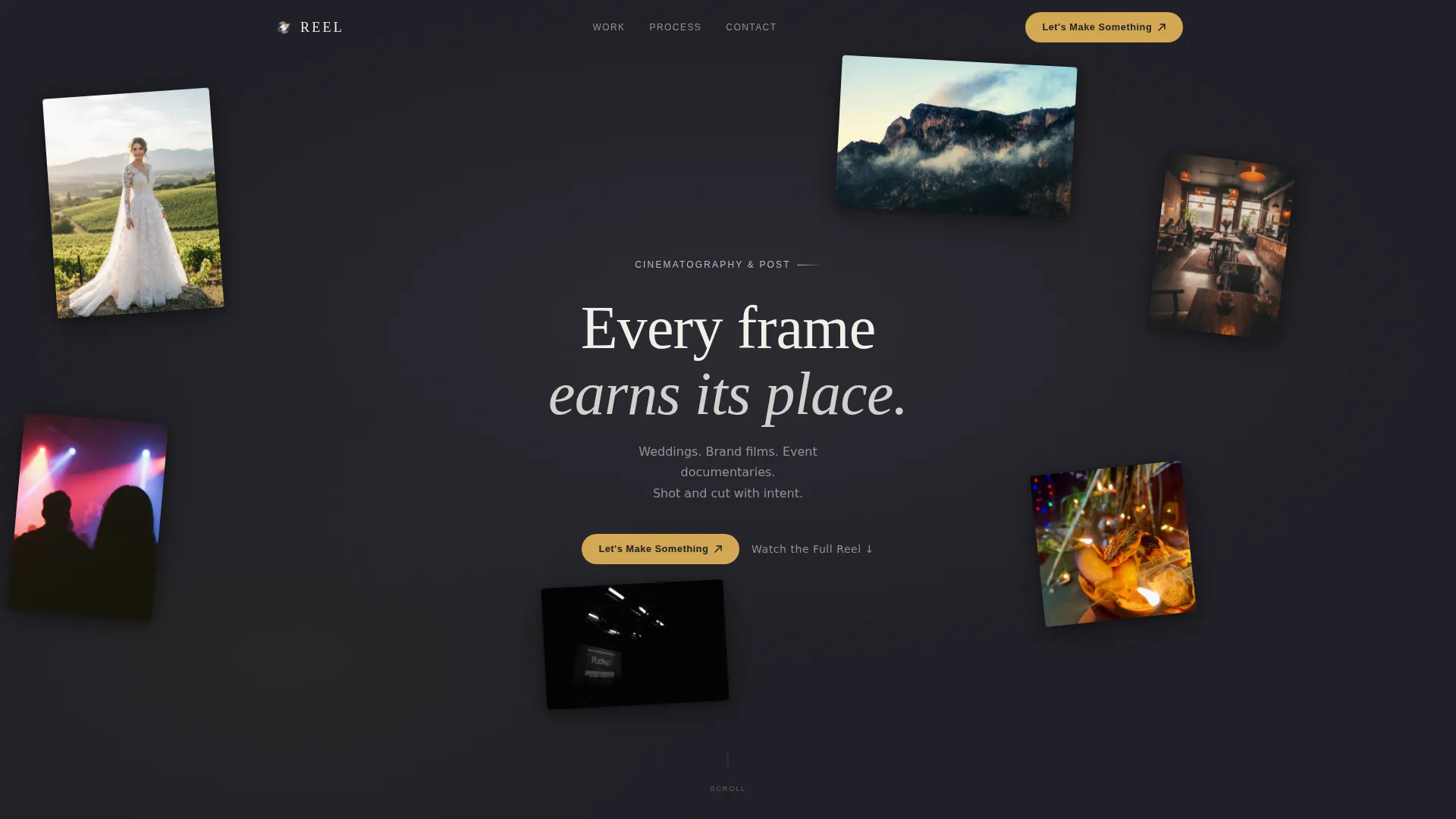
Reel is a full-width immersive landing page template built for cinematic videographers. It blends a floating photo header, scroll-driven project reveals, and a low-friction lead form into one cohesive experience. The Cloud Canvas color system and Lens & Frame visual identity make the work feel like a curated gallery from the very first scroll.
by Rocket studio
Quick summary
Reel is a single-page videographer portfolio template designed to let the work speak first. Floating stills, scroll-triggered video reveals, and a warm editorial palette create a theater-like atmosphere. The page guides creative directors, brand founders, and event producers from first impression to a direct inquiry, without a word of self-promotion doing the heavy lifting.
Who this template is for
This template is made for working videographers who book high-consideration projects. It speaks directly to both the creator and the clients they want to attract.
- Freelance and independent videographers with a curated reel across weddings, brand films, and events
- Videographers pitching boutique agencies, startup founders, and event producers who expect a polished first impression
- Creatives who want their portfolio to feel like an experience rather than a static gallery
What problem this template solves
Most portfolio pages treat video work like a list of thumbnails. The result feels flat and does nothing to communicate range, pacing, or creative instinct. Reel solves that.
- Visitors lose interest before reaching the contact form because the page never earns their attention
- Generic portfolio layouts force videographers to over-explain their work in text instead of letting it show
- High-intent clients, creative directors, brand teams, event producers, bounce when the page doesn't match the quality they are vetting
What you get with this template
You get a complete, single-page landing page structure ready to be filled with your own footage, stills, and copy. Every section is intentional and placed to move a visitor toward an inquiry.
- A parallax floating photo header with click-to-play video clip behavior and a tracked serif headline
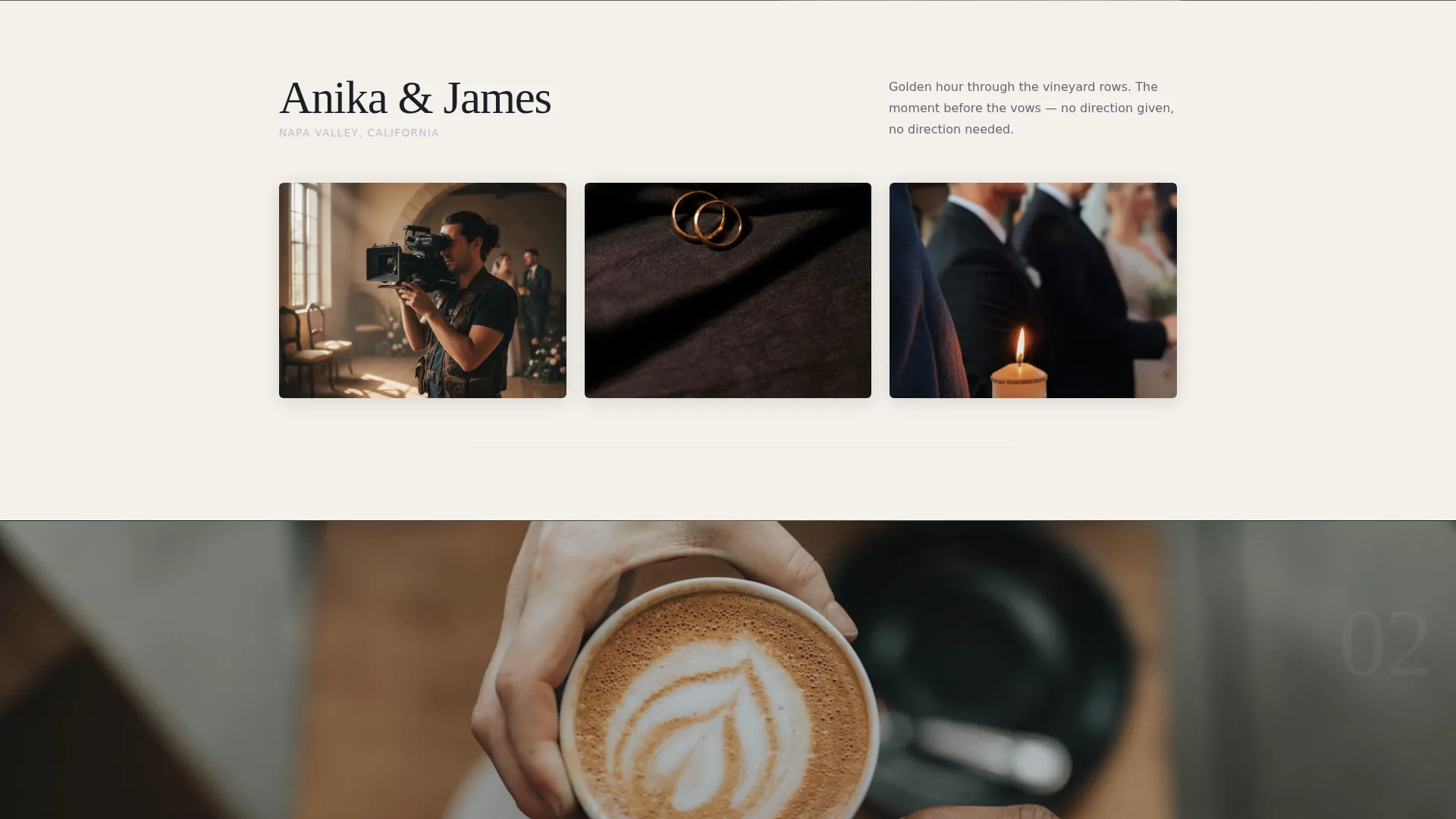
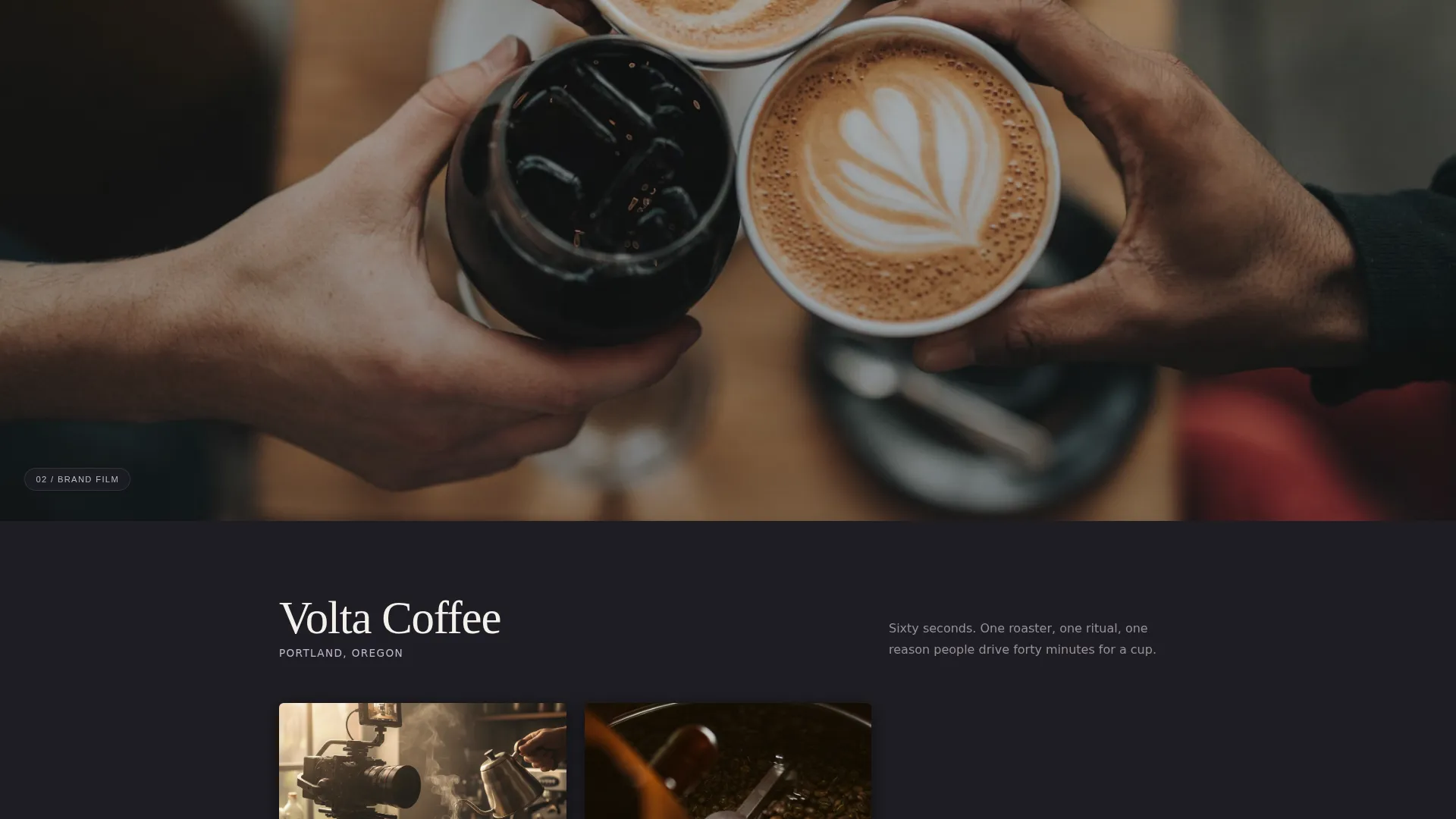
- Three cinematic project sections with scroll-triggered still-to-video transitions and alternating behind-the-scenes contact frames
- A lead generation form with a project type dropdown, date field, and open textarea, plus a fixed pill call-to-action in the top-right corner
Feature list
This template is built around a specific set of visual and functional capabilities drawn directly from the design brief.
Floating Photo Header with Parallax Drift
Stills from real projects are scattered at varying sizes and rotations across the header. They drift gently with mouse movement. Tapping any image triggers a three-second muted looping video clip that plays in place, turning the header into a living preview reel.
Scroll-Triggered Cinematic Sequence
Each of the three project sections opens with a full-viewport still. As the visitor scrolls, the still dissolves into an embedded muted auto-play showreel clip. Behind-the-scenes frames then slide in from alternating sides, advancing like contact-sheet strips to demonstrate range through pacing rather than words.
Escalating Project Pacing
The three projects are sequenced deliberately: calm and editorial, then kinetic and handheld, then epic and aerial. The scroll itself communicates range. No self-descriptive copy is needed to prove versatility.
Low-Friction Lead Generation Form
The inquiry form asks for name, project type via dropdown (wedding, brand film, event, music video, other), a loose date, and a single open textarea labeled "Tell me about the moment you want captured." There is no budget field. Friction is kept low so the conversation starts human.
Fixed Pill Call-to-Action
"Let's Make Something" appears as a fixed pill button in the top-right corner throughout the entire scroll. It then reappears as a full-width section after the third project, creating two natural conversion moments without interrupting the viewing experience.
Secondary Engagement Path
A "Watch the Full Reel" text link sits beneath the header headline. It gives browsers a way to stay engaged with the work before they are ready to commit to an inquiry, reducing early drop-off.
Page sections overview
| Section | Purpose |
|---|---|
| Floating Photo Header | Immerses visitors immediately with drifting stills and click-to-play clips |
| Headline and Secondary Link | Anchors the brand voice and offers a low-commitment video path |
| Project One: Editorial | Opens the cinematic sequence with a calm, still-to-video reveal |
| Project Two: Handheld | Shifts pace to kinetic energy, showing stylistic range mid-scroll |
| Project Three: Aerial | Closes the sequence with epic scale before the conversion section |
| Lead Generation Form | Collects project inquiries with a low-friction, human-first form |
| Full-Width call to action Section | Reinforces the primary call-to-action after the full reel experience |
Design & branding system
The visual identity follows a Lens & Frame theme built on the Cloud Canvas color system. The palette feels faded, luminous, and intimate, like an overexposed Polaroid left on a windowsill.
- Core colors are soft overcast white (#F4F0EB), warm darkroom charcoal (#1E1E24), muted lens-flare lavender (#C4B8CE), and quiet highlight gold (#D4A853) used only for hover states and active play buttons
- Backgrounds alternate between warm white and deep charcoal to create visual breathing room between projects, while lavender ghosts into section dividers and scroll indicators
- Typography uses a thin, tracked-out serif for the headline, creating an editorial feel that breathes between the floating images without competing with the visual content
Mobile & speed optimization
The template is structured with a full-width immersive layout that scales across screen sizes. The design decisions made in the brief support a responsive experience.
- The floating photo header and parallax behavior are built to adapt to touch interaction, with tap-to-play replacing mouse-hover triggers on mobile devices
- Muted auto-play video clips and looping in-place previews are designed to load as embedded media rather than heavy background files, keeping the experience manageable on mobile connections
- The fixed pill call-to-action remains accessible at all scroll depths, ensuring the primary conversion path is always one tap away on any device
How this template helps you convert
Reel is designed so the visitor's journey from curiosity to inquiry feels natural rather than pressured. Each section earns the next.
- The floating header and headline create an immediate emotional impression, giving high-intent visitors a reason to keep scrolling before reading a single line of body copy.
- The three escalating project sections demonstrate range through experience rather than description, so by the time a visitor reaches the form, they already understand what they are hiring.
- The low-friction form removes the most common conversion barriers, no budget field, no long questionnaire, so the first message feels like starting a real conversation rather than filling out a brief.
Other information about this template
This template sits within the Portfolio & Agency category and is specifically built for the Videographer Gallery Portfolio niche. It is a strong fit for videographers who want a dedicated landing page that works as hard as their showreel.
- The template style is Full-Width Immersive, meaning every section is designed to use the full browser width for maximum visual impact
- The creative direction is Cinematic Sequence, a scroll storytelling approach where pacing and reveal order are part of the design
- The header concept is Floating Photos, a non-grid layout of overlapping stills that distinguishes the page from standard portfolio grids
- The landing page direction is Lead Generation, with two distinct conversion touchpoints built into the page flow

Theme
Lens & Frame
Creative direction
Cinematic Sequence
Color system
Cloud Canvas
Style
Full-Width Immersive
Direction
Lead Generation
Page Sections
Floating Photo Header with Parallax
Scroll-triggered Still-to-video Reveals
Escalating Three-project Sequence
Low-friction Inquiry Form
Fixed Pill Call-to-action Button
Cloud Canvas Color System
Related questions
Can I use this template if I shoot more than one type of project?
What does the inquiry form collect from potential clients?
Does the template include the video footage and photography shown in previews?
How does the secondary 'Watch the Full Reel' link work?
Is this template a good fit for a videographer who is just starting out?



