Immersive Animator Portfolio Landing Page Template
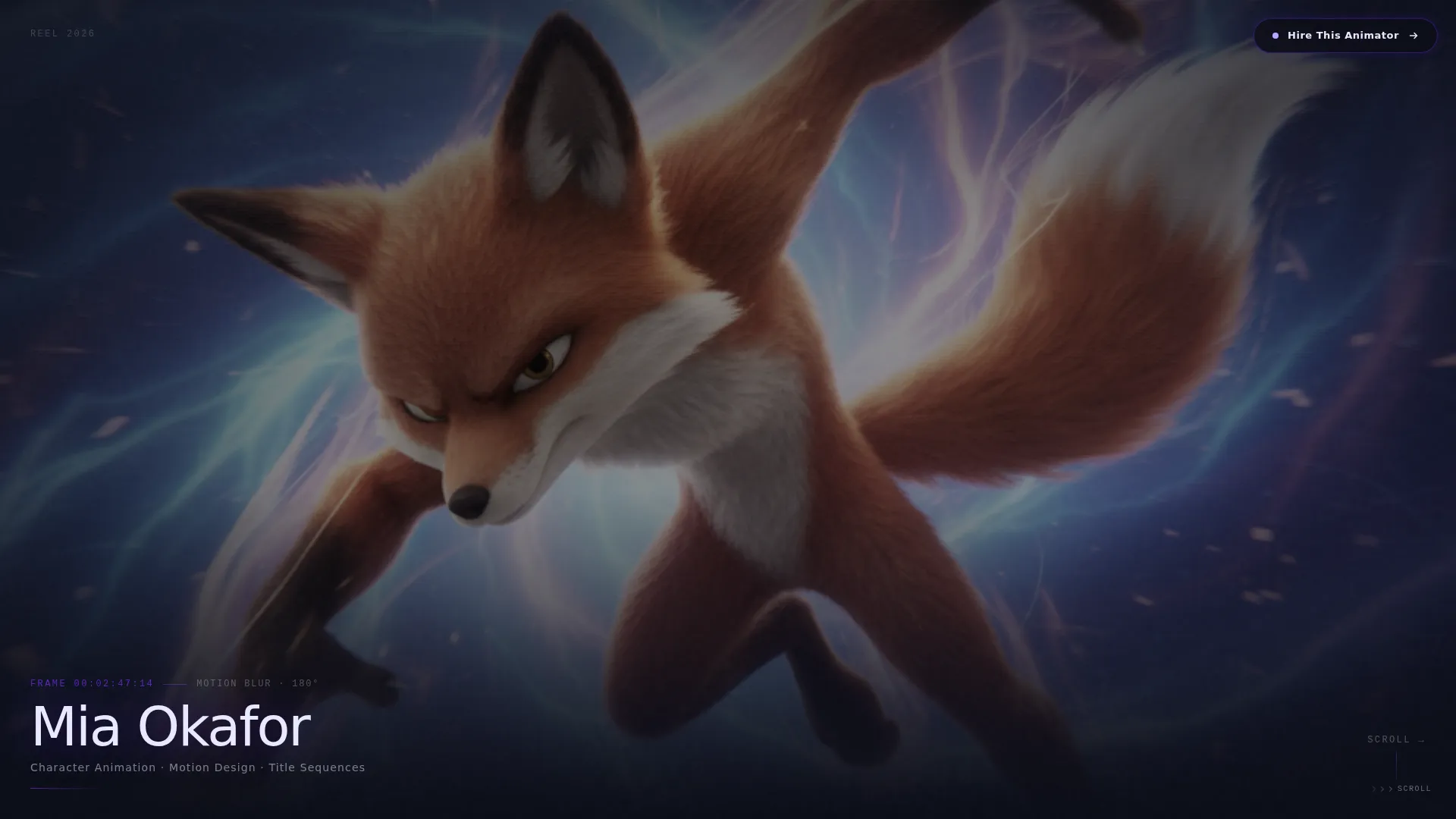
Reel is a horizontal scroll animator portfolio landing page built for motion artists who need their work to speak first. Looping character rigs, liquid motion graphics, and frame-by-frame sequences fill each full-viewport panel silently. A fixed "Hire This Animator" button drives lead generation throughout, while a glass-panel overlay form captures project briefs from serious clients.
by Rocket studio
Quick summary
Reel is a single-page animator portfolio landing page with horizontal scroll navigation. Each panel fills the full viewport with a living animation loop, separated by faintly pulsing indigo divider lines. The page opens on a full-bleed animation still and closes with a glass-panel contact form, guiding creative directors, producers, and indie filmmakers toward a direct conversation.
Who this template is for
This template is built for professional animators whose work demands more than a static grid. It suits artists who pitch to high-stakes clients and need a presentation that matches the quality of their craft.
- Motion artists and character animators building a client-facing portfolio
- Freelance animators targeting game studios, ad agencies, and independent film productions
- Animation professionals who want their reel to function as a lead generation tool
What problem this template solves
Most portfolio templates treat animation like photography: flat thumbnails, grid layouts, and static previews that strip all life from the work. This template solves the presentation gap between what an animator creates and how it is typically shown online.
- Embedded autoplay loops replace static screenshots so the work moves as intended
- Horizontal scroll mimics editorial pacing, guiding visitors through the reel like a curated screening
- A persistent contact button keeps the path to hire visible without interrupting the viewing experience
What you get with this template
You get a fully structured horizontal scroll landing page designed around immersive visual storytelling and direct lead capture. Every layout decision serves the animator's goal of converting a first-time visitor into a paying client.
- A full-bleed animation still header with a single credit line in holographic white
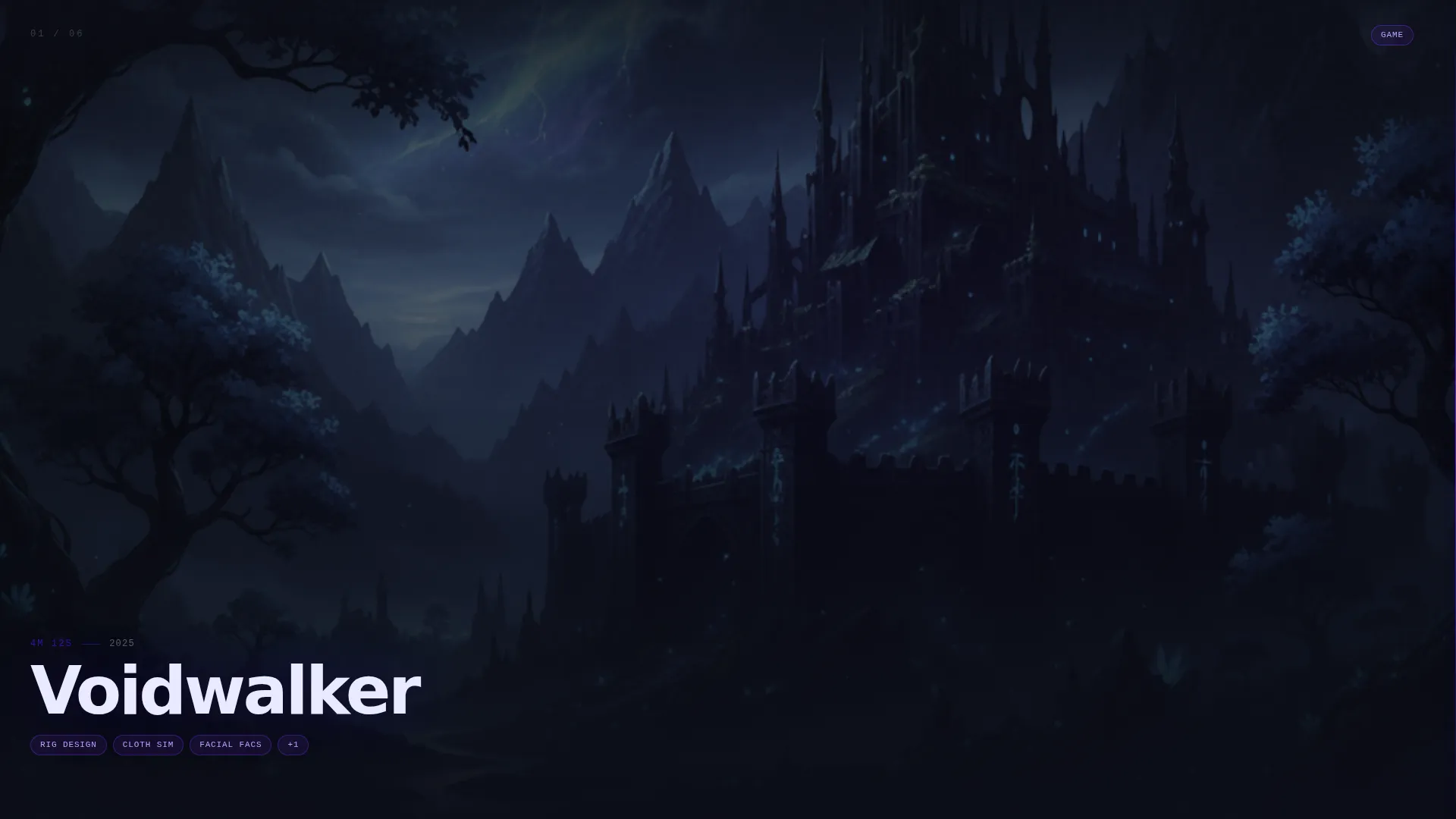
- Full-viewport project panels with silently autoplaying loops, parallax layering, and technique detail cards
- A fixed "Hire This Animator" pill button and an expandable glass-panel overlay form for project inquiries
Feature list
This section details the core capabilities built into the Reel template.
Full-Bleed Animation Still Header
The page opens with a high-resolution mid-frame animation still filling the entire viewport edge to edge. No navigation, no logo. A single sans-serif credit line sits in the bottom-left corner in holographic white, styled like a gallery placard beneath a painting.
Horizontal Scroll Reel Navigation
Swiping right moves the visitor through a curated sequence of project panels. Each panel occupies the full viewport. Early panels are slow and atmospheric; later panels are rapid-cut action sequences. The scroll rhythm itself mimics editorial pacing.
Silently Autoplaying Project Loops
Every project panel embeds a looping animation that plays silently on arrival. Character rigs, liquid motion graphics, and frame-by-frame sequences run without user interaction, letting the work make its own case immediately.
Parallax Foreground and Background Layers
Each project panel separates foreground characters from background environments using parallax layering. The depth effect makes each piece feel spatially alive rather than flat, reinforcing the immersive visual direction.
Technique Detail Cards
Tapping any project panel reveals a detail card with a technique breakdown for that piece. A smaller "Discuss This Style" link inside the card pre-fills the inquiry form with that project as a reference, creating a smooth path from admiration to conversation.
Glass-Panel Inquiry Overlay Form
The fixed "Hire This Animator" pill button expands on click into a glass-panel overlay form. The form asks for project type (game, commercial, film, or other), estimated duration in seconds, and a textarea labeled "Describe the sequence in your head." The form stays accessible throughout the entire scroll.
Page sections overview
| Section | Purpose |
|---|---|
| Full-Bleed Header | Opens with a mid-frame animation still and a single credit line |
| Horizontal Reel Panels | Guides visitors through full-viewport project loops in editorial sequence |
| Parallax Project Layers | Separates foreground and background within each panel for visual depth |
| Technique Detail Cards | Reveals per-project breakdowns and a pre-filled style inquiry link |
| Fixed Hire Button | Keeps the lead generation path visible throughout the entire scroll |
| Glass Inquiry Overlay | Captures project type, duration, and brief description from interested clients |
Design & branding system
The visual identity uses a Tech Glass theme built on an Electric Indigo color system. Every color in the palette appears to glow from within, as if projected through smoked acrylic rather than printed on a surface.
- Void black (#0B0D17) serves as the infinite canvas background across all panels
- Deep indigo (#3D17C6) bleeds through translucent panel edges; electric violet (#7B2FFF) activates on hover states and timeline scrubbers; holographic white (#E8EAFF) is reserved for type and interface lines
- Thin indigo divider lines pulse faintly between project panels, behaving like a timeline playhead advancing through the reel
Mobile & speed optimization
The horizontal scroll experience is designed to translate cleanly across screen sizes. Touch-based swiping on mobile devices mirrors the desktop scroll interaction so the editorial pacing is preserved.
- Silently autoplaying loops are embedded to respect device autoplay policies without breaking the immersive flow
- The fixed "Hire This Animator" button and the glass overlay form remain accessible on smaller screens throughout the scroll
How this template helps you convert
The entire page is structured so that a visitor who arrives curious leaves with a clear action taken. Passive viewing and active hiring are not separate journeys; they happen on the same canvas.
- The fixed "Hire This Animator" pill button stays visible at all times, removing the need to scroll back or navigate away to make contact
- Technique detail cards lower the barrier to inquiry by pre-filling the form with a specific project reference, so clients already have context when they reach out
Other information about this template
Reel fits into the broader Portfolio and Agency category, specifically within the Animator Portfolio subcategory and the Animator Gallery Portfolio niche. It is a strong fit for any motion artist who needs a single-page presentation that functions both as a gallery and as a direct-hire tool.
- The template style is Horizontal Scroll, the theme is Tech Glass, the color system is Electric Indigo, and the creative direction is Immersive Visual
- The header concept is Full-Bleed Photo and the landing page direction is Lead Generation
- This template can support any animator working across game cutscenes, broadcast commercials, title sequences, or mixed-media motion projects

Theme
Tech Glass
Creative direction
Immersive Visual
Color system
Electric Indigo
Style
Horizontal Scroll
Direction
Lead Generation
Page Sections
Full-bleed Animation Still Header
Horizontal Scroll Reel Navigation
Silently Autoplaying Project Loops
Parallax Foreground and Background Layers
Technique Detail Cards with Pre-filled Inquiry
Glass-panel Inquiry Overlay Form
Related questions
Can I replace the sample animation loops with my own work?
Does the inquiry form support different project types?
How does the Discuss This Style link work?
Is the horizontal scroll suitable for touch devices?
How many project panels can I include?



