After-School Referral Program Partnership Landing Page
Refer is a single-page partnership landing page built for after-school programs seeking school district administrators, PTA leaders, and community center directors as referral partners. It uses a Legal Shield visual theme with an Ink & Paper color system to present a structured three-tier partnership comparison table alongside regional program directors and simplified key agreement terms.
by Rocket studio
Quick summary
Refer is a B2B-focused landing page for an after-school referral program. It presents three partnership tiers in a side-by-side comparison table, introduces regional program directors with portrait photographs and short bios, and closes with a simplified partnership agreement section. The design feels like a printed memorandum of understanding: authoritative, unhurried, and built for serious institutional partners.
Who this template is for
This template is built for after-school program operators who need institutional partners, not individual sign-ups. The page speaks directly to decision-makers who evaluate programs carefully before committing.
- School district administrators managing Title I compliance and enrichment budgets
- PTA board presidents researching structured after-school options for their school community
- Community center directors looking to fill afternoon programming slots with a vetted referral partner
What problem this template solves
Most after-school programs struggle to convert institutional partners because their pages feel either too casual or too transactional. Decision-makers need to see terms, people, and structure before they take any next step.
- The page shows partnership tiers, referral commission details, and key agreement terms upfront
- Visitors meet the humans behind the program before any form appears, building real trust
- Two distinct conversion paths serve both ready-to-commit partners and those who need board approval first
What you get with this template
This template gives you a complete single-page referral partnership flow, from headline to form. Every section is purpose-built to reduce hesitation and move institutional visitors toward a decision.
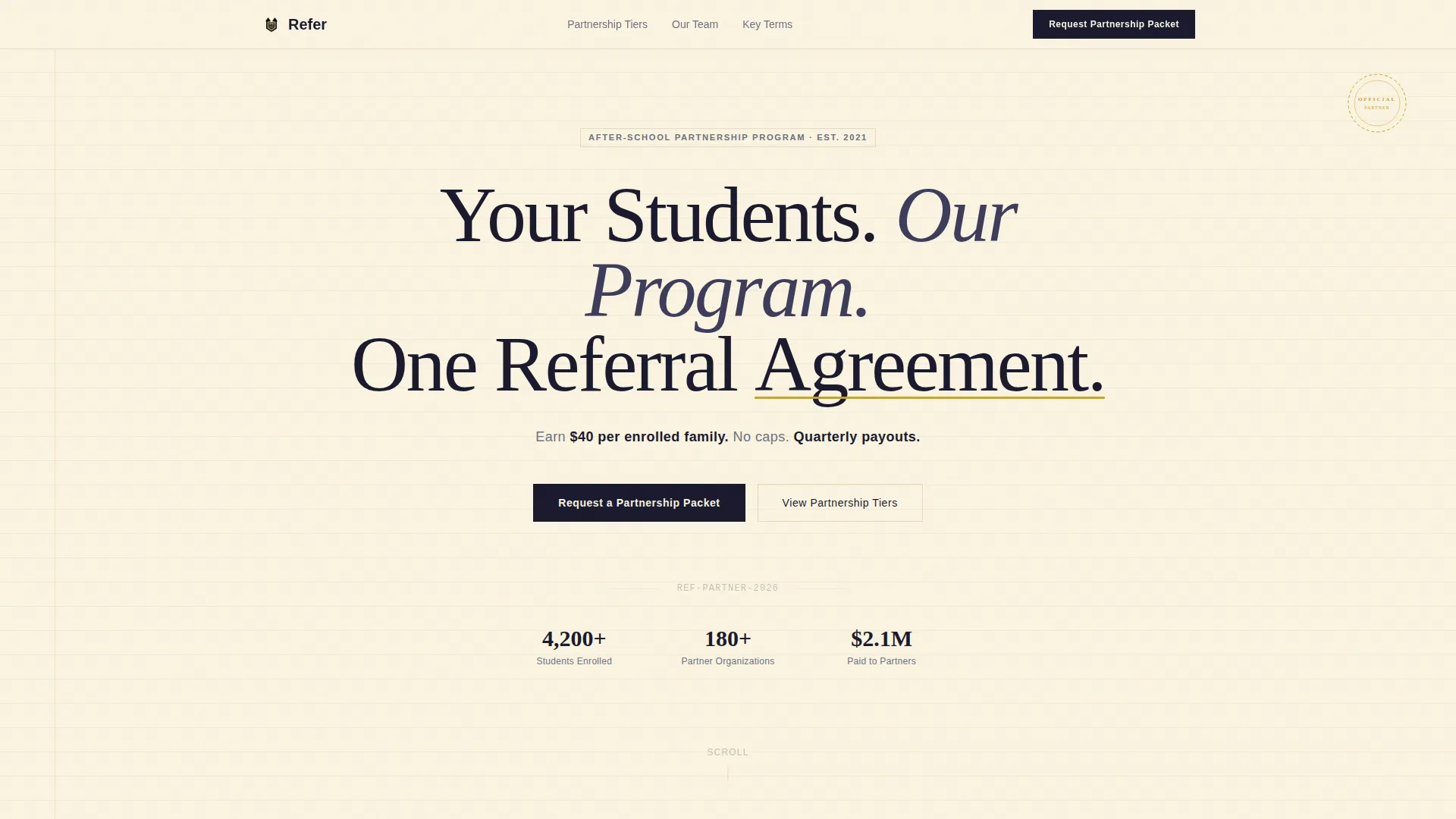
- A centered giant headline section with a stark cream-and-black contrast and a one-line commission summary in margin-note gray
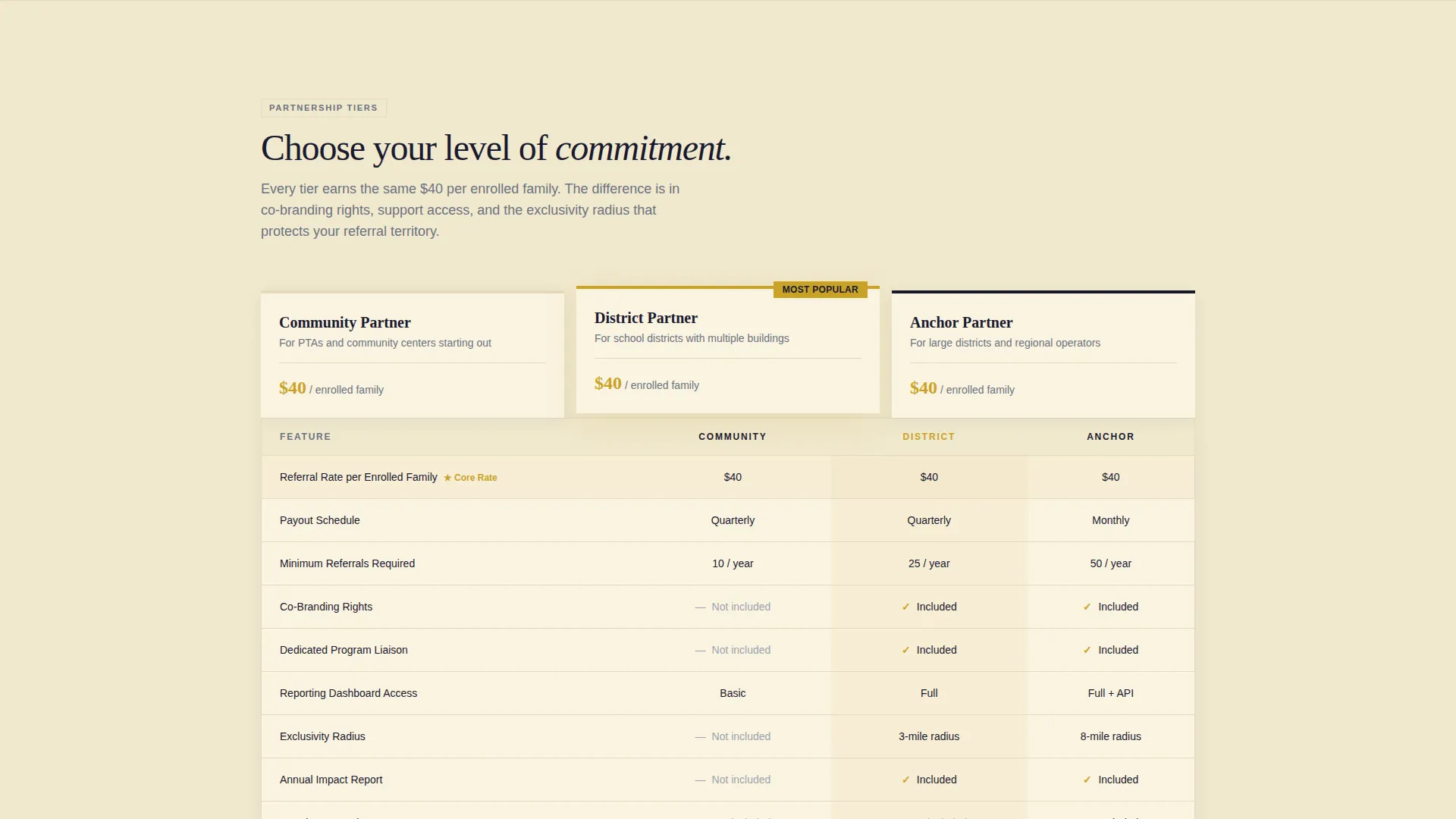
- A three-tier comparison table covering referral rate, co-branding rights, dedicated liaison, reporting dashboard access, and exclusivity radius
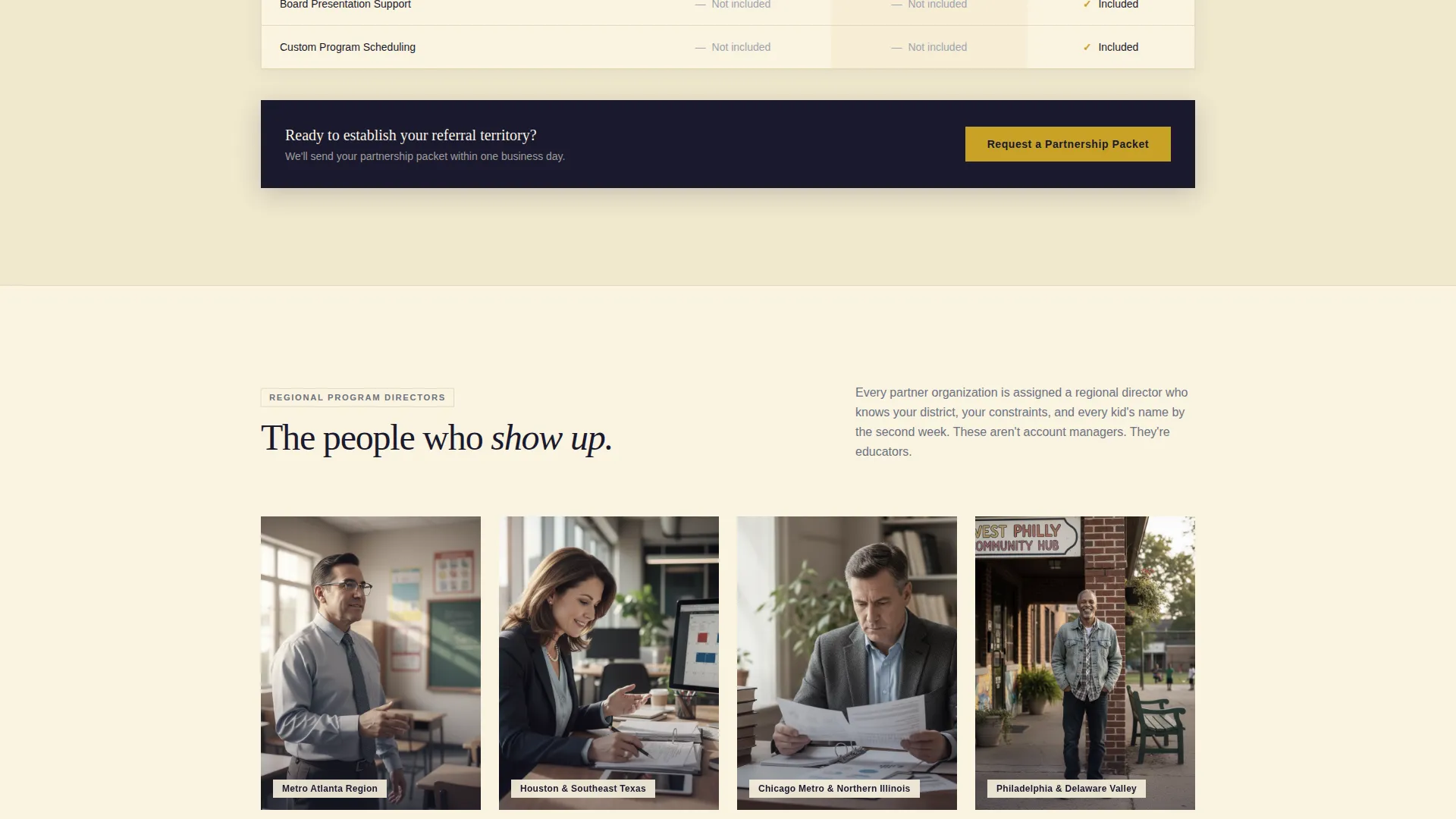
- A portrait-led team section, a simplified agreement terms section, a primary request form, and a gated one-pager download path
Feature list
This template is purpose-built for partnership conversion. Every layout decision serves that goal.
Three-Tier Partnership Comparison Table
The core of the page is a side-by-side table comparing Community Partner, District Partner, and Anchor Partner tiers. Rows cover referral rate, co-branding rights, dedicated liaison availability, reporting dashboard access, and exclusivity radius so every visitor can self-select the right fit.
Giant Headline with Commission Summary
The header section uses stark black serif type on unbroken cream. A single line of gray subtext immediately below states the referral commission structure in plain numbers, setting expectations before the visitor has scrolled a single pixel.
Regional Director Portrait Gallery
Below the comparison table, portrait photographs of regional program directors appear with their name, territory, and a one-sentence professional background. This section makes the program feel staffed, accountable, and real to institutional partners.
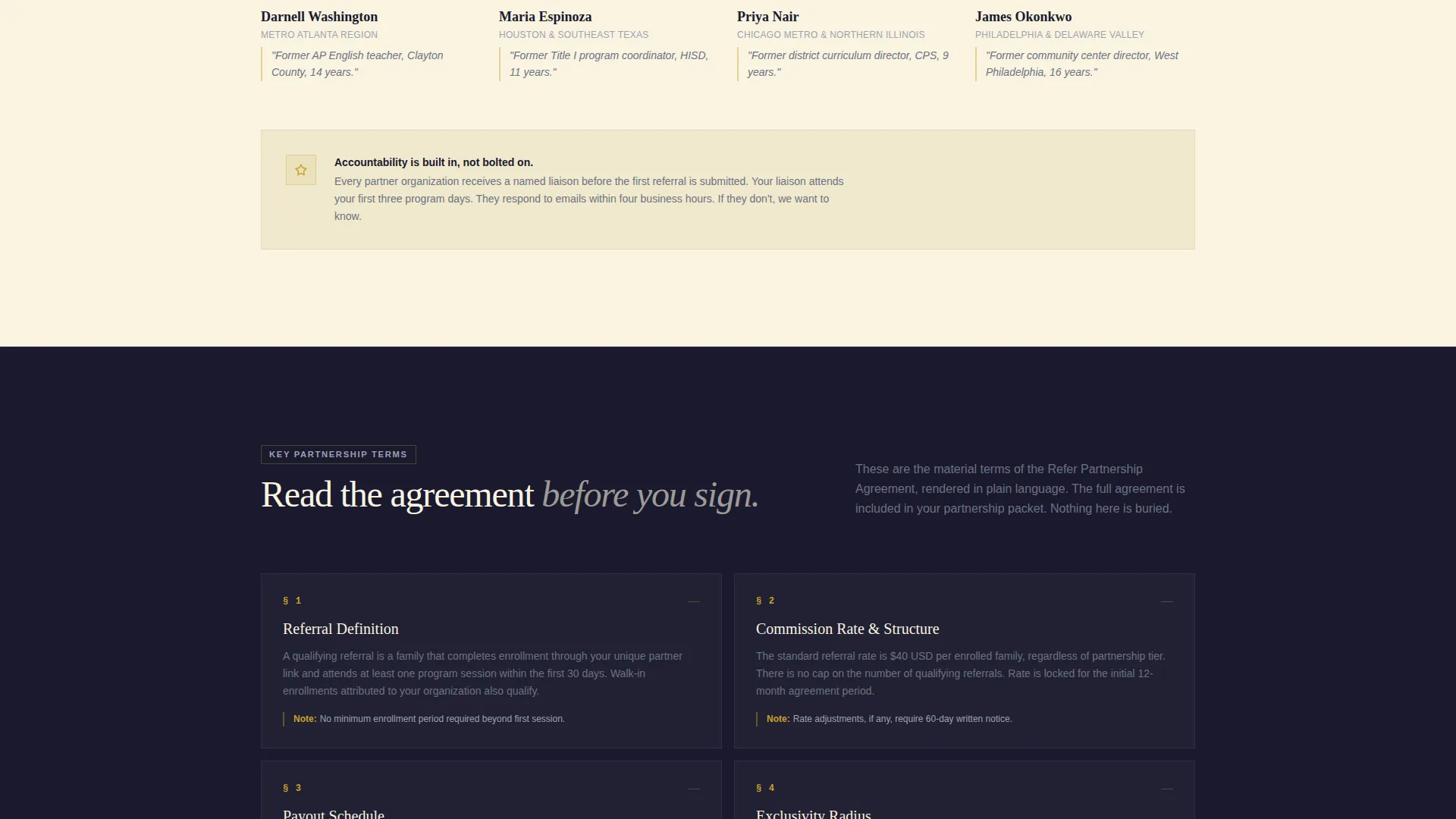
Simplified Partnership Agreement Section
The final scroll section presents key agreement terms as clean typographic blocks. The language is plain and readable, not legal boilerplate. Visitors feel they understand the deal before any form asks for their information.
Dual Conversion Path Design
The primary call to action, "Request a Partnership Packet," appears beneath the comparison table and again in a slim fixed top bar after the first scroll. A secondary path offers a gated "Download the One-Pager" for administrators who need to present internally before committing.
Focused Partnership Request Form
The inline form collects only what is necessary: organization name, role or title, estimated annual referral volume via a dropdown (10 to 50, 50 to 200, or 200 and above), and preferred contact method. No unnecessary friction for a B2B audience.
Page sections overview
| Section | Purpose |
|---|---|
| Headline Hero | Establishes the referral deal in stark, centered type with commission figures in a single subtext line |
| Partnership Tier Table | Compares three partner levels across five key rows so visitors can self-qualify quickly |
| Regional Director Gallery | Introduces named program directors with territory and background to build human accountability |
| Agreement Terms Block | Presents key partnership terms as plain typographic copy so visitors feel informed before signing |
| Primary Request Form | Collects organization details and referral volume estimate to qualify inbound partnership leads |
| One-Pager Download | Offers a gated PDF for administrators who need board approval before making a commitment |
Design & branding system
The visual identity follows a Legal Shield theme built on an Ink & Paper color system. Every color choice reinforces the feeling of a freshly printed, authoritative document rather than a digital sales page.
- Deep document black (#1A1A2E) carries all body text; contract-weight cream (#FAF3E0) dominates backgrounds like bond paper
- Clause-highlight gold (#C9A227) marks key figures, tier highlights, and interactive hover states throughout the table and calls to action
- Margin-note gray (#6B7280) handles secondary annotations, subtext, and footnote-style details including the commission summary line
Mobile & speed optimization
The layout is structured to remain readable and scannable on smaller screens. The comparison table and portrait gallery are each designed with compact, scrollable presentation in mind.
- The comparison table adapts to a stacked or horizontally scrollable view on narrow screens for clear tier-by-tier reading
- Portrait sections and typographic agreement blocks reflow cleanly into single-column layouts without losing hierarchy or visual weight
How this template helps you convert
The page is built around a single principle: show the terms before asking for the signature. Transparency is the conversion engine, and every design decision serves that logic.
- The fixed top bar call to action keeps "Request a Partnership Packet" visible after the first scroll, reducing the need to hunt for the next step
- The simplified agreement section removes the anxiety of unknown terms, making it easier for institutional visitors to say yes or proceed to the gated one-pager for internal review
Other information about this template
This template is a strong fit for after-school program operators who work with Title I schools, community enrichment programs, or neighborhood-based structured learning initiatives. It handles the full B2B referral partnership conversation in a single scroll.
- The Legal Shield theme and Ink & Paper palette are particularly effective for audiences accustomed to formal procurement and vendor-vetting processes
- The $40-per-enrolled-family commission structure and quarterly payout model are presented in plain language as the headline's supporting subtext, not buried in fine print
- The three partnership tiers (Community Partner, District Partner, and Anchor Partner) allow operators to segment inbound interest by organization size and referral capacity before any conversation begins
- The template suits programs operating across multiple territories, since the director gallery is designed to scale across several regional profiles
Theme
Legal Shield
Creative direction
Team & People
Color system
Ink & Paper
Style
Comparison Table
Direction
Partnership/B2B
Page Sections
Three-tier Partnership Comparison Table
Giant Headline with Commission Summary
Regional Director Portrait Gallery
Simplified Partnership Agreement Section
Dual Conversion Path Design
Focused Partnership Request Form
Related questions
Who is this landing page template built for?
What partnership tiers does the comparison table cover?
Can administrators share this page internally before committing?
What does the partnership request form collect?
What does the fixed top bar call to action do?



