Image Consultant Landing Page Template
Refine is a split-screen landing page template built for image consultants who work with professionals at career turning points. It pairs animated data storytelling with real client case studies, guiding visitors from curiosity to booked consultation. The Cloud Canvas color system and Educational Guide theme create a calm, authoritative reading experience that earns trust before asking for commitment.
by Rocket studio
Quick summary
Refine is a single-page, split-screen landing page template designed for image consultants serving career-focused clients. It opens with an animated data header, moves through case study narratives, and closes with a lead-capture form. Every section is built to educate first and convert second, so visitors arrive as skeptics and leave as believers.
Who this template is for
This template is built for image consultants whose clients are professionals, not hobbyists. If your work sits at the intersection of career ambition and personal presentation, this page was designed with your practice in mind.
- Image consultants working with newly promoted directors, executives, and entrepreneurs
- Practitioners serving women re-entering corporate life after a career break
- Consultants preparing clients for high-visibility moments such as television appearances, board presentations, or funding pitches
What problem this template solves
Most image consultants lose potential clients at the "why do I need this?" stage. A generic bio page does not answer that question. This template answers it visually, emotionally, and logically before a visitor ever fills out a form.
- Visitors arrive uncertain whether image consulting applies to their situation
- They leave without booking because no clear proof of transformation exists on the page
- The consultation offer feels abstract when there is no structured explanation of what the call actually covers
What you get with this template
You get a fully structured, single-page layout that takes a visitor from first impression to form submission in one scroll. Every section has a defined role, and nothing is filler.
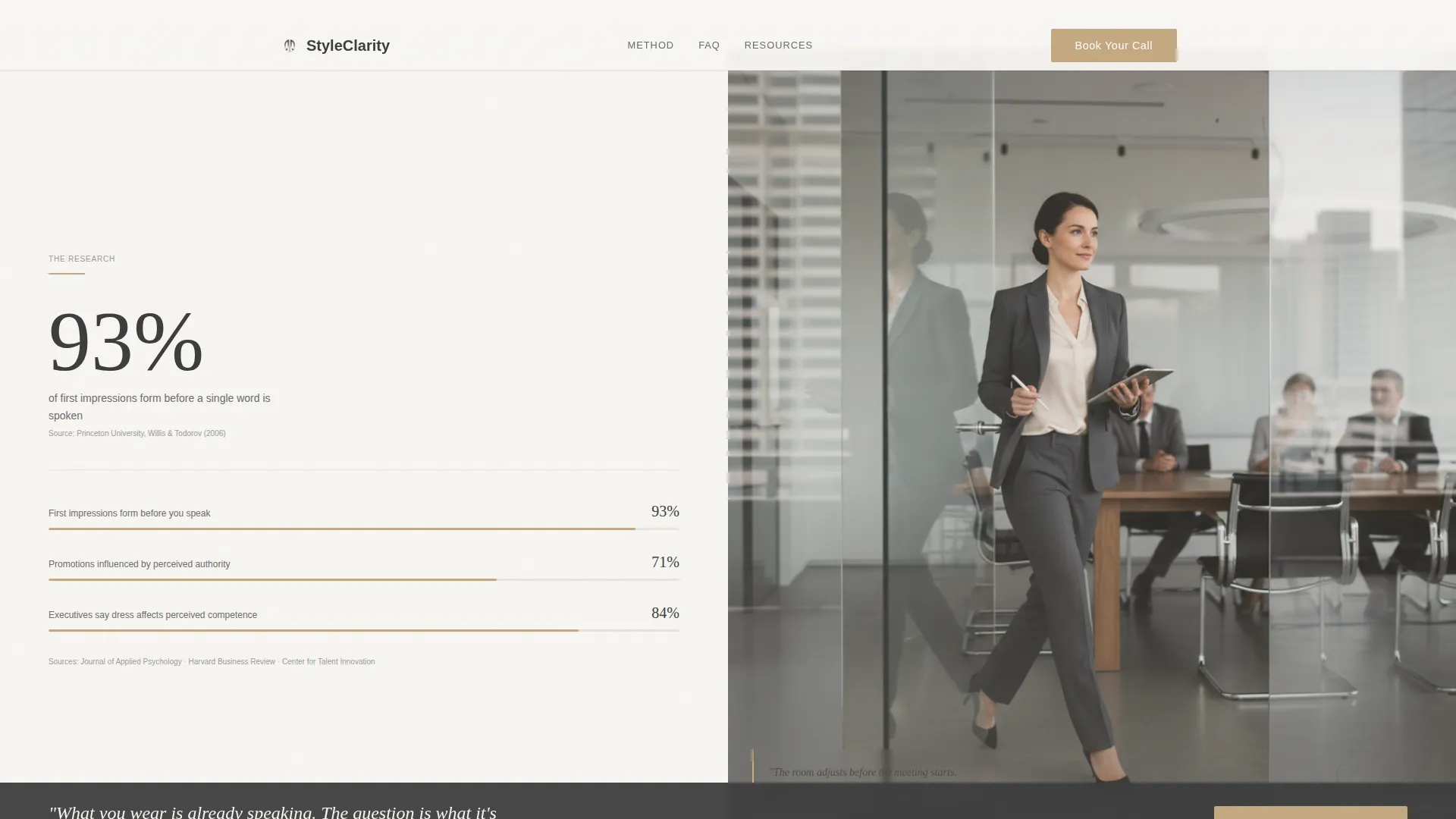
- An animated infographic header citing that 93% of first impressions form before a word is spoken
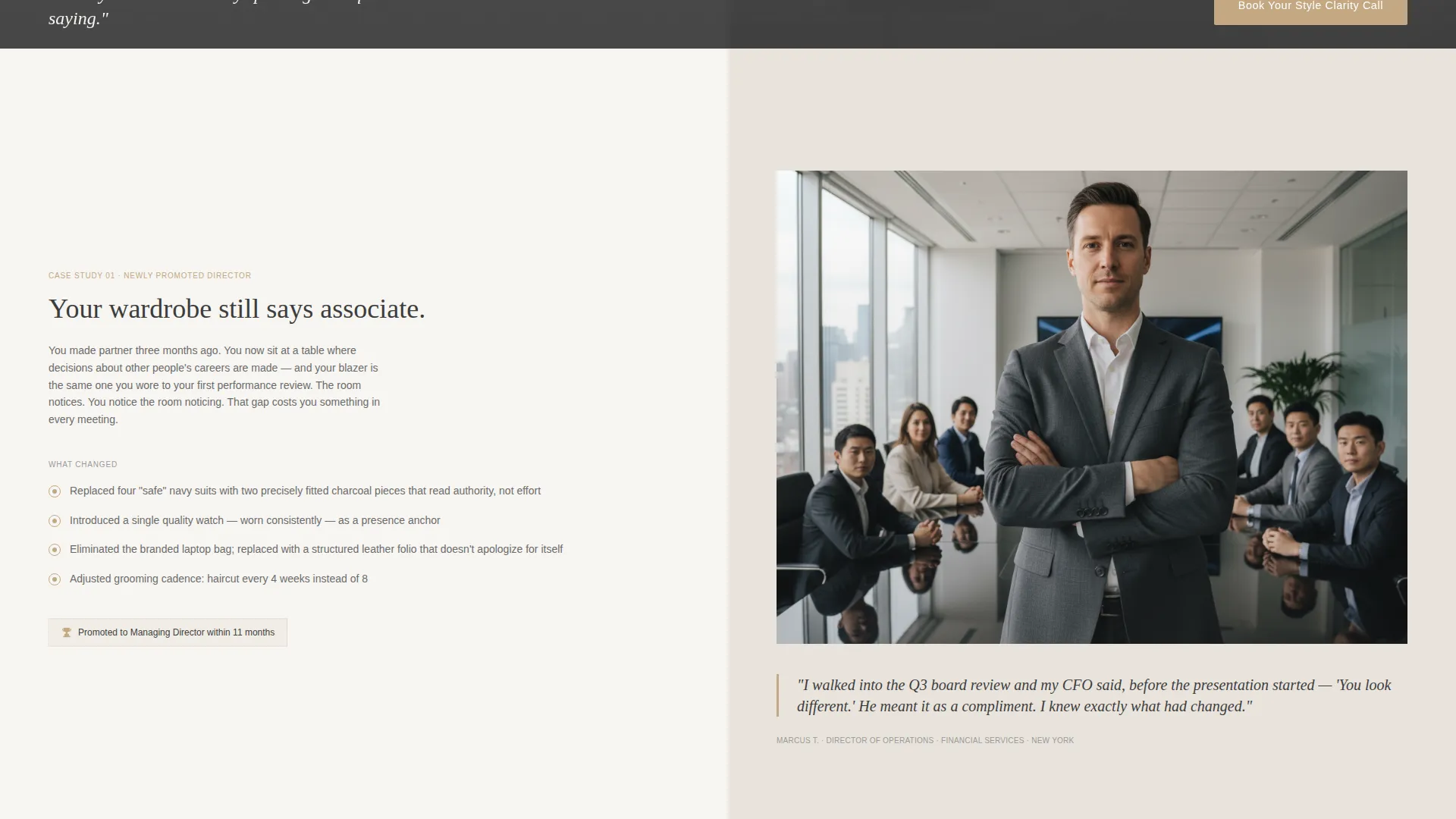
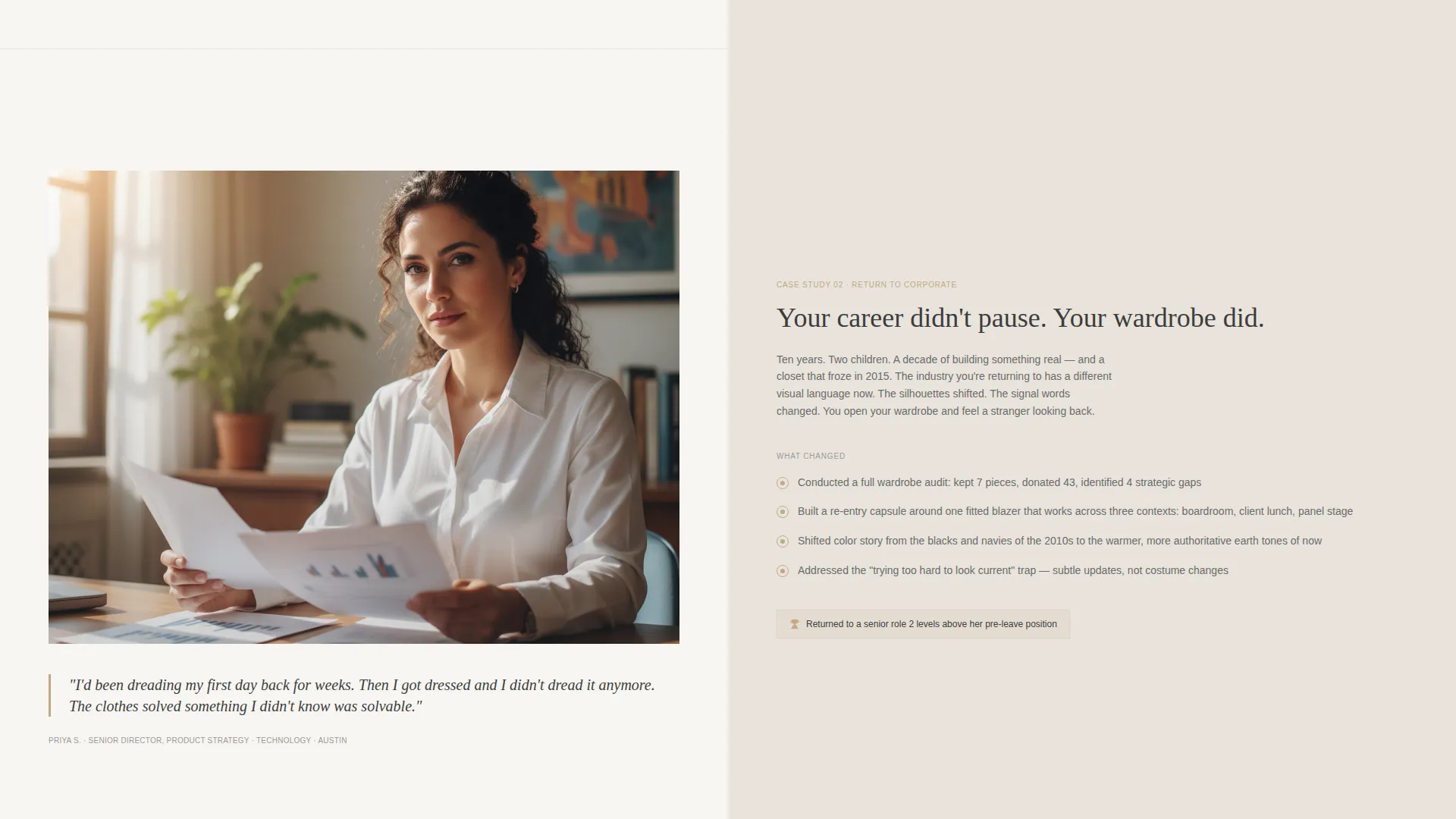
- A case study narrative section pairing real client problems with specific, quoted transformation outcomes
- A dual call-to-action system: a bookable style clarity call form and a downloadable PDF lead magnet gated by email
Feature list
This section covers the core built-in components and design decisions that make the template function as a lead generation tool for image consulting practices.
Animated Data Storytelling Header
The header opens as a split panel. The left side displays an animated infographic with numbers counting upward in graphite pencil, accented by rose gold lines, and source citations in small type. The right side holds a portrait-oriented photograph placement. A single headline fades in across both panels.
Client Case Study Narrative Sections
Each scroll section pairs a second-person problem statement on the left with specific transformation details and a direct client quote on the right. This structure builds credibility through recognizable scenarios rather than abstract promises.
FAQ Accordion Blocks
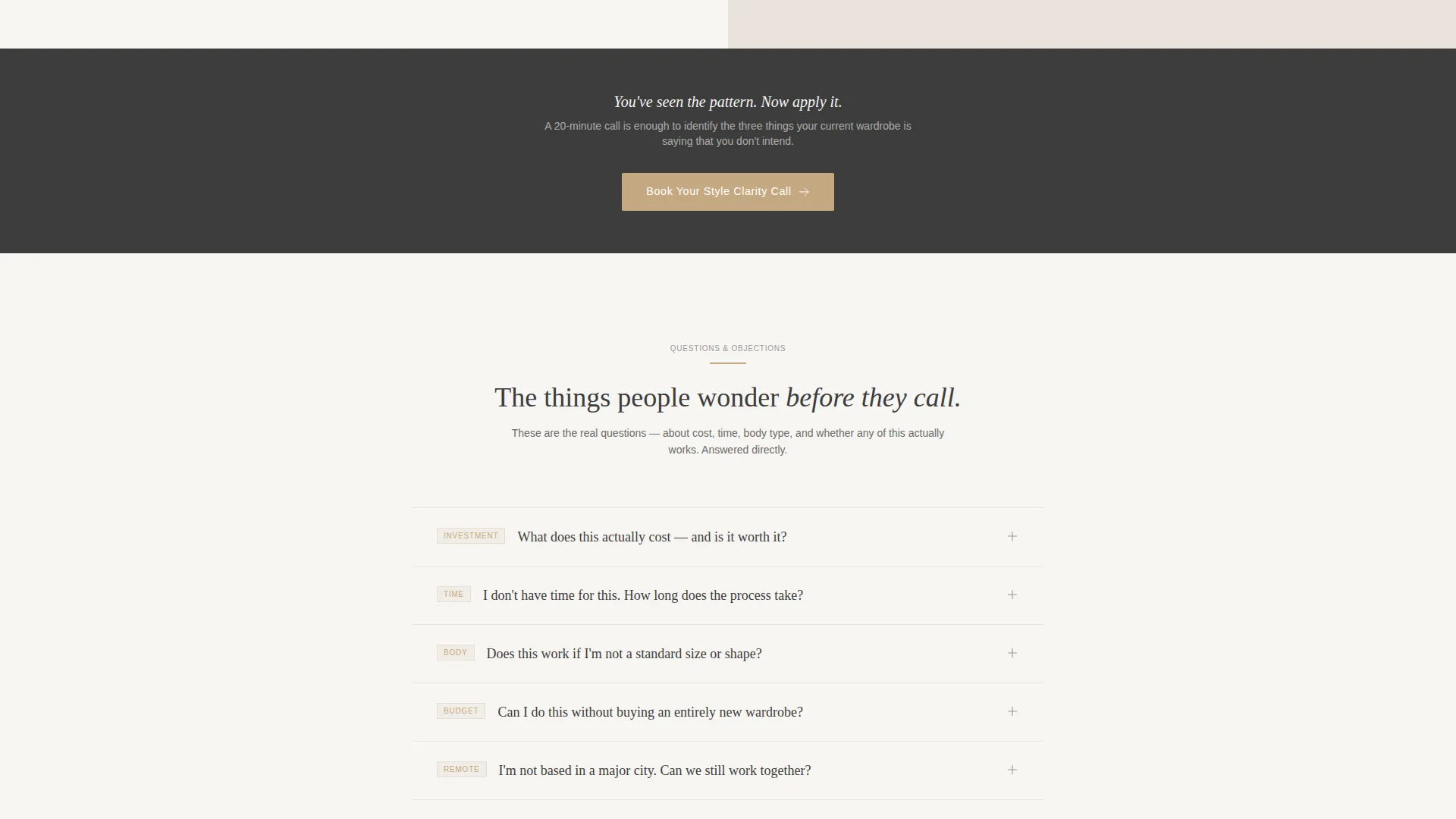
Between case studies, FAQ accordions open with a soft linen-to-white background transition. Each accordion addresses a specific objection surfaced by the preceding case study, covering concerns around cost, time, and body type so the education feels earned.
Dual Conversion Path Layout
The primary call to action, "Book Your Style Clarity Call," appears twice: after the second case study and at the page bottom. A secondary path offers a downloadable PDF titled "The 5 Pieces That Change Every Room You Walk Into," gated behind a single email field for visitors not yet ready to book.
Style Clarity Call Form Panel
The bottom conversion panel is itself a split screen. The left side outlines what the 20-minute wardrobe audit call covers. The right side holds a three-field form: name, current role, and one open-ended question asking what event or moment the visitor is dressing for.
Cloud Canvas Color System
The palette uses soft cumulus white, pale linen, graphite pencil body text, and muted rose gold reserved strictly for buttons, pull-quotes, and hover states. Backgrounds alternate between cumulus white and pale linen to create visual breathing room between sections.
Page sections overview
| Section | Purpose |
|---|---|
| Animated data header | Opens with a cited statistic and a client photograph to anchor credibility immediately |
| Case study one | Shows a relatable professional problem and a specific, quoted outcome |
| FAQ accordion one | Addresses cost and time objections raised by the first case study |
| Case study two | Deepens transformation proof with a second distinct client scenario |
| Primary call to action panel | Prompts the first booking action after two rounds of evidence |
| FAQ accordion two | Handles body type and readiness concerns before the final offer |
| PDF lead magnet | Captures email addresses from visitors not yet ready to book a call |
| Style clarity call form | Converts ready visitors with a three-field form inside a split panel |
| Page footer call to action | Repeats the primary booking prompt for visitors who scroll the full page |
Design & branding system
The visual identity follows an Educational Guide theme. Every color and spacing decision reinforces calm authority rather than urgency or pressure.
- Cloud Canvas palette: soft cumulus white (#F7F5F2), pale linen (#E8E3DC), graphite pencil (#3D3D3D) for body text, and muted rose gold (#C4A882) used sparingly for buttons, pull-quotes, and hover states
- Alternating section backgrounds between cumulus white and pale linen create visual rhythm without needing extra graphic elements
- Rose gold appears only where a human decision point exists, so every instance carries intentional weight
Mobile & speed optimization
The split-screen layout adapts gracefully from a desktop 50/50 configuration to a stacked single-column view on smaller screens, keeping the case study narrative and form readable at every breakpoint.
- Panels stack vertically on mobile so the data infographic and client photograph remain clearly separate
- The three-field form and the PDF email capture field are sized for easy thumb interaction on mobile devices
- Section backgrounds and typography scale cleanly without requiring additional assets
How this template helps you convert
The page is structured as a progressive trust sequence. Visitors do not encounter an ask until the template has already delivered value through education and social proof.
- The animated data header and client photograph create an immediate emotional and intellectual hook before any service offer is visible.
- Paired case studies and FAQ accordions alternate between proof and objection handling, so each scroll deepens readiness rather than building resistance.
- A dual conversion path gives every visitor a next step matched to where they are: a booked call for the ready buyer and a downloadable resource for the one who needs a little more time.
Other information about this template
This template is built specifically for the image consulting niche inside the broader professional services category. It suits consultants who position their work as a career tool rather than a styling luxury.
- The page structure supports the image consultant FAQ and resource page use case, giving visitors both answers and reasons to act
- The Educational Guide theme makes the page appropriate for consultants who lead with expertise and methodology before price
- The template is designed as a standalone landing page, not a multi-page site, so it fits practices that want a focused online presence without a full website build
- The split-screen format works well for image consultant online presence goals where visual contrast between problem and solution reinforces the service value
Theme
Educational Guide
Creative direction
Case Study Narrative
Color system
Cloud Canvas
Style
Split Screen (50/50)
Direction
Lead Generation
Page Sections
Animated Data Storytelling Header
Client Case Study Narrative Flow
Objection-handling FAQ Accordions
Dual Conversion Path System
Three-field Style Clarity Call Form
Cloud Canvas Visual Identity System
Related questions
Can I replace the placeholder photograph with my own client images?
Does the template include the downloadable PDF content?
What information does the Style Clarity Call form collect?
Can this template work for a consultant whose clients are primarily men?
How many times does the primary call to action appear on the page?



