Revenue & Tax Authority Professional Website Template
Register is a civic-themed, zigzag landing page template built for business registration offices. It guides first-time founders, freelancers, and immigrant entrepreneurs through entity types, state filing requirements, and common mistakes. With an animated infographic header, a three-field sign up form, and a name availability search tool, every section earns the visitor's trust before asking for the click.
by Rocket studio
Quick summary
Register is a single-page, zigzag landing page template designed for professional business registration services. It combines an animated civic flowchart header, an entity comparison table, a state filing requirements block, a redacted-document mistakes section, and an embedded name availability search tool. The page educates visitors at every scroll, then converts them through a focused sign up landing page flow built around one clear action.
Who this template is for
This landing page template was built for legal and professional services firms that help entrepreneurs go from idea to incorporated entity. It fits any organization running a business registration office and serving clients who need clear, authoritative guidance.
- First-time founders filing an LLC at midnight who need a trustworthy page that answers questions before they ask them
- Immigrant shop owners navigating DBA or state-specific requirements who need plain-language explanations
- Freelancers and side-hustlers converting from handshake agreements to a legally registered company
What problem this template solves
Business registration is confusing. Most visitors arrive on a registration page already anxious about entity types, state deadlines, and filing fees. A generic page loses those visitors fast. This landing page design solves that by educating before it sells, turning a stressful process into a logical, manageable journey.
- Visitors leave pages that feel bureaucratic and cold; this template uses institutional warmth to keep them reading
- Founders often abandon registration forms because form fields feel overwhelming; this template uses a short form with only three fields to reduce friction
- Prospective clients distrust services they do not understand; the data-rich zigzag layout builds confidence section by section
What you get with this template
You get a complete, production-ready sign up landing page with five distinct content sections, a full Forest Trust color system, and high-interactivity components. Every block is purpose-built for a business registration office and designed to capture leads without making visitors feel rushed.
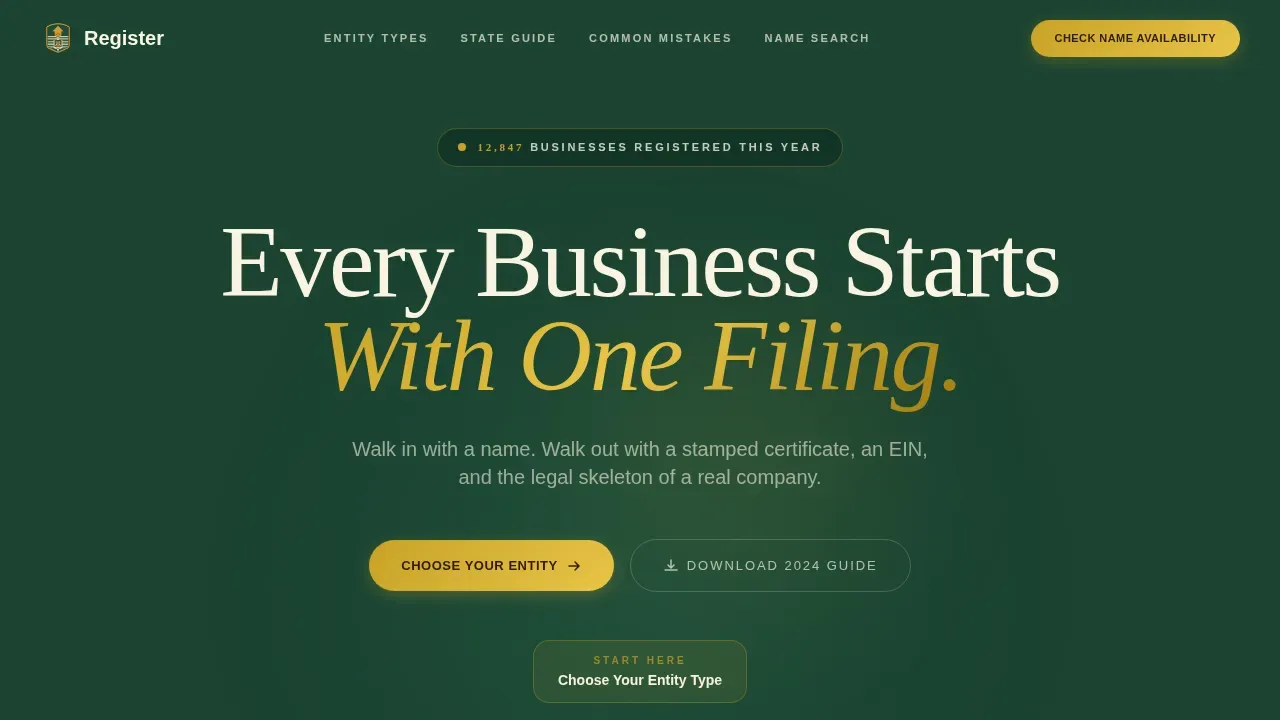
- An animated hero infographic that acts as a civic flowchart, branching visitors into LLC, Corporation, Sole Proprietorship, and Nonprofit paths with filing timelines attached to each node
- A zigzag alternating layout with five major sections: hero, entity comparison, state requirements, common mistakes, and name availability search
- A sticky bottom call-to-action bar that appears at the page midpoint, keeping the primary sign up action visible without using disruptive pop ups
Feature list
This landing page template ships with a focused set of built-in components. Each one serves a specific conversion or education purpose drawn directly from the source brief.
Animated Civic Flowchart Header
The full-width hero section renders a stylized business registration journey as an animated flowchart. Path lines draw on scroll, nodes pulse on hover, and an upward-ticking counter displays social proof in real time. Visitors see "12,847 businesses registered this year" before they read a single line of body copy. The headline fades in over the graphic, making the first impression both authoritative and immediate. This kind of engaging visual sets the page apart from standard sign up landing page designs.
Entity Comparison Table
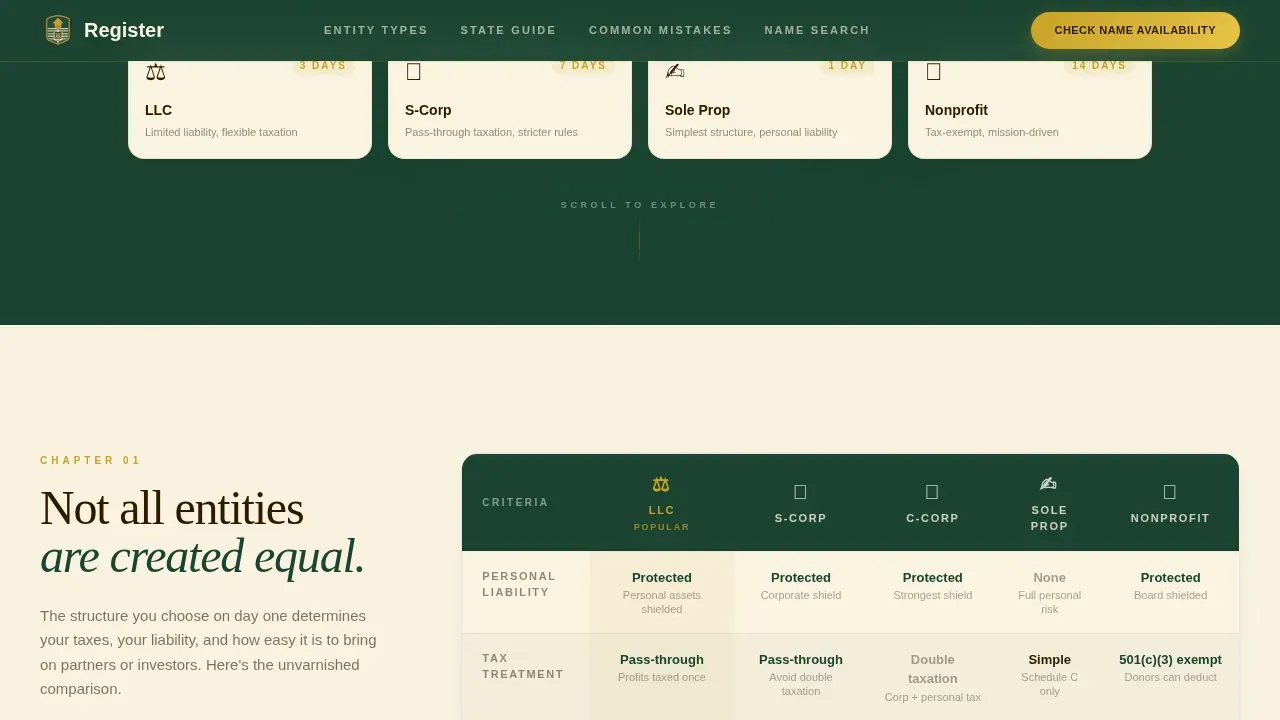
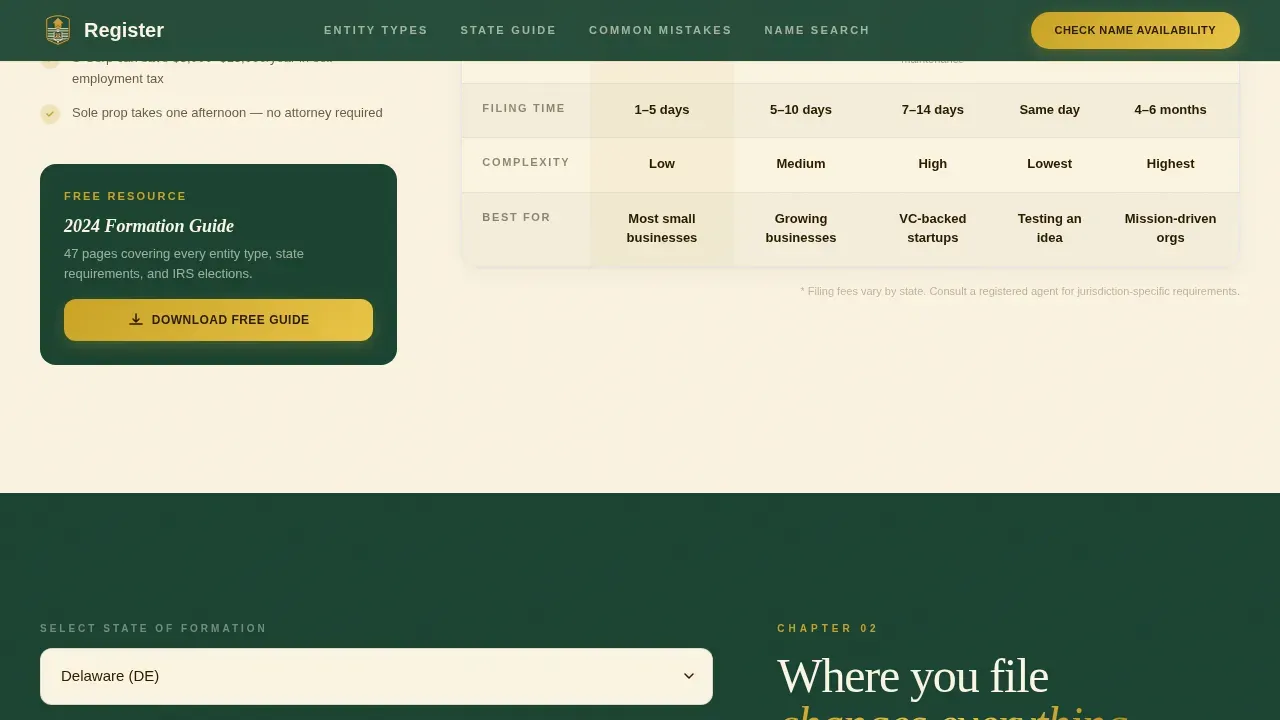
The first zigzag block presents a side-by-side comparison of LLC, Corporation, Sole Proprietorship, and Nonprofit structures. The table shows liability protection, tax treatment, and formation cost in clearly labeled columns. Including a clear service comparison table here helps visitors self-qualify before they contact the team. This is one of the most effective ways to convince visitors they are in the right place without overwhelming them with body copy.
State Filing Requirements Block
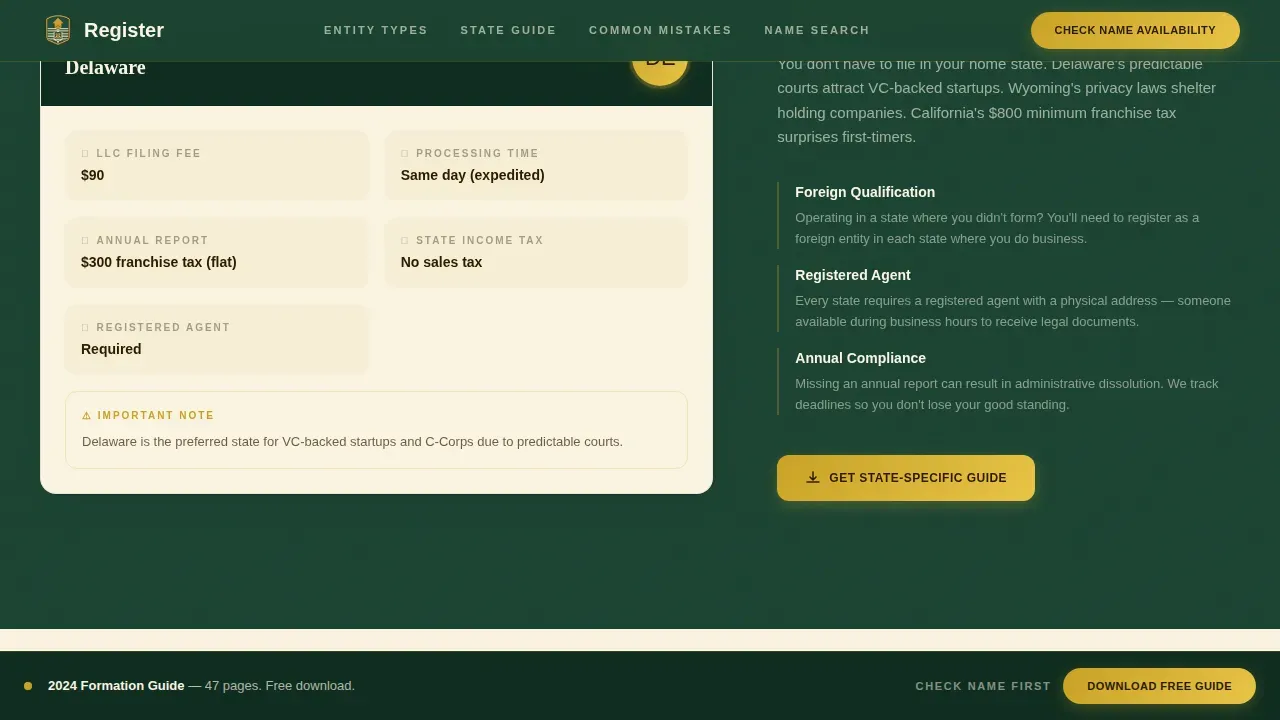
The second alternating section reverses layout and delivers a state-by-state filing snapshot with interactive dropdowns. Visitors select their state and see relevant timelines and requirements populate instantly. This component makes the registration process feel navigable rather than daunting. It captures intent early by surfacing important information specific to each user's situation.
Redacted Document Mistakes Section
The third zigzag block presents common filing errors inside a redacted-document aesthetic with handwritten-style annotations. Visitors can see exactly where applicants go wrong during a typical registration form submission. This section uses persuasive elements drawn from real filing scenarios, not generic checklists. The design makes the page feel like an industry report that respects the reader's intelligence.
Name Availability Search Tool
The fourth alternating block embeds an instant-search tool that queries state databases directly on the page. Visitors type a business name and receive immediate availability feedback. This component functions as a lead capture form, collecting entity type and email alongside the search query. It delivers real value before asking for any commitment, which is one of the most effective ways to earn sign ups from potential clients who are still evaluating their options.
Page sections overview
| Section | Purpose |
|---|---|
| Hero Infographic | Introduce the registration journey with an animated civic flowchart, entity branches, filing timelines, and a live counter |
| Entity Comparison Table | Show LLC, Corporation, Sole Proprietorship, and Nonprofit differences side by side to help visitors self-select |
| State Requirements Block | Let visitors pick their state from a dropdown and view filing timelines and requirements instantly |
| Common Mistakes Section | Illustrate real filing errors using a redacted-document aesthetic with annotations to build expert credibility |
| Name Availability Search | Embed an instant name-search tool that delivers immediate value and captures visitor intent |
| Footer | Linear single-row footer with contact links and trust badges |
Design & branding system
The visual identity follows a Civic Service theme. Every color and typographic choice is deliberate, drawn from a Forest Trust palette that feels like the oak-paneled wall behind a county clerk: institutional without being cold.
- Forest Evergreen (#1B4332) anchors alternating section backgrounds; Parchment Cream (#FAF3E0) breathes between them; Old-Growth Bark (#2D1B00) handles all body copy; Civic Gold (#C9A227) is reserved exclusively for seals, trust badges, and every call-to-action (call to action) button
- Typography pairs DM Sans for body copy with Fraunces serif display for headlines, creating a combination of legal gravitas and modern readability
- White space is used deliberately between zigzag blocks so that visitors can process each section without feeling cluttered or overwhelmed
Mobile & speed optimization
The template is built desktop-first to support the complex animated infographic in the header, with a fully responsive mobile fallback that adapts every section to smaller screens. Mobile optimization is crucial because many users access landing pages via mobile devices, and a mobile-friendly layout helps reduce bounce rates and keep potential clients engaged.
- On mobile devices, the animated flowchart collapses into a vertically scrollable node sequence so the visual hierarchy stays intact without sacrificing load performance
- Form fields in the name availability search and the three-field sign up form are designed to be easy to complete on smaller screens, with large tap targets and minimal copy required from the user
- The sticky call to action button bar remains visible on all screen sizes, so the sign up action is never more than one tap away on any device
How this template helps you convert
This landing page is built around one conversion goal: turning visitors into sign ups. Every design and content decision supports that goal without using pop ups or distracting secondary paths that distract visitors from the primary action.
- The animated counter and civic flowchart create immediate social proof and authority, making the first impression strong enough to keep visitors reading through all five sections before they reach the sign up landing page form
- The entity comparison table and state requirements dropdown educate visitors so thoroughly that by the time they reach the three-field registration form, they already feel prepared; the form asks only for entity type, state of formation, and email address, making it a genuinely short form that converts
- The name availability search tool acts as a secondary conversion path and lead capture form, capturing intent from visitors who are not yet ready to commit to the primary sign up but are clearly in active research mode
Other information about this template
This template is one of the more specialized landing page design templates available for the legal and professional services niche. It is suited for service firms whose marketing goals include capturing warm leads from entrepreneurs at the moment they decide to go legit. Below are some additional practical details for users evaluating this template.
- The form template uses three form fields by default: entity type, state of formation, and email. This multi step form approach breaks the registration process into one manageable ask per interaction, reducing form abandonment
- The primary call to action button uses first person copy such as "Download My Formation Guide" to make sign ups feel like a personal decision rather than a generic prompt
- Customer testimonials and trust badges can be added to the footer or hero section to reinforce social proof alongside the animated counter; displaying customer testimonials with specific founder quotes is one of the most effective ways to improve landing page design for services that handle sensitive information
- This template supports marketing campaigns across channels: whether visitors arrive from paid search, email, or referral links, the landing page design keeps them focused on a specific offer without navigation menus that distract visitors
- The template is available as a customizable design option; users can customize colors, swap sections, and adjust the form template to fit their brand without needing to write code, making it accessible to users who rely on no-code tools and drag and drop editors
- Builders who want to connect sign ups to project management workflows or CRM systems will find the three-field form easy to link to external platforms
- Google Analytics and similar tracking tools can be connected at the page level to monitor how website visitors move through the zigzag sections and where leads drop off
- The page is designed to save time for agencies and solo operators alike: landing page templates like this one let users skip the blank-canvas stage and launch polished, high converting landing pages faster
- Webinar landing page adaptations are possible by swapping the formation guide call to action for an event registration form, making this layout versatile for product launches and broader marketing goals beyond business registration
- Free landing page exploration is available on the platform; users can preview the template before committing, and some platform tiers offer access to a free landing page version for evaluation
Theme
Civic Service
Creative direction
Industry Report
Color system
Forest Trust
Style
Zigzag/Alternating
Direction
Content/Resource
Page Sections
Animated Civic Flowchart Header
Side-by-side Entity Comparison Table
Interactive State Filing Dropdown
Redacted Document Mistakes Section
Name Availability Instant Search Tool
Sticky Call to Action Bottom Bar
Related questions
Who is this landing page template designed for?
Can I customize the form fields and colors?
Does the template include a sign up form for lead capture?
Is this template mobile friendly?
Can I use this template for services beyond business registration?



