Historic Preservation Government Professional Website Template
This historic preservation landing page template is built for state departments and preservation offices that need to guide property owners, municipal planners, and preservation architects through complex regulatory processes. It combines a search-centered header, a transparent four-step process walkthrough, a lead generation form, and a secondary email capture, all in a clean archival visual style.
by Rocket studio
Quick summary
This template serves a state historic preservation department as a focused, single-page lead generation and information portal. Visitors can search for properties or programs, walk through the real nomination and tax credit process step by step, then submit a review request or download an owner's guide. Every section builds trust before asking for any action.
Who this template is for
This template is designed for government preservation offices that serve a mixed audience of professionals and first-time filers. It works equally well for departments that handle nominations, tax credits, and demolition reviews under one roof.
- Property owners with historic residential or commercial structures who need plain-language guidance on nominations or rehabilitation tax credits
- Municipal planners managing Section 106 reviews and preservation architects filing National Register nominations
- State historic preservation offices that want to reduce inquiry volume by answering process questions upfront
What problem this template solves
Most preservation department pages bury their processes inside dense PDF guides or multi-page portals. Visitors arrive confused and leave without filing anything. This template fixes that by showing each step and each document before asking for a single piece of information.
- Property owners assume the process is opaque and give up before contacting the department
- Planners and architects waste time on phone calls that a clear process walkthrough could replace
- Departments lose qualified leads because there is no structured path from curiosity to formal inquiry
What you get with this template
You get a fully structured single-page layout that moves visitors from search to submission in a logical, confidence-building flow. Every section has a clear job, and no section asks for commitment before earning it.
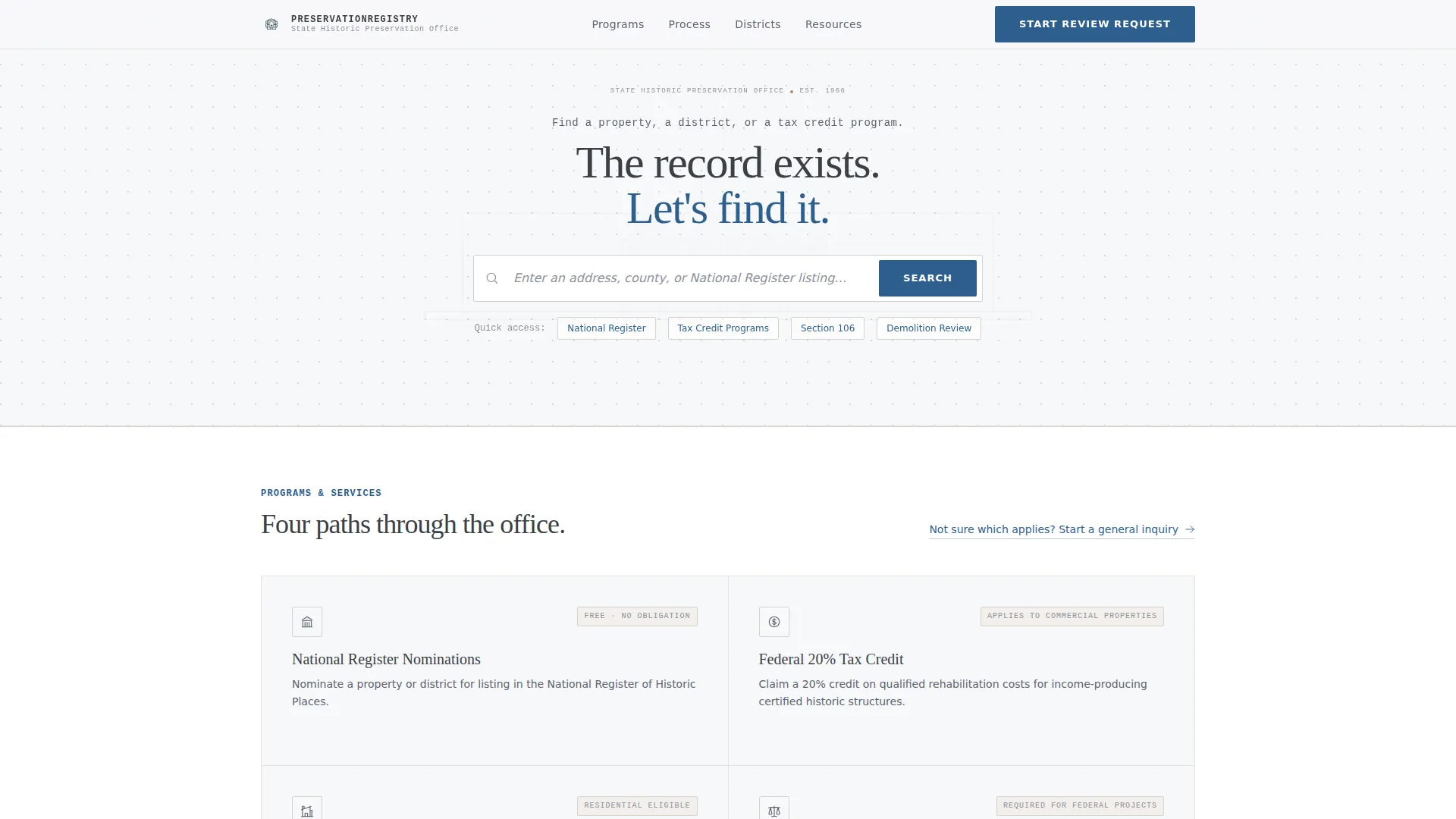
- A search-centered header with placeholder text and a faint building elevation watermark, setting an archival tone immediately
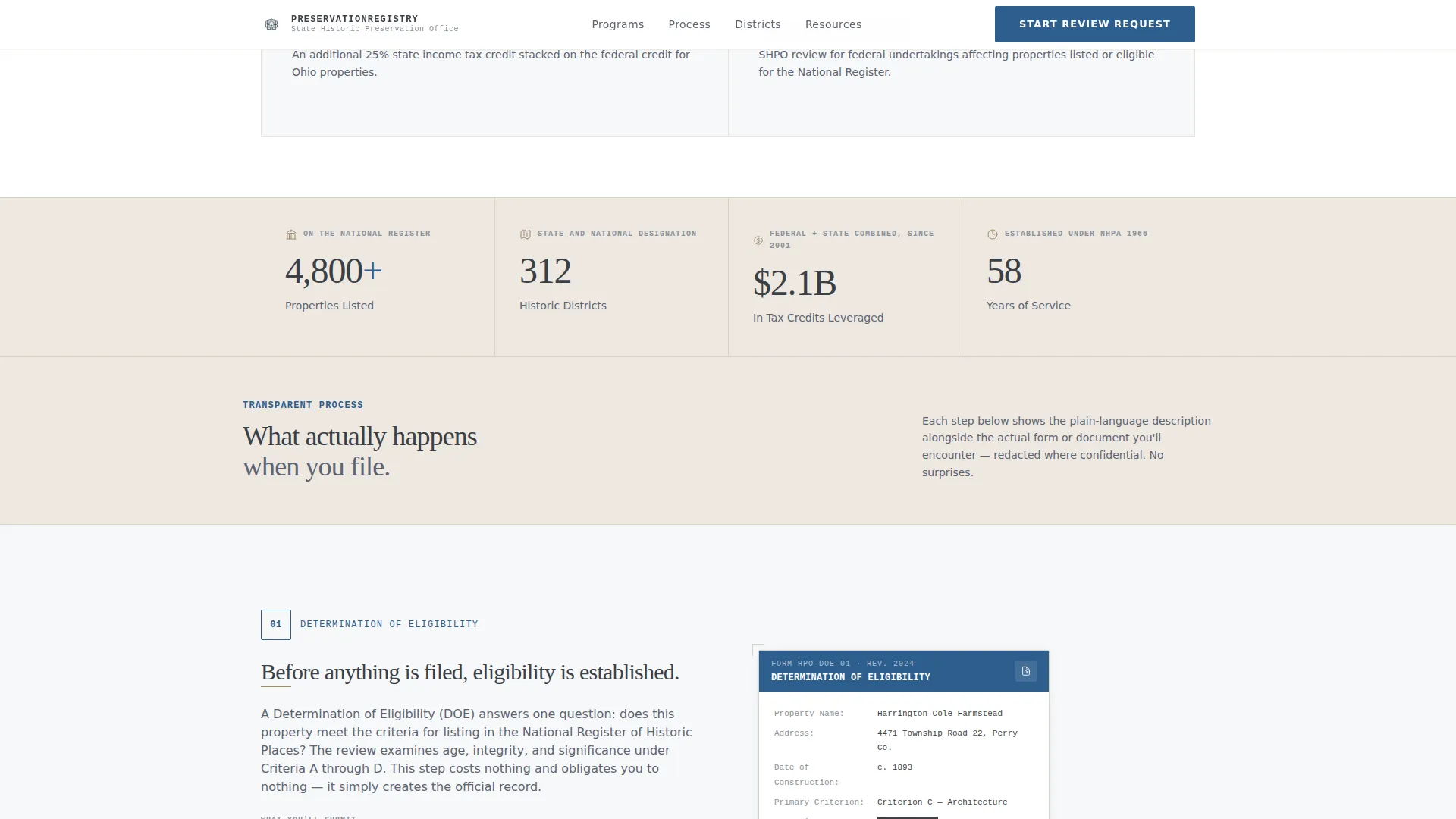
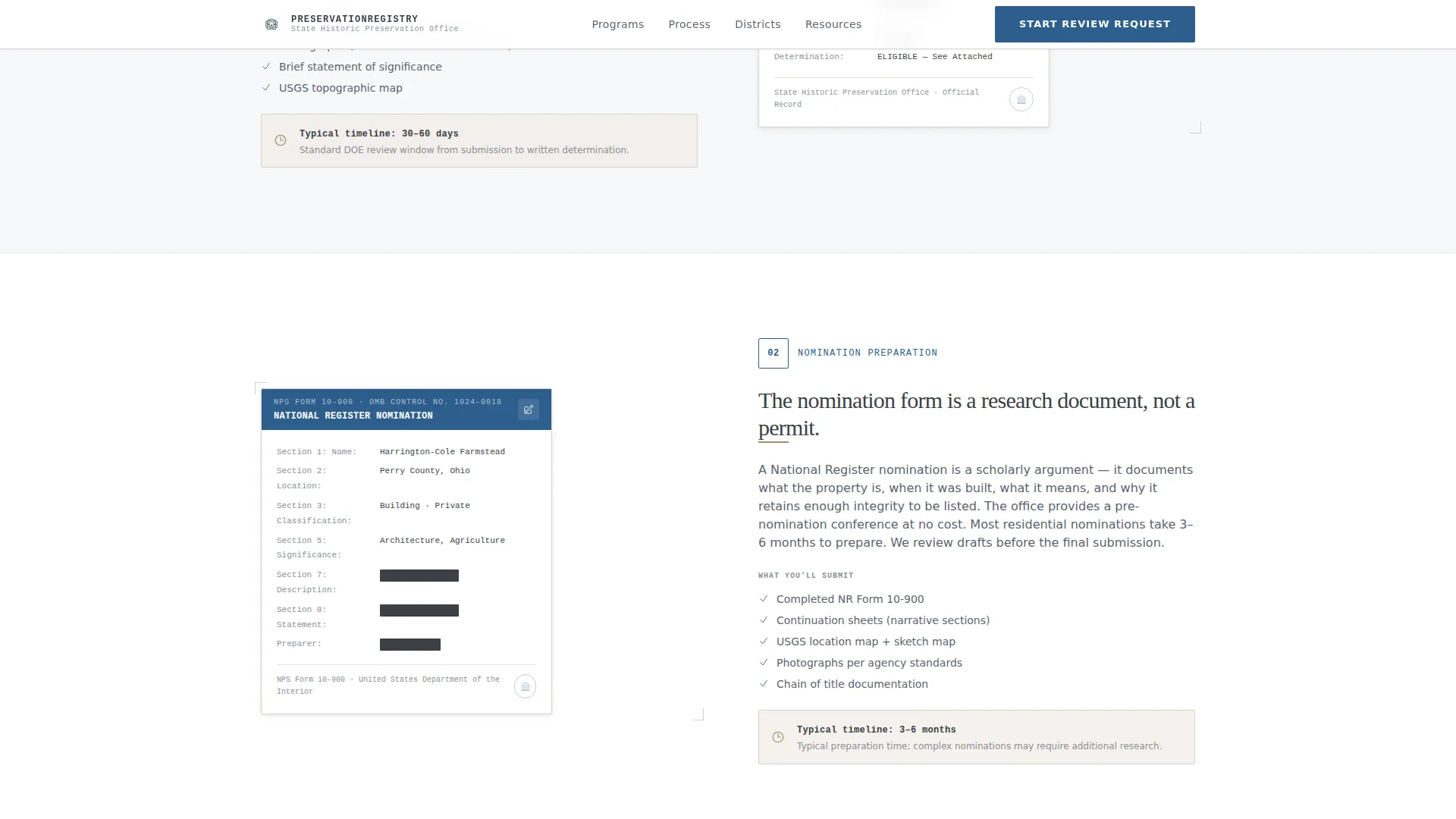
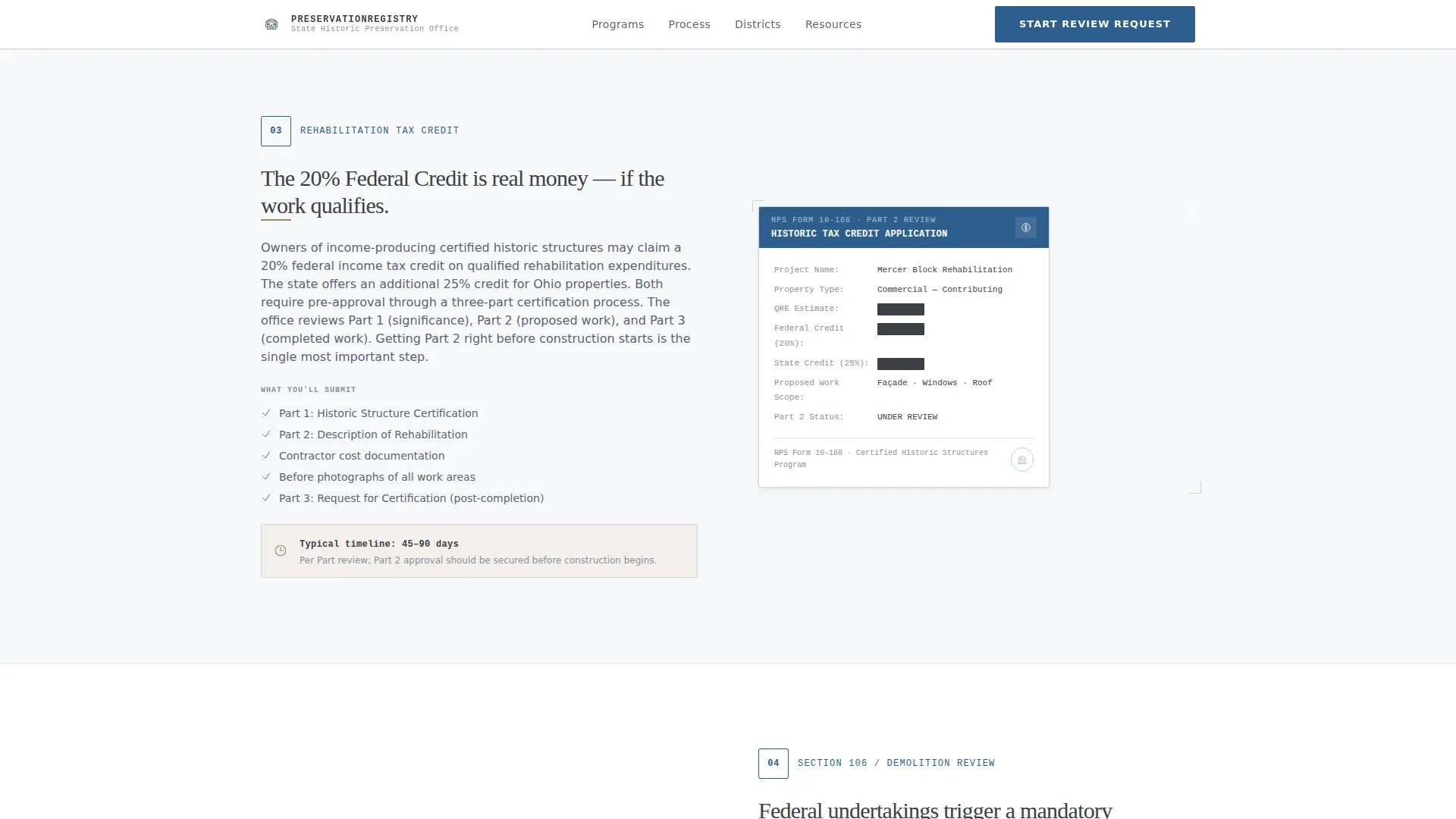
- A four-block zigzag process walkthrough pairing plain-language step descriptions with document thumbnails
- Two conversion touchpoints: a primary review request form and a secondary email capture for the Owner's Preservation Guide
Feature list
This template is built around a small set of purposeful components. Each one is described below.
Archival Search Header
The header opens with a generous search field centered on an archival white field. A faint building elevation watermark sits behind the input. Placeholder text reads "Enter an address, county, or National Register listing..." giving visitors an immediate sense of what the department holds.
Zigzag Process Walkthrough
Four alternating sections each reveal one stage of the preservation process. The left block presents the step in plain language with a numbered marker and a realistic timeline. The right block displays the actual form or document thumbnail, redacted where necessary, so visitors see real paperwork before they encounter it.
Authority Statistics Bar
A horizontal bar between the process walkthrough and the lead form displays concrete department credentials. Fields include properties registered, tax credits issued, years of service, and historic districts protected. These figures ground the page in institutional authority without requiring a visitor to read a paragraph.
Primary Lead Generation Form
The "Start Your Review Request" form appears after the process walkthrough. It collects property address with auto-complete, property type (residential, commercial, religious, or civic), and visitor intent (nomination, tax credit, demolition review, or general inquiry). The form is positioned so visitors already understand what they are initiating.
Secondary Email Capture
A secondary conversion block offers the Owner's Preservation Guide as a downloadable resource behind a simple email capture. This path catches visitors who arrived curious but are not yet ready to file a formal request, keeping them connected to the department.
FAQ-Style Accordion
An interactive accordion section lets the department answer common questions without cluttering the main page flow. Visitors expand only what they need, keeping the page clean and focused for professionals who scan rather than read.
Page sections overview
| Section | Purpose |
|---|---|
| Search Header | Let visitors find a property, district, or program immediately |
| Process Walkthrough | Show each preservation step with a paired document thumbnail |
| Authority Stats Bar | Build institutional credibility with concrete department figures |
| Review Request Form | Capture qualified leads once visitors understand the process |
| Owner's Guide Download | Collect email addresses from visitors not yet ready to file |
| Footer | Provide department links in a clean single-row linear layout |
Design & branding system
The visual identity follows an Educational Guide theme built on an Arctic White color system. The palette references archival documents and digitized photographs rather than conventional government web design.
- Core colors: archival white (#F7F8FA) for backgrounds, document-edge cream (#EDE8E1) for section dividers, surveyor's graphite (#3B3F45) for body text, and preservation-blue (#2E5E8E) reserved for links, active states, and official seals
- Typography pairs DM Sans for body text with Fraunces serif headings, giving the page a premium archival tone that feels authoritative without being cold
- Animations are intentionally low-key: scroll-triggered fade-up reveals and subtle hover effects match the institutional tone without distracting from process content
Mobile & speed optimization
The template is designed desktop-first, reflecting that its primary users are professionals working at workstations. The layout remains fully responsive so that property owners accessing the page on a mobile device can still navigate the process walkthrough and complete the forms.
- The zigzag layout stacks cleanly into a single column on smaller screens, preserving the step-by-step reading order
- Static server components handle the majority of content rendering, keeping JavaScript usage minimal and the page responsive on slower connections
How this template helps you convert
The page is structured around a principle of earned trust. No conversion element appears before the visitor has received something useful. This sequencing reduces friction and increases the quality of submissions.
- The search header and process walkthrough answer the most common questions before any form appears, so visitors who reach the "Start Your Review Request" button already understand what they are initiating
- The secondary Owner's Guide download captures email addresses from visitors who are not ready to file, giving the department a second conversion path without adding visual noise to the primary flow
Other information about this template
This template is well-suited for any state-level historic preservation office operating in an English-language, United States context. It was designed with Ohio state context in mind, including United States dollar formatting and standard United States date formats, but the content fields are fully editable for any jurisdiction.
- The footer uses a Pattern 1 linear single-row layout, keeping department navigation minimal and unobtrusive
- The building elevation watermark in the header is intentionally light, appearing as a background texture rather than a competing visual element
- The template supports the full preservation workflow: National Register nominations, rehabilitation tax credit applications, Section 106 compliance reviews, and general determinations of eligibility
- Property type options in the lead form cover residential, commercial, religious, and civic structures, reflecting the real range of properties that preservation offices handle
Theme
Educational Guide
Creative direction
Transparent Process
Color system
Arctic White
Style
Zigzag/Alternating
Direction
Lead Generation
Page Sections
Archival Search Header with Watermark
Four-step Zigzag Process Walkthrough
Authority Statistics Bar
Primary Review Request Form
Secondary Email Capture Block
Interactive FAQ Accordion
Related questions
Who is this landing page template designed for?
What sections are included in this template?
Can the form fields be customized for a different jurisdiction?
Does this template work for both property owners and preservation professionals?
Is the Owner's Guide download section required?



