Occupational Therapist FAQ Website Template
Reimburse is a hub-and-spoke landing page template built for occupational therapy billing services. It uses an FAQ-driven anchor navigation to dismantle outsourcing anxiety one question at a time. A credential badge ribbon, before-and-after claim examples, micro-testimonials, and a free claim audit form turn skeptical visitors into qualified leads without a single hard-sell moment.
by Rocket studio
Quick summary
Reimburse is a single-page billing service template designed for occupational therapy practices. It opens with an award badge ribbon and a confident headline, then walks visitors through seven real practitioner questions using anchor-linked spoke sections. Every section closes with a "Get Your Free Claim Audit" call to action, making the conversion feel earned rather than forced.
Who this template is for
This template is built for occupational therapy billing services targeting small and solo OT practices. It speaks directly to the people who feel the pain of denied claims every week.
- Solo occupational therapy practitioners managing their own billing between sessions
- Small rehabilitation clinic managers whose front-desk staff double as billers
- Mobile therapists treating in homes and schools who lose revenue to coding errors
What problem this template solves
Outsourcing billing is a trust decision, not a price decision. Most billing service pages answer the wrong questions and push a contact form before earning it. Visitors leave skeptical.
- Denied claims pile up because practitioners cannot identify the coding errors causing them
- Solo and small-clinic billers lack time to chase payers, stack modifiers correctly, or keep up with payer-specific documentation rules
- Therapists hesitate to outsource because no one has clearly answered their real objections
What you get with this template
You get a fully structured, single-page layout that leads a visitor from first impression to form submission using credibility and clarity. The design is calm, organized, and built for a desktop-first billing audience.
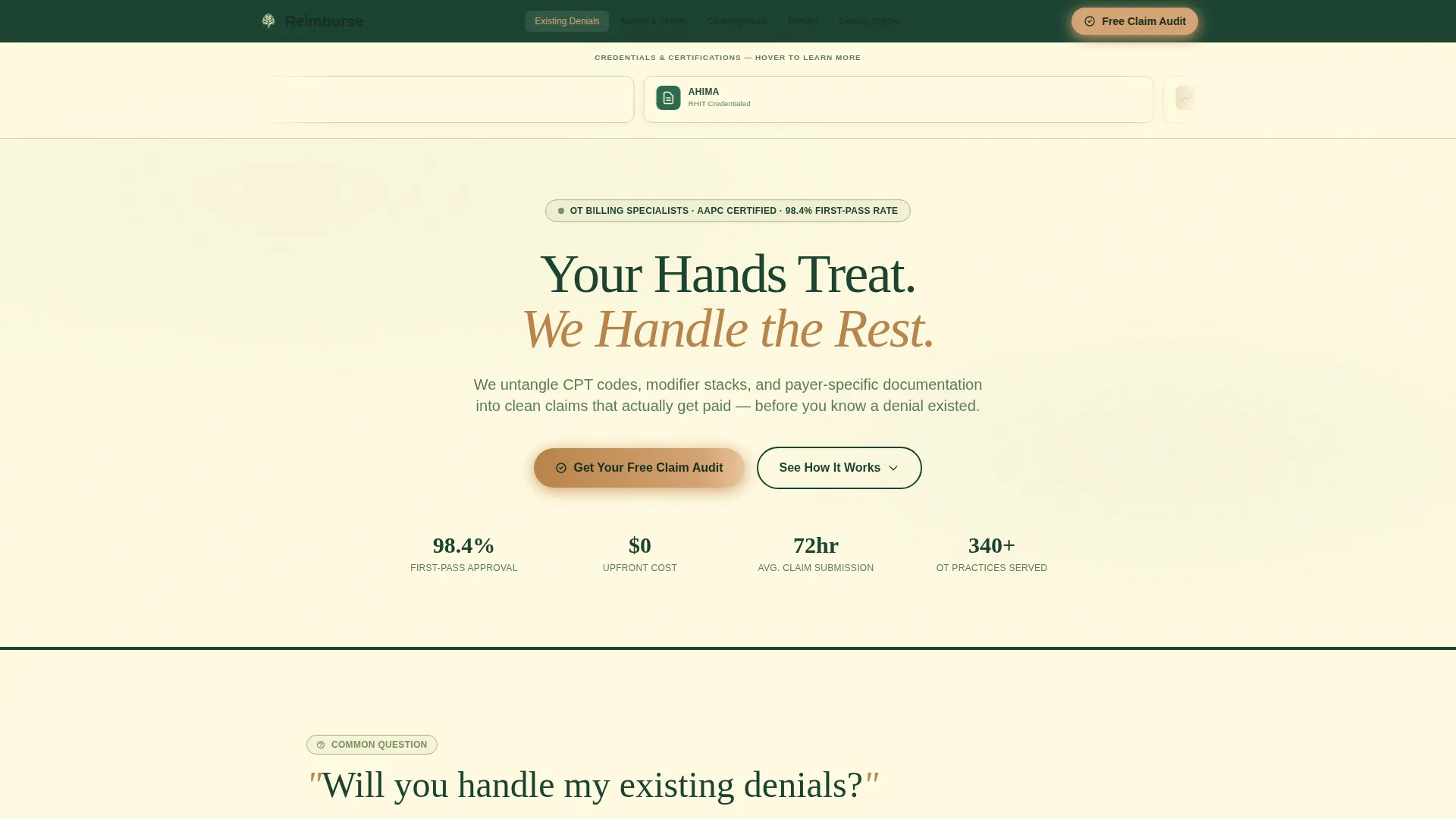
- A hero section with an interactive award badge ribbon, credential seals, and a 98.4% first-pass claim rate stat badge
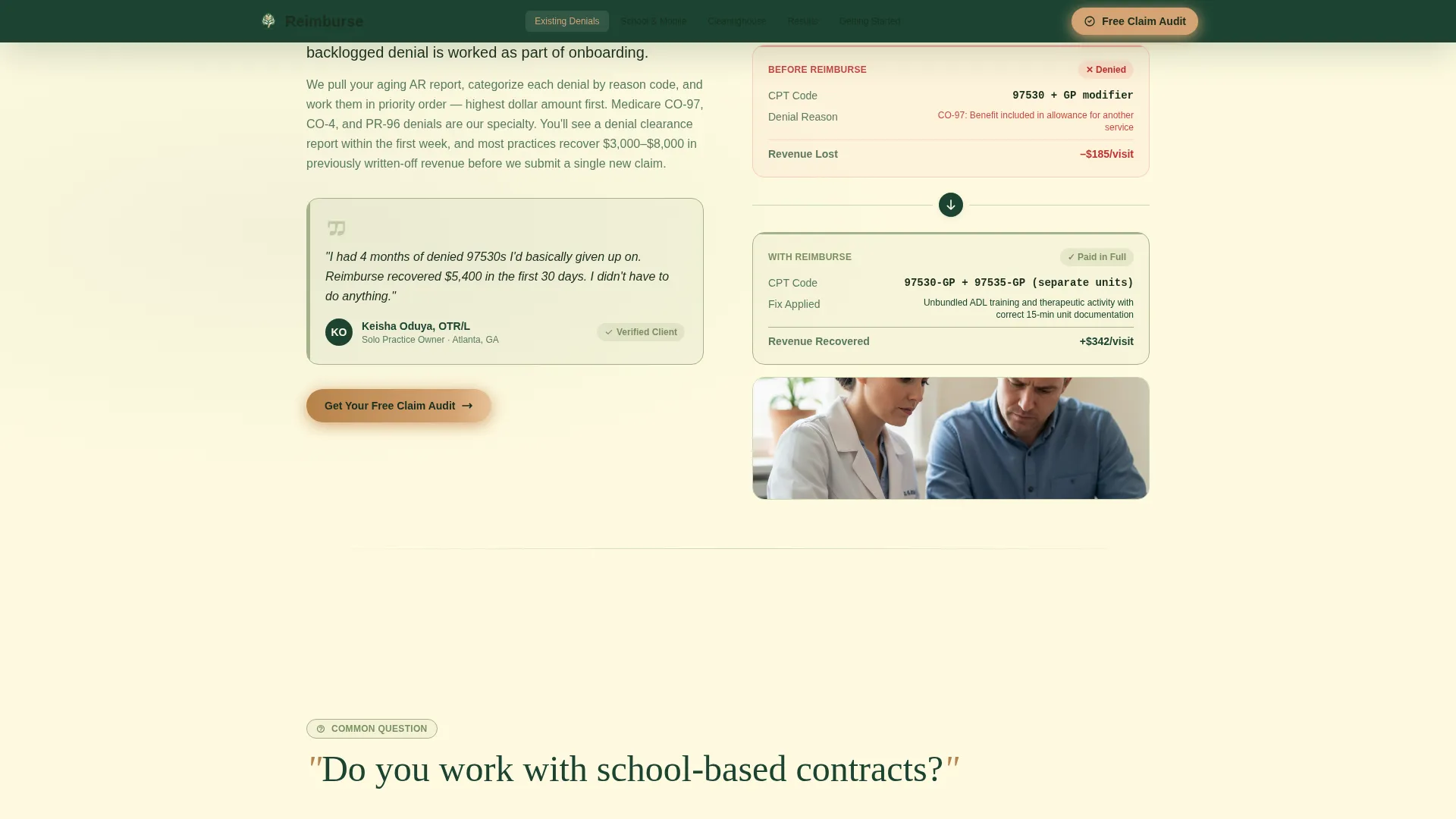
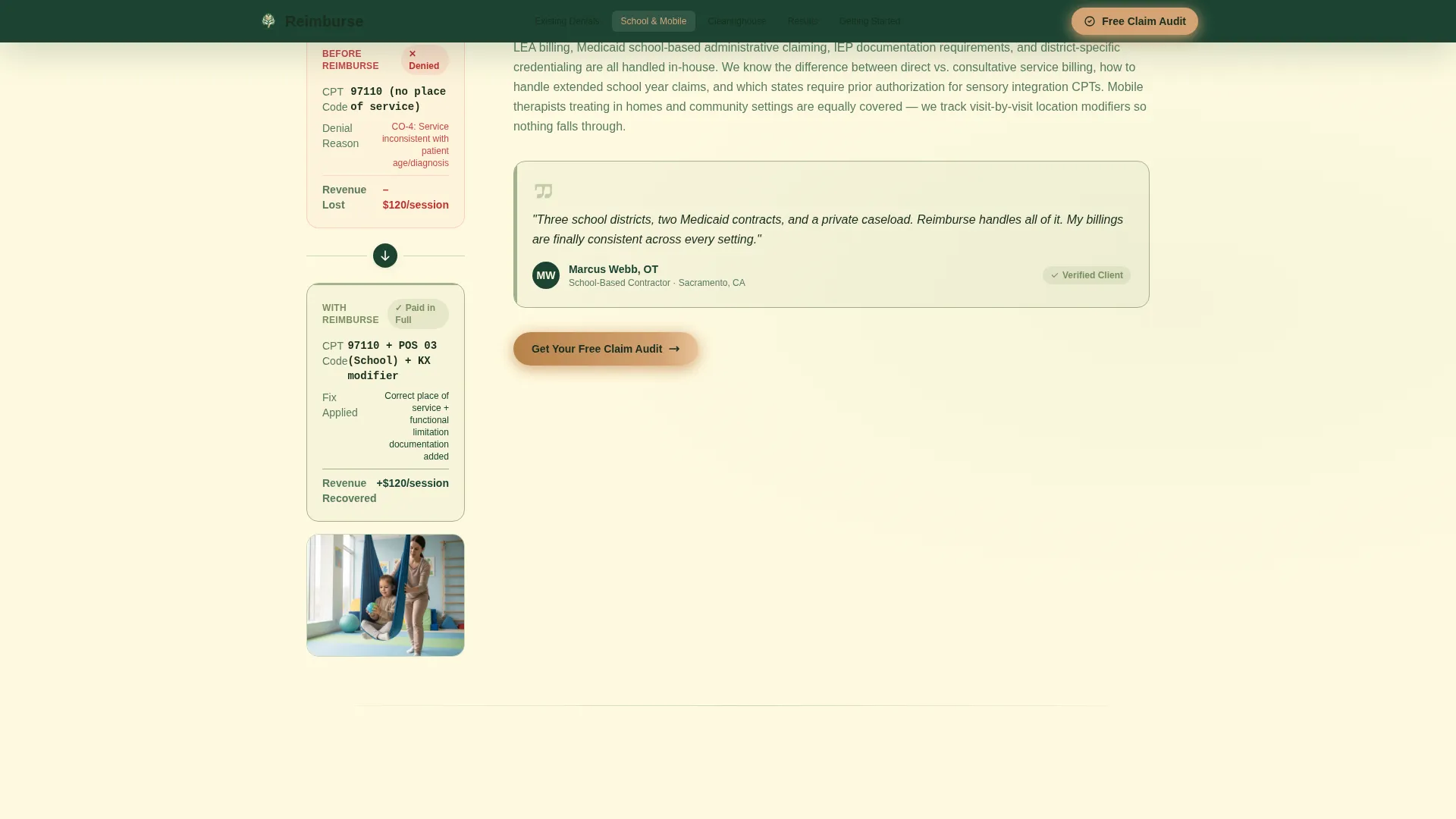
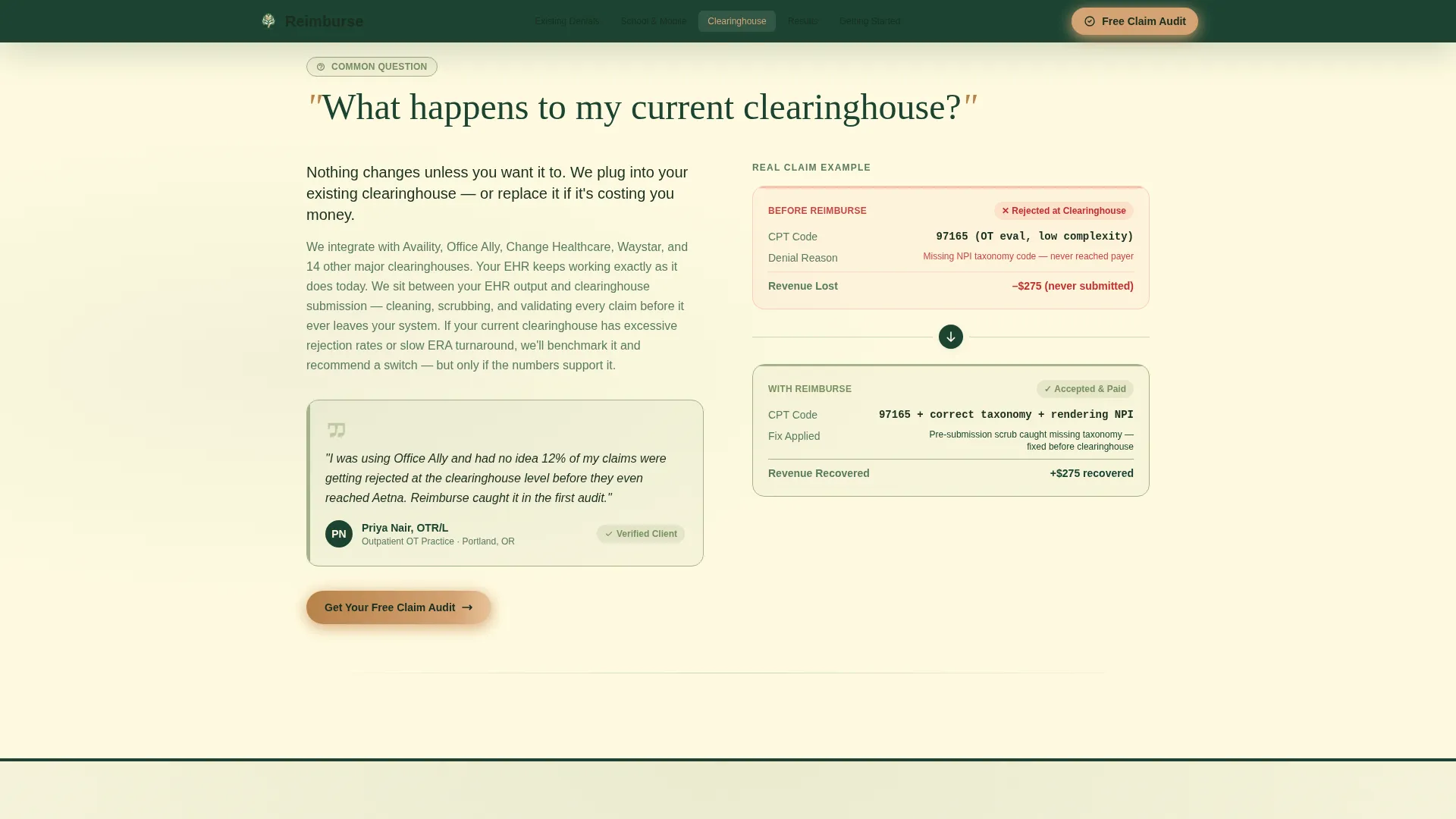
- Four FAQ spoke sections, each answering one real practitioner objection with a short paragraph, a before-and-after claim example, and a micro-testimonial
- A primary lead capture form asking for practice name, monthly claim volume, primary payer, and email, plus a secondary downloadable OT Billing Checklist gated by email only
Feature list
This section covers the core built-in components that make Reimburse work as a lead generation tool for occupational therapy billing services.
Interactive Award Badge Ribbon
A horizontal ribbon of credential badges sits at the top of the hero. Each badge is interactive and expands on hover to explain what the credential means for the therapist's revenue. Badges include AAPC-certified coder seals, AHIMA credentials, payer-network verifications, and a first-pass claim rate stat.
FAQ-Driven Anchor Navigation
The anchor nav lists the seven questions every occupational therapist asks before outsourcing billing. Clicking any nav item scrolls directly to that spoke section. A scroll-spy interaction keeps the active question highlighted as the visitor reads down the page.
Before-and-After Claim Examples
Each FAQ spoke section includes a real-format before-and-after claim example. These show exactly how a denied claim looks versus a clean, paid claim, making the value of correct Current Procedural Terminology (CPT) coding and modifier stacking immediately concrete.
Micro-Testimonial Blocks
Every spoke section closes with a short practitioner testimonial tied to that specific concern. The testimonials are formatted as inline quotes, not a separate social proof section, so trust signals appear at the exact moment an objection forms.
Dual Conversion Path Forms
The primary call to action is a "Get Your Free Claim Audit" form with four fields: practice name, monthly claim volume dropdown, primary payer selector, and email. A secondary path offers a downloadable OT Billing Checklist gated behind email only, capturing visitors who are not yet ready to commit.
Organic Flow Visual System
The layout uses an organic flow design style. Section dividers, spacing, and color transitions create a calm, filing-cabinet-clarity reading experience rather than a clinical or aggressive sales look.
Page sections overview
| Section | Purpose |
|---|---|
| Hero Badge Ribbon | Opens with credential seals and a first-pass stat to establish authority instantly |
| Anchor Nav Bar | Lets visitors jump to any FAQ spoke and tracks scroll position actively |
| FAQ Spoke 1 | Answers "Will you handle my existing denials?" with a claim example and testimonial |
| FAQ Spoke 2 | Addresses "Do you work with school-based contracts?" with a use case and testimonial |
| FAQ Spoke 3 | Explains "What happens to my current clearinghouse?" with a process walkthrough |
| FAQ Spoke 4 | Responds to "How fast will I see results?" with stats and social proof |
| Lead Capture Form | Collects practice name, claim volume, payer type, and email for audit requests |
| Checklist Download | Offers the OT Billing Checklist PDF gated behind email for early-stage visitors |
| Footer | Single-row linear footer for links and contact information |
Design & branding system
The visual identity follows an Organic Flow theme built on a Forest Trust color palette. The overall feeling is calm authority, like a Pacific Northwest forest where everything is filtered, organized, and settled.
- Deep evergreen (#1B4332) anchors the navigation bar and section dividers; warm birch (#D4A373) highlights every button and clickable element; soft lichen (#A3B18A) marks success states and completed indicators; clean parchment (#FEFAE0) fills the reading surface
- Typography pairs Fraunces serif display headlines with DM Sans body text, creating a contrast between warm authority and clean readability
- Animations use medium-intensity slideInBlur scroll reveals and staggered badge expansions to keep the page feeling alive without distracting from the content
Mobile & speed optimization
The template is designed desktop-first to match how billers and clinic managers actually work. A responsive fallback ensures the layout holds on smaller screens.
- The anchor navigation collapses cleanly on mobile so spoke sections remain reachable without horizontal scrolling
- Interactive badge expansions and FAQ accordions are built as client-side components, while static content uses server-rendered markup for faster initial load
- Form dropdowns and the checklist download path are fully functional on touch devices without layout breakage
How this template helps you convert
This template converts by removing every objection before the form appears. The visitor never feels sold to because every section earns the next click.
- The badge ribbon and 98.4% first-pass claim rate stat establish credibility within the first viewport, so visitors stay past the hero
- Each FAQ spoke section answers one real concern with a concrete example and a peer testimonial, steadily dissolving hesitation as the visitor scrolls
- The dual conversion path means visitors who are not ready for a full audit can still enter the funnel by downloading the OT Billing Checklist, giving the service two chances to capture a lead from the same visit
Other information about this template
Reimburse is category-matched to the Health and Medical space, specifically the occupational therapist insurance and billing niche. It is a hub-and-spoke anchor-nav landing page, not a multi-page website. A few additional details worth knowing:
- The template uses USA-specific localization: USD currency, MM/DD/YYYY date format, and Medicare and Medicaid terminology throughout
- The footer follows a linear single-row pattern, keeping the bottom of the page clean and uncluttered
- The creative direction is FAQ-driven, meaning the page structure is organized around buyer questions rather than a traditional features-and-benefits hierarchy
- The header concept is Award Badges, a deliberate choice to front-load trust signals before any service description appears
- The template style is Hub and Spoke with Anchor Navigation, making it straightforward to customize by adding or replacing individual spoke sections without rebuilding the full layout
Theme
Organic Flow
Creative direction
FAQ-Driven
Color system
Forest Trust
Style
Hub & Spoke (Anchor Nav)
Direction
Lead Generation
Page Sections
Interactive Award Badge Ribbon
Faq-driven Anchor Navigation
Before-and-after Claim Examples
Micro-testimonial Blocks Per Spoke
Dual Conversion Path Forms
Organic Flow Visual Layout
Related questions
What type of business is this template designed for?
Can I customize the FAQ spoke sections to match my actual services?
Does the template include both the audit form and the checklist download?
Is this a single-page layout or a multi-page website?
Does the template work on mobile devices?



