Corporate Housing Landing Page Template
Relocate is a full-width corporate housing landing page built for concierge relocation services. It opens with a cinematic skyline header, guides visitors through an interactive neighborhood explorer, and converts them with a personalized team-matching quiz. The dark navy and authoritative gold palette signals premium service from the first scroll.
by Rocket studio
Quick summary
Relocate is a single-page corporate housing template designed for providers who place executives and engineering teams into fully furnished apartments within forty-eight hours of a relocation request. The page combines an immersive skyline header, a map-based neighborhood explorer, and a progressive quiz that ends with a personalized housing recommendation delivered by email.
Who this template is for
This template is built for corporate housing operators whose clients expect everything handled before anyone asks. It suits businesses that move people fast, at scale, and across multiple cities simultaneously.
- Global mobility managers coordinating thirty or more simultaneous relocations across time zones
- Human resources directors onboarding senior executives who expect turnkey furnished living from night one
- Project managers placing engineering or specialist teams in unfamiliar cities for multi-month assignments
What problem this template solves
Corporate housing buyers do not browse listings the way leisure travelers do. They arrive with a team size, a move-in date, a budget ceiling, and very little patience for generic property pages. Most housing websites waste that urgency by leading with inventory grids and contact forms that feel like homework.
- Visitors leave without understanding whether the provider can actually serve their specific team size and timeline
- No clear path exists from initial interest to a concrete, personalized recommendation
- The site fails to demonstrate placement expertise before asking for contact information
What you get with this template
This template delivers a complete, conversion-focused landing page that moves the visitor from curiosity to a matched housing recommendation without ever feeling like a sales funnel. Every section earns the next scroll.
- A full-bleed animated skyline header with a city-input search field and live inventory count feedback
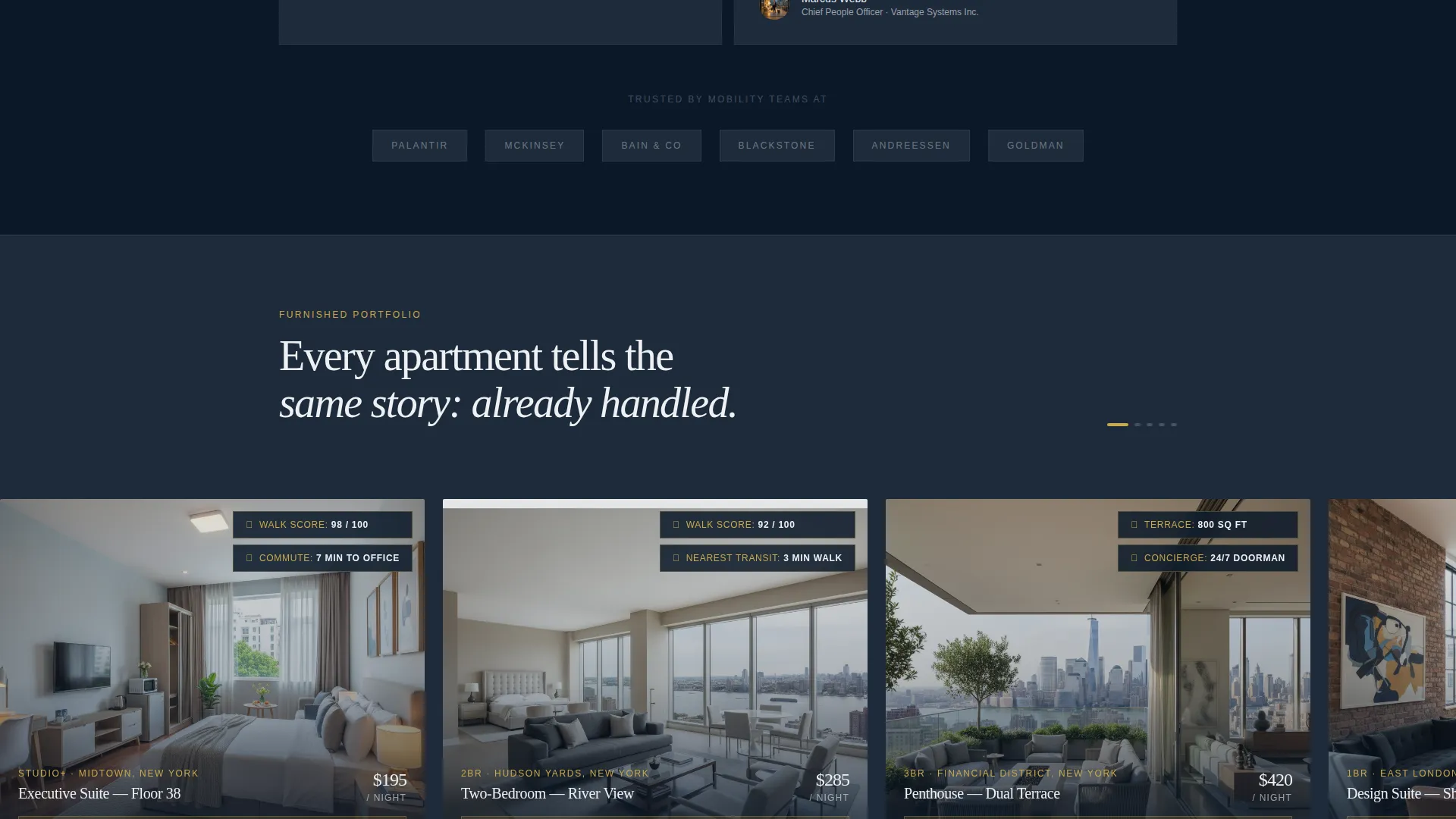
- A map-based neighborhood explorer with horizontal apartment photo panels, commute overlays, and walkability indicators
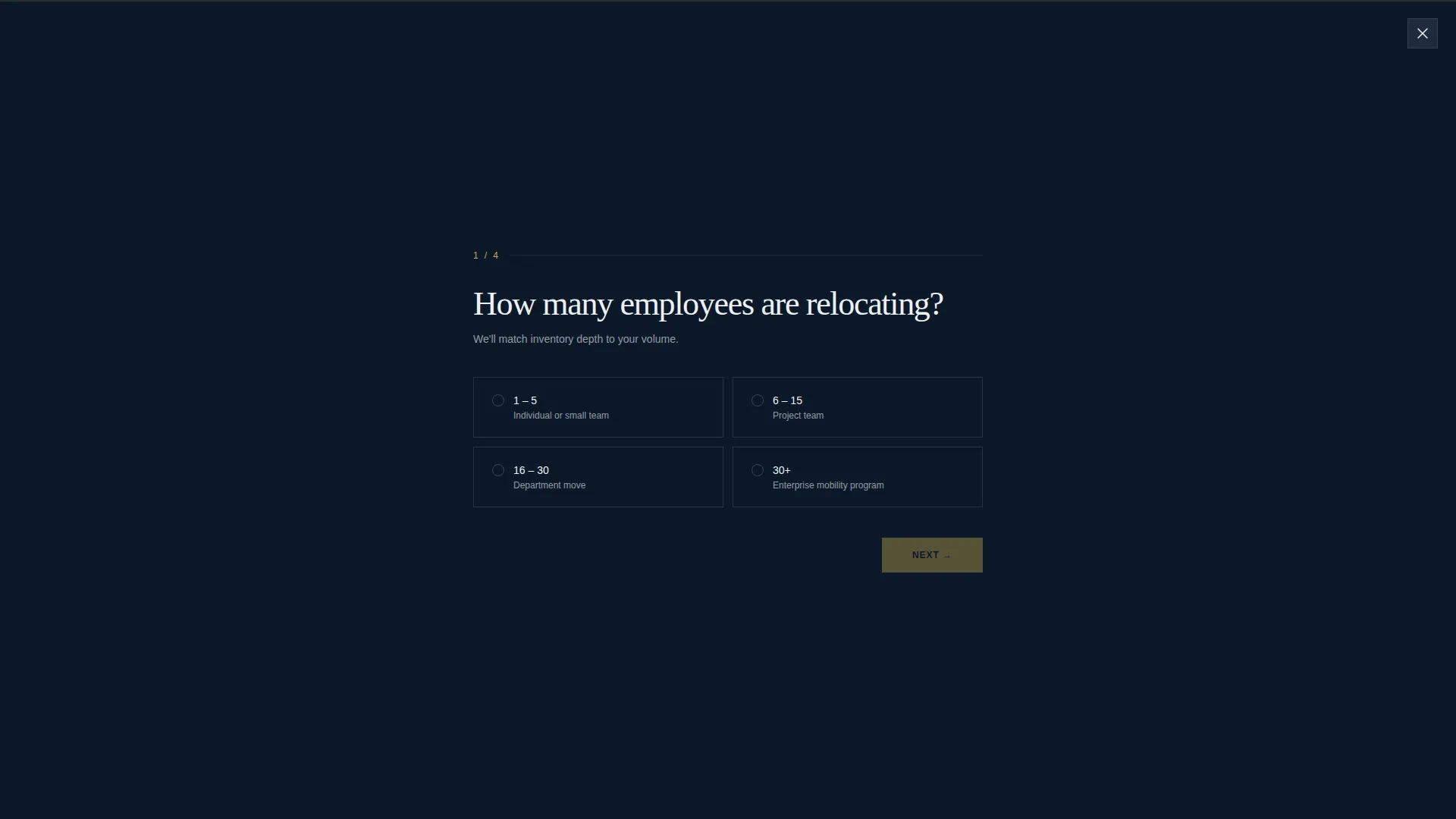
- A four-step full-screen quiz overlay that ends with a personalized recommendation sent to a work email address
Feature list
This template is built around interactive storytelling rather than static listing pages. Each feature below is grounded directly in the brief and serves a specific stage of the visitor's decision journey.
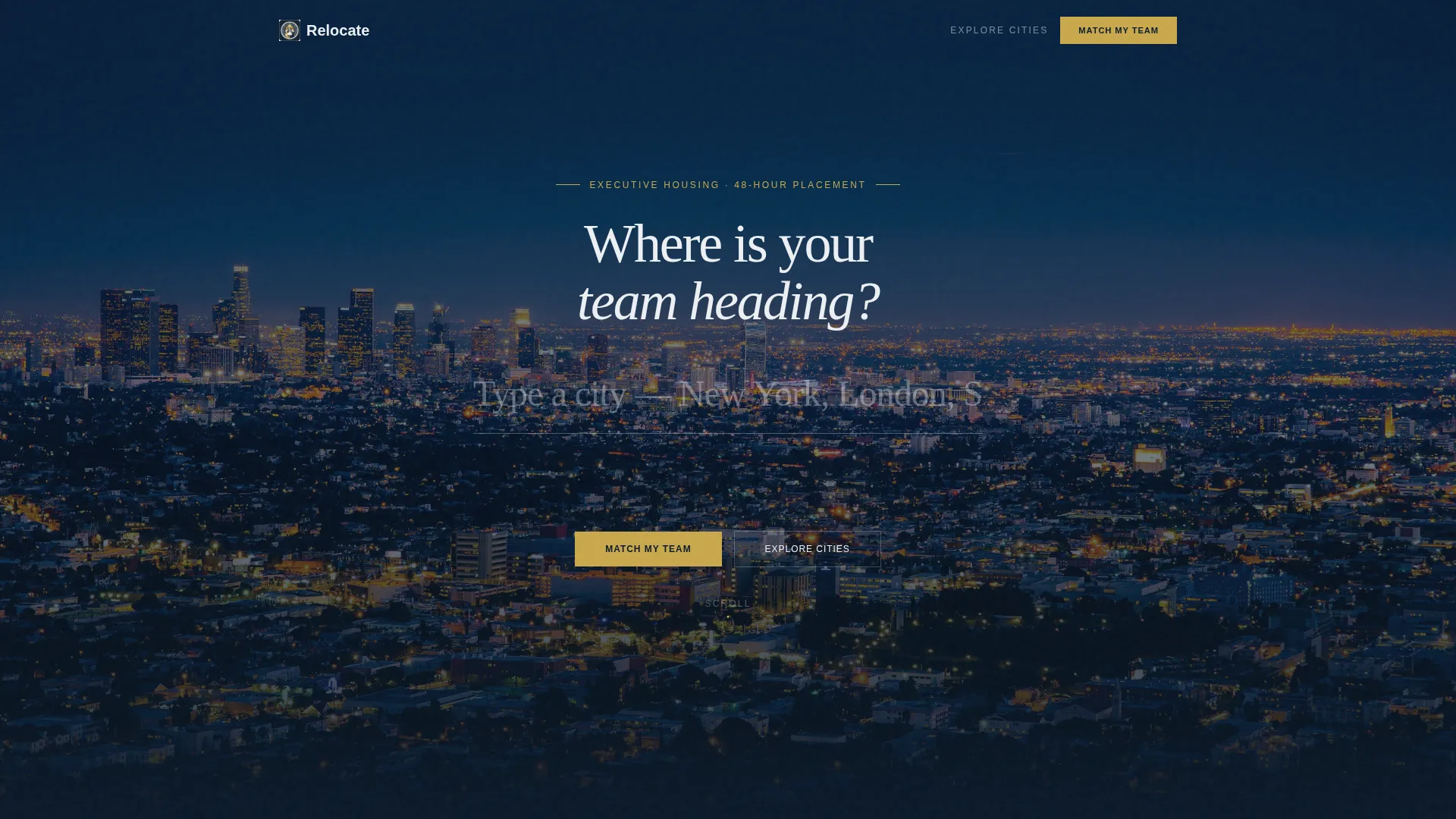
Cinematic City-Input Header
The viewport opens to a slowly panning aerial night skyline. A single centered input field asks "Where is your team heading?" As the visitor types, the background crossfades to the matching city's skyline. Available inventory counts fade in beneath the search field like a quiet confirmation.
Interactive Neighborhood Explorer
Below the header, a map surface presents neighborhoods as clickable zones. Each zone opens full-width apartment interior photo panels that slide horizontally. The experience layers in commute time overlays, walkability rings, and nearby office campus pins to help visitors think about placement intelligently.
Progressive Team-Matching Quiz
The primary call to action opens a four-step full-screen quiz overlay. It captures team size, assignment duration, priority ranking across commute, furnishing quality, and budget, plus move-in urgency. The final screen delivers a personalized recommendation with matched neighborhoods, estimated nightly rates, and availability windows sent to a work email.
Direct Mobility Desk Path
A secondary conversion path lets returning visitors skip the quiz entirely. A persistent "Talk to Our Mobility Desk" link connects directly to a calendar booking interface, keeping experienced buyers moving without friction.
Dark Immersive Visual System
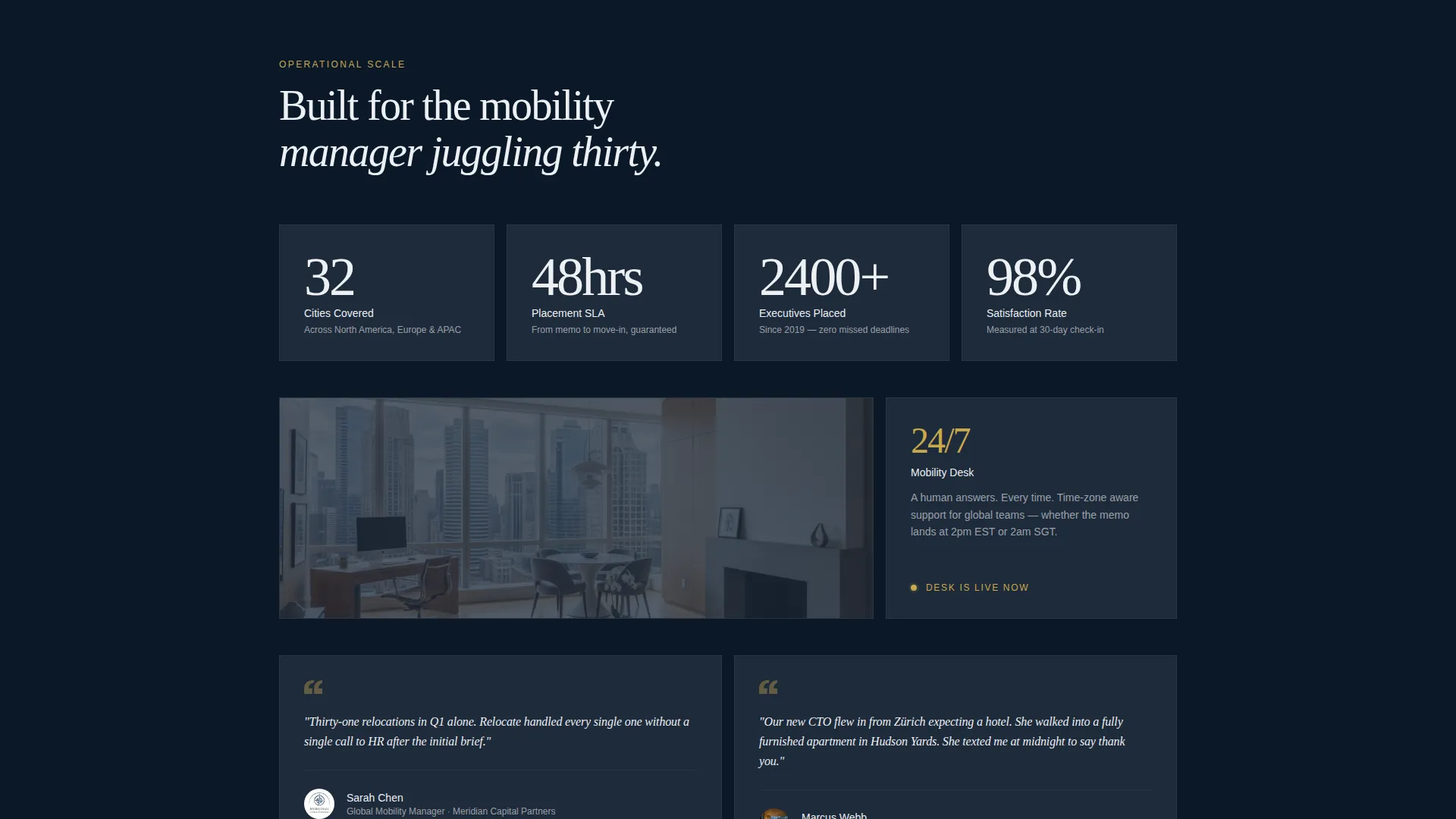
The Navy Authority color system uses deep command navy for full-bleed backgrounds, gunmetal corridor gray for card surfaces, crisp linen white for body text, and a single authoritative gold reserved for interactive elements and conversion moments. The palette communicates premium service without decoration.
Page sections overview
| Section | Purpose |
|---|---|
| Skyline Header Input | Draws the visitor in with a city search field and animated background crossfade |
| Inventory Count Reveal | Shows available units beneath the search field as quiet social proof |
| Neighborhood Map Explorer | Lets visitors click zones to browse apartment interiors and location intelligence |
| Commute and Walkability Overlays | Adds placement context through interactive commute rings and nearby campus pins |
| Match My Team Quiz | Captures team specifics across four steps and returns a personalized recommendation |
| Email Recommendation Delivery | Sends matched neighborhoods, nightly rates, and availability windows to a work inbox |
| Mobility Desk Booking Path | Gives returning visitors a direct calendar link without repeating the quiz flow |
Design & branding system
The visual identity follows a Dark Immersive theme built around the Navy Authority color system. Every color choice is deliberate and restrained, reinforcing the idea that details are handled before the client even thinks to ask.
- Deep command navy (#0B1929) covers full-bleed section backgrounds for an authoritative, immersive feel
- Gunmetal corridor gray (#1E2A3A) defines card surfaces and section dividers, adding depth without distraction
- Crisp linen white (#EDF0F4) handles all body text for legibility against dark backgrounds, while authoritative gold (#C9A84C) appears exclusively on interactive elements, active states, and conversion moments
Mobile & speed optimization
The template is designed so every interactive layer remains usable on smaller screens without losing the immersive feel that drives trust and engagement.
- The city-input header and quiz overlay are structured for full-screen mobile presentation, keeping the experience focused and distraction-free
- Horizontal photo panel sliding in the neighborhood explorer adapts to touch-swipe navigation on mobile devices
- Map zones, commute overlays, and walkability rings are built as layered interactive elements that stack cleanly on narrower viewports
How this template helps you convert
The page earns contact information by giving real value first. The quiz does not gate content; it produces something genuinely useful before asking for an email address.
- The neighborhood explorer builds trust through demonstrated expertise, so the visitor arrives at the quiz already believing the provider understands placement
- The four-step quiz personalizes the recommendation so the final email feels like advice from a housing specialist, not a generic lead capture
- The secondary "Talk to Our Mobility Desk" path ensures that high-intent returning visitors always have a frictionless route to a direct conversation
Other information about this template
This template suits corporate relocation housing businesses at any stage, from established providers expanding into new cities to newer operations building their first professional web presence.
- The landing page is designed as a single-page flow, making it straightforward to deploy without managing multiple pages or navigation structures
- The quiz overlay and recommendation delivery flow can be adapted to match the provider's actual inventory data and pricing tiers
- The full-bleed visual system and interactive explorer are well suited to showcasing high-quality furnished apartment photography to best effect
Theme
Atelier Studio
Creative direction
Gallery Walk
Color system
Midnight Blue
Style
Zigzag/Alternating
Direction
Quiz/Assessment
Page Sections
Cinematic City-input Header
Interactive Neighborhood Explorer
Progressive Team-matching Quiz
Direct Mobility Desk Booking Path
Navy Authority Visual System
Related questions
Who is the ideal business for this template?
Can the quiz be customized to match my actual inventory and pricing?
Does the template work for providers operating in multiple cities?
Is this a single page or a multi-page website?
How does the secondary conversion path work?



