Corporate Relocation Landing Page Template
Relocate is a split-screen corporate relocation landing page built for precision and lead generation. It features a live Cost-of-Living Calculator, stats-driven scroll sections, and a three-step progressive disclosure form. The Charcoal and Amber visual identity signals authority from the first pixel, targeting HR directors, global mobility managers, and C-suite executives who need a relocation partner they can trust instantly.
by Rocket studio
Quick summary
Relocate is a single-page corporate relocation landing page that leads with data, not lifestyle photography. The 50/50 split-screen layout pairs an interactive Cost-of-Living Calculator with animated comparison results. Every scroll section opens with an oversized proof statistic and closes with a conversion touchpoint, creating a focused journey from first visit to qualified lead.
Who this template is for
This template is built for relocation specialists who serve corporate clients at scale. It speaks directly to buyers who need hard evidence before they pick up the phone.
- HR directors at large companies managing multiple employee relocations per quarter
- Global mobility managers coordinating visa timelines and multi-region moves
- C-suite executives or their executive assistants planning high-touch personal relocations
What problem this template solves
Generic relocation websites lose corporate buyers within seconds. Decision-makers at this level want data, process, and proof, not stock photography of smiling families. This template replaces that trust gap with a structured, evidence-first experience.
- Visitors get instant, personalized cost insight from the built-in calculator before reading a single word of marketing copy
- The stats-first layout answers the "why trust you?" question with numbers and social proof at every scroll step
- Progressive disclosure keeps the lead form from feeling invasive, lowering friction for high-volume corporate inquiries
What you get with this template
You get a fully structured, single-page layout designed to qualify and convert corporate relocation leads. Every section has a defined role in moving a skeptical HR director toward a conversation.
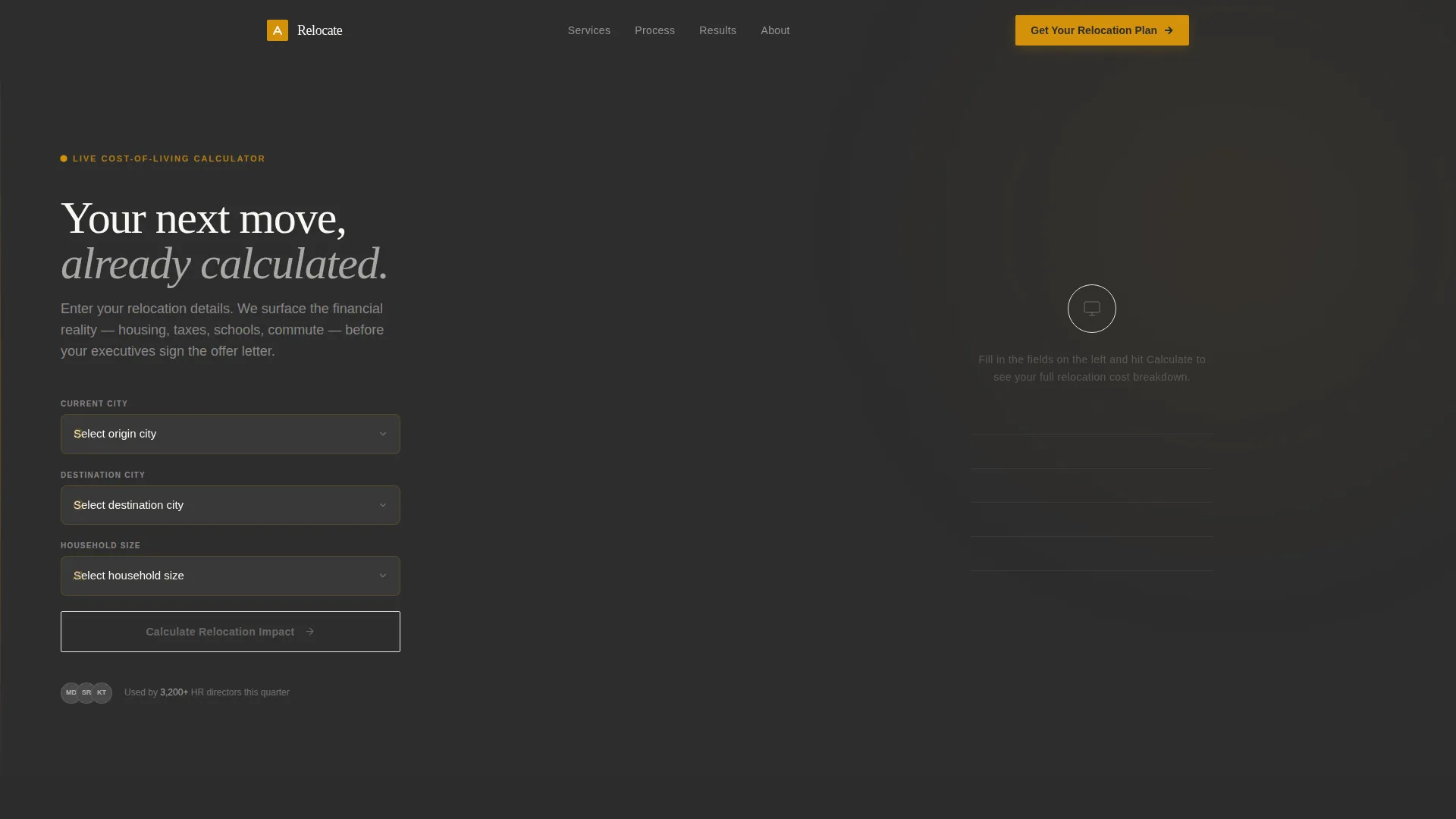
- A 50/50 split-screen header with a three-field Cost-of-Living Calculator and animated results panel
- Four or more stats-driven scroll sections, each pairing an amber oversized statistic with supporting proof content
- A three-step progressive disclosure lead form, plus a secondary email-gated downloadable audit offer
Feature list
This template is packed with purposeful components. Each one earns its place by serving the specific expectations of a corporate relocation buyer.
Live Cost-of-Living Calculator
The header splits the viewport in two. The left side holds three input fields for current city, destination city, and household size. When the visitor clicks "Calculate," the right panel populates with an animated line-by-line comparison covering housing differential, tax impact, school ratings, commute delta, and a total relocation cost estimate. Numbers tick upward like a stock terminal, each line item arriving with a subtle amber pulse.
Stats-First Scroll Sections
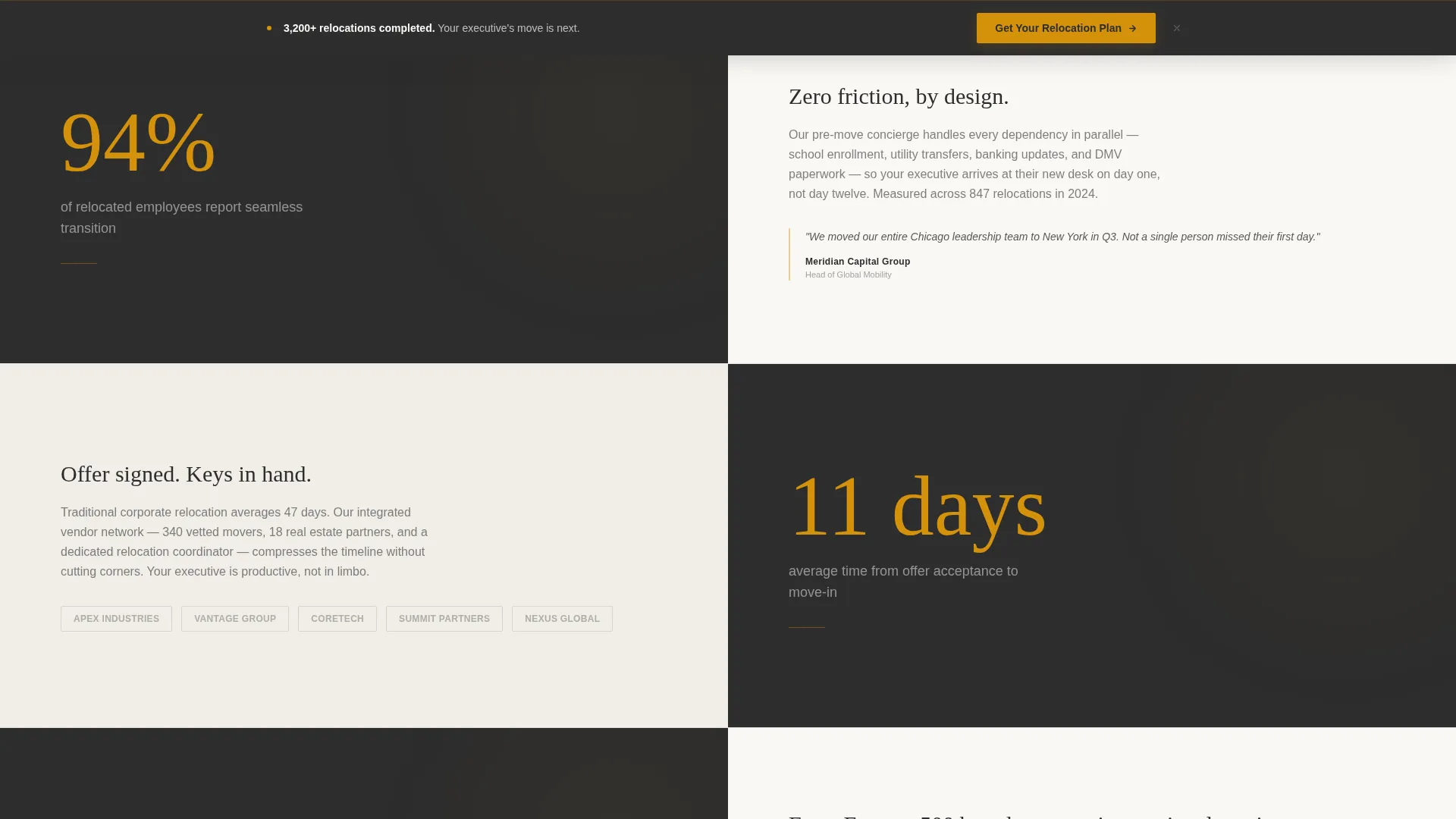
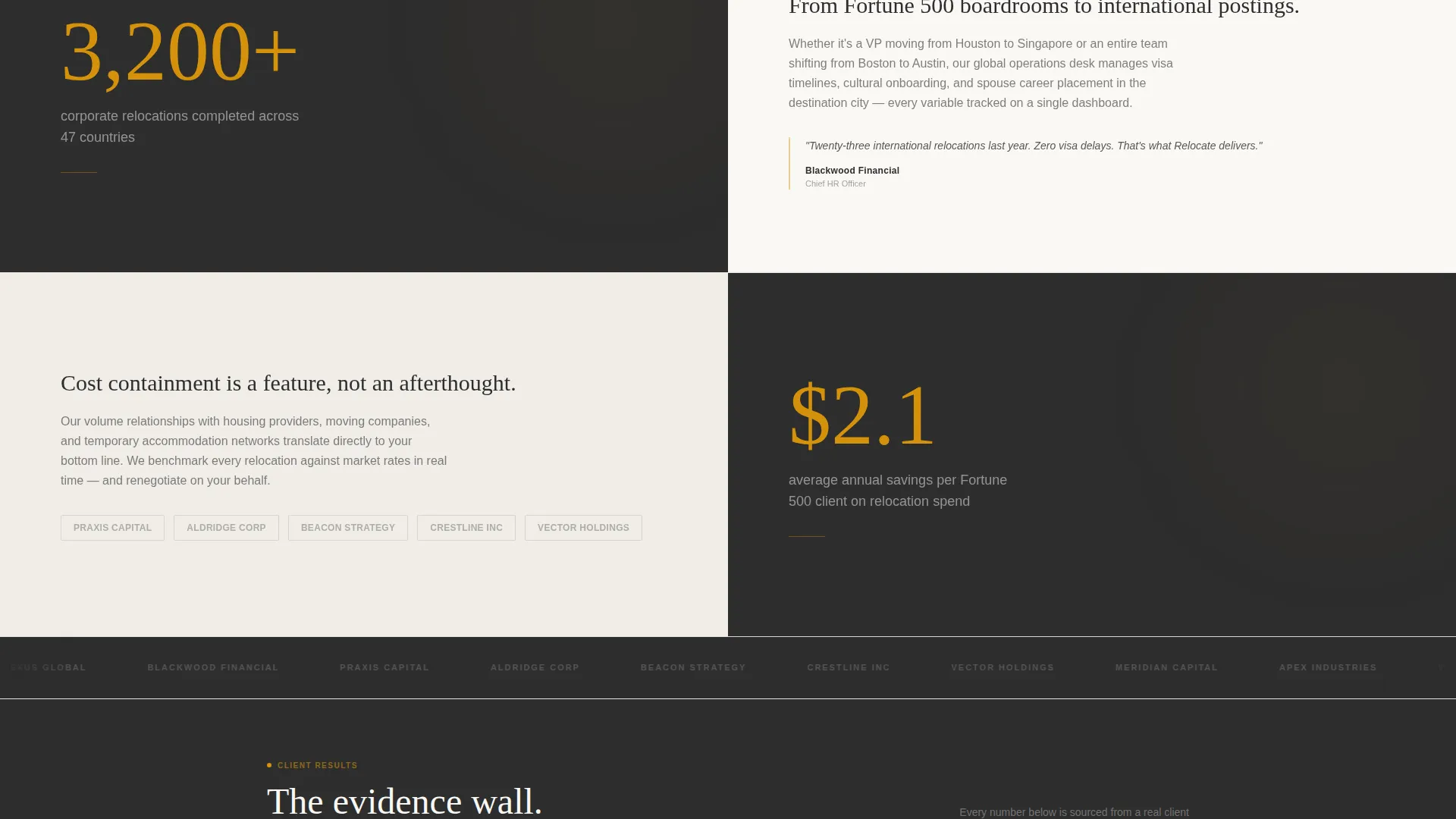
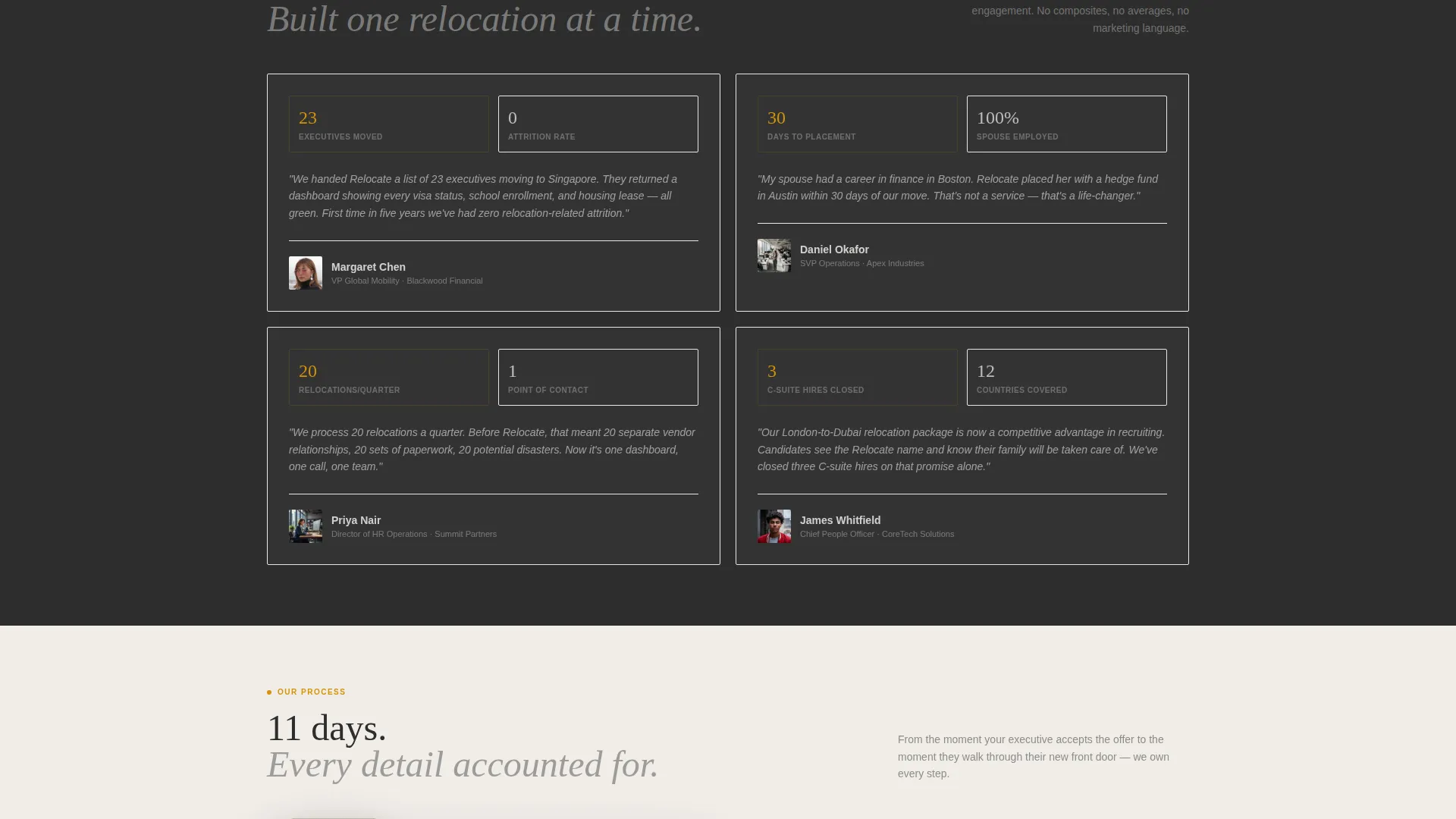
Each section below the header opens with a single oversized statistic rendered in amber against charcoal. Examples include "94% of relocated employees report seamless transition," "11 days average time from offer to move-in," and "3,200+ corporate relocations completed." The right panel then delivers the story: a short paragraph, a client logo row, or a micro-case study. The alternating rhythm builds a compelling evidence wall as the visitor scrolls.
Three-Step Progressive Disclosure Form
The primary lead form uses three screens to gather information without overwhelming the visitor. Screen one asks for company name and annual relocation volume. Screen two captures origin and destination regions. Screen three collects contact name, email address, and preferred callback window. This approach feels conversational rather than demanding.
Sticky Conversion Bar
After the third scroll section, a sticky bar appears at the bottom of the viewport. It carries the primary call to action, "Get Your Relocation Plan," in amber on charcoal. The bar stays visible as the visitor continues scrolling, keeping the conversion path accessible without interrupting content flow.
Secondary Gated Audit Download
A second conversion path offers a downloadable "Corporate Relocation Readiness Audit" gated behind a single email field. This catches mobility managers who are still building an internal business case and not yet ready to speak with a sales contact.
Corporate Precision Visual System
The Charcoal and Amber color system is applied with clear rules. Charcoal dominates backgrounds and body typography. Amber marks every clickable surface and data highlight. Brushed graphite separates content blocks. Pressed-linen white holds body text so it never strains the eye. The result is a layout that reads like a financial report and converts like a sales page.
Page sections overview
| Section | Purpose |
|---|---|
| Calculator Header | Capture attention with instant, personalized cost data |
| Stat Block One | Lead with "94%" employee satisfaction proof point |
| Proof Panel One | Support the stat with a short paragraph and logo row |
| Stat Block Two | Deliver "11 days" speed-of-service credibility |
| Proof Panel Two | Unpack the timeline with a micro-case study |
| Stat Block Three | Present "3,200+" completed relocations as scale proof |
| Proof Panel Three | Reinforce with client logos or supporting copy |
| Progressive Form | Qualify leads across three low-friction screens |
| Audit Download | Capture early-stage leads with a gated resource |
| Sticky call to action Bar | Maintain conversion access after third scroll section |
Design & branding system
The Corporate Precision theme is built around a palette that signals authority without being cold. Every color has an assigned function, so the layout never feels arbitrary.
- Executive charcoal (#2D2D2D) dominates backgrounds and headings; brushed graphite (#4A4A4A) separates content zones; warm amber (#D4920B) marks every interactive element and key statistic; pressed-linen white (#FAF8F5) holds body copy for comfortable reading
- The split-screen grid enforces visual discipline, with the left side consistently holding data inputs or statistics and the right side consistently holding results or proof content
- No stock photography is used; the visual language relies entirely on typography, color contrast, and data presentation to establish credibility
Mobile & speed optimization
The 50/50 split-screen layout is designed to reflow cleanly on smaller viewports. The calculator, stat blocks, and form each stack into single-column views without losing their structural logic.
- The sticky call to action bar remains functional on mobile, adapting its position to the bottom of the screen for thumb-friendly access
- The progressive disclosure form reduces the cognitive load on smaller screens by presenting one question group at a time rather than a long scrolling form
- Stat-first sections compress to full-width blocks on mobile, preserving the amber-on-charcoal contrast that makes each number land with impact
How this template helps you convert
This template is built around two conversion paths: a direct lead capture and a softer content download. Both paths are supported by the layout at every stage.
- The Cost-of-Living Calculator creates immediate personal relevance for the visitor. By the time they see the "Get Your Relocation Plan" call to action inside the results panel, they have already invested attention and received value, making the next step feel natural.
- The stats-first scroll rhythm builds compounding trust. Each oversized statistic followed by a proof panel adds another layer of evidence. By the time a visitor reaches the lead form, the page has already answered most of their objections through data rather than persuasion copy.
Other information about this template
This template is a strong fit for relocation specialists who operate in the corporate and executive segment. It is designed to replace a standard brochure-style page with an interactive, data-led experience that matches the expectations of sophisticated B2B buyers.
- The template is suited for use on Framer, where the animated calculator results and progressive disclosure form behavior can be built using native interactions and component states
- The layout structure supports white-labeling for relocation consultancies who manage branded portals for specific corporate clients
- The downloadable audit asset acts as a pipeline tool, allowing the sales team to identify leads who are in the research phase before they are ready for a direct conversation
Theme
Dark Immersive
Creative direction
Gallery Walk
Color system
Charcoal & Amber
Style
Asymmetric Grid (60/40)
Direction
Direct Sales
Page Sections
Live Cost-of-living Calculator
Stats-first Scroll Sections
Three-step Progressive Form
Sticky Call to Action Conversion Bar
Gated Audit Download Path
Corporate Precision Color System
Related questions
Can I customize the calculator fields and result line items?
Does the template work for both domestic and international relocation services?
How does the progressive disclosure form reduce drop-off?
Is the secondary audit download section included in the template?
Who is this landing page designed to impress?



