Expat Pet Insurance Landing Page Template
Relocate is a single-column landing page template built for international expat pet insurance providers. It uses a FAQ-driven scroll structure to address relocation anxiety in real time, guiding visitors from fear to confidence. The design combines deep aubergine, lilac, and electric orchid in a quiet-luxury visual system, with two lead capture paths built into the page flow.
by Rocket studio
Quick summary
Relocate is a lead generation landing page template for international expat pet insurance. It follows a single-column, FAQ-driven scroll that mirrors how expat families actually research coverage before a move. Each section surfaces a real fear and resolves it with a visual answer, building trust before asking for anything in return.
Who this template is for
This template is designed for pet insurance companies and InsurTech brands that serve international audiences. It is the right fit if your product covers pets across borders and your buyers are stressed, mid-relocation, and researching late at night.
- Expat families aged 30 to 50 relocating internationally with dogs or cats
- Digital nomads traveling with emotional support animals (ESAs)
- Corporate relocation providers whose packages need pet coverage add-ons
What problem this template solves
Expat pet insurance is a niche product with a highly anxious buyer. Standard insurance landing pages do not address the specific fears this audience carries: lapsed coverage during transit, rejected vet claims abroad, and quarantine complications. Relocate is built to answer those fears directly.
- Buyers abandon generic insurance pages because nothing speaks to cross-border scenarios
- Visitors need reassurance before they will share their email or request a quote
- Most insurance templates lead with pricing, not trust, which fails a high-anxiety audience
What you get with this template
You get a complete, single-column landing page layout with five defined content sections and a two-path lead capture system. Every section is structured around a specific conversion moment, from first impression to form submission.
- A hero section with stacked display type and an animated dotted flight path
- Three FAQ-anchored content sections with visual reveals and a claims walkthrough
- A social proof section, sticky call-to-action bar, and a secondary checklist download path
Feature list
This template includes the following built-in design and interaction features as described in the source brief.
Stacked Type Tower Hero
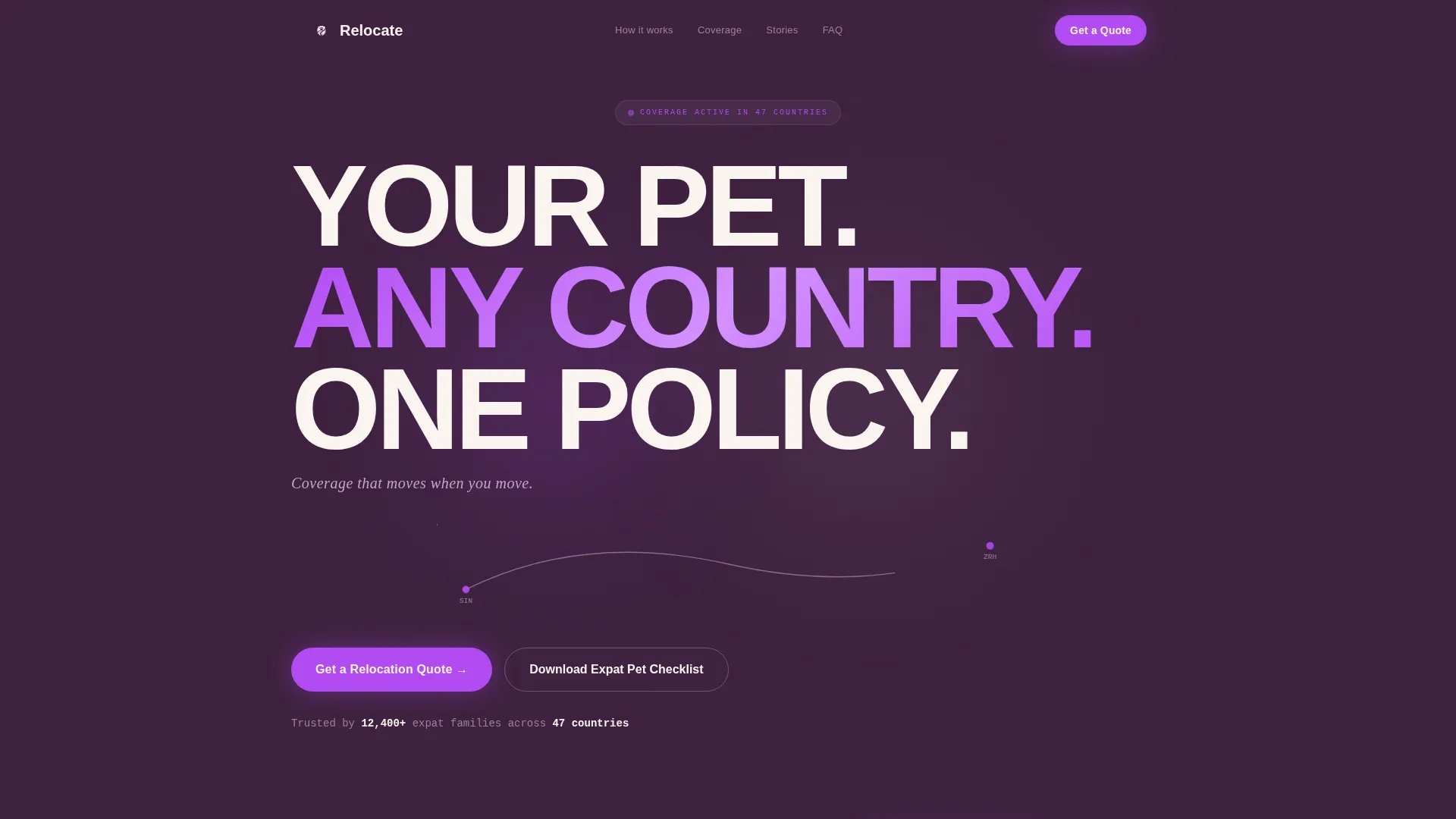
The hero opens with enormous display text stacked vertically in warm ivory against deep aubergine. The three-line stack reads "YOUR PET. / ANY COUNTRY. / ONE POLICY." and is sized to create architectural tension on screen. A single animated dotted line arcs beneath the type as a flight path graphic, giving the section its only motion. A lilac subline below the tower reads "Coverage that moves when you move."
FAQ-Driven Scroll Structure
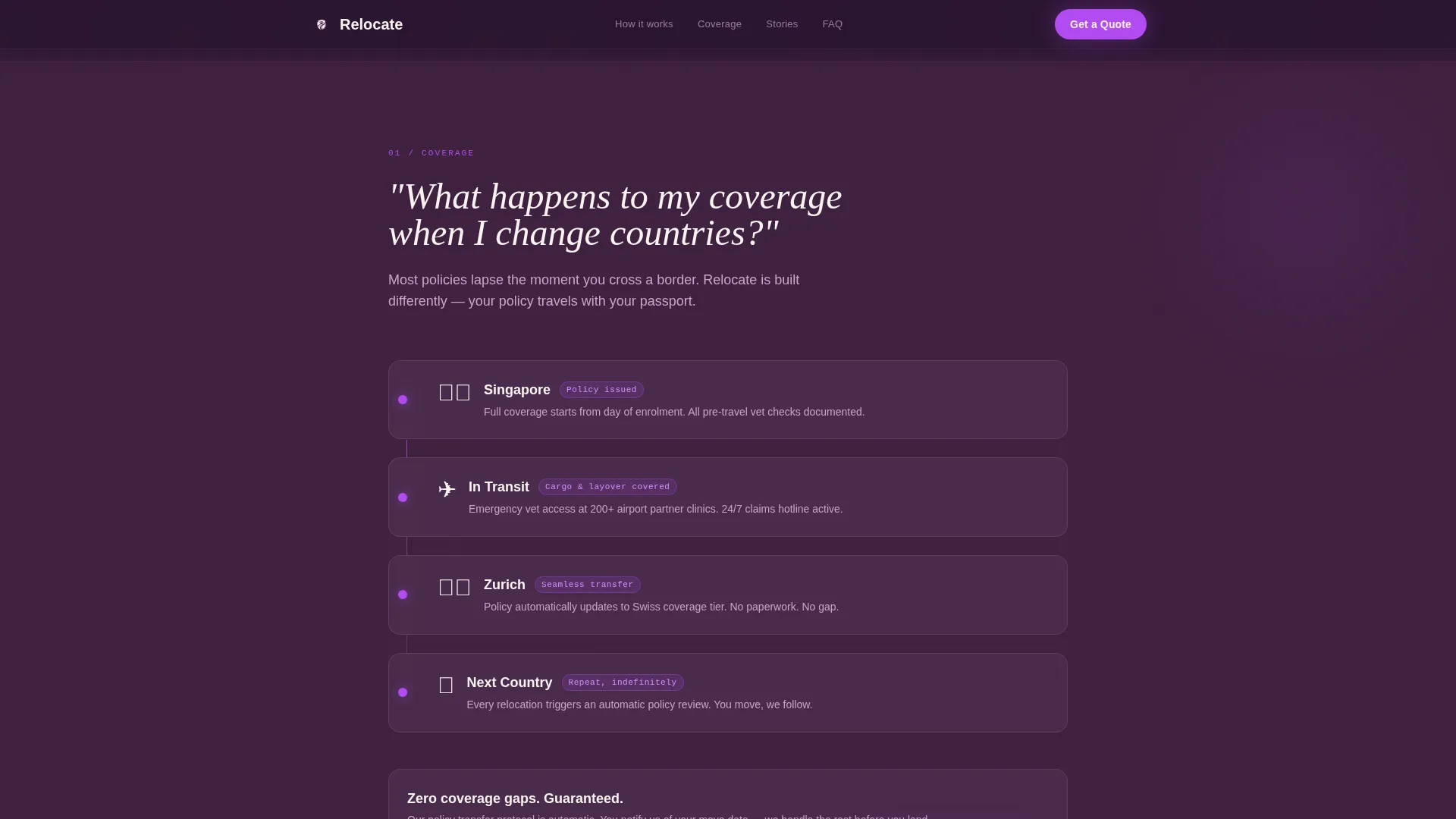
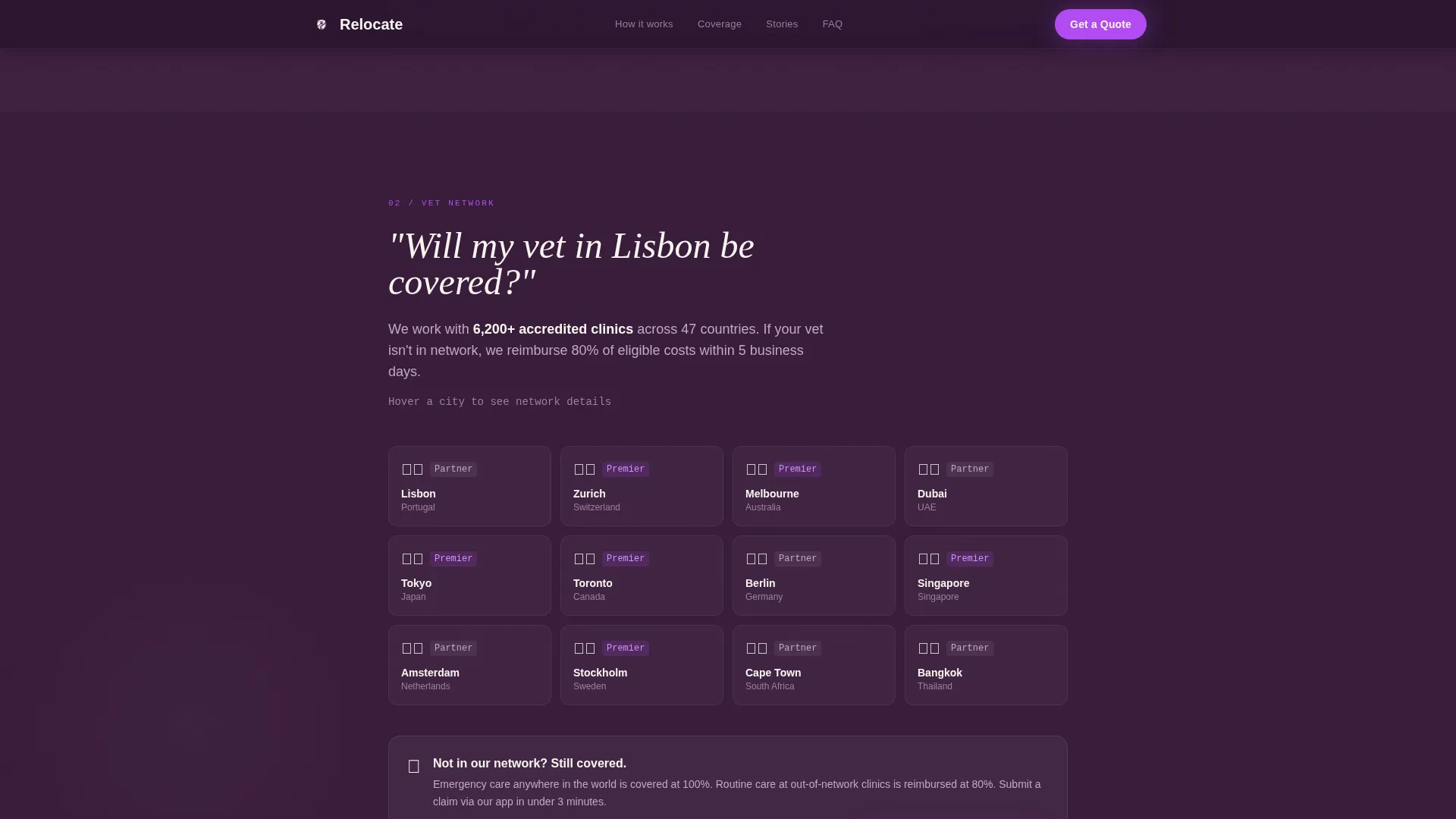
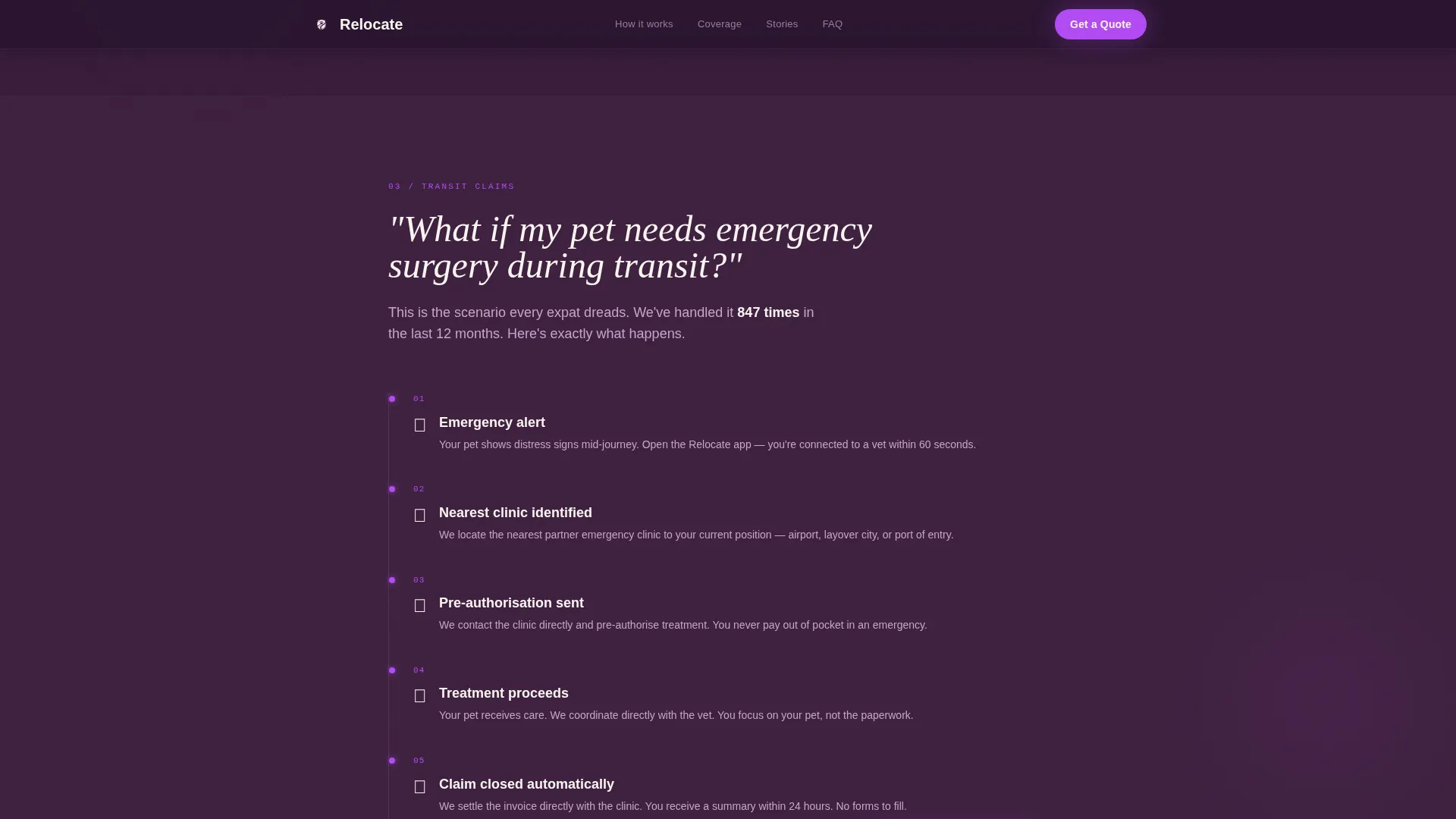
Each scroll section is anchored by a question expat families actually search before a move. The three questions escalate in urgency: policy transfer across countries, vet network coverage in a destination city, and emergency surgery during transit. Each question unfolds into a visual answer, moving the visitor from anxiety to relief in a repeating rhythm.
Dual Lead Capture System
The primary call to action is "Get a Relocation Quote" in electric orchid, appearing first below the hero and again as a sticky bottom bar after the third FAQ section. A secondary path, "Download the Expat Pet Checklist," captures earlier-stage visitors who need the resource before committing to a quote. The form asks for destination country first, then current country, pet type and breed, and finally an email.
Sticky Call-to-Action Bar
After the visitor passes the third FAQ section, a sticky bar anchors to the bottom of the screen with the primary quote call to action. It keeps the conversion path available without interrupting the reading experience.
Social Proof Section
The template includes a dedicated social proof section featuring expat family testimonials with specific relocation routes (such as Singapore to Zurich), trust metrics showing countries covered and claims paid, and space for expat community logo placements.
Scroll-Triggered Interaction System
The layout is built to support scroll-triggered FAQ reveals, staggered text reveals, and GSAP parallax blobs as described in the brief. Hover states are included on FAQ cards to reinforce interactivity throughout the scroll.
Page sections overview
| Section | Purpose |
|---|---|
| Hero Tower | Introduce brand with architectural type and flight path animation |
| FAQ Section One | Answer coverage transfer question with a policy timeline visual |
| FAQ Section Two | Resolve vet network concern with an interactive global clinic map |
| FAQ Section Three | Address transit emergency fears with a step-by-step claims walkthrough |
| Social Proof | Build trust with expat testimonials, routes, and trust metrics |
| Footer | Linear single-row footer with essential links and secondary navigation |
Design & branding system
The visual identity follows a Startup Velocity theme using a Plum Executive color system. The palette is built to feel like a first-class lounge at midnight: composed, expensive, and quietly authoritative without being loud.
- Colors: deep aubergine (#3D1F3E) as the primary background, muted lilac (#C3A6C9) for secondary surfaces, warm ivory (#FAF5F0) for text and spacing, and electric orchid (#B24BF3) for calls to action and interactive highlights
- Typography: Plus Jakarta Sans for body and interface text, paired with Fraunces as a display serif for FAQ question headlines
Mobile & speed optimization
The template is built desktop-first, reflecting how expat families typically research international coverage. However, mobile is treated as a full experience because many buyers also browse on phones in airports and during layovers.
- Server Components handle all static sections to keep load fast; Client Components are scoped to animations and interactive elements
- The sticky call-to-action bar and country-first form flow are designed to work clearly on both desktop and mobile viewports
How this template helps you convert
This template is structured around the insight that expat buyers need answers before they will give you their email. Every section earns the next click by resolving a real concern first.
- The hero sets an immediate emotional tone, making the visitor feel understood before they read a single word of body copy.
- The FAQ scroll mirrors the buyer's own research process, which reduces friction and keeps visitors engaged through to the form.
- The dual call-to-action system captures both ready-to-quote visitors and earlier-stage leads, widening the total conversion funnel.
Other information about this template
This template is built specifically for the international expat pet insurance niche within the broader Finance and Insurance category. It is a good fit for any InsurTech or specialty insurance brand targeting internationally mobile pet owners.
- Template style: Single Column Flow under the Startup Velocity theme
- Creative direction: FAQ-Driven with Lead Generation as the primary page objective
- Localization defaults to English with USD and global currency support; policy period dates use MM/YYYY format
- The header concept is a Stacked Type Tower with a dotted SVG flight path animation
- Animation level is high: scroll-triggered FAQ reveals, GSAP parallax blobs, and staggered text reveals are all included in the build spec
Theme
Startup Velocity
Creative direction
FAQ-Driven
Color system
Plum Executive
Style
Single Column Flow
Direction
Lead Generation
Page Sections
Stacked Type Tower Hero
Faq-driven Scroll Structure
Dual Lead Capture System
Sticky Call-to-action Bar
Social Proof Section
Scroll-triggered Interaction System
Related questions
Can I customize the FAQ questions for my own brand's coverage terms?
Does the form support a country-first field order out of the box?
Is this template suitable for a brand that covers only a few regions, not globally?
What is the secondary lead capture path used for?
Does the social proof section come included in the template?



