Appliance Repair Landing Page Template for Local Services
Repara is a single-page landing page template built for Mexico City appliance repair services. It opens with animated data counters, alternates data panels with proof blocks in a zigzag layout, and drives leads through a frictionless three-field diagnostic form. The Monochrome Steel palette and Executive Suite theme project disciplined, industrial confidence from the first scroll.
by Rocket studio
Quick summary
Repara is a lead-generation landing page for a professional appliance repair service operating across Mexico City. It leads with hard performance numbers, alternates between data panels and credibility proof blocks in a zigzag layout, and converts visitors through a streamlined free-diagnostic booking form. Every design choice supports one goal: earning trust before asking for it.
Who this template is for
This template is built for appliance repair businesses that serve urban property managers, busy households, and commercial operators. It works best when the service covers a wide metro area and has real performance data to show.
- Property managers handling multiple residential units with recurring appliance failures
- Dual-income families who need fast, reliable same-day or next-day repair scheduling
- Restaurant owners and small business operators who cannot afford extended equipment downtime
What problem this template solves
Most appliance repair pages look interchangeable. They offer a phone number, a vague promise, and a stock photo. Repara solves the credibility gap that keeps potential clients from booking.
- Visitors arrive skeptical and leave without contacting a service they actually need
- Generic pages give no evidence of speed, skill, or local coverage before asking for contact details
- High friction forms with too many required fields kill conversions before they start
What you get with this template
You get a fully structured, single-page layout that builds trust through data and converts through simplicity. Every section is designed to answer a specific doubt before the visitor forms it.
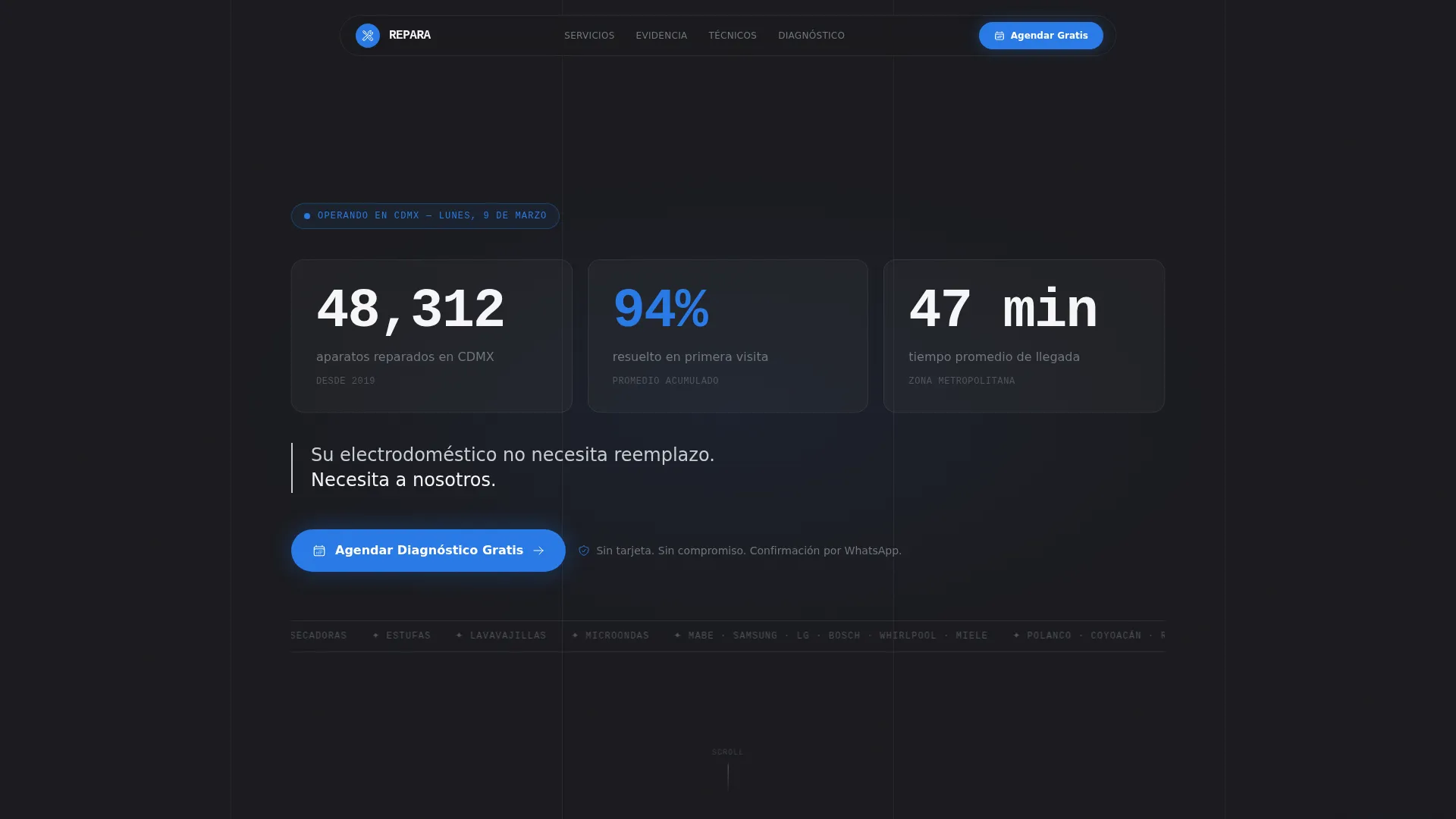
- An animated counter header displaying repair volume, first-visit resolution rate, and average arrival time
- A zigzag alternating layout that pairs data panels with photographic and review-based proof blocks
- A three-field booking form for appliance type, brand, and colonia or postal code, with no upfront phone number required
Feature list
This template is built around a specific strategy: show proof first, ask for commitment second. Each feature below serves that sequence directly.
Animated Stats Header
The viewport opens on three large, animated counters set in monospaced type against forge-black. Each number clicks into place like a mechanical departure board. The counters display total units repaired, first-visit success rate, and average technician arrival time in minutes.
Zigzag Data and Proof Layout
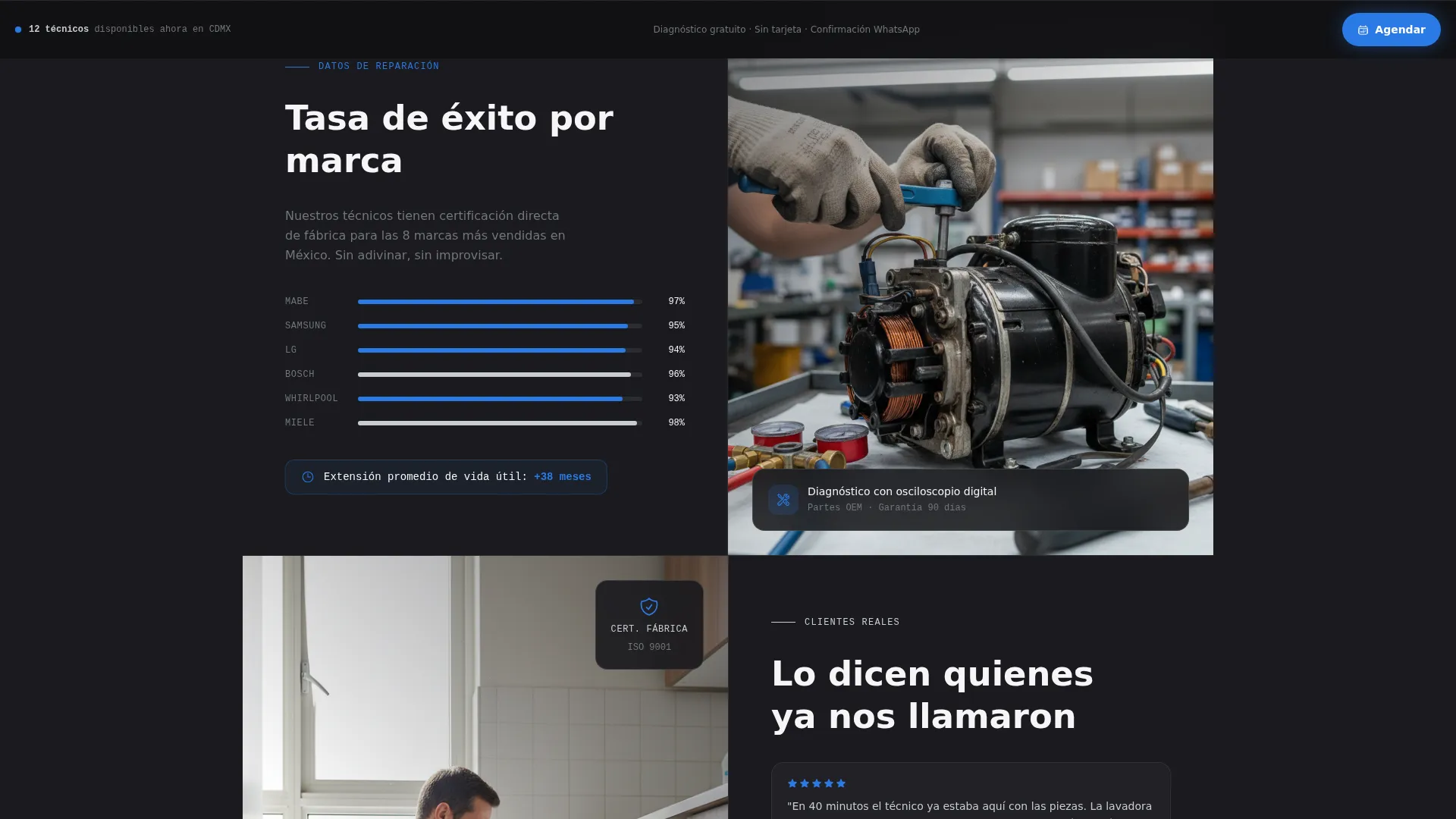
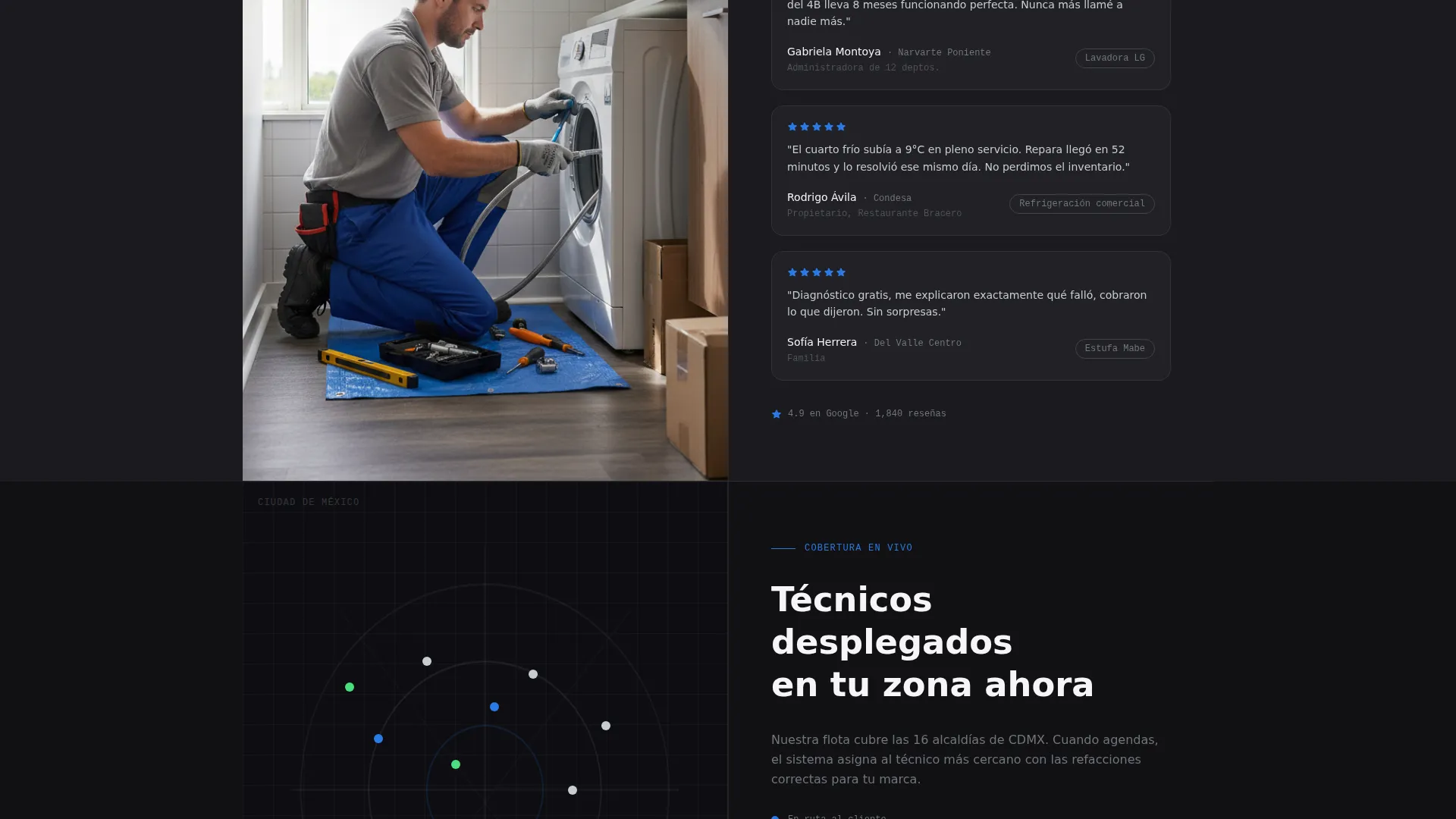
Alternating sections place a data panel on one side and a corresponding proof block on the other. Data panels show repair success rates by appliance brand, average lifespan extension figures, and a live technician map with pulsing markers across the city. Proof blocks show close-up repair photography, five-star client reviews with named colonias, and factory certification badges.
Live Technician Map
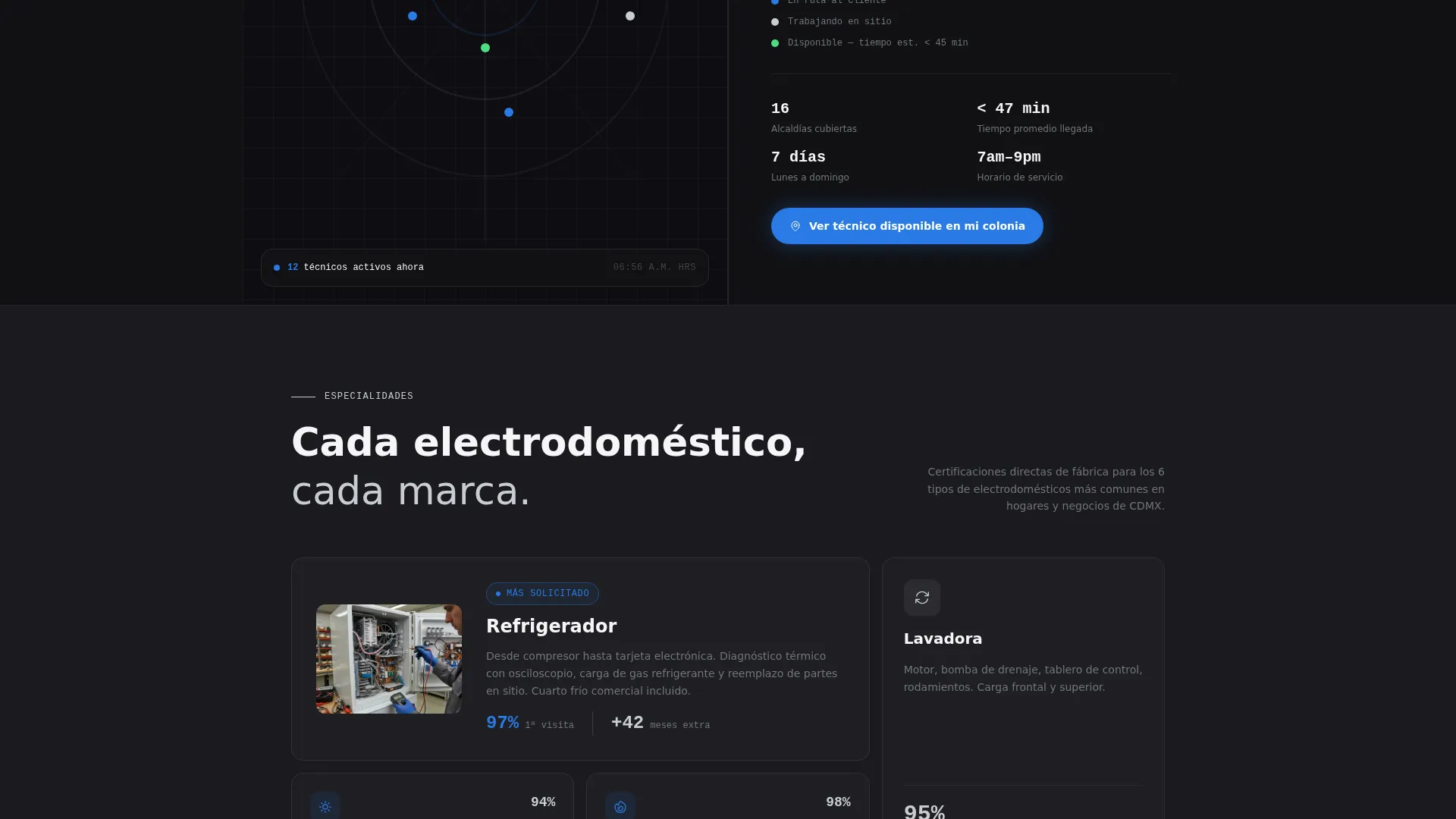
A real-time style map displays today's active technicians as pulsing blue dots across the metropolitan area. This single element converts geographic skepticism into visible coverage confidence without a word of body copy.
Frictionless Booking Form
The diagnostic form uses exactly three fields presented in sequence: appliance category from a dropdown, brand if known, and colonia or postal code. No phone number is required at this stage. The form removes the friction that causes high drop-off rates on service pages.
Sticky Call-to-Action Bar
After the second zigzag section, a signal-blue sticky bar appears at the bottom of the viewport. It carries the primary call-to-action throughout the remainder of the scroll, keeping the booking prompt visible without interrupting the proof-building content above.
Escalating Credibility Sequence
Each zigzag pair is ordered to escalate trust. The sequence moves from aggregate volume statistics to brand-specific expertise panels to named-client testimonials. By the time a visitor reaches the form, doubt has been addressed at every level.
Page sections overview
| Section | Purpose |
|---|---|
| Animated Stats Header | Opens with three live counters to establish performance credibility instantly |
| Primary call to action Block | Places the free diagnostic call-to-action directly below the header counters |
| Zigzag Pair One | Pairs a repair-rate data panel with a close-up proof photograph |
| Zigzag Pair Two | Pairs brand-specific expertise data with factory certification badges |
| Zigzag Pair Three | Pairs the live technician map with named-client five-star reviews |
| Sticky call to action Bar | Appears after section two and anchors the booking prompt throughout the rest of the page |
| Booking Form Section | Collects appliance type, brand, and location in three sequential fields |
Design & branding system
The template uses a Monochrome Steel color system built on four tones and one functional accent. The result feels restrained and industrial, the kind of visual confidence that belongs in a professional service context.
- Forge-black (#1A1A1E) as the primary background, brushed stainless (#71767C) for supporting text, polished chrome (#C8CDD3) for headlines and secondary labels, and clinical white (#F5F5F7) for open breathing space
- Signal-blue (#2A7AE4) used exclusively for calls-to-action and live data point highlights, never decorative
- Oversized monospaced numerals in the header and data panels to reinforce precision and mechanical authority
Mobile & speed optimization
The zigzag layout and animated counter header are structured to remain functional and readable on smaller screens. The single-column reflow preserves the escalating credibility sequence on mobile without losing the data-to-proof pairing logic.
- Sticky call-to-action bar stays accessible during mobile scroll without overlapping body content
- Three-field form is thumb-friendly and built for fast tap-through on smartphone screens
- Forge-black backgrounds reduce visual noise on mobile and keep contrast high for legibility
How this template helps you convert
Every layout decision in this template is a conversion decision. The page does not ask for trust; it earns it one section at a time.
- The animated counter header answers the three biggest buyer questions upfront: how many jobs completed, how often it works on the first visit, and how fast a technician arrives. By the time a visitor reads the tagline, skepticism is already lower.
- The free diagnostic call-to-action appears twice: once beneath the header and again as a persistent sticky bar. This dual placement captures visitors who are ready early and those who need the full proof sequence before they act.
- The three-field form removes the friction of a phone number request. Visitors book a diagnostic appointment using only appliance type, brand, and location. The lower commitment threshold increases the likelihood that a hesitant visitor completes the form.
Other information about this template
This template is designed specifically for the Mexico City metropolitan service area, with section copy and structural references built around local colonias and the professional service norms of that market.
- The template style is Zigzag/Alternating with an Executive Suite theme, suited for professional service operators who want a premium, organized visual presence
- The header concept follows a Data Storytelling direction, replacing hero imagery with performance numbers as the first thing a visitor sees
- The landing page is structured for lead generation, with the free diagnostic form as the primary conversion point and the WhatsApp confirmation workflow described as the post-submission touchpoint
Theme
Executive Suite
Creative direction
Stats-First Impact
Color system
Monochrome Steel
Style
Zigzag/Alternating
Direction
Lead Generation
Page Sections
Animated Performance Counter Header
Zigzag Data and Proof Sections
Live Technician Coverage Map
Three-field Frictionless Booking Form
Dual Call-to-action Placement
Escalating Credibility Sequence
Related questions
What kind of appliance repair service is this template designed for?
Can I replace the counter numbers with my own service statistics?
Does the booking form require visitors to enter a phone number?
Is this template suitable for a single-appliance repair specialist?
What makes the zigzag layout effective for a professional service page?



