Handyman Service Comparison Table Landing Page
Reparo is a handyman service landing page template built for São Paulo-based home repair teams. It uses a FAQ-driven comparison table layout to answer real buyer objections, a lead-capture form focused on speed, and a credibility header with press mentions and verified stats. The result is a confident, conversion-ready page that turns skeptical visitors into booked clients.
by Rocket studio
Quick summary
Reparo is a single-page handyman service template designed for local repair teams in São Paulo. It opens with press credibility, flows through objection-busting comparison tables, and closes with a three-field lead form. Every section speaks directly to the hesitations of apartment renters, building managers, and office owners who need reliable help fast.
Who this template is for
This template suits any professional handyman team or home repair service operating in an urban market. It is especially well-matched for operators who handle multiple service types in one visit and compete against informal, unverified contractors.
- Handyman teams serving residential buildings and condominiums with monthly maintenance needs
- Repair services targeting apartment renters who cannot wait on a landlord or building manager
- Office maintenance providers who work early-morning hours before business staff arrive
What problem this template solves
Most handyman service pages lose potential clients before the first scroll. They lack social proof, skip price transparency, and never address the real fear: hiring someone unreliable who does not show up. This template solves that by structuring the entire page around the questions a cautious visitor is already asking.
- Visitors compare your service against informal local contractors before they even call
- Price anxiety stops people from submitting a lead form without any reference point
- No clear single call to action means interested visitors leave without booking
What you get with this template
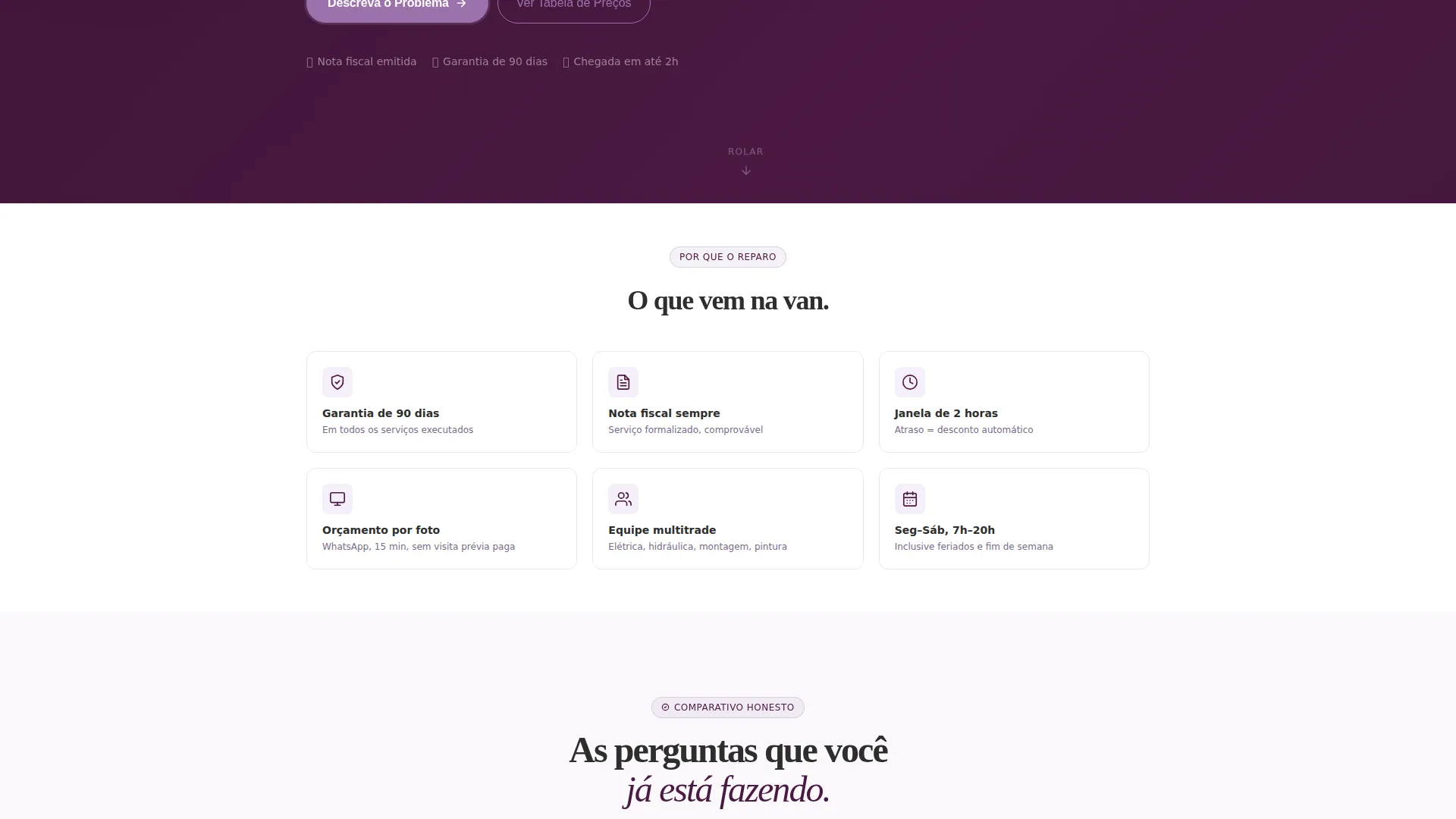
You get a fully structured single-page layout built for lead generation. Every section is purpose-built to move a skeptical visitor forward. The template includes a press-mention header, comparison tables, a FAQ-driven scroll flow, and a compact conversion form.
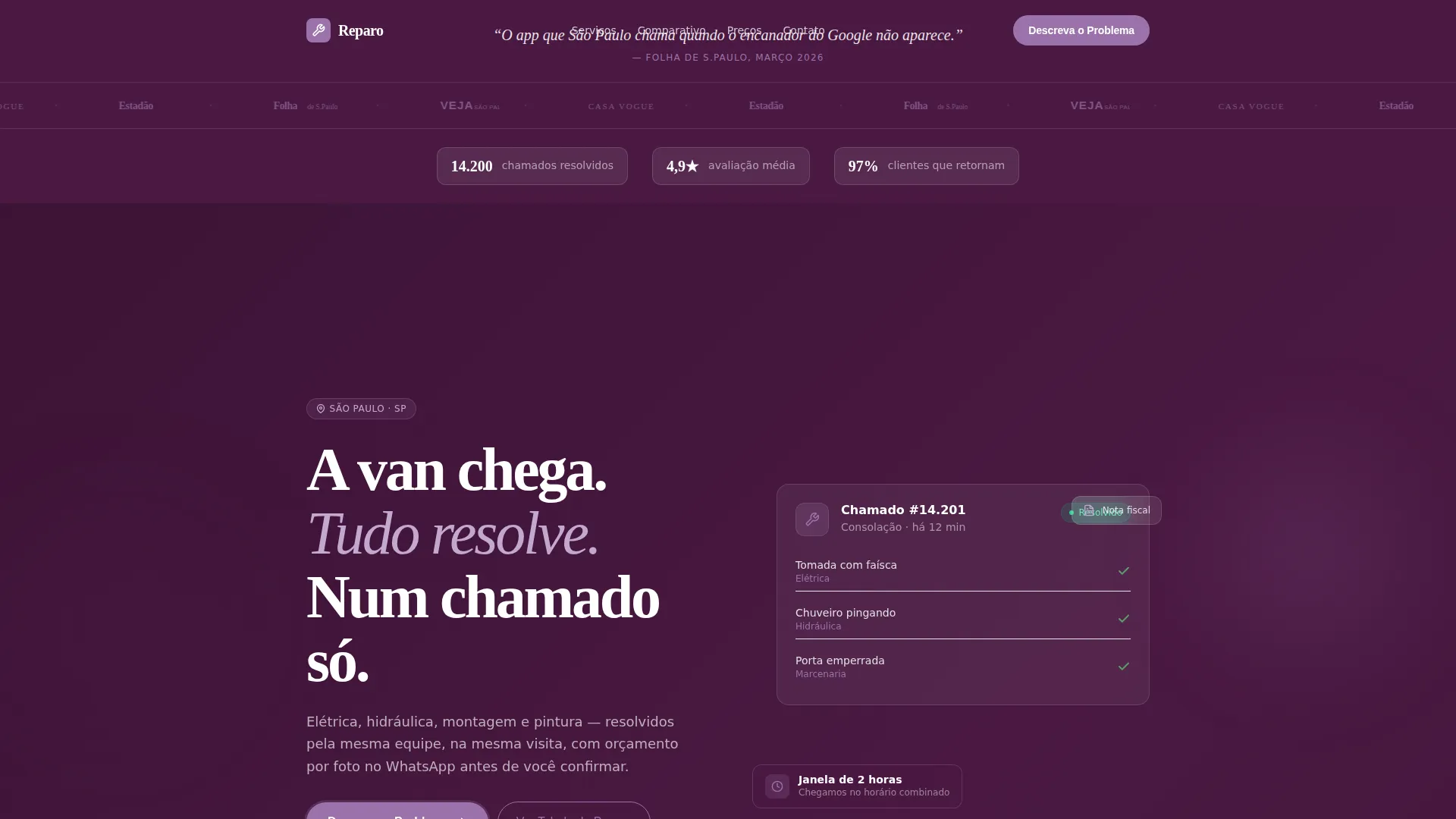
- A press mentions banner with publication logos and a featured pull quote
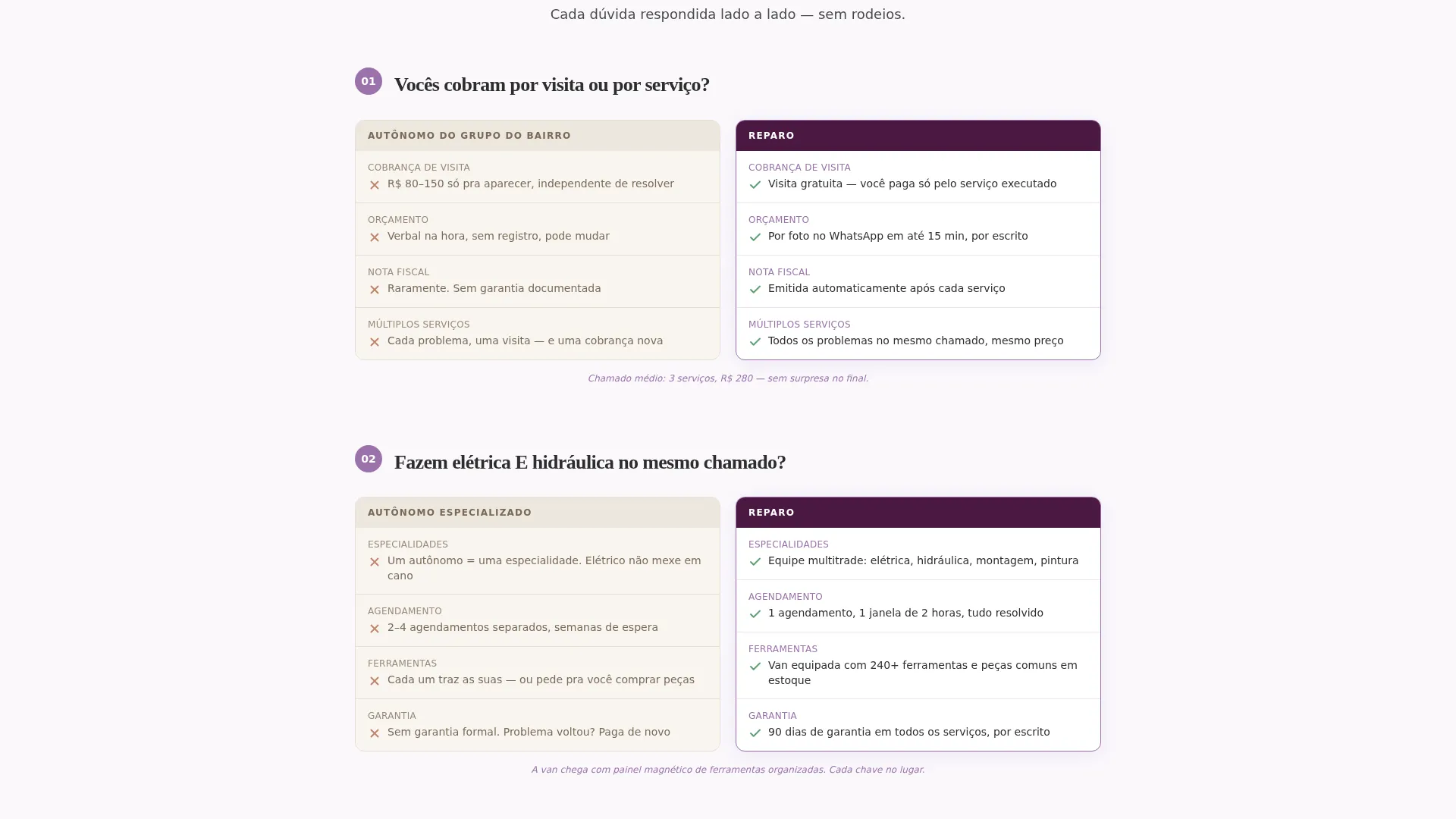
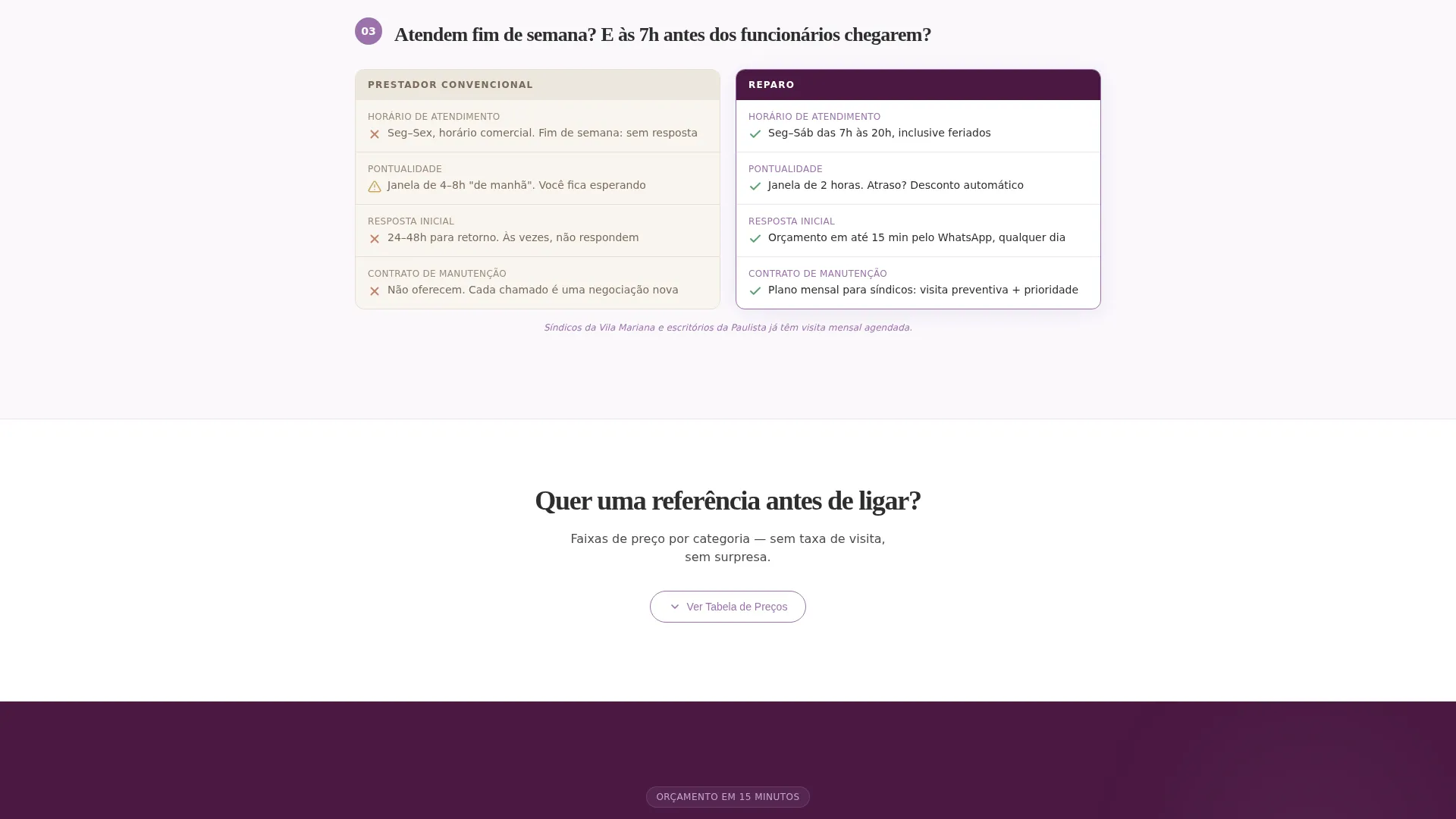
- Side-by-side comparison tables that contrast your professional service against informal options
- A three-field WhatsApp lead form with service type buttons, neighborhood dropdown, and contact input
Feature list
This template delivers every section you need to earn trust and capture a lead without overcomplicating the experience.
Press Credibility Header
The header opens with a press mentions banner displaying publication logos in a monochromatic tonal treatment on a deep plum background. A highlighted pull quote and three verification stats, resolved calls, star rating, and return client rate, anchor the section with immediately trustworthy data.
FAQ-Driven Comparison Tables
Each major section is built around a real visitor question. The comparison table layout places an informal contractor column next to a professional service column. Visitors see clear differences in invoice availability, service guarantee, arrival window, and pricing transparency without reading long paragraphs.
Sticky Mobile Call to Action
A fixed footer bar appears on mobile after the second comparison table. It holds the primary "Descreva o Problema" (Describe the Problem) call to action button so the conversion path is always one tap away during scroll.
Secondary Price Reveal Path
Before the main form, a secondary link labeled "Ver Tabela de Preços" (View Price Table) reveals price range bands by service category. This reduces the anxiety of visitors who need a cost reference before committing to a lead form submission.
Three-Field Lead Capture Form
The lead form asks only three things: service type via quick-select buttons, São Paulo neighborhood via a dropdown covering the 20 most-served areas, and a WhatsApp number for receiving a quote within 15 minutes. The short form reduces friction and increases submission rate.
Objection-to-Trust Scroll Flow
The page is structured as a progressive conversation. Each table section resolves one objection and introduces the next natural question. The scroll experience builds confidence by elimination rather than by assertion, guiding visitors to a decision without pressure.
Page sections overview
| Section | Purpose |
|---|---|
| Press Mentions Banner | Establishes credibility through publication logos and a featured pull quote |
| Stats Counter Bar | Displays verified numbers for resolved calls, star rating, and return rate |
| FAQ Comparison Block 1 | Answers billing question with a side-by-side contractor versus. service table |
| FAQ Comparison Block 2 | Addresses multi-service capability in one visit via comparison table |
| FAQ Comparison Block 3 | Covers weekend availability with a side-by-side comparison |
| Price Reveal Section | Shows service category price ranges before the lead form |
| Lead Capture Form | Collects service type, neighborhood, and WhatsApp contact |
| Sticky Mobile Footer | Keeps primary call to action visible on mobile after second table |
Design & branding system
The visual identity follows a Service Utility theme using the Plum Executive color system. The palette feels like a pressed work uniform: functional and precise, with a quiet confidence that signals professional-grade service.
- Deep plum (#4A1942) fills authority sections such as the header and table headers, projecting seriousness and reliability
- Technical lilac (#9B72AA) handles table borders, service icons, and hover states, adding definition without softness
- Plaster white (#FAF8FC) backs content sections for clean readability, paired with operational graphite (#2D2D2D) for body text and navigation bars
Mobile & speed optimization
The template is built with mobile-first browsing in mind. Most local service searches happen on a phone, often in a moment of urgency, so the layout prioritizes thumb-friendly interaction and minimal load friction.
- The sticky footer call to action activates after the second comparison table, keeping conversion available without interrupting the reading flow
- The three-field lead form uses tap-friendly quick-select buttons and a dropdown input, reducing typing effort on small screens
How this template helps you convert
The entire page is architected as a trust funnel, not a brochure. Each section earns the next click by resolving doubt rather than making claims.
- The press mentions header and verified stats create immediate credibility before any sales message appears, reducing the visitor's default skepticism
- The FAQ-driven comparison tables replace persuasion copy with side-by-side facts, letting visitors reach their own conclusion that your service is the safer, more reliable choice
- The short lead form and the secondary price-reveal path remove the two biggest friction points, "I don't know what this costs" and "I don't want to fill out a long form", so motivated visitors can act in under a minute
Other information about this template
This template is designed specifically around the São Paulo local services market. The neighborhood dropdown, the WhatsApp-first contact flow, and the press mentions from recognized São Paulo publications all reflect the expectations of local clients.
- The template suits any handyman or home repair team positioning against informal competitors in a dense urban market
- The comparison table format works equally well for electrical, plumbing, carpentry, painting, and general assembly services
- The design system is cohesive and uses a defined four-color palette, making visual customization straightforward without breaking the professional tone
- The lead form flow is designed around a 15-minute quote promise, which should be reflected in your actual operations to maintain trust after submission
Theme
Editorial Magazine
Creative direction
Testimonial Mosaic
Color system
Arctic White
Style
Comparison Table
Direction
Lead Generation
Page Sections
Press Credibility Header with Stats
Faq-driven Comparison Table Layout
Sticky Mobile Call to Action Footer
Secondary Price Reveal Path
Three-field Whatsapp Lead Form
Related questions
Can I use this template for a single type of repair service?
Does the template include the WhatsApp form integration?
Can I adapt the neighborhood dropdown to my own coverage area?
Is the comparison table format effective without naming a specific competitor?
What if I do not yet have press mentions for the header section?



