Editorial Relocation Consulting Landing Page Template
Resettle is an editorial magazine landing page template built for city-to-country move consultants. It pairs a deep navy and warm parchment visual identity with a question-led scroll structure, a hero booking button, an inline calendar, and a lead-capture spreadsheet download. The result feels like a trusted long-read that moves anxious families from doubt to decision.
by Rocket studio
Quick summary
Resettle is a single-page booking template for relocation consultancies. It opens with a blue-hour hero photograph, fades up a tracked serif headline, and guides visitors through a sequence of real client questions. Each scroll section builds from financial anxiety to emotional readiness. Two conversion paths capture both the ready-to-talk client and the midnight-spreadsheet researcher.
Who this template is for
This template is built for consultants who help urban families and remote professionals navigate the practical and emotional complexity of leaving city life behind. If your practice guides clients through property decisions, school transitions, and career rewiring, this page speaks your language.
- Relocation consultants serving London, Sydney, or Bay Area clients considering a move to rural or regional areas
- Boutique advisory practices that want an editorial, trust-building presence rather than a generic agency look
- Solo consultants or small teams who need a polished booking page without building from scratch
What problem this template solves
Most consulting websites bury the emotional truth of what a city-to-country move actually involves. Prospective clients arrive already overwhelmed. They need to feel understood before they feel sold to. A generic services page does neither.
- Dual-income couples staring at spreadsheets at midnight need reassurance before they need a contact form
- Remote professionals who no longer need a city postcode need someone to name their situation clearly and credibly
- Consultants lose warm leads because their pages ask for commitment too early, before trust is established
What you get with this template
You get a fully structured editorial landing page that mirrors the rhythm of a magazine feature. Every section is built around a question real clients ask, answered with evidence, story, and a clear next step.
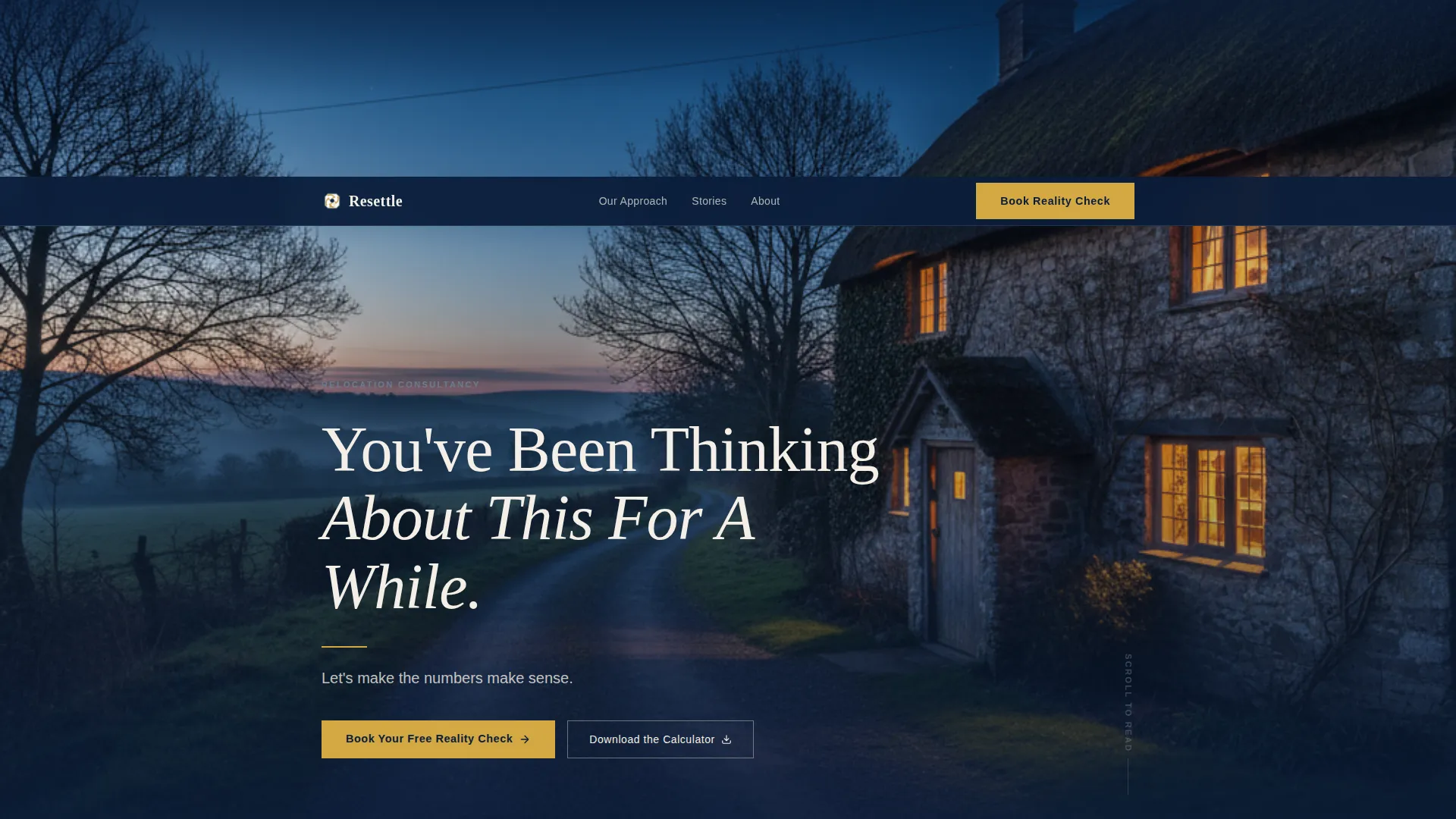
- A dark full-bleed hero panel with a glowing stone cottage image, a serif headline fade-in, a golden rule, and a primary booking call-to-action button
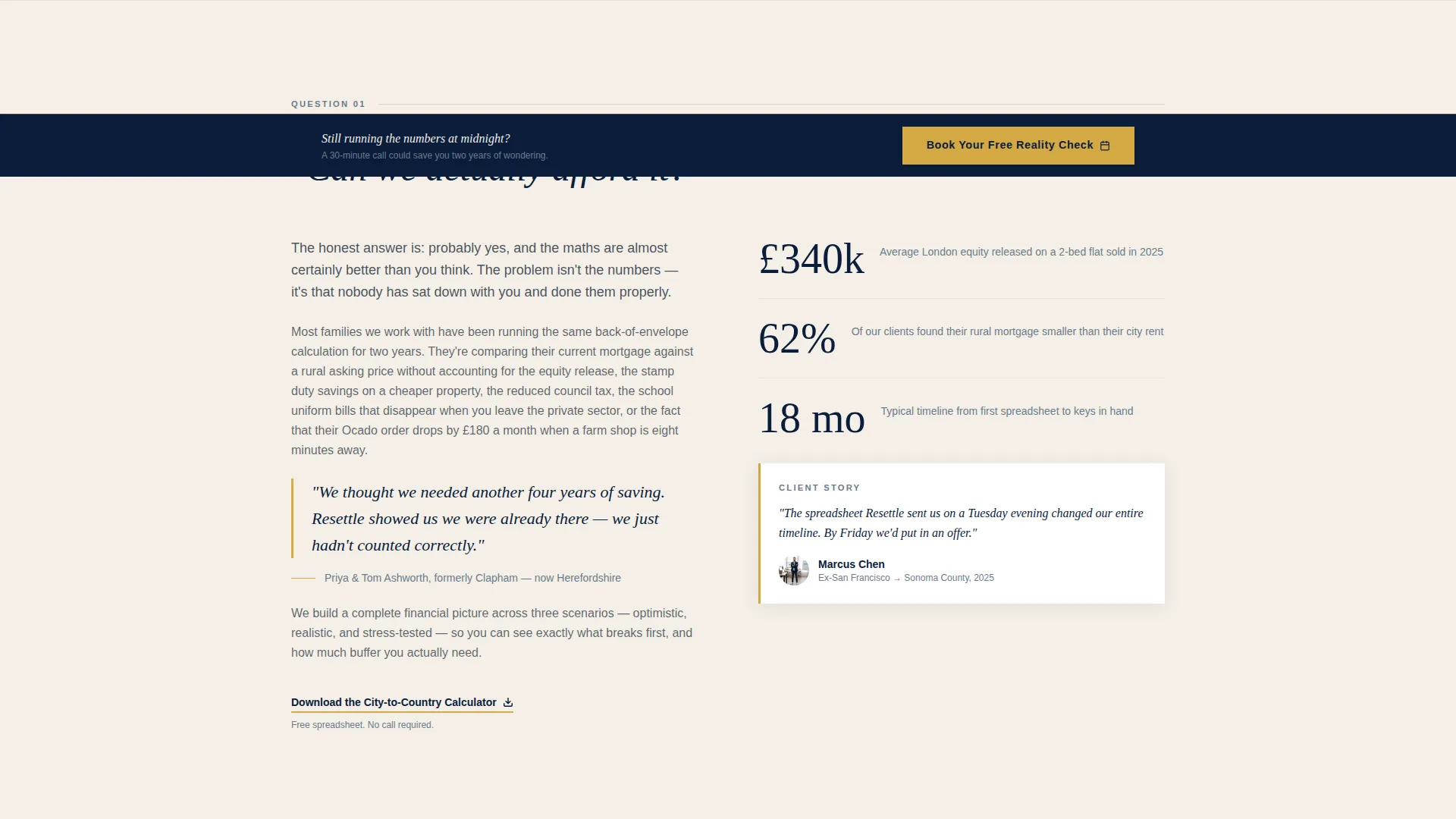
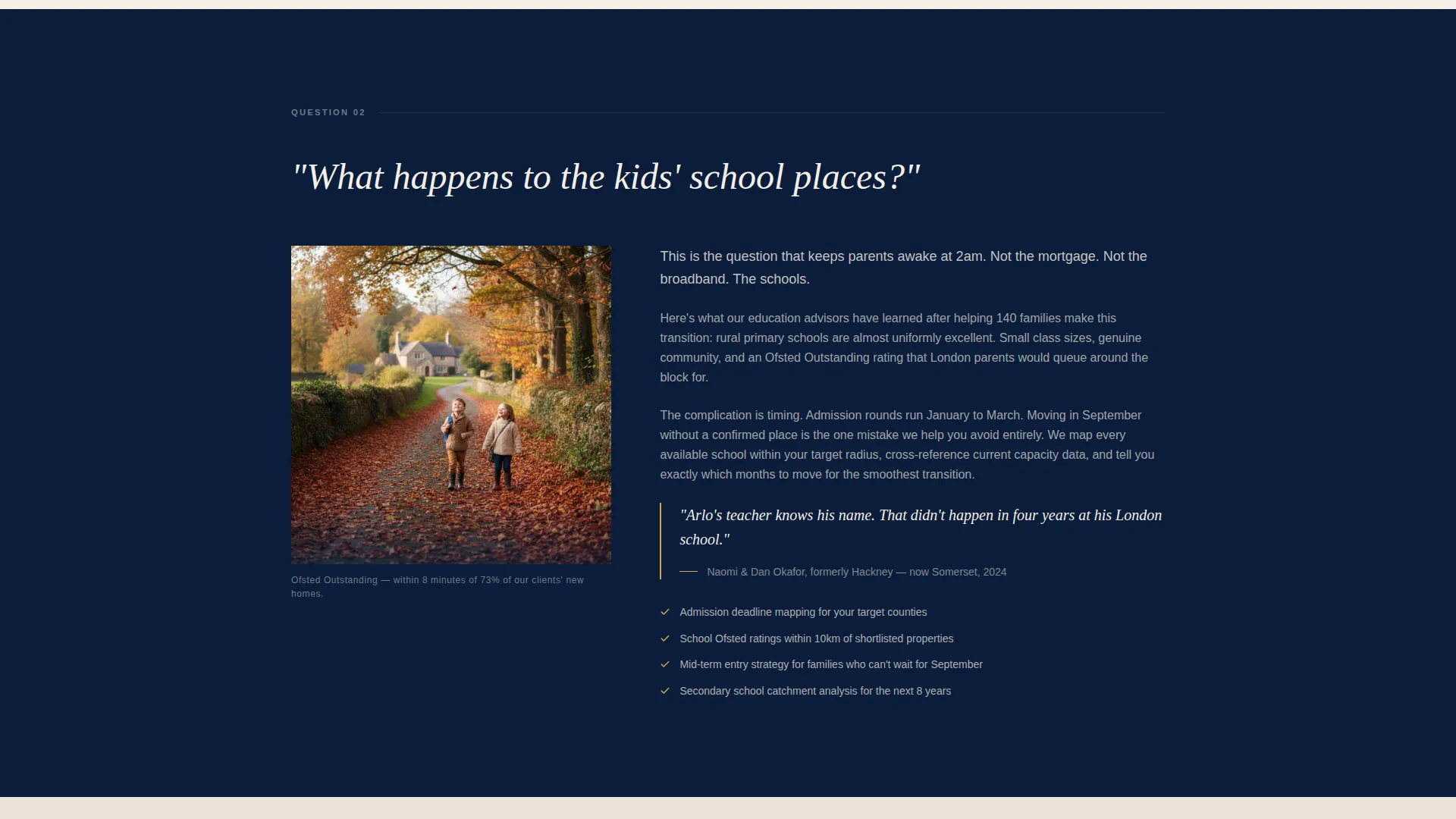
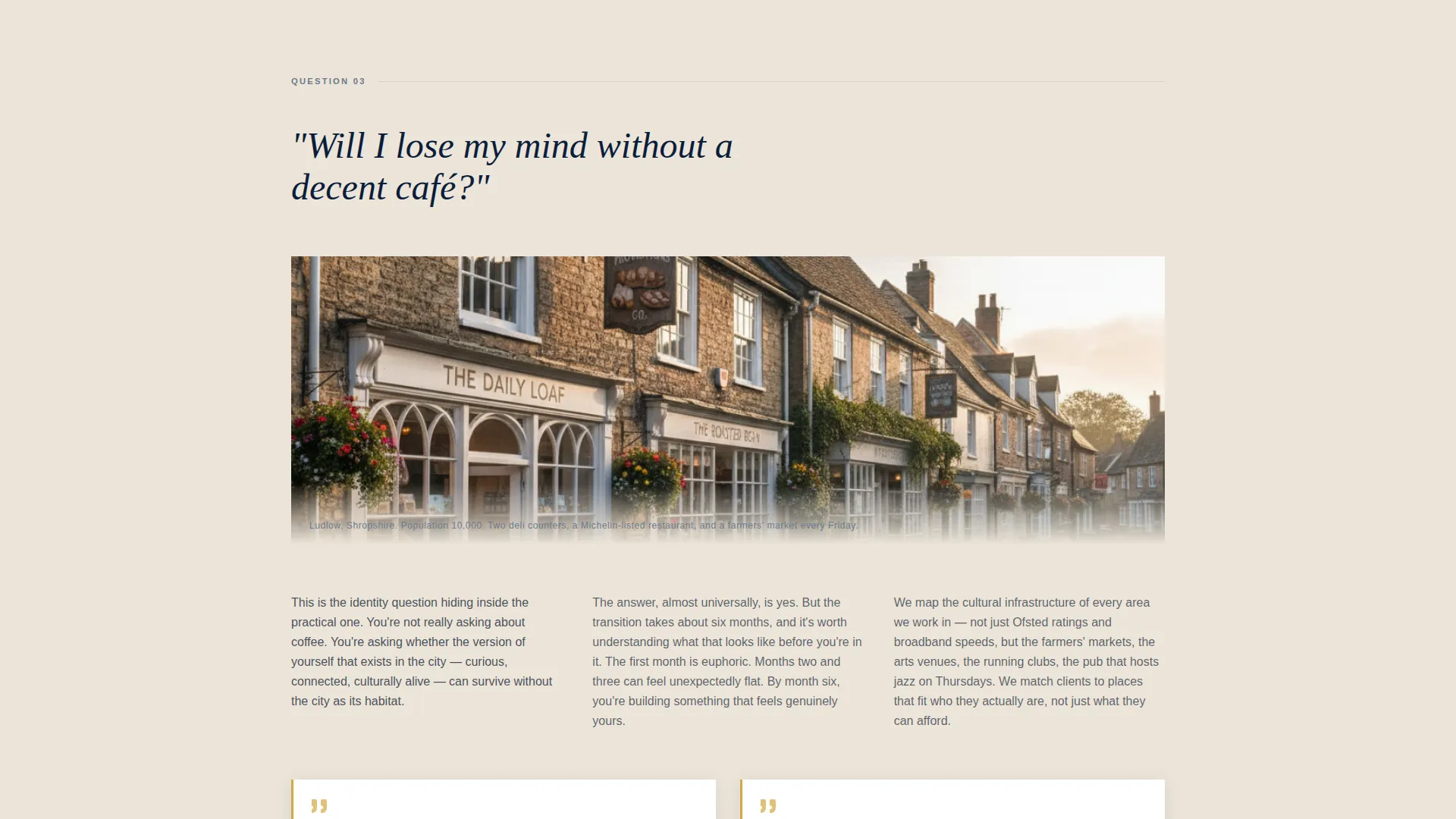
- A question-led scroll flow with pull-stats, client-story sidebars, and one editorial photograph per FAQ section
- An inline 30-minute consultation calendar and a secondary email-capture path offering a downloadable city-to-country calculator spreadsheet
Feature list
This template was designed around specific conversion behaviors and editorial reading patterns. Each feature serves a distinct purpose in the client journey.
Question-Led Scroll Architecture
Each section opens with a large serif question styled like a magazine section header. The questions escalate in stakes, moving from financial to logistical to emotional. By the final section, the visitor has shifted from anxiety to genuine longing.
Blue-Hour Hero Panel
The header uses a dark full-bleed photograph set at blue hour. A stone cottage glows amber against a deep navy sky. A tracked-out serif headline fades in after a beat, followed by a thin golden rule and a parchment-white subhead.
Inline Booking Calendar
The primary call-to-action button, labeled "Book Your Free Reality Check," opens an inline calendar showing 30-minute video consultation slots. The intake form asks only three things: the postcode being left, the county being considered, and the client's single biggest worry in 100 characters or fewer.
Sticky Booking Bar
After the visitor scrolls past the third FAQ section, a sticky bar reappears with the primary booking call-to-action. This keeps the conversion option visible without interrupting the editorial reading flow.
Lead-Capture Calculator Path
A secondary conversion path offers a downloadable city-to-country calculator spreadsheet in exchange for an email address. This captures the research-stage visitor who wants to run the numbers before committing to a conversation.
Navy Authority Color System
The template uses deep command navy for headers and hero panels, warm parchment for body backgrounds, muted steel for secondary text and divider rules, and a golden lantern accent for pull-quotes, buttons, and hover states. The palette is cohesive and intentional throughout.
Page sections overview
| Section | Purpose |
|---|---|
| Hero Header Panel | Establishes emotional tone and presents the primary booking call-to-action |
| "Can we afford it?" | Addresses financial anxiety with pull-stats and evidence-led editorial copy |
| "What about the kids?" | Covers school transition logistics with reassuring client-story sidebars |
| "Will I miss city life?" | Handles emotional hesitation about lifestyle trade-offs |
| "What does Monday feel like?" | Resolves the emotional arc and moves the visitor from doubt to longing |
| Sticky Booking Bar | Re-surfaces the primary call-to-action after the third FAQ section |
| Calculator Lead Capture | Converts research-stage visitors via a spreadsheet download and email form |
Design & branding system
The visual identity draws from an editorial magazine tradition. Think carefully art-directed long-reads where every typographic choice signals authority and every color communicates warmth. The system is consistent and replaceable with your own photography and brand fonts.
- Deep command navy (#0B1D3A) anchors hero panels and section headers; warm parchment (#F4EFE6) fills body backgrounds to evoke quality paper stock
- Muted steel (#6B7B8D) handles secondary text and divider rules; golden lantern (#D4A843) is reserved for pull-quotes, call-to-action buttons, and hover states
- Tracked-out serif typography sets editorial headlines; clean column layouts support long-form answer copy with sidebars and pull-stats
Mobile & speed optimization
The editorial layout is structured to read cleanly on smaller screens. Column layouts reflow naturally, and the full-bleed hero image is framed to retain impact on mobile viewports.
- The sticky booking bar is designed to appear unobtrusively on scroll across all screen sizes
- The three-field intake form is intentionally minimal, reducing friction on mobile keyboards and small-screen interactions
How this template helps you convert
The page is engineered around two distinct buyer mindsets: those ready to book and those still doing research. Both paths are served without either feeling like a compromise.
- The primary path guides ready-to-act visitors directly from the hero button through the inline calendar and the three-question intake form, making the first step feel low-commitment and fast.
- The secondary path meets research-stage visitors with the calculator spreadsheet offer, capturing an email address from people who are genuinely interested but not yet ready to speak.
Other information about this template
This template is part of the Editorial Magazine theme family and uses the Navy Authority color system as its foundational palette. It is categorized under Professional Services, specifically Specialty Consulting, with a niche alignment to city-to-country move consulting practices.
- The FAQ-Driven creative direction means section headers are styled as real client questions, not generic service labels, making the page feel like a feature article rather than a brochure
- The header concept, Dark Full-Bleed with Glow, is a deliberate editorial choice that sets the tone before a single word is read
- The booking and scheduling landing-page direction means the entire scroll sequence is oriented toward a single primary action, supported by one carefully placed secondary capture
Theme
Editorial Magazine
Creative direction
FAQ-Driven
Color system
Navy Authority
Style
Editorial/Magazine
Direction
Booking/Scheduling
Page Sections
Question-led Scroll Architecture
Blue-hour Hero Panel
Inline Booking Calendar with Minimal Form
Sticky Booking Bar on Scroll
Lead-capture Calculator Download
Navy Authority Branding System
Related questions
Can I customize the client questions used as section headers?
Does the inline calendar connect to a specific scheduling tool?
What is the city-to-country calculator, and how does it work in this template?
Is this template suitable for a solo relocation consultant or only larger practices?
Can I replace the hero photograph with my own location imagery?



